Sign In
Upload
Manuals
Brands
WAGO Manuals
I/O Systems
I/O SYSTEM 750
WAGO I/O SYSTEM 750 Manuals
Manuals and User Guides for WAGO I/O SYSTEM 750. We have
16
WAGO I/O SYSTEM 750 manuals available for free PDF download: Manual, Quickstart Reference, Product Manual, Quick Start Manual
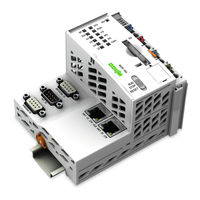
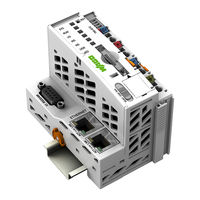
WAGO I/O SYSTEM 750 Manual (468 pages)
750-8208 PFC200 CS 2ETH RS CAN DPM PLC - Controller PFC200
Brand:
WAGO
| Category:
I/O Systems
| Size: 9 MB
Table of Contents
Table of Contents
5
Table of Contents
3
Table of Contents
11
1 Notes about this Documentation
15
Validity of this Documentation
15
Copyright
15
Table 1: Variants
15
Symbols
16
Number Notation
18
Font Conventions
18
Table 2: Number Notation
18
Table 3: Font Conventions
18
2 Important Notes
19
Legal Bases
19
Subject to Changes
19
Personnel Qualifications
19
Use of the WAGO-I/O-SYSTEM 750 in Compliance with Underlying Provisions
19
Technical Condition of Specified Devices
20
Safety Advice (Precautions)
21
Licensing Terms of the Software Package Used
23
Special Use Conditions for ETHERNET Devices
23
3 Device Description
24
View
27
Figure 1: View of Device
27
Table 4: Legend for Figure "View
27
Labeling
29
Manufacturing Number
29
Figure 2: Marking Area for Serial Numbers
29
Connectors
30
Data Contacts/Internal Bus
30
Figure 3: Data Contacts
30
Power Jumper Contacts/Field Supply
31
Figure 4: Power Jumper Contacts
31
Table 5: Legend for Figure "Power Jumper Contacts
31
Cage Clamp
32
Figure 5: CAGE CLAMP ® Connections
32
Table 6: Legend for Figure "CAGE CLAMP ® Connections
32
Service Interface
33
Figure 6: Service Interface (Closed and Open Flap)
33
Table 7: Service Interface
33
Network Connections - X1, X2
34
Figure 7: Network Connections - X1, X2
34
Table 8: Legend for Figure "Network Connections - X1, X2
34
RS-232/RS-485 - X3 Communication Connection
35
Figure 8: RS-232/RS-485 - X3 Communication Connection
35
Table 9: Legend for Figure "RS-232/RS-485 - X3 Communication Connection
35
Operating as an RS-232 Interface
36
Figure 9: Termination with DTE-DCE Connection (1:1)
36
Figure 10: Termination with DTE-DTE Connection (Cross-Over)
36
Table 10: Function of RS-232 Signals for DTE/DCE
36
Operating as an RS-485 Interface
37
Figure 11: RS-485 Bus Termination
37
Canopen - X4 Fieldbus Connection
38
Figure 12: Canopen - X4 Fieldbus Connection
38
Table 11: Legend for Figure "Canopen - X4 Fieldbus Connection
38
Figure 13: Canopen Standard Bus Termination
39
PROFIBUS DP - X5 Fieldbus Connection
40
Figure 14: PROFIBUS DP - X5 Fieldbus Connection
40
Table 12: Legend for Figure "PROFIBUS DP - X5 Fieldbus Connection
40
Figure 15: PROFIBUS Line Termination Based on en 50170
41
Display Elements
42
Power Supply Indicating Elements
42
Figure 16: Power Supply Indicating Elements
42
Table 13: Legend for Figure "Power Supply Indicating Elements
42
Fieldbus/System Indicating Elements
43
Figure 17: Fieldbus/System Indicating Elements
43
Table 14: Legend for Figure "Fieldbus/System Indicating Elements
43
Memory Card Indicating Elements
44
Figure 18: Indicating Elements, Memory Card Slot
44
Table 15: Legend for Figure "Indicating Elements, Memory Card Slot
44
Network Indicating Elements
45
Figure 19: Indicating Elements, RJ-45 Jacks
45
Table 16: Legend for Figure "Indicating Elements, RJ-45 Jacks
45
Operating Elements
46
Operating Mode Switch
46
Figure 20: Mode Selector Switch
46
Table 17: Mode Selector Switch
46
Reset Button
47
Figure 21: Reset Button
47
Slot for Memory Card
48
Figure 22: Slot for SD Memory Card
48
Schematic Diagram
49
Figure 23: Schematic Diagram
49
Technical Data
50
Device Data
50
System Data
50
Power Supply
50
Table 18: Technical Data − Device Data
50
Table 19: Technical Data - System Data
50
Table 20: Technical Data - Power Supply
50
Clock
51
Programming
51
Internal Data Bus
51
Ethernet
51
Table 21: Technical Data - Clock
51
Table 22: Technical Data - Programming
51
Table 23: Technical Data - Internal Data Bus
51
Table 24: Technical Data - ETHERNET
51
Canopen
52
Profibus
52
Serial Interface
52
Table 25: Technical Data - Canopen
52
Table 26: Technical Data - PROFIBUS
52
Table 27: Technical Data - Serial Interface
52
Connection Type
53
Climatic Environmental Conditions
53
Table 28: Technical Data - Field Wiring
53
Table 29: Technical Data - Power Jumper Contacts
53
Table 30: Technical Data - Data Contacts
53
Table 31: Technical Data - Climatic Environmental Conditions
53
Approvals
54
Standards and Guidelines
54
4 Function Description
55
Network
55
Interface Configuration
55
Operation in Switch Mode
55
Operation with Separate Network Interfaces
55
Network Security
56
Users and Passwords
56
Services and Users
56
WBM User Group
57
Linux ® User Group
57
SNMP User Group
57
Table 32: WBM Users
57
Table 33: Linux ® Users
57
Web Protocols for WBM Access
58
TLS Encryption
58
Network Configuration
60
Host Name/Domain Name
60
Default Gateways
60
Network Services
62
DHCP Client
62
DHCP Server
62
Table 34: List of Parameters Transmitted Via DHCP
63
DNS Server
64
Memory Card Function
65
Formatting
65
Data Backup
67
Backup Function
67
Restore Function
68
Inserting a Memory Card During Operation
70
Removing the Memory Card During Operation
70
Setting the Home Directory for the Runtime System
71
5 Mounting
72
Installation Position
72
Overall Configuration
72
Mounting Onto Carrier Rail
74
Carrier Rail Properties
74
WAGO DIN Rails
75
Spacing
75
Figure 24: Spacing
75
Table 35: WAGO DIN Rails
75
Mounting Sequence
76
Inserting Devices
77
Inserting the Controller
77
Figure 25: Release Tab of Controller
77
Inserting the I/O Module
78
Figure 26: Insert I/O Module (Example)
78
Figure 27: Snap the I/O Module into Place (Example)
78
6 Connect Devices
79
Connecting a Conductor to the CAGE CLAMP
79
Figure 28: Connecting a Conductor to a CAGE CLAMP
79
Power Supply Concept
80
Fuse Protection of the Electronic Circuit Power Supply
80
Figure 29: Fuse Protection of the Electronic Circuit Power Supply
80
7 Commissioning
81
Determining the IP Address of the Host PC
81
Setting an IP Address
82
Table 36: Default IP Addresses for ETHERNET Interfaces
82
Table 37: Network Mask 255.255.255.0
82
Assigning an IP Address Using DHCP
83
Figure 30: "Open DHCP", Example Figure
83
Changing an IP Address Using the "CBM" Configuration Tool Via the Serial Interface
84
Figure 31: CBM Starting Screen
84
Figure 32: CBM - Selecting "Networking
85
Figure 33: CBM - Selecting "TCP/IP
85
Figure 34: CBM - Selecting "IP Address
85
Figure 35: CBM - Selecting the IP Address
86
Figure 36: CBM - Entering a New IP Address
86
Changing an IP Address Using "WAGO Ethernet Settings
87
Figure 37: "WAGO Ethernet Settings" - Starting Screen (Example)
87
Figure 38: "WAGO Ethernet Settings" - "Network" Tab
88
Testing the Network Connection
89
Figure 39: Example of a Function Test
89
Initiating Reset Functions
90
Warm Start Reset
90
Cold Start Reset
90
Software Reset
90
Configuration
91
Configuration Via Web-Based-Management (WBM)
92
WBM User Administration
93
Figure 40: Entering Authentication
93
Figure 41: Password Reminder
94
Table 38: User Settings in the Default State
94
Table 39: Access Rights for WBM Pages
94
General Information about the Page
96
Figure 42: WBM Browser Window (Example)
96
Figure 43: WBM Status Information (Example)
96
Status Information" Page
99
Controller Details" Group
99
Network Details (Xn)" Group(S)
99
Table 40: WBM "Status Information" Page - "Controller Details" Group
99
Table 41: WBM "Status Information Page - "Network Details (Xn)" Group(S)
99
PLC Runtime Information" Page
100
PLC Runtime" Group
100
Project Details" Group
100
Table 42: WBM "PLC Runtime Information" Page - "PLC Runtime" Group
100
Table 43: WBM "PLC Runtime Information" Page - "Project Details" Group
100
Task N" Group(S)
101
Table 44: WBM "PLC Runtime Information" Page - "Task N" Group(S)
101
General PLC Runtime Configuration" Page
102
General PLC Runtime Configuration" Group
102
Table 45: WBM "General PLC Runtime Configuration" Page - "General PLC Runtime Configuration" Group
102
PLC Webvisu" Page
103
Webserver Configuration" Group
103
Table 46: WBM "PLC Webvisu" Page - "Webserver Configuration" Group
103
Configuration of Host and Domain Name" Page
104
Hostname" Group
104
Domain Name" Group
104
Table 47: WBM "Configuration of Host and Domain Name" Page - "Host Name
104
Table 48: WBM "Configuration of Host and Domain Name" Page - "Domain Name" Group
104
TCP/IP Configuration" Page
105
IP Configuration (Xn)" Group(S)
105
Table 49: WBM "TCP/IP Configuration" Page - "IP Configuration (Xn)
105
Default Gateway N" Groups
106
Table 50: WBM "TCP/IP Configuration" Page - "Default Gateway N" Group
106
DNS Server" Group
107
Table 51: WBM "TCP/IP Configuration" Page - "DNS Server" Group
107
Ethernet Configuration" Page
108
Switch Configuration" Group
108
Interface Xn" Groups
108
Table 52: WBM "Ethernet Configuration" Page - "Switch Configuration" Group
108
Table 53: WBM "Ethernet Configuration" Page - "Interface Xn" Groups
109
General Firewall Configuration" Page
110
Global Firewall Parameters" Group
110
Table 54: WBM "General Firewall Configuration" Page - "Global Firewall Parameters" Group
110
Firewall Parameters Interface XXX" Group
111
Table 55: WBM "General Firewall Configuration" Page - "Firewall Parameter Interface Xn" Group
111
Configuration of MAC Address Filter" Page
112
Global MAC Address Filter State" Group
112
Table 56: WBM "Configuration of MAC Address Filter" Page - "Global MAC Address Filter State" Group
112
MAC Address Filter State Xn" Group
113
MAC Address Filter Whitelist" Group
113
Table 57: WBM "Configuration of MAC Address Filter" Page - "MAC Address Filter State Xn" Group
113
Table 58: WBM "Configuration of MAC Address Filter" Page - "MAC Address Filter Whitelist" Group
113
Configuration of User Filter" Page
114
User Filter" Group
114
User Filter N" Group
114
Table 59: WBM "Configuration of User Filter" Page - "User Filter" Group
114
Table 60: WBM "Configuration of User Filter" Page - "User Filter N" Group
114
Add New User Filter" Group
115
Table 61: WBM "Configuration of User Filter" Page - "Add New User Filter
115
Configuration of Time and Date" Page
116
Date on Device" Group
116
Time on Device" Group
116
Table 62: WBM "Configuration of Time and Date" Page - "Date on Device
116
Table 63: WBM "Configuration of Time and Date" Page - "Time on Device
116
Time Zone" Group
117
Table 64: WBM "Configuration of Time and Date" Page - "Time Zone" Group
117
TZ String" Group
118
Table 65: WBM "Configuration of Time and Date" Page - "TZ String" Group
118
Change Password for Selected User" Group
119
Table 66: WBM "Configuration of the Users for the Web-Based Management" Page - "Change Password for Selected User" Group
119
Create Bootable Image" Page
120
Create Bootable Image from Active Partition
120
Table 67: WBM "Create Bootable Image" Page - "Create Bootable Image from Active Partition" Group
120
Configuration of Serial Interface RS232" Page
122
Serial Interface Assigned To" Group
122
Assign Owner of Serial Interface (Active after Next Controller Reboot)" Group
122
Table 68: WBM "Configuration of Serial Interface RS232" Page - "Assign Owner of Serial Interface" Group
122
Configuration of Service Interface" Page
123
Service Interface Assigned To" Group
123
Assign Owner of Service Interface (Enabled after Next Controller Reboot)" Group
123
Table 69: WBM "Configuration of Serial Interface RS-232" Page - "Assign Owner of Service Interface" Group
123
Reboot Controller" Page
124
Reboot Controller" Group
124
Firmware Backup" Page
125
Table 70: "Firmware-Backup" WBM Page
125
Firmware Restore" Page
127
Table 71: "Firmware Restore" WBM Page
127
System Partition" Page
129
Current Active Partition" Group
129
Set Inactive Partition Active" Group
129
Mass Storage" Page
130
Device Name>" Group(S)
130
Device Name> - FAT Format" Group(S)
130
Table 72: WBM "Mass Storage" Page - "<Device Name>" Group
130
Table 73: WBM "Mass Storage" Page - "<Device Name>" Group
130
Software Uploads" Page
131
Upload New Software" Group
131
Activate New Software" Group
131
Table 74: WBM "Software Uploads" Page - "Upload New Software" Group
131
Table 75: WBM "Software Uploads" Page - "Activate New Software" Group
131
Configuration of Network Services" Page
132
Telnet" Group
132
FTP" Group
132
FTPS" Group
132
HTTP" Group
132
Table 76: WBM "Configuration of Network Services" Page - "Telnet" Group
132
Table 77: WBM "Configuration of Network Services" Page - "FTP" Group
132
Table 78: WBM "Configuration of Network Services" Page - "FTPS" Group
132
Table 79: WBM "Configuration of Network Services" Page - "HTTP" Group
132
HTTPS" Group
133
I/O-CHECK" Group
133
Table 80: WBM "Configuration of Network Services" Page - "HTTPS" Group
133
Table 81: WBM "Configuration of Network Services" Page - "I/O-CHECK
133
Configuration of NTP Client" Page
134
NTP Client Configuration" Group
134
NTP Single Request" Group
134
Table 82: WBM "Configuration of NTP Client" Page - "NTP Client
134
Configuration of PLC Runtime Services" Page
135
General Configuration" Group
135
CODESYS 2" Group
135
Table 83: WBM "Configuration of PLC Runtime Services" Page - "General
135
Table 84: WBM "Configuration of CODESYS Services" Page - "CODESYS 2 Webserver" Group
135
SSH Server Settings" Page
136
SSH Server" Group
136
Table 85: WBM "SSH Server Settings" Page - "SSH Server" Group
136
TFTP Server" Page
137
TFTP Server" Group
137
Table 86: WBM "TFTP Server" Page - "TFTP Server" Group
137
DHCP Configuration" Page
138
DHCP Configuration Xn" Group
138
Table 87: WBM "DHCP Configuration" - "DHCP Configuration Xn" Group
138
Configuration of DNS Service" Page
139
DNS Service" Group
139
Table 88: WBM "Configuration of DNS Service" Page - "DNS Service" Group
139
MODBUS Services Configuration" Page
140
MODBUS TCP" Group
140
MODBUS UDP" Group
140
Table 89: WBM "MODBUS Services Configuration" Page - "MODBUS TCP
140
Table 90: WBM "MODBUS Configuration Services" Page - "MODBUS UDP
140
Configuration of General SNMP Parameters" Page
141
General SNMP Configuration" Group
141
Table 91: WBM "Configuration of General SNMP Parameters" Page - "General SNMP Configuration" Group
141
Configuration of SNMP V1/V2C Parameters" Page
142
SNMP V1/V2C Manager Configuration" Group
142
Actually Configured Trap Receivers" Group(S)
142
Table 92: WBM "Configuration of SNMP V1/V2C Parameters" Page - "SNMP V1/V2C Manager Configuration" Group
142
Table 93: WBM "Configuration of SNMP V1/V2C Parameters" Page - "Actually Configured Trap Receivers" Group
142
Trap Receiver N" Group(S)
143
Add New Trap Receiver" Group
143
Table 94: WBM "Configuration of SNMP V1/V2C Parameters" Page - "Trap Receiver N" Group(S)
143
Table 95: WBM "Configuration of SNMP V1/V2C Parameters" Page - "Add New Trap Receiver" Group
143
Configuration of SNMP V3 Users" Page
144
Actually Configured V3 Users" Group(S)
144
V3 User N" Group(S)
144
Table 96: WBM "Configuration of SNMP V3" Page - "Actually Configured V3 Users" Group
144
Table 97: WBM "Configuration of SNMP V3 Users" Page - "V3 User N" Group(S)
144
Add New V3 User" Group
145
Table 98: WBM "Configuration of SNMP V3 Users" Page - "Add New V3 User
145
Diagnostic Information" Page
146
Table 99: WBM "Diagnostic Information" Page
146
Configuration of Openvpn and Ipsec" Page
147
Openvpn" Group
147
Ipsec" Group
147
Table 100: WBM "Configuration of Openvpn and Ipsec" Page - "Openvpn
147
Table 101: WBM "Configuration of Openvpn and Ipsec" Page - "Ipsec" Group
147
Certificate Upload" Group
148
Certificate List" Group
148
Private Key List" Group
148
Table 102: WBM "Configuration of Openvpn and Ipsec" Page - "Certificate Upload" Group
148
Table 103: WBM "Configuration of Openvpn and Ipsec" Page - "Certificate List" Group
148
Table 104: WBM "Configuration of Openvpn and Ipsec" Page - "Private Key List" Group
148
Security Settings" Page
149
TLS Configuration" Group
149
Table 105: "Security Settings" WBM Page - "TLS Configuration" Group
149
Open Source Licenses" Page
150
WAGO Licenses" Page
151
Configuration Using a Terminal Program (CBM)
152
CBM Menu Structure Overview
152
Figure 44: CBM Main Menu (Example)
152
Table 106: CBM Menu Structure
152
Information" Menu
155
Information" > "Controller Details" Submenu
155
Table 107: "Information" Menu
155
Table 108: "Information" > "Controller Details" Submenu
155
Information" > "Network Details" Submenu
156
Table 109: "Information" > "Network Details" Submenu
156
PLC Runtime" Menu
157
PLC Runtime" > "Information" Submenu
157
Table 110: "PLC Runtime" Menu
157
Table 111: "PLC Runtime" > "Information" Submenu
157
Information" > "Runtime Version" Submenu
158
Information" > "Webserver Version" Submenu
158
Information" > "State" Submenu
158
Table 112: "PLC Runtime" > "Information" > "Runtime Version" Submenu
158
Table 113: "PLC Runtime" > "Information" > "Webserver Version" Submenu
158
Table 114: "PLC Runtime" > "Information" > "State" Submenu
158
Information" > "Number of Tasks" Submenu
159
Information" > "Project Details" Submenu
159
Information" > "Tasks" Submenu
159
Table 115: "PLC Runtime" > "Information" > "Number of Tasks" Submenu
159
Table 116: "PLC Runtime" > "Information" > "Project Details" Submenu
159
Table 117: "PLC Runtime" > "Information" > "Tasks" Submenu
159
Tasks" > "Task N" Submenu
160
PLC Runtime" > "General Configuration" Submenu
160
Table 118: "PLC Runtime" > "Information" > "Tasks" > "Task N" Submenu
160
Table 119: "PLC Runtime" > "General Configuration" Submenu
160
General Configuration" > "PLC Runtime Version" Submenu161
161
General Configuration" > "Home dir on SD Card" Submenu161
161
Table 120: "PLC Runtime" > "General Configuration" > "PLC Runtime Version
161
Table 121: "PLC Runtime" > "General Configuration" > "Home dir on SD Card" Submenu
161
PLC Runtime" > "Webvisu" Submenu
162
Table 122: "PLC Runtime" > "Webvisu" Submenu
162
Networking" Menu
163
Networking" > "Host/Domain Name" Submenu
163
Table 123: "Networking" Menu
163
Table 124: "Networking" > "Host/Domain Name" Submenu
163
Host/Domain Name" > "Hostname" Submenu
164
Host/Domain Name" > "Domain Name" Submenu
164
Networking" > "TCP/IP" Submenu
164
Table 125: "Networking" > "Hostname" Submenu
164
Table 126: "Networking" > "Host/Domain Name" > "Domain Name" Submenu
164
Table 127: "Networking" > "TCP/IP" Submenu
164
TCP/IP" > "IP Address" Submenu
165
IP Address" > "Xn" Submenu
165
Table 128: "Networking" > "IP Address" Submenu
165
Table 129: "Networking" > "TCP/IP" > "IP Address" Submenu > "Xn
165
TCP/IP" > "Default Gateway" Submenu
166
Default Gateway" > "Default Gateway N" Submenu
166
Table 130: "Networking" > "TCP/IP" > "Default Gateway" Submenu
166
Table 131: "Networking" > "TCP/IP" > "Default Gateway" > "Default Gateway N" Submenu
166
TCP/IP" > "DNS Server" Submenu
167
Networking" > "Ethernet" Submenu
167
Table 132: "Networking" > "TCP/IP" > "DNS Server" Submenu
167
Table 133: "Networking" > "Ethernet" Submenu
167
Ethernet" > "Switch Configuration" Submenu
168
Ethernet" > "Ethernet Ports" Submenu
168
Table 134: "Networking" > "Ethernet" > "Switch Configuration" Submenu
168
Table 135: "Networking" > "Ethernet" > "Ethernet Ports" Submenu
168
Ethernet Ports" > "Interface Xn" Submenu
169
Table 136: "Networking" > "Ethernet" > "Ethernet Ports" > "Interface Xn
169
Firewall" Menu
170
Table 137: "Firewall" Menu
170
Firewall" > "General Configuration" Submenu
171
Table 138: "Firewall" > "General Configuration" Submenu
171
General Configuration" > "Interface XXX" Submenu
172
Table 139: "Firewall" > "General Configuration" > "Interface XXX" Submenu
172
Firewall" > "MAC Address Filter" Submenu
174
Table 140: "Firewall" > "MAC Address Filter" Submenu
174
MAC Address Filter" > "MAC Address Filter Whitelist" Submenu
175
Table 141: "Firewall" > "MAC Address Filter" > "MAC Address Filter Whitelist
175
Table 142: "Firewall" > "MAC Address Filter" > "MAC Address Filter Whitelist" > "Add New / no (N)" Submenu
175
Firewall" > "User Filter" Submenu
176
Table 143: "Firewall" > "User Filter" Submenu
176
User Filter" > "Add New / no (N)" Submenu
177
Table 144: "Firewall" > "User Filter" > "Add New / no (N)" Submenu
177
Clock" Menu
178
Table 145: "Clock" Menu
178
Administration" Menu
179
Table 146: "Administration" Menu
179
Administration" > "Create Image" Submenu
180
Administration" > "Users" Submenu
180
Table 147: "Administration" > "Create Image" Submenu
180
Table 148: "Administration" > "Users" Submenu
180
Package Server" Menu
181
Package Server" > "Firmware Backup" Submenu
181
Table 149: "Package Server" Menu
181
Table 150: "Package Server" > "Firmware Backup" Menu
181
Firmware Backup" > "Auto Update Feature" Submenu
182
Firmware Backup" > "Destination" Submenu
182
Table 151: "Package Server" > "Firmware Backup" > "Auto Update Feature
182
Table 152: "Package Server" > "Firmware Backup" > "Auto Update Feature
182
Package Server" > "Firmware Restore" Submenu
183
Firmware Restore" > "Select Package" Submenu
183
Table 153: "Package Server" > "Firmware Restore" Menu
183
Table 154: "Package Server" > "Firmware Restore" > "Select Package" Menu
183
Package Server" > "System Partition" Submenu
184
Table 155: "Package Server" > "System Partition" Submenu
184
Mass Storage" Menu
185
Mass Storage" > "SD Card" Submenu
185
Table 156: "Mass Storage" Menu
185
Table 157: "Mass Storage" > "SD Card" Menu
185
Software Uploads" Menu
186
Ports and Services" Menu
187
Table 158: "Ports and Services" Menu
187
Ports and Services" > "Telnet" Submenu
188
Ports and Services" > "FTP" Submenu
188
Table 159: "Ports and Services" > "Telnet" Submenu
188
Table 160: "Ports and Services" > "FTP" Submenu
188
Ports and Services" > "FTPS" Submenu
189
Ports and Services" > "HTTP" Submenu
189
Table 161: "Ports and Services" > "FTPS" Submenu
189
Table 162: "Ports and Services" > "HTTP" Submenu
189
Ports and Services" > "HTTPS" Submenu
190
Ports and Services" > "NTP" Submenu
190
Table 163: "Ports and Services" > "HTTPS" Submenu
190
Table 164: "Ports and Services" > "NTP" Submenu
190
Ports and Services" > "SSH" Submenu
191
Ports and Services" > "TFTP" Submenu
191
Table 165: "Ports and Services" > "SSH" Submenu
191
Table 166: "Ports and Services" > "TFTP" Submenu
191
Ports and Services" > "DHCPD" Submenu
192
DHCPD" > "Xn" Submenu
192
Table 167: "Ports and Services" > "DHCPD" Submenu
192
Table 168: "Ports and Services" > "DHCPD" > "Xn" Submenu
192
Ports and Services" > "DNS" Submenu
193
Table 169: "Ports and Services" > "DNS" Submenu
193
Ports and Services" > "IOCHECK PORT" Submenu
194
Ports and Services" > "Modbus TCP" Submenu
194
Table 170: "Ports and Services" > "IOCHECK PORT" Submenu
194
Table 171: "Ports and Services" > "Modbus TCP" Submenu
194
Ports and Services" > "Modbus UDP" Submenu
195
Ports and Services" > "PLC Runtime Services" Submenu
195
Table 172: "Ports and Services" > "Modbus UDP" Submenu
195
Table 173: "Ports and Services" > "PLC Runtime Services" Submenu
195
PLC Runtime Services" > "CODESYS 2" Submenu
196
Table 174: "Ports and Services" > "PLC Runtime Services" > "CODESYS
196
Firewall Status" Submenu
197
Table 175: "Ports and Services" > "Firewall Status" Submenu
197
SNMP" Menu
198
SNMP" > "General SNMP Configuration" Submenu
198
Table 176: "SNMP" Menu
198
Table 177: "SNMP" > "General SNMP Configuration" Submenu
198
SNMP" > "SNMP V1/V2C Manager Configuration" Submenu199
199
SNMP" > "SNMP V1/V2C Trap Receiver Configuration" Submenu
199
Table 178: "SNMP" > "SNMP V1/V2C Manager Configuration" Submenu
199
Table 179: "SNMP" > "SNMP V1/V2C Trap Receiver Configuration" Submenu
199
SNMP" > "SNMP V3 Configuration" Submenu
200
Table 180: "SNMP" > "SNMP V3 Configuration" Submenu
200
SNMP" > "(Secure)Snmp Firewalling" Submenu
201
Table 181: "SNMP" > "(Secure )SNMP Firewalling" Submenu
201
Configuration Using "WAGO ETHERNET Settings
202
Figure 45: "WAGO ETHERNET Settings" - Start Screen
202
Figure 46: "WAGO ETHERNET Settings" - Communication Link
203
Identification Tab
204
Figure 47: "WAGO ETHERNET Settings" - Identification Tab (Example)
204
Network Tab
205
Figure 48: "WAGO ETHERNET Settings" - Network Tab
205
Protocol Tab
207
Figure 49: "WAGO ETHERNET Settings" - Protocol Tab
207
Status Tab
208
Figure 50: "WAGO ETHERNET Settings" - Status Tab
208
8 Run-Time System CODESYS 2.3
209
Installing the CODESYS 2.3 Programming System
209
First Program with CODESYS 2.3
209
Start the CODESYS Programming System
209
Creating a Project and Selecting the Target System
210
Figure 51: Target System Settings (1)
210
Figure 52: Target System Settings (2)
210
Creating the PLC Configuration
211
Figure 53: Creating a New Function Block
211
Figure 54: Programming Interface with the PLC_PRG Program Module
211
Figure 55: "Resources" Tab
212
Figure 56: Control Configuration - Edit
213
Figure 57: "Start WAGO-I/O-CHECK and Scan" Button
213
Figure 58: WAGO-I/O-CHECK - Starting Screen
214
Figure 59: I/O Configurator Empty
215
Figure 60: "Add I/O Modules" Button
215
Figure 61: "Module Selection" Window
216
Figure 62: I/O Configurator with Defined I/O Modules
216
Figure 63: Variable Declaration
217
Figure 64: Control Configuration: I/O Modules with Their Associated Addresses
217
Editing the Program Function Block
218
Figure 65: Program Function Block
218
Figure 66: Input Assistant for Selecting Variables
218
Figure 67: Example of an Allocation
219
Loading and Running the PLC Program in the Fieldbus Controller (ETHERNET)
220
Figure 68: Creating a Communication Link - Step 1
220
Figure 69: Creating a Communication Link - Step 2
221
Figure 70: Creating a Communication Link - Step 3
221
Creating a Boot Project
222
Syntax of Logical Addresses
222
Table 182: Syntax of Logical Addresses
222
Creating Tasks
223
Figure 71: Task Configuration
223
Figure 72: Changing Task Names 1
224
Figure 73: Call-Up to Add to the Program Module
225
Cyclic Tasks
226
Figure 74: Cyclic Task
226
Freewheeling Tasks
227
Debugging an IEC Program
227
Figure 75: Freewheeling Task
227
Figure 76: Debugging (Case 1)
228
Figure 77: Debugging (Case 2)
228
Figure 78: Debugging (Case 3)
229
Figure 79: Debugging (Case 4)
229
Figure 80: Debugging (Case 5)
230
Figure 81: Debugging (Case 6)
230
System Events
231
Figure 82: Debugging (Case 7)
231
Figure 83: CODESYS - System Events
232
Table 183: Events
233
Creating an Event Handler
234
Figure 84: CODESYS Program Provokes Division by "0
234
Figure 85: CODESYS - Creating and Activating an Event Handler
234
Figure 86: CODESYS - New Module Has Been Generated
235
Figure 87: CODESYS - Enter the Event in a Global Variable
235
Figure 88: CODESYS - Variable Contents Prior to Division by "0
236
Figure 89: CODESYS - Variable Contents after Division by "0" and Call-Up of the Event Handler
236
Process Images
237
Figure 90: Process Image
238
Process Images for I/O Modules Connected to the Controller
239
Figure 91: Flag Area
239
Process Image for Slaves Connected to the Fieldbus
240
Access to Process Images of the Input and Output Data Via CODESYS
240
Table 184: Access to the Process Images of the Input and Output Data - Internal Data Bus
240
Table 185: Access to the Process Images of the Input and Output Data
241
Table 186: Access to the Process Images of the Input and Output Data
241
Table 187: Access to the Process Images of the Input and Output Data
241
Addressing Example
242
Table 188: Access to the Process Images of the Input and Output Data - Flags
242
Table 189: Arrangement of the I/O Modules for the Addressing Example
242
Table 190: Addressing Example
242
Internal Data Bus Synchronization
243
Case 1: CODESYS Task Interval Set Smaller than the I/O Module Cycle
243
Figure 92: Internal Data Bus Synchronization 01
244
Case 2: CODESYS Task Interval Smaller than Twice the Internal Data Bus Cycle
245
Figure 93: I/O Module Synchronization 02
245
Case 3: CODESYS Task Interval Greater than Twice the Internal Data Bus Cycle
246
Figure 94: I/O Module Synchronization 03
246
Case 4: CODESYS Task Interval Greater than 10 Ms
247
Figure 95: Internal Data Bus Synchronization 04
247
Internal Data Bus Configuration
248
Figure 96: Internal Data Bus Settings
248
Effect of Update Mode on CODESYS Tasks
249
Asynchronous Update Mode
249
Table 191: Internal Data Bus Settings
249
Synchronous Update Mode
250
Memory Settings in CODESYS
250
Program Memory
250
Figure 97: Program Memory (Example)
251
Data Memory and Function Block Limitation
252
Figure 98: Data Memory and Function Block Limitation (Example)
252
Remanent Memory
253
Figure 99: Remanent Main Memory (Example)
253
Figure 100: Flag and Retain Memory (Example)
253
General Target System Settings
254
CODESYS Visualization
254
Figure 101: General Target System Settings
254
Figure 102: Selecting the Visualization Technique in the Target System Settings
255
Figure 103: Creating the PLC_VISU Starting Visualization
256
Limits of CODESYS Visualization
257
Eliminating Errors in CODESYS Web Visualization
259
Table 192: Errors and Remedies
259
Faqs about CODESYS Web Visualization
260
9 Modbus - Codesys 2
262
General
262
Features
262
Configuration
263
Figure 104: CODESYS PLC Configuration - MODBUS Settings
263
MODBUS Settings
264
Table 193: MODBUS Settings
264
MODBUS TCP Settings
265
MODBUS UDP Settings
265
MODBUS RTU Settings
265
Table 194: MODBUS TCP Settings
265
Table 195: MODBUS UDP Settings
265
Table 196: MODBUS RTU Settings
266
Data Exchange
268
Process Image
269
Figure 105: MODBUS Process Image
269
Flag Area
270
Figure 106: Flag Area
270
MODBUS Registers
271
MODBUS Mapping
271
MODBUS Mapping for Write Bit Services FC1, FC2
271
Table 197: MODBUS Mapping for Read Bit Services FC1, FC2
271
MODBUS Mapping for Write Bit Services FC5, FC15
272
Table 198: MODBUS Mapping for Write Bit Services FC5, FC15
272
Table 199: MODBUS Mapping for Read Register Services FC3, FC4, FC23
274
MODBUS Mapping for Write Register Services FC6, FC16, FC22, FC23
275
Table 200: MODBUS Mapping for Write Register Services FC6, FC16, FC22
275
WAGO MODBUS Registers
277
Table 201: WAGO MODBUS Registers
277
Process Image Properties
278
Register 0X1022 - Number of Registers in the MODBUS Input Process Image
278
Register 0X1023 - Number of Registers in the MODBUS Output Process Image
278
Register 0X1024 - Number of Bits in the MODBUS Input Process Image
278
Register 0X1025 - Number of Bits in the MODBUS Output Process Image
278
Network Configuration
279
Register 0X1028 - IP Configuration
279
Register 0X102A - Number of Established TCP Connections
279
Register 0X1030 - MODBUS TCP Socket Timeout
279
Register 0X1031 - MAC Address for ETHERNET-Interface 1 (Eth0)
279
Register 0X1037 - MODBUS TCP Response Delay
279
PLC Status Register
280
MODBUS Watchdog
280
Figure 107: State Diagram, STANDARD_WATCHDOG Operation Mode
280
Figure 108: State Diagram, ALTERNATIVE_WATCHDOG Operation Mode
281
Register 0X1100 - Watchdog Command
282
Figure 109: State Diagram, Switchover Operation Mode
282
Table 202: Watchdog Commands
283
Register 0X1101 - Watchdog Status
284
Register 0X1102 - Watchdog Timeout
284
Register 0X1103 - Watchdog Config
284
Table 203: Watchdog Status
284
Register 0X1104 - Watchdog Operation Mode
285
Table 204: Watchdog Configuration
285
MODBUS Constants Registers
286
Electronic Nameplate
286
Register 0X2010 - Revision (Firmware Index)
286
Register 0X2011 - Series Designator
286
Register 0X2012 - Device ID
286
Table 205: Watchdog Operation Modes
286
Register 0X2013 - Major Firmware Version
287
Register 0X2014 - Minor Firmware Version
287
Register 0X2015 - MBS Version
287
Diagnostics
288
Diagnostics for the MODBUS Master
288
Diagnostics for the Runtime System
288
Diagnostics for the Error Server
288
Table 206: Diagnostics for the Error Server
288
10 Canopen Master and Slave
291
Object Directory
291
Table 207: Overview of Addresses in the Object Directory
291
Communications Profile
292
Master Configuration
296
Data Exchange
298
Controller Communication Objects
298
Fieldbus-Specific Addressing
298
Table 208: Indexing of "IEC 61131-3" Variable Data in the Object Directory
299
Table 209: Fieldbus Access to PFC Output Data
300
Figure 110: Correlation between "IEC 61131-3" Variables and PFC Variables
301
Examples for the Definition of PFC Fieldbus Variables
302
CODESYS Access to PFC Variables
302
Table 210: Examples for CODESYS Access to PFC Variables
302
Maximum Indices
303
Table 211: Maximum Indices and Sub-Indices for "IEC 61131-3" Variables
303
Table 212: Example of "IEC 61131-3" Output Variables
304
Canopen Master Control Configuration
305
Selecting the Master
305
Figure 111: Adding the Canopen Master
305
Setting the Master Parameters
306
Figure 112: Basic Parameters Tab (Master)
306
Table 213: Description of Basic Parameters (Master)
306
Figure 113: CAN Parameters Tab (Master)
307
Table 214: Description of the CAN Parameters (Master)
307
Adding Slaves
308
Figure 114: Module Parameters Tab (Master)
308
Table 215: Description of the Module Parameters (Master)
308
Figure 115: Adding a Canopen Slave
309
Figure 116: Basic Parameters Tab (Slave)
310
Table 216: Description of Basic Parameters (Slave)
310
Figure 117: CAN Parameters Tab (Slave)
311
Table 217: Description of the CAN Parameters (Slave)
312
Figure 118: CAN Module Selection Tab
314
Configuring the Slave Pdos
315
Figure 119: PDO Mapping Tab
315
Figure 120: PDO Properties Window
316
Table 218: Receiving and Sending Description for PDO Mapping
316
Table 219: Description of the PDO Properties Window
317
Configuring the Service Data Objects
318
Figure 121: Service Data Objects Tab
318
Figure 122: Adapting Sdos
319
Figure 123: "Module Parameters" Tab (Slave)
320
Table 220: Description of the Module Parameters (Slave)
320
Canopen Slave Control Configuration
321
Figure 124: Attaching a Canopen Slave
321
Figure 125: Configuring a Canopen Slave
321
Canopen Variables Configuration
322
Figure 126: Configuration of the Canopen Slave Variables
322
Table 221: Description of the Canopen Slave Variables Window
322
Configuring of Canopen Parameters
323
Figure 127: Configuration of Canopen Slave Parameters
323
Table 222: Description of Canopen Slave Settings
323
Fieldbus Coupler Diagnostics
324
Busdiag.lib
324
Creating Diagnostics 7 in CODESYS 2.3
325
Figure 128: "Resources" Tab
325
Figure 129: "Open" Dialog Window
326
Figure 130: Module Symbol in the Menu Bar; FUP Programming Language
326
Figure 131: Entity for the Function Block Diaggetbusstate() in FUP
326
Calling up the Diagnostics Function Block
327
Figure 132: Function Block Diaggetstate() in FUP
327
Figure 133: Offline View of the Variable Window in CODESYS
327
Executing a Bus Diagnosis Using Diaggetbusstate()
328
Figure 134: Online View of the Variable Window (Top Window) in FUP
329
Figure 135: Example of Diagnostics
329
Table 223: Diagnostics Information Bits
330
Performing Subscriber Diagnostics Using Diaggetstate()
331
Figure 136: Diaggetstate() Diagnostic Call
331
Evaluating the Canopen Diagnosis (Emergency Messages)
332
Figure 137: Online View of the EXTENDEDINFO Array in the Binary
332
Wagocanopendiag.lib
334
Data Exchange between Simple CAN Subscribers and PFC200 in the Canopen Network
335
Figure 138: Attaching the Canopen Master
335
Figure 139: Setting the Baud Rate
336
Figure 140: EDS File "Generic CAN Device
336
Figure 141: "Module Parameters" Tab
337
Figure 142: "CAN Parameters" Tab
337
Data Exchange between CAN Subscribers and the PFC200 in a CAN Layer2 Network
338
Figure 143: Attaching the CAN Layer2 Device
338
11 PROFIBUS DP-V1 Master
339
PLC Configuration
339
Configuration of PROFIBUS Master and Slaves
339
Figure 144: Appending the PROFIBUS Master
339
Figure 145: Adding PROFIBUS Slaves
340
Figure 146: Selecting I/O Modules
341
Figure 147: Setting DP Parameters
342
PROFIBUS Master PLC Configuration
343
PROFIBUS Master Basic Parameters
343
Figure 148: "Basic Parameters" Tab
343
Table 224: "Basic Parameters" Tab
343
PROFIBUS Master DP Parameters
344
Figure 149: "DP Parameters" Tab
344
Table 225: "DP Parameters" Tab
344
PROFIBUS Master Bus Parameters
346
Figure 150: "Bus Parameters" Tab
346
Table 226: "Bus Parameters" Tab
346
PROFIBUS Master Module Parameters
348
Figure 151: "Module Parameters" Tab
348
Table 227: "Module Parameters" Tab
348
PROFIBUS Slave PLC Configuration
349
PROFIBUS Slave Basic Parameters
349
Figure 152: "Basic Parameters" Tab
349
Table 228: "Basic Parameters" Tab
349
PROFIBUS Slave DP Parameters
350
Figure153: "DP Parameters" Tab
350
Table 229: "DP Parameters" Tab
350
PROFIBUS Slave Inputs/Outputs
352
Figure 154: "Inputs/Outputs" Tab
352
Table 230: "Inputs/Outputs" Tab
353
PROFIBUS Slave User Parameters
354
Figure 155: "User Parameters" Tab
354
Table 231: "User Parameters" Tab
354
PROFIBUS Slave Group Allocation
356
Figure 156: "Group Allocation" Tab
356
Table 232: "Group Allocation" Tab
356
Access to PROFIBUS Process Data
357
Figure 157: PLC Configuration: I/O Modules with Associated Addresses
357
Figure 158: PLC_PRG
358
Figure 159: Input Assistant for Selecting Variables
358
Fieldbus Coupler Diagnostics
359
Enable Channel Diagnostics
359
Figure 160: Example of an Assignment of the Previously Created Variables
359
Figure 161: Enable Channel Diagnostics 1
359
Diaggetbusstate() and Diaggetstate()
361
Figure 162: Enable Channel Diagnostics 2
361
Creating Diagnostics in CODESYS 2.3
362
Figure 163: "Resources" Tab
362
Figure 164: "Open" Dialog Window
363
Figure 165: Module Icon in the Menu Bar; FUP Programming Language
363
Calling up the Diagnostics Function Block
364
Performing Bus Diagnostics Using Diaggetbusstate()
364
Figure 166: Entity for the Function Block Diaggetbusstate() in FUP
364
Figure 167: Function Block Diaggetstate() in FUP
364
Figure 168: Off-Line View of Variable Window in CODESYS
364
Figure 169: Online View of Variable Window (Top Window) in FUP
366
Figure 170: Example of Diagnostics
367
Table 233: Diagnostic Information Bits
367
Performing Subscriber Diagnostics Using Diaggetstate()
368
Figure 171: Diaggetstate() Diagnostic Call
368
Analyzing PROFIBUS Diagnostics of Individual I/O Modules
369
Figure 172: Online View of the EXTENDEDINFO Array in Binary Representation
369
Description of Diagnostic Information on the Function Block Diaggetstate.extendedinfo for PROFIBUS
370
Table 234: Diagnostic "EXTENDEDINFO
370
Table 235: Station Status 1
370
Table 236: Station Status 2
371
Table 237: Station Status 3
371
Table 238: Master Address
371
Table 239: Ext_Diag_Data
371
Description of Diagnostic Information for WAGO I/O Modules
372
Figure 173: Online View of the EXTENDEDINFO Array in Binary Representation
372
Table 240: Channel 1 of the 750-466 Input Module
372
Table 241: Channel 2 of 750-466 Input Module
373
12 Diagnostics
374
Operating and Status Messages
374
Power Supply Indicating Elements
374
Figure 174: Power Supply Indicating Elements
374
Table 242: Legend for Figure "Power Supply Indicating Elements
374
Table 243: Field-Side Supply Diagnostics
374
Table 244: System Power Supply Diagnistics
374
Fieldbus/System Indicating Elements
375
Figure 175: Fieldbus/System Indicating Elements
375
Table 245: Diagnostics Via SYS LED
375
Table 246: Diagnostics RUN LED
376
Table 247: Diagnostics I/O LED
377
Table 248: MS-LED Diagnostics
378
Table 249: Diagnostics CAN LED
379
Table 250: Diagnostics BF and DIA LED
380
Diagnostics Messages Via Flashing Sequences
381
Flashing Sequences
381
Figure 176: Flashing Sequence Process Diagram
382
Meaning of Blink Codes and Procedures for Troubleshooting
384
Table 251: Overview of Error Codes, I/O LED
384
Table 252: Error Code 1, Explanation of Blink Codes and Procedures for
385
Table 253: Error Code 2, Explanation of Blink Codes and Procedures for
386
Table 254: Error Code 3, Explanation of Blink Codes and Procedures for
387
Table 255: Error Code 4, Explanation of Blink Codes and Procedures for
388
Table 256: Error Code 5, Explanation of Blink Codes and Procedures for
388
Table 257: Error Code 9, Explanation of Blink Codes and Procedures for
388
Meaning of Blink Codes and Procedures for Troubleshooting
389
Table 258: Overview of MS-LED Error Codes
389
Table 259: Error Code 1, Explanation of Blink Codes and Procedures for
389
13 Service
390
Inserting and Removing the Memory Card
390
Inserting the Memory Card
390
Removing the Memory Card
390
Figure 177: Inserting the Memory Card
390
Firmware Changes
392
Perform Firmware Upgrade
392
Perform Firmware Downgrade
393
Factory Reset
394
14 Removal
395
Removing Devices
395
Removing the Controller
395
Figure 178: Release Tab of Controller
395
Removing the I/O Module
396
Figure 179: Removing the I/O Module (Example)
396
15 Appendix
397
Structure of Process Data for the I/O Modules
397
Digital Input Modules
398
Channel Digital Input Module with Diagnostics
398
Channel Digital Input Modules
398
Table 260: 1 Channel Digital Input Module with Diagnostics
398
Table 261: 2 Channel Digital Input Modules
398
Table 262: 2 Channel Digital Input Module with Diagnostics
398
Table 264: 4 Channel Digital Input Modules
398
Channel Digital Input Module with Diagnostics and Output Process Data
399
Channel Digital Input Modules
399
Table 263: 2 Channel Digital Input Module with Diagnostics and Output Process Data
399
Table 265: 8 Channel Digital Input Modules
399
Table 267: 16 Channel Digital Input Modules
399
Channel Digital Input Module PTC with Diagnostics and Output
400
Process Data
400
Channel Digital Input Modules
400
Table 266: 8 Channel Digital Input Module PTC with Diagnostics and Output Process Data
400
Digital Output Modules
401
Channel Digital Output Module with Input Process Data
401
Channel Digital Output Modules
401
Table 268: 1 Channel Digital Output Module with Input Process Data
401
Table 269: 2 Channel Digital Output Modules
401
Table 272: 4 Channel Digital Output Modules
401
Channel Digital Input Modules with Diagnostics and Input Process Data
402
Table 270: 2 Channel Digital Input Modules with Diagnostics and Input Process Data
402
Table 271: 2 Channel Digital Input Modules with Diagnostics and Input Process Data 75X-506
402
Channel Digital Output Modules
403
Channel Digital Output Modules with Diagnostics and Input
403
Process Data
403
Channel Digital Output Module
403
Table 273: 4 Channel Digital Output Modules with Diagnostics and Input Process Data
403
Table 274: 8 Channel Digital Output Module
403
Table 275: 8 Channel Digital Output Modules with Diagnostics and Input Process Data
403
Table 276: 16 Channel Digital Output Modules
403
Channel Digital Output Modules with Diagnostics and Input
404
Process Data
404
Channel Digital Output Modules
404
Channel Digital Input/Output Modules
405
Table 277: 8 Channel Digital Input/Output Modules
405
Analog Input Modules
406
Channel Analog Input Modules
406
Table 278: 1 Channel Analog Input Modules
406
Table 279: 2 Channel Analog Input Modules
406
Channel Analog Input Modules
407
Table 280: 4 Channel Analog Input Modules
407
3-Phase Power Measurement Module
408
Channel Analog Input Modules
408
Table 281: 3-Phase Power Measurement Module
408
Table 282: 8 Channel Analog Input Modules
408
Analog Output Modules
409
Channel Analog Output Modules
409
Table 283: 2 Channel Analog Output Modules
409
Table 284: 4 Channel Analog Output Modules
409
Specialty Modules
410
Counter Modules
410
Table 285: Counter Modules 750-404, (and All Variations Except of /000-005), 753-404, (and Variation /000-003)
410
Table 286: Counter Modules 750-404/000-005
411
Table 287: Counter Modules 750-638, 753-638
411
Pulse Width Modules
412
Serial Interface Modules with Alternative Data Format
412
Table 288: Pulse Width Modules 750-511, /XXX-XXX
412
Table 289: Serial Interface Modules with Alternative Data Format
412
Serial Interface Modules with Standard Data Format
413
Data Exchange Module
413
SSI Transmitter Interface Modules
413
Table 290: Serial Interface Modules with Standard Data Format
413
Table 291: Data Exchange Module
413
Incremental Encoder Interface Modules
414
Table 292: SSI Transmitter Interface Modules
414
Table 294: Incremental Encoder Interface Modules 750-634
415
Table 295: Incremental Encoder Interface Modules 750-637
415
DC-Drive Controller
416
Table 296: Digital Pulse Interface Modules 750-635
416
Table 297: DC-Drive Controller 750-636
416
Stepper Controller
417
Table 298: Stepper Controller RS 422 / 24 V / 20 Ma 750-670
417
RTC Module
418
DALI/DSI Master Module
418
Table 299: RTC Module 750-640
418
Table 300: DALI/DSI Master Module 750-641
418
DALI Multi-Master Module
419
Table 301: Overview of Input Process Image in the "Easy" Mode
420
Table 302: Overview of the Output Process Image in the "Easy" Mode
420
LON ® FTT Module
421
Enocean Radio Receiver
421
MP Bus Master Module
421
Table 303: Enocean Radio Receiver 750-642
421
RF-Transceiver
422
Table 304: MP Bus Master Module 750-643
422
Table 305: Bluetooth ® RF-Transceiver 750-644
422
Vibration Velocity/Bearing Condition Monitoring VIB I/O
423
KNX/EIB/TP1 Module
423
Table 306: Vibration Velocity/Bearing Condition Monitoring VIB I/O
423
AS-Interface Master Module
424
Table 307: KNX/EIB/TP1 Module 753-646
424
Table 308: AS-Interface Master Module 750-655
425
System Modules
426
System Modules with Diagnostics
426
Binary Space Module
426
Table 309: System Modules with Diagnostics 750-610, -611
426
Table 310: Binary Space Module 750-622 (with Behavior Like 2 Channel Digital Input)
426
CODESYS 2 Libraries
427
General Libraries
427
CODESYS System Libraries
427
Table 311: CODESYS System Libraries
427
Syslibcom.lib
428
Syslibfile.lib
428
Syslibfileasync.lib
429
Table 312: Possible Macros for File Access
429
Syslibrtc.lib
430
Table 313: Possible Macros for File Access
430
Busdiag.lib
431
Mod_Com.lib
431
Sercomm.lib
431
Table 314: Input Variable "DEVICENUMBER
431
Wagoconfigtoollib.lib
432
Figure 180: Graphical Representation of the "Configtoolfb" Function Block
432
Table 315: Description of the Configuration Scripts for "Information
432
Table 316: Description of the Configuration Scripts for "CODESYS
433
Table 317: Description of the Configuration Scripts for "Networking - Host/Domain Name
434
Table 318: Description of the Configuration Scripts for "Networking - TCP/IP
435
Table 319: Description of the Configuration Scripts for "Networking - ETHERNET
436
Table 320: Description of the Configuration Scripts for "NTP
437
Table 321: Description of the Configuration Scripts for "Clock
438
Table 322: Description of the Configuration Scripts for "Administration
438
Table 323: Description of Configuration Scripts for "Package Server
439
Table 324: Description of Configuration Scripts for "Ports and Services" - "Network Services
440
Table 325: Description of Configuration Scripts for "Ports and Services" - "PLC Runtime Services
443
Table 326: Description of Configuration Scripts for "Ports and Services" - "SSH/TFTP
444
Table 327: Description of Configuration Scripts for "SNMP
446
Wagolibcpuusage.lib
448
Wagolibdiagnosticids.lib
448
Wagolibled.lib
449
Wagolibnetsnmp.lib
449
Wagolibnetsnmpmanager.lib
449
Wagolibssl.lib
450
Wagolibterminaldiag.lib
450
Libraries for a Canopen and Canlayer2 Link
451
Wagocanlayer2_02.Lib
451
Wagocanopen_02.Lib
451
Wagocanopendiag.lib
452
Libraries for a PROFIBUS Link
453
Wago_Dpm_01.Lib
453
Wago_Busdiag_01.Lib
453
Advertisement
WAGO I/O SYSTEM 750 Manual (296 pages)
3-Phase Power Measurement Module
Brand:
WAGO
| Category:
Control Unit
| Size: 18 MB
Table of Contents
Table of Contents
3
Table 32: Supply Network Matrix for General Applications for System
5
Table of Contents
5
Notes about this Documentation
9
Validity of this Documentation
9
Table 1: Variants
9
Revision History
10
Copyright
10
Table 2: Revision History
10
Symbols
11
Table 3: Number Notation
12
Table 4: Font Conventions
12
Font Conventions
12
Number Notation
12
Important Notes
13
Legal Bases
13
Subject to Changes
13
Personnel Qualifications
13
Use of the 750 Series in Compliance with Underlying Provisions
13
Technical Condition of Specified Devices
14
Disposal
14
2.1.4.1.1 Electrical and Electronic Equipment
14
2.1.4.1.2 Packaging
15
Safety Advice (Precautions)
16
Statements on North American National Differences According to UL 61010-1
20
Device Description
22
Table 5: Legend for Figure "View
25
Figure 1: View of 750-495 and 750-495/000-001 (Left) and 750-495/000-002 (Right)
25
View
25
Data Contacts/Local Bus
26
Power Jumper Contacts/Field Supply
26
Figure 2: Data Contacts
26
Connectors
26
CAGE CLAMP ® Connectors
27
Figure 3: CAGE CLAMP ® Connectors 750-495 and 750-495/000-001
27
Table 6: Legend for Figure "CAGE CLAMP ® Connectors 750-495 and
27
Figure 4: CAGE CLAMP ® Connectors 750-495/000-002
28
Table 7: Legend for Figure "CAGE CLAMP ® Connectors 750-495/000-002
28
Display Elements
29
Figure 5: Display Elements
29
Table 8: Legend for Figure "Display Elements
29
Figure 6: Functional Earth Spring Contact
30
Operating Elements
30
Schematic Diagram
30
Figure 7: Schematic Diagram for 750-495 and 750-495/000-001
31
Figure 8: Schematic Diagram for 750-495/000-002, Hardware Version 01
32
Figure 9: Schematic Diagram for 750-495/000-002, Hardware Version 02 or
33
Technical Data
34
Dimensions and Weight
34
Voltage Supply
34
Measurement Inputs
34
Table 9: Technical Data - Dimensions and Weight
34
Table 10: Technical Data - Voltage Supply
34
Table 11: Technical Data - Measurement Inputs
34
Table 12: Technical Data - Measured Values
36
Measured Values
36
Table 13: Technical Data - Measurement Accuracy
37
Measurement Accuracy
37
Communication
38
Table 14: Technical Data - Communication
38
Connection Technology
39
Climatic Environmental Conditions
39
Table 15: Technical Data - Wiring Interface
39
Table 16: Technical Data - Data Contacts
39
Table 17: Technical Data - Climatic Environmental Conditions
39
Insulation for System Voltages up to 600 V
40
Table 18: Technical Data - Insulation for System Voltages up to 300 V
40
Insulation for System Voltages up to 300 V
40
Insulation up to Hardware Version 02
40
Insulation for Hardware Version 03 or above
41
Insulation for System Voltages up to 300 V
41
Table 20: Technical Data - Insulation for System Voltages up to 300 V
41
Insulation for System Voltages up to 600 V
42
Table 19: Technical Data - Insulation for System Voltages up to 600 V
42
Table 21: Technical Data - Insulation for System Voltages up to 600 V
42
Insulation to Adjacent I/O Modules Per EN/UL 61010-2-201
43
Table 22: Technical Data - Insulation to Adjacent I/O Modules Per EN/UL 61010-2-201
43
Approvals
44
Standards and Guidelines
45
Table 23: Low Voltage Directive
45
Table 24: EMC Directive
45
Measured Value Overview
46
Measurement Principle
46
Function Description
46
Table 25: Measured Values
47
Description of the Measured Values
52
Figure 10: RMS Calculation (Example - Not to Scale)
52
Figure 11: Allocation of Active and Reactive Energy in the 4 Quadrants
54
Figure 12: Four-Quadrant Representation of Active and Reactive Power
57
Measurement Errors
58
Figure 13: Input Limiting (Clipping)
59
Use of Grounded Current Measurement Transformers and Rogowski Coils
60
Measurement Topology "3-Wire Wye Delta" ("3-W," also "Aron Circuit/Blondel's Theorem", "2-Wattmeter Method")
60
Measurement Topology Artificial Star Point ("ASP," also "3-Wattmeter Method")
61
Measurement Topology 4-Wire Wye, 2-Phase, ("4-W/2-P")
61
Harmonic Analysis
61
Table 26: Output and Input Data
62
Process Image
62
Overview of the Process Data
62
Output Data
63
Definition of the Control Words
63
Definition of the Output Words
64
Input Data
65
Definition of the Status Words
65
Definition of the Input Data Words
70
Descriptions for the Process Image
74
AC Measured Value Collection (010)
75
Harmonic Analysis Collections (020, 021, 022)
76
Transient Reaction Measured Values
78
Table 28: Measured Values of Collection 010 in the Process Image
79
Table 27: PI Data Type - Definition
79
Collection 010 - AC Measured Values
79
Measured Value Collections
79
Collections 020, 021 and 022 - Harmonic Analysis
83
Examples of Calculating the Measured Values from the Process Values
84
Table 67: Register 35
86
Mounting
88
Mounting Sequence
89
Inserting and Removing Devices
90
Inserting the I/O Module
90
Figure 14: Insert I/O Module (Example)
90
Figure 15: Snap the I/O Module into Place (Example)
90
Removing the I/O Module
91
Figure 16: Removing the I/O Module (Example)
91
Connect Devices
92
Protection against Hazardous Touch Voltages
92
Shielding
94
General
94
Fieldbus Cables
94
Figure 17: Cable Shield at Ground Potential
94
Shielded Signal Lines
95
WAGO Shield Connecting System
95
Figure 18: Examples of the WAGO Shield Connecting System
95
Figure 19: Application of the WAGO Shield Connecting System
95
Connecting a Conductor to the CAGE CLAMP
96
Figure 20: Connecting a Conductor to a CAGE CLAMP
96
Current Measurement
97
Current Measurement Transformers
97
Figure 21: Current Measurement Transformer Connection
98
Accuracy
99
Current Types
99
Overcurrent Limiting Factor FS
99
Rogowski Coils
99
Figure 22: Connection of Rogowski Coils
100
Current Measurement on a Load
101
Figure 23: Current Measurement on a Motor with Current Measurement Transformers (Left) and Rogowski Coils (Right)
101
Voltage Measurement
102
Voltage Measurement Transformer
103
Overview of Supply Networks, Measurement Topologies and Voltages
104
Overview of Supply Networks
104
Table 30: Common Mains Supply Systems and Line Voltages Part 1, 3-Phase 4-Wire Systems
105
Table 31: Common Mains Supply Systems and Line Voltages Part 2
106
Overview of Measurement Topologies and Corresponding Voltages
107
Supply Network Matrix for General Applications for System Voltages up to 300 V
109
Supply Network Matrix for Special Applications for System Voltages up to 600 V Without Voltage Measurement Transformer (VT)
112
Table 33: Supply Network Matrix for Special Applications for System
112
Measuring Power
114
Measuring on One or Several Phases Sharing a Single Neutral Conductor (TT or TN-C-S System)
117
Measuring with the Measurement Topology "4-Wire Wye" ("4-W") Without Voltage Measurement Transformer (VT)
117
Figure 24: Connection Schematic Measurement at One or more Phases from
118
Table 34: Legend to Figure "Connection Schematic for Measurement at One or more Phases from TT or TN-C-S Systems Without VT, with Measurement Topology "'4-Wire Wye
118
Measuring with the Measurement Topology "4-Wire Wye" ("4-W") Without Voltage Measurement Transformers (VT)
119
Figure 25: Connection Schematic for Measurement at One or more Phases from a TT or TN-C-S System with VT
120
Table 35: Legend to Figure "Connection Schematic for Measurement at One or more Phases from a TT or TN-C-S System with VT
120
Measuring in Ungrounded 1-Phase 2-Conductor Networks
121
Measuring with the Measurement Topology "4-Wire Wye" ("4-W") Without Voltage Measurement Transformer (VT)
121
Table 36: Connection Schematic for Measurement at Ungrounded 1-Phase
122
Figure 26: Connection Schematic for Measurement at Ungrounded 1-Phase, 2-Conductor System Without VT, with Measurement Topology "4-Wire Wye
122
Measuring with the Measurement Topology "4-Wire Wye" ("4-W") Without Voltage Measurement Transformers (VT)
123
Figure 27: Connection Schematic for Measurement at One or more Phases from a TT or TN-C-S System with VT
124
Table 37: Legend to Figure "Connection Schematic for Measurement at One or more Phases from a TT or TN-C-S System with VT
124
Measuring in 3-Phase Networks with a Grounded Neutral Conductor (TT or TN-C-S System)
125
Measuring with the Measurement Topology "4-Wire Wye" ("4-W") Without Voltage Measurement Transformer (VT)
125
Figure 28: Connection Schematic for Measuring in 3-Phase Networks with Grounded Neutral Conductor (TT or TN-C-S Systems) Without VT, with Measurement Topology "4-Wire Wye
126
Table 38: Legend to Figure "Connection Schematic for Measuring in 3-Phase Networks with Grounded Neutral Conductor (TT or TN-C-S Systems) Without VT, with Measurement Topology '4-Wire Wye
126
Measuring with the Measurement Topology "4-Wire Wye, 2-Phase" ("4-W/2-P) Without Voltage Measurement Transformer (VT)
127
Figure 29: Connection Schematic for Measuring in 3-Phase Networks with Grounded Neutral Conductor (TT or TN-C-S Systems) Without VT, with Measurement Topology "4-Wire Wye, 2-Phase
128
Table 39: Legend to Figure: "Connection Schematic for Measuring in 3-Phase Networks with Grounded Neutral Conductor (TT or TN-C-S Systems) Without VT, with Measurement Topology "'4-Wire Wye, 2-Phase
128
Measuring with the Measurement Topology "Artificial Star Point" ("ASP") Without Voltage Measurement Transformer (VT)
129
Figure 30: Connection Schematic for Measuring in 3-Phase Networks with Neutral Conductor in TT or TN-C-S Systems Without VT, with Measurement Topology "Artificial Star Point
130
Table 40: Legend for Figure "Connection Schematic for Measuring in 3-Phase Networks with Neutral Conductor in TT or TN-C-S Systems Without VT, with Measurement Topology "'Artificial Star Point
130
Measuring with the Measurement Topology "4-Wire Wye" ("4-W") with Voltage Measurement Transformers (VT)
131
Figure 31: Connection Schematic for Measuring in 3-Phase Networks with Grounded Neutral Conductor (TT or TN-C-S Systems) with VT, with Measurement Topology "4-Wire Wye
132
Table 41: Legend to Figure "Connection Schematic for Measuring in 3-Phase Networks with Grounded Neutral Conductor (TT or TN-C-S Systems) with VT, with Measurement Topology "'4-Wire Wye
132
Measuring with the Measurement Topology "4-Wire Wye, 2-Phase" ("4-W/2-P") with Voltage Measurement Transformers (VT)
133
Figure 32: Connection Schematic for Measuring in 3-Phase Networks with Grounded Neutral Conductor (TT or TN-C-S Systems) with VT, with Measurement Topology "4-Wire Wye, 2-Phase
134
Table 42: Legend to Figure: "Connection Schematic for Measuring in 3-Phase Networks with Grounded Neutral Conductor (TT or TN-C-S Systems) with VT, with Measurement Topology "'4-Wire Wye, 2-Phase
134
Measuring in 3-Phase Networks with an Ungrounded Neutral Conductor (IT System)
135
Measuring with the Measurement Topology "4-Wire Wye" ("4-W") Without Voltage Measurement Transformer (VT)
135
Figure 33: Connection Schematic for Measuring in 3-Phase Networks with Ungrounded Neutral Conductor (IT Systems) Without VT, with Measurement Topology "4-Wire Wye
136
Table 43: Legend for Figure "Connection Schematic for Measuring in 3-Phase Networks with Ungrounded Neutral Conductor (IT Systems) Without VT, with Measurement Topology "'4-Wire Wye
136
Measuring with the Measurement Topology "4-Wire Wye, 2-Phase" ("4-W/2-P) Without Voltage Measurement Transformer (VT)
137
Figure 34: Connection Schematic for Measuring in 3-Phase Networks with Ungrounded Neutral Conductor (IT Systems) Without VT, with Measurement Topology "4-Wire Wye, 2-Phase
138
Table 44: Legend for Figure "Connection Schematic for Measuring in 3-Phase Networks with Ungrounded Neutral Conductor (IT Systems) Without VT, with Measurement Topology "'4-Wire Wye, 2-Phase
138
Measuring with the Measurement Topology "Artificial Star Point" ("ASP") Without Voltage Measurement Transformer (VT)
139
Figure 35: Connection Schematic for Measuring in 3-Phase Networks with Neutral Conductor in IT Systems Without VT, with Measurement Topology "Artificial Star Point
140
Table 45: Legend for Figure "Connection Schematic for Measuring in 3-Phase Networks with Neutral Conductor in IT Systems Without VT, with Measurement Topology "'Artificial Star Point
140
Measuring with the Measurement Topology "4-Wire Wye" ("4-W") Without Voltage Measurement Transformers (VT)
141
Figure 36: Connection Schematic for Measuring in 3-Phase Networks with Ungrounded Neutral Conductor (IT Systems) with VT, with Measurement Topology "4-Wire Wye
142
Table 46: Legend for Figure "Connection Schematic for Measuring in 3-Phase Networks with Ungrounded Neutral Conductor (IT Systems) with VT, with Measurement Topology "'4-Wire Wye
142
Measuring with the Measurement Topology "4-Wire Wye, 2-Phase" ("4-W/2-P") with Voltage Measurement Transformers (VT)
143
Figure 37: Connection Schematic for Measuring in 3-Phase Networks with Ungrounded Neutral Conductor (IT Systems) with VT, with Measurement Topology "4-Wire Wye, 2-Phase
144
Table 47: Legend for Figure "Connection Schematic for Measuring in 3-Phase Networks with Ungrounded Neutral Conductor (IT Systems) with VT, with Measurement Topology "'4-Wire Wye, 2-Phase
144
Measuring in Several 1-Phase Networks with Separate Neutral Conductors
145
Measuring with the Measurement Topology "4-Wire Wye" ("4-W") with Voltage Measurement Transformers (VT)
145
Figure 38: Connection Schematic for Measuring in Several 1-Phase Networks with Separated Neutral Conductors with VT, with Measurement Topology "4-Wire Wye
146
Table 48: Legend for Figure "Connection Schematic for Measuring in Several 1-Phase Networks with Separated Neutral Conductors with VT, with Measurement Topology "'4-Wire Wye
146
Measuring in 1-Phase Split-Phase Networks with a Grounded Neutral Conductor
147
Measuring with the Measurement Topology "4-Wire Wye" ("4-W") Without Voltage Measurement Transformer (VT)
147
Figure 39: Connection Schematic for Measuring in 1-Phase Split Phase Networks with Grounded Neutral Conductor Without VT, with Measurement Topology "4-Wire Wye
149
Table 49: Legend for Figure "Connection Schematic for Measuring in 1-Phase Split Phase Networks with Grounded Neutral Conductor Without VT, with Measurement Topology "'4-Wire Wye
149
Measuring with the Measurement Topology "4-Wire Wye" ("4-W") with Voltage Measurement Transformers (VT)
150
Figure 40: Connection Schematic for Measuring in 1-Phase Split Phase Networks with Grounded Neutral Conductor with VT, with Measurement Topology "4-Wire Wye
152
Table 50: Legend for Figure "Connection Schematic for Measuring in 1-Phase Split Phase Networks with Grounded Neutral Conductor with VT, with Measurement Topology "'4-Wire Wye
152
Measuring in Star Networks Without Neutral Conductor with Grounded Star Point on Source Side
153
Measuring with the Measurement Topology "Artificial Star Point" ("ASP") Without Voltage Measurement Transformer (VT)
153
Figure 41: Connection Schematic for Measuring in Star Networks Without Neutral Conductor with Star Point Grounded on Source Side Without VT, with Measurement Topology "Artificial Star Point
154
Table 51: Legend for Figure "Connection Schematic for Measuring in Star
154
Measuring with the Measurement Topology "3-Wire Wye/Delta" ("3-W") with Voltage Measurement Transformers (VT)
155
Figure 42: Connection Schematic for Measuring in Star Networks Without Neutral Conductor with Star Point Grounded on Source Side with VT, with Measurement Topology "3-Wire Wye/Delta
156
Table 52: Legend for Figure "Connection Schematic for Measuring in Star Networks Without Neutral Conductor with Grounded Star Point with VT with Measurement Topology '3-Wire Wye/Delta
156
Measuring in Delta Networks with a Grounded Line Conductor
157
Measuring with the Measurement Topology "3-Wire Wye/Delta" ("3-W") Without Voltage Measurement Transformer (VT)
157
Table 53: Legend for Figure "Connection Schematic for Measuring in Delta Networks with Grounded Line Conductor Without VT, with Measurement Topology "'3-Wire Wye/Delta
158
Figure 43: Connection Schematic for Measuring in Delta Networks with
158
Measuring with the Measurement Topology "3-Wire Wye/Delta" ("3-W") with Voltage Measurement Transformers (VT)
159
Figure 44: Connection Schematic for Measuring in Delta Networks with
160
Table 54: Legend for Figure "Connection Schematic for Measuring in Delta Networks with Grounded Line Conductor with VT, with Measurement Topology "'3-Wire Wye/Delta
160
Measuring in Ungrounded Star/Delta Networks
161
Measuring with the Measurement Topology "Artificial Star Point" ("ASP") Without Voltage Measurement Transformer (VT)
161
Figure 45: Connection Schematic for Measuring in Ungrounded Star/Delta Networks Without VT, with Measurement Topology "Artificial Star Point
162
Table 55: Legend for Figure "Connection Schematic for Measuring in Ungrounded Star/Delta Networks Without VT, with Measurement Topology "'Artificial Star Point
162
Measuring with the Measurement Topology "3-Wire Wye/Delta" ("3-W") with Voltage Measurement Transformers (VT)
163
Figure 46: Connection Schematic for Measuring in Ungrounded Star/Delta Networks with VT, with Measurement Topology "3-Wire Wye/Delta
164
Table 56: Legend for Figure "Connection Schematic for Measuring in Ungrounded Star/Delta Networks with VT, with Measurement Topology "'3-Wire Wye/Delta
164
Commissioning
165
Software Interface
166
Figure 47: WAGO-I/O-CHECK User Interface, Bus Node with I/O Module
166
Figure 48: „3-Phase Power Measurement Module" Dialog
167
Start" Ribbon
168
Measured Value Views" Menu
168
Status Bar
169
Settings" Dialog
170
Figure 49: „Settings" Dialog
170
Setting Measurement Units
172
Figure 50: Changing the Measurement Units
172
Figure 51: "Application" Tab
173
Settings and Measured Values up to Firmware 04
174
Tabs "Phase L1," "Phase L2" and "Phase L3
174
Figure 52: "Phase L1" Tab
174
Neutral Conductor" Tab
176
Figure 53: "Neutral Conductor" Tab
176
I/O Module" Tab
177
Figure 54: "I/O Module" Tab for 750-495 and 750-495/000-001
178
Figure 55: "I/O Module" Tab for 750-495/000-002
179
Energy" Tab
180
Figure 56: "Energy" Tab
181
Factory Settings" Tab
182
Figure 57: "Factory Settings" Tab
183
Settings and Measured Values for 4-Wire Wye (4-W) with Firmware Versions 05 and above
184
I/O Module" Tab
184
Figure 58: "I/O Module" Tab for 1 a and 5 a Versions
186
Figure 59: "I/O Module" Tab for Rogowski Version
187
Tabs "Phase L1," "Phase L2" and "Phase L3
188
Figure 60: "Phase L1" Tab
188
Figure 61: "Neutral Conductor" Tab
190
Neutral Conductor" Tab
190
Energy" Tab
191
Figure 62: "Energy" Tab
192
Factory Settings" Tab
193
Figure 63: "Factory Settings" Tab
194
Displaying the Measured Values with WAGO-I/O-CHECK
195
Overview" View
195
Figure 64: Measured Values - Overview
195
Phase L1 / L2 / L3 Measurements" View
196
Figure 65: Measured Values - Phases
196
Currents/Voltages" View
197
Figure 66: Measured Values - Currents and Voltages
197
Power" View
198
Figure 67: Measured Values - Power
198
Energies" View
199
Figure 68: Measured Values - Energies
199
Harmonics" View
200
Figure 69: Measured Values - Harmonics Diagram
200
Figure 70: Measured Values - Harmonics Table
201
Measurement Recording" View
202
Figure 71: Measured Values - Measurement Recording
202
Information" View
203
Figure 72: Measured Values - Information
203
Settings and Measured Values for 3-Wire Wye/Delta (3-W)
204
I/O Module" Tab
204
Figure 73: "I/O Module" Tab for 1 a and 5 a Versions
206
Figure 74: "I/O Module" Tab for the Rogowski Version
207
Figure 75: "Phase L1" Tab
208
Tabs "Phase L1," "Phase L2" and "Phase L3
208
Energy" Tab
210
Figure 76: "Energy" Tab
210
Factory Settings" Tab
211
Figure 77: "Factory Settings" Tab
212
Displaying the Measured Values with WAGO-I/O-CHECK
213
Overview" View
213
Figure 78: Measured Values - Overview
213
Harmonics" View
214
Figure 79: Measured Values - Harmonics Diagram
214
Figure 80: Measured Values - Harmonics Table
215
Measurement Recording" View
216
Figure 81: Measured Values - Measurement Recording
216
Figure 82: Measured Values - Information
217
Information" View
217
Settings and Measured Values for 4-Wire Wye, 2-Phase (4-W/2-P)
218
I/O Module" Tab
218
Figure 83: "I/O Module" Tab for the 1 a and 5 a Versions
220
Figure 84: "I/O Module" Tab for the Rogowski Version
221
Tabs "Phase L1," "Phase L2" and "Phase L3
222
Figure 85: "Phase L1" Tab
222
Neutral Conductor" Tab
224
Figure 86: "Neutral Conductor" Tab
224
Energy" Tab
225
Figure 87: "Energy" Tab
226
Factory Settings" Tab
227
Figure 88: "Factory Settings" Tab
228
Figure 89: Measured Values - Overview
229
Overview" View
229
Phase L1 / L2 / L3 Measurements" View
230
Figure 90: Measured Values - Phases
230
Currents/Voltages" View
231
Figure 91: Measured Values - Currents and Voltages
231
Power" View
232
Figure 92: Measured Values - Power
232
Energies" View
233
Figure 93: Measured Values - Energies
233
Harmonics" View
234
Figure 94: Measured Values - Harmonics Diagram
234
Figure 95: Measured Values - Harmonics Table
235
Measurement Recording" View
236
Figure 96: Measured Values - Measurement Recording
236
Information" View
237
Figure 97: Measured Values - Information
237
Settings and Measured Values for Artificial Star Point (ASP)
238
I/O Module" Tab
238
Figure 98: "I/O Module" Tab for the 1 a and 5 a Versions
240
Figure 99: "I/O Module" Tab for Rogowski Versions
241
Tabs "Phase L1," "Phase L2" and "Phase L3
242
Figure 100: "Phase L1" Tab
242
Energy" Tab
244
Figure 101: "Energy" Tab
245
Factory Settings" Tab
246
Figure 102: "Factory Settings" Tab
247
Figure 103: Measured Values - Overview
248
Overview" View
248
Displaying the Measured Values with WAGO-I/O-CHECK
248
Phase L1 / L2 / L3 Measurements" View
249
Figure 104: Measured Values - Phases
249
Currents/Voltages" View
250
Figure 105: Measured Values - Currents and Voltages
250
Power" View
251
Figure 106: Measured Values - Power
251
Energies" View
252
Figure 107: Measured Values - Energies
252
Harmonics" View
253
Figure 108: Measured Values - Harmonics Diagram
253
Figure 109: Measured Values - Harmonics Table
254
Figure 110: Measured Values - Measurement Recording
255
Measurement Recording" View
255
Figure 111: Measured Values - Information
256
Information" View
256
Diagnostics
257
LED Diagnostics
258
Figure 112: Display Elements
258
Table 57: Legend for Figure "Display Elements
258
Diagnostics in Dependence on Set Measurement Topology
259
Table 58: Diagnostics in Dependence on Set Measurement Topology
259
Firmware Update
260
Figure 113: Example of a Serial Number
262
Table 59: Production Number
262
Serial Number
262
Appendix
262
Examples of CSV Data Files
263
Snapshot
263
Table 60: CSV File "Snapshot" (Example of 4-Wire Wye)
267
Measurement Recording
268
Table 61: CSV File "Measured Value Chart" (Example)
268
Factory Settings
269
Table 62: Factory Settings - Registers
269
Table 63: Factory Settings - Parameters
270
Register Assignment
271
Table 64: Register 4
271
Table 65: Register 5
272
Table 66: Register 32
272
Table 72: Register 40
274
Table 71: Register 39
274
Table 70: Register 38
274
Table 68: Register 36
274
Table 69: Register 37
274
Table 73: Register 41
275
Table 74: Register 42
275
Table 75: Register 43
275
Table 76: Register 44
275
Table 77: Register 45
275
Table 78: Register 46
276
Table 79: Register 47
276
Table 80: Register 48
276
Table 81: Register 49
276
Table 82: Register 50
276
Table 83: Register 51
276
Table 87: Register 55
277
Table 85: Register 53
277
Table 84: Register 52
277
Table 86: Register 54
277
Parameter Assignment
278
Table 88: Parameter 10
278
Table 89: Parameter 11
278
Table 90: Parameter 12
278
Table 91: Parameter 13
278
Table 92: Parameter 14
278
Table 93: Parameter 15
278
Table 94: Parameter 16
278
Table 95: Parameter 17
278
Table 100: Parameter 22
279
Table 102: Parameter 24
279
Table 101: Parameter 23
279
Table 97: Parameter 19
279
Table 99: Parameter 21
279
Table 98: Parameter 20
279
Table 96: Parameter 18
279
Table 103: Parameter 25
280
Table 104: Parameters 26 and 27
280
Table 105: Parameters 28 and 29
280
Table 106: Parameters 30 and 31
280
Table 107: Parameters 32 and 33
280
Table 108: Parameter 34
281
Table 109: Parameter 35
281
Table 110: Parameter 36
281
Table 114: Parameter 40 (Supported by Firmware Versions 05 and Above)
282
Table 113: Parameter 39
282
Table 112: Parameter 38
282
Table 111: Parameter 37
282
Table 115: Parameter 41 (Supported by Firmware Versions 05 and Above)
283
Table 116: Parameter 42 (Supported by Firmware Versions 05 and Above)
283
Table 117: Parameter 43
284
Table 118: Parameter 44/45 (Supported by Firmware Versions 05 and Above)
284
Table 119: Parameter 44 (Supported by Firmware Versions 05 and Above)
285
Table 120: Parameter 45 (Supported by Firmware Versions 05 and Above)
285
Table 121: Parameter 46 (Supported by Firmware Versions 05 and Above)
285
Table 122: Parameter 47 (Supported by Firmware Versions 05 and Above)
285
Calculation of the Noload Limit for User-Defined Rogowski Coils
286
WAGO I/O SYSTEM 750 Manual (260 pages)
Brand:
WAGO
| Category:
I/O Systems
| Size: 4 MB
Table of Contents
Table of Contents
3
Validity of this Documentation
9
Copyright
9
Notes about this Documentation
9
Property Rights
10
Symbols
12
Number Notation
14
Font Conventions
14
Table 1: Number Notation
14
Table 2: Font Conventions
14
Personnel Qualifications
15
Use of the 750 Series in Compliance with Underlying Provisions
15
Subject to Changes
15
Important Notes
15
Legal Bases
15
Technical Condition of Specified Devices
16
Safety Advice (Precautions)
17
Licensing Terms of the Software Package Used
20
Special Use Conditions for ETHERNET Devices
21
Overview
22
Figure 1: View
25
Table 3: Legend for Figure "View
25
Properties
25
View
25
Hardware Description
25
Labeling
27
Production Code
27
Figure 2: Marking Area for Serial Numbers
27
Table 4: Legend for Figure "CAGE CLAMP
28
Wiring Level
28
Connectors
28
Figure 3: CAGE CLAMP
28
Service Interface
29
Figure 4: Service Interface (Closed and Open Flap)
29
Table 5: Service Interface
29
Network Connectors
30
Figure 5: Network Connections - X1, X2, X11, X12
30
Table 6: Legend for Figure "Network Connections - X1, X2, X11, X12
30
System Contacts
31
Data Contacts
31
Figure 6: Data Contacts
31
Power Jumper Contacts
32
Figure 7: Power Jumper Contacts
32
Table 7: Legend for Figure "Power Jumper Contacts
32
Table 8: Legend for Figure "Power Supply Indicating Elements
33
Display Elements
33
Figure 8: Power Supply Indicating Elements
33
Power Supply Leds
33
System/Fieldbus Leds
34
Figure 9: Indicating Elements for Fieldbus/System
34
Table 9: Legend for Figure "Fieldbus/System Indicating Elements
34
Network Connector Leds
35
Figure 10: Indicating Elements, RJ-45 Jacks
35
Table 10: Legend for Figure "Indicating Elements, RJ-45 Jacks
35
Memory Card Slot LED
36
Figure 11: Indicating Elements, Memory Card Slot
36
Table 11: Legend for Figure "Indicating Elements, Memory Card Slot
36
Table 12: Mode Selector Switch
37
Figure 12: Mode Selector Switch
37
Operating Mode Switch
37
Operating Elements
37
Reset Button
38
Figure 13: Reset Button
38
Memory Card Slot
39
Figure 14: Slot for SD Memory Card
39
Schematic Diagram
40
Figure 15: Schematic Diagram
40
Technical Data
41
Mechanical Data
41
System Data
41
Table 13: Technical Data - Mechanical Data
41
Table 14: Technical Data - System Data
41
Table 15: Technical Data - Power Supply
42
Power Supply
42
Programming
44
Local Bus
44
Table 16: Technical Data - Clock
44
Table 17: Technical Data - Programming
44
Table 18: Technical Data - Local Bus
44
Clock
44
Ethernet
45
Connection Type
45
Table 19: Technical Data - ETHERNET
45
Table 20: Technical Data - Field Wiring
45
Table 21: Technical Data - Power Jumper Contacts
45
Table 22: Technical Data - Data Contacts
45
Table 23: Technical Data - Mechanical Environmental Conditions
46
Table 24: Technical Data - Climatic Environmental Conditions
46
Climatic Environmental Conditions
46
Mechanical Environmental Conditions
46
Approvals
47
Standards and Guidelines
48
Table 26: EMC - Immunity to Interference
49
Table 27: EMC - Emission of Interference
51
Table 28: Standards and Rated Conditions for Rail Applications (en 50155:2017)
53
Functions
54
Network
54
Interface Configuration
54
Figure 16: Example of Interface Assignment Via WBM
54
Table 29: MAC ID and IP Address Assignment for One Bridge with Four Ports
55
Table 30: MAC ID and IP Address Assignment for Two Bridges with Two/Two Ports
55
Figure 18: Two Bridges with Two/Two Ports
55
MAC ID and IP Address Assignment Examples
55
Figure 17: One Bridge with Four Ports
55
Figure 19: Two Bridges with One/Three Ports
56
Figure 20: Three Bridges with One/One/Two Ports
56
Table 31: MAC ID and IP Address Assignment for Two Bridges with One/Three Ports
56
Table 32: MAC ID and IP Address Assignment for Three Bridges with One/One/Two Ports
56
Figure 21: Four Bridges with One/One/One/One Ports
57
Table 33: MAC ID and IP Address Assignment for Four Bridges with One/One/One/One Ports
57
Table 34: Services and Users
58
Network Security
58
Services and Users
58
Users and Passwords
58
WBM User Group
59
Table 35: WBM Users
59
Linux User Group
60
SNMP User Group
60
Table 36: Linux Users
60
TLS Encryption
61
Web Protocols for WBM Access
61
Root Certificates
63
Network Configuration
64
Host Name/Domain Name
64
Routing
64
Network Services
68
DHCP-Client
68
DHCP Server
68
Table 37: List of Parameters Transmitted Via DHCP
69
DNS Server
70
Cloud Connectivity Functionality
71
Figure 22: Connecting the Controller to a Cloud Service (Example)
71
Components of the Cloud Connectivity Software Package
72
Table 38: Components of the Cloud Connectivity Software Package
72
Formatting
73
Memory Card Function
73
Backup Function
75
Data Backup
75
Restore Function
76
Inserting a Memory Card During Operation
78
Removing the Memory Card During Operation
78
Setting the Home Directory for the Runtime System
79
Load Boot Project
79
Table 39: Loading a Boot Project
80
Mounting
81
Mounting Position
81
Coordinates Model
81
Overview of Mounting Positions
81
Figure 23: Coordinates Model: Width (X), Height (Y), Depth (Z)
81
Figure 24: Mounting Positions
82
Carrier Rail Properties
83
Overall Configuration
83
Mounting Onto Carrier Rail
83
WAGO DIN Rail
85
Table 40: WAGO DIN Rail
85
Spacing
86
Figure 25: Spacing
86
Mounting Sequence
87
Inserting Devices
88
Inserting the Controller
88
Figure 26: Release Tabs of Controller
88
Connecting
89
Power Contacts/Field Supply
89
Figure 27: Example for the Arrangement of Power Contacts
89
Connecting a Conductor to the CAGE CLAMP
91
Figure 28: Connecting a Conductor to a CAGE CLAMP
91
Power Supply Concept
92
Supplementary Power Supply Regulations
93
Table 41: Filter Modules for 24 V Power Supply
93
Figure 29: Power Supply Concept
94
Table 42: Legende for Figure "Power Supply Concept
94
Supply Example
95
Figure 30: Power Supply Example
95
Table 43: Legend for Figure "Power Supply Example
96
Power Supply Units
97
Grounding
98
Grounding the DIN Rail
98
Framework Assembly
98
Insulated Assembly
98
Table 44: WAGO Ground Wire Terminals
98
Grounding Function
99
Figure 31: Carrier Rail Contact (Example)
99
Shielding
100
General
100
Fieldbus Cables
100
Figure 32: Cable Shield at Ground Potential
100
Shielded Signal Lines
101
WAGO Shield Connecting System
101
Figure 33: Examples of the WAGO Shield Connecting System
101
Figure 34: Application of the WAGO Shield Connecting System
101
Connecting Network Cables
102
Commissioning
103
Switching on the Controller
103
Determining the IP Address of the Host PC
105
Table 46: Network Mask 255.255.255.0
106
Table 45: Default IP Addresses for ETHERNET Interfaces
106
Setting an IP Address
106
Assigning an IP Address Using DHCP
107
Figure 35: "Open DHCP", Example Figure
107
Changing an IP Address Using the "CBM" Configuration Tool and a Terminal Program
108
Figure 36: CBM Main Menu (Example)
108
Figure 37: CBM - Selecting "Networking
109
Figure 38: CBM - Selecting "TCP/IP
109
Figure 39: CBM - Selecting "IP Address
109
Figure 40: CBM - Selecting the IP Address
110
Figure 41: CBM - Entering a New IP Address
110
Changing an IP Address Using "WAGO Ethernet Settings
111
Figure 42: "WAGO Ethernet Settings" - Starting Screen (Example)
111
Figure 43: "WAGO Ethernet Settings" - "Network" Tab
112
Temporarily Setting Fixed IP Addresses
113
Figure 44: Example of a Function Test
114
Testing the Network Connection
114
Changing Passwords
115
Shutdown/Restart
116
Initiating Reset Functions
117
Warm Start Reset
117
Cold Start Reset
117
Software Reset
117
Controller Reset
117
Configuration
119
Configuration Via Web-Based-Management (WBM)
120
Figure 45: Entering Authentication
120
WBM User Administration
122
Figure 46: Password Reminder
122
Table 47:User Settings in the Default State
122
Table 48: Access Rights for WBM Pages
123
Figure 48: WBM Header with Tabs that Cannot be Displayed (Example)
125
General Information about the Page
125
Figure 47: WBM Browser Window (Example)
125
Figure 49: WBM Status Bar (Example)
126
Configuration Via Console-Based-Management-Tool (CBM) Using a Terminal Program
127
Figure 50: CBM Main Menu (Example)
127
Configuration Using "WAGO Ethernet Settings
129
Figure 51: "WAGO Ethernet Settings" - Start Screen
129
Figure 52: "WAGO Ethernet Settings" - Communication Link
130
Identification Tab
131
Figure 53: "WAGO Ethernet Settings" - Identification Tab (Example)
131
Network Tab
132
Figure 54: "WAGO Ethernet Settings" - Network Tab
132
PLC Tab
134
Figure 55: "WAGO Ethernet Settings" - PLC Tab
134
Status Tab
135
Figure 56: "WAGO Ethernet Settings" - Status Tab
135
Run-Time System CODESYS V3
136
General Notes
136
Table 49: CODESYS V3 Priorities
137
CODESYS V3 Priorities
137
Memory Spaces under CODESYS V3
138
Program and Data Memory
138
Function Block Limitation
138
Remanent Memory
138
Modbus
139
C Led
140
Table 51: Field-Side Supply Diagnostics
140
Table 50: System Power Supply Diagnistics
140
A Led
140
Diagnostics
140
Power Supply Leds
140
Figure 57: Power Supply Indicating Elements
140
Operating and Status Messages
140
System/Fieldbus Leds
141
Sys Led
141
Figure 58: Indicating Elements for Fieldbus/System
141
Table 52: Diagnostics Via SYS LED
141
Run Led
142
Table 53: RUN LED Diagnostics
142
I/O Led
144
Table 54: Diagnostics I/O LED
144
Ms Led
145
Table 55: MS-LED Diagnostics
145
Table 56: LNK-LED Diagnostics
146
Table 57: ACT-LED Diagnostics
146
Lnk Led
146
Figure 59: Indicating Elements, RJ-45 Jacks
146
Act Led
146
Network Connection Leds
146
Memory Card Slot LED
147
Figure 60: Indicating Elements, Memory Card Slot
147
Table 58: Diagnostics Via Memory Card Slot LED
147
Diagnostics Messages Via Flashing Sequences
148
Flashing Sequences
148
Figure 61: Flashing Sequence Process Diagram
148
Example of a Diagnostics Message Indicated by a Flashing Sequence
149
Meaning of Blink Codes and Procedures for Troubleshooting
150
Table 59: Overview of Error Codes, I/O LED
150
Table 60: Error Code 1, Explanation of Blink Codes and Procedures for Troubleshooting
151
Table 61: Error Code 2, Explanation of Blink Codes and Procedures for Troubleshooting
152
Table 62: Error Code 3, Explanation of Blink Codes and Procedures for Troubleshooting
153
Table 63: Error Code 4, Explanation of Blink Codes and Procedures for Troubleshooting
154
Table 64: Error Code 5, Explanation of Blink Codes and Procedures for Troubleshooting
154
Table 65: Error Code 7, Explanation of Blink Codes and Procedures for Troubleshooting
154
Table 66: Error Code 9, Explanation of Blink Codes and Procedures for Troubleshooting
155
Meaning of Blink Codes and Procedures for Troubleshooting
156
Table 67: Overview of MS-LED Error Codes
156
Table 68: Error Code 1, Explanation of Blink Codes and Procedures for Troubleshooting
156
Service
157
Inserting and Removing the Memory Card
157
Inserting the Memory Card
157
Removing the Memory Card
157
Figure 62: Inserting the Memory Card
157
Firmware Changes
159
Use Wagoupload to Update/Downgrade the Firmware
160
Perform Firmware Update/Downgrade
161
Removal
162
Removing Devices
162
Removing the Controller
162
Figure 63: Release Tabs of Controller
162
Disposal
163
Electrical and Electronic Equipment
163
Packaging
163
Appendix
165
CODESYS V3 Compatibility
165
Table 69: CODESYS V3 Compatibility
165
Table 70: WBM "Device Status" Page - "Device Details" Group
166
Device Status" Page
166
Information" Tab
166
Web-Based-Management (WBM)
166
Configuration Dialogs
166
Table 71: WBM "Device Status" Page - "Network TCP/IP Details" Group
167
Vendor Information" Page
168
PLC Runtime Information" Page
169
Table 72: WBM "PLC Runtime Information" Page - "Runtime" Group
169
WAGO Software License Agreement" Page
170
Open Source Licenses" Page
171
WBM Third Party License Information" Page
172
Trademarks Information" Page
173
WBM Version" Page
174
Configuration" Tab
175
PLC Runtime Configuration" Page
175
Table 73: WBM "PLC Runtime Configuration" Page - "General PLC Runtime
175
Table 74: WBM "PLC Runtime Configuration" Page - "Webserver Configuration" Group
176
TCP/IP Configuration" Page
177
Table 75: WBM "TCP/IP Configuration" Page - "TCP/IP Configuration" Group
177
Table 76: WBM "TCP/IP Configuration" Page - "DNS Server" Group
178
Ethernet Configuration" Page
179
Table 77: WBM "Ethernet Configuration" Page - "Bridge Configuration" Group
179
Table 78: WBM "Ethernet Configuration" Page - "Ethernet Interface
179
Configuration of Host and Domain Name" Page
180
Table 79: WBM "Configuration of Host and Domain Name" Page - "Hostname" Group
180
Table 80: WBM "Configuration of Host and Domain Name" Page - "Domain
180
Routing" Page
182
Table 81: WBM "Routing" Page - "IP Forwarding through Multiple Interfaces" Group
182
Table 82: WBM "Routing" Page - "Custom Routes" Group
183
Table 83: WBM "Routing" Page - "IP-Masquerading" Group
185
Table 84: WBM "Routing" Page - "Port Forwarding" Group
186
Table 86: WBM "Clock Settings" Page - "UTC Time and Date" Group
187
Table 85: WBM "Clock Settings" Page - "Timezone and Format" Group
187
Clock Settings" Page
187
Table 87: WBM "Clock Settings" Page - "Local Time and Date" Group
188
Configuration of Service Interface" Page
189
Table 88: WBM "Configuration of Service Interface" Page - "Assign Owner of
189
Create Bootable Image" Page
190
Table 89: WBM "Create Bootable Image" Page - "Create Bootable Image from
190
Firmware Backup" Page
191
Table 90: WBM "Firmware Backup" Page - "Firmware Backup" Group
191
Firmware Restore" Page
193
Table 91: WBM "Firmware Restore" Page - "Firmware Restore" Group
193
Active System" Page
195
Table 92: WBM "Active System" Page - "Boot Device" Group
195
Table 93: WBM "Active System" Page - "System <N> (Internal Flash)" Group
195
Table 95: WBM "Mass Storage" Page - "Create New Filesystem on Memory
196
Table 94: WBM "Mass Storage" Page - "Devices" Group
196
Mass Storage" Page
196
Software Uploads" Page
197
Table 96: WBM "Software Uploads" Page - "Upload New Software" Group
197
Configuration of Network Services" Page
198
Table 97: WBM "Configuration of Network Services" Page - "FTP" Group
198
Table 98: WBM "Configuration of Network Services" Page - "FTPES
198
Table 99: WBM "Configuration of Network Services" Page - "HTTP" Group
199
Table 100: WBM "Configuration of Network Services" Page - "HTTPS" Group
199
Table 101: WBM "Configuration of Network Services" Page - "I/O-CHECK" Group
199
Configuration of NTP Client" Page
200
Table 102: WBM "Configuration of NTP Client" Page - "NTP Client Configuration" Group
200
PLC Runtime Services" Page
201
Table 103: WBM "PLC Runtime Services" Page - "CODESYS V3" Group
201
Table 104: WBM "SSH Server Settings" Page - "SSH Server" Group
202
SSH Server Settings" Page
202
DHCP Server Configuration" Page
203
Table 105: WBM "DHCP Server Configuration" Page - "DHCP Configuration
203
Configuration of DNS Server" Page
204
Table 106: WBM "Configuration of DNS Server" Page - "DNS Server" Group
204
Status Overview" Page
205
Table 107: WBM "Status Overview" Page - "Service" Group
205
Table 108: WBM "Status Overview" Page - "Connection <N>" Group
205
Configuration of Connection <N>" Page
206
Table 109: WBM "Configuration of Connection <N>" Page - "Configuration" Group
206
Table 110: Display of the Selection and Input Fields Depending on the Selected Cloud Platform
208
Table 111: Choice of Data Protocol Depending on the Selected Cloud Platform
210
Table 112: Display of the Selection and Input Fields Depending on the Selected Data Protocol
210
Table 113: Choice of Cache Mode Depending on the Selected Data Protocol
210
Table 114: Display of the Selection and Input Fields Depending on the Selected Authentication
211
Configuration of General SNMP Parameters" Page
212
Table 115: WBM "Configuration of General SNMP Parameters" Page - "General
212
Configuration of SNMP V1/V2C Parameters" Page
213
Table 116: WBM "Configuration of SNMP V1/V2C Parameters" Page - "SNMP
213
Table 117: WBM "Configuration of SNMP V1/V2C Parameters" Page - "Actually
214
Configuration of SNMP V3 Users" Page
215
Table 118: WBM "Configuration of SNMP V3" Page - "Actually Configured V3
215
Page "Docker ® Settings
217
Table 119: WBM Page "Docker
217
WBM User Configuration" Page
218
Table 120: WBM "WBM User Configuration" Page - "Change Password" Group
218
Fieldbus" Tab
219
Bacnet Status" Page
219
Table 121: WBM Page "Bacnet Status" - "Bacnet Information" Group
219
Table 122: WBM Page "Bacnet Status" - "Bacnet License" Group
219
Table 124: WBM Page "Bacnet Configuration" - "Bacnet Settings" Group
220
Table 123: WBM Page "Bacnet Configuration" - "Bacnet Settings" Group
220
Bacnet Configuration" Page
220
Table 125: WBM Page "Bacnet Configuration" - "Bacnet Data Reset" Group
221
Bacnet Storage Location" Page
222
Table 126: WBM Page "Bacnet Storage Location" - "Bacnet Persistence" Group
222
Table 127: WBM Page "Bacnet Storage Location" - "Bacnet Trendlog" Group
222
Table 128: WBM Page "Bacnet Storage Location" - "Bacnet Eventlog" Group
223
Bacnet Files" Page
224
Table 129: WBM Page "Bacnet Files" - "Bacnet Override.xml" Group
224
Security" Tab
225
Openvpn / Ipsec Configuration" Page
225
Table 130: WBM "Openvpn / Ipsec Configuration" Page - "Openvpn" Group
225
Table 131: WBM "Openvpn / Ipsec Configuration" Page - "Ipsec" Group
226
General Firewall Configuration" Page
227
Table 132: WBM "General Firewall Configuration" Page - "Global Firewall
227
Interface Configuration" Page
228
Table 133: WBM "Interface Configuration" Page - "Firewall Configuration Bridge <N> / VPN / WAN" Group
229
Table 134: WBM "Configuration of MAC Address Filter" Page - "Global MAC
230
Configuration of MAC Address Filter" Page
230
Table 135: WBM "Configuration of MAC Address Filter" Page - "MAC Address Filter State Bridge <N>" Group
231
Table 136: WBM "Configuration of MAC Address Filter" Page - "MAC Address
231
Configuration of User Filter" Page
232
Table 137: WBM "Configuration of User Filter" Page - "User Filter" Group
232
Certificates" Page
234
Table 138: WBM "Configuration of Openvpn and Ipsec" Page - "Certificate List" Group
234
Table 139: WBM "Configuration of Openvpn and Ipsec" Page - "Private Key
234
Boot Mode Configuration" Page
235
Table 140: WBM Page "Boot Mode Configuration" - "Force Internal Boot" Group
235
Security Settings" Page
236
Table 141: "Security Settings" WBM Page - "TLS Configuration" Group
236
Table 143: WBM "Advanced Intrusion Detection Environment (AIDE)" Page - "Control AIDE and Show Log" Group
237
Advanced Intrusion Detection Environment (AIDE)" Page
237
Table 142: WBM "Advanced Intrusion Detection Environment (AIDE)" Page - "Run AIDE Check at Startup" Group
237
WAGO Device Access" Page
239
Table 144: WBM Page "WAGO Device Access" - "Unauthenticated Requests" Group
239
Diagnostic" Tab
240
Diagnostic Information" Page
240
Table 145: WBM "Diagnostic Information" Page
240
Process Data Architecture
241
Digital Input Modules
242
2-Channel Digital Input Modules
242
Table 146: 2-Channel Digital Input Modules
242
Table 147: 8-Channel Digital Input Modules
242
Table 148: 16-Channel Digital Input Modules
242
Table 151: 4-Channel Digital Output Modules
243
Table 149: 2-Channel Digital Output Modules
243
Digital Output Modules
243
2-Channel Digital Output Modules
243
8-Channel Digital Output Modules
244
Table 153: 8-Channel Digital Output Modules
244
16-Channel Digital Output Modules
245
Table 155: 16-Channel Digital Output Modules
245
Analog Input Modules
246
2-Channel Analog Input Modules
246
3-Phase Power Measurement Module
246
Table 156: 2-Channel Analog Input Modules
246
Table 157: 4-Channel Analog Input Modules
246
Table 158: 3-Phase Power Measurement Module
247
Table 159: 2 Channel Analog Output Modules
248
Table 160: 4 Channel Analog Output Modules
248
Channel Analog Output Modules
248
Analog Output Modules
248
Specialty Modules
249
Serial Interfaces with Alternative Data Format
249
Table 161: Serial Interfaces with Alternative Data Format
249
SSI Transmitter Interface I/O Modules
250
Distance and Angle Measurement
250
Counter Modules
250
Table 162: SSI Transmitter Interface Modules with Alternative Data Format
250
Table 163: Incremental Encoder Interface
250
Table 164: Counter Modules
251
Table 165: Counter Module, Operating Mode "2 up Counter/16 Bit / 5 Khz
251
CAN Gateway
252
Table 166: CAN Gateway
252
Advertisement
WAGO I/O SYSTEM 750 Manual (290 pages)
Modular I/O-System, Programmable Fieldbus Controller for Telecontrol Applications
Brand:
WAGO
| Category:
I/O Systems
| Size: 2 MB
Table of Contents
Table of Contents
3
1 Important Notes
9
Legal Principles
9
Copyright
9
Personnel Qualification
9
Conforming Use of Series 750
10
Technical Condition of the Devices
10
Standards and Regulations for Operating the 750 Series
10
Symbols
11
Safety Information
12
Font Conventions
13
Number Notation
13
Scope
14
Important Comments for Starting up
14
Abbreviation
14
2 The WAGO-I/O-SYSTEM 750
15
System Description
15
Technical Data
16
Manufacturing Number
22
Component Update
23
Storage, Assembly and Transport
23
Mechanical Setup
24
Installation Position
24
Total Expansion
24
Assembly Onto Carrier Rail
25
Carrier Rail Properties
25
WAGO DIN Rail
26
Spacing
26
Plugging and Removal of the Components
27
Assembly Sequence
28
Internal Bus/Data Contacts
29
Power Contacts
30
Wire Connection
31
Power Supply
32
Isolation
32
System Supply
33
Connection
33
Alignment
34
Field Supply
36
Connection
36
Fusing
37
Supplementary Power Supply Regulations
40
Supply Example
41
Power Supply Unit
42
Grounding
43
Grounding the DIN Rail
43
Framework Assembly
43
Insulated Assembly
43
Grounding Function
44
Grounding Protection
45
Shielding (Screening)
46
General
46
Bus Conductors
46
Signal Conductors
46
WAGO Shield (Screen) Connecting System
47
Assembly Guidelines/Standards
47
WAGO I/O SYSTEM 750 Manual (52 pages)
2DO 24V DC 0.5A/ diagnostics 2-Channel Digital Output; 24 V DC; Short-circuit protected; high-side switching; with diagnostics
Brand:
WAGO
| Category:
I/O Systems
| Size: 3 MB
Table of Contents
Table of Contents
3
Notes about this Documentation
5
Validity of this Documentation
5
Copyright
5
Symbols
6
Number Notation
8
Font Conventions
8
Table 1: Number Notation
8
Table 2: Font Conventions
8
Important Notes
9
Legal Bases
9
Subject to Changes
9
Personnel Qualifications
9
Use of the 750 Series in Compliance with Underlying Provisions
9
Technical Condition of Specified Devices
10
Disposal
10
2.1.4.1.1 Electrical and Electronic Equipment
10
2.1.4.1.2 Packaging
11
Safety Advice (Precautions)
12
Device Description
15
View
17
Figure 1: View
17
Table 3: Legend for Figure "View
17
Connectors
18
Data Contacts/Local Bus
18
Figure 2: Data Contacts
18
Power Jumper Contacts/Field Supply
19
Figure 3: Power Jumper Contacts
19
Table 4: Legend for Figure "Power Jumper Contacts
19
Cage Clamp
21
Figure 4: CAGE CLAMP ® Connectors
21
Table 5: Legend for Figure "CAGE CLAMP ® Connectors
21
Display Elements
22
Figure 5: Display Elements
22
Table 6: Legend for Figure "Display Elements
22
Schematic Diagram
23
Figure 6: Schematic Diagram
23
Technical Data
24
Device Data
24
Power Supply
24
Communication
24
Outputs
24
Table 7: Technical Data - Device
24
Table 8: Technical Data - Power Supply
24
Table 9: Technical Data - Communication
24
Table 10: Technical Data - Outputs
24
Connection
25
Climatic Environmental Conditions
25
Table 11: Technical Data - Field Wiring
25
Table 12: Technical Data - Power Jumper Contacts
25
WAGO I/O SYSTEM 750 Quickstart Reference (54 pages)
ETHERNET Programmable Fieldbus, 10/100 Mbit/s; digital and analog signals
Brand:
WAGO
| Category:
I/O Systems
| Size: 4 MB
Table of Contents
Table of Contents
3
1 Notes about this Documentation
4
Validity of this Documentation
4
Copyright
4
Symbols
5
Number Notation
7
Font Conventions
7
Table 1: Number Notation
7
Table 2: Font Conventions
7
2 Important Notes
8
Legal Bases
8
Subject to Changes
8
Personnel Qualifications
8
Use of the 750 Series in Compliance with Underlying Provisions
8
Technical Condition of Specified Devices
9
Safety Advice (Precautions)
10
3 Quickstart Description
12
Hardware Design
12
Figure 1: View and 24V/0V Connection of the ETHERNET-TCP/IP Fieldbus
12
Table 3: Fieldbus Node Structure
12
Table 4: Legend to the View ETHERNET TCP/IP Fieldbus Controller
13
Figure 2: Mode Selector Switch (Closed and Open Damper of the Service Port)
14
Table 5: Mode Selector Switch
14
Figure 3: (1) Open the Memory Card Slot, (2) Insert the SD Card
15
Preparatory Measures
16
Download Documentation and Sample Projects
16
Installing WAGO-I/O-PRO
16
Figure 4: Download Possibilities at the WAGO Homepage
16
Figure 5: Contents of the WAGO-I/O-PRO CD (Folder View), Setup.exe File
17
Figure 6: Selecting the Setup Language
17
Figure 7: Starting the Setup
18
Figure 8: License Agreement
18
Figure 9: Selecting the Target Directory
19
Figure 10: Selection of Components
19
Figure 11: Selection of Program Folder
20
Figure 12: Overview of Configuration
20
Figure 13: Pdf Document "Ea_Configurationreleaseinfo.pdf
21
Figure 14: Completing the Setup
21
Starting up the ETHERNET Network
22
Determine the IP Address of Your PC and Change It if Required
23
Figure 15: Properties of Your LAN Connection
23
Figure 16: Properties of the TCP/IP Internet Protocol
24
Assigning an IP Address to the Fieldbus Controller
25
Table 6: IP Address Structure
25
Figure 17: Address Selection Switch with Set IP Address (192.168.1.100)
26
Figure 18: Restarting the Fieldbus Controller Via Hardware Reset
26
Table 7: Binary Coding of Decimal Number 100
26
Testing the ETHERNET Link
27
Figure 19: Dialog Box "Execute
27
Figure 20: Command Line Interpreter with Ping Command
27
Figure 21: Command Line Interpreter with Ping Statistics
27
Installing the USB Driver
28
Figure 22: Installing the USB Driver
28
Figure 23: Selecting the Target Directory
28
Figure 24: Finishing the Installation
29
4 Application Example: Starterkit880_App1_Fup.pro
30
Figure 25: Web Visualization
30
Open Project
31
Configure Hardware
31
Figure 26: PLC Configuration
31
Figure 27: PLC Configuration - Add Sub-Module
32
Figure 28: PLC Configuration - "Inputs/Outputs" Tab
32
Figure 29: PLC Configuration - Select I/O Modules
33
Figure 30: PLC Configuration - Assign Variables
34
Main Program "PLC_PRG
35
Figure 31: "PLC_PRG" Program
35
Subprogram "Blink
36
Figure 32: Network 1 (PLC-PRG)
36
Figure 33: "Blink" Program
36
Figure 34: Blink Signal
37
Figure 35: Network 1 (Blink)
37
Figure 36: Output Signals for off Delays
37
Subprogram "Userled
38
Figure 37: "Userled" Program
38
Figure 38: Network 1 (USR-LED)
39
Figure 39: Network 2 (USR-LED)
39
Figure 40: Network 3 (USR-LED)
39
Figure 41: Network 4 (USR-LED)
40
Figure 42: Network 5 (USR-LED)
40
Figure 43: Network 6 (USR-LED)
41
Table 8: Button Color Allocation [USR-LED]
41
Commissioning
42
Configuring a Communication Driver for an ETHERNET Link
42
Figure 44: Communication Parameters
42
Figure 45: Communication Parameters - Create Communication Channel
42
Figure 46: New Communication Channel Via ETHERNET
43
Figure 47: ETHERNET Communication Parameters
43
Configuring a Communication Driver for a USB Link
44
Figure 48: Device Manager Using Windows
44
Figure 49: New Communication Channel Via USB
45
Figure 50: USB Communication Parameters
45
Starting the Program
46
Figure 51: Operating Mode Switch in RUN Position
46
Visualization
47
Opening Visualization Via the WAGO-I/O-PRO Software
47
Figure 52: Visualization Via WAGO-I/O-PRO Software
47
Opening Web Visualization in the Internet Browser
48
Figure 53: Web Visualization with an Internet Browser
48
Operating the Visualization
49
WAGO I/O SYSTEM 750 Manual (50 pages)
8DO 24V DC 0.5A, diagnostics 8-Channel Digital Output; 24 VDC; short-circuit protected; high-side switching; with diagnostics
Brand:
WAGO
| Category:
I/O Systems
| Size: 3 MB
Table of Contents
Table of Contents
3
Notes about this Documentation
5
Validity of this Documentation
5
Copyright
5
Symbols
6
Number Notation
8
Font Conventions
8
Table 1: Number Notation
8
Table 2: Font Conventions
8
Important Notes
9
Legal Bases
9
Subject to Changes
9
Personnel Qualifications
9
Use of the 750 Series in Compliance with Underlying Provisions
9
Technical Condition of Specified Devices
10
Disposal
10
2.1.4.1.1 Electrical and Electronic Equipment
10
2.1.4.1.2 Packaging
11
Safety Advice (Precautions)
12
Device Description
16
View
18
Figure 1: View
18
Table 3: Legend for Figure "View
18
Connectors
19
Data Contacts/Local Bus
19
Figure 2: Data Contacts
19
Power Jumper Contacts/Field Supply
20
Figure 3: Power Jumper Contacts
20
Table 4: Legend for Figure "Power Jumper Contacts
20
CAGE CLAMP ® Connectors
22
Figure 4: CAGE CLAMP ® Connectors
22
Table 5: Legend for Figure "CAGE CLAMP ® Connectors
22
Display Elements
23
Figure 5: Display Elements
23
Table 6: Legend for Figure "Display Elements
23
Table 7: Display Element Diagnostics Per Channel
23
Schematic Diagram
24
Figure 6: Schematic Diagram
24
Technical Data
25
Device Data
25
Power Supply
25
Communication
25
Outputs
25
Table 8: Technical Data - Device
25
Table 9: Technical Data - Power Supply
25
Table 10: Technical Data - Communication
25
Table 11: Technical Data - Outputs
25
Connection Type
26
Climatic Environmental Conditions
26
Table 12: Technical Data - Field Wiring
26
WAGO I/O SYSTEM 750 Product Manual (36 pages)
Controller PFC100; 2nd Generation; 2 x EHTHERNET, RS-232/485
Brand:
WAGO
| Category:
Controller
| Size: 4 MB
Table of Contents
Table of Contents
3
Scope of Applicability
4
Provisions
4
Overview
5
Properties
7
View
7
Figure 1 View
7
Connections
8
Power Supply
8
Network Interfaces
8
Figure 2 Wiring Interface
8
Figure 3 Network Interfaces (RJ45)
8
Figure 4 Service Interface (Cover Flap Open)
9
Figure 5 Communication Interface
9
Service Interface
9
Table 1 Pin Assignment of Communication Interface
9
Communication Interface
9
Power Jumper Contacts/Field Supply
10
Memory Card Slot
10
Figure 6 Power Jumper Contacts
10
Figure 7 Memory Card Slot
10
Figure 10 Network Connection LED Indicators
11
Figure 8 LED Indicators - Power Supply
11
Figure 9 System/Fieldbus LED Indicators
11
LED Indicators - Power Supply
11
Network Connection LED Indicators
11
System/Fieldbus LED Indicators
11
Indicators
11
Memory Card Slot LED Indicator
12
Control Elements
12
Mode Selector Switch
12
Table 2 Mode Selector Switch
12
Figure 11 LED Indicator - Memory Card Slot
12
Figure 12 Mode Selector Switch
12
Figure 14 Schematic Circuit Diagram
13
Schematic Circuit Diagram
13
Figure 13 Reset Button
13
Reset Button
13
Functions
14
Function Overview
14
WBM Page Overview and Access Rights
14
Table 3 WBM Page Overview and Access Rights
14
Figure 15 1 Bridge with 2 Ports
17
Table 5 Assignment of MAC Ids and IP Addresses for 1 Bridge with 2 Ports
17
Table 4 Protection of the Power Supply
17
Using the Network Interfaces
17
Overcurrent Protection
17
Requirements for Wiring and Accessories
17
Planning
17
Using the Communication Interface
18
Use as an RS-232 Interface
18
Table 6 MAC ID and IP Address Assignment for 2 Bridges with 1/1 Ports
18
Table 7 Function of RS-232 Signals for DTE/DCE
18
Figure 16 2 Bridges with 1/1 Ports
18
Figure 18 Termination with DCE-DCE Connection (Cross-Over)
19
Figure 17 Termination with DTE-DCE Connection (1-To-1)
19
Use as an RS-485 Interface
19
Using the Memory Card
20
Accessories
20
Table 8 Recommended Accessories
20
Figure 19 RS-485 Bus Termination
20
CODESYS V3 Compatibility
21
Table 9 Compatibility Overview
21
Figure 21 System/Fieldbus LED Indicators
22
Figure 20 LED Indicators - Power Supply
22
Table 12 "SYS" Diagnostic LED
22
Table 11 Diagnostics LED - Field Supply
22
Table 10 Diagnostics LED - System Power Supply
22
Diagnostics Via LED Indicators - System/Fieldbus
22
Diagnostics Via LED Indicators - Power Supply
22
Diagnostics Via Indicators
22
Diagnostics
22
Table 13 "RUN" Diagnostic LED
23
Table 14 "I/O" Diagnostic LED
24
Table 15 "MS" Diagnostic LED
24
Figure 23 LED Indicator - Memory Card Slot
25
Figure 22 Network Connection LED Indicators
25
Table 18 Memory Card Slot Diagnostic LED
25
Table 17 "ACT" Diagnostic LED
25
Table 16 "LNK" Diagnostic LED
25
Diagnostics Via LED Indicator - Memory Card Slot
25
Diagnostics Via LED Indicators - Network Connections
25
Service
26
Inserting and Removing a Memory Card
26
Figure 24 Inserting a Memory Card
26
Appendix
27
Technical Data, Approvals, Guidelines and Standards
27
Data Sheet 750-8112
27
Data Sheet 750-8112/025-000
27
WAGO I/O SYSTEM 750 Product Manual (32 pages)
Controller PFC100; 2nd Generation; 2 x ETHERNET, RS-232/-485
Brand:
WAGO
| Category:
Controller
| Size: 4 MB
Table of Contents
Table of Contents
3
Scope of Applicability
4
Provisions
4
Overview
5
Properties
7
View
7
Figure 1 View
7
Connections
8
Power Supply
8
Network Interfaces
8
Figure 2 Wiring Interface
8
Figure 3 Network Interfaces (RJ45)
8
Figure 4 Service Interface (Cover Flap Open)
9
Figure 5 Communication Interface
9
Service Interface
9
Table 1 Pin Assignment of Communication Interface
9
Communication Interface
9
Power Jumper Contacts/Field Supply
10
Memory Card Slot
10
Figure 6 Power Jumper Contacts
10
Figure 7 Memory Card Slot
10
Figure 8 LED Indicators - Power Supply
11
Figure 10 Network Connection LED Indicators
11
Figure 9 System/Fieldbus LED Indicators
11
Indicators
11
Network Connection LED Indicators
11
LED Indicators - Power Supply
11
System/Fieldbus LED Indicators
11
Table 2 Mode Selector Switch
12
Figure 11 LED Indicator - Memory Card Slot
12
Figure 12 Mode Selector Switch
12
Mode Selector Switch
12
Control Elements
12
Memory Card Slot LED Indicator
12
Reset Button
13
Schematic Circuit Diagram
13
Figure 13 Reset Button
13
Figure 14 Schematic Circuit Diagram
13
Functions
14
Function Overview
14
Use as an RS-232 Interface
15
Table 3 Function of RS-232 Signals for DTE/DCE
15
Planning
15
Using the Memory Card
15
Using the Communication Interface
15
Use as an RS-485 Interface
16
Figure 15 Termination with DTE-DCE Connection (1-To-1)
16
Figure 16 Termination with DCE-DCE Connection (Cross-Over)
16
Figure 17 RS-485 Bus Termination
17
Table 5 Diagnostics LED - Field Supply
18
Figure 19 System/Fieldbus LED Indicators
18
Figure 18 LED Indicators - Power Supply
18
Table 6 "SYS" Diagnostic LED
18
Table 4 Diagnostics LED - System Power Supply
18
Diagnostics Via LED Indicators - System/Fieldbus
18
Diagnostics Via LED Indicators - Power Supply
18
Diagnostics Via Indicators
18
Diagnostics
18
Table 7 "RUN" Diagnostic LED
19
Table 8 "I/O" Diagnostic LED
20
Table 9 "MS" Diagnostic LED
20
Table 12 Memory Card Slot Diagnostic LED
21
Figure 21 LED Indicator - Memory Card Slot
21
Figure 20 Network Connection LED Indicators
21
Diagnostics Via LED Indicators - Network Connections
21
Table 11 "ACT" Diagnostic LED
21
Table 10 "LNK" Diagnostic LED
21
Diagnostics Via LED Indicator - Memory Card Slot
21
Service
22
Inserting and Removing a Memory Card
22
Figure 22 Inserting a Memory Card
22
Appendix
23
Accessories
23
CODESYS V3 Compatibility
23
Technical Data, Approvals, Guidelines and Standards
23
Data Sheet 750-8112
23
Data Sheet 750-8112/025-000
23
Table 13 Recommended Accessories
23
Table 14 Compatibility Overview
23
WAGO I/O SYSTEM 750 Product Manual (28 pages)
Controller PFC100; 2nd Generation; 2 x ETHERNET
Brand:
WAGO
| Category:
Controller
| Size: 4 MB
Table of Contents
Table of Contents
3
Provisions
4
Scope of Applicability
4
Overview
5
Properties
7
View
7
Figure 1 View
7
Figure 3 Network Interfaces (RJ45)
8
Figure 2 Wiring Interface
8
Power Supply
8
Connections
8
Network Interfaces
8
Service Interface
9
Power Jumper Contacts/Field Supply
9
Figure 4 Service Interface (Cover Flap Open)
9
Figure 5 Power Jumper Contacts
9
Figure 6 Memory Card Slot
10
Figure 8 System/Fieldbus LED Indicators
10
Figure 7 LED Indicators - Power Supply
10
LED Indicators - Power Supply
10
System/Fieldbus LED Indicators
10
Indicators
10
Memory Card Slot
10
Network Connection LED Indicators
11
Memory Card Slot LED Indicator
11
Figure 9 Network Connection LED Indicators
11
Figure 10 LED Indicator - Memory Card Slot
11
Control Elements
12
Address Selection Switch
12
Mode Selector Switch
12
Reset Button
12
Table 1 Address Selection Switch
12
Table 2 Mode Selector Switch
12
Figure 11 Address Selection Switch (Setting "0")
12
Figure 12 Mode Selector Switch
12
Figure 13 Reset Button
12
Schematic Circuit Diagram
13
Figure 14 Schematic Circuit Diagram
13
Function Overview
14
Functions
14
Planning
15
Using the Memory Card
15
Table 5 "SYS" Diagnostic LED
16
Figure 16 System/Fieldbus LED Indicators
16
Figure 15 LED Indicators - Power Supply
16
Table 4 Diagnostics LED - Field Supply
16
Table 3 Diagnostics LED - System Power Supply
16
Diagnostics Via LED Indicators - System/Fieldbus
16
Diagnostics Via LED Indicators - Power Supply
16
Diagnostics Via Indicators
16
Diagnostics
16
Table 6 "RUN" Diagnostic LED
17
Table 7 "I/O" Diagnostic LED
18
Table 8 "MS" Diagnostic LED
18
Table 11 Memory Card Slot Diagnostic LED
19
Figure 18 LED Indicator - Memory Card Slot
19
Figure 17 Network Connection LED Indicators
19
Diagnostics Via LED Indicators - Network Connections
19
Table 10 "ACT" Diagnostic LED
19
Table 9 "LNK" Diagnostic LED
19
Diagnostics Via LED Indicator - Memory Card Slot
19
Service
20
Inserting and Removing a Memory Card
20
Figure 19 Inserting a Memory Card
20
Appendix
21
Accessories
21
CODESYS V3 Compatibility
21
Technical Data, Approvals, Guidelines and Standards
21
Data Sheet 750-8111
21
Table 12 Recommended Accessories
21
Table 13 Compatibility Overview
21
WAGO I/O SYSTEM 750 Manual (36 pages)
Fieldbus Independent I/O Modules DALI/DSI Master Module
Brand:
WAGO
| Category:
I/O Systems
| Size: 0 MB
Table of Contents
Table of Contents
3
1 Important Notes
4
Legal Bases
4
Copyright
4
Personnel Qualifications
4
Use of the 750 Series in Compliance with Underlying Provisions
5
Technical Condition of Specified Devices
5
Standards and Guidelines for Operating the 750 Series
6
Symbols
7
Safety Information
8
Font Conventions
9
Number Notation
9
Scope
9
2 O Modules
10
Special Modules
10
750-641 [DALI/DSI Master Module]
10
View
10
Description
11
Display Elements
12
Schematic Diagram
13
Technical Data
13
Process Data
14
Implementing a PFC (Programming Fieldbus Controller)
15
Implementing a Coupler with Higher-Level Control
16
Input Data
16
Output Data
16
Control and Status Byte
17
DALI Addressing Sheme
19
Command Sets Acc. to DIN IEC 60929 (Dated: Draft July 2001)19
19
Extended Commands
23
Description of Extended Commands
25
Installation Notes
31
Module Supply
31
Module Assembly
31
DALI Bus Line
32
DALI Bus Topology
32
DALI Addressing
33
DALI Parameters
34
WAGO I/O SYSTEM 750 Manual (24 pages)
Fieldbus Independent I/O Modules 2 AO 0-20 mA EEx i
Brand:
WAGO
| Category:
I/O Systems
| Size: 0 MB
Table of Contents
Table of Contents
3
Important Comments
4
Legal Principles
4
Copyright
4
Personnel Qualification
4
Intended Use
4
Symbols
5
Number Notation
5
Safety Notes
6
Scope
6
O Modules
7
Analog Output Modules
7
750-585 [2 AO 0-20 Ma Eex I]
7
View
7
Description
7
Display Elements
9
Schematic Diagram
9
Technical Data
10
Process Image
12
Standard Data Format
12
Use in Hazardous Environments
13
Foreword
13
Protective Measures
13
Classification Meeting CENELEC and IEC
13
Divisions
13
Explosion Protection Group
14
Unit Categories
15
Temperature Classes
15
Types of Ignition Protection
16
Classifications Meeting the NEC 500
17
Divisions
17
Explosion Protection Groups
17
Temperature Classes
18
Identification
19
For Europe
19
For America
20
Installation Regulations
21
WAGO I/O SYSTEM 750 Quick Start Manual (18 pages)
Fieldbus Independent I/O Modules, Bluetooth RF Transceiver
Brand:
WAGO
| Category:
I/O Systems
| Size: 1 MB
Table of Contents
Table of Contents
3
1 Important Comments
4
Legal Principles
4
Copyright
4
Personnel Qualification
4
Intended Use
4
Symbols
5
Number Notation
5
Safety Notes
6
Scope
6
2 Quick Start
7
Network Structure
7
Starting up the Bluetooth
9
Configuration of the Bluetooth
9
Modules
9
Slave Using "Net Forming
9
Configuration of the Bluetooth
13
Master Using "Net Forming
13
Process Data Allocation
15
Testing the Process Data Exchange
16
WAGO I/O SYSTEM 750 Manual (12 pages)
Fieldbus Independent I/O Modules
Brand:
WAGO
| Category:
I/O Systems
| Size: 0 MB
Table of Contents
Table of Contents
3
Important Comments
4
Legal Principles
4
Copyright
4
Personnel Qualification
4
Intended Use
4
Symbols
5
Number Notation
5
Safety Notes
6
Scope
6
O Modules
7
Digital Input Modules
7
750-409 [4 DI DC 24 V 0.2 Ms, Low-Side Switching]
7
View
7
Description
8
Display Elements
9
Schematic Diagram
9
Technical Data
10
Process Image
11
WAGO I/O SYSTEM 750 Manual (12 pages)
Fieldbus Independent I/O Modules
Brand:
WAGO
| Category:
I/O Systems
| Size: 0 MB
Table of Contents
Table of Contents
3
Important Comments
4
Legal Principles
4
Copyright
4
Personnel Qualification
4
Intended Use
4
Symbols
5
Number Notation
5
Safety Notes
6
Scope
6
O Modules
7
Digital Input Modules
7
750-408 [4 DI DC 24 V 3.0 Ms, Low-Side Switching]
7
View
7
Description
8
Display Elements
9
Schematic Diagram
9
Technical Data
10
Process Image
11
WAGO I/O SYSTEM 750 Manual (10 pages)
Fieldbus Independent I/O Modules 4 DI AC/DC 42 V 20 ms
Brand:
WAGO
| Category:
I/O Systems
| Size: 0 MB
Table of Contents
Table of Contents
3
1 Important Comments
4
Legal Principles
4
Copyright
4
Personnel Qualification
4
Intended Use
4
Symbols
5
Number Notation
5
Safety Notes
6
Scope
6
2 O Modules
7
Digital Input Modules
7
750-428 [4 DI AC/DC 42 V 20 Ms]
7
View
7
Description
7
Display Elements
8
Schematic Diagram
8
Technical Data
9
Process Image
9
Advertisement
Related Products
WAGO INTERBUS S
WAGO I/O System 750 Series
WAGO WAGO-I/O-SYSTEM750 Series
WAGO I/O System 750 XTR
WAGO I/O SYSTEM 750 750-671
WAGO I/O SYSTEM 750 750-833
WAGO I/O SYSTEM 750 750-635
WAGO I/O SYSTEM 750 750-641
WAGO I/O SYSTEM 750 750-421
WAGO I/O System 750 750-460
WAGO Categories
I/O Systems
Control Unit
Power Supply
Switch
Controller
More WAGO Manuals
Login
Sign In
OR
Sign in with Facebook
Sign in with Google
Upload manual
Upload from disk
Upload from URL