Sign In
Upload
Manuals
Brands
HP Manuals
Test Equipment
54501A
HP 54501A Manuals
Manuals and User Guides for HP 54501A. We have
4
HP 54501A manuals available for free PDF download: Operation Reference, Service Manual, Getting Started Manual
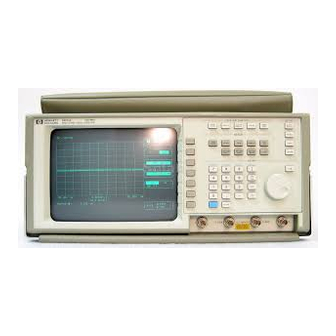
HP 54501A Operation Reference (146 pages)
Front panel Operation reference Digitizing Oscilloscope
Brand:
HP
| Category:
Test Equipment
| Size: 8 MB
Table of Contents
Table of Contents
11
Introducing the HP 54501A
19
Introduction
19
Unpacking
21
Contents of Shipment
21
List of Accessories
22
Operating Environment
22
Storage and Shipping
22
Applying Power
23
Power Requirements
23
Rear Panel Layout
23
Installing the Power Cord
25
Selecting Line Voltage
25
Checking for the Correct Fuse
26
Lineswitcb
26
Intensity Control
27
Air Flow Requirements
27
Storage and Shipment
27
Connecting External Equipment
28
Front Panel Overview
29
Introduction to the Front Panel
29
RUN/STOP Key
30
System Control
30
SINGLE Key
31
CLEAR DISPLAY Key
31
LOCAL Key
31
HARDCOPY Key
31
Setup
32
AUTOSCALE Key
33
RECALL Key
33
SAVE Key
34
SHOW Key
34
Menus
35
Entry
36
Numeric Keypad
36
FINE Key
37
Input
37
Display
38
Instrument Reset
39
Timebase Menn
41
Introduction to the Timebase
41
Delay Key
42
Reference Key
43
Window Key
43
Timebase Key
44
Position Key
44
Setting the Oscilloscope
45
Window Exercise
45
Setting the Input Signal
45
Viewing the Window
46
Channel Menu
49
5·1 Introduction to Channels
49
5·2 Vertical Sensitivity Key
50
5·2 Offset Key
50
More Key
51
Probe Key
52
Trigger Mode Interaction
55
Trigger Menu
55
6·1 Introduction to the Triggers
55
Edge Trigger Mode
56
Source Key
57
Level Key
57
Slope Key
57
Holdoff Exercise
58
Instrument Setup
58
Oscilloscope Setup
58
6·8 Pattern Trigger Mode
62
Pattern Key
63
When Key
69
Clock Key
69
Present Key
70
Holdoff Key 6·16
70
State Trigger Exercise
70
Instrument Setup
70
Oscilloscope Setup
71
Delay Trigger Mode
74
Qualify on Key
74
Edge Qualify Option
74
Pattern Qualify Option
75
State Qualify Option
75
Delay Key
76
Trigger on Key
77
Delay Trigger Exercise
77
Instrument Setup
77
Oscilloscope Setup
78
TV Trigger Mode
81
Field Key
82
Line Key
82
Holdoff Key
82
Oscilloscope Setup
83
Instrument Setup
83
TV Trigger Exercise
83
Introduction to the Display
87
Display Menu
87
Display Mode Key
88
Norm
88
Avg
89
Env
89
Of Screens Key
90
Off/Frame/ Axes/Grid Key
91
Lntroduction to the Markers
93
Vmarker 2
94
Stop Marker
95
Waveform Math Menu
97
Lntroduction to the Functions
97
Defining a Function
98
Function Key
98
Display Key
98
Sensitivity Key
100
Offset Key
100
Vertical Scaling Units
100
Waveform Math Exercise
103
Oscilloscope Setup
103
Introduction to the Memories
105
Waveform Menu
106
Nonvolatile Key
106
Display Key
106
Source Key
106
Store Key
106
Pixel Menu
107
Volatile Key
107
Display Key
107
Clear Memory Key
107
Add to Memory Key
107
Oscilloscope Setup
108
Instrument Setup
108
Waveform Save Exercise
108
Define Measure Menu
111
Introduction to Measurements
111
Measurement Selection
112
Meas/Meas Def/Meas Limit Key
113
Meas Sub-Menu
113
Continuous Key
113
Statistics Key
113
Measure Define Sub-Menu
114
Thresholds/Measurements Key
114
Measure Limit Sub-Menu
117
Test Key
117
Save to Key
118
After Save Key
118
Key
118
Utility Menu
119
Introduction to the Utilities
119
Hp-Ib
119
Talk Only Mode
120
Addressed Mode
120
EOI Key
121
Selftest Menu
122
Rom Test
123
Start Test Key
124
Exit Menu Key
124
Acquisition Test
124
Loop Test
124
Miscellaneous Test
124
Attenuation Submenu
126
Channel Key
126
Continue Key
126
Abort Key
126
Exit Menu Key
126
Exit Menu Key
127
Time Key
127
Channel Key
127
Time Null Submenu
127
Continue Key
129
Abort Key
129
Exit Menu Key
129
Service Menu
129
Clicker Key
129
Calibration Procedure
130
Measurement Setup
131
Making Measurements
131
Automatic Top-Base
132
Delay
133
Edge Definition
133
Algorithm Definitions
133
Width
134
Period
135
Frequency
135
Duty Cycle
135
Risetime
135
Fall Ti Me
135
Vmax
135
Min
135
Vtop
136
Advertisement
HP 54501A Service Manual (90 pages)
100 MHZ DIGITIZING OSCILLOSCOPE
Brand:
HP
| Category:
Test Equipment
| Size: 11 MB
Table of Contents
Table of Contents
3
Section 1 . General Information
9
Introduction
9
Instruments Covered by Manual
9
Instrument Description
9
Accessories Supplied
9
Accessories Available
10
Specifications
10
Operating Characteristics
10
General Characteristics
10
Recommended Test Equipment
10
HP 54501A General Characteristics
16
Recommended Test Equipment
17
Section 2. Installation
21
Introduction
21
Initial Inspection
21
Operating Environment
21
Storage and Shipping
21
Packaging
21
Tagging for Service
21
Original Packaging
21
Other Packaging
21
Preparation for Use
22
Power Requirements
22
Line Voltage Selection
22
Power Cable
22
Applying Power
22
Cleaning Requirements
22
Section 3. Performance Tests
27
Introduction
27
Equipment Required
27
Test Record
27
Selftest Verification
27
Bandwidth Performance Test
28
Bandwidth Performance Test Setup
29
Offset Accuracy Test
29
Trigger Sensitivity Test
31
Delta-T Accuracy Test
34
Delta-T Accuracy Test Result
35
Voltage Measurement Accuracy Test Values and Results
36
Voltage Measurement Accuracy
37
HP 54501A Self Calibration
41
Section 4. Adjustments
41
Introduction
41
Equipment Required
41
Calibration Interval
41
Power Supply Adjustment
42
HP 54501A Power Supply Assembly Testpoints
42
CRT Monitor Assembly Adjustments
43
Adjustment Locations of HP 54501A CRT
44
Focus Adjustment
45
And Height Adjustments
45
Adjustments
46
Extender Cable Installation
46
Default Calibration Load
46
DAC Reference Adjustment
47
HP 54501A System Board Assembly
48
Track and Hold Offset Adjustments
49
Attenuator Compensation Ajustments
50
Pulse Response
51
Self Calibration
52
Logic Trigger Delay Calibration
53
Section 5 . Replaceable Parts
57
Introduction
57
Abbreviations
57
Replaceable Parts
57
Exchange Assemblies
57
Ordering Information
57
Direct Mail Order System
57
Keyboard Assembly
59
CRT Monitor Assembly
59
Removal and Replacement
61
Section 6. Service
63
Introduction
63
Safety Considerations
63
Logic Convention
63
Block Level Theory
65
Power Supply Assembly
65
Display Monitor Assembly
65
System Board Assembly
66
System Board Assembly Theory
66
System Control
69
HP 54501A System Control Block Diagram
70
Troubleshooting
73
Troubleshooting Flowcharts
73
Trouble Isolation Flowchart for HP 54501A Power Supply
75
Trouble Isolation Flowchart for HP 54501A CRT Monitor
76
Trouble Isolation Flowchart for HP 54501A
77
Power Supply Voltages Check
79
Fan
80
Power Supply Assembly/System Board Assembly Voltages
80
CRT Monitor Signals Check
81
CRT Monitor Assembly Cable Pin Assignments
81
Keyboard Signals Check
83
Assembly Removal and
84
Rear Panel Assembly
84
Power Supply Assembly
84
Removal and Replacement of
85
Removal and Replacement of
87
Removal and Replacement of
88
HP 54501A Service Manual (79 pages)
100 MHZ Digitizing Oscilloscope
Brand:
HP
| Category:
Test Equipment
| Size: 17 MB
Table of Contents
Table of Contents
3
List of Tables
5
List of Figures
5
Safety Considerations
6
Safety Symbols
6
General Information
7
Introduction
8
Instrument Description
8
Accessories Supplied
8
Accessories
9
Options Available
9
Operating Characteristics
9
General Characteristics
9
Specifications
10
Characteristics
10
Vertical
11
Trigger Mode
11
Horizontal
11
Delayed Trigger
12
Display
12
TV Trigger
12
Waveform Save
12
Setup Aids
13
Automatic Parametric Measurements
13
Variable Persistence
13
Averaging
13
Environmental Conditions
15
Power Requirements
15
Recommended Test Equipment
16
Installation
17
Initial Inspection
18
Storage and Shipping
18
Packaging
18
Operating Environment
18
Preparation for Use
19
Power Cable
19
Applying Power
19
Cleaning Requirements
19
Performance Tests
21
Equipment Required
22
Test Record
22
Selftest Verification
22
Bandwidth Performance Test
23
Offset Accuracy Test
24
Trigger Sensitivity Test
26
Delta-T Accuracy Test Result
28
Delta-T Accuracy Test
29
Voltage Measurement Accuracy Test
30
Adjustments
32
Calibration Interval
33
Self Calibration
33
Power Supply Assembly Adjustment
34
CRT Monitor Assembly Adjustments
35
No Equipment Required
35
CRT Test Display
35
Intensity, Sub-Bright, and Contrast Adjustment
36
Focus Adjustment and Horizontal Phase Adjustments
37
Vertical Linearity and Height Adjustments
37
System Board Assembly Adjustments
38
Extender Cable Installation
38
DAC Reference Adjustment
39
Track and Hold Adjustments
41
Attenutator Compensation Adjustments
42
Pulse Response Adjustments
44
Logic Trigger Delay Calibration
45
Oscillator Output Check
46
Replaceable Parts
47
Exchange Assemblies
48
Ordering Information
48
Direct Mail Order System
48
Service
51
Logic Convention
52
Simplified Block Diagram
53
Block Level Theory of Operation
54
Power Supply Assembly
54
Display Monitor Assembly
54
System Board Assembly
54
System Board Assembly Theory of Operation
55
Acquisition
55
Post Amplifier
55
A/D Converter
55
Acquisition Block Diagram
56
Trigger Comparator
57
Logic Trigger
57
Timebase
57
Fine Interpolator
57
System Control
58
Central Processing Unit
58
Power
58
Clock
58
System Control Block Diagram
59
Decoders
60
Memory
60
Interface Circuits
60
Troubleshooting
62
Power Supply Voltages Check
68
CRT Monitor Signals Check
70
FB and HB Truth Table
71
Keyboard Signals Check
72
Assembly Removal and Installation
73
Removal and Replacement of Rear Panel Assembly
73
Removal and Replacement of Power Supply Assembly
73
Removal and Replacement of Keyboard Assembly
74
Removal and Installation of System Board Assembly
75
Removal and Replacement of CRT Monitor Assembly
76
Removal and Replacement of Fan
77
Removal and Replacement of Feet/Tilt Stand
77
Selftests
78
Selftest Menu Selections
78
Advertisement
HP 54501A Getting Started Manual (46 pages)
Digitizing Oscilloscopes
Brand:
HP
| Category:
Test Equipment
| Size: 2 MB
Table of Contents
Table of Contents
3
Chapter 1 Introduction
5
Chapter 2 Layout and Setup
7
Front Panel Layout
7
Rear Panel Layout
8
Connecting Power
9
Applying Power
9
Chapter 3 Instant Setup
12
Autoscale
12
Vertical Setup
13
Timebase Setup
15
Making Automatic Measurements
19
Chapter 4
46
Making the Measurements
46
Advertisement
Related Products
HP 54502A
HP 54503A
HP 54520A
HP 54522A
HP 54540A
HP 54542A
HP 54500
HP 54645D
HP 54720A
HP 54616B
HP Categories
Desktop
Laptop
Server
Monitor
Switch
More HP Manuals
Login
Sign In
OR
Sign in with Facebook
Sign in with Google
Upload manual
Upload from disk
Upload from URL