Sign In
Upload
Manuals
Brands
Satec Manuals
Measuring Instruments
EM133
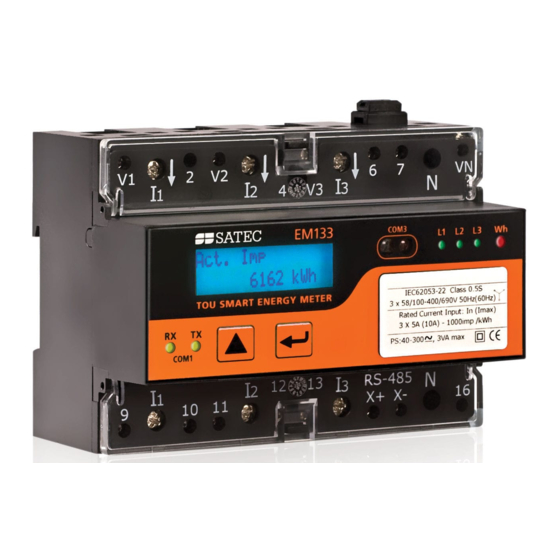
User Manuals: Satec EM133 Smart Energy Meter
Manuals and User Guides for Satec EM133 Smart Energy Meter. We have
3
Satec EM133 Smart Energy Meter manuals available for free PDF download: Reference Manual, Installation And Operation Manual, Quick Start Manual
Satec EM133 Reference Manual (340 pages)
Multifunction Meter
Brand:
Satec
| Category:
Measuring Instruments
| Size: 3 MB
Table of Contents
Table of Contents
3
General
5
Canopen Protocol Implementation
6
Canopen Electronic Data Sheet (EDS) File
6
Canopen Version
6
Baud Rates
6
Node Address
6
Input and Output Buffers
6
Extended Diagnostic Data
6
Canopen Fault Action
6
Bus in Off-Line Mode
6
Bus in Idle Mode
6
Canopen Messaging Protocol
7
Overview
7
Data Types
7
Data Addressing
7
Master Request Block
7
Device Response Block
9
Node Guarding
10
Transfer Synchronization
10
16-Bit Scaled Analog Data
11
Device Register Map
13
Analog Registers, Binary Registers and Counters
13
Special Inputs
13
Digital Inputs DI1-D2
13
Relay Output RO1
13
Counters
13
1-Cycle Phase Values
13
1-Cycle Total Values
14
1-Cycle Auxiliary Values
14
Phasor
15
1-Second Phase Values
15
1-Second Total Values
16
1-Second Auxiliary Values
17
Present Volt, Ampere and Power Demands
17
Total Energies
18
Phase Energies
18
V1/V12 Harmonics
18
V2/V23 Harmonics
19
V3/V31 Harmonics
19
I1 Harmonics
19
I2 Harmonics
19
I3 Harmonics
19
Fundamental Phase Values
20
Fundamental Total Values
20
Minimum 1-Cycle Phase Values
20
Minimum 1-Cycle Total Values
20
Minimum 1-Cycle Auxiliary Values
21
Maximum 1-Cycle Phase Values
21
Maximum 1-Cycle Total Values
21
Maximum 1-Cycle Auxiliary Values
21
Maximum Demands
21
TOU Parameters
22
Scaled Analog Outputs
22
TOU Energy Register #1
22
TOU Energy Register #2
22
TOU Energy Register #3
22
TOU Energy Register #4
22
Billing Summary Accumulated Demands
22
Billing Summary Block Demands
23
Billing Summary Sliding Window Demands
23
Billing Summary Maximum Demands
23
TOU Maximum Demand Register #1
23
TOU Maximum Demand Register #2
23
TOU Maximum Demand Register #3
23
TOU Maximum Demand Register #4
23
V1/V12 Harmonic Angles
23
V2/V23 Harmonic Angles
24
V1/V31 Harmonic Angles
24
I1 Harmonic Angles
24
I2 Harmonic Angles
24
I3 Harmonic Angles
24
Setpoint Status SP1-SP16
24
Minimum/Maximum Log Registers
25
Minimum Phase Values
25
Minimum Total Values
25
Minimum Auxiliary Values
25
Maximum Phase Values
25
Maximum Total Values
26
Maximum Auxiliary Values
26
Billing Summary Maximum Demands
26
Maximum Demands
26
TOU Maximum Demand Register #1
27
TOU Maximum Demand Register #2
27
TOU Maximum Demand Register #3
28
TOU Maximum Demand Register #4
28
Device Control and Status Registers
29
Device Reset/Clear Registers
29
Device Status Registers
29
Alarm Notification Registers
29
Device Identification
29
Device Setup Registers
30
Factory Device Settings and Identification
30
Device Data Scales
30
Communication Ports Setup
31
Basic Setup
31
Device Options Setup
32
Clock Setup
33
Data Scales and Units
34
Data Scales
34
Data Units - Low Resolution Option
34
Data Units - High Resolution Option
34
Data Formats
35
Timestamp
35
Wiring Mode
35
Device Diagnostics
35
Device Options
35
Device Electronic Data Sheet (Eds) File
37
Advertisement
Satec EM133 Installation And Operation Manual (169 pages)
EM13 Series SMART MULTIFUNCTION METER
Brand:
Satec
| Category:
Measuring Instruments
| Size: 5 MB
Table of Contents
Limited Warranty
2
Table of Contents
8
Chapter 1 General Information
11
Features
13
Available Options
14
Digital I/O
15
Analog Output
15
Additional Communication Port- COM2
15
Customized Options
16
Device Resolution
16
Display Options
16
Measured Parameters
17
Labelling
19
Chapter 2 Installation
20
Site Requirements
20
Package Contents
20
Mechanical Installation
20
Wall Mounting
22
DIN Rail Mounting
23
Add-On Module Mounting
24
Electrical Installation
25
Connecting the Wires
25
Typical Installation
26
Terminals
31
Power Source Connection
32
Voltage Input Connection
34
Current Input Connection
35
Wiring Diagrams
36
Battery Replacement
43
I/O Connections
44
2DI/1RO Standard
44
4DI/2RO Module
45
DI Module
46
12DI/4RO Module
46
4AO Module - Analog Outputs
47
Communications Connections
49
Connection
50
ETH Module - COM2 Ethernet Connection
51
PRO Module - COM2 PROFIBUS Connection
52
Canopen Module - COM2 Canopen Connection
53
RS-232/422-485 Module - COM2 Connection
53
Connecting a GSM/GPRS/3G Module
54
Connecting an RF Module
55
Chapter 3 Using Front Display
56
Energy Pulse LED
56
Comport Activity Leds
56
VOLTAGES Leds
56
Navigation Buttons
56
Display Operations
57
Navigation Buttons
57
Navigating in Data Display Mode
58
Display Features
58
Measurement Units
59
Data Displays
59
TEST Mode Data Display
59
Billing Period Energy Data Displays
59
Tou/Maximum Demand Power Data Display
61
Instrumentation Measurement Maximum Demand Data Display
63
Instrumentation Measurement
64
Status Inputs and Outputs
66
Device Info Display
67
Programming Mode
69
Navigation Buttons
69
Entering Numeric Values
69
Password Security
69
Setup Menus and Access Rights
69
Viewing and Changing Setup Options
71
Chapter 4 Using PAS Software
72
Installing PAS
72
Chapter 5 Configuring the EM13X Series
74
Configuring Communications
74
Setting up Serial Communication Ports
74
Setting up the Ethernet
76
Setting up GPRS Network
77
Setting up Expertpower Client
78
Setting up TCP Notification Client
79
General Meter Setup
80
Basic Meter Setup
80
Device Options
83
Configuring Digital Inputs
84
Configuring Relay Outputs
86
Configuring Analog Outputs
89
Configuring Counters
91
Configuring Alarm/Control Setpoints
93
Configuring the Display
96
Local Time Settings
98
Configuring Meter Security
100
Configuring Billing/Tou
102
Configuring Billing/Tariff Registers
102
Configuring the Daily Tariff Schedule
104
Configuring the Season Tariff Schedule
105
Configuring Recorders
106
Configuring Meter Memory
106
Configuring the Event Recorder
108
Configuring the Data Recorder
108
Configuring Communication Protocols
111
Configuring Modbus
111
Configuring DNP3
112
Chapter 6 Device Control and Upgrading
115
Resetting Accumulators, Maximum Values and Files
115
Updating the Meter Clock
117
Viewing and Clearing Device Diagnostics
118
Viewing Communication Status and Statistics
118
Remote Relay Control
119
Upgrading Device Firmware
120
Chapter 7 Monitoring Meters
122
Viewing Real-Time Data
122
Viewing Real-Time Min/Max Log
125
Viewing Real-Time Waveforms
125
Viewing Real-Time Harmonic Spectrum
127
Chapter 8 Retrieving and Storing Files
131
Uploading Files on Demand
131
Using the Upload Scheduler
132
Viewing Files On-Line
134
Exporting Files
134
Exporting Files in COMTRADE and PQDIF Formats
134
Exporting Files in Excel Format
135
Archiving Files
136
Chapter 9 Viewing Files
137
Operations with Files
137
Viewing Options
137
Customizing Views
137
Working with Tables
138
Working with Graphic Windows
138
Viewing the Event Log
140
Viewing the Data Log
141
Appendix A Technical Specifications
143
Appendix B Standards Compliance
149
Appendix C Analog Output Parameters
152
Appendix D Setpoint Triggers and Actions
154
Appendix E Parameters for Data Monitoring and Logging
157
Appendix F Billing/Tou Profile Log File
166
Appendix G Data Scales
168
Appendix H Device Diagnostic Codes
169
Satec EM133 Quick Start Manual (11 pages)
Brand:
Satec
| Category:
Measuring Instruments
| Size: 2 MB
Table of Contents
Mechanical Installation
3
Electrical Installation
5
Module Installation
6
Basic Setup
7
Data Display
8
Basic Menu
9
Input and Output Ratings
10
Advertisement
Advertisement
Related Products
Satec EM132
Satec EM133-SE
Satec expertmeter EM720
Satec expertmeter EM720T
Satec Expertmeter Series
Satec EM235 Series
Satec ETC II
Satec ETC2002
Satec ETC One Plus
Satec EDL180
Satec Categories
Measuring Instruments
Control Unit
Cell Phone
Transducer
Test Equipment
More Satec Manuals
Login
Sign In
OR
Sign in with Facebook
Sign in with Google
Upload manual
Upload from disk
Upload from URL