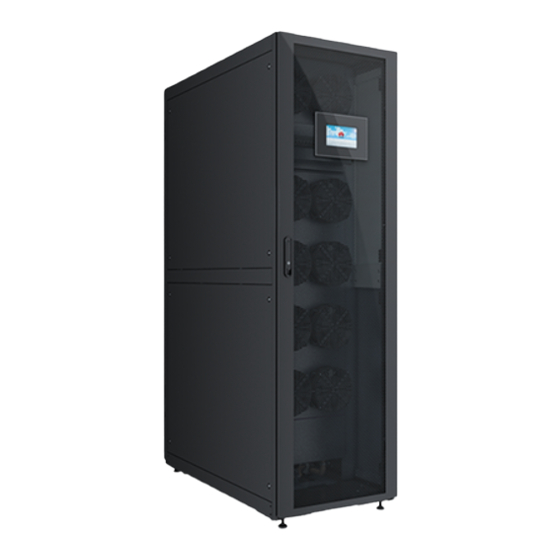

Related Manuals for Huawei NetCol5000-A


Summary of Contents for Huawei NetCol5000-A
- Page 1 NetCol5000-A(025, 035) In-row Air Cooled Smart Cooling Product User Manual (600 mm) Issue Date 2019-01-15 HUAWEI TECHNOLOGIES CO., LTD.
- Page 2 Notice The purchased products, services and features are stipulated by the contract made between Huawei and the customer. All or part of the products, services and features described in this document may not be within the purchase scope or the usage scope. Unless otherwise specified in the contract, all statements, information, and recommendations in this document are provided "AS IS"...
-
Page 3: About This Document
Cooling Product User Manual (600 mm) About This Document About This Document Purpose This document applies to the following NetCol5000-A series in-row air cooled smart cooling product: NetCol5000-A035: NetCol5000-A035 in-row smart cooling product NetCol5000-A025: NetCol5000-A025 in-row smart cooling product ... - Page 4 NetCol5000-A(025, 035) In-row Air Cooled Smart Cooling Product User Manual (600 mm) About This Document Symbol Description Indicates a potentially hazardous situation which, if not avoided, could result in death or serious injury. Indicates a potentially hazardous situation which, if not avoided, may result in minor or moderate injury.
- Page 5 NetCol5000-A(025, 035) In-row Air Cooled Smart Cooling Product User Manual (600 mm) About This Document Issue 07 (2016-04-15) Added the refrigerant charging requirement of NetCol500-A036. Modified descriptions about the teamwork networking and monitoring, installing enclosure frames and upper frames, and connecting signal cables.
-
Page 6: Table Of Contents
NetCol5000-A(025, 035) In-row Air Cooled Smart Cooling Product User Manual (600 mm) Contents Contents About This Document ........................ii 1 Safety Precautions ......................... 1 1.1 General Safety ................................1 1.2 Electrical Safety ................................3 1.3 Mechanical Safety ................................ 4 1.4 Operating Safety ................................5 1.5 Others.................................... - Page 7 NetCol5000-A(025, 035) In-row Air Cooled Smart Cooling Product User Manual (600 mm) Contents 3.4.1 Removing the Transport Fasteners from Floats ....................... 36 3.4.2 Removing the Transport Fasteners from the Compressor ..................38 3.5 Install Process ................................39 3.6 Installing Indoor Units ..............................41 3.6.1 Installing an Indoor Unit in Securing Mode ......................
- Page 8 NetCol5000-A(025, 035) In-row Air Cooled Smart Cooling Product User Manual (600 mm) Contents 4.3.3.1 Entering Diagnostic Mode ..........................104 4.3.3.2 Commissioning Smart Cooling Product Components ..................105 4.4 Maintenance Guide ..............................106 4.4.1 Querying Parameters.............................. 106 4.4.1.1 Querying Temperature and Humidity Curves ..................... 106 4.4.1.2 Querying Alarms ..............................
- Page 9 6.5.2 Replacing a Indoor Fan ............................187 6.5.3 Replacing a Compressor ............................189 6.5.4 Replacing Compressor Drive ..........................192 6.5.4.1 Replacing a Huawei Compressor Drive ......................192 6.5.4.2 Replacing a Danfoss Compressor Drive ......................197 6.5.5 Replacing Condensate Pump ..........................199 6.5.6 Replacing Humidifier Cylinder..........................
-
Page 10: Safety Precautions
1 Safety Precautions Safety Precautions 1.1 General Safety Declaration Huawei shall not take responsibility for any damage caused by any of the following: Operation under severe environments which are not specified in this document. Usage under installation and operating environments which are not specified in related international specifications. - Page 11 Only trained and qualified personnel are allowed to install, operate, and maintain the equipment. Only personnel certified or authorized by Huawei are allowed to replace or modify the equipment or components (including software). Any fault or error that might cause safety problems must be reported immediately to a supervisor.
-
Page 12: Electrical Safety
NetCol5000-A(025, 035) In-row Air Cooled Smart Cooling Product User Manual (600 mm) 1 Safety Precautions 1.2 Electrical Safety High Voltage The device is powered by a high-voltage power supply. Direct or indirect contact (through damp or conductive objects) with high-voltage power sources will result in serious injury or death. -
Page 13: Mechanical Safety
Metal shavings from drilling may block pipes and cause short circuits in circuit boards if they enter the cabinet. Only drill with the approval of the customer, contractor, and Huawei. Remove interior cables before drilling holes into a cabinet. -
Page 14: Operating Safety
NetCol5000-A(025, 035) In-row Air Cooled Smart Cooling Product User Manual (600 mm) 1 Safety Precautions When moving the equipment, do not use any part of the equipment to support it. This may damage the equipment. Use a pallet truck to unload the equipment and its case from the vehicle. The forks must be properly positioned to ensure that the equipment does not fall over. -
Page 15: Others
NetCol5000-A(025, 035) In-row Air Cooled Smart Cooling Product User Manual (600 mm) 1 Safety Precautions High-temperature components: compressor, refrigerant pipe, and electric heater. High-pressure components: compressor and refrigerant pipe. Refrigerant Hazard To avoid frostbite caused by refrigerant leaks, take protective measures such as wearing antifreeze gloves when handling refrigerant. - Page 16 The retailer can recycle this product in a safe and environmentally friendly way. Manual Loss If you lose this manual, contact Huawei technical support to obtain the electronic document or download it from http://www.huawei.com. Issue 13 (2019-01-15)
-
Page 17: Product Description
NetCol5000-A(025, 035) In-row Air Cooled Smart Cooling Product User Manual (600 mm) 2 Product Description Product Description 2.1 Model Description Figure 2-1 shows the naming rule for the NetCol5000-A series products. Figure 2-1 Naming rule Issue 13 (2019-01-15) Copyright © Huawei Technologies Co., Ltd. -
Page 18: Composition
2 Product Description 2.2 Composition The NetCol5000-A operates as follows: Fans absorb indoor hot air that then moves to the evaporator with heat transmitted to the refrigerant. The refrigerant is discharged to the outdoor unit by the compressor, releasing heat to the outdoor environment. The indoor unit and outdoor condenser are interconnected and circulate using the refrigerant pipes in a sealing manner. - Page 19 Cooling Product User Manual (600 mm) 2 Product Description Figure 2-3 Appearance Table 2-1 describes the four optional dimensions of the NetCol5000-A indoor unit. Table 2-1 Dimensions Dimensions H x W x D Standard configuration 2000 mm x 600 mm x 1100 mm...
-
Page 20: Outdoor Unit
NetCol5000-A(025, 035) In-row Air Cooled Smart Cooling Product User Manual (600 mm) 2 Product Description EC fan The indoor curves EC retroverted centrifugal fan from a high-end German brand conserves 40% more energy than common fans and features redundancy design, high reliability, and long service life. - Page 21 NetCol5000-A(025, 035) In-row Air Cooled Smart Cooling Product User Manual (600 mm) 2 Product Description Figure 2-4 Display panel (1) Indicator (2) Display panel Table 2-2 Indicator and buzzer status description Alarm Status Indicator Buzzer The device is operating properly, or a...
- Page 22 NetCol5000-A(025, 035) In-row Air Cooled Smart Cooling Product User Manual (600 mm) 2 Product Description Ports Figure 2-5 Controller side ports Table 2-3 Ports Name Note MUS05A Reserved FE (fast Ethernet) communications port communications port for the main control board and...
-
Page 23: Functions And Features
You can use the remote control system purchased from Huawei to realize monitoring and managing one or more smart cooling products by Simple Network Management Protocol (SNMP) or Modbus protocol. -
Page 24: Working Conditions
NetCol5000-A(025, 035) In-row Air Cooled Smart Cooling Product User Manual (600 mm) 2 Product Description Figure 2-6 Networking diagram 2.3 Working Conditions Environmental Specifications Do not install the smart cooling product near a noise-sensitive place such as an office or a conference room. - Page 25 NetCol5000-A(025, 035) In-row Air Cooled Smart Cooling Product User Manual (600 mm) 2 Product Description Table 2-5 Storage conditions Item Specifications –40° C to +70° C Storage temperature Storage humidity 5% RH to 95% RH (non-condensing) Table 2-6 Derating coefficients...
- Page 26 NetCol5000-A(025, 035) In-row Air Cooled Smart Cooling Product User Manual (600 mm) 2 Product Description Figure 2-7 Screw thread connector BSPP 1/2 inch: Large diameter: 20.955 mm; medium diameter: 19.793 mm; small diameter: 18.631 mm; medium diameter tolerance: 0–0.142 mm; small diameter tolerance: 0–0.541 mm.
- Page 27 (RCCB) that is not sensitive to the single-phase DC pulse and transient current pulse. Note: If the requirements are not met, contact Huawei technical support for an optimized plan. Water Quality Requirements If the inlet water contains large granules, install a water filtering device at the inlet port to prevent pipe blockage.
-
Page 28: Technical Specifications
NetCol5000-A(025, 035) In-row Air Cooled Smart Cooling Product User Manual (600 mm) 2 Product Description Name Specifications Unit Hydrogenion 7–8.5 Conductivity rate at 20°C (σ μS/cm 300–1250 a: When σ is less than 300 μS/cm, the first vapor exhausting duration of the humidifier is long;... - Page 29 NetCol5000-A(025, 035) In-row Air Cooled Smart Cooling Product User Manual (600 mm) 2 Product Description NetCol5000-A NetCol5000-A NetCol5000-A NetCol5000-A Item 035H512D2E1 035H512D2E1 035H512D200 035H512D200 20E1 20E0 20E1 20E0 Condensate pump Reheat Humidify Reheating 6.0 kW 6.0 kW capacity Humidifying 3.0 kg/h 3.0 kg/h...
-
Page 30: Installation Guide
To ensure the optimal operating condition and longest service life, install the NetCol5000-A in strict accordance with requirements. 3.1.1 Tools The following tables list the tools for installing the NetCol5000-A. Add or delete tools as required. Table 3-1 General tools... - Page 31 NetCol5000-A(025, 035) In-row Air Cooled Smart Cooling Product User Manual (600 mm) 3 Installation Guide Appearance, specifications, and name Step ladder (2 m) Torch Measuring tape Hammer drill Marker Protective glove a: The sealant or seal tape for thermal insulation foam must be able to withstand temperatures higher than 85°...
- Page 32 NetCol5000-A(025, 035) In-row Air Cooled Smart Cooling Product User Manual (600 mm) 3 Installation Guide Appearance, specifications, and name Oxygen Acetylene Subterrene Nitrogen a: The specifications of the sealant or seal tape for screw threads are as follows: The sealant or seal tape for screw threads must be able to withstand temperatures higher than 85°...
-
Page 33: Material Preparations
3.1.2 Material Preparations This section describes optional components. If you have not purchased such optional components from Huawei, prepare the following materials: pipe components and supports, humidifier water supply/drainage components, and cables. Indications of "Mandatory", "Optional", and "Engineering purchasing" in this document are... -
Page 34: Optional) Refrigerant R410A
3.1.2.1 (Optional) Refrigerant R410A Do not use low-quality refrigerant. Huawei is not responsible for any damage caused by low-quality refrigerant. Follow these suggestions to choose high-quality refrigerant: Use high-quality brands such as DuPont, Daikin, or Honeywell. - Page 35 NetCol5000-A(025, 035) In-row Air Cooled Smart Cooling Product User Manual (600 mm) 3 Installation Guide Figure 3-1 Checking refrigerant Table 3-7 Mapping between temperatures and R410A saturation pressure Temperature Saturation Temperature Saturation Temperatur Saturati (° C) Pressure-S (° C) Pressure-S e (°...
-
Page 36: Refrigerant Oil
Oil traps and inverted traps: To ensure the NetCol5000-A reliability, make an oil trap every 5 m to 6 m along pipes in the vertical direction and make an inverted trap respectively at the intake vent and exhaust vent of the outdoor unit. -
Page 37: Humidifier Water Inlet Pipe, Pump Drainpipe, And Automatic Drainpipe
NetCol5000-A(025, 035) In-row Air Cooled Smart Cooling Product User Manual (600 mm) 3 Installation Guide Table 3-8 Specifications for oil traps and inverted traps Name Copper Pipe Technical Outer Diameter Requirements and Thickness Oil trap 22.2 mm x 1.2 mm... - Page 38 NetCol5000-A(025, 035) In-row Air Cooled Smart Cooling Product User Manual (600 mm) 3 Installation Guide Figure 3-3 Connecting water pipes (1) Conversion adapter: BSPT 1/2 inch, (2) Rigid pipe: made of PP-R, C-PVC, or connected to a rigid pipe with external...
-
Page 39: Pipe Support
NetCol5000-A(025, 035) In-row Air Cooled Smart Cooling Product User Manual (600 mm) 3 Installation Guide Figure 3-4 Pagoda connector (unit: mm) 3.1.2.5 Pipe Support Figure 3-5 shows supports for refrigerant pipes and water pipes. The actual appearance of the supports will be different based on onsite situations. -
Page 40: Deployment Principles
NetCol5000-A(025, 035) In-row Air Cooled Smart Cooling Product User Manual (600 mm) 3 Installation Guide Table 3-10 Cable specifications Name Specifications Quantity Remarks Indoor unit Four-core cable : electrical power cable-600 1 PCS (The Optional power cable V/1000 V-ZA-RVV-6 mm... - Page 41 If the outdoor unit is placed higher than the indoor unit, the maximum vertical distance between them is 20 m. To ensure the NetCol5000-A reliability, make an oil trap every 5 m to 6 m along pipes in the vertical direction. For the specifications for oil traps and inverted traps, see 3.1.2.3 Pipe...
- Page 42 NetCol5000-A(025, 035) In-row Air Cooled Smart Cooling Product User Manual (600 mm) 3 Installation Guide When calculating the height difference, the compressor base is regarded as the baseline for the indoor unit. The inverted trap should be higher than the top copper pipe of the condenser.
-
Page 43: Unpacking
NetCol5000-A(025, 035) In-row Air Cooled Smart Cooling Product User Manual (600 mm) 3 Installation Guide 3.2 Unpacking Procedure Step 1 Inspect the outer packing for signs of damage. If any damage is found, contact the shipping company immediately. Step 2 Unpack the product. - Page 44 If they do not exist, contact Huawei technical support. If they exist, remove each valve bonnet and use it to press the valve plugs in turn. If air is exhausted, the system is working properly. If no air is exhausted, contact Huawei technical support.
-
Page 45: Removing The Transport Fixing Sheet Metals
NetCol5000-A(025, 035) In-row Air Cooled Smart Cooling Product User Manual (600 mm) 3 Installation Guide Figure 3-10 Needle valves (1) Low-pressure needle (2) Liquid pipe needle (3) Discharge pipe needle valve valve valve ----End 3.4 Removing the Transport Fixing Sheet Metals 3.4.1 Removing the Transport Fasteners from Floats... - Page 46 NetCol5000-A(025, 035) In-row Air Cooled Smart Cooling Product User Manual (600 mm) 3 Installation Guide Figure 3-11 Position of the water tank (1) Water pan (2) Water tank (3) High and low floats Figure 3-12 Positions of high and low floats...
-
Page 47: Removing The Transport Fasteners From The Compressor
NetCol5000-A(025, 035) In-row Air Cooled Smart Cooling Product User Manual (600 mm) 3 Installation Guide Step 3 Connect the wiring terminals to the high float. The wiring terminals must be fixed higher than the water pan. Otherwise, water may drop into the wiring terminals. -
Page 48: Install Process
NetCol5000-A(025, 035) In-row Air Cooled Smart Cooling Product User Manual (600 mm) 3 Installation Guide Step 2 Remove the transport fasteners. Step 3 Retighten the bolts on the compressor. Figure 3-14 Removing the transport fasteners from the compressor Put away the removed transport fasteners so that you can reinstall them if the indoor unit is to be transported again in the container scenario. - Page 49 NetCol5000-A(025, 035) In-row Air Cooled Smart Cooling Product User Manual (600 mm) 3 Installation Guide Figure 3-15 Process for installing an indoor unit Issue 13 (2019-01-15) Copyright © Huawei Technologies Co., Ltd.
-
Page 50: Installing Indoor Units
NetCol5000-A(025, 035) In-row Air Cooled Smart Cooling Product User Manual (600 mm) 3 Installation Guide 3.6 Installing Indoor Units 3.6.1 Installing an Indoor Unit in Securing Mode Prerequisites A base or a raised floor is available in the room where the indoor unit is to be installed. - Page 51 NetCol5000-A(025, 035) In-row Air Cooled Smart Cooling Product User Manual (600 mm) 3 Installation Guide Figure 3-17 Ports on the bottom and top panels for other codes (unit: mm) Table 3-11 Pipeline port parameters Number Port Inner Diameter of Port Φ43 mm...
- Page 52 NetCol5000-A(025, 035) In-row Air Cooled Smart Cooling Product User Manual (600 mm) 3 Installation Guide Number Port Inner Diameter of Port Φ43 mm Upper liquid pipe port Φ43 mm Upper gas pipe port Φ43 mm Upper strong electricity cable port (for ground cables also) Φ18 mm...
- Page 53 NetCol5000-A(025, 035) In-row Air Cooled Smart Cooling Product User Manual (600 mm) 3 Installation Guide Figure 3-19 Base for other codes (Unit: mm) (1) Shock absorbing bar: 5 mm (2) 4 - M12x60 expansion (3) 4 - M12x80 assembly thick, made of EPDM rubber...
- Page 54 NetCol5000-A(025, 035) In-row Air Cooled Smart Cooling Product User Manual (600 mm) 3 Installation Guide Figure 3-20 Placing the cabinet Place the cabinet on the base and align the mounting holes in the cabinet with those in the base. Insert the M12x80 assembly bolts into the holes in the cabinet and base, and partially...
-
Page 55: Installing An Indoor Unit In Non-Securing Mode
NetCol5000-A(025, 035) In-row Air Cooled Smart Cooling Product User Manual (600 mm) 3 Installation Guide Figure 3-21 Securing the cabinet ----End 3.6.2 Installing an Indoor Unit in Non-securing Mode Prerequisites Non-securing mode applies to scenarios where the indoor unit is to be installed on a floor while no base is available. -
Page 56: Installing An Outdoor Unit
NetCol5000-A(025, 035) In-row Air Cooled Smart Cooling Product User Manual (600 mm) 3 Installation Guide Figure 3-22 Leveling the cabinet Use a measuring tape or right angle to check that the heights measured from the front, rear, right, and left of the cabinet are the same. -
Page 57: Connecting Pipelines
NetCol5000-A(025, 035) In-row Air Cooled Smart Cooling Product User Manual (600 mm) 3 Installation Guide Figure 3-23 Exhausting nitrogen (1) Discharge pipe needle (2) Low-pressure needle (3) Liquid pipe needle valve valve valve Step 2 Open the pressure gauge valve. Loud noises of air flow are generated at first and then disappear gradually. -
Page 58: Connecting Refrigerant Pipes
NetCol5000-A(025, 035) In-row Air Cooled Smart Cooling Product User Manual (600 mm) 3 Installation Guide The thickness of heat insulation cottons should not be less than 13 mm. When purchasing water pipes, ensure that the water pipe with thermal insulation foam warped can go through the ports on the bottom and top boards. - Page 59 NetCol5000-A(025, 035) In-row Air Cooled Smart Cooling Product User Manual (600 mm) 3 Installation Guide Figure 3-24 Routing the refrigerant pipe Onsite personnel prepare the required materials and install the supports. When selecting the refrigerant pipes, note the following: Avoid elbows and ensure that the indoor unit and the outdoor unit are connected by using shortest pipes.
- Page 60 Discharge Pipes (inch) for Liquid Pipes (inch) L ≤ 60 Note: If the pipe is longer than 60 m, contact Huawei technical support. Procedure Step 1 Remove the two plugs from the pipes using a welding torch, as shown in Figure 3-25.
- Page 61 NetCol5000-A(025, 035) In-row Air Cooled Smart Cooling Product User Manual (600 mm) 3 Installation Guide Figure 3-26 Welding the copper pipes Charge nitrogen with a small pressure to protect pipes from oxidation while you weld the copper pipes, as shown in Figure 3-27.
-
Page 62: Connecting Water Pipes
NetCol5000-A(025, 035) In-row Air Cooled Smart Cooling Product User Manual (600 mm) 3 Installation Guide When you route pipes from the top, remove the two upper plugs, connect discharge pipe to the air outlet pipe of the outdoor unit, and connect liquid pipe to the liquid inlet pipe of the... - Page 63 NetCol5000-A(025, 035) In-row Air Cooled Smart Cooling Product User Manual (600 mm) 3 Installation Guide Configuration Pipes to Be Connected Condensate pump. No Condensate pump drainpipe and self-drainpipe (optional) heater or humidifier NOTE Optional: If there are raised floors or bases, connect the self-drainpipe.
- Page 64 NetCol5000-A(025, 035) In-row Air Cooled Smart Cooling Product User Manual (600 mm) 3 Installation Guide ----End Example A humidifier water inlet pipe and a condensate pump drainpipe are routed from the bottom or top. You can route the pipes based on site requirements.
-
Page 65: Leak Checking
NetCol5000-A(025, 035) In-row Air Cooled Smart Cooling Product User Manual (600 mm) 3 Installation Guide Figure 3-31 Routing pipes from the bottom (1) Humidifier water inlet (2) Condensate pump drainpipe 3.9.3 Leak Checking Prerequisites Pipes from indoor unit and outdoor unit have been soldered properly. - Page 66 NetCol5000-A(025, 035) In-row Air Cooled Smart Cooling Product User Manual (600 mm) 3 Installation Guide Figure 3-32 Charging nitrogen to pipes without configuring low-temperature component (1) Liquid pipe needle valve (2) Low-pressure needle valve (3) Low pressure valve (4) High pressure valve...
- Page 67 NetCol5000-A(025, 035) In-row Air Cooled Smart Cooling Product User Manual (600 mm) 3 Installation Guide Figure 3-33 Charging nitrogen to pipes with installing low-temperature component (1) Liquid pipe needle (2) Discharge pipe needle (3) Low-pressure needle valve valve valve (4) Low pressure valve 1...
-
Page 68: Installing Cabinet Accessories
NetCol5000-A(025, 035) In-row Air Cooled Smart Cooling Product User Manual (600 mm) 3 Installation Guide For scenarios where a container is transported without refrigerant, keep 0.3 to 0.4 MPa of nitrogen in the pipe. ----End 3.10 Installing Cabinet Accessories To expand an indoor unit to 1200 mm deep, install an enclosure frame. To expand an indoor unit to 2200 mm high, install an top frame. - Page 69 NetCol5000-A(025, 035) In-row Air Cooled Smart Cooling Product User Manual (600 mm) 3 Installation Guide Figure 3-34 Installing an enclosure frame (1) Bolt fixing plate (2) Hinge (3) Connecting plate The positions of the bolt fixing plate, hinges, and connecting plates vary depending on the cabinet model.
-
Page 70: Optional) Installing The Top Frame
NetCol5000-A(025, 035) In-row Air Cooled Smart Cooling Product User Manual (600 mm) 3 Installation Guide Figure 3-35 Installing the top sealing plate Step 6 Install the hinges and connecting plates removed in Step 2 on the corresponding positions on the enclosure frame. - Page 71 NetCol5000-A(025, 035) In-row Air Cooled Smart Cooling Product User Manual (600 mm) 3 Installation Guide Figure 3-36 Installing a top frame Step 2 Place the top frame, with the side with FRONT facing upwards and the end with FRONT facing the cabinet front door, as shown by (2) in Figure 3-36.
- Page 72 NetCol5000-A(025, 035) In-row Air Cooled Smart Cooling Product User Manual (600 mm) 3 Installation Guide Figure 3-37 Placing a top frame Step 4 Secure the top frame. Use the four M5x10 tapping screws and the six M4x10 countersunk screws to secure the...
-
Page 73: Connecting Cables
3.11.2 Connecting the Power Cable to an Indoor Unit To ensure that the NetCol5000-A is effectively grounded, route a PE cable from the PE ground bar of the indoor unit to the ground bar of the equipment room. -
Page 74: Installing The Voltage Jumper
NetCol5000-A(025, 035) In-row Air Cooled Smart Cooling Product User Manual (600 mm) 3 Installation Guide Figure 3-39 Connecting the power cable (1) Power cable ports (connecting to L1, L2, L3, from left to right) (2) PE wiring terminal 3.11.3 Installing the Voltage Jumper Before connecting the voltage jumper, ensure that the power distributor matches the mains voltage. - Page 75 NetCol5000-A(025, 035) In-row Air Cooled Smart Cooling Product User Manual (600 mm) 3 Installation Guide Before connecting signal cables to an outdoor unit, take effective ESD protection measures. Ports Figure 3-41 shows the zoomed-in view of the control terminal XT2 ports, including ports for...
- Page 76 NetCol5000-A(025, 035) In-row Air Cooled Smart Cooling Product User Manual (600 mm) 3 Installation Guide Port Definit Function Port Feature Name X2.5, Port for Terminals X2.5 and X2.6 are X2.6 control signal input terminals outdoor of an outdoor unit. unit...
-
Page 77: Connecting The Outdoor Unit On/Off Signal Cable
NetCol5000-A(025, 035) In-row Air Cooled Smart Cooling Product User Manual (600 mm) 3 Installation Guide 3.11.4.1 Connecting the Outdoor Unit On/Off Signal Cable Procedure Step 1 Determine cable routing mode (from the top or the bottom) based on site requirements. - Page 78 NetCol5000-A(025, 035) In-row Air Cooled Smart Cooling Product User Manual (600 mm) 3 Installation Guide Procedure Step 1 Connect one end of the water sensor cable to the water sensor. Step 2 Route the other end of the sensor cable through the hole at the bottom of the cabinet and the hole (the higher one) at the side of the electric control box and connect the two terminals to the terminal block (X2.9 and X2.10 positions) of the electric control box, as shown in...
-
Page 79: Teamwork Networking And Monitoring
NetCol5000-A(025, 035) In-row Air Cooled Smart Cooling Product User Manual (600 mm) 3 Installation Guide 3.11.5 Teamwork Networking and Monitoring Context Teamwork communication ports 1 and 2 are used to enable the teamwork networking communication over CAN and EMS monitoring communication over RS485. - Page 80 NetCol5000-A(025, 035) In-row Air Cooled Smart Cooling Product User Manual (600 mm) 3 Installation Guide Teamwork Networking If only teamwork communication is required, reserve the teamwork communication port 1 of the first unit, connect the teamwork communication port 2 of the unit to the teamwork communication port 1 of the second unit, and connect the teamwork communication port 2 of the second unit to the teamwork communication port 1 of the third unit.
- Page 81 NetCol5000-A(025, 035) In-row Air Cooled Smart Cooling Product User Manual (600 mm) 3 Installation Guide Figure 3-48 Pin definition of a Y-split cable Figure 3-49 Y-split cable connection for teamwork control Figure 3-49 shows the scenario where every two smart cooling products connect to the EMS over a Y-split cable.
-
Page 82: Installing A Humidity And Temperature Sensor Outside The Cabinet
NetCol5000-A(025, 035) In-row Air Cooled Smart Cooling Product User Manual (600 mm) 3 Installation Guide The Arm7 main control board has the DIP switch, whereas the M4 does not have. If the Arm7 main control board is used, set the DIP switch. If the M4 main control board is used, skip this step because there is no DIP switch. - Page 83 NetCol5000-A(025, 035) In-row Air Cooled Smart Cooling Product User Manual (600 mm) 3 Installation Guide the cold aisle areas where the cooling capacity is probably the minimum. Do not install the T/H sensor at the air exhaust vent of other smart cooling products. Place the T/H sensor near the smart cooling product in case of lacking air.
- Page 84 NetCol5000-A(025, 035) In-row Air Cooled Smart Cooling Product User Manual (600 mm) 3 Installation Guide Figure 3-51 Position and cable routing out of the unit A humidity and temperature sensor should be installed 1.5 m above the floor. ...
-
Page 85: Connecting Monitoring Cable From Fe Port
NetCol5000-A(025, 035) In-row Air Cooled Smart Cooling Product User Manual (600 mm) 3 Installation Guide RS485_R must be switched to OFF. After the address is set, choose Settings > System Settings > T/H Sensor on the home page after power-on and set the sensors in the aisle corresponding to the address to Enable. -
Page 86: Connections Verification
NetCol5000-A(025, 035) In-row Air Cooled Smart Cooling Product User Manual (600 mm) 3 Installation Guide Figure 3-53 Connecting monitoring cable 3.12 Connections Verification Table 3-18, Table 3-19, and Table 3-20 list the items for connections verification. Table 3-18 Check items on the indoor unit... - Page 87 NetCol5000-A(025, 035) In-row Air Cooled Smart Cooling Product User Manual (600 mm) 3 Installation Guide Check Item Expected Result Actual Result □Passed. Compressor The sheet metal for transporting the compressor is □Failed. removed. □Passed. The valve rod of the compressor fuel return □Failed.
- Page 88 NetCol5000-A(025, 035) In-row Air Cooled Smart Cooling Product User Manual (600 mm) 3 Installation Guide Expected Result Actual Result □Passed. The water pipe joints are sealed by sealant. □Failed. Check that the needle valve plug is secured (torque of 0.45±0.05 N•m), □Passed.
-
Page 89: Acc Introduction
NetCol5000-A(025, 035) In-row Air Cooled Smart Cooling Product User Manual (600 mm) 4 ACC Introduction ACC Introduction 4.1 Home Screen You can tap the menu items, buttons, or icons on the screen to enter related screens or perform operations, such as Running, Alarms and Settings. The controller main screen is shown in Figure 4-1. -
Page 90: Menu Hierarchy
NetCol5000-A(025, 035) In-row Air Cooled Smart Cooling Product User Manual (600 mm) 4 ACC Introduction Items Note USB status in the status bar indicates that the USB flash drive is successfully connected to the display panel. Diagnostic mode in the status bar indicates that the smart cooling product is in diagnostic mode. - Page 91 NetCol5000-A(025, 035) In-row Air Cooled Smart Cooling Product User Manual (600 mm) 4 ACC Introduction Figure 4-2 Hierarchy of the controller menu The functions of the menus are described as follows: Common Functions Indicates the component status, system parameters, and historical alarms of the smart cooling product.
-
Page 92: Power-On Commissioning
NetCol5000-A(025, 035) In-row Air Cooled Smart Cooling Product User Manual (600 mm) 4 ACC Introduction 4.3 Power-On Commissioning 4.3.1 Quick Settings Prerequisites After the system is powered on, the LCD is started, and the progress bar in the startup screen is full: ... -
Page 93: User Right Authentication
To prevent misoperation, log in as Operator users first before modifying parameters. Obtain permission from Huawei before modifying any parameter that you are not allowed to modify, otherwise, Huawei will not be liable for any consequences of the modification. ... -
Page 94: Start And Shutdown
NetCol5000-A(025, 035) In-row Air Cooled Smart Cooling Product User Manual (600 mm) 4 ACC Introduction 4.3.2.2 Start and Shutdown Context Tap the Start or Shutdown buttons on the home screen to start or shut down the smart cooling product. Procedure Step 1 Tap Start or Shutdown on the home screen. - Page 95 NetCol5000-A(025, 035) In-row Air Cooled Smart Cooling Product User Manual (600 mm) 4 ACC Introduction Procedure Step 1 On the home screen, choose Settings > System Settings > T/H Sensor. Figure 4-6 displayed. Figure 4-6 Setting temperature and humidity values...
-
Page 96: Setting Communications Parameters (Ip Address Settings)
NetCol5000-A(025, 035) In-row Air Cooled Smart Cooling Product User Manual (600 mm) 4 ACC Introduction Parameter Description Configuration Principle Temp control Controls the Average: Select Average if the mode temperature inside the temperature is to be controlled based on... -
Page 97: Setting Communications Parameters (Modbus Settings)
NetCol5000-A(025, 035) In-row Air Cooled Smart Cooling Product User Manual (600 mm) 4 ACC Introduction Procedure Step 1 On the home screen, choose Settings > Comm Settings > IP Settings. Figure 4-7 displayed. Figure 4-7 Setting the IP address, subnet mask, and gateway address... - Page 98 NetCol5000-A(025, 035) In-row Air Cooled Smart Cooling Product User Manual (600 mm) 4 ACC Introduction Figure 4-8 Setting Modbus communications parameters Step 2 Set the parameters by following instructions in Table 4-4. Table 4-4 Modbus parameter settings Parameter Specification Setting Method ...
-
Page 99: Setting Snmp Parameters
NetCol5000-A(025, 035) In-row Air Cooled Smart Cooling Product User Manual (600 mm) 4 ACC Introduction Parameter Specification Setting Method EMS port It is recommended that you retain the default value 16100. If you need to change the value, enter a value as required. - Page 100 NetCol5000-A(025, 035) In-row Air Cooled Smart Cooling Product User Manual (600 mm) 4 ACC Introduction The community contains 6–15 characters and must contain at least two types of characters. Step 3 Set Read Community and Write Community. Click the text box after Read Community, as shown in Figure 4-10.
- Page 101 NetCol5000-A(025, 035) In-row Air Cooled Smart Cooling Product User Manual (600 mm) 4 ACC Introduction Figure 4-12 Setting the protocol type Passwords of an authentication protocol and proprietary protocol must comply with the following policies: The password must consist of 8–15 characters and contain at least two types of characters among uppercase letters (A–Z), lowercase letters (a–z), and digits (0–9).
- Page 102 NetCol5000-A(025, 035) In-row Air Cooled Smart Cooling Product User Manual (600 mm) 4 ACC Introduction Figure 4-14 Setting an AES password Click Submit. Step 5 Click the text box after SNMP Port, as shown in Figure 4-15. Set SNMP Port to the actual port number, click , and then click Submit.
- Page 103 NetCol5000-A(025, 035) In-row Air Cooled Smart Cooling Product User Manual (600 mm) 4 ACC Introduction Figure 4-16 Changing an SNMP port Step 6 Click Next Page. Step 7 Set SNMP trap parameters. Click Add under SNMP Trap. Set Trap Address as planned and Trap Port to the actual port number.
-
Page 104: Setting Teamwork Control Parameters
NetCol5000-A(025, 035) In-row Air Cooled Smart Cooling Product User Manual (600 mm) 4 ACC Introduction Before using a USB flash drive, ensure that its data has been scanned by antivirus software and is secure. Figure 4-18 Exporting a MIB file successfully 4.3.2.7 Setting Teamwork Control Parameters... - Page 105 NetCol5000-A(025, 035) In-row Air Cooled Smart Cooling Product User Manual (600 mm) 4 ACC Introduction Figure 4-19 Teamwork settings screen Step 2 Set teamwork control parameters. You can set all the teamwork control parameters on the master smart cooling product but only Teamwork group no., Teamwork unit address, and Teamwork function on a slave smart...
- Page 106 NetCol5000-A(025, 035) In-row Air Cooled Smart Cooling Product User Manual (600 mm) 4 ACC Introduction Default Parameter Description Configuration Principle Value Teamwork Set the teamwork mode. The Determine whether to Smart mode options include Smart and enable the iCooling mode iCooling.
- Page 107 NetCol5000-A(025, 035) In-row Air Cooled Smart Cooling Product User Manual (600 mm) 4 ACC Introduction Default Parameter Description Configuration Principle Value Forced Forced rotation specifies This item is set to No by rotation whether to enable a forcible default. If forced rotation is...
- Page 108 NetCol5000-A(025, 035) In-row Air Cooled Smart Cooling Product User Manual (600 mm) 4 ACC Introduction Default Parameter Description Configuration Principle Value Cooling Adjustment period in L1/L2 You are not recommended capacity linkage PID control. to change the value. adjustment period...
- Page 109 NetCol5000-A(025, 035) In-row Air Cooled Smart Cooling Product User Manual (600 mm) 4 ACC Introduction Step 3 Complete the teamwork settings for all the smart cooling products by performing Step 1 Step Step 4 On the home screen of any teamwork controlled smart cooling product, tap .
- Page 110 NetCol5000-A(025, 035) In-row Air Cooled Smart Cooling Product User Manual (600 mm) 4 ACC Introduction Parameters Note Ground color: red, Red indicates that a critical alarm is generated, as bright gray, dark gray shown in Bright gray indicates that the device is operating...
-
Page 111: Optional) Setting Alarm Parameters
NetCol5000-A(025, 035) In-row Air Cooled Smart Cooling Product User Manual (600 mm) 4 ACC Introduction RS485 only: Units under CAN teamwork must be free from CAN cables in between. You need to prepare cables that support only RS485 communication. For how to make cable crimp terminals, refer to the section of teamwork networking and monitoring. - Page 112 NetCol5000-A(025, 035) In-row Air Cooled Smart Cooling Product User Manual (600 mm) 4 ACC Introduction Cold aisle HT alarm threshold + 5°C ≤ Return-air HT alarm threshold Supply-air LT alarm threshold + 5°C ≤ Return-air LT alarm threshold ...
-
Page 113: Commissioning Guide
NetCol5000-A(025, 035) In-row Air Cooled Smart Cooling Product User Manual (600 mm) 4 ACC Introduction Step 2 Tap Delay following Supply-air HT. Step 3 Set the value to 5 and tap , as shown in Figure 4-23. Figure 4-23 Setting alarm parameter 2 ----End 4.3.3 Commissioning Guide... - Page 114 NetCol5000-A(025, 035) In-row Air Cooled Smart Cooling Product User Manual (600 mm) 4 ACC Introduction The screen for entering the diagnostic mode: Components are interlocked. Therefore, buttons for turning on or off certain components are in gray, indicating that operations of the components are not allowed.
- Page 115 NetCol5000-A(025, 035) In-row Air Cooled Smart Cooling Product User Manual (600 mm) 4 ACC Introduction Figure 4-25 Starting up the electric heater After the electric heater is started, the Off following the Electric heater turns into On. ----End 4.4 Maintenance Guide 4.4.1 Querying Parameters...
- Page 116 NetCol5000-A(025, 035) In-row Air Cooled Smart Cooling Product User Manual (600 mm) 4 ACC Introduction The temperature curve (upper) and the humidity curve (lower) are displayed on the same screen. The abscissa shows time. The temperature set point is the midpoint temperature on the upper ordinate while the humidity set point is the midpoint humidity on the lower ordinate.
- Page 117 NetCol5000-A(025, 035) In-row Air Cooled Smart Cooling Product User Manual (600 mm) 4 ACC Introduction Click each alarm to open the Details page, which contains Alarm Name, Severity, Location, Cause ID, SN, Possible Causes, and Procedure for the alarm, as shown in Figure 4-28.
- Page 118 NetCol5000-A(025, 035) In-row Air Cooled Smart Cooling Product User Manual (600 mm) 4 ACC Introduction 4.4.1.3 Querying Logs Context Logs record operations on the system. Maintenance and technical service engineers can query logs to locate operations on the system.
- Page 119 NetCol5000-A(025, 035) In-row Air Cooled Smart Cooling Product User Manual (600 mm) 4 ACC Introduction 4.4.1.5 Querying Component Status Context You can query component status in the following two ways. Enter the Status screen. The control or running status of major components such as the compressor, indoor fan, outdoor fan, electric heater, humidifier, and chilled water valve is displayed.
- Page 120 NetCol5000-A(025, 035) In-row Air Cooled Smart Cooling Product User Manual (600 mm) 4 ACC Introduction Figure 4-33 Compressor running status ----End 4.4.1.6 Querying System Parameters Context You can query the system parameters through two ways. Enter the Operating Info screen that displays the major system parameters such as the current detected temperature, humidity, voltage.
- Page 121 NetCol5000-A(025, 035) In-row Air Cooled Smart Cooling Product User Manual (600 mm) 4 ACC Introduction Figure 4-35 Compressor parameters ----End 4.4.1.7 Querying Version Details Procedure Step 1 On the home screen, select About. Step 2 On the About screen, tap Version Info or E-label.
- Page 122 NetCol5000-A(025, 035) In-row Air Cooled Smart Cooling Product User Manual (600 mm) 4 ACC Introduction 4.4.2 Changing Parameters 4.4.2.1 Deleting Historical Alarms Context To delete historical alarms, log in as the Admin user. Exercise caution when deleting all historical alarms. Because this operation may cause clearance of all historical alarms and affects device maintenance.
- Page 123 NetCol5000-A(025, 035) In-row Air Cooled Smart Cooling Product User Manual (600 mm) 4 ACC Introduction If you perform this operation, all logs will be deleted, and device maintenance will be affected. Exercise caution when doing this operation. Procedure Step 1 On the home screen, choose Maint > Log Maint > Delete Logs > Yes to delete all the logs.
- Page 124 NetCol5000-A(025, 035) In-row Air Cooled Smart Cooling Product User Manual (600 mm) 4 ACC Introduction Figure 4-38 Select path Step 2 Tap the file where the user saves active alarms in the Select Path dialog box and tap Next. Then tap Yes in the displayed dialog box shown in Figure 4-39.
- Page 125 NetCol5000-A(025, 035) In-row Air Cooled Smart Cooling Product User Manual (600 mm) 4 ACC Introduction Figure 4-41 Screen showing that data export has succeeded Step 4 Click Maint > USB Operations > Remove USB to remove the USB flash drive in safe mode.
- Page 126 NetCol5000-A(025, 035) In-row Air Cooled Smart Cooling Product User Manual (600 mm) 4 ACC Introduction ----End 4.4.2.5 Calibrating a Sensor Context Calibrate a sensor if the displayed temperature or humidity on the sensor deviates from the actual value. For example, if the return air temperature measured by other temperature detection devices at the return air detection point is 20°...
- Page 127 NetCol5000-A(025, 035) In-row Air Cooled Smart Cooling Product User Manual (600 mm) 4 ACC Introduction You can calibrate the screen by DIP switch only when the system enters Quick Settings page after the first power-on or when the system is on the home screen.
- Page 128 NetCol5000-A(025, 035) In-row Air Cooled Smart Cooling Product User Manual (600 mm) 4 ACC Introduction Flip the fourth toggle switch to ON and others remain unchanged, the screen calibration function is triggered. After 15 seconds, a dialog box indicating Are you sure you want to calibrate the screen? If you do not click Yes or No, calibration will start automatically 10 seconds later.
- Page 129 NetCol5000-A(025, 035) In-row Air Cooled Smart Cooling Product User Manual (600 mm) 4 ACC Introduction 4.5.2 How to Set the Language, Date, or Time Context Enter the User Settings screen to set the Language, Date, or Time. You can also set Time zone, Password, LCD contrast, LCD saturation, and LCD brightness on the screen.
- Page 130 NetCol5000-A(025, 035) In-row Air Cooled Smart Cooling Product User Manual (600 mm) 4 ACC Introduction Figure 4-48 User settings screen Step 2 Tap Password to enter the password changing screen, as shown in Figure 4-49. The password consists of six digits and not supports letters or special characters.
- Page 131 NetCol5000-A(025, 035) In-row Air Cooled Smart Cooling Product User Manual (600 mm) 4 ACC Introduction Figure 4-49 Changing the password If you forget the password, restore the initial password by referring to 4.5.4 Restoring Factory Settings. ----End 4.5.4 Restoring Factory Settings...
- Page 132 NetCol5000-A(025, 035) In-row Air Cooled Smart Cooling Product User Manual (600 mm) 4 ACC Introduction If you restore factory settings, all system data will be restored to the state before delivery, including login passwords, operation logs, parameter configurations, alarms, and performance statistics.
- Page 133 E-label board, and then power on the system. Step 3 If the fault persists, contact Huawei technical support. ----End 4.5.6 How to Fast Shut Down an Smart Cooling Product Procedure Step 1 On the home screen of the ACC, tap Shutdown.
- Page 134 NetCol5000-A(025, 035) In-row Air Cooled Smart Cooling Product User Manual (600 mm) 4 ACC Introduction Step 2 Disconnect the main power supply from the smart cooling product. If the main power supply is disconnected when the device is on, the following situation may occur after the device is powered on again: ...
- Page 135 NetCol5000-A(025, 035) In-row Air Cooled Smart Cooling Product User Manual (600 mm) 4 ACC Introduction This section describes how to enable sensors 1 and 2 in cold aisles. Procedure Step 1 On the home screen, choose Settings > System Settings > T/H Sensor.
- Page 136 NetCol5000-A(025, 035) In-row Air Cooled Smart Cooling Product User Manual (600 mm) 4 ACC Introduction Required humidity: indicates the total dehumidification and humidification requirements of the group and is used as a reference for enabling the dehumidification and humidification mode by the master device.
- Page 137 NetCol5000-A(025, 035) In-row Air Cooled Smart Cooling Product User Manual (600 mm) 4 ACC Introduction Step 2 Specify User name and Password. The preset user name and password are enspire and Changeme respectively, as shown in Figure 4-54. Figure 4-54 Entering the user name and password The new password should meet the following requirements: ...
- Page 138 NetCol5000-A(025, 035) In-row Air Cooled Smart Cooling Product User Manual (600 mm) 4 ACC Introduction Figure 4-55 Switching to the root user Step 4 Enter passwd (the password change command) to change the password. In the displayed window, enter a new password and confirm it, as shown in Figure 4-56.
- Page 139 NetCol5000-A(025, 035) In-row Air Cooled Smart Cooling Product User Manual (600 mm) 4 ACC Introduction 4.5.12 Rectifying Faults of the E-label Identification Board Context If strong electromagnetic interference exists, the E-label identification board is abnormal, or the E-label identification board is not properly connected, an exception may occur during E-label identification.
- Page 140 If yes, continue with Step Step 4 Check whether cables are properly connected. If yes, contact Huawei technical support to replace the E-label identification board. If no, reconnect or replace cables and perform Step Step 5 Reconnect the main power supply of the smart cooling product.
- Page 141 NetCol5000-A(025, 035) In-row Air Cooled Smart Cooling Product User Manual (600 mm) 4 ACC Introduction Step 2 Click Browse... next to Upload CA certificate file. Step 3 Select the CA certificate file to be imported. Step 4 Upload local certificate file and key file in turn in the same way.
- Page 142 NetCol5000-A(025, 035) In-row Air Cooled Smart Cooling Product User Manual (600 mm) 4 ACC Introduction Smart cooling products inside a micro module report the "Teamwork networking failed" alarm. The master unit inside a micro module reports the "iCooling linkage A/C abnormal" alarm, which triggers the "L0/L1 linkage abnormal"...
- Page 143 User Manual (600 mm) 5 Power-On Commissioning Power-On Commissioning 5.1 Commissioning Tools The following lists the tools for commissioning the NetCol5000-A. Add or delete tools as required. Wrench: adjustable wrench. Vacuumization and charging tools: pressure gauge (scale ≥ 4.0 MPa), leather hose ...
- Page 144 NetCol5000-A(025, 035) In-row Air Cooled Smart Cooling Product User Manual (600 mm) 5 Power-On Commissioning Table 5-1 Refrigerant for NetCol5000-A025 Total Item NetCol500-0 NetCol500-0 NetCol500-0 NetCol500-0 One- (including Lengt low-temper ature component) L ≤ 10 Refrigerant charge (kg) = Standard...
- Page 145 NetCol5000-A(025, 035) In-row Air Cooled Smart Cooling Product User Manual (600 mm) 5 Power-On Commissioning If the indoor unit code is one of 52270741, 52270742, 52270743, 52270744, 52270745, 52270746, 52270747, and 52270748, additional refrigerant oil = additional refrigerant charge x 2.5%.
- Page 146 NetCol5000-A(025, 035) In-row Air Cooled Smart Cooling Product User Manual (600 mm) 5 Power-On Commissioning Figure 5-1 Charging in refrigerant oil (1) Liquid pipe needle valve (2) Discharge pipe needle (3) Low-pressure needle valve valve (4) Refrigerant oil bucket (5) Low pressure gauge 1...
- Page 147 NetCol5000-A(025, 035) In-row Air Cooled Smart Cooling Product User Manual (600 mm) 5 Power-On Commissioning 5.2.3 Vacuumizing Prerequisites Before vacuumizing the cooling system, ensure that the refrigerant pipes have passed the air tightness test and do not leak. ...
- Page 148 NetCol5000-A(025, 035) In-row Air Cooled Smart Cooling Product User Manual (600 mm) 5 Power-On Commissioning Figure 5-2 Vacuumizing the cooling system without configuring low-temperature component (1) Liquid pipe needle (2) Low-pressure needle (3) Low-pressure gauge valve valve valve (4) Nut...
- Page 149 NetCol5000-A(025, 035) In-row Air Cooled Smart Cooling Product User Manual (600 mm) 5 Power-On Commissioning Figure 5-3 Vacuumizing the cooling system with low-temperature component (1) Liquid pipe needle valve (2) Discharge pipe needle (3) Low-pressure needle valve valve (4) Low-pressure gauge 1...
- Page 150 If the R410A refrigerant is provided by Huawei, put the refrigerant steel vessel upside down when charging in the refrigerant. If the refrigerant is not provided by Huawei, check with the refrigerant provider whether the steel vessel has a siphon. If the vessel has a siphon, put it upside up when charging in refrigerant.
- Page 151 Make sure that the doors, windows, floor, and ceiling of the datacenter room/container environment are sealed well. 5.3.2 Circuit Breakers Before commissioning the NetCol5000-A, familiarize yourself with the names and positions of all circuit breakers, as shown in Figure 5-4.
- Page 152 NetCol5000-A(025, 035) In-row Air Cooled Smart Cooling Product User Manual (600 mm) 5 Power-On Commissioning Figure 5-4 Breakers (1) Compressor circuit (2) Electric heater (3) Humidifier circuit breaker breaker QF3 circuit breaker QF4 (4) General circuit breaker (5) Fan circuit breaker...
- Page 153 NetCol5000-A(025, 035) In-row Air Cooled Smart Cooling Product User Manual (600 mm) 5 Power-On Commissioning Figure 5-5 Measuring the controller loop voltage ----End 5.4 Initial Configuration 4.3.2 Initial Configuration. 5.5 Commissioning Procedure Prerequisites Ensure that the outdoor unit circuit breaker has been switched on before starting the compressor.
- Page 154 QF8 are on. Ensure that the crankcase heat tape has been preheated for over 12 hours before starting the compressor. Otherwise, the compressor will be damaged. Huawei will not be liable for any consequences. Procedure Step 1 Switch on fan circuit breaker QF6, electric heater circuit breaker QF4, humidifier circuit breaker QF5, condensate pump circuit breaker QF9, outdoor unit general circuit breaker, and compressor circuit breaker QF3 in turn.
- Page 155 NetCol5000-A(025, 035) In-row Air Cooled Smart Cooling Product User Manual (600 mm) 5 Power-On Commissioning If possible, check that the subcooling degree is within the range of 4–6° C, and check that there are no bubbles in the refrigerant seen from the sight glass. Recharge or discharge refrigerant if necessary.
- Page 156 NetCol5000-A(025, 035) In-row Air Cooled Smart Cooling Product User Manual (600 mm) 5 Power-On Commissioning Figure 5-7 Discharging air If the condensate pump does not react during the water charging or drainage, you can recharge and drain the pump to make the low float floating for a period of time. After the condensate pump is started, check that the pump drains properly and the pipe is free from leakage.
- Page 157 NetCol5000-A(025, 035) In-row Air Cooled Smart Cooling Product User Manual (600 mm) 5 Power-On Commissioning On the main screen, tap Settings > System Settings > T/H Sensor, and change T/H control type to Return-air or Cold aisle. Shut down the fresh air system. In modular datacenter, open the modular doors and ceilings, or open some false panel on the IT rack.
- Page 158 NetCol5000-A(025, 035) In-row Air Cooled Smart Cooling Product User Manual (600 mm) 5 Power-On Commissioning Check Item Actual Result □Passed. □Failed. All circuit breakers are on. □Passed. □Failed. The drainage button on the electrical control box is in the position of normal humidifying.
- Page 159 NetCol5000-A(025, 035) In-row Air Cooled Smart Cooling Product User Manual (600 mm) 6 System Operation and Maintenance System Operation and Maintenance 6.1 Maintenance Components Figure 6-1 shows the positions of the components to be maintained. Figure 6-1 Components (1) Manual water...
- Page 160 Pay attention to the safety symbols on the equipment and all safety instructions in this document. The safety precautions given in this document do not cover all safety precautions. Huawei will not be liable for any consequence caused by violation of the safety operation regulations and design, production, and usage standards.
- Page 161 NetCol5000-A(025, 035) In-row Air Cooled Smart Cooling Product User Manual (600 mm) 6 System Operation and Maintenance 6.2.2 Maintenance Tools Table 6-1 lists the tools required for maintenance. Table 6-1 Maintenance tools Tool Name and Appearance Marker 13# solid wrench...
- Page 162 Settings. Number of active units 6.2.4 Monthly Maintenance Table 6-3 lists monthly maintenance items for the indoor unit. If parts replacement is required, contact Huawei technical support to obtain spare parts. Table 6-3 Monthly maintenance checklist Compon Item Troubleshooting The air filter surface is free of Replace the air filter.
- Page 163 NetCol5000-A(025, 035) In-row Air Cooled Smart Cooling Product User Manual (600 mm) 6 System Operation and Maintenance Compon Item Troubleshooting Pipe The color of the sight glass (as If the sight glass completely turns shown in Figure 6-1) is near yellow, water is too much in the pipe.
- Page 164 NetCol5000-A(025, 035) In-row Air Cooled Smart Cooling Product User Manual (600 mm) 6 System Operation and Maintenance Compressor Oil Level You can view the refrigerant oil status from the oil sight glass of the compressor. Figure 5-6 shows the normal and abnormal refrigerant oil states.
- Page 165 Calculate the total cooling capacity and total server load of running indoor units. If the total load exceeds 80% of the total cooling capacity of the smart cooling product, Huawei recommends increasing the number of smart cooling products.
- Page 166 NetCol5000-A(025, 035) In-row Air Cooled Smart Cooling Product User Manual (600 mm) 6 System Operation and Maintenance Table 6-5 Yearly maintenance checklist Compone Item (on the Basis of Quarterly Troubleshooting Maintenance) Use a high-precision humidity and If the temperature deviation is greater...
- Page 167 NetCol5000-A(025, 035) In-row Air Cooled Smart Cooling Product User Manual (600 mm) 6 System Operation and Maintenance Alar Alarm Default Alarm Impact Possible Cause Solution Severit Value 1. Dirt or water exists 1. Remove dirt or water Return- Major The alarm around the T/H sensor, from the T/H sensor.
- Page 168 NetCol5000-A(025, 035) In-row Air Cooled Smart Cooling Product User Manual (600 mm) 6 System Operation and Maintenance Alar Alarm Default Alarm Impact Possible Cause Solution Severit Value 1. The power supply to the 1. Check the power a008 Comp Major 4.25...
- Page 169 NetCol5000-A(025, 035) In-row Air Cooled Smart Cooling Product User Manual (600 mm) 6 System Operation and Maintenance Alar Alarm Default Alarm Impact Possible Cause Solution Severit Value 1. The refrigerant leaks. 1. Check for any a010 Comp MAJOR - The alarm leakages.
- Page 170 NetCol5000-A(025, 035) In-row Air Cooled Smart Cooling Product User Manual (600 mm) 6 System Operation and Maintenance Alar Alarm Default Alarm Impact Possible Cause Solution Severit Value a013 Comp Critical 125° C The alarm The a012 comp discharge Reference to the solutions...
- Page 171 NetCol5000-A(025, 035) In-row Air Cooled Smart Cooling Product User Manual (600 mm) 6 System Operation and Maintenance Alar Alarm Default Alarm Impact Possible Cause Solution Severit Value 1. The temp switch probes 1. Adjust the positions of a023 Electric Major...
- Page 172 NetCol5000-A(025, 035) In-row Air Cooled Smart Cooling Product User Manual (600 mm) 6 System Operation and Maintenance Alar Alarm Default Alarm Impact Possible Cause Solution Severit Value 1. The power supply 1. Check the power a028 Power MAJOR - The alarm voltage is higher than supply voltage.
- Page 173 NetCol5000-A(025, 035) In-row Air Cooled Smart Cooling Product User Manual (600 mm) 6 System Operation and Maintenance Alar Alarm Default Alarm Impact Possible Cause Solution Severit Value 1. The power supply 1. Check the power a032 Power MAJOR - The alarm voltage is lower than supply voltage.
- Page 174 NetCol5000-A(025, 035) In-row Air Cooled Smart Cooling Product User Manual (600 mm) 6 System Operation and Maintenance Alar Alarm Default Alarm Impact Possible Cause Solution Severit Value 1. Check the power grid. 1. The power grid is a037 Power CRITIC The alarm unstable.
- Page 175 NetCol5000-A(025, 035) In-row Air Cooled Smart Cooling Product User Manual (600 mm) 6 System Operation and Maintenance Alar Alarm Default Alarm Impact Possible Cause Solution Severit Value 1. Smoke is generated in 1. Exhaust smoke in a044 Smoke Critical The alarm the equipment room.
- Page 176 NetCol5000-A(025, 035) In-row Air Cooled Smart Cooling Product User Manual (600 mm) 6 System Operation and Maintenance Alar Alarm Default Alarm Impact Possible Cause Solution Severit Value 1. The load is high, or the 1. Add more smart a048 Supply- Critical 40°...
- Page 177 NetCol5000-A(025, 035) In-row Air Cooled Smart Cooling Product User Manual (600 mm) 6 System Operation and Maintenance Alar Alarm Default Alarm Impact Possible Cause Solution Severit Value 1. The hot-aisle T/H 1. Adjust the position of a051 Hot-aisl Critical 45° C...
- Page 178 NetCol5000-A(025, 035) In-row Air Cooled Smart Cooling Product User Manual (600 mm) 6 System Operation and Maintenance Alar Alarm Default Alarm Impact Possible Cause Solution Severit Value 1. The power supply to the 1. Check the power a057 Comp Major 4.25...
- Page 179 NetCol5000-A(025, 035) In-row Air Cooled Smart Cooling Product User Manual (600 mm) 6 System Operation and Maintenance Alar Alarm Default Alarm Impact Possible Cause Solution Severit Value 1. The refrigerant leaks. 1. Check for any a060 Comp Major 0.25 The alarm leakages.
- Page 180 NetCol5000-A(025, 035) In-row Air Cooled Smart Cooling Product User Manual (600 mm) 6 System Operation and Maintenance Alar Alarm Default Alarm Impact Possible Cause Solution Severit Value a064 Comp Critical The alarm The comp shuts down due Check whether other...
- Page 181 NetCol5000-A(025, 035) In-row Air Cooled Smart Cooling Product User Manual (600 mm) 6 System Operation and Maintenance Alar Alarm Default Alarm Impact Possible Cause Solution Severit Value 1. Fill oil to the comp. 1. The comp is in lack of...
- Page 182 NetCol5000-A(025, 035) In-row Air Cooled Smart Cooling Product User Manual (600 mm) 6 System Operation and Maintenance Alar Alarm Default Alarm Impact Possible Cause Solution Severit Value 1. Water of the humidifier 1. Solve the water a076 Humidi Major The alarm is insufficient.
- Page 183 NetCol5000-A(025, 035) In-row Air Cooled Smart Cooling Product User Manual (600 mm) 6 System Operation and Maintenance Alar Alarm Default Alarm Impact Possible Cause Solution Severit Value 1. The cables to the float 1. Check the cables to the a079...
- Page 184 NetCol5000-A(025, 035) In-row Air Cooled Smart Cooling Product User Manual (600 mm) 6 System Operation and Maintenance Alar Alarm Default Alarm Impact Possible Cause Solution Severit Value 1. No voltage jumper is 1. Connect a correct a084 Power Critical The alarm...
- Page 185 NetCol5000-A(025, 035) In-row Air Cooled Smart Cooling Product User Manual (600 mm) 6 System Operation and Maintenance Alar Alarm Default Alarm Impact Possible Cause Solution Severit Value 1. The load is low. 1. Please consult Huawei a093 High Warnin The alarm technical support.
- Page 186 NetCol5000-A(025, 035) In-row Air Cooled Smart Cooling Product User Manual (600 mm) 6 System Operation and Maintenance Alar Alarm Default Alarm Impact Possible Cause Solution Severit Value 1. Dirt or water exists 1. Remove dirt or water a108 Cold-ai Major...
- Page 187 NetCol5000-A(025, 035) In-row Air Cooled Smart Cooling Product User Manual (600 mm) 6 System Operation and Maintenance Alar Alarm Default Alarm Impact Possible Cause Solution Severit Value 1. Dirt or water exists 1. Remove dirt or water a111 Hot-aisl Major...
- Page 188 NetCol5000-A(025, 035) In-row Air Cooled Smart Cooling Product User Manual (600 mm) 6 System Operation and Maintenance Alar Alarm Default Alarm Impact Possible Cause Solution Severit Value 1. Slave unit's Teamwork 1. Modify slave unit's a117 Group Major The alarm Settings are incorrect.
- Page 189 NetCol5000-A(025, 035) In-row Air Cooled Smart Cooling Product User Manual (600 mm) 6 System Operation and Maintenance Alar Alarm Default Alarm Impact Possible Cause Solution Severit Value 1. Teamwork settings are 1. Modify teamwork a120 Major The alarm incorrect for slave units.
- Page 190 8. Maintain or replace the smart socket. 6.4 Troubleshooting Certain circuits in the NetCol5000-A has lethal voltage. Only professional technicians are allowed to perform maintenance. Exercise caution during live-line troubleshooting. If jumpers are used for troubleshooting, remove them after troubleshooting. Connected jumpers may affect control functions and damage equipment.
- Page 191 NetCol5000-A(025, 035) In-row Air Cooled Smart Cooling Product User Manual (600 mm) 6 System Operation and Maintenance Symptom Possible Cause Solution The unit generates abnormal Compressor, fans, or pipes Check the fixing structure voice. are loose. and ensure that all components are securely installed.
- Page 192 NetCol5000-A(025, 035) In-row Air Cooled Smart Cooling Product User Manual (600 mm) 6 System Operation and Maintenance Symptom Possible Cause Solution The superheat degree that is Adjust the thermostatic set with the thermostatic expansion valve to an expansion valve is optimal degree.
- Page 193 NetCol5000-A(025, 035) In-row Air Cooled Smart Cooling Product User Manual (600 mm) 6 System Operation and Maintenance Symptom Possible Cause Solution The water overflows the The drainpipe does not Ensure that the drainpipe NetCol5000-A. connect to the pump, or the...
- Page 194 NetCol5000-A(025, 035) In-row Air Cooled Smart Cooling Product User Manual (600 mm) 6 System Operation and Maintenance Table 6-8 Humidifier Faults Symptom Possible Cause Measures Water spouts when it is Bubbles exist in the During the initial charged into the...
- Page 195 3. The humidifier 3. Replace the controller is faulty. humidifier controller. If the fault does not restore, contact Huawei technical support. 6.5 Parts Replacement After replacing any part, verify that the new part works properly. 6.5.1 Replacing Filters Prerequisites ...
- Page 196 NetCol5000-A(025, 035) In-row Air Cooled Smart Cooling Product User Manual (600 mm) 6 System Operation and Maintenance Figure 6-3 Replacing air filters Step 3 Drag the air filter in the middle and bottom out using the same way. Step 4 Install a new air filter in an inverse order.
- Page 197 NetCol5000-A(025, 035) In-row Air Cooled Smart Cooling Product User Manual (600 mm) 6 System Operation and Maintenance When removing or installing a fan, use a ladder for high-position performance. Do not step on the protective cover of the converter.
- Page 198 NetCol5000-A(025, 035) In-row Air Cooled Smart Cooling Product User Manual (600 mm) 6 System Operation and Maintenance Step 6 Use a 10# solid wrench to remove the five screws connecting the fan and air baffle and drag the fan out of the air baffle, as shown in Figure 6-5.
- Page 199 NetCol5000-A(025, 035) In-row Air Cooled Smart Cooling Product User Manual (600 mm) 6 System Operation and Maintenance Reclaim or dispose of the refrigerant in accordance with local laws and regulations. Do not discharge the refrigerant to the atmosphere. ...
- Page 200 NetCol5000-A(025, 035) In-row Air Cooled Smart Cooling Product User Manual (600 mm) 6 System Operation and Maintenance Figure 6-6 Removing the base and compressor Step 8 Use a 13# solid wrench or socket wrench to remove the four bolts to separate the compressor...
- Page 201 Step 13 On the main screen, choose Maint > Performance Maint, clear up the compressor running time. ----End 6.5.4 Replacing Compressor Drive Two compressor drives, named "Huawei" and "Danfoss", are shown in Figure 6-8. Figure 6-8 Compressor drives 6.5.4.1 Replacing a Huawei Compressor Drive Prerequisites ...
- Page 202 Before the replacement: The circuit breaker for the external power supply has been switched off. Before checking and maintaining the NetCol5000-A, ensure that the primary power supply to the NetCol5000-A is disconnected and the drive has been placed without primary power supply for 10 minutes.
- Page 203 NetCol5000-A(025, 035) In-row Air Cooled Smart Cooling Product User Manual (600 mm) 6 System Operation and Maintenance Figure 6-10 Removing the drive top cover and the baffle plate of the upper chassis Remove the four screws for securing the drive top cover, as shown by 1 in Figure 6-10.
- Page 204 NetCol5000-A(025, 035) In-row Air Cooled Smart Cooling Product User Manual (600 mm) 6 System Operation and Maintenance Figure 6-11 Removing input and output power cables (1) Power cables on the output side (2) Power cables on the input side Step 6 Remove the drive ground cables on the input and output sides using a Phillips screwdriver, as...
- Page 205 NetCol5000-A(025, 035) In-row Air Cooled Smart Cooling Product User Manual (600 mm) 6 System Operation and Maintenance Figure 6-12 Removing ground cables on input and output sides (1) Ground cables on the output side (2) Ground cables on the input side...
- Page 206 Step 3 Step 7 in a reverse order. Step 9 Power on the NetCol5000-A, choose Maint > Diagnostic Mode > Enter on the home page, start the compressor, and check that the compressor works properly. Then exit the diagnostic mode.
- Page 207 NetCol5000-A(025, 035) In-row Air Cooled Smart Cooling Product User Manual (600 mm) 6 System Operation and Maintenance Step 3 Open the U-shaped protection sheet metals of the compressor drive by using Phillips screwdriver and take it out. Step 4 Undo the buckle at the groove of the lower baffle plate (shown by 1 in...
- Page 208 NetCol5000-A(025, 035) In-row Air Cooled Smart Cooling Product User Manual (600 mm) 6 System Operation and Maintenance Figure 6-15 Removing a compressor drive Step 8 Install a new compressor drive in an inverse order. Step 9 Power on the unit and tap Maint > Diagnostic Mode > Enter to set a speed of the compressor.
- Page 209 NetCol5000-A(025, 035) In-row Air Cooled Smart Cooling Product User Manual (600 mm) 6 System Operation and Maintenance Figure 6-16 Loosening the water pipe adapter Step 4 Remove the screws that fasten the pump sheet metals and drag the pump and sheet metals out...
- Page 210 NetCol5000-A(025, 035) In-row Air Cooled Smart Cooling Product User Manual (600 mm) 6 System Operation and Maintenance Step 5 Open the fastener and remove two conversion connectors by using adjustable wrench, as shown in Figure 6-18. Figure 6-18 Removing the conversion connectors When removing the hose, prepare a container for storing condensate because some condensate may be drained.
- Page 211 NetCol5000-A(025, 035) In-row Air Cooled Smart Cooling Product User Manual (600 mm) 6 System Operation and Maintenance After the equipment is powered off, wait for a period and replace the humidifier tank until the pipeline temperature is approximate to the room temperature to avoid scald.
- Page 212 NetCol5000-A(025, 035) In-row Air Cooled Smart Cooling Product User Manual (600 mm) 6 System Operation and Maintenance Figure 6-19 Replacing the humidifier cylinder Step 4 Loosen the belt around the humidifier cylinder and remove the cylinder, as shown by (2) and...
- Page 213 When removing the electric heater, avoid hard bends on the capillary tube of the temperature switch. The electric heater rack is inside the NetCol5000-A. Exercise caution during maintenance to prevent internal components from scratches or damage. Procedure Step 1 Open the rear door. Remove the filters, and switch off the general power input breaker QF1 and electric heater circuit breaker QF4.
- Page 214 NetCol5000-A(025, 035) In-row Air Cooled Smart Cooling Product User Manual (600 mm) A Electrical Ports of an Indoor Unit Electrical Ports of an Indoor Unit Figure A-1 Components and external ports of the electrical control box Table A-1 External ports of the electric control box...
- Page 215 NetCol5000-A(025, 035) In-row Air Cooled Smart Cooling Product User Manual (600 mm) A Electrical Ports of an Indoor Unit Description XT2 user wiring ports (including ports for reporting common alarms 1 and 2, port for the startup and shutdown of an outdoor unit, port for the remote...
- Page 216 (18) Indoor fan (19) Suction pipe Figure B-1, the pipes in real line are installed by Huawei before delivery; the pipes in dotted line are to be routed onsite by technical personnel. Issue 13 (2019-01-15) Copyright © Huawei Technologies Co., Ltd.
- Page 217 The pipe fittings provided by Huawei include the oil trap (component 6) and inverted trap (component 8). If you do not purchase pipe fittings from Huawei, you need to prepare such components by yourself because they ensure the normal operating and easy maintenance of the NetCol5000-A.
- Page 218 NetCol5000-A(025, 035) In-row Air Cooled Smart Cooling Product User Manual (600 mm) C Acronyms and Abbreviations Acronyms and Abbreviations alternating current Computational Fluid Dynamics Controller Area Network Direct Current Electronic Commutation Element Management System liquid crystal display local user interface...
- Page 219 NetCol5000-A(025, 035) In-row Air Cooled Smart Cooling Product User Manual (600 mm) C Acronyms and Abbreviations Thin Film Transistor Universal Series Bus Issue 13 (2019-01-15) Copyright © Huawei Technologies Co., Ltd.
Need help?
Do you have a question about the NetCol5000-A and is the answer not in the manual?
Questions and answers
Need explain all devices termination
The device termination details for the Huawei NetCol5000-A involve verifying the number of devices on the topology:
1. Check if the number of active devices matches the actual number. If not, check cable connections and teamwork control parameters.
2. Check if the number of standby devices matches the actual number. If not, check cable connections and teamwork control parameters.
3. Check if the number of online devices matches the actual number. If not, check cable connections and teamwork control parameters.
These steps ensure proper device termination and system configuration.
This answer is automatically generated