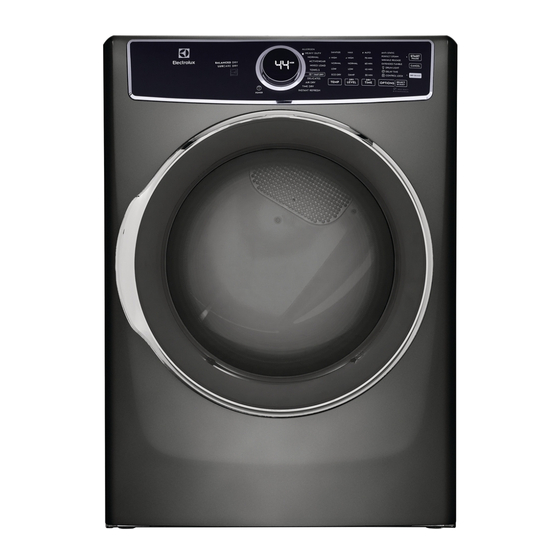
Electrolux 300 Series Use & Care Manual

Electrolux 300 Series Use & Care Manual

Front load dryer
Hide thumbs Also See for 300 Series:
EN FRONT LOAD DRYER
FR SÉCHEUSE Á CHARGEMENT FRONTAL
ES SECADORA DE CARGA FRONTAL
USE & CARE GUIDE
GUIDE D'UTILISATION ET D'ENTRETIEN
GUÍA DE USO Y CUIDADO
A16331701 June 2019
Table of Contents
loading

Frequently Asked Questions (23)

  • Why is my Electrolux 300 Series dryer not drying clothes effectively?

    If your dryer is not drying clothes effectively, it may be due to the following:

    • Problem: Lint filter is clogged with lint.
      • Solution: Make sure all lint has been removed from the dryer lint filter before starting each cycle.
    • Problem: Exhaust duct requirements have not been met.
      • Solution: Exhaust duct must be at least 4 inches in diameter and made of rigid or semi-rigid metal. When in place, the duct must not exceed length listed in the installation instructions.
    • Problem: Electric dryer is connected to a 208 volt circuit.
      • Solution: Drying time will be 20% longer than drying on a 240 volt circuit.
    • Problem: Drying procedures have not been followed.
      • Solution: See Operating Instructions.
    • Problem: Outside exhaust hood or exhaust duct may be clogged or restricted.
      • Solution: Clean out any obstruction.
    • Problem: High humidity.
      • Solution: Use a dehumidifier near the dryer.

    For more information, see page 43 of the manual.
    Was this helpful?
  • Why is my Electrolux 300 Series dryer not turning on or powering up?

    If your dryer is not turning on or powering up, consider the following:

    • Problem: Electrical power cord is not securely plugged in or plug may be loose.
      • Solution: Make sure the plug fits tightly in wall outlet.
    • Problem: House fuse blown or circuit breaker tripped.
      • Solution: Reset circuit breaker or replace fuse. Also, make sure the electrical line is not overloaded and the dryer is on a separate circuit.
    • Problem: Action of pressing start button on "touch screen" style console not recognized.
      • Solution: Press start button with bare fingertip.
    • Problem: Thermal limiter tripped.
      • Solution: Call authorized service person for replacement.
    • Problem: Delay time inadvertently activated.
      • Solution: Ensure delay time not activated.
    • Problem: Door may be open.
      • Solution: Ensure door is closed.

    For more information, see page 42 of the manual.
    Was this helpful?
  • Why is my Electrolux 300 Series dryer not heating up?

    If your dryer is not heating up but the drum is spinning, the problem could be:

    • Problem: There are 2 house fuses in the dryer circuit, and if 1 of the 2 fuses is blown, the heater will not operate (electric models).
      • Solution: Replace fuse.
    • Problem: Gas supply valve is not open (gas models).
      • Solution: Check to make sure supply valve is open. Refer to the installation instructions provided with the dryer.
    • Problem: Dryer does not have enough air supply to support the burner flame (gas models).
      • Solution: See the Installation sections of this guide.
    • Problem: LP gas supply tank is empty or there has been a utility interruption of natural gas (gas models).
      • Solution: Refill or replace tank. Dryer should heat when utility service is restored.

    For more information, see page 42 of the manual.
    Was this helpful?
  • How do I clean the lint filter on my Electrolux 300 Series dryer?

    To clean the lint filter:

    1. Remove the filter by pulling it straight up from the dryer.
    2. Press down the center tab on the top of the filter to open the clamshell.
    3. Gently clean the lint from the filter.
    4. Snap the filter closed and place it back into the dryer.

    It is important to clean the lint filter after every load. A CLEAN LINT message will appear on the LED display at the end of the cycle to remind you to remove lint from the filter.

    Was this helpful?
  • Why is my Electrolux 300 Series dryer making loud noises?

    You may hear various normal operating sounds from your dryer:

    • Water Valve (Steam models only): A clicking sound as the valve opens and closes to control water flow.
    • Suspension Rollers: A thumping or rolling sound may occur when the dryer starts, especially if it hasn't been used for a while or a heavy load remained in the drum, creating a temporary flat spot on the roller. This noise should dissipate as the dryer operates.
    • Air Flow System: Sounds may be associated with air movement through the dryer, including the air duct, blower, and exhaust system.
    • Gas Valve (Gas models only): A clicking sound as the valve opens and closes to control gas flow.
    • Gas Burner (Gas models only): Sounds may be generated as air mixes with the gas flame when the burner is operating.

    If you hear squeaking, grinding, rubbing or other unusual noises, it could indicate a mechanical breakdown. In such cases, you should contact a qualified technician immediately as continued use could lead to fire or serious injury.

    Was this helpful?
  • What should I do if my Electrolux 300 Series dryer has no heat but the drum is spinning?

    If your dryer runs but won't heat, consider the following:

    • Problem: There are 2 house fuses in the dryer circuit, and if 1 of the 2 fuses is blown, the heater will not operate (electric models).
      • Solution: Replace fuse.
    • Problem: Gas supply valve is not open (gas models).
      • Solution: Check to make sure supply valve is open. Refer to the installation instructions provided with the dryer.
    • Problem: Dryer does not have enough air supply to support the burner flame (gas models).
      • Solution: See the Installation sections of this guide.
    • Problem: LP gas supply tank is empty or there has been a utility interruption of natural gas (gas models).
      • Solution: Refill or replace tank. Dryer should heat when utility service is restored.

    For more information, see page 42 of the manual.
    Was this helpful?
  • Why does my Electrolux 300 Series dryer take a long time to dry clothes?

    If your dryer is taking a long time to dry clothes, it may be due to the following:

    • Problem: Lint filter is clogged with lint.
      • Solution: Make sure all lint has been removed from the dryer lint filter before starting each cycle.
    • Problem: Exhaust duct requirements have not been met.
      • Solution: Exhaust duct must be at least 4 inches in diameter and made of rigid or semi-rigid metal. When in place, the duct must not exceed length listed in the installation instructions.
    • Problem: Electric dryer is connected to a 208 volt circuit.
      • Solution: Drying time will be 20% longer than drying on a 240 volt circuit.
    • Problem: Drying procedures have not been followed.
      • Solution: See Operating Instructions.
    • Problem: Outside exhaust hood or exhaust duct may be clogged or restricted.
      • Solution: Clean out any obstruction.
    • Problem: High humidity.
      • Solution: Use a dehumidifier near the dryer.

    For more information, see page 43 of the manual.
    Was this helpful?
  • How do I unlock my Electrolux 300 Series dryer from control lock mode?

    To unlock the controls from control lock mode, scroll to the control lock option again and then press select.


    For more information, see page 34 of the manual.
    Was this helpful?
  • What different drying cycles or programs are available on the Electrolux 300 Series dryer?

    The Electrolux 300 Series dryer offers the following cycles:

    • Heavy duty
    • Towels
    • Normal
    • Air dry
    • Delicates
    • Time dry

    For more information, see pages 27, 31 and 32 of the manual.
    Was this helpful?
  • Why is my Electrolux 300 Series dryer shaking violently during operation?

    If your dryer is shaking, it may not be level. To ensure stability during operation, adjust the leveling legs so the dryer is level from front-to-rear and side-to-side, and sits solidly on the floor on ALL four legs.


    For more information, see page 23 of the manual.
    Was this helpful?
  • Why is my Electrolux 300 Series dryer leaking water?

    If your dryer is leaking water, check the following:

    • Inspect hoses for proper placement of rubber washers and check for leaks during installation.
    • For steam models, periodically inspect all water inlet hoses for water leaks, wear, cuts, corrosion and bulges. Replace all hoses if any signs of damage are visible, or every 5 years to reduce the risk of hose failures.

    For more information, see pages 9, 21 and 40 of the manual.
    Was this helpful?
  • Why does my Electrolux 300 Series dryer shut off unexpectedly?

    The dryer may shut off unexpectedly if the thermal limiter switch(es) automatically turn off the motor in the event of an overheated situation. A service technician must replace the thermal limiter switch(es) after correcting the fault.

    Was this helpful?
  • Why does my Electrolux 300 Series dryer display a 'clean lint' message?

    A CLEAN LINT message will appear on the LED display at the end of the cycle to remind you to remove the lint from the filter.


    For more information, see page 34 of the manual.
    Was this helpful?
  • How often should I clean the dryer vent hose for optimal performance?

    The entire dryer exhaust system, including the vent hose, should be inspected and cleaned a minimum of every 18 months with normal usage by a qualified service professional. If the dryer is used more frequently, you should check the exhaust system and vent hood more often for obstructions.


    For more information, see pages 4, 14 and 39 of the manual.
    Was this helpful?
  • Can the Electrolux 300 Series dryer be stacked with a washing machine?

    Yes, the Electrolux 300 Series dryer can be stacked with a matching washer using an Optional Stacking Kit for Mounting on Matching Washer. However, do not stack a dryer on top of a washer already installed on a pedestal, nor stack a washer on top of a dryer or another washer.

    Was this helpful?
  • What are the electrical requirements for installing an Electrolux 300 Series dryer?

    For an electric dryer:

    For a gas dryer:

    • Circuit: Individual, properly polarized and grounded 15 amp branch circuit fused with 15 amp time delay fuse or circuit breaker.
    • Power Supply: 2-wire, with ground, 120 volt, single phase, 60 Hz, Alternating Current.
    • The dryer is equipped with a 120 volt 3-wire power cord.
    Was this helpful?
  • How can I prevent wrinkles when using my Electrolux 300 Series dryer?

    To prevent wrinkles:

    • DO NOT overload the dryer.
    • Remove items as soon as the cycle ends and hang or fold them.
    • Load items loosely to allow them to tumble freely.
    • Avoid over-drying clothes.
    • Use the wrinkle release option, which tumbles the dry load without heat for 45 minutes to help prevent wrinkles and tangling.

    For more information, see pages 33, 36 and 41 of the manual.
    Was this helpful?
  • What type of ventilation is required for the Electrolux 300 Series dryer?

    The dryer must be connected to an outdoor exhaust. The entire dryer exhaust system needs to be clean and free of lint and debris. It requires 4 inch (102 mm) diameter rigid metal or semi-rigid metal duct and an approved vent hood with a swing-out damper. Flexible plastic or flexible foil venting materials are not permitted, nor are screens, rivets, or other fasteners that extend into the duct at the exhaust ends.


    For more information, see pages 4, 12 and 13 of the manual.
    Was this helpful?
  • How do I use the DelicateCare setting on my Electrolux 300 Series dryer for sensitive fabrics?

    To use the DelicateCare setting for sensitive fabrics:

    Was this helpful?
  • Is the Electrolux 300 Series dryer energy efficient, and what features contribute to energy saving?

    The Electrolux 300 Series dryer is designed with options to help save energy. The normal cycle was used to rate the dryer for energy efficiency and defaults to normal temperature, normal dryness level, and the eco mode option (if available). Cycles that use the least amount of heat save the most energy. You can save energy by using the lowest heat setting (auto and timed dry cycles) and a less dry setting (auto dry cycles) to prevent over-drying. The eco option specifically reduces the drying temperature a few degrees to save energy, and in conjunction with automatic moisture sensors, overall energy usage will decrease.

    Was this helpful?
  • Can the door swing direction be reversed on the Electrolux 300 Series dryer?

    Yes, the Electrolux 300 Series dryer is equipped with a reversible door, allowing it to be hinged on the right or left side. Step-by-step instructions for door reversal are available in the installation sections of the manual.


    For more information, see pages 24 and 34 of the manual.
    Was this helpful?
  • What are normal operating sounds for the Electrolux 300 Series dryer?

    Normal operating sounds for your dryer may include:

    • Water Valve (Steam models only): A clicking sound as the valve opens and closes to control water flow.
    • Suspension Rollers: A thumping or rolling sound may occur when the dryer starts, especially if it hasn't been used for a while or a heavy load remained in the drum, creating a temporary flat spot on the roller. This noise should dissipate as the dryer operates.
    • Air Flow System: Sounds may be associated with air movement throughout the dryer, including the air duct, blower, and exhaust system.
    • Gas Valve (Gas models only): A clicking sound as the valve opens and closes to control gas flow.
    • Gas Burner (Gas models only): Sounds may be generated as air mixes with the gas flame when the burner is operating.

    For more information, see page 38 of the manual.
    Was this helpful?
  • How does sensor drying technology work on the Electrolux 300 Series dryer?

    Sensor drying technology, referred to as Auto dry cycles, works by using moisture sensors to sense the moisture level of the load as it tumbles through the heated air. The load will then be automatically dried at the selected temperature to the desired dryness level. Models with the Predictive Dry feature use the first 90 seconds of Auto Dry cycles to sense the load.


    For more information, see page 31 of the manual.
    Was this helpful?
Need help?

Need help?

Do you have a question about the 300 Series and is the answer not in the manual?

Questions and answers

Summary of Contents for Electrolux 300 Series

  • Page 1 USE & CARE GUIDE EN FRONT LOAD DRYER GUIDE D’UTILISATION ET D’ENTRETIEN FR SÉCHEUSE Á CHARGEMENT FRONTAL GUÍA DE USO Y CUIDADO ES SECADORA DE CARGA FRONTAL A16331701 June 2019...
  • Page 2: Table Of Contents

    Please read and save Table of Contents this guide Important Safety Information ....2 Thank you for choosing Electrolux, our Features ..........8 premium brand in home appliances. Pre-Installation Requirements ....9 This Use & Care Guide is part of our commitment to customer satisfaction and Installation ..........
  • Page 3 Important Safety Information Important safety instructions - gas dryer WARNING FIRE OR EXPLOSION HAZARD Failure to follow safety warning exactly could result in serious injury, death, or property damage. DO NOT store or use gasoline or other flammable vapors and liquids in the vicinity of this or any other appliance.
  • Page 4 Important Safety Information WARNING RISK OF FIRE • Ensure the entire dryer exhaust system is clean and free of lint and debris prior to the installation of your new dryer. The entire exhaust system should be inspected and cleaned a minimum of every 18 months with normal us- age.
  • Page 5: Prevent Fire

    Important Safety Information Definitions • DO NOT place items exposed to cooking oils in your dryer. Items contaminated This is the safety alert symbol. It is with cooking oils may contribute to a used to alert you to potential personal chemical reaction that could cause a load injury hazards.
  • Page 6: Protect Children

    Important Safety Information • DO NOT use fabric softeners or products Before you throw away your old washer or dryer: to eliminate static unless recommended by the manufacturer of the fabric softener • Remove doors or product. • Remove the electric power cord •...
  • Page 7 Important Safety Information • Thermal limiter switches automatically turn off the motor in the unlikely event of an overheated situation. A service technician must replace the thermal limiter switch(es) after correcting the fault. • Failure to comply with these warnings could result in serious personal injuries.
  • Page 8: Features

    Model series ........26 Cycle selection ........31 Setting chart - 300 series dryer ... 27 Cycle settings ........32 Setting chart - 400 series dryer ... 28 Cycle options ........33 Setting chart - 500 series dryer ...
  • Page 9: Pre-Installation Requirements

    Pre-Installation Requirements  Installation Checklist Exhaust Venting 240v Electric Supply (Electric Dryer) ˆ Free-flowing, clear of lint buildup ˆ Approved NEMA 10-30 or 14-30 ˆ 4 inch (102 mm) rigid metal or service cord with all screws tight on semi-rigid metal transition ducting terminal block of minimal length and turns ˆ...
  • Page 10 Pre-Installation Requirements Electrical system Tools and materials requirements needed for installation: NOTE Because of potentially inconsistent voltage capabilities, the use of this dryer Phillips, with power created by gas powered Adjustable Adjustable straight, & pliers wrench square bit generators, solar powered generators, screwdrivers wind powered generators or any other generator other than the local utility...
  • Page 11: Gas Dryer

    Pre-Installation Requirements Electrical requirements for 3-wire power supply cord (not supplied) gas dryer: CIRCUIT - Individual, properly polarized 3-wire receptacle and grounded 15 amp. branch circuit (NEMA type 10-30R) fused with 15 amp. time delay fuse or circuit breaker. The dryer MUST employ a 3-conductor POWER SUPPLY - 2-wire, with ground, power supply cord NEMA 10-30 type 120 volt, single phase, 60 Hz, Alternating...
  • Page 12: Exhaust System

    12 Pre-Installation Requirements The following are specific NFPA 54, or in Canada, the Natural Gas requirements for proper and safe and Propane Installation Code, CSA operation of your dryer. B149.1. 2. The gas supply line should be 1/2 inch (1.27 cm) pipe. WARNING 3.
  • Page 13: Exhaust Direction

    Pre-Installation Requirements WARNING WARNING Exceeding the length of duct pipe FIRE HAZARD or number of elbows allowed in the • A clothes dryer must be exhausted “MAXIMUM LENGTH” charts can cause outdoors. an accumulation of lint in the exhaust • DO NOT exhaust dryer into a system.
  • Page 14 14 Pre-Installation Requirements • Running the exhaust system through NOTE an uninsulated area may cause condensation and faster accumulation of lint. Use of 90° quick- turn elbow required • Compression or crimping of the exhaust to meet minimum installation depth. system will cause an increase in vent restriction.
  • Page 15: Clearance Requirements

    Pre-Installation Requirements Clearance requirements MIN INSTALLATION CLEARANCES - Inches (cm) IMPORTANT Sides Rear Front 0” 0” 0” Alcove (0 cm) (0 cm) (0 cm) DO NOT INSTALL YOUR DRYER: Under- 0” 0” 0” 1. In an area exposed to dripping water (0 cm) (0 cm) (0 cm)
  • Page 16: Dryer Dimensions

    16 Pre-Installation Requirements Dryer dimensions 53.5” (136 cm)* to clear open door 32” (81.25 cm)* 27.0” to front of closed door (68.5 cm) electrical 38.0” supply on (96.5 cm) rear of unit 1.5” 3.7” (4 cm) (9.5 53.25” (135.5 cm) centerline gas supply height of...
  • Page 17: Installation

    Installation Connecting the The dryer, when installed, must be electri- cally grounded in accordance with local electrical system codes and the National Electrical code ANSI/NFPA 70 or the Canadian Electrical The following are specific requirements Code, Part 1, CSA C22.1. for proper and safe electrical installation of your dryer.
  • Page 18 18 Installation Grounding requirements - Grounding requirements - electric dryer (Canada) gas dryer 1. The dryer is equipped with a three- prong (grounding) plug for your WARNING protection against shock hazard and should be plugged directly into Improper grounding of the dryer may a properly grounded three-prong cause serious injury or death.
  • Page 19: Electrical Connection

    Installation Electrical connection IMPORTANT (non-Canada) - 3 wire cord If moving dryer from a 4-wire system and 3-wire receptacle (NEMA type 10-30R) installing it in a 3-wire system, move the internal ground from the center terminal back to the GREEN screw next to the terminal block.
  • Page 20 20 Installation Electrical connection WARNING (non-Canada) - 4 wire cord ELECTRICAL SHOCK HAZARD 4-wire receptacle (NEMA type 14-30R) DO NOT make a sharp bend or crimp wiring/conductor at connections. 9. Follow manufacturer’s guidelines for WARNING firmly securing the strain relief and power cord.
  • Page 21: Water Supply Requirements

    Installation Connecting the gas WARNING 1. Remove the shipping cap from gas pipe EXPLOSION HAZARD at the rear of the dryer. NEVER test for gas leaks with an open flame. WARNING IMPORTANT DO NOT connect the dryer to L.P. gas service without converting the gas valve.
  • Page 22 Installation Short Hose Rubber Washer Must be Present and Undamaged “Y” Connector Cold Inlet Hose Water Inlet on Dryer to Washer 3. Turn on COLD supply and run water to clear any contaminants in the line. Cold Water Supply Hose to Washer 6.
  • Page 23 Installation Completing the installation 5. Plug the power cord into a grounded outlet. 1. Connect the exhaust duct to the outside exhaust system. Use of a 4” (102 mm) WARNING clamp (item A) is recommended to connect the dryer to the exhaust vent system.
  • Page 24: Reversing The Door

    Installation Reversing the door NOTE Door reversibility is available on all dryer models. Tools needed for reversal: IMPORTANT BEFORE YOU REVERSE YOUR DRYER DOOR: Screwdriver with #2 1. Be sure you have adequate swing area square bit before reversing door. 2.
  • Page 25 Installation Removing door assembly Reinstalling latch and hole plugs 1. Completely open the door to expose all 1. Install door latch with screws removed four hinge screws. earlier. 2. Remove all four hinge screws with #2 square bit driver. Save for reinstalling later.
  • Page 26: Controls And Settings

    Controls and Settings Model series 300 SERIES 400 SERIES 500 SERIES 600 SERIES power cycle LED display cycle selector temperature dryness (dry level) time dry (dry time) options/select (set) cancel start/pause This manual covers many models and not all cycles, options, or features listed are...
  • Page 27: Setting Chart - 300 Series Dryer

    Controls and Settings Setting chart - 300 series dryer These temperature, dryness levels and options are available with the following cycles: CYCLE SELECTIONS temperature (temp) high    normal      air dry  dry level (dryness) high ...
  • Page 28: Setting Chart - 400 Series Dryer

    28 Controls and Settings Setting chart - 400 series dryer These temperature, dryness levels and options are available with the following cycles: CYCLE SELECTIONS temperature (temp) high      normal        ...
  • Page 29: Setting Chart - 500 Series Dryer

    Controls and Settings Setting chart - 500 series dryer These temperature, dryness levels and options are available with the following cycles: CYCLE SELECTIONS temperature (temp) sanitize   high      normal      ...
  • Page 30: Setting Chart - 600 Series Dryer

    30 Controls and Settings Setting chart - 600 series dryer These temperature, dryness levels and options are available with the following cycles: CYCLE SELECTIONS temperature (temp) sanitize   high       normal    ...
  • Page 31: Cycle Selection

    Controls and Settings Cycle selection Selecting the right cycle to save energy This dryer has been specifically designed with options to help you save energy and at the same time utilize the optimal drying setting for your clothing. The normal cycle was used to rate the dryer for energy efficiency. The normal cycle defaults to normal temperature setting, normal dryness level and eco mode option (if available).
  • Page 32: Timed Dry Cycles

    32 Controls and Settings To protect your fabrics, not all tempera- Timed dry cycles tures or dryness levels are available with The timed drying cycles allow the selection every cycle. If a temperature or dryness of exact drying times. The time dry cycle level is not appropriate for the cycle, it allows the option to select drying time cannot be selected and will not be lit when...
  • Page 33: Cycle Options

    Controls and Settings eco option and sanitize temperature (on Dryness level (dryness) select models). When this happens, the To set or change the dryness level, press option selected first will cause the conflict- the dryness button to scroll to the desired ing option to not be selectable.
  • Page 34: Other Features

    34 Controls and Settings during off-peak energy hours. The start of The estimated cycle time for auto dry, the actual time for time dry, or the delay any cycle can be delayed for 30 minutes to 12 hours. After selecting the delay time op- time countdown will be displayed when tion, use the cycle button (models 300/400) the cycle is selected.
  • Page 35 Controls and Settings Install the drying rack NOTE For step-by-step instructions cleaning Front legs in the lint filter, refer to Cleaning the Filter in side of grill the Care and Cleaning section of this Use & Care Guide. Optional drying rack Rear legs on drum (not included)
  • Page 36: Operating Instructions

    36 Operating Instructions Operating the dryer WARNING To reduce the risk of fire, electric shock or injury to persons, read the Important Safety Information in this Use & Care Guide before operating your dryer. WARNING WARNING Clean the lint filter after every load. DO NOT operate dryer without lint filter in place.
  • Page 37: Operating Instructions

    Operating Instructions STEPS TIPS IMPORTANT 4. Select the • See Cycle Selection and Cycle Settings for Over-drying can appropriate detailed descriptions of cycle controls. cause wrinkles, cycle and shrinkage, lint, • See Cycle Setting Charts to determine which settings for harshness, and a settings are available for each cycle.
  • Page 38: Normal Operating Sounds

    38 Normal Operating Sounds Normal operating sounds You may or may not hear the following sounds from your new dryer: A. WATER VALVE (Steam models only.) The flow of water is controlled by electric solenoids. During operation there may be a clicking sound as the valve opens and closes to control the water flow.
  • Page 39: Care And Cleaning

    Care and Cleaning 4. Snap the filter closed and place back WARNING into the dryer. To reduce risk of fire or serious injury to IMPORTANT persons or property, comply with the basic warnings listed in the Important • DO NOT open the clamshell filter Safety Information and those listed beyond the hinge limit.
  • Page 40 40 Care and Cleaning • When cleaning chrome parts, it is best or cross thread the fittings. DO NOT allow to use only a damp cloth. the hose to rub against sharp objects. Al- ways ensure the hose fitting rubber gasket •...
  • Page 41: Troubleshooting

    Troubleshooting Common drying inquiries Many drying problems involve poor cleaning results, poor soil and stain removal, resi- dues of lint and scum, and fabric damage. For satisfactory drying results, follow these suggestions provided by The Soap and Detergent Association. PROBLEM POSSIBLE SOLUTIONS PREVENTIVE CAUSES...
  • Page 42: Troubleshooting

    42 Troubleshooting Before calling Before calling for service, review this list. It may save both time and expense. The list includes common occurrences that are not the result of defective workmanship or materials in this dryer. PROBLEM POSSIBLE CAUSES SOLUTIONS Dryer does •...
  • Page 43 Troubleshooting PROBLEM POSSIBLE CAUSES SOLUTIONS Drying cycle • Lint filter is clogged with lint. • Make sure all lint has been removed takes too from the dryer lint filter before start- long, outside ing each cycle. of the dryer • Exhaust duct requirements •...
  • Page 44: Limited Warranty

    For the applicable warranty period as set forth below, as measured from your original date of purchase, Electrolux will repair or replace any parts of this appliance that prove to be defective in materials or workmanship when such appliance is installed, used and maintained in accordance with the provided instructions.
  • Page 46 electrolux.com/shop...

This manual is also suitable for:

400 series500 series600 seriesElfe763cbt

Table of Contents

Save PDF