
Related Manuals for CoolGear USBG-3X4Mr2-PCBA


Summary of Contents for CoolGear USBG-3X4Mr2-PCBA
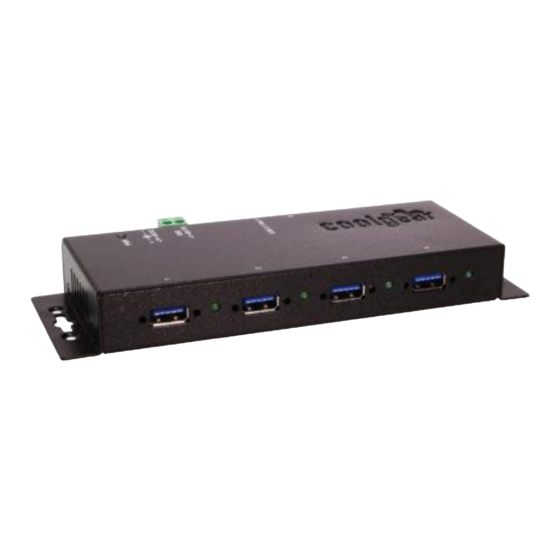
- Page 1 4-Port USB3.2 Gen 1 Metal Hub w/15KV ESD Surge Protection Model Number: USBG-3X4Mr2-PCBA Installation Guide Coolgear, Inc. Version: 1.0 Date: 04/08/2024...
- Page 2 First Release 1. Introduction Thank you for purchasing Coolgear’s 4-Port USB3.2 Gen 1 Metal Hub. It provides an ideal solution to expand 4 USB3.2 Gen 1 ports from one single USB3.2 Gen 1 host port. It accepts a wide range self power source (+7~48VDC from the DC Jack or 2-pin Terminal Blocks) to provide enough power on USB3.2 Gen 1 buses.
- Page 3 Supports both normal and screw-lock type USB cables. USB3.2 Gen 1 Downstream Port Connectors: There are 4 Type-A connectors for ● USB3.2 Gen 1, USB2.0 or USB1.1 devices. They support both normal and screw-lock type USB cables. Need help? Visit: coolgear.com/support...
- Page 4 To check the USB3.2 Gen 1 hub installation in Windows Device Manager, please follow the following steps: Click Start Control Panel System Device Manager button Double click Universal Serial Bus Controller Double click Generic USB Hub, the message will show that this device is working properly. Need help? Visit: coolgear.com/support...
- Page 5 0 to 70℃ (32 to 158℉) Operating humidity: 5 to 95% RH Dimensions (LxWxH): 5.98”(L)x2.35”(W)x0.93”(H) (15.20 x 5.96 x 2.35 cm) Contact Us: Coolgear Inc. Toll Free: 1 888-688-2188 5120 110th Avenue North Local: 1 727-209-1300 Clearwater, Florida 33760 U.S.A. Fax: 1 727-209-1302 Read the entire Installation Guide before implementing this ●...
- Page 6 (iv) normal wear and tear; (v) damage to or loss of repaired or replaced Products during shipping by Coolgear except when such damage or loss is caused by poor or inadequate packaging by Coolgear; or (vi) Products purchased outside the United States.
- Page 7 4-Port USB3.2 Gen 1 Metal Hub – Installation Guide © 2024 Coolgear, Inc. All Rights Reserved. All products and accompanying digital documentation including images are the property and / or trademarks of Coolgear Inc. Coolgear Inc. are continuously improving upon its products. Product specifications are subject to change without notice.
Need help?
Do you have a question about the USBG-3X4Mr2-PCBA and is the answer not in the manual?
Questions and answers