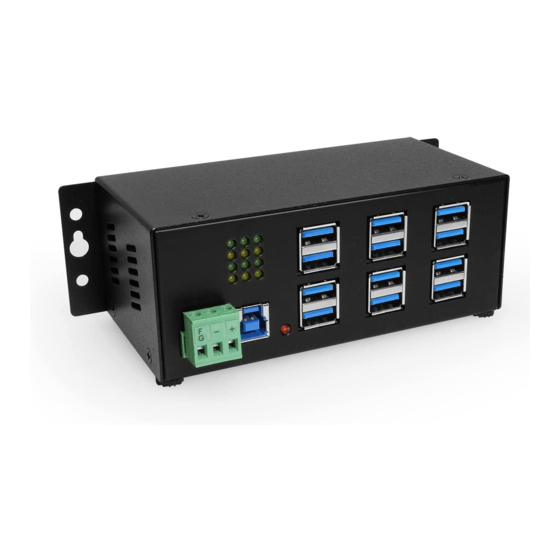

Related Manuals for CoolGear USBG-12U2ML


Summary of Contents for CoolGear USBG-12U2ML
- Page 1 Industrial 12-Port USB 2.0 Powered Hub for PC-MAC DIN-RAIL Mount Product Manual Coolgear, Inc. Version 1.1 September 2017 Model Number: USBG-12U2ML www.coolgear.com...
-
Page 2: Revision History
Coolgear New Manual Format About this document This product manual outlines installation and features of the USBG-12U2ML Industrial 12-Port USB 2.0 Powered Hub for PC-MAC DIN-RAIL Mount. Scope The scope of this manual is to give the user of the product an understanding of its use with detailed diagrams and verbiage. -
Page 3: Table Of Contents
USBG-12U2ML – Product Manual Table of Contents 1. Introduction ......................4 Features ........................4 Connector Layout ....................5 Hardware Installation ..................... 5 Checking the Hub Installation ................. 6 Environmental Specifications ................. 6 2. Notes, Tips, Warnings, and Safety ................. 7 3. -
Page 4: Introduction
USBG-12U2ML – Product Manual 1. Introduction 12-Port USB 2.0 powered hi-speed hub enabling you to connect 12 additional USB peripherals to your system. Industrial-grade metal chassis supporting rugged use and is backward compatible with USB 1.0/1.1. It is targeted at PC and Mac Industrial Application users that are expanding the number of USB ports on their system. -
Page 5: Connector Layout
USBG-12U2ML – Product Manual 1.2 Connector Layout Figure 1 +7~24V 3-Pin Terminal USB 2.0 Upstream Port AC Power Adapter A 3-Pin Terminal Block Type-B connector from This adapter is required for Connector supplies power upstream USB 2.0 port. It is supplying 110/220 AC for the use of this product. -
Page 6: Checking The Hub Installation
USBG-12U2ML – Product Manual 1.4 Checking the Hub Installation To check the USB hub installation in Windows device manager, please follow the following steps: 1. Click Start 2. Click Control Panel 3. Click System 4. Click Device Manager button 5. Double Click Universal Serial Bus Controller 6. -
Page 7: Notes, Tips, Warnings, And Safety
USBG-12U2ML – Product Manual 2. Notes, Tips, Warnings, and Safety In some cases, you will see an error message said that the USB Hub caused the USB bus power over the current limit, please ignore this message since the hub is hot plug and its power capacitor will cause a very short period of Note current. -
Page 8: Supporting References
© 2017 Coolgear, Inc. All Rights Reserved. All products and accompanying digital documentation including images are the property and / or trademarks of Coolgear Inc. Coolgear Inc. are continuously improving upon its products. Product specifications are subject to change without notice.
Need help?
Do you have a question about the USBG-12U2ML and is the answer not in the manual?
Questions and answers