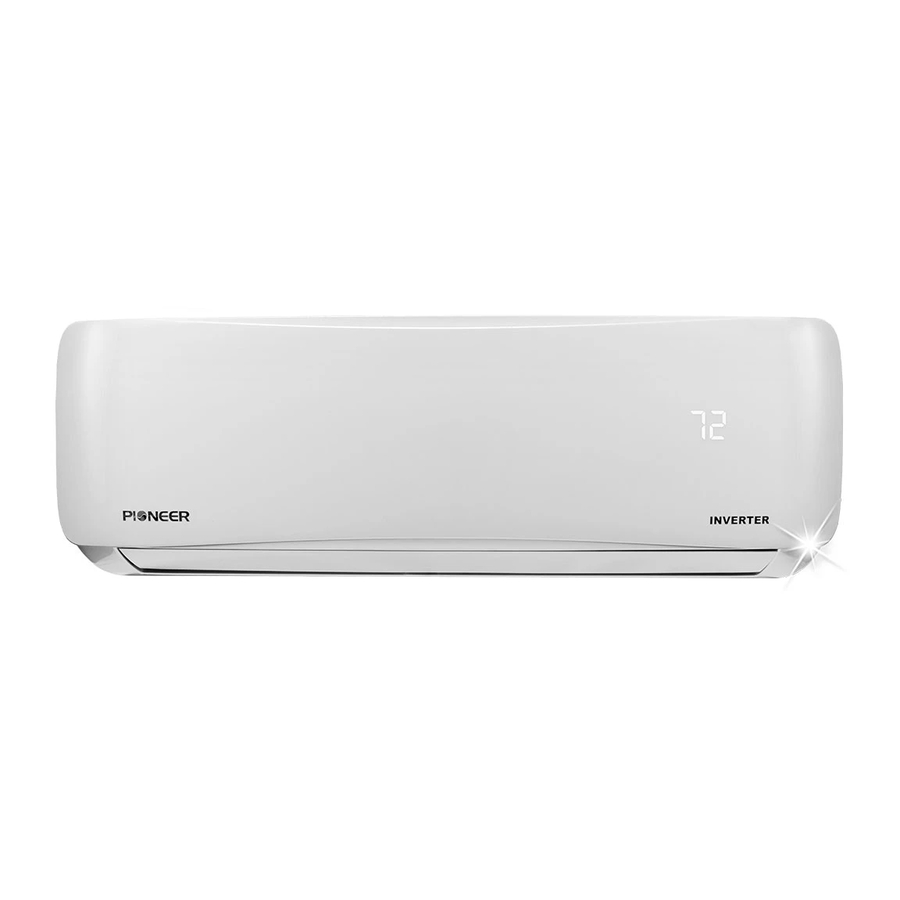
Pioneer Inverter+ WAS Series Owner's Manual

Pioneer Inverter+ WAS Series Owner's Manual

Ductless mini split system air conditioner / heat pump 9,000 btu/h. through 36,000 btu/h.
Hide thumbs Also See for Inverter+ WAS Series:
DUCTLESS MINI SPLIT SYSTEM AIR CONDITIONER / HEAT PUMP
WAS / WYS Series
WAS: Cooling Only Version
WYS: Cooling and Heating Version
®
Inverter+ and Inverter++ Models
9,000 BTU/h. through 36,000 BTU/h.
Owner's Manual
IMPORTANT NOTICE:
Please read this manual carefully before installing
or operating your new air conditioning system.
Make sure to save this manual for future reference.
®
CS78421-548-754
Table of Contents
loading

Frequently Asked Questions (11)

  • What should I do if my Pioneer Inverter+ WAS Series air conditioner is not cooling effectively?

    If your Pioneer Inverter+ WAS Series air conditioner is not cooling effectively, consider the following solutions:

    • Temperature setting: If the temperature setting is higher than the ambient room temperature, lower the temperature setting.
    • Dirty heat exchanger: If the heat exchanger on the indoor or outdoor unit is dirty, clean the affected heat exchanger.
    • Dirty air filter: Remove and clean the air filter according to instructions.
    • Blocked air inlet or outlet: If the air inlet or outlet of either unit is blocked, turn the unit off, remove the obstruction, and then turn it back on.
    • Open doors and windows: Make sure that all doors and windows are closed while operating the unit.
    • Excessive heat from sunlight: Close windows and curtains during periods of high heat or bright sunshine.
    • Too many heat sources: If there are too many sources of heat in the room (e.g., people, computers, electronics), reduce the amount of heat sources.
    • Low refrigerant: If there is low refrigerant due to a leak or long-term use, check for leaks, re-seal if necessary, and top off the refrigerant.
    • SILENCE function activated: If the SILENCE function (optional) is activated, it can lower product performance by reducing operating frequency. Turn off the SILENCE function.

    For more information, see page 16 of the manual.
    Was this helpful?
  • How do I install the Pioneer Inverter+ WAS Series air conditioner?

    You should ask a licensed HVAC contractor to install this air conditioner. Inappropriate installation may lead to issues such as condensate water or refrigerant leakage, undesired performance, electric shock, or fire.

    Was this helpful?
  • Why is my Pioneer Inverter+ WAS Series air conditioner not turning on?

    If your Pioneer Inverter+ WAS Series air conditioner is not turning on, consider the following:

    • Power failure: Wait for the power to be restored.
    • Power is turned off: Turn on the power.
    • Fuse is burned out: Replace the fuse.
    • Remote control batteries are dead: Replace batteries.
    • Unit's 3-minute protection has been activated: The unit has a 3-minute protection feature to prevent overloading. Wait three minutes after restarting the unit.
    • Timer is activated: Turn the timer off.

    For more information, see page 17 of the manual.
    Was this helpful?
  • What does an error code displayed on my Pioneer Inverter+ WAS Series air conditioner mean?

    Error codes displayed on your Pioneer Inverter+ WAS Series air conditioner indicate specific issues:

    • E0: Indoor unit EEPROM parameter error.
    • E1: Indoor / outdoor units communication error.
    • E2: Zero-crossing signal detection error.
    • E3: Indoor fan speed has been out of control.
    • E4: Indoor room temperature sensor T1 open circuit or short circuit.
    • E5: Evaporator coil temperature sensor T2 open circuit or short circuit.
    • EC: Refrigerant leakage detection.
    • F0: Overload current protection.
    • F1: Outdoor ambient temperature sensor T4 open circuit or short circuit.
    • F2: Condenser coil temperature sensor T3 open circuit or short circuit.
    • F3: Compressor discharge temperature sensor TP open circuit or short circuit.
    • F4: Outdoor unit EEPROM parameter error.
    • F5: Outdoor fan speed has been out of control.
    • P0: IPM malfunction or IGBT over-strong current protection.
    • P1: Over voltage or over low voltage protection.
    • P2: High temperature protection of IPM module or compressor shell top.
    • P3*: Outdoor ambient temperature too low. This can occur in heating mode if the outdoor temperature is lower than -25°C (-13°F) for 1 hour.
    • P4: Inverter compressor drive error.
    • P5: Indoor units mode conflict (multi-zone ONLY).
    • P6: Low pressure protection (Only for 36K).

    If the indicator lamps continue to flash or error codes appear, wait for about 10 minutes. If the problem does not resolve, disconnect the power, then connect it again and turn the unit on. If the problem persists, disconnect the power and contact your installer, dealer, or the nearest customer service center. A more comprehensive service and diagnostics manual is available for service technicians.


    For more information, see pages 17 and 19 of the manual.
    Was this helpful?
  • How can I improve the energy efficiency of my Pioneer Inverter+ WAS Series air conditioner?

    To improve the energy efficiency of your Pioneer Inverter+ WAS Series air conditioner, you should:

    • Keep doors and windows closed.
    • Limit energy usage by using TIMER ON and TIMER OFF functions.
    • Not block air inlets or outlets.
    • Regularly inspect and clean air filters.

    For more information, see page 7 of the manual.
    Was this helpful?
  • How do I use my Pioneer Inverter+ WAS Series air conditioner?

    To use your Pioneer Inverter+ WAS Series air conditioner:

    • Manual Operation (Without Remote): If your remote control is not working, you can operate the unit manually using the MANUAL CONTROL button located on the indoor unit. First, open the front panel of the indoor unit. Press the MANUAL CONTROL button once to activate FORCED AUTO mode, press it again for FORCED COOLING mode, and a third time to turn the unit off. Remember to close the front panel afterward. This manual operation is for emergencies and testing purposes only; regular operation should be done with the remote control.
    • Setting Vertical Airflow Angle: While the unit is on, use the SWING/DIRECT button to adjust the vertical airflow direction. Each press of the button adjusts the louver by 6°. To make the louver swing continuously, press and hold the SWING/DIRECT button for 3 seconds; press it again to stop the automatic function.
    • Setting Horizontal Airflow Angle: The horizontal airflow angle must be set manually by locating the deflector rod and adjusting it to your preferred direction. For some units, this can be set via remote control.
    • Sleep Operation: The SLEEP function, activated via remote control, decreases energy use while you sleep. In COOL mode, the temperature increases by 1°C (2°F) after 1 hour and another 1°C (2°F) after a second hour. In HEAT mode, the temperature decreases by 1°C (2°F) after 1 hour and another 1°C (2°F) after a second hour. The new temperature is held for 5 hours, then the unit turns off automatically. This function is not available in FAN or DRY modes.

    For a detailed explanation of functions like TURBO mode and self-cleaning, refer to the Remote Control Manual, as a guide for the infrared remote is not included in this literature package.


    For more information, see pages 6, 8, 9, 10 and 11 of the manual.
    Was this helpful?
  • Why is my Pioneer Inverter+ WAS Series air conditioner leaking water?

    Your Pioneer Inverter+ WAS Series air conditioner may be leaking water due to the following reasons:

    Was this helpful?
  • How often should I clean the air filters of my Pioneer Inverter+ WAS Series air conditioner?

    You should clean the air filter once every two weeks. A clogged air conditioner can reduce cooling efficiency and may be bad for your health. The unit will also display a "CL" reminder after 240 hours of use to indicate that the filter needs cleaning.


    For more information, see pages 12 and 13 of the manual.
    Was this helpful?
  • How do I reset my Pioneer Inverter+ WAS Series air conditioner?

    To reset your Pioneer Inverter+ WAS Series air conditioner:

    • After a power loss: The unit has an Auto-Restart feature and will automatically restart with its prior settings once power is restored.
    • For erratic, unpredictable, or unresponsive operation: Disconnect the power, then reconnect it by resetting the breaker. You can also press the ON/OFF button on the remote control to restart operation.
    • For Air Filter Cleaning Reminder (CL): After the display panel flashes "CL" for 240 hours of use, you can reset the reminder by pressing the LED button on your remote control 4 times, or by pressing the MANUAL CONTROL button 3 times.
    • For Air Filter Replacement Reminder (nF): After the display panel flashes "nF" for 2,880 hours of use, you can reset the reminder by pressing the LED button on your remote control 4 times, or by pressing the MANUAL CONTROL button 3 times.

    For more information, see pages 8, 13 and 15 of the manual.
    Was this helpful?
  • What do the different operating modes on the Pioneer Inverter+ WAS Series air conditioner do?

    The Pioneer Inverter+ WAS Series air conditioner operates in various modes, including COOL, HEAT, DRY, and FAN. Optimal performance for COOL, HEAT, and DRY modes is achieved within specific temperature ranges. The unit also has a FAN mode where it displays the room temperature. Additionally, there are FORCED AUTO mode and FORCED COOLING mode available for manual operation without the remote control.

    Was this helpful?
  • What is the optimal temperature setting for my Pioneer Inverter+ WAS Series air conditioner?

    The optimal temperature ranges for your Pioneer Inverter+ WAS Series air conditioner vary by mode:

    • COOL mode:
      • Room Temperature: 17°C - 32°C (63°F - 90°F)
      • Outdoor Temperature: 0°C - 50°C (32°F - 122°F) for Standard Models; -15°C - 50°C (5°F - 122°F) for Arctic (Low Ambient) Models.
    • HEAT mode:
      • Room Temperature: 0°C - 30°C (32°F - 86°F)
      • Outdoor Temperature: -15°C - 30°C (5°F - 86°F) for Standard Models; -20°C - 30°C (-5°F - 86°F) for Arctic (Low Ambient) Models.
    • DRY mode:
      • Room Temperature: 10°C - 32°C (50°F - 90°F)
      • Outdoor Temperature: 0°C - 50°C (32°F - 122°F)

    For more information, see page 7 of the manual.
    Was this helpful?
Need help?

Need help?

Do you have a question about the Inverter+ WAS Series and is the answer not in the manual?

Questions and answers

Eric G A Gee
April 25, 2025

where is the SWING/DIRECT button? on the WAS/WYS Series

1 comments:
Mr. Anderson
May 12, 2025

The SWING/DIRECT button is located on the remote control of the Pioneer WAS Series inverter unit.

This answer is automatically generated

David C Bussard
January 26, 2025

uNIT wont heat

1 comments:
Mr. Anderson
February 10, 2025

The Pioneer Inverter+ WAS Series unit may not be heating due to the following reasons:

1. Temperature Setting: The set temperature may be higher than the ambient room temperature. Lower the temperature setting.
2. Dirty Heat Exchanger: The heat exchanger on the indoor or outdoor unit may be dirty. Clean the affected heat exchanger.
3. Dirty Air Filter: The air filter may be dirty, restricting airflow. Remove and clean the filter according to the instructions.
4. Blocked Air Inlet or Outlet: The air inlet or outlet may be obstructed. Ensure there are no blockages.
5. Defrost Mode: During defrost mode, the outdoor fan stops, temporarily preventing heating. Wait for the cycle to complete.
6. Low Ambient Protection: If the outdoor temperature is lower than -13°F (-25°C), the unit may stop heating. It will restart when conditions improve.
7. System Malfunction: If operation is erratic or unresponsive, reset the power by disconnecting and reconnecting it. If the issue persists, contact customer service with details of the malfunction and model number.

This answer is automatically generated

Reta Beck
May 30, 2025

What does 7 on display mean

Summary of Contents for Pioneer Inverter+ WAS Series

  • Page 1 DUCTLESS MINI SPLIT SYSTEM AIR CONDITIONER / HEAT PUMP WAS / WYS Series WAS: Cooling Only Version WYS: Cooling and Heating Version ® ® Inverter+ and Inverter++ Models 9,000 BTU/h. through 36,000 BTU/h. Owner’s Manual CS78421-548-754 IMPORTANT NOTICE: Please read this manual carefully before installing or operating your new air conditioning system.
  • Page 2 Table of Contents Owner’s Manual Safety Precautions ............04 Unit Specifications and Features ......06 SAFETY FIRST Manual Operation (Without Remote) ....11...
  • Page 3 Care and Maintenance .............12 Troubleshooting ..............14 European Disposal Guidelines ........18...
  • Page 4: Safety Precautions

    Safety Precautions Read Safety Precautions Before Installation Incorrect installation due to ignoring instructions can cause serious damage or injury. The seriousness of potential damage or injuries is classified as either a WARNING or CAUTION. This symbol indicates that ignoring instructions may cause death or serious injury.
  • Page 5 ELECTRICAL WARNINGS Only use the system powered through a specified dedicated circuit breaker. If the power cord • is damaged, it must be replaced by a certified service agent. Assure to use a properly rated circuit breaker of fuse. Gauge of the power wiring must be within •...
  • Page 6: Unit Parts

    Unit Specifications and Features Unit Parts Front Panel Power and Signal Wiring Louver Remote Control Functional Filter (On Front of Main Filter - Some Units) Remote control Holder (Some Units) Display panel Display panel “ ” for 3 seconds when: •...
  • Page 7 Achieving Optimal Performance Optimal performance for the COOL, HEAT, and DRY modes can be achieved in the following temperature ranges. When your air conditioner is used outside of these ranges, certain safety protection features will activate and cause the unit to perform less than optimally. Operational Temperature Ranges FOR OUTDOOR UNITS Standard Models...
  • Page 8: Other Features

    • WiFi Access (Optional Accessory Needed) For a detailed explanation of each function, WiFi control allows you to control your air refer to the Remote Control Manual. conditioner using your smart phone and a Wireless connection. For the USB device access, replacement, Other Features maintenance operations refer to the •...
  • Page 9 Setting Angle of Air Flow • Setting vertical angle of air flow While the unit is on, use the SWING/DIRECT button to set the direction (vertical angle) of airflow (Dual function button: Left/Right). Press the SWING/DIRECT button once to activate the louver. Each time you press the button, it will adjust the louver by 6°.
  • Page 10: Sleep Operation

    • Sleep Operation The SLEEP function is used to decrease energy use while you sleep (and do not need the same temperature settings to stay comfortable). This function can only be activated via remote control. Press the SLEEP button when you are ready to go to sleep.
  • Page 11 Manual Operation (Without Remote) How to operate the unit without the CAUTION remote control (using emergency button) The manual button is intended for testing In the event that your remote control fails to purposes and emergency operation only. Please work, your unit can be operated manually with do not use this function unless the remote is the MANUAL CONTROL button located on lost and it is absolutely necessary.
  • Page 12: Care And Maintenance

    Care and Maintenance Rinse the filter with fresh water, then shake Cleaning Your Indoor Unit off the excess water. BEFORE CLEANING OR Dry it in a cool, dry place and refrain from exposing it to direct sunlight. MAINTENANCE When dry, re-clip the air freshening filter to ALWAYS TURN OFF YOUR AIR CONDITIONER the larger filter, then slide it back into the SYSTEM AND DISCONNECT ITS POWER SUPPLY...
  • Page 13 Maintenance – CAUTION Long Periods of Non-Use Before changing the filter or cleaning, • If you plan not to use your air conditioner for an turn off the unit and disconnect its power extended period of time, do the following: supply.
  • Page 14: Troubleshooting

    Troubleshooting SAFETY PRECAUTIONS If ANY of the following conditions occurs, turn off your unit immediately! The power wiring is damaged or abnormally warm • You smell a burning odor • The unit emits loud or abnormal sounds • A power fuse blows or the circuit breaker frequently trips •...
  • Page 15 Issue Possible Causes A rushing air sound may occur when the louver resets its position. The indoor unit makes noises A squeaking sound may occur after running the unit in HEAT mode due to expansion and contraction of the unit’ s plastic parts.
  • Page 16 Troubleshooting When troubles occur, please check the following points before contacting a repair company. Problem Possible Causes Solution Temperature setting may be higher than ambient Lower the temperature setting room temperature The heat exchanger on the indoor or outdoor unit is Clean the affected heat exchanger dirty Remove the filter and clean it...
  • Page 17 Problem Possible Causes Solution Wait for the power to be Power failure restored The power is turned off Turn on the power The fuse is burned out Replace the fuse The unit is not working Remote control batteries are Replace batteries dead The Unit’...
  • Page 18 European Disposal Guidelines This appliance contains refrigerant and other potentially hazardous materials. When disposing of this appliance, the law requires special collection and treatment. Do not dispose of this product as household waste or unsorted municipal waste. When disposing of this appliance, you have the following options: •...
  • Page 19 Indoor Unit Error Codes List ☆ 1 time ☆ ☆ 3 times ☆ ☆ short circuit ☆ short circuit ☆ ☆ ☆ 2 times short circuit ☆ 3 times short circuit ☆ circuit or short circuit ☆ ☆ ☆ 1 times ☆...
  • Page 20 2250 NW 102 Place, Doral, FL 33172 - USA : (305) 513-4488 : (305) 513-4499 email : info@pd-hvac.com Website: www.pd-hvac.com CS368U-AB Pioneer product range, parts and supplies are available online for convenient ordering at: 16122000002334 www.highseer.com 20160918 Copyright 2016, Parker Davis HVAC International, Inc., All rights reserved.

This manual is also suitable for:

Inverter+ wys seriesInverter++ was series

Table of Contents