Pioneer WYT Series Service Manual

Pioneer WYT Series Service Manual

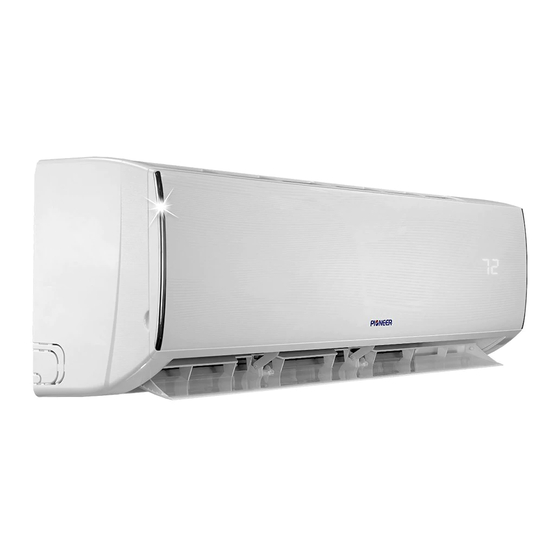
Ductless mini split system air conditioner / heat pump
Table of Contents

Advertisement

DUCTLESS MINI SPLIT SYSTEM AIR CONDITIONER / HEAT PUMP
WYT Inverter Series
For 9,000-36,000 BTU/hr Systems
Service Manual
CS78421-548-754
Please read this manual carefully before installing
or operating your new air conditioning system.
Be sure to save this manual for future reference.

Advertisement

Table of Contents
loading

Frequently Asked Questions (6)

  • How do I use my Pioneer WYT Series air conditioner effectively?

    To use your Pioneer WYT Series air conditioner effectively, ensure the following:

    • The appliance is disconnected from the power supply when it will remain inoperative for a long period and before carrying out any cleaning or maintenance.
    • Always use the appliance with the air filter mounted; using it without the air filter could lead to excessive dust accumulation or damage.
    • Do not remain directly exposed to the flow of cold air for a long time, as this could be harmful to health, especially for children, old, or sick people.
    • The airflow direction must be properly adjusted: direct the flaps downwards in heating mode and upwards in cooling mode.
    • Select the most suitable temperature to prevent damage to the appliance.

    For more information, see page 18 of the manual.
    Was this helpful?
  • How do I reset my Pioneer WYT Series air conditioner unit?

    The Pioneer WYT Series air conditioner unit has an AUTO-RESTART Function (Option) that memorizes all operation data, such as working mode and preset temperature, into the main PCB. If power supply is cut off and then restored, the unit will automatically restart in the same mode as before.

    To activate the Auto-restart function (if needed):

    1. Pull the air-con's plug out of the socket.
    2. Press and hold the Emergency button (ON/OFF) on the indoor unit, then insert the plug back into the socket.
    3. Continue pressing the Emergency button for more than 10 seconds until three short beeps are heard, indicating the Auto-restart function has been activated.

    For more information, see page 11 of the manual.
    Was this helpful?
  • What are the steps to install a Pioneer WYT Series air conditioner?

    The installation of the Pioneer WYT Series air conditioner involves several steps for both the indoor and outdoor units:

    Indoor Unit Installation:

    1. Install the indoor unit level on a strong wall that is not subject to vibrations.
    2. Ensure the inlet and outlet ports are unobstructed so air can blow freely.
    3. Do not install the unit near a source of heat, steam, or flammable gas.
    4. Install the unit near an electric socket or private circuit.
    5. Avoid installing the unit where it will be exposed to direct sunlight.
    6. Install the unit where connection between indoor and outdoor unit is as easy as possible.
    7. Install the unit where it is easy to drain the condensed water.
    8. Check the machine operation regularly and leave necessary spaces as shown in the picture.
    9. Install the indoor unit where the filter can be easily accessible. 1
    10. To install the mounting plate:
      • Use a level to place the mounting plate in a perfect square position vertically and horizontally.
      • Drill 32mm (1.26") deep holes in the wall to fix the plate.
      • Insert plastic anchors into the holes.
      • Fix the mounting plate using the provided tapping screws.
      • Check that the mounting plate is correctly fixed. 1
    11. For piping, decide where to drill the hole in the wall (if necessary) according to the mounting plate's position. Install a flexible flange through the hole, ensuring it slopes downwards towards the exterior. 1
    12. For electrical connections:
      • Lift the front panel.
      • Take off the cover.
      • Refer to the circuit diagram on the right part of the unit under the front panel for electrical connections.
      • Connect cable wires to the screw terminals following the numbering, using wire size suitable for the electric power input and national safety code requirements.
      • The cable connecting the outdoor and indoor units must be suitable for outdoor use.
      • Ensure the plug is accessible after installation.

    Outdoor Unit Installation:

    1. Do not install the outdoor unit near sources of heat, steam, or flammable gas.
    2. Do not install the unit in too windy or dusty places.
    3. Do not install the unit where people often pass; select a place where air discharge and operating sound level will not disturb neighbors.
    4. Avoid installing the unit where it will be exposed to direct sunlight; if necessary, use protection that does not interfere with airflow.
    5. Leave the spaces as shown in the picture for air to circulate freely.
    6. Install the outdoor unit in a safe and solid place.
    7. If the outdoor unit is subject to vibration, place rubber gaskets onto the feet of the unit.

    Refrigerant Piping Connection:

    1. The piping can be run in three directions. If running in direction 1 or 3, cut a notch along the groove on the side of the indoor unit.
    2. Run the piping through the wall hole and bind the copper pipes, drain pipe, and power cables together with tape, ensuring the drain pipe is at the bottom for free water flow.

    Connecting the Pipes:

    1. Do not remove the cap from the pipe until connecting it to avoid dampness or dirt.
    2. Avoid bending or pulling the pipe too often; do not bend it more than three times at one point.
    3. When extending rolled pipe, straighten it gently.

    Connections to the Indoor Unit:

    1. Remove the indoor unit pipe cap.
    2. Insert the flare nut and create a flange at the end of the connection pipe.
    3. Tighten connections using two wrenches in opposite directions.

    Indoor Unit Condensed Water Drainage:

    1. Place the drain hose below the piping, avoiding siphons.
    2. The drain hose must slant downwards to aid drainage.
    3. Do not bend, protrude, or twist the drain hose, and do not put its end in water. If an extension is connected, ensure it is lagged when it passes into the indoor unit.

    Electronic Connections (Outdoor Unit):

    1. Take the cover away.
    2. Connect the cable wires to the terminal board using the same numbering as the indoor unit.
    3. Refer to the wiring diagram on the back of the cover for electrical connections.
    4. Fasten the cables with a cable-clamp.
    5. Ensure an efficient earth connection.
    6. Replace the covers.

    Connecting the Pipe (Outdoor Unit):

    1. Screw the flare nuts to the outdoor unit coupling with the same tightening procedures as for the indoor unit. Ensure sufficient tightening to prevent leakage, but avoid excessive tightening that could damage the flange.

    Bleeding:

    1. After connecting the indoor and outdoor units, bleed the air and humidity from the refrigerant circuit using a vacuum pump.
    Was this helpful?
  • What do the common error codes on the Pioneer WYT Series air conditioner display mean?

    The Pioneer WYT Series air conditioner displays various error codes to indicate specific issues:

    • E0: Indoor and outdoor communication fault or Outdoor communication failure.
    • E1: Indoor room temperature sensor (IRT) fault.
    • E2: Indoor coil temperature sensor (IPT) fault.
    • E3: Outdoor coil temperature sensor (OPT) fault.
    • E4: System abnormity.
    • E5: Model configuration wrong.
    • E6: Indoor fan motor fault.
    • E7: Outdoor temperature sensor fault.
    • E8: Exhaust temp. sensor fault.
    • E9: IPM drive and module fault.
    • EF: Outdoor fan motor fault (DC motor).
    • EA: Current sensor fault.
    • EE: EEPROM fault.
    • EP: Temp. switch fault (on top of the compressor).
    • EU: Voltage sensor fault.
    • CL: Air filter duty.

    Protection display codes include:

    • P1: Overvoltage / lower voltage protection.
    • P2: Overcurrent protection.
    • P4: Exhaust over temperature protection.
    • P5: Too cool protection in cooling mode.
    • P6: Overheat protection in cooling mode.
    • P7: Overheat protection in heating mode.
    • P8: Outdoor over temperature lower temperature protection.
    • P9: Drive protection (software control).
    • P0: Module protection (hardware control).

    For more information, see page 12 of the manual.
    Was this helpful?
  • How can I optimize the energy efficiency of my Pioneer WYT Series air conditioner?

    To optimize the energy efficiency of your Pioneer WYT Series air conditioner, consider the following:

    • ECO Button: In cooling mode, pressing the ECO button will increase the temperature by 2°C from the set temperature. In heating mode, it will decrease the temperature by 2°C from the set temperature.
    • Temperature Settings: When the “Feel” mode is selected, the operation mode and initial temperature are determined by the initial room temperature at startup. You can adjust the set temperature by 1°C (33.8°F) up or down, with a maximum adjustment of 2°C (35.6°F) up or down.
    • Compressor Frequency Control: In cooling mode, the compressor's running frequency is controlled by the electronic controller based on the difference between room temperature and set temperature. The compressor will run at a high frequency when the room temperature is much higher than the set temperature and at a very low frequency when it is lower than the set temperature. The unit adjusts its running frequency to bring the room temperature close to the set temperature.
    • Outdoor Temperature Impact: Outdoor temperature affects the compressor's running frequency. The unit adapts the compressor running frequency based on the difference in inlet temperature of the outdoor unit.
    • Auto Fan Control (Cooling Mode): In cooling mode (including "Feel" mode), the fan speed is determined by the temperature difference.
    • Auto Fan Control (Heating Mode): In heating mode (including "FEEL" mode), the fan speed is determined by the temperature difference.
    • Cold Air Prevention Control: In heating mode, the indoor fan speed is controlled to prevent cold air from being discharged when heating mode is selected or during defrosting.
    Was this helpful?
  • Does the Pioneer WYT Series air conditioner include a quiet or sleep mode feature?

    Yes, the Pioneer WYT Series air conditioner includes a SLEEP mode feature. When activated, the indoor fan speed is set to low, the power lamp and sleep lamp turn on, and the temperature display closes after 5 minutes.

    In SLEEP mode:

    • For COOLING/DRY operation, the set temperature will be raised by 1°C (33.8°F) after 1 hour and by 2°C (35.6°F) after 2 hours.
    • For HEATING operation, the set temperature will be dropped by 1°C (33.8°F) after 1 hour and by 2°C (35.6°F) after 2 hours.

    The system will automatically stop after 8 hours in SLEEP mode.


    For more information, see page 11 of the manual.
    Was this helpful?
Need help?

Need help?

Do you have a question about the WYT Series and is the answer not in the manual?

Questions and answers

Al hughes
April 9, 2025

How to switch from c to f

2 comments:
Mr. Anderson
May 14, 2025

To switch the Pioneer WYT Series from Celsius to Fahrenheit:

1. Press and hold the TURBO button for more than 5 seconds to activate the change prompt.
2. Repeat the process once more to toggle between °C and °F.
3. Release the button. The setting will activate after 5 seconds.

This answer is automatically generated

Tereso Ortiz
July 15, 2025

@Al hughes Yn009alfi19rpd

Larry Hagewood
May 24, 2025

when trying to adjust temp in cooling once i tab up or down the unit shuts off an when I turn unit back on it reads 78 degrees my unit is wyt-19 24000 btu

1 comments:
Mr. Anderson
May 26, 2025

The Pioneer WYT-19 24000 BTU unit may shut off in cooling mode if the outdoor temperature is less than -2°C (28.4°F). In this case, the controller shuts down the compressor and shows an error code. This could be the cause if the unit turns off unexpectedly when adjusting the temperature.

This answer is automatically generated

jacques thiffault
April 22, 2025

have a E-4 display on my indoor unit ,wich indicate indoor room temp.sensorT1 open circuit or short circuit, how can i do the repair of my 12,000 BTU air cond./heat pump Pioneer series WYS

1 comments:
Mr. Anderson
May 11, 2025

The E4 error is not directly listed in the provided context. However, based on similar sensor-related errors (E1 and E2), the steps to repair an indoor room temperature sensor open circuit or short circuit may include:

1. Check sensor connection: Ensure the room temperature sensor is properly connected to the PCB at the correct slot (likely CN6). Reconnect if loose or unplugged.

2. Test the sensor: Measure the resistance of the room temperature sensor. At 25°C, it should be approximately 5 kΩ. If it is shorted or open (infinite or zero resistance), replace the sensor.

3. Check the PCB: If the sensor and connections are fine, the indoor PCB may be faulty. Replace the indoor main PCB if needed.

This answer is automatically generated

mihai stihi
March 31, 2025

what is F6 code

1 comments:
Mr. Anderson
May 14, 2025

The F6 code is not listed in the provided error or protection code lists for the Pioneer WYT Series. Therefore, its meaning cannot be determined from the given information.
This answer is automatically generated

Table of Contents

Save PDF