Sign In
Upload
Manuals
Brands
Lenovo Manuals
Laptop
14AHP9
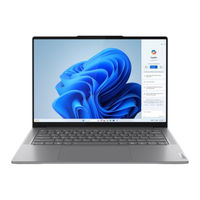
Lenovo 14AHP9 Manuals
Manuals and User Guides for Lenovo 14AHP9. We have
5
Lenovo 14AHP9 manuals available for free PDF download: Hardware Maintenance Manual, User Manual
Lenovo 14AHP9 User Manual (56 pages)
Brand:
Lenovo
| Category:
Laptop
| Size: 12 MB
Table of Contents
Table of Contents
3
About this Guide
5
Chapter 1. Meet Your Computer
7
Front
7
Microphones
7
Infrared LED
7
Camera
8
Camera Shutter
8
Camera Light
8
Screen
8
Base
9
Antennas
9
Speakers
9
Keyboard
9
Fingerprint Sensor
10
Touchpad
10
Left
11
HDMI Connector
12
Multi-Purpose USB Type-C Connector
12
Charging Light
12
Combo Audio Jack
12
Right
13
Power Light
14
Power Button
14
Microsd Card Slot
14
USB Standard-A Connector
14
Rear
15
Air Vents (Outlet)
15
Bottom
16
Air Vents (Intake)
16
Novo Button Hole
16
Features and Specifications
17
Features and Specifications
21
Statement on USB Transfer Rate
24
Operating Environment
24
Chapter 2. Get Started with Your Computer
25
Connect to a Network
25
Connect to a Wi-Fi Network
25
Establish a Wired Connection
25
Unique Lenovo Apps
26
Lenovo Vantage
26
Yoga Modes
26
Interact with Your Computer
28
Lenovo Digital Pen (for Selected Models)
28
Before First Use
28
Set Lenovo Digital Pen
30
Hotkeys
30
The Copilot Key
32
Connect to an External Display
32
Connect to a Wired Display
32
Connect to a Wireless Display
32
Change Display Settings
33
Protect Your Privacy Using the Camera Shutter
33
Enroll Your Fingerprints (for Selected Models)
33
Dual-Function Keys Without Printed Icons
34
Numeric Keypad (for Selected Models)
34
Touch Operations Supported by Windows
34
Chapter 3. Explore Your Computer
37
Intelligent Features
37
Smart Key
37
Gesture Controls
37
Super Resolution
38
Eye Care Mode
38
Smart Noise Cancelling
38
Manage Power
39
Rechargeable Battery Pack
39
Set Power Button Behavior
41
A Power Plan
41
System Operation Modes
41
Adjustable Display Refresh Rate (for Selected Models)
42
Change Settings in UEFI/BIOS Setup Utility
42
What Is UEFI/BIOS Setup Utility
42
Open the UEFI/BIOS Setup Utility
42
Select Boot Devices
42
Change Hotkey Mode
43
Enable or Disable Always-On
43
Set Passwords in UEFI/BIOS Setup Utility
43
Password Types
43
Set Administrator Password
44
Change or Remove Administrator Password
44
Set User Password
44
Enable Power-On Password
44
Set Hard Disk Password
45
Change or Remove Hard Disk Password
45
Chapter 4. Help and Support
47
Frequently Asked Questions
47
How Do I Partition My Storage Drive
47
I Pressed the Copilot Key on My Keyboard, but Neither Copilot in Windows nor Windows Search Opened. What Could be the Potential Cause
47
What Should I Do if My Computer Stops Responding
47
What Should I Do if I Spill Liquid on the Computer
47
Where Can I Get the Latest Device Drivers and UEFI/BIOS
47
Why Does My Computer Start Automatically When I Open the Lid
47
Self-Help Resources
48
What Is a CRU
49
Crus for Your Product Model
49
Call Lenovo
50
Before You Contact Lenovo
50
Lenovo Customer Support Center
50
Purchase Additional Services
51
Appendix A. Function Descriptions for Lenovo Hotkeys
53
Appendix B. Notices and Trademarks
55
Lenovo 14AHP9 User Manual (52 pages)
14″, 9, 16″, 9
Brand:
Lenovo
| Category:
Laptop
| Size: 4 MB
Table of Contents
Table of Contents
3
About this Guide
5
Chapter 1. Meet Your Computer
7
Front
7
Microphones
7
Camera
7
Camera Shutter
7
Camera Light
8
Screen
8
Base
9
Speakers
9
Keyboard
10
Fingerprint Sensor
10
Touchpad
10
Antennas
10
Left
11
HDMI Connector
11
Multi-Purpose USB Type-C Connector
11
Charging Light
11
Multi-Purpose USB Type-C Connector
12
Combo Audio Jack
12
Right
13
Power Light
13
Power Button
13
Microsd Card Slot
14
USB Standard-A Connector
14
Bottom
15
Air Vents (Intake)
15
Novo Button Hole
15
Features and Specifications
16
Statement on USB Transfer Rate
18
Operating Environment
19
Chapter 2. Get Started with Your Computer
21
Connect to a Network
21
Connect to a Wi-Fi Network
21
Establish a Wired Connection
21
Unique Lenovo Apps
22
Lenovo Vantage
22
Work with Windows
22
Windows Help Information
23
Yoga Modes (for Selected Models)
23
Interact with Your Computer
25
Hotkeys
25
The Copilot Key
27
Touch Operations Supported by Windows
27
Connect to an External Display
28
Connect to a Wired Display
28
Connect to a Wireless Display
29
Change Display Settings
29
Protect Your Privacy Using the Camera Shutter
29
Enroll Your Fingerprints
30
Dual-Function Keys Without Printed Icons
30
Numeric Keypad (for Selected Models)
30
Lenovo Digital Pen
30
Chapter 3. Explore Your Computer
33
Intelligent Features
33
Smart Key
33
Gesture Controls
33
Super Resolution (for Selected Models)
34
Eye Care Mode
34
Smart Noise Cancelling
34
Manage Power
35
Rechargeable Battery Pack
35
Normal Mode
36
Set Power Button Behavior
37
A Power Plan
37
System Operation Modes
37
Change Settings in UEFI/BIOS Setup Utility
38
What Is UEFI/BIOS Setup Utility
38
Open the UEFI/BIOS Setup Utility
38
Select Boot Devices
38
Change Hotkey Mode
38
Enable or Disable Always-On
39
Set Passwords in UEFI/BIOS Setup Utility
39
Password Types
39
Set Administrator Password
39
Change or Remove Administrator Password
40
Set User Password
40
Enable Power-On Password
40
Set Hard Disk Password
41
Change or Remove Hard Disk Password
41
Chapter 4. Help and Support
43
Frequently Asked Questions
43
How Do I Partition My Storage Drive
43
I Pressed the Copilot Key on My Keyboard, but Neither Copilot in Windows nor Windows Search Opened. What Could be the Potential Cause
43
What Should I Do if My Computer Stops Responding
43
What Should I Do if I Spill Liquid on the Computer
43
Where Can I Get the Latest Device Drivers and UEFI/BIOS
43
Why Does My Computer Start Automatically When I Open the Lid
43
Self-Help Resources
44
What Is a CRU
45
Crus for Your Product Model
45
Call Lenovo
46
Before You Contact Lenovo
46
Lenovo Customer Support Center
46
Purchase Additional Services
47
Appendix A. Function Descriptions for Lenovo Hotkeys
49
Appendix B. Notices and Trademarks
51
Lenovo 14AHP9 User Manual (54 pages)
Brand:
Lenovo
| Category:
Laptop
| Size: 3 MB
Table of Contents
Table of Contents
3
About this Guide
5
Chapter 1. Meet Your Computer
7
Front
7
Microphones
7
Infrared LED
7
Camera
8
Camera Shutter
8
Camera Light
8
Screen
8
Base
9
Antennas
9
Speakers
9
Keyboard
9
Fingerprint Sensor
10
Touchpad
10
Left
11
HDMI Connector
12
Multi-Purpose USB Type-C Connector
12
Charging Light
12
Combo Audio Jack
12
Right
13
Power Light
14
Power Button
14
Microsd Card Slot
14
USB Standard-A Connector
14
Rear
15
Air Vents (Outlet)
15
Bottom
16
Air Vents (Intake)
16
Novo Button Hole
16
Avoid Constant Body Contact with Specific Hot Sections
16
Features and Specifications
18
Features and Specifications
22
Statement on USB Transfer Rate
25
Operating Environment
25
Chapter 2. Get Started with Your Computer
27
Work with Windows
27
Windows Help Information
28
Lenovo Vantage and Lenovo PC Manager
28
Yoga Modes
29
Interact with Your Computer
30
Lenovo Digital Pen (for Selected Models)
30
Set Lenovo Digital Pen
32
Hotkeys
32
Dual-Function Keys Without Printed Icons
34
Numeric Keypad (for Selected Models)
34
Touch Operations Supported by Windows
34
Chapter 3. Explore Your Computer
37
Intelligent Features
37
Gesture Controls (Touch Screen/Touchpad)
37
Super Resolution
37
Eye Care Mode
37
Smart Noise Cancelling
37
Manage Power
37
Rechargeable Battery Pack
37
Set Power Button Behavior
39
A Power Plan
39
System Operation Modes
39
Adjustable Display Refresh Rate (for Selected Models)
40
Change Settings in UEFI/BIOS Setup Utility
40
What Is UEFI/BIOS Setup Utility
40
Open the UEFI/BIOS Setup Utility
40
Select Boot Devices
41
Change Hotkey Mode
41
Enable or Disable Always-On
41
Set Passwords in UEFI/BIOS Setup Utility
41
Password Types
41
Set Administrator Password
42
Change or Remove Administrator Password
42
Set User Password
42
Enable Power-On Password
43
Set Hard Disk Password
43
Change or Remove Hard Disk Password
43
Chapter 4. Help and Support
45
Frequently Asked Questions
45
How Do I Partition My Storage Drive
45
What Should I Do if My Computer Stops Responding
45
What Should I Do if I Spill Liquid on the Computer
45
Where Can I Get the Latest Device Drivers and UEFI/BIOS
45
Why Does My Computer Start Automatically When I Open the Lid
45
Self-Help Resources
45
What Is a CRU
46
Crus for Your Product Model
47
Call Lenovo
48
Before You Contact Lenovo
48
Lenovo Customer Support Center
48
Purchase Additional Services
49
Appendix A. Function Descriptions for Lenovo Hotkeys
51
Appendix B. Notices and Trademarks
53
Lenovo 14AHP9 Hardware Maintenance Manual (72 pages)
Brand:
Lenovo
| Category:
Laptop
| Size: 34 MB
Table of Contents
Table of Contents
3
About this Manual
5
Chapter 1. Safety Information
7
General Safety
7
Electrical Safety
7
Safety Inspection Guide
8
Handling Devices that Are Sensitive to Electrostatic
9
Discharge
9
Grounding Requirements
10
Safety Notices (Multilingual Translations)
10
Chapter 2. General Checkout
27
What to Do First
27
CRU List
28
Chapter 3. Identifying Frus (Crus)
29
Locate Frus and Crus
29
Chapter 4. Removing a FRU or CRU
31
Service Tools
31
General Guidelines
31
Handling Thermal Interface Materials
32
Type, Quantity, and Area of Thermal Interface Materials Application on the Heat Sink
32
Area on the System Board Where Thermal Interface Materials Is Applied
33
Remove the Lower Case
33
Remove the Lower Case (for 14-Inch Models)
33
Remove the Lower Case (for 16-Inch Models)
34
Remove the Battery Pack
35
Remove the Wi-Fi Card
36
Remove the 2242 Solid-State Drive
38
Remove the Heat Sink
39
Remove the Fan
40
Remove the USB Board
41
Remove the Type-C Bracket (for 16-Inch Models)
43
Remove the Speakers
44
Remove the Speakers (for 14-Inch Models)
44
Remove the Speakers (for 16-Inch Models)
45
Remove the Antennas
46
Remove the Fingerprint Bracket
48
Remove the Fingerprint Bracket (for 14-Inch Models)
48
Remove the Fingerprint Bracket (for 16-Inch Models)
48
Remove the Fingerprint Cable
49
Remove the Fingerprint Board
51
Remove the Fingerprint Board (for 14-Inch Models)
51
Remove the Fingerprint Board (for 16-Inch Models)
51
Remove the Touchpad Cable
52
Remove the Touchpad
53
Remove the System Board
56
Remove the System Board (for 14-Inch Models)
56
Remove the System Board (for 16-Inch Models)
58
Use a Golden Key U1 Tool to Flash-Write Key ID Information
61
Remove the LCD Module
61
Remove the LCD Module (for 14-Inch Models)
61
Remove the LCD Module (for 16-Inch Models)
63
Remove the Upper Case (with Keyboard)
65
Chapter 5. Label Locations
67
Trademarks
69
Lenovo 14AHP9 Hardware Maintenance Manual (64 pages)
Brand:
Lenovo
| Category:
Laptop
| Size: 23 MB
Table of Contents
Table of Contents
3
About this Manual
5
Chapter 1. Safety Information
7
General Safety
7
Electrical Safety
7
Safety Inspection Guide
8
Handling Devices that Are Sensitive to Electrostatic Discharge
9
Grounding Requirements
10
Safety Notices (Multilingual Translations)
10
Chapter 2. General Checkout
27
What to Do First
27
CRU List
28
Chapter 3. Identifying Frus (Crus)
29
Locate Frus and Crus
29
Chapter 4. Removing a FRU or CRU
31
Service Tools
31
General Guidelines
31
Handling Thermal Interface Materials
32
Type, Quantity, and Area of Thermal Interface Materials Application on the Heat Sink
32
Area on the System Board Where Thermal Interface Materials Are Applied
33
Remove the Lower Case
33
Remove the Lower Case (for 14-Inch Models)
33
Remove the Lower Case (for 16-Inch Models)
34
Remove the Battery Pack
35
Remove the Wi-Fi Card
36
Screw Specifications Number of Screws
36
Go to Https://Support.lenovo.com/Partslookup
36
Replacement Part
36
Remove the 2242 Solid-State Drive
38
Remove the Heat Sink
39
Remove the Heat Sink (for 14-Inch Models)
39
Remove the Heat Sink (for 16-Inch Models)
41
Remove the Fan
42
Torque
43
0.2 Kgf-CM
43
Remove the Speakers
44
Remove the Speakers (for 14-Inch Models)
44
Remove the Speakers (for 16-Inch Models)
45
Remove the Coin-Cell Battery
46
Remove the USB Board
48
Remove the USB Board (for 14-Inch Models)
48
Remove the USB Board (for 16-Inch Models)
49
0.2 Kgf-CM
49
To Look up the Lenovo Part Numbers of the Following
49
Remove the Touchpad Cable
51
Remove the Touchpad
52
Remove the Fingerprint Board Cable (for Selected Models)
53
Remove the System Board and USB Board Cable (for 16-Inch Models)
54
Write Key Product Information to a Replacement System Board
55
Remove the LCD Module
56
Remove the LCD Module (for 14-Inch Models)
56
Remove the LCD Module (for 16-Inch Models)
58
Remove the Upper Case (with Keyboard)
58
Appendix A. Label Locations
59
Trademarks
61
Related Products
Lenovo Yoga 7 2-in-1 14AHP9 1
Lenovo 14ADA05
Lenovo 14APO6
Lenovo 14ACN6
Lenovo IdeaPad 14 ALC7
Lenovo IdeaPadl 14ADA7Ua
Lenovo IdeaPadl 14ALC7 2
Lenovo IdeaPadl 14AMN7 Ua
Lenovo 14ARH7
Lenovo 14APH8
Lenovo Categories
Laptop
Desktop
Server
Monitor
Tablet
More Lenovo Manuals
Login
Sign In
OR
Sign in with Facebook
Sign in with Google
Upload manual
Upload from disk
Upload from URL