Table of Contents

Related Manuals for Motorola APX 4500Li


Summary of Contents for Motorola APX 4500Li
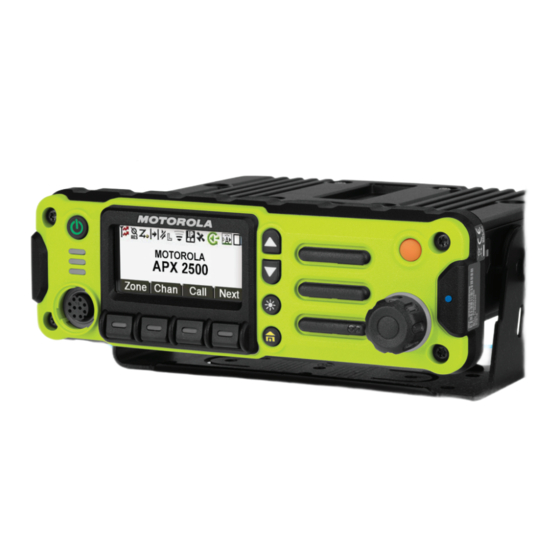
- Page 1 APX TWO-WAY RADIOS APX MOBILE O2 CONTROL HEAD APX 1500, APX 2500, APX 4500, APX 4500Li, APX 5500, APX 6500, APX 6500Li, APX 7500, APX 8500 USER GUIDE June 2019 *68012006035* 2019 Motorola Solutions, Inc. All rights reserved © 68012006035-EK...
-
Page 2: Table Of Contents
English Contents Over-the-Air Rekeying......25 P25 Digital Vehicular Repeater System (DVRS)........... 25 Declaration of Conformity..........11 Conventional Talkgroup and Radio Important Safety Information........13 Scan Enhancements.......25 Notice to Users (FCC and Industry Canada)....15 What Your Dealer/System Administrator Can Software Version............16 Tell You............. - Page 3 English 4-Way Navigation Button......38 Selecting a Radio Channel........ 64 Data Feature Button....... 38 Receiving and Responding to a Radio Call..65 Multi-Function Knob (MFK)..... 38 Receiving and Responding to a Talkgroup Call.........65 Keypad.............. 39 Receiving and Responding to a Private Keypad Characters –...
- Page 4 English Selective Call (ASTRO Conventional Contacts............86 Only)............78 Making a Private Call from Contacts..86 Receiving a Selective Call... 78 Adding a New Contact Entry....87 Making a Selective Call....79 Deleting a Contact Entry......88 Talkgroup Call Feature (Conventional Adding a Contact to a Call List....89 Operation Only)........
- Page 5 English Transmitting While the Scan is On..95 Exiting Emergency as Supervisor (Trunking Only)........103 Transmitting Using Radio Programmed for Talkback Scan.. 95 Sending an Emergency Alarm....104 Transmitting Using Radio Sending an Emergency Call (Trunking Programmed for Non-Talkback Only)............. 104 Scan..........95 Sending An Emergency Call With Hot Deleting a Nuisance Channel....
- Page 6 English Selecting or Changing the ARS Mode.. 110 Removing a Priority Status and a Reply Request from a Text User Login Feature....... 112 Message........120 Logging In as a User....112 Receiving a Text Message..121 Logging Out....... 114 Viewing a Text Message from Text Messaging Service (TMS).......
- Page 7 English Requesting an Over-the-Air GPS Operation........136 Rekey......... 129 GPS Performance Enhancement..137 MDC Over-the-Air Rekeying The Outdoor Location Feature (Using Page (Conventional Only)..130 GPS)............. 137 Infinite UKEK Retention..... 130 Location Format........138 Hear Clear........130 Accessing the Outdoor Location Radio Lock............131 Feature..........
- Page 8 English Mission Critical Geofence..... 148 Using Emergency Power Up....154 Entering Mission Critical Geofence..148 Auto Power Off Timer......154 Exiting Mission Critical Geofence..149 Voice Announcement ........155 Trunking System Controls....... 149 Site Selectable Alerts (ASTRO 25)....155 Operating in Failsoft System....149 Sending SSA Notification to Single Site ..............156 Out-of-Range Radio......150...
- Page 9 English Turning Wi-Fi On or Off......165 Instant Recall........174 Selecting WiFi Network......165 Saving and Playback Calls..175 Checking the Wi-Fi Configuration and General Radio Information....176 Status of the Radio....... 166 Accessing the Radio Information Utilities............. 166 ........... 177 Viewing Recent Calls......166 Viewing the IP Information..
- Page 10 Declaration of Compliance for the Use of Distress and Safety Frequencies.....188 Technical Parameters for Interfacing External Data Sources...........188 Glossary..............189 Limited Warranty............196 MOTOROLA SOLUTIONS COMMUNICATION PRODUCTS....196 I. WHAT THIS WARRANTY COVERS AND FOR HOW LONG:........... 196 II. GENERAL PROVISIONS:......197 III. STATE LAW RIGHTS:........198 IV.
-
Page 11: Declaration Of Conformity
This declaration is applicable to your radio only if your radio is labeled with the following FCC logo. Per FCC CFR 47 Part 2 Section 2.1077(a) Responsible Party Name: Motorola Solutions, Inc. Address: 1303 East Algonquin Road, Schaumburg, IL 60196-1078, U.S.A. Phone Number: 1-800-927-2744 Hereby declares that APX MobileAPX NEXT conforms to FCC Part 15, subpart B, section 15.107(a), 15.107(d), and... - Page 12 English NOTICE: This equipment has been tested and found to comply with the limits for a Class B digital device, pursuant to part 15 of the FCC Rules and Industry Canada license-exempt RSS standard. These limits are designed to provide reasonable protection against harmful interference in a residential installation.
-
Page 13: Important Safety Information
English Important Safety Information http://www.motorolasolutions.com Any modification to this device, not expressly authorized by Motorola Solutions, may void the user’s authority to operate RF Energy Exposure and Product Safety this device. Guide for Portable Two-Way RadiosRF Under Industry Canada regulations, this radio transmitter... - Page 14 English NOTICE: Setting up the radio as an RF Modem takes complete control of the radio. In this mode, the radio no longer responds to button and PTT presses nor will it unmute to voice activity. This mode is designed to receive and pass specifically formatted over the air data to a tethered computer with RF modem enabled applications.
-
Page 15: Notice To Users (Fcc And Industry Canada)
• This device must accept any interference received, including interference that may cause undesired operation. • Changes or modifications made to this device, not expressly approved by Motorola Solutions, could void the authority of the user to operate this equipment. -
Page 16: Software Version
English Software Version All the features described in the following sections are supported by the software version R19.00.00 R01.00.00 or later. Accessing the Radio Information on page 177 determine the software version of your radio. Accessing the Radio Information to determine the software version of your radio. -
Page 17: Computer Software Copyrights
English Computer Software Copyrights The Motorola Solutions products described in this manual may include copyrighted Motorola Solutions computer programs stored in semiconductor memories or other media. Laws in the United States and other countries preserve for Motorola Solutions certain exclusive rights for copyrighted... -
Page 18: Documentation Copyrights
No duplication or distribution of this document or any portion thereof shall take place without the express written permission of Motorola Solutions. No part of this manual may be reproduced, distributed, or transmitted in any form or by any means, electronic or mechanical, for any purpose without the express written permission of Motorola Solutions. -
Page 19: Disclaimer
The information in this document is carefully examined, and is believed to be entirely reliable. However, no responsibility is assumed for inaccuracies. Furthermore, Motorola Solutions reserves the right to make changes to any products herein to improve readability, function, or design. Motorola Solutions does not assume any liability arising out of the applications or use of any product or circuit described herein;... -
Page 20: Read Me First
English Read Me First CAUTION: An operational procedure, practice, or condition and so on, which may result in damage to the equipment This User Guide covers the basic operation of the radio. if not carefully observed. However, your dealer or system administrator may have customized your radio for your specific needs. -
Page 21: Radio Maintenance
Therefore, Motorola Solutions recommends that radios be checked annually as a preventive measure in order to assure the waterseal integrity of the radio. Motorola Solutions details the disassembly, test, and reassembly procedures along with necessary test equipment in the Service Manual. - Page 22 English contact facing down and shake the radio so any • If the radio has been submerged in water, shake trapped water can escape. The battery contacts the radio well so that any water that may be must be dry before attaching a battery or a short trapped inside the speaker grille and microphone circuit of the contacts could occur.
-
Page 23: Cleaning The External Surface Of The Radio
English CAUTION: Cleaning the External Surface of the Radio The cables that connect to the rear of the radio CAUTION: could have live voltage on some of their pins. Do not Do not use solvents to clean your radio. Spirits may remove or reconnect these cables. -
Page 24: Additional Performance Enhancement
SecureNet Dynamic System Resilience (DSR) SecureNet allows user to perform secured communications on an Analog or Motorola Data Communication (MDC) DSR ensures the radio system is seamlessly switched to a channel. The MDC Over-the-Air Rekeying (OTAR) feature backup master site dynamically in case of system failure. -
Page 25: Over-The-Air Rekeying
(DVRS) The Over-the-Air Rekeying (OTAR) feature allows the dispatcher to remotely reprogram encryption keys in the Motorola Solutions offers an MSI Certified APX compatible, radio after a rekey request. third Party, P25 Digital Vehicular Repeater System (DVRS) that provides low-cost portable radio coverage in areas... -
Page 26: What Your Dealer/System Administrator Can Tell You
English eliminate the audio holes that were present and to turn on extreme temperatures (less than -30 °C or more than +60 the busy LED when activity is present on the channel. °C). Mixed Vote Scan and Standard Conventional Scan NOTICE: configurations are supported. -
Page 27: Preparing Your Radio For Use
English Preparing Your Radio for Codeplug Alias feature is enabled through Customer Programming Software (CPS) configuration to display the codeplug alias as a temporary text during power on. This section provides simple instructions to prepare your The backlight turns on to the last selected dim level. radio for use. -
Page 28: Adjusting The Volume
English 2 To turn off the radio, press the Power button after 2 To decrease the volume, rotate this knob the LEDs light up. counterclockwise. NOTICE: The display shows volume bars and volume level when you The duration that user must press and hold change the volume. - Page 29 English NOTICE: If SW incomplete appears, use Flashport Recovery Tool to update the control heads before you power on the radio again.
-
Page 30: Radio Controls
English Radio Controls This chapter explains the buttons and functions to control the radio. Control Head and Microphone NOTICE: The microphone is not part of a radio. It is an optional accessory. Accessory Port (Microphone) Menu Select Buttons Dimmer Button Home Button Multi-Function Knob (MFK) These radio controls/buttons are programmable. -
Page 31: Programmable Features
English Programmable Features Accy 2–Dot Button Accy 1–Dot Button Any reference in this manual to controls that are preprogrammed means that a qualified radio technician Accy No-Dot Button (Purple) must use the radio programming software to assign a Push-to-Talk (PTT) Button feature to a control. -
Page 32: Assignable Radio Functions
English Assignable Radio Functions Emergency Depending on the programming, initiates or cancels an Auxiliary emergency alarm or call. Switches back and forth between two radios that are Ext PA On/Off attached to the same control head. Toggles the audio routing between the connected public Call Alert address (PA) loudspeaker amplifier and the internal Allows the radio to function like a pager, or to verify if a... - Page 33 English Multiple Private Line (Conventional Only) Rekey Request Selects the Multiple Private Line lists. Notifies the dispatcher that a new encryption key is needed. Nuisance Delete Temporarily removes an unwanted channel, except for Repeater Access Button (RAB) (Conventional Only) priority channels or the designated transmit channel Allows you to manually send a repeater access from the scan list.
-
Page 34: Assignable Settings Or Utility Functions
English Site Display/Search (Trunking Only) Virtual Partner Displays the current site ID and RSSI value; performs Enables the Virtual Partner feature and allows you to site search for Automatic Multiple Site Select (AMSS) or perform queries using ViQi. SmartZone operation. Zone Down Site Lock/Unlock (Trunking Only) Toggles downward through the zones in the radio. - Page 35 English External Radio Squelch Toggles the external radio on and off. Toggles the squelch level between normal open and tight. Front/Rear Toggles between one of the two control heads. TX Power Level Toggles the transmit power level between high and low. HiLo Toggles the HiLo Airhorn tones on and off.
-
Page 36: Accessing The Preprogrammed Functions
English Accessing the Preprogrammed Functions You can access various radio functions through one of the following methods. • A short or long press of the relevant programmable buttons. Advance Programmable Buttons • Use the Menu Select Button ( This feature is to help you to shorten the process of applying certain common features. -
Page 37: Home Button
English Menu Select Buttons Accy No-Dot Button (Purple) Accy 1-Dot Button Accy 2-Dot Button (Quick Access) One Touch Button Enters a menu with a short press on the preprogrammed One Touch button. Features assigned to these buttons are Call, Call Alert, Phone, Repeater Access, MDC RTT Button Access, Status, and Message. -
Page 38: Dimmer Button
English NOTICE: Data Feature Button Some features do not require you to press to go Use Data Feature button to access data-related features, to the Home screen. Refer to the individual feature such as the Text Messaging Service (TMS) feature screen. sections in this manual for further details on saving user-edited radio settings or information. -
Page 39: Keypad
English your radio powers down remains the same when the radio powers up. The main display shows the icon of the secondary feature.The main display does not show the icon of primary feature. Your radio by default is set to use the primary feature. Short press the MFK to toggle it to work on either the secondary or primary feature. -
Page 40: Keypad Characters - Uppercase Mode
English Keypad Characters – Uppercase Mode Number of Times Key is Pressed & “ ‘... - Page 41 English Number of Times Key is Pressed Toggle between mixed case mode, uppercase mode and lowercase mode. Space Toggle between numeric and letter mode.
-
Page 42: Keypad Characters - Lowercase Mode
English Keypad Characters – Lowercase Mode Number of Times Key is Pressed & “ ‘... - Page 43 English Number of Times Key is Pressed Toggle between mixed case mode, uppercase mode and lowercase mode. Space Toggle between numeric and letter mode.
-
Page 44: Keypad Characters - Numeric Mode
English Keypad Characters – Numeric Mode Number of Times Key is Pressed & “ ‘... - Page 45 English Number of Times Key is Pressed Space Toggle between numeric and letter mode.
-
Page 46: Keypad Characters - Hexadecimal Mode
English Keypad Characters – Hexadecimal Mode Number of Times Key is Pressed... - Page 47 English Number of Times Key is Pressed Not applicable Not applicable...
-
Page 48: Push-To-Talk (Ptt) Button
English Push-To-Talk (PTT) Button • While a call is not in progress, the PTT button is used to make a new call. See Methods to Make a Radio Call on page 67 for more information. The PTT button on the side of the microphone serves two basic purposes: •... -
Page 49: Status Indicators
English Status Indicators Direct This section explains the status indicators of the radio. Radio is currently configured for direct radio-to-radio communication (during conventional operation only). Status Icons The liquid crystal display (LCD) of your radio shows the Radio is connected with other radios radio status, text entries, and menu entries. - Page 50 English Blinking Radio is set at Low power. Receiving an encrypted voice call. AES Secure Operation Radio is set at High power. Scan AES secure operation. Radio is scanning a scan list. Clear operation. Priority Channel Scan Blinking Blinking dot Receiving an encrypted voice call.
- Page 51 English Start Case User is currently associated with the ra- Indicates that the first character of the dio. text entry is capitalized. Mixed Case User is currently not associated with the Indicates that the text entry is currently radio. in normal text mode. Blinking Uppercase Device registration or user registration...
-
Page 52: Text Messaging Service (Tms) Indicators
English TMS Status Icons Uppercase Predictive Indicates that the text entry is currently The following icons appear on the radio display when you in uppercase and with predicted words send and receive text messages. shown at the bottom of the screen. MFK is in Mode Change feature Inbox Full Turn the MFK to change the channel/... -
Page 53: Tms Menu Options
English User is composing a message with normal • User is composing a message with a pri- priority and without a request for a reply. ority status and a request for a reply. • Messages in the Inbox folder are flagged Message Index with “Priority”... -
Page 54: Call Type Icons
English Menu Description/Function Radio number. Option Edits a draft message or key in a target ad- Edit Radio number added to a Call List. dress. Exits to the Home screen. Exit Mobile number. Cancel the delete all messages options. Brings you to the Options main screen. Optn Mobile number added to a Call List. -
Page 55: Multi-Function Knob - Concentric Ring Led
English Blinking yellow Radio is receiving a secured transmission. Solid green Radio is powering up, or is on a non-priority channel while in the Scan List Programming mode. Blinking green Radio is receiving an individual or telephone call, or is on a Priority-Two channel while in the Scan List Programming mode. -
Page 56: Intelligent Lighting Indicators
English Intelligent Lighting Indicators on page 56 for different status of Intelligent Lighting. Intelligent Lighting Indicators This feature temporarily changes the display backlight color and the alert text background color of the radio to help signal that a radio event has occurred. NOTICE: This feature must be preprogrammed by a qualified radio technician. -
Page 57: Alert Tones
English Backlight and Bar Notification When Color The radio is unable to authenticate or register with the system. The radio lost GPS signal or GPS function fails. Green Call Alerts The radio receives a private call. The radio receives a phone call. The radio receives a call alert. - Page 58 English You Hear Tone Name Heard Individual Call Warning When radio is in an individual call for greater than six seconds Tone without any activity. Long, Low- Time-Out Timer Timed Out After time out. Pitched Tone Talk Prohibit/PTT Inhibit (When PTT button is pressed) transmissions are not allowed. Lack of Voice PTT Time When the radio ends your call after it detected there are lack of voice for five seconds after the PTT is pressed and hold.
- Page 59 English You Hear Tone Name Heard Emergency Alarm/Call En- When entering the emergency state. Central Echo When central controller has received a request from a radio. Long, Medi- Volume Set When volume is changed on a quiet channel. um-Pitched Emergency Exit When exiting the emergency state.
- Page 60 English You Hear Tone Name Heard Ringing Fast Ringing When system is searching for target of Private Call. Enhanced Call Sent When waiting for target of Private Call to answer the call. Phone Call Received When a land-to-mobile phone call is received. Gurgle Dynamic Regrouping (When PTT button is pressed) a dynamic ID has been received.
- Page 61 English You Hear Tone Name When Single, high- Central Acknowledge When a Call Alert, emergency alarm, reprogram request, or status/ pitched tone message transmission is received by the system’s central control- ler. Four high- Mobile Unit Acknowledge When a Call Alert page is received by the intended unit, or the pitched tones emergency alarm, reprogram request, or status/message trans- mission is acknowledged by the intended dispatcher.
- Page 62 English You Hear Tone Name When by a series of low-pitched tones Continuous, Talk-Prohibit (When the PTT button is pressed) the system is out of service. low-pitched Smart PTT Inhibit (When the PTT button is pressed) the channel is busy with the tone Smart PTT feature enabled.
- Page 63 English You Hear Tone Name When Brief low- Time-Out Timer Warning When your present transmission will soon be disabled. pitched tone or Menu Inactive Exit Single, short, Valid Key When you pressed a valid key, or you entered a feature configura- high-pitched tion state, or you are receiving or transmitting in the clear mode on tone...
-
Page 64: General Radio Operation
English General Radio Operation c. Press or the PTT button to confirm the selected zone number. d. Press the PTT button to transmit on the displayed This chapter explains the general radio operations of your zone channel. radio. Selecting a Radio Channel Selecting a Zone Your radio must be preprogrammed for you to use this A channel is a group of radio characteristics, such as... -
Page 65: Receiving And Responding To A Radio Call
English b. Press the Menu Select button directly below Yellow LED Chan . Green LED to the required channel. The radio shows different indicators based on the system d. Press the Menu Select button directly below Sel the radio is configured. to confirm the selected channel. -
Page 66: Receiving And Responding To A Private Call (Trunking Only)
English • For ASTRO Conventional system, the LED lights up automatically verifies that the receiving radio is active on solid yellow. The display shows the talkgroup alias or the system and can display the caller ID. ID, and the caller alias or ID. NOTICE: •... -
Page 67: Receiving And Responding To A Telephone Call (Trunking Only)
English When you receive a Telephone Call, you hear a telephone- 3 Press to hang up and return to the Home screen. type ringing and the LED blinks green. The backlight of the screen turns green.The display shows Phone call and the NOTICE: call received icon blinks. -
Page 68: Making A Talkgroup Call
English NOTICE: • For ASTRO Conventional system, the LED lights The radio automatically exits the feature, if the up solid red. The display shows the talkgroup feature inactivity timer is enabled, when the radio is alias or ID. left idle and the timer expires. You will hear the •... -
Page 69: Making A Telephone Call (Trunking Only)
English If no acknowledgment is received, the display shows • or to Call , and press the Menu Select button No acknowledge. directly below Call . The display shows the last transmitted or If the target radio does not respond before the time received ID. -
Page 70: Switching Between Repeater Or Direct Operation Button
English • or to Phon, and press the Menu Select button 6 Press to return to the Home screen. directly below Phon. Alert Tones on page 57 for more information if your The display shows the last transmitted or call is not answered. received ID. -
Page 71: Monitor Feature
English d. If you hear no activity, press and hold the PTT The display shows Direct mode and the Talkaround icon if the radio is currently in Direct mode (during conventional button to start your conversation. operation only). • Monitoring a Channel in Trunked Modes: a. - Page 72 English channel. This way, you may be prevented from taking over someone else’s conversation. 1 To activate monitoring, perform one of the following actions: • At Home mode where the default zone and channel are being displayed, or to Mon and press the Menu Select button directly below Mon momentarily.
-
Page 73: Advanced Features
English Advanced Features ViQi retrieves important information from the database without the need to access another device, vehicle, or wait for the dispatcher to run a query. This chapter explains the operations of the features available in your radio. 1 To use ViQi, press and hold the assigned programmable button. - Page 74 English If… Then… If… Then… • "Zone <Zone • "Zone <Zone Name>, channel Name>" <Channel Name>" • "Change zone to • "Change zone to <Zone Name>" <Zone Name>, • "Switch zone to channel to <Zone Name>" <Channel Name>" To identify your cur- say one of the follow- •...
- Page 75 English If… Then… If… Then… • "Switch channel to <Channel Name>" Medium To change to your say one of the follow- home channel, ing commands: High • "Home channel" 100% • "Change to home 1–10 channel" 10%–100% • "Switch to home To change to a new say one of the follow- channel"...
- Page 76 English If… Then… If… Then… To perform a license say one of the follow- • "Start scan" plate query, ing commands: • "Stop scan" • "Run a <State> • "Start scanning" plate • "Stop scanning" <Alphanumeric String>" To identify your bat- say one of the follow- •...
- Page 77 English If… Then… If… Then… • "Run a <State> <Alphanumeric driver's license <Alphanumeric String>" String>" • "VIN check <Alphanumeric • "Check the state of <State> driver's li- String>" cense • "Run a VIN" <Alphanumeric NOTICE: String>" You can use varia- NOTICE: tions such as You can use...
-
Page 78: Advanced Call Features
English Advanced Call Features Selective Call (ASTRO Conventional Only) This chapter explains the operations of the call features available in your radio. A Selective Call is a call from an individual radio to another individual radio with privacy. Calling a Phone Not in the List Receiving a Selective Call or to Phon. -
Page 79: Making A Selective Call
English NOTICE: The display shows the last transmitted or If you press PTT button before pressing the received ID. Menu Select button directly below Call, your conversation is heard by all members of the 2 To select the required ID, perform one of the talk group. -
Page 80: Talkgroup Call Feature (Conventional Operation Only)
English You will miss all subfleet traffic and incoming phone • to Pset for the preset preprogrammed calls. Talkgroup. • to the required Talkgroup. Talkgroup Call Feature (Conventional 3 Press the Menu Select button directly below Sel to Operation Only) save the currently selected Talkgroup and return to the Home screen. -
Page 81: Making A Priority Dispatch Calls
English NOTICE: If no acknowledgment is received, you hear a low- The radio automatically exits the feature, if the pitched tone and the display shows No feature inactivity timer is enabled. You will hear the acknowledge. Menu Inactive Exit Tone upon feature exit. 4 Press 1 Perform one of the following actions: to return to the Home screen. -
Page 82: Dynamic Regrouping (Trunking Only)
English tone and the display shows the name of the dynamically 1 Press the preprogrammed Priority Dispatch button. regrouped channel. A tone sounds and the radio enters Priority Dispatch When the dispatcher cancels dynamic regrouping, the radio mode. The radio exits this mode when the Priority automatically returns to the previous zone and channel that Dispatch Time Out Timer expires. -
Page 83: Classification Of Regrouped Radios
English Select Disabled • or to Rpgm then press the Menu Select button Select-disabled radios cannot change channels while directly below Rpgm to send reprogram request to dynamically regrouped. The radio is forced to remain on the dispatcher. the dynamic-regrouping channel. The display shows Reprogram Rqst and Please The Scan and Private Call features are unavailable when wait. -
Page 84: Entering The Dynamic Zone To Select A Dynamic Channel
English Entering the Dynamic Zone to Select a Saving a Channel in the Dynamic Zone Dynamic Channel from List Selection The radio must be in Dynamic Zone in order to perform this or to Zone then press the Menu Select button operation. -
Page 85: Deleting A Channel In The Dynamic Zone
English to the required channel. Press the Menu 3 Press the Menu Select button below Exit to return Select button directly below Sel . to Home screen. The display shows Channel updated. The Home screen shows <Dynamic Zone Channels>. If the channel deleted is the Home channel, the 6 Press the Menu Select button directly below Exit to Home screen shows <Zone Name>“Blank”. -
Page 86: Contacts
English NOTICE: • Call Type (Icon) This feature is applicable only for APX 6000 series, • WACN ID (ASTRO 25 Trunking IDs only) APX 8000 series, and APX 8500 series. • System ID Contacts NOTICE: Your radio must be preprogrammed to allow you to This feature provides “address-book”... -
Page 87: Adding A New Contact Entry
English 3 Perform one of the following actions: 8 Press and hold the PTT button to talk. Release the PTT button to listen. • Press the Menu Select button directly below Optn and proceed to the next step. The LED lights up solid red when the PTT button is pressed. -
Page 88: Deleting A Contact Entry
English To cancel this operation, press the Menu Select 4 Use the keypad to enter the name and press the button directly below Cncl to return to the previous Menu Select button directly below OK once you have screen. entered the name. To cancel this operation, press the Menu Select 10 Press the Menu Select button directly below Done button directly below Cncl to return to the previous... -
Page 89: Adding A Contact To A Call List
English • until the display shows <Entry> and its 4 Select the Menu Select button directly below Yes to associated number and press the Menu Select delete the entry, or No to cancel and return to the button directly below Rplc to replace the existing main screen of Contacts. -
Page 90: Editing As Entry Id
English to Edit and press the Menu Select button to the entry you want to edit and press the directly below Sel . Menu Select button directly below Optn . to the entry alias you wish to change and to Edit and press the Menu Select button press the Menu Select button directly below Edit . -
Page 91: Scan Lists
English The entries are alphabetically sorted. through the channel/group sequence specified in the scan list for the current channel/group. to the entry you want to edit and press the Your radio supports different types of Scan Lists: Menu Select button directly below Optn . •... -
Page 92: Viewing A Scan List
English NOTICE: Editing the Scan List Priority-One channel and Priority-Two channel This feature allows you to change scan list members and member may belong to different Talkgroup Scan priorities. systems. When the radio locks onto a channel in the Intelligent or to ScnL and press the Menu Select button Priority Scan list, radio scans for higher priority member directly below ScnL . -
Page 93: Changing The Scan List Status
English then repeat step 3. Otherwise, proceed to the next • Press the Select button one or more times to step. change the scan list status icon of the currently displayed channel. • to the desired channel. • Use the keypad to enter the desired channel 4 Perform one of the following actions: name. -
Page 94: Scan
English • Press the Select button one or more times to Scan toggle between different status of the Scan List This feature allows you to monitor traffic on different status icon of the current displayed channel. channels by scanning a preprogrammed list of channels. The radio shows one of following priority status icons and scenarios: Turning Scan On or Off... -
Page 95: Turning Scan On While Disregarding The Squelch Code (Conventional Channels Only)
English Turning Scan On While Disregarding Transmitting Using Radio Programmed for Talkback Scan the Squelch Code (Conventional Channels Only) Press the PTT button to transmit on the channel indicated by the display. You can still receive fleetwide, system-wide, dynamic regrouping, incoming telephone interconnect, and Private The radio does not begin scanning again for a Conversation/Call Alert calls while scanning for activity. -
Page 96: Deleting A Nuisance Channel
English Restoring a Nuisance Channel button directly below page or call. The call is entered on the selected channel and scanning is halted until the call is exited by pressing To restore the deleted nuisance channel, perform pressing the Menu Select button below either page one of the following actions: or call. -
Page 97: Restoring Priorities In A Scan List
English This change remains in effect until scan is turned off. Scan You are allowed to use the control head while scan then reverts to the preprogrammed (original) setting. is suspended. However, Priority Member scanning is not suspended. This feature applies to all Scan Lists and Scan Types. -
Page 98: Receiving A Call Alert Page
English NOTICE: NOTICE: This feature must be preprogrammed by a qualified If the feature inactivity timer is enabled, your radio radio technician. automatically exits the feature when your radio is left idle long enough for the time to expire. You hear the Menu Inactive Exit Tone upon feature exit. - Page 99 English • Sending a call alert page using the radio menu b. Press the Menu Select button directly below Page : Call . to select the alias or ID, and press the or to Page . PTT button to initiate the call. b.
-
Page 100: Enabling And Disabling In-Call User Alert
English Enabling and Disabling In-Call User Quick Call II (ASTRO P25 Digital Alert Trunking and Conventional) Make sure you are in Home mode where the default zone This feature allows the user to broadcast a series of and mode are being displayed. distinct, recognizable tones before a voice transmission from the dispatcher or a radio. -
Page 101: Emergency Operation
English The receiving radio must also be pre-programmed to • Emergency Call (Trunking Only) decode the tone to broadcast. • Emergency Alarm with Emergency Call • Silent Emergency Alarm or to QCII, and press the Menu Select button • Special Considerations for Emergencies directly below QCII. -
Page 102: Exiting Emergency
English Non-Tactical/Revert for Trunking System Exiting Emergency The radio reverts to the preprogrammed emergency The dispatch console that supports this feature can be talkgroup (trunking system) or channel (conventional programmed to clear the emergency state of the radio. system) to send an alarm and/or make an emergency Check with your dealer or system administrator for more call. -
Page 103: Exiting Emergency As Supervisor (Trunking Only)
English If… Then… If… Then… If the emer- press and hold the 1-Dot gency mode is (Side Middle) button and Figure 1: Exiting Emergency initiated by press the Emergency button. other radios, If the emer- Perform one of the following Exiting Emergency as Supervisor gency mode is actions:... -
Page 104: Sending An Emergency Alarm
English • Radio Side Button 1 and accessory Orange indicates the alarm has been received by the trunked button. system’s central controller. • Radio 1-Dot (Side Middle) and Top (Orange) buttons. 2 Press and hold the EMERGENCY button or the PTT •... -
Page 105: Sending An Emergency Call With Hot Mic (Trunking Only)
English Follow the procedure to send Emergency Call with hot mic 3 Press and hold the PTT button. Speak clearly into on your radio. the microphone. 1 Press the preprogrammed Emergency button. 4 Release the PTT button to end the transmission and wait for a response from the dispatcher. -
Page 106: Sending An Emergency Alarm With Emergency Call
English Sending an Emergency Alarm with 4 Release the PTT button to end the transmission and wait for a response from the dispatcher. Emergency Call 5 To exit Emergency Call, press and hold the This feature gives your radio priority access on a channel preprogrammed Emergency button for about a for conventional system, and to a talkgroup for trunking second. -
Page 107: Sending A Silent Emergency Alarm
English The radio exits Emergency Alarm and enters the Sending a Silent Emergency Alarm Emergency Call state when one of the following This feature allows you to send an Emergency Alarm to the scenarios occur: system without triggering any audio or visual indicators. •... -
Page 108: Special Considerations For Emergencies
English Special Considerations for When these events are detected, radio activates the Emergency feature. This feature also sends out the Emergencies location-based information if GPS feature is enabled. • If you press the emergency button while in a channel Radio automatically activates Impact Detected condition that has no emergency capability, a low-pitched tone when the impact event meets or exceeds a predefined sounds. -
Page 109: Detecting Impact
English impact detected display alert, exits the Impact Detected NOTICE: condition. If the radio is programmed with Silent Emergency, the radio inhibits the alert tone and visual alert associated with the Detecting Impact emergency feature. If the radio is programmed in Surveillance 1 Radio detects the impact on the vehicle and the Mode, the radio inhibits all tones and lights impact event meets or exceeds the predefined... -
Page 110: Exiting Impact Detected Condition
English Timer comes to an end. The radio sends emergency Automatic Registration Service message to units within the same Talkgroup. If GPS is (ARS) enabled, the radio sends GPS coordinates to dispatcher. This feature provides an automated data application Exiting Impact Detected Condition registration for the radio. - Page 111 English a. Once the zone you want is displayed, turn the • If the channel or mode selected is preprogrammed 16-Position Select knob to the unprogrammed, the display shows desired mode. Unprogrammed. Repeat this step. • Selecting or Changing the ARS mode using the radio menu: d.
-
Page 112: User Login Feature
English • If the channel or mode selected is NOTICE: unprogrammed, the display shows Valid characters for a username entry are capital letters (A–Z), small letters (a–z), numbers (0–9), Unprogrammed. Repeat this step. symbols (*, #, -, /), and the space character. The maximum length for a username is eight c. - Page 113 English keypad to type or edit a user name. Press the 5 Press the Menu Select button directly below Logn. Menu Select button directly below Ok to submit. One of the following scenarios occurs: • to scroll through the list of predefined •...
-
Page 114: Logging Out
English NOTICE: • Select No to keep your private data. To cancel the login process and return to the initial user login screen, press the Menu Select button Text Messaging Service (TMS) directly below Cncl. This features allows you to quickly send and receive Logging Out messages and run database queries directly from your radios. -
Page 115: Accessing The Messaging Features
English Accessing the Messaging Features NOTICE: The radio automatically exits the feature, if the feature inactivity timer is enabled, when 1 Perform one of the following actions: the radio is left idle and the timer expires. • Press the Data Feature button or the You will hear the Menu Inactive Exit Tone preprogrammed TMS Feature button to access upon feature exit. - Page 116 English cursor appears in the Enter Address screen, 2 Press the Menu Select button directly below TMS to use the keypad to type the address entry. access the TMS feature screen. 9 Press the Menu Select button directly below Send or 3 Press the Menu Select button directly below Comp to press the PTT button to send the message.
-
Page 117: Sending A Quick Text Message
English Sending a Quick Text Message to List. Quick Text messages are messages that are predefined to scroll through the list of messages and and usually consist of messages that are used most press the Menu Select button directly below Sel to frequently. -
Page 118: Priority Status And Request Reply Of A New Text Message
English Priority Status and Request Reply of a to scroll through the address list and select the required address. New Text Message The message is sent after the address is selected. Before sending your message, you can append a priority status and/or a request reply to your message. -
Page 119: Removing A Priority Status From A Text Message
English Appending a Request Reply to a Text to Impt and press the Menu Select button directly below Impt to indicate the message as Message important. Ensure that an outgoing message is composed to allow The priority status icon appears beside the normal you to perform this procedure. -
Page 120: Appending A Priority Status And A Reply Request To A Text Message
English Removing a Priority Status and a Reply to RqRp and press the Menu Select button directly below RqRp to remove the reply status icon. Request from a Text Message The display shows the normal message icon on the label Ensure that a outgoing message is composed to allow you bar. -
Page 121: Receiving A Text Message
English Receiving a Text Message Viewing a Text Message from the Inbox NOTICE: The Inbox can hold up to 30 messages. When you receive a message that is flagged with NOTICE: the Request Reply icon, you must manually respond to read the message if the content fills to the sender that you have received the message. -
Page 122: Replying To A Received Text Message
English to the required aliases or ID and press the 2 Press the Menu Select button directly below Rply to Menu Select button below Sel to view the message. reply to a message. While on the view message screen, press the Menu 3 Perform one of the following actions: Select button directly below Rply , Del , or Back to access the option. -
Page 123: Accessing The Drafts Folder
English 5 Press the Menu Select button directly below Optn 2 Press the Menu Select button directly below TMS to once you have completed the message. access the TMS feature screen. to Send and press the Menu Select button to Drft and press the Menu Select button directly below Send to send the message. - Page 124 English Viewing a Sent Text Message • Select Back to return to the previous screen. NOTICE: 1 Perform one of the following actions: The icon at the top right corner of the screen indicates the status of the message. See Text •...
-
Page 125: Deleting Text Messages
English • Press the Menu Select button directly below 4 Press the Menu Select button below Send or the Curr to delete the current message. PTT button to send the message. • Press the Menu Select button directly below All The display shows the Send Message screen and to delete all the messages. -
Page 126: Accessing The Secure Feature
English Selecting Secure Transmissions 3 Press PTT button to transmit. NOTICE: If the selected channel is preprogrammed for • If the “Ignore Secure/Clear Switch when clear-only operation – when you press the Strapped” programming option is enabled, the PTT button, an invalid mode tone sounds and radio transmits without displaying any messages the display shows Clear TX only. -
Page 127: Multikey Feature
English All other radio functions, except for power down, enabled in conventional, then the encryption keys are backlight, and volume, are locked out. strapped to the talkgroups. Trunked Multikey If the radio is used for both conventional and trunked 2 Press Target → Load. applications, strap the encryption keys for trunking on a per-talkgroup or announcement-group basis. -
Page 128: Selecting A Keyset
English Every channel to which one of the original keys was tied • Press the Menu Select button directly below Sel to save the newly selected key and return to the now has the equivalent new key instead. Home screen. or to KSet and press the Menu Select button •... -
Page 129: Erasing Encryption Keys
English Erasing Encryption Keys Requesting an Over-the-Air Rekey Keys that are erased from the radio are also removed from Ensure that the Unique Shadow Key (USK) or Unique Key the key database of the associated ASTRO OTAR profile. Encryption Key (UKEK) is loaded into the radio with the Key Variable Loader (KVL) while selected to the channel Do one of the following to erase the selected encryption with the intended ASTRO OTAR profile selection before the... -
Page 130: Mdc Over-The-Air Rekeying Page (Conventional Only)
English MDC Over-the-Air Rekeying Page Hear Clear (Conventional Only) NOTICE: This feature must be preprogrammed by a qualified This feature allows you to view or define MDC Over-the-Air radio technician. Check with your dealer or system Rekeying (OTAR) features. It is applied only when administrator for more information. -
Page 131: Radio Lock
English The Random FM Noise Canceller operates only in Changing Your Password receive mode. or to Pswd. Radio Lock 2 Press the Menu Select button directly below Pswd. This feature requires you to enter a password to unlock the radio when it powers on. The default password is The display shows Change Password screen. -
Page 132: Changing Your Tactical Inhibit Password
English If the two passwords do not match, repeat step 5 through 7 Enter the new password. step 8 Press the Menu Select button directly below OK . NOTICE: If you enter three incorrect old passwords, the radio 9 Re-enter the new password. exits the password feature. -
Page 133: Radio Stun And Kill
English 2 Press the Menu Select button directly below LogF. 2 Press the Menu Select button directly below Stun. The display shows Enter Password. One of the following results occur: • The display shows Pswd enabled, indicating that the 3 Use the keypad to enter your Tactical Inhibit Encode radio lock feature is enabled. -
Page 134: Radio Kill
English If the receiving radio is powered off or already killed, Using Remote Kill to Kill Another Radio your radio display shows No Ack. Remote Kill allows you to render another radio inoperable by sending an over the air command using the menu on Once the receiving radio received the command, its screen your radio. -
Page 135: Using Direct Kill To Kill Your Own Radio
English • Press the Menu Select button directly below Radio Inhibit Send to initiate command. This feature allows the system administrator to put a radio If the receiving radio received the command, your into a non-functional state when the radio is missing or in radio display shows Ack received. -
Page 136: Gps Operation
English The availability and accuracy of this location information • In temperature extremes outside the operating limits of (and the amount of time that it takes to calculate it) varies your radio depending on the environment in which you are using the Even where location information can be calculated in such GPS feature. -
Page 137: Gps Performance Enhancement
English GPS Performance Enhancement The radio also stores four preprogrammed waypoints. These coordinates cannot be deleted. Sometimes, the GPS feature may be unable to complete a The following table shows the differences between location calculation successfully. You then see a message programmable waypoints and preprogrammed waypoints. -
Page 138: Location Format
English NOTICE: Accessing the Outdoor Location The radio automatically exits the feature, if the Feature feature inactivity timer is enabled. You hear the Menu Inactive Exit Tone upon feature exit. NOTICE: An ON radio menu may be present on the Location Location Format menu screen if it is preprogrammed by the dealer or system administrator. -
Page 139: Selecting Location Format
English location is being determined, the location signal can to the preferred location format and press be a solid or blinking icon. the Menu Select button directly below Sel. Once the location coordinates are fixed, the display shows the current latitude. Toggle to see the The front display shows the location with the selected longitude, time and date. -
Page 140: Saving A Waypoint
English • to Save as Home and press the Menu 4 Press the Menu Select button directly below Optn . Select button directly below Sel and proceed to step or to Turn Off GPS (if preprogrammed). • to Save as Dest. and press the Menu Select button directly below Sel and proceed to 6 Press the Menu Select button directly below Sel to step... -
Page 141: Viewing A Saved Waypoint
English Viewing a Saved Waypoint 6 To return to the previous screen, press the Menu Select button directly below Back, or to return to the Ensure your radio shows the current location on the Home screen, press or the PTT button. screen. -
Page 142: Editing The Coordinates Of A Waypoint
English Ensure your radio shows the current location on the 6 Perform one of the following actions: screen. • Press the Menu Select button directly below OK once you are done. 1 Press the Menu Select button directly below Optn. •... -
Page 143: Deleting A Single Saved Waypoint
English • Press to move to the previous number/ 7 Press the Menu Select button directly below OK coordinates. once complete setting up the new Home or Destination. • Press to move to the next number/coordinates. One of the following scenarios occurs: •... -
Page 144: Deleting All Saved Waypoints
English • to the required saved waypoint, and to Waypoints and press the Menu Select press the Menu Select button directly below button directly below Sel . Optn. or to Edit name and press the Menu The display shows a list of waypoints. Select button directly below Del. -
Page 145: Location Feature In Emergency Mode
English If there is a solid location signal during Emergency, the 1 Press the Menu Select button directly below Optn. current location and the location information received is saved as Emergency and Last Known Location waypoints, to Dist frm here and press the Menu respectively. -
Page 146: Geofence (Astro 25 Trunking System)
English This feature is also operable in a Scan Active channel or NOTICE: Scan Talkback channel. If the transmitting radio is stale at its location after a period of time, the receiving radio display shows Upon receiving a voice transmission with GPS coordinates ID:<PTT ID>... -
Page 147: Entering The Geofence Area
English Dynamic Regrouped talkgroup with green intelligent light If there is no channel with matching Talkgroup ID and trunk for your attention. system ID, the radio display shows the channel alias of <DYNAMIC talkgroup>. On top of that, additional features are Voice Announcement of the new channel, and also direct content display of a text Once the radio is connected, you hear a dynamic regroup message to indicate that you are currently at Geofence... -
Page 148: Mission Critical Geofence
English NOTICE: Check with your dealer or qualified technician to If there is another incoming text message before programme the geofence coordinates and actions. you exit the previous message, the message screen is refreshed to show the latest message. Entering Mission Critical Geofence The following procedure guides you to exit the text When the radio enters the predefined Geofence area, the message received. -
Page 149: Exiting Mission Critical Geofence
English NOTICE: Operating in Failsoft System Depending on how your radio is programmed, you The failsoft system ensures continuous radio may or may not be alerted by Voice Announcement communication during a trunked system failure. If a (VA), TMS display, Intelligent Backlight, and the trunking system fails completely, the radio goes into failsoft Transmit Power Level. -
Page 150: Out-Of-Range Radio
English Out-of-Range Radio RSSI menu entry. This button can be used to check, or change, the SmartZone operation. When your radio goes out of the range of the system, it can no longer lock onto a control channel. Site Trunking Feature You hear a low-pitched tone and/or the display shows the If the zone controller loses communication with any site, currently selected zone/channel combination and Out of... -
Page 151: Site Display And Search Button
English 3 Perform one of the following actions: 2 Press the preprogrammed Site Displ/Srch button. • To lock the site, press the Menu Select button The display shows momentarily the name of the current directly below Lock. The display shows Site site and its corresponding received RSSI. -
Page 152: Trunked Announcement
English Trunked Announcement Once an announcement call is pending, any attempts by other users to initiate a talkgroup call will result in a The announcement capability allows you to make telephone-type busy tone. These users will not receive announcements to the entire user group, as well as monitor a call back until the announcement call is complete. -
Page 153: Tx Inhibit
English Tx Inhibit This option allows the radio to power off when Inactivity Auto Power Off Timer expires, or, when Ignition Auto This option allows the user to power on and power off the Power Off Timer expires. radio through the Power button regardless of the current state of the Ignition. -
Page 154: Using Emergency Power Up
English NOTICE: Auto Power Off Timer While Ignition is not present, the radio powers-off Auto Power Off feature powers off the radio when no user with a radio-user Power Off button/knob selection if actions occur during a preprogrammed length of time. the radio was powered-up with an Emergency There are two different versions of Auto Power Off: Power Up footswitch-press or Ignition Auto Power... -
Page 155: Voice Announcement
English Voice Announcement • When you press the preprogrammed button or switch of the radio to launch or terminate Scan, Talkaround/ This feature enables the radio to audibly indicate the Direct, or Transmit Inhibit. current feature mode, zone, or channel the user has just been assigned to. -
Page 156: Sending Ssa Notification To Single Site
English NOTICE: to Start Alert and press the Menu Alert alias, alert tone, and alert period can be Select button directly below Sel. preprogrammed. Alert period is the duration for the The display shows the Select Site screen. radio to repeat the alert tone. An interval of 5 seconds might impact the battery life of the radio. -
Page 157: Sending Ssa Notification To Single Site By Manual Entry
English 6 To return to the Home screen, press the Menu to [SiteID Entry] to send alert through Select button directly below Exit. the manual entry. Press the Menu Select button directly below Edit. If you are at the site designated to receive this alert, you The display shows the Enter SiteID screen. -
Page 158: Sending Ssa Notification To All Sites
English If the site does not exist, the display shows <Site to [All Sites] and press the Menu ID>does not exist. Select button directly below Sel. The display shows the Select Alert screen. 7 To return to the Home screen, press the Menu Select button directly below Exit. -
Page 159: Sending Ssa Notification To All Available Sites
English Sending SSA Notification to All If the request is successful, the display shows Req successful. Available Sites 6 To return to the Home screen, press the Menu or to SSA. Select button directly below Exit. 2 Press the Menu Select button directly below SSA. If you are at the site designated to receive this alert, you The display shows the Site Alert screen. -
Page 160: Stopping Ssa Notification Of A Single Site By Manual Entry
English to select the desired Site Alias and press 2 Press the Menu Select button directly below SSA. the Menu Select button directly below Send. The display shows the Site Alert screen. The display shows Sending req. If radio is out of range, roaming to a foreign system to Stop Alert and press the Menu Select or in a failsoft situation, the display shows Req button directly below Sel. -
Page 161: Stopping Ssa Notification Of All Sites
English • If the single site is not available, the display to [All Sites] and press the Menu shows <Site ID> not available. Select button directly below Send. • If the single site does not exist, the display shows The display shows Sending req. <Site ID>... -
Page 162: Channel Change On Off Hook On All Channels
English Channel Change on Off Hook on All 2 Press the Menu Select button directly below SSA. Channels The display shows the Site Alert screen. This feature enables the mode of the radio to be changed to Stop Alert and press the Menu Select based on the HUB on/off-hook state on all control heads. -
Page 163: Low Voltage Threshold Warning
English NOTICE: The Off Hook State for Multiple Radios Setup During PL Defeats and Suspend Scan during on- When there are multi-control heads connected, the hook state, the radio is converted to work in new states of these HUBs reflect the active control head(s) channel and Channel Change on Off Hook feature state. -
Page 164: Next Button
English The voltage threshold is customized in the external device NOTICE: settings. If the softkeys of the radio are configured less than four softkeys, there shall be no Next button. When the VIP switch turns on, the VIP asserts input to the radio. -
Page 165: Turning Wi-Fi On Or Off
English Turning Wi-Fi On or Off 1 Press the Menu Select button directly below WiFi to enter WiFi screen. • Turning Wi-Fi on or off using the preprogrammed button: 2 Press the Menu Select button directly below On to turn on the WiFi. a. -
Page 166: Checking The Wi-Fi Configuration And Status Of The Radio
English Checking the Wi-Fi Configuration and If the radio is Wi-Fi connected, you see a Wi-Fi Status of the Radio signal strength indicator, on the display.In addition, the WiFi menu shows Connected under the 1 Perform one of the following actions: connection Status heading, what network you are connected to under the Network heading, and the •... -
Page 167: Selecting The Power Level
English NOTICE: Selecting the Power Level The radio can also be preprogrammed to log only NOTICE: the radio IDs associated with incoming Dispatch This feature must be preprogrammed by a qualified Calls. Check with your dealer or system radio technician. administrator for more information. -
Page 168: Selecting A Radio Profile
English b. Press the Menu Select button directly below Pwr. c. Press the Menu Select button directly below Sel to select the required radio profile, or press the The display shows Low power and the low power icon or Menu Select button directly below Exit to exit the display shows High power and the high power icon. -
Page 169: Controlling The Display Backlight
English Controlling the Display Backlight b. Press the Menu Select button directly below Mute. You can enable or disable the radio display backlight as The display shows momentary Tones off, needed, if poor light conditions make the display or keypad indicating that the tones are disabled or the difficult to read. -
Page 170: Using The Time-Out Timer
English the display shows momentary Voice mute on, and you 2 Release the PTT button. hear a short tone, indicating that the feature is enabled. The timer resets. Using the Time-Out Timer 3 To re-transmit, press the PTT button. This feature turns off the transmitter of your radio. You The time-out timer restarts and the LED lights up cannot transmit longer than the preset timer setting. -
Page 171: Analog Options
English • Press the Menu Select button directly below “+” Option Result to increase the squelch volume. Digital Carrier-Operated You hear all digital traffic. • Press the Menu Select button directly below “-” Squelch to decrease the squelch volume. Normal Squelch You hear any digital traffic having the correct net- 4 Press... -
Page 172: Digital Ptt Id Support
English • The radio is muted if no activity is present. Mode Description Transmit Inhibit on Busy You cannot transmit if Channel with Carrier traffic is detected on the Digital PTT ID Support channel. This feature allows you to see the radio ID (number) of the Transmit Inhibit on Busy You cannot transmit on radio from whom you are currently receiving a... -
Page 173: Transmit Inhibit
English Transmit Inhibit Enabling Transmit Inhibition This feature is available for APCO 25 trunking, Type II Perform one of the following actions: trunking and Conventional operations for all APX radios. • or to TxIn. Press the Menu Select button When Transmit Inhibit feature is enabled, the radio stops all below TxIn. -
Page 174: Disabling Transmit Inhibition
English NOTICE: • or to TxIn. Press the Menu Select button The status of the Transmit Inhibit does not change below TxIn. after the radio powers up. • Turn on the ignition through Ignition Sense Line. The softkey TxIn is created to ease the user of inhibition transmission besides relying solely on NOTICE: Ignition Sense Line. -
Page 175: Saving And Playback Calls
English Saving and Playback Calls to the required call and press the Menu Select button directly below Save. Perform one of the following to save and playback the Radio displays Audio Saved momentarily. recorded calls. You can use the options interchangeably depending on your preference and the programmed f. -
Page 176: General Radio Information
English e. To return to the previous screen, press the Menu call. If there is only a single saved call, the Select button directly below Back. playback skips to the end of the call. Radio auto playback the most recent incoming call f. -
Page 177: Accessing The Radio Information
English • IP Display • RF Band(s) • SIM Status • Processor Version • Control Assignments • MCHIB Version • CHIB Version Accessing the Radio Information • TIB Version This feature displays the following radio information: • TRC Version • Host Version •... -
Page 178: Viewing The Ip Information
English to Radio Info and press the Menu Select • or to Info and press the Menu Select button button directly below Sel. directly below Info. The display shows the Information screen. to IP Info and press the Menu Select button directly below Sel. -
Page 179: External Alarms (Horn And Lights)
English NOTICE: • Press the preprogrammed Info button. The horn and lights feature must be enabled by a • or to Info and press the Menu Select button qualified radio technician. directly below Info. Using Non-Permanent Horn and Lights to Control map and press the Menu Select button directly below Sel. -
Page 180: Changing The Selected Alarms
English • If you choose Horn, the display shows Horn on. 2 Press the Menu Select button directly below H/L momentarily to enable the last selected alarm(s). An Off entry is shown at the softkey when one of the alarms is active. Selecting Off deactivates the The display briefly shows the enabled alarms, and current active alarm. -
Page 181: Turning Off Rearmable External Alarms
English • Press the PTT button or any control-head button • Press the Menu Select button directly below H/L to turn off the external alarm(s). to turn off the external alarm(s) and exit the Horn and Lights feature. Press the Menu Select button The Volume Knob and the Dimmer button have no directly below H/L momentarily to rearm the horn effect on the state of the external alarm(s). -
Page 182: Front Panel Programming
English Front Panel Programming If the password is not entered, the radio displays the non-password protected zones only. You are able to customize certain feature parameters in Front Panel Programming (FPP) to enhance the use of 3 Press to select Zn/Ch. your radio. -
Page 183: Editing Fpp Mode Parameters
English 4 Press to select the required zone. 5 Press to select the required channel. The display shows the radio parameter screen. 6 Press to select the required parameter to edit. Editing FPP Mode Parameters Perform the following actions as required while navigating through the feature parameters. -
Page 184: Accessories
English Accessories Not all accessories are FCC certified to operate with all radio models and/or bandsplits. Refer to the radio price pages for a list of FCC certified accessories or contact your sales representative for accessory compatibility. Visit http://www.motorolasolutions.com to know more about the accessories supported by this radio. -
Page 185: Maritime Radio Use In The Vhf Frequency Range
English Maritime Radio Use in the • bearing (state whether you are using true or magnetic north) VHF Frequency Range • distance to a well-known landmark • vessel course, speed or destination Special Channel Assignments 5 State the nature of the distress. 6 Specify what kind of assistance you need. -
Page 186: Operating Frequency Requirements
English Operating Frequency Requirements Table 1: VHF Marine Channel List Channel Num- Frequency (MHz) A radio designated for shipboard use must comply with Federal Communications Commission Rule Part 80 as Transmit Receive follows: 156.050 160.650 • on ships subject to Part II of Title III of the 156.100 160.700 Communications Act, the radio must be capable of... - Page 187 English 156.800 156.800 156.275 160.875 17** 156.850 156.850 156.325 160.925 156.900 161.500 67** 156.375 156.375 156.950 161.550 156.425 156.425 157.000 161.600 156.475 156.475 157.050 161.650 156.575 156.575 157.100 161.700 156.625 – 157.150 161.750 156.675 156.675 157.200 161.800 156.725 156.725 157.250 161.850 157.300 161.900...
-
Page 188: Declaration Of Compliance For The Use Of Distress And Safety Frequencies
English use when it operates on the distress and safety frequencies 157.225 161.825 specified in RSS-182 Section 7.3. 157.275 161.875 157.325 161.925 Technical Parameters for Interfacing 157.375 161.975 External Data Sources 157.425 162.025 RS232 SB9600 NOTICE: * Simplex channels 3, 21, 23, 61, 64, 81, 82, and 83 Input Volt- 18 V 3.6 V... -
Page 189: Glossary
English Glossary ASTRO conventional Motorola Solutions standard for wireless analog or digital This glossary contains an alphabetical listing of terms and conventional communications. their definitions that are applicable to portable and mobile subscriber radio products. Autoscan A feature that allows the radio to automatically scan the members of a scan list. - Page 190 English A software-controlled, computer-driven device that receives Cursor and generates data for the trunked radios assigned to it. It A visual tracking marker (a blinking line) that indicates a Monitors and directs the operations of the trunked location on a display. repeaters.
- Page 191 English A microcontroller specifically designed for performing the Hang up mathematics involved in manipulating analog information, Disconnect. such as sound, that has been converted into a digital form. DSP also implies the use of a data compression technique. IV&D Integrated Voice and Data. Dynamic Regrouping A feature that allows the dispatcher to temporarily reassign Key Variable Loader (KVL)
- Page 192 Millennium Control Head Board. Network Access Code (NAC) operates on digital channels to reduce voice channel interference between adjacent systems and sites. Motorola Solutions Digital Communications. Non-tactical/revert The user will talk on a preprogrammed emergency channel. Menu Entry The emergency alarm is sent out on this same channel.
- Page 193 English A software feature that has been activated by a qualified Repeater radio technician. Remote transmit/receive facility that re-transmits received signals in order to improve communications range and Private (Conversation) Call coverage (conventional operation). A feature that lets you have a private conversation with another radio user in the group.
- Page 194 English Standby Trunking An operating condition whereby the radio’s speaker is The automatic sharing of communications paths between a muted but still continues to receive data. large number of users. Allows users to share a smaller number of frequencies because a repeater or communications path is assigned to a talkgroup for the Status Calls duration of a conversation.
- Page 195 English Vehicular Repeater System. Zone A grouping of channels.
-
Page 196: Limited Warranty
English Limited Warranty Product Accessories One (1) Year MOTOROLA SOLUTIONS, at its option, will at no charge MOTOROLA SOLUTIONS either repair the Product (with new or reconditioned parts), replace it (with a new or reconditioned Product), or refund COMMUNICATION PRODUCTS... -
Page 197: Ii. General Provisions
English MOTOROLA SOLUTIONS which is attached to or used in SERVICE FROM THE START (SfS) LITE connection with the Product, or for operation of the Product Provides extended hardware normal wear and tear repair with any ancillary equipment, and all such equipment is coverage beginning AFTER MOTOROLA SOLUTIONS’S... -
Page 198: Iii. State Law Rights
English TIME, INCONVENIENCE, COMMERCIAL LOSS, LOST be provided by MOTOROLA SOLUTIONS through one of PROFITS OR SAVINGS OR OTHER INCIDENTAL, its authorized warranty service locations. If you first contact SPECIAL OR CONSEQUENTIAL DAMAGES ARISING the company which sold you the Product (e.g., dealer or... -
Page 199: Patent And Software Provisions
MOTOROLA SOLUTIONS’s published specifications or the FCC 3 should the Product or parts become, or in MOTOROLA certification labeling in effect for the Product at the time SOLUTIONS’s opinion be likely to become, the subject... -
Page 200: Vii. Governing Law
VIII. For Australia Only with the Product. The foregoing states the entire liability of This warranty is given by Motorola Solutions Australia Pty MOTOROLA SOLUTIONS with respect to infringement of Limited (ABN 16 004 742 312) of Tally Ho Business Park, patents by the Product or any parts thereof. -
Page 201: Service
SERVICE Proper repair and maintenance procedures will assure efficient operation and long life for this product. A Motorola Solutions maintenance agreement will provide expert service to keep this and all other communication equipment in perfect operating condition. A nationwide service organization is provided by Motorola Solutions to support maintenance services.
Need help?
Do you have a question about the APX 4500Li and is the answer not in the manual?
Questions and answers