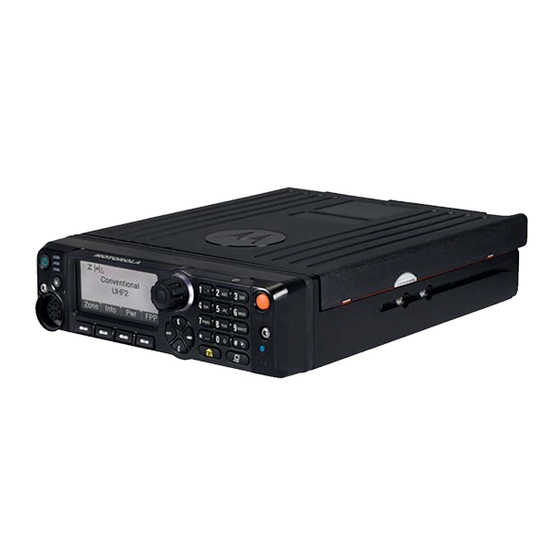

Related Manuals for Motorola APX 5500


Summary of Contents for Motorola APX 5500
- Page 1 APX TWO-WAY RADIOS APX 2500, APX 5500, APX 6500, APX 7500, APX 8500 APX MOBILE O3 CONTROL HEAD USER GUIDE DECEMBER 2019 *6875946M01* 6875946M01-JK © 2019 Motorola Solutions, Inc. All rights reserved...
-
Page 2: Table Of Contents
6875946M01-JK Contents Contents Declaration of Conformity..................10 Important Safety Information................... 11 Notice to Users (FCC and Industry Canada)............12 Software Version.......................13 Computer Software Copyrights................14 Documentation Copyrights..................15 Disclaimer........................16 Read Me First......................17 Notations Used in This Manual....................17 Radio Maintenance........................17 Radio Care........................17 Cleaning the External Surface of the Radio............ - Page 3 6875946M01-JK Contents Data Feature Button......................27 Volume Rocker......................... 27 Mode Rocker........................27 Keypad............................27 Keypad Characters – Uppercase Mode................27 Keypad Characters – Lowercase Mode................28 Keypad Characters – Numeric Mode................29 Keypad Characters – Hexadecimal Mode................ 30 Push-To-Talk (PTT) Button......................31 Status Indicators....................... 32 Status Icons..........................32 Text Messaging Service (TMS) Indicators...................34 TMS Status Icons......................34 TMS Menu Options......................
- Page 4 6875946M01-JK Contents 2.1.1 Using ViQi Virtual Partner..................49 2.2 Advanced Call Features......................49 2.2.1 Calling a Phone Not in the List.................49 2.2.2 Selective Call (ASTRO Conventional Only)............. 49 2.2.2.1 Receiving a Selective Call................49 2.2.2.2 Making a Selective Call................50 2.2.3 Talkgroup Call Feature (Conventional Operation Only)...........50 2.2.3.1 Selecting a Talkgroup................
- Page 5 6875946M01-JK Contents 2.5.5 Restoring a Nuisance Channel................62 2.5.6 Changing Priorities Status While Scan is On............62 2.5.7 Restoring Priorities in a Scan List................63 2.5.8 Using the Hang Up Box (HUB)................63 2.6 Call Alert Paging........................63 2.6.1 Receiving a Call Alert Page..................64 2.6.2 Sending a Call Alert Page..................64 2.6.3 Enabling and Disabling In-Call User Alert..............65 2.7 Quick Call II (ASTRO P25 Digital Trunking and Conventional) ..........
- Page 6 6875946M01-JK Contents 2.10.4.4 Removing a Request Reply from a Text Message........78 2.10.4.5 Appending a Priority Status and a Reply Request to a Text Message..78 2.10.4.6 Removing a Priority Status and a Reply Request from a Text Message......................79 2.10.4.7 Receiving a Text Message...............79 2.10.4.8 Viewing a Text Message from the Inbox..........
- Page 7 6875946M01-JK Contents 2.15.6 Turning Off GPS....................93 2.15.7 Saving a Waypoint....................93 2.15.8 Viewing a Saved Waypoint..................94 2.15.9 Editing the Alias of a Waypoint................94 2.15.10 Editing the Coordinates of a Waypoint..............95 2.15.11 Deleting a Single Saved Waypoint...............96 2.15.12 Deleting All Saved Waypoints................96 2.15.13 Measuring the Distance and Bearing from a Saved Waypoint......
- Page 8 6875946M01-JK Contents 2.20.2 Sending SSA Notification to Single Site by Manual Entry........106 2.20.3 Sending SSA Notification to All Sites..............107 2.20.4 Sending SSA Notification to All Available Sites........... 107 2.20.5 Stopping SSA Notification of a Single Site............108 2.20.6 Stopping SSA Notification of a Single Site by Manual Entry........108 2.20.7 Stopping SSA Notification of All Sites..............109 2.20.8 Stopping SSA Notification of All Available Sites..........
- Page 9 4.3 Declaration of Compliance for the Use of Distress and Safety Frequencies....... 130 4.4 Technical Parameters for Interfacing External Data Sources..........130 Glossary........................131 Limited Warranty.....................136 6.1 MOTOROLA SOLUTIONS COMMUNICATION PRODUCTS..........136 6.2 I. WHAT THIS WARRANTY COVERS AND FOR HOW LONG:......... 136 6.3 II. GENERAL PROVISIONS:....................137 6.4 III. STATE LAW RIGHTS:....................137 6.5 IV.
-
Page 10: Declaration Of Conformity
This declaration is applicable to your radio only if your radio is labeled with the following FCC logo. Per FCC CFR 47 Part 2 Section 2.1077(a) Responsible Party Name: Motorola Solutions, Inc. Address: 1303 East Algonquin Road, Schaumburg, IL 60196-1078, U.S.A. Phone Number: 1-800-927-2744 Hereby declares that APX Mobile conforms to FCC Part 15, subpart B, section 15.107(a), 15.107(d),... -
Page 11: Important Safety Information
For a list of Motorola Solutions-approved antennas and other accessories, visit the following website: http://www.motorolasolutions.com Any modification to this device, not expressly authorized by Motorola Solutions, may void the user’s authority to operate this device. Under Industry Canada regulations, this radio transmitter may only operate using an antenna of a type and maximum (or lesser) gain approved for the transmitter by Industry Canada. -
Page 12: Notice To Users (Fcc And Industry Canada)
• This device must accept any interference received, including interference that may cause undesired operation. • Changes or modifications made to this device, not expressly approved by Motorola Solutions, could void the authority of the user to operate this equipment. -
Page 13: Software Version
6875946M01-JK Software Version Software Version All the features described in the following sections are supported by the software version R20.60.00 or later. Accessing the Radio Information on page 120 to determine the software version of your radio. Check with your dealer or system administrator for more details of all the supported features. -
Page 14: Computer Software Copyrights
The Motorola Solutions products described in this manual may include copyrighted Motorola Solutions computer programs stored in semiconductor memories or other media. Laws in the United States and other countries preserve for Motorola Solutions certain exclusive rights for copyrighted computer programs including, but not limited to, the exclusive right to copy or reproduce in any form the copyrighted computer program. -
Page 15: Documentation Copyrights
No duplication or distribution of this document or any portion thereof shall take place without the express written permission of Motorola Solutions. No part of this manual may be reproduced, distributed, or transmitted in any form or by any means, electronic or mechanical, for any purpose without the express written permission of Motorola Solutions. -
Page 16: Disclaimer
The information in this document is carefully examined, and is believed to be entirely reliable. However, no responsibility is assumed for inaccuracies. Furthermore, Motorola Solutions reserves the right to make changes to any products herein to improve readability, function, or design. Motorola Solutions does not assume any liability arising out of the applications or use of any product or circuit described herein;... -
Page 17: Read Me First
6875946M01-JK Read Me First Read Me First This User Guide covers the basic operation of the radio. However, your dealer or system administrator may have customized your radio for your specific needs. Check with your dealer or system administrator for more information. If you attempt to use features which are mutually exclusive, one or more of the following occurs: •... -
Page 18: Cleaning The External Surface Of The Radio
6875946M01-JK Read Me First CAUTION: • Your radio casing has a vent port that allows for pressure equalization in the radio. Never poke this vent with any objects, such as needles, tweezers, or screwdrivers. • Avoid subjecting the radio to an excess of liquids. •... -
Page 19: Additional Performance Enhancement
P25 Digital Vehicular Repeater System (DVRS) Motorola Solutions offers an MSI Certified APX compatible, third Party, P25 Digital Vehicular Repeater System (DVRS) that provides low-cost portable radio coverage in areas where only mobile radio... -
Page 20: Conventional Talkgroup And Radio Scan Enhancements
6875946M01-JK Read Me First NOTICE: Portable subscriber units enabled in the system for Radio Authentication shall be able to authenticate regardless of whether they are communicating directly on the system or through a DVRS. Conventional Talkgroup and Radio Scan Enhancements A few enhancements have been made to the Conventional Talkgroup at the system. -
Page 21: Preparing Your Radio For Use
6875946M01-JK Preparing Your Radio for Use Preparing Your Radio for Use This section provides simple instructions to prepare your radio for use. Turning On the Radio Procedure: 1 Press the Power On/Off Button or the PTT button briefly to power on the radio. After a short time, the red, yellow, and green LEDs light up. -
Page 22: Adjusting The Volume
6875946M01-JK Preparing Your Radio for Use Adjusting the Volume Procedure: 1 To increase the volume, press the Up arrow on the Volume Rocker. 2 To decrease the volume, press the Down arrow on the Volume Rocker. Validating Compatibility During Power Up When and where to use: The radio validates and updates the software and hardware of your control head(s) during power up. -
Page 23: Radio Controls
6875946M01-JK Radio Controls Radio Controls This chapter explains the buttons and functions to control the radio. Control Head and Microphone Emergency Button Power On/Off Button Programmable Button (Top) Programmable Button (Purple) Push-to-Talk (PTT) Button Programmable Button (1-Dot) Programmable Button (2-Dot) 14-Character Display Microphone Volume Rocker... -
Page 24: Programmable Features
6875946M01-JK Radio Controls Programmable Features Any reference in this manual to controls that are preprogrammed means that a qualified radio technician must use the radio programming software to assign a feature to a control. Your dealer can program the programmable buttons as shortcuts to radio functions or preset channels/ groups depending on the duration of a button press. - Page 25 6875946M01-JK Radio Controls Phone Allows you to make and receive calls similar to standard phone calls. Private Call (Trunking Only) Allows a call from one individual radio to another. Priority Dispatch Allows you to call the dispatcher on a different talkgroup. Radio Profiles Allows easy access to a set of preprogrammed visual and audio settings of the radio.
-
Page 26: Assignable Settings Or Utility Functions
6875946M01-JK Radio Controls Zone Down Toggles downward through the zones in the radio. Zone Select Allows selection from a list of zones. Zone Up Toggles upward through the zones in the radio. Assignable Settings or Utility Functions Short Press changes the display brightness, while Long Press toggle between day/night mode. Horns/Lights Toggles the horns and lights feature on and off. -
Page 27: Home Button
6875946M01-JK Radio Controls Home Button Pressing the button returns you to the Home (default) screen. In most cases, this is the current mode. For selected radio features, the button is also used to save user-edited radio settings or information before returning you to the Home screen. NOTICE: Some features do not require you to press to go to the Home screen. -
Page 28: Keypad Characters - Lowercase Mode
6875946M01-JK Radio Controls Number of Times Key is Pressed Toggle between mixed case mode, uppercase mode and lowercase mode. Space Toggle between numeric and letter mode. Keypad Characters – Lowercase Mode Number of Times Key is Pressed & “ ‘... -
Page 29: Keypad Characters - Numeric Mode
6875946M01-JK Radio Controls Number of Times Key is Pressed Toggle between mixed case mode, uppercase mode and lowercase mode. Space Toggle between numeric and letter mode. Keypad Characters – Numeric Mode Number of Times Key is Pressed & “ ‘... -
Page 30: Keypad Characters - Hexadecimal Mode
6875946M01-JK Radio Controls Number of Times Key is Pressed Space Toggle between numeric and letter mode. Keypad Characters – Hexadecimal Mode Number of Times Key is Pressed... -
Page 31: Push-To-Talk (Ptt) Button
6875946M01-JK Radio Controls Number of Times Key is Pressed Not applicable Not applicable Push-To-Talk (PTT) Button The PTT button on the side of the microphone serves two basic purposes: • While a call is in progress, the PTT button allows the radio to transmit to other radios in the call. Press and hold down PTT button to talk. -
Page 32: Status Indicators
6875946M01-JK Status Indicators Status Indicators This section explains the status indicators of the radio. Status Icons The liquid crystal display (LCD) of your radio shows the radio status, text entries, and menu entries. The following are the icons that appear on the display of the radio. Receiving Radio is receiving a call or data. - Page 33 6875946M01-JK Status Indicators Steady dot Radio detects activity on channel designated as Priority-Two. Vote Scan Enabled The vote scan feature is enabled. Secure Operation Secure operation. Clear operation. Blinking Receiving an encrypted voice call. AES Secure Operation AES secure operation. Clear operation.
-
Page 34: Text Messaging Service (Tms) Indicators
6875946M01-JK Status Indicators Mixed Case Indicates that the text entry is currently in normal text mode. Uppercase Indicates that the text entry is currently in uppercase mode. Lowercase Indicates that the text entry is currently in lowercase mode. Lowercase Predictive Indicates that the text entry is currently in lowercase and with predicted words shown at the bottom of the screen. -
Page 35: Tms Menu Options
6875946M01-JK Status Indicators Read Message The selected text message in the Inbox has been read. Normal Message User is composing a message with normal priority and without a request for a re- ply. Message Index Indicates the index of the current message the user is viewing. Example: If the user is looking at the third message out of a total of six messag- es in the Inbox folder, the icon is displayed as the icon on the left column. -
Page 36: Led Indicator
6875946M01-JK Status Indicators Menu Option Description/Function Edit Edits a draft message or key in a target address. Exit Exits to the Home screen. Cancel the delete all messages options. Optn Brings you to the Options main screen. Rply Replies to a message. Selects a predefined message or address. -
Page 37: Intelligent Lighting Indicators
6875946M01-JK Status Indicators Intelligent Lighting Indicators This feature temporarily changes the display bar color and the alert text background color of the radio to help signal that a radio event has occurred. NOTICE: This feature must be preprogrammed by a qualified radio technician. Backlight and Notification When... - Page 38 6875946M01-JK Status Indicators You Hear Tone Name Heard Out of Range (When PTT button is pressed) the radio is out of range of the system. Invalid Mode When radio is on an unpreprogrammed channel. A Group of Busy When system is busy. Low-Pitch- ed Tones Short, Me-...
-
Page 39: Phone Call Displays And Alerts
6875946M01-JK Status Indicators You Hear Tone Name Heard Unique, New Message When a new message is received. Low-Pitch- ed Chirp Unique, Priority Status When a priority message is received. High-Pitch- ed Chirp Phone Call Displays and Alerts The following phone call displays and alerts appears on the radio display when you make and receive Phone calls. -
Page 40: General Radio Operation
6875946M01-JK General Radio Operation General Radio Operation This chapter explains the general radio operations of your radio. Selecting a Zone Prerequisites: Your radio must be preprogrammed for you to use this feature. When and where to use: A zone is a group of channels. Procedure: •... -
Page 41: Selecting A Channel By Using Channel Search Button
6875946M01-JK General Radio Operation Selecting a Channel by using Channel Search Button When and where to use: This feature allows you to do a quick search for a specific channel in your radio by keying in the alias of the channel. Your radio prompts the first found channel if a match is found. -
Page 42: Saving A Zone And A Channel To A Button
6875946M01-JK General Radio Operation NOTICE: To change the programmed zone and channel, repeat this procedure. Short press of the programmed softkey changes your current transmission to the zone and channel programmed in this softkey. 1.4.2 Saving a Zone and a Channel to a Button When and where to use: You can save the frequently used zone and channel to the programmable buttons and keypad digit 0 to 9 buttons. -
Page 43: Receiving And Responding To A Private Call (Trunking Only)
6875946M01-JK General Radio Operation • For Trunking system, the display shows the caller alias or ID. Procedure: 1 Hold the microphone vertically 1 to 2 inches (2.5 to 5.0 cm) from your mouth. 2 Press the PTT button to respond to the call. The LED lights up solid red. -
Page 44: Methods To Make A Radio Call
6875946M01-JK General Radio Operation When you receive a Telephone Call, you hear a telephone-type ringing and the LED blinks green. The backlight of the screen turns green.The display shows Phone call and the call received icon blinks. Procedure: 1 Press the Menu Select button directly below Resp. 2 Press and hold the PTT button to talk. -
Page 45: Making A Private Call (Trunking Only)
6875946M01-JK General Radio Operation 1.6.2 Making a Private Call (Trunking Only) Prerequisites: Your radio must be preprogrammed for you to use this feature. When and where to use: This feature allows you to send an individual Call Alert or page if there is no answer from the target radio. -
Page 46: Switching Between Repeater Or Direct Operation Button
6875946M01-JK General Radio Operation • Press the Menu Select button directly below Cnts to scroll through and select the required • Press the Menu Select button directly below List to go to the first number of the call list. • to the required phone number. -
Page 47: Monitoring Conventional Mode
6875946M01-JK General Radio Operation c. Adjust the Volume Rocker if necessary. d. If you hear no activity, press and hold the PTT button to start your conversation. • Monitoring a Channel in Trunked Modes: a. Lift the microphone off the hook. b. -
Page 48: Advanced Features
6875946M01-JK Advanced Features Advanced Features This chapter explains the operations of the features available in your radio. ViQi ViQi is a virtual assistant that helps you manage your radio and perform information lookups using voice commands. This feature is purpose-built for public safety and is active when you press the assigned ViQi button on the radio, Remote Speaker Microphone (RSM), or compatible mobile microphone. -
Page 49: Using Viqi Virtual Partner
6875946M01-JK Advanced Features 2.1.1 Using ViQi Virtual Partner Prerequisites: See ViQi on page 48 for the queries supported by this feature. Procedure: 1 Press and hold the assigned ViQi button. 2 After you hear a tone, clearly speak your request into the microphone. 3 Release the assigned programmable button and wait for ViQi to respond. -
Page 50: Making A Selective Call
6875946M01-JK Advanced Features NOTICE: If you press PTT button before pressing the Menu Select button directly below Call, your conversation is heard by all members of the talk group. If 20 seconds pass before you press the Menu Select button directly below the Call, you are not responding privately to the call just received. -
Page 51: Selecting A Talkgroup
6875946M01-JK Advanced Features 2.2.3.1 Selecting a Talkgroup Procedure: to Tgrp and press the Menu Select button directly below Tgrp. The display shows the last Talkgroup that was selected and stored. 2 Perform one of the following actions. • to Pset for the preset preprogrammed Talkgroup. •... -
Page 52: Making A Priority Dispatch Calls
6875946M01-JK Advanced Features 2.2.5 Making a Priority Dispatch Calls If a talkgroup is congested, the Priority Dispatch feature allows you to call the dispatcher on a different talkgroup. This talkgroup is called the Priority Talkgroup. Each trunking talkgroup can have its own assigned Priority Talkgroup.Priority Dispatch is not available during Emergency operations. -
Page 53: Classification Of Regrouped Radios
6875946M01-JK Advanced Features • to Rpgm then press the Menu Select button directly below Rpgm to send reprogram request to the dispatcher. The display shows Reprogram Rqst and Please wait. If you hear five beeps, the dispatcher has acknowledged the reprogram request. The display shows Ack received and the radio returns to the Home screen. -
Page 54: Saving A Channel In The Dynamic Zone From List Selection
6875946M01-JK Advanced Features If you have selected Exit without selecting any Dynamic Zone Channels list, the display returns to Home screen without any changes. 2.2.7.2 Saving a Channel in the Dynamic Zone from List Selection Prerequisites: The radio must be in Dynamic Zone in order to perform this operation. Procedure: to ZnPr. -
Page 55: Contacts
6875946M01-JK Advanced Features Contacts This feature provides “address-book” capabilities on your radio. Each entry corresponds to an alias (name) or ID (number) that you use to initiate a call. Contact entries are alphabetically sorted according to entry alias. Each alias can have up to five IDs of different call types associated with it. -
Page 56: Adding A New Contact Entry
6875946M01-JK Advanced Features 8 Press and hold the PTT button to talk. Release the PTT button to listen. The LED lights up solid red when the PTT button is pressed. If there is no voice activity for a preprogrammed period of time, the call ends. If the call reaches the maximum ring time, the call ends. -
Page 57: Adding A Contact To A Call List
6875946M01-JK Advanced Features to Del and press the Menu Select button directly below Sel . The display shows <Entry> confirm del?. 4 Select the Menu Select button directly below Yes to delete the entry, or No to cancel and return to the main screen of Contacts. -
Page 58: Editing As Entry Id
6875946M01-JK Advanced Features 5 Use the keypad to edit the name and press the Menu Select button directly below OK once you have finished. The display returns to the Edit Contact screen. 6 Press the Menu Select button directly below Done to save your changes and return to the main screen of Contacts. -
Page 59: Scan Lists
6875946M01-JK Advanced Features Scan Lists Scan lists are created and assigned to individual channels/groups. Your radio scans for voice activity by cycling through the channel/group sequence specified in the scan list for the current channel/group. Your radio supports different types of Scan Lists: •... -
Page 60: Changing The Scan List Status
6875946M01-JK Advanced Features • Press the Menu Select button directly below Del to delete the currently displayed channel from the scan list. • Press the Menu Select button directly below Rcl to view the next member of the scan list. 4 Perform one of the following actions to select another channel that needs to be added or deleted then repeat step... -
Page 61: Scan
6875946M01-JK Advanced Features • A Priority-Two Channel Scan icon indicates that the current channel is in the scan list as the Priority-Two channel. The LED blinks green. • No icon indicates that the current channel is deleted from the scan list. Scan This feature allows you to monitor traffic on different channels by scanning a preprogrammed list of channels. -
Page 62: Transmitting Using Radio Programmed For Non-Talkback Scan
6875946M01-JK Advanced Features The radio does not begin scanning again for a predetermined hang time after you release the PTT button, allowing the other party to respond. If the other party responds within the hang time, scanning does not resume until the full hang time expires after they have finished speaking, allowing the conversation to be completed. -
Page 63: Restoring Priorities In A Scan List
6875946M01-JK Advanced Features This change remains in effect until scan is turned off. Scan then reverts to the preprogrammed (original) setting. Procedure: 1 Press the Menu Select button directly below DYNP to change the priority of a non-priority channel in the scan list to Priority-Two. 2 Press momentarily to exit the scan list and resume scanning. -
Page 64: Receiving A Call Alert Page
6875946M01-JK Advanced Features 2.6.1 Receiving a Call Alert Page When and where to use: When you receive a Call Alert page, you hear four repeating alert tones and the LED blinks green. If Call Alert Tone Auto Reset is enabled, you hear one alert tone and the LED blinks green. -
Page 65: Enabling And Disabling In-Call User Alert
6875946M01-JK Advanced Features to Call . b. Press the Menu Select button directly below Call . to select the alias or ID, and press the PTT button to initiate the call. If the target radio does not respond after a preprogrammed period of time, the display shows Send page?. -
Page 66: Initiating A Quick Call Ii Transmission
6875946M01-JK Advanced Features 2.7.1 Initiating a Quick Call II Transmission Prerequisites: The broadcasting or transmitting radio must be pre-programmed to see the tone in the Quick Call II tone list. The receiving radio must also be pre-programmed to decode the tone to broadcast. -
Page 67: Exiting Emergency As Supervisor (Trunking Only)
6875946M01-JK Advanced Features 2.8.2 Exiting Emergency as Supervisor (Trunking Only) Radios configured as Supervisor are able to cancel emergency mode of other radios. The dispatch console must be preprogrammed to use this feature. Check with your dealer or system administrator for more information on dispatch console supporting this feature. -
Page 68: Sending An Emergency Call (Trunking Only)
6875946M01-JK Advanced Features 2.8.4 Sending an Emergency Call (Trunking Only) When and where to use: This feature gives your radio priority access to a talkgroup. Procedure: 1 Press the preprogrammed Emergency button. One of the following scenarios occurs: • A tone sounds and the display alternates Emergency and the home display. •... -
Page 69: Sending An Emergency Alarm And Call With Hot Mic
6875946M01-JK Advanced Features This feature gives your radio priority access on a channel for conventional system, and to a talkgroup for trunking system. If the radio has both emergency call and alarm features enabled, it automatically proceeds to the call mode after the alarm is acknowledged. -
Page 70: Special Considerations For Emergencies
6875946M01-JK Advanced Features This activated microphone state is also known as “hot mic”. NOTICE: If you press the PTT button during hot mic, and continue to press it after the hot mic duration expires, the radio continues to transmit until you release the PTT button. Procedure: 1 Press the preprogrammed Emergency button. -
Page 71: Detecting Impact
6875946M01-JK Advanced Features • Pressing the PTT button does not suspend the Impact Detection sequence. • Pressing the PTT button, the Clr menu button, or the preprogrammed Clear button when the radio displays the Impact Detected display alert, exits the Impact Detected condition. 2.8.10.1 Detecting Impact Procedure:... -
Page 72: Re-Initiating Impact Detection Sequence
6875946M01-JK Advanced Features • Press the Menu Select button below Clr to exit. 2.8.10.5 Re-Initiating Impact Detection Sequence Radio must first exit Emergency mode to re-initiate the Impact Detected sequence. Radio must return to the normal operations before the next impact can be detected. Refer to Exiting Impact Detected Condition on page 71 to exit the Impact Detected condition. -
Page 73: User Login Feature
6875946M01-JK Advanced Features or rotate the Mode Rocker to the desired channel. One of the following scenarios occur: • In ARS Server Mode, the display shows the User Login Indicator icon, the zone, and ARS server channel. • In ARS Non-Server Mode, the display shows the User Login Indicator icon, the zone, and ARS non-server channel. -
Page 74: Logging Out
6875946M01-JK Advanced Features 4 Enter your Personal Identification Number (PIN) number. The maximum PIN length is 4 digits. The PIN number will appear as asterisks. 5 Press the Menu Select button directly below Logn. One of the following scenarios occurs: •... -
Page 75: Accessing The Messaging Features
6875946M01-JK Advanced Features • A predefined message (quick text message). • An edited quick text message. The main menu consists of the following options: • Inbox • Compose • Drafts • Sent NOTICE: See Status Icons on page 32 for more information on the TMS icons and TMS Menu Options on page 35 for more information on each menu option. -
Page 76: Sending A Quick Text Message
6875946M01-JK Advanced Features 5 Use the keypad to type or edit your message. 6 Press the Menu Select button directly below Optn once the message is composed. to Send and press the Menu Select button directly below Send . 8 Perform one of the following actions. •... -
Page 77: Priority Status And Request Reply Of A New Text Message
6875946M01-JK Advanced Features to scroll through the list of messages and press the Menu Select button directly below Sel to select the required message. The message appears on the Compose screen, with a blinking cursor at the end of it. Use the keypad to edit the message, if required. -
Page 78: Removing A Priority Status From A Text Message
6875946M01-JK Advanced Features to Impt and press the Menu Select button directly below Impt to indicate the message as important. The priority status icon appears beside the normal message icon on the label bar. 2.10.4.2 Removing a Priority Status from a Text Message Prerequisites: Ensure there is an outgoing message composed to allow you to perform this procedure. -
Page 79: Removing A Priority Status And A Reply Request From A Text Message
6875946M01-JK Advanced Features to RqRp and press the Menu Select button directly below RqRp to request for a reply. The priority status and request reply icons appear beside the normal message icon on the label bar. 2.10.4.6 Removing a Priority Status and a Reply Request from a Text Message Prerequisites: Ensure that a outgoing message is composed to allow you to perform this procedure. -
Page 80: Replying To A Received Text Message
6875946M01-JK Advanced Features • Press and hold the preprogrammed Data Feature button or the TMS Feature button to access the Inbox. • to TMS and press the Menu Select button directly below TMS to access the TMS feature screen. to Inbx and press the Menu Select button below Sel . The display shows a list of aliases or IDs, with the sender of the latest received message on top. -
Page 81: Accessing The Drafts Folder
6875946M01-JK Advanced Features to Send and press the Menu Select button directly below Send to send the message. The display shows the Send Message screen and Sending msg. NOTICE: Press the Menu Select button directly below Back at any time to return to the previous screen. You can append a priority status and/or a request reply to your message. -
Page 82: Deleting Text Messages
6875946M01-JK Advanced Features The display shows a list of aliases or IDs, with the recipient of latest sent message on top. to the required aliases or ID and press the Menu Select button below Sel to view the message. While on the view message screen, press the Menu Select button directly below Optn , Del , or Back to access the option. -
Page 83: Secure Operations
6875946M01-JK Advanced Features 2.11 Secure Operations Secure radio operation provides the highest commercially available level of voice security on both trunked and conventional channels. By default, the radio automatically enters the encrypted environment without having to manually select or clear the secure transmission. 2.11.1 Enabling Secure Transmission Procedure:... -
Page 84: Multikey Feature
6875946M01-JK Advanced Features NOTICE: If the Multi-system Over-the-Air Rekeying feature is in use, the ASTRO profile name is displayed below Keyloading. 2 Press Target → Load. 3 Perform one of the following actions. • For single key, select Key. • For multikey, select Group. -
Page 85: Selecting Keysets
6875946M01-JK Advanced Features 2.11.3.4 Selecting Keysets When and where to use: This feature allows you to select one or more groups of several encryption keys from among the available keys stored in the radio. For example, you could have a group of three keys structured to one keyset, and another group of three different keys structured to another keyset;... -
Page 86: Requesting An Over-The-Air Rekey
6875946M01-JK Advanced Features 2.11.3.6 Requesting an Over-the-Air Rekey If the Multi-system Over-the-Air Rekeying feature is in use, the rekey request is only for the current selected secure profile. Prerequisites: Ensure that the Unique Key Encryption Key (UKEK) or Unique Shadow Key (USK) is loaded into the radio with the Key Variable Loader (KVL) before the rekey request can be sent. -
Page 87: Radio Lock
6875946M01-JK Advanced Features Companding Reduces the channel noise, such as OTA transmission that is predominantly present in UHF2 and 900 MHz channel with the following features. Compressor Reduces the background noise flow and the speech signal at transmitting radio. Expander Expands the speech while the noise flow remains the same at receiving radio. -
Page 88: Changing The Tactical Inhibit Password
6875946M01-JK Advanced Features 2 Press the Menu Select button directly below Pswd. The display shows Change Password screen. to Unlock Pswd. 4 Press the Menu Select button directly below Sel . 5 Enter the old password. 6 Press the Menu Select button directly below OK . 7 Enter the new password. -
Page 89: Radio Stun And Kill
6875946M01-JK Advanced Features 2.13 Radio Stun and Kill This chapter explains the radio stun and kill features. 2.13.1 Radio Stun This feature allows you to stun another radio by sending an over the air command using the menu on your radio. This feature prevents an unauthorized user from using the radio. Once the radio is stunned, a password is required to re-activate the stunned radio. -
Page 90: Using Remote Kill To Kill Another Radio
6875946M01-JK Advanced Features 2.13.2.1 Using Remote Kill to Kill Another Radio When and where to use: Remote Kill allows you to render another radio inoperable by sending an over the air command using the menu on your radio. Procedure: to Kill. 2 Press the Menu Select button directly below Kill. -
Page 91: Global Positioning System/Global Navigation Satellite System
6875946M01-JK Advanced Features 2.15 Global Positioning System/Global Navigation Satellite System NOTICE: This feature is addressed as GPS across the manual as the naming convention of the buttons and strings remain the same as the legacy feature of GPS. The availability and accuracy of this location information (and the amount of time that it takes to calculate it) varies depending on the environment in which you are using the GPS feature. -
Page 92: The Outdoor Location Feature (Using Gps)
6875946M01-JK Advanced Features 2.15.3 The Outdoor Location Feature (Using GPS) This feature allows you to determine your current location using a location menu, as well as your current distance and bearing in relation to another location. Radio location may be requested and reported over-the-air. -
Page 93: Turning Off Gps
6875946M01-JK Advanced Features NOTICE: An ON radio menu may be present on the Location menu screen if it is preprogrammed by the dealer or system administrator. Procedure: to Loc. 2 Press the Menu Select button directly below Loc. The display shows Location off <Latitude> <Longitude>. 3 Press the Menu Select button directly below On to turn on the GPS. -
Page 94: Viewing A Saved Waypoint
6875946M01-JK Advanced Features 2 Perform one of the following actions. • to Save as Waypt and press the Menu Select button directly below Sel. • to Save as Home and press the Menu Select button directly below Sel and proceed to step •... -
Page 95: Editing The Coordinates Of A Waypoint
6875946M01-JK Advanced Features to Waypoints and press the Menu Select button directly below Sel . The display shows a list of waypoints. to the required saved waypoint, and press the Menu Select button directly below Optn. to Edit name and press the Menu Select button directly below Sel. A blinking cursor appears in the Edit Name screen. -
Page 96: Deleting A Single Saved Waypoint
6875946M01-JK Advanced Features 6 Utilize the following control buttons or menu to change the number/coordinates if required then press the Menu Select button directly below OK once. • Press to move one space to the left. • Press to move one space to the right. •... -
Page 97: Measuring The Distance And Bearing From A Saved Waypoint
6875946M01-JK Advanced Features to Waypoints and press the Menu Select button directly below Sel . The display shows a list of waypoints. to the required saved waypoint, and press the Menu Select button directly below Optn. to Delete All and press the Menu Select button directly below Sel . The display shows All saved wayp confirm del?. -
Page 98: Geofence (Astro 25 Trunking System)
6875946M01-JK Advanced Features This feature is also operable in a Scan Active channel or Scan Talkback channel. Upon receiving a voice transmission with GPS coordinates enabled on the receiving radio, the display shows the coordinates available in full or in short coordinates. There are two different formats available. -
Page 99: Mission Critical Geofence
6875946M01-JK Advanced Features If there is no channel with matching Talkgroup ID and trunk system ID, the radio display shows the channel alias of <DYNAMIC talkgroup>. Once the radio is connected, you hear a dynamic regroup tone, the radio display shows <DYNAMIC channel>... -
Page 100: Exiting Mission Critical Geofence
6875946M01-JK Advanced Features NOTICE: Depending on how your radio is programmed, you may or may not be alerted by Voice Announcement (VA), TMS display, Intelligent Backlight, and the Transmit Power Level. The user will be alerted only if these indicators are configured in the radio. The VA can be programmed to alert continuously or momentarily. -
Page 101: Smartconnect
Check with your dealer or system administrator for more information. Your radio can connect through a fixed Wi-Fi access point in buildings or in-vehicle Broadband modem such as the following modems: • Motorola Solutions VML750 • Sierra Wireless MP70 •... -
Page 102: Site Display And Search Button
6875946M01-JK Advanced Features Follow the procedure to lock and unlock a site using the radio menu. Procedure: to Site. 2 Press the Menu Select button directly below Site. 3 Perform one of the following actions. • To lock the site, press the Menu Select button directly below Lock. The display shows Site locked. -
Page 103: Initiating An Announcement
6875946M01-JK Advanced Features Ruthless Preemption When a ruthless preemption announcement call is initiated, the requesting radio begins transmitting immediately. All associated talkgroup calls taking place on other channels are immediately halted, and the radios are steered to the announcement call. Transmitting radios continue to transmit until the PTT button is released, at which time they also unmute for the announcement call. -
Page 104: Required
6875946M01-JK Advanced Features 2.18.4 Required This option allows the user to power on the radio only if the Ignition is present. The radio can be powered off either through Power button press or when Ignition is lost. In addition, the radio automatically powers on when the Ignition is present only if the radio was turned off due to the ignition being removed. -
Page 105: Voice Announcement
6875946M01-JK Advanced Features Inactivity Auto Power Off Timer This timer begins once the radio is power-on. While the timer is active any user interaction with the radio resets the timer. Ignition Auto Power Off Timer This timer begins once the vehicle key is removed, when the voltage at the ignition sense is removed. -
Page 106: Sending Ssa Notification To Single Site
6875946M01-JK Advanced Features 2.20.1 Sending SSA Notification to Single Site Procedure: to SSA. 2 Press the Menu Select button directly below SSA. The display shows the Site Alert screen. to Start Alert and press the Menu Select button directly below Sel. The display shows the Select Site screen. -
Page 107: Sending Ssa Notification To All Sites
6875946M01-JK Advanced Features to select the desired Alert Alias and press the Menu Select button directly below Send. The display shows Sending req. If radio is out of range, roaming to a foreign system or in a failsoft situation, the display shows Req failed. -
Page 108: Stopping Ssa Notification Of A Single Site
6875946M01-JK Advanced Features 2 Press the Menu Select button directly below SSA. The display shows the Site Alert screen. to Start Alert and press the Menu Select button directly below Sel. The display shows the Select Site screen. to [All Avail] and press the Menu Select button directly below Sel. The display shows the Select Alert screen. -
Page 109: Stopping Ssa Notification Of All Sites
6875946M01-JK Advanced Features 2 Press the Menu Select button directly below SSA. The display shows the Site Alert screen. to Stop Alert and press the Menu Select button directly below Sel. The display shows the Select Site screen. to [SiteID Entry] and press the Menu Select button directly below Edit. The display shows the Enter SiteID screen. -
Page 110: Stopping Ssa Notification Of All Available Sites
6875946M01-JK Advanced Features 2.20.8 Stopping SSA Notification of All Available Sites Procedure: to SSA. 2 Press the Menu Select button directly below SSA. The display shows the Site Alert screen. to Stop Alert and press the Menu Select button directly below Sel. The display shows the Select Site screen. -
Page 111: Low Voltage Threshold Warning
6875946M01-JK Advanced Features The Off Hook State for Multiple Radios Setup When there are multi-control heads connected, the states of these HUBs reflect the active control head(s) state. Any HUB placed off-hook by active control head(s) makes the radio goes off-hook state. -
Page 112: Selecting Wifi Network
6875946M01-JK Advanced Features 2.23.2 Selecting WiFi Network This feature allows you to view and select the available WiFi network. Procedure: 1 Press the Menu Select button directly below WiFi to enter WiFi screen. 2 Press the Menu Select button directly below On to turn on the WiFi. Radio starts searching for available network. -
Page 113: Utilities
6875946M01-JK Advanced Features 2.24 Utilities This chapter explains the operations of the utility functions available in your radio. 2.24.1 Viewing Recent Calls When and where to use: This feature allows you to view the recent incoming and outgoing call information of the following call types: •... -
Page 114: Selecting A Radio Profile
6875946M01-JK Advanced Features to Pwr. b. Press the Menu Select button directly below Pwr. The display shows Low power and the low power icon or the display shows High power and the high power icon. 2.24.3 Selecting a Radio Profile When and where to use: This feature allows you to manually switch the visual and audio settings of the radio. -
Page 115: Turning The Keypad Tones On Or Off
6875946M01-JK Advanced Features • To turn the backlight on, press any key of the keypad, the Menu Select or Menu Navigation buttons, or any programmable radio controls or buttons 2.24.5 Turning the Keypad Tones On or Off When and where to use: You can enable and disable keypad tones as needed. Procedure: •... -
Page 116: Using Conventional Squelch Operation Features
6875946M01-JK Advanced Features NOTICE: You hear a brief, low-pitched, warning tone four seconds before the transmission times out. Procedure: 1 Hold down the PTT button longer than the preprogrammed time. You hear a continuous talk prohibit tone. After four seconds, the transmission is cut-off and the LED goes out. -
Page 117: Digital Options
6875946M01-JK Advanced Features 2.24.8.2 Digital Options One or more of the following options may be preprogrammed in your radio. Check with your dealer or system administrator for more information. Option Result Digital Carrier-Operated Squelch You hear all digital traffic. Normal Squelch You hear any digital traffic having the correct network access code. -
Page 118: Transmit Inhibit
6875946M01-JK Advanced Features Mode Description Transmit Inhibit on Busy Channel with Wrong You cannot transmit on an active channel with a Squelch Code squelch code or (if secure-equipped) encryption key other than your own. If the PL code is the same as yours, the transmission is not prevent- Quick-Key Override Your radio must be preprogrammed to allow... -
Page 119: Disabling Transmit Inhibition
6875946M01-JK Advanced Features which meant for that control head to be active control head will cause an unstoppable long low-pitched tone (Talk Prohibit Tone). The display shows Tx inhibit. This behavior can be stopped by pressing PTT button again on the active control head 2.24.12.2 Disabling Transmit Inhibition Procedure:... -
Page 120: General Radio Information
6875946M01-JK Advanced Features to Saved Convs and press the Menu Select button directly below Sel to view the recent conversations. to the required call and press the Menu Select button directly below Play. Radio playback the selected call and auto playback the saved calls in chronological order. d. -
Page 121: Viewing The Ip Information
6875946M01-JK Advanced Features • Secure Version • CH 1–4 Version (depending on the number of channels connected.) • Siren Version • Model Number • • Flash Code • Tuning Version • DSP Version • KG (Secure Algorithm) • Serial Number •... -
Page 122: Viewing The Control Assignments
6875946M01-JK Advanced Features NOTICE: The device name of your radio is preprogrammed. Check with your dealer or system administrator for more information. Procedure: 1 Perform one of the following actions. • Press the preprogrammed Info button. • to Info and press the Menu Select button directly below Info. to IP Info and press the Menu Select button directly below Sel. -
Page 123: Using Non-Permanent Horn And Lights
6875946M01-JK Advanced Features 2.24.15.1 Using Non-Permanent Horn and Lights Procedure: 1 Press the Menu Select button directly below H/L momentarily. The last selected alarm(s) are enabled, and the display shows the enabled alarm(s) until it is turned off. 2 Press the Menu Select button directly below H/L momentarily to turn off the alarm(s). The display shows Horn/Lites off. -
Page 124: Turning Off Non-Rearmable External Alarms
6875946M01-JK Advanced Features The time interval can be modified by a qualified radio technician. 2.24.15.5 Turning Off Non-Rearmable External Alarms Procedure: 1 Perform one of the following actions: • Press the Menu Select button directly below Call, Page or Phon to turn off the external alarm(s) and access that feature. -
Page 125: Editing Fpp Mode Parameters
6875946M01-JK Advanced Features 2 Perform one of the following actions and proceed to the next step: • Press the Menu Select button directly below Ok. • Enter the password and press the Menu Select button directly below Ok. If the password is not entered, the radio displays the non-password protected zones only. 3 Press to select Zn/Ch. -
Page 126: Accessories
6875946M01-JK Accessories Accessories Not all accessories are FCC certified to operate with all radio models and/or bandsplits. Refer to the radio price pages for a list of FCC certified accessories or contact your sales representative for accessory compatibility. Visit http://www.motorolasolutions.com to know more about the accessories supported by this radio. -
Page 127: Maritime Radio Use In The Vhf Frequency Range
6875946M01-JK Maritime Radio Use in the VHF Frequency Range Maritime Radio Use in the VHF Frequency Range Special Channel Assignments 4.1.1 Emergency Channel If you are in imminent and grave danger at sea and require emergency assistance, use VHF Channel 16 to send a distress call to nearby vessels and the United States Coast Guard. - Page 128 6875946M01-JK Maritime Radio Use in the VHF Frequency Range • on ships subject to Part II of Title III of the Communications Act, the radio must be capable of operating on the 156.800 MHz frequency. • on ships subject to the Safety Convention, the radio must be capable of operating: in the simplex mode on the ship station transmitting frequencies specified in the 156.025–...
- Page 129 6875946M01-JK Maritime Radio Use in the VHF Frequency Range 157.300 161.900 157.350 161.950 157.400 162.000 156.025 160.625 156.075 160.675 156.125 160.725 156.175 160.775 156.225 160.825 156.275 160.875 156.325 160.925 67** 156.375 156.375 156.425 156.425 156.475 156.475 156.575 156.575 156.625 – 156.675 156.675 156.725...
-
Page 130: Declaration Of Compliance For The Use Of Distress And Safety Frequencies
6875946M01-JK Maritime Radio Use in the VHF Frequency Range Declaration of Compliance for the Use of Distress and Safety Frequencies The radio equipment does not employ a modulation other than the internationally adopted modulation for maritime use when it operates on the distress and safety frequencies specified in RSS-182 Section 7.3. -
Page 131: Glossary
ASTRO 25 Motorola Solutions standard for wireless digital trunked communications. ASTRO conventional Motorola Solutions standard for wireless analog or digital conventional communications. Autoscan A feature that allows the radio to automatically scan the members of a scan list. AUX CH Auxiliary Control Head. - Page 132 6875946M01-JK Glossary CHIB Control Head Interface Board. Control Channel In a trunking system, one of the channels that is used to provide a continuous, two-way/data- communications path between the central controller and all radios on the system. Conventional Typically refers to radio-to-radio communications, sometimes through a repeater. Frequencies are shared with other users without the aid of a central controller to assign communications channels.
- Page 133 An electronic device that lights up when electricity is passed through it. MCHB Millennium Control Head Board. Motorola Solutions Digital Communications. Menu Entry A software-activated feature shown at the bottom of the display. Selection of a feature is controlled by the programming of the buttons on the side of the radio.
- Page 134 6875946M01-JK Glossary Allows the dispatcher to remotely reprogram the encryption keys in the radio. Page A one-way alert with audio and/or display messages. Personality A set of unique features specific to a radio. Personal Identification Number. Preprogrammed A software feature that has been activated by a qualified radio technician. Private (Conversation) Call A feature that lets you have a private conversation with another radio user in the group.
-
Page 135: Status Calls
6875946M01-JK Glossary DSP interface to peripherals that consists of a clock signal line, a frame synchronization signal line, and a data line. Standby An operating condition whereby the radio’s speaker is muted but still continues to receive data. Status Calls Pre-defined text messages that allow the user to send a conditional message without talking. -
Page 136: Limited Warranty
Product Accessories One (1) Year MOTOROLA SOLUTIONS, at its option, will at no charge either repair the Product (with new or reconditioned parts), replace it (with a new or reconditioned Product), or refund the purchase price of the Product during the warranty period provided it is returned in accordance with the terms of this warranty. -
Page 137: Ii. General Provisions
Repairs will be made only at the designated MOTOROLA SOLUTIONS repair depot. Local services are not included. MOTOROLA SOLUTIONS will pay for outbound shipping via MOTOROLA SOLUTIONS'S normal shipping methods. -
Page 138: Vi. Patent And Software Provisions
1 that MOTOROLA SOLUTIONS will be notified promptly in writing by such purchaser of any notice of such claim,... -
Page 139: Vii. Governing Law
This Warranty is governed by the laws of the State of Illinois, U.S.A. VIII. For Australia Only This warranty is given by Motorola Solutions Australia Pty Limited (ABN 16 004 742 312) of Tally Ho Business Park, 10 Wesley Court. Burwood East, Victoria.
Need help?
Do you have a question about the APX 5500 and is the answer not in the manual?
Questions and answers