Table of Contents
Advertisement
Wireless LAN adapter for air conditioner
SETTING MANUAL (full)
With installation instructions
UTY-TFSXH3 (AP-WH3E)
UTY-TFSXH4 (AP-WH4E)
Before using this product, read these instructions thoroughly.
This product is a WLAN adapter to connect an air conditioner to the following web
service.
• AIRSTAGE Mobile (For residential use)
You can operate air conditioners with your smartphone.
* Downloading the mobile app "AIRSTAGE Mobile" is required
Contents
1. SAFETY PRECAUTIONS .............................................................................................3
2. USAGE PRECAUTIONS ..............................................................................................4
3. WIRELESS LAN USAGE PRECAUTIONS ..................................................................5
3.1. Radio Wave Usage Precautions.........................................................................5
3.2. Personal Information (Security-related) Usage Precautions .............................6
3.3. Others .................................................................................................................6
4. WLAN ADAPTER SETTINGS (detailed procedure) ....................................................7
4.1. Installation work ..................................................................................................9
5. TEMPORARY DEACTIVATION OF WIRELESS LAN .................................................11
6. INITIALIZATION (RESET) ............................................................................................11
7. OPERATION TIPS ........................................................................................................12
8. SPECIFICATIONS.........................................................................................................12
9. TROUBLESHOOTING ..................................................................................................13
PART No. 9383636066-02
[Original instructions]
En-1
Advertisement
Table of Contents

Related Manuals for Fujitsu UTY-TFSXH3


Summary of Contents for Fujitsu UTY-TFSXH3
-
Page 1: Table Of Contents
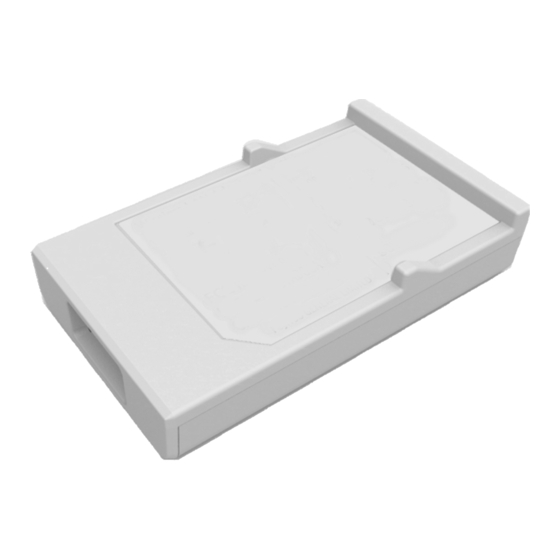
Wireless LAN adapter for air conditioner [Original instructions] SETTING MANUAL (full) With installation instructions UTY-TFSXH3 (AP-WH3E) UTY-TFSXH4 (AP-WH4E) Before using this product, read these instructions thoroughly. This product is a WLAN adapter to connect an air conditioner to the following web service. - Page 2 Name of Parts WLAN adapter Wireless LAN label Connection port Adapter information label* (attached to the WLAN adapter with tape) * Take off the adapter information label before the installation. Accessories The following installation accessories are supplied. Name and Shape Name and Shape Setting manual WLAN adapter...
-
Page 3: Safety Precautions
1. SAFETY PRECAUTIONS To prevent personal injury or property damage, read this section carefully before you ¡ use this product, and be sure to comply with the following safety precautions. Incorrect operation due to failure to follow the instructions may cause harm or damage, ¡... -
Page 4: Usage Precautions
2. USAGE PRECAUTIONS When you use this product, it becomes possible to operate the air conditioner from locations where you cannot see it directly. This means that people in the room may be exposed to the unintended operation of the air conditioner. Check the condition of the room before using this product. -
Page 5: Wireless Lan Usage Precautions
RSS-102 of the IC radio frequency (RF) Exposure rules. This equipment should be installed and operated keeping the radiator at least 20 cm or more away from a person’s body. (UTY-TFSXH3 [AP-WH3E]/UTY-TFSXH4 [AP-WH4E] model conforms to IC (Indus- try Canada) standard.) -
Page 6: Personal Information (Security-Related) Usage Precautions
3.2. Personal Information (Security-related) Usage Precautions There is a possibility of interception if you use wireless LAN equipment due to the use of radio waves regardless of whether you use encryption or not. Wireless LAN uses radio waves to exchange information between this product and the access point. -
Page 7: Wlan Adapter Settings (Detailed Procedure)
4. WLAN ADAPTER SETTINGS (detailed procedure) WARNING • For the air conditioner to operate satisfactorily, follow the procedures described in this manual and the operation manual of the air conditioner. CAUTION • Install the WLAN adapter near the access point. (The connection may become unstable if it is placed further away, which will make using the system more difficult.) •... - Page 8 System diagram One WLAN adapter can be connected to each indoor unit. Single connection Multi-split connection Outdoor unit Outdoor unit Indoor unit Indoor unit Indoor unit WLAN adapter WLAN adapter WLAN adapter Prohibited uses (1) Group connection of indoor units with wired remote controller WLAN adapter WLAN adapter Indoor unit...
-
Page 9: Installation Work
This manual indicates the procedure to install and set up the WLAN adapter. In addition, we provide online content on our website. Product information page for AIRSTAGE Mobile This web page instructs the feature of AIRSTAGE Mobile (as "the mobile app") and the URLs for downloading the mobile app. www.fujitsu-general.com/global/products/airstagemobile/index.html En-9... - Page 10 Google Play or App Store. • • iOS “AIRSTAGE Mobile” is a trademark of FUJITSU GENERAL LIMITED. Android and Google Play are registered trademarks of Google LLC. App Store is a service mark of Apple Inc., registered in the U.S. and other countries.
-
Page 11: Temporary Deactivation Of Wireless Lan
Register the air conditioner (Pairing of WLAN adapter). The procedure depends on the air conditioner. Refer to the operation manual of the air conditioner. NOTES • Before starting this setting, wait for 60 seconds or more after the power supply is connected to the air conditioner (via breaker or plug). -
Page 12: Operation Tips
SIMPLIFIED EU DECLARATION OF CONFORMITY The simplified EU declaration of conformity referred to in Article 10 (9) shall be provided as follows: Hereby, FUJITSU GENERAL LIMITED declares that the radio equipment type UTY-TFSXH3 (AP-WH3E)/UTY-TFSXH4 (AP-WH4E) complies with Directive 2014/53/EU. -
Page 13: Troubleshooting
9. TROUBLESHOOTING Check the following items before requesting repairs to this product. NOTES • For the meaning of the indication lamp of the air conditioner and how to respond, refer to operation manual of the air conditioner. • If the problem persists even after performing these checks or diagnostics, consult authorized service personnel. - Page 14 Parts/Ele- Situation Solutions ments Operations I am not able to operate Confirm that the indoor unit is connected to from the mo- the air conditioner from the the power supply. bile app mobile app Confirm that the power to the access point is on.
Need help?
Do you have a question about the UTY-TFSXH3 and is the answer not in the manual?
Questions and answers
Can't connect to the WiFi