
Related Manuals for Queclink GL502MG


Summary of Contents for Queclink GL502MG
- Page 1 GL502MG User Manual EGPRS/LTE Cat-M1/LTE Cat-NB2/GNSS Tracker QSZTRACGL502MGUM0100 Version: 1.00...
- Page 2 QSZTRACGL502MGUM0100 General Notes Queclink offers this information as a service to its customers, to support application and engineering efforts that use the products designed by Queclink. The information provided is based upon requirements specifically provided to Queclink by the customers. Queclink has not undertaken any independent search for additional relevant information, including any information that may be in the customer’s possession.
-
Page 3: Table Of Contents
GL502MG User Manual Contents 0. Revision History ..........................1 1. Introduction ..........................2 1.1. GL502MG Product ......................2 1.2. Reference ........................... 2 1.3. Terms and Abbreviations ....................2 2. Product Overview .......................... 3 2.1. Product Appearance ......................3 2.2. Magnetic Reed Switch Description..................3 2.3. -
Page 4: Revision History
GL502MG User Manual 0. Revision History Revision Date Author Description of Change 1.00 2020-11-25 Heymi Lin Initial QSZTRACGL502MGUM0100... -
Page 5: Introduction
GL502MG User Manual 1. Introduction GL502MG is an IP68 waterproof GNSS tracker that features up to 3 years standby time powered by internal batteries and supports Wi-Fi. The device is ideal for lot management and other tracking applications that require real-time monitoring. GL502MG supports LTE Cat M1/NB2 network on multiple bands for operation in America, Europe, and Oceania with a fallback to GPRS. -
Page 6: Product Overview
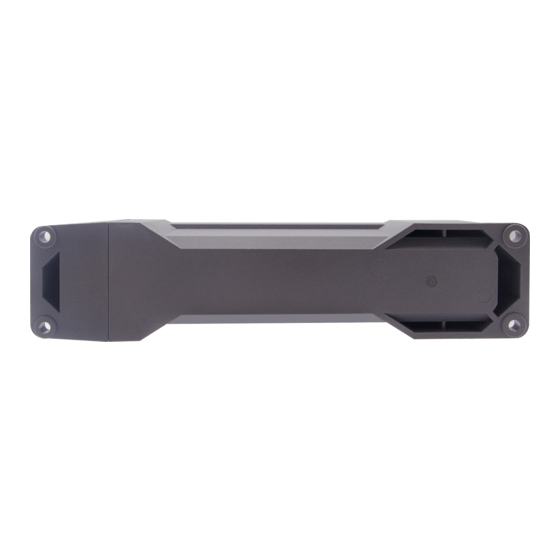
GL502MG User Manual 2. Product Overview 2.1. Product Appearance Magnetic Reed Switch Figure 1. GL502MG Product View 2.2. Magnetic Reed Switch Description Table 4. Magnetic Reed Switch Description To power on the device: Use a magnet (1.2 mT minimum) to approach Magnetic Reed magnetic reed switch. -
Page 7: Led Description
LEDs Figure 2. GL502MG LEDs There are two LEDs on GL502MG. They can work separately and in combination to indicate the status of the device. For the details when they work separately, please see the table below: Table 5. GL502MG LED Description (work separately) -
Page 8: Parts List
1, The LEDs will be on about 5 minutes after power on. After that, they will always be off. 2, The LEDs will not be visible because the PCB is inside opaque plastic housing. 2.4. Parts List Table 6. GL502MG Parts List Name Picture... -
Page 9: Interface Definition
GL502MG User Manual 3. Interface Definition GL502MG has a 12-pin (two sides) Type-C interface. The sequence and definition of the 24-pin connector are shown in the following figure: Figure 3. 12-pin (two sides) Type-C Interface of GL502MG Table 7. Description of 24-pin Connections Pin No. -
Page 10: Getting Started
4.1. Opening and Closing the Case Figure 4. GL502MG Screw Position To open/close the case: Unfasten or tighten the 4 screws at side. 4.2. Turning on/off the Device Battery Switch Magnetic Reed Switch Figure 5. GL502MG Battery Switch and Magnetic Reed Switch QSZTRACGL502MGUM0100... -
Page 11: Installing A Sim Card
“OFF” position if the SIM card will be installed by the users themselves. 4.3. Installing a SIM Card SIM Card Holder Figure 6. GL502MG SIM Card Holder Power off the device first and then install the SIM card. QSZTRACGL502MGUM0100... -
Page 12: Installation Precautions
GL502MG User Manual Installation Precautions ◆ Firmly install the device to a reliable surface to prevent falling off. ◆ Make the side with antenna face sky to have better signal reception. ◆ Do not install the device under metal surface or in enclosed environments having difficulty in getting GPS and network signal. -
Page 13: Troubleshooting And Safety Info
GL502MG User Manual 6. Troubleshooting and Safety Info 6.1. Troubleshooting Table 8. GL502MG Troubleshooting List Trouble Possible Reason Solution After the device is turned The signal is too weak. The Please move the device to a device isn’t registered to the... -
Page 14: Appendix: Supported Accessories
GL502MG User Manual Appendix: Supported Accessories ⚫ Magnetic Buckle Kit (Optional) ⚫ Steel Cable & Steel Plates (Optional) ⚫ GL502MG Data Cable (optional) QSZTRACGL502MGUM0100... -
Page 15: Fcc Statement
GL502MG User Manual FCC Statement This equipment complies with FCC radiation exposure limits set forth for an uncontrolled environment. This equipment should be installed and operated with minimum distance of 20 cm between the radiator and your body. This transmitter must not be co-located or operating in conjunction with any other antenna or transmitter.
Need help?
Do you have a question about the GL502MG and is the answer not in the manual?
Questions and answers