Advertisement
Advertisement
Table of Contents

Related Manuals for Briteq BT-THEATRE 60FC


Summary of Contents for Briteq BT-THEATRE 60FC
-
Page 3: Before Use
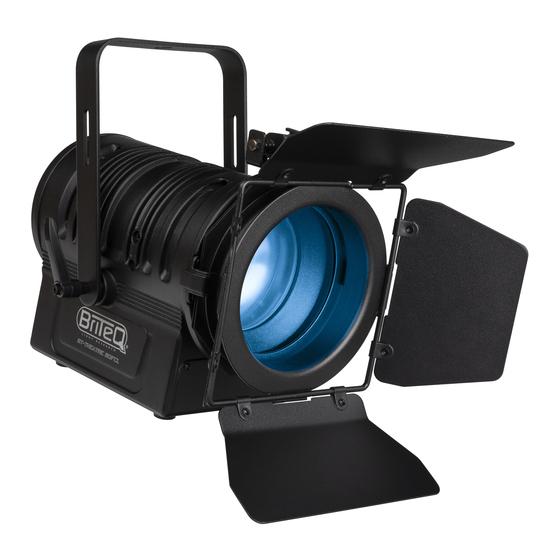
ENGLISH OPERATION MANUAL OPERATION MANUAL ® Thank you for buying this Briteq product. To take full advantage of all possibilities and for your own safety, please read these operating instructions very carefully before you start using this unit. FEATURES Stylish full color LED theater spot with manual 10° ~ 50° zoom. -
Page 4: Safety Instructions
Due to safety reasons it is prohibited to make unauthorized modifications to the unit. Important: Never look directly into the light source! Don’t use the effect in the presence of persons suffering from epilepsy. ® BRITEQ 2/12 BT-THEATRE 60FC... -
Page 5: Overhead Rigging
Always use a certified safety cable that can hold 12times the weight of the device when installing the unit. This secondary safety attachment should be installed in a way that no part of the installation can drop more than 20cm if the main attachment fails. ® BRITEQ 3/12 BT-THEATRE 60FC... - Page 6 Once the correct value is shown on the display you have to press the [ENTER] button to confirm. Use ▲/▼buttons to select the desired [R] Repetitions from 0 (NO repetitions) to 99. Once the correct value is shown on the display, press the ENTER button to save it. ® BRITEQ 4/12 BT-THEATRE 60FC...
- Page 7 ENGLISH OPERATION MANUAL ® BRITEQ 5/12 BT-THEATRE 60FC...
- Page 8 Press the [ENTER] button: the display shows the value (050-255) for WHITE. (change with ▲/▼buttons) Once you have set the desired levels, press the [ENTER] button to save them. Note: the setting of this option affects all color settings, static colors and DMX-controlled colors. ® BRITEQ 6/12 BT-THEATRE 60FC...
- Page 9 Press the [ENTER] button: [FACTORY] was selected: the display shows [LOAD] Press the [ENTER] button: the display shows [ACTION?] Use ▲/▼buttons to select [YES / NO] Press the [ENTER] button to confirm. ® BRITEQ 7/12 BT-THEATRE 60FC...
-
Page 10: Electrical Installation
Each time the projector is switched on, the display shows <UPDATE Wait ….=: while this message shows on the display you can start the update using our special upgrade tool. More information about this can be found in the user manual of the upgrade tool and / or our website: www.briteq-lighting.com ELECTRICAL INSTALLATION Important: The electrical installation should be carried out by qualified personal only, according to the regulations for electrical and mechanical safety in your country. - Page 11 The DMX-controller sends out a <discovery command=, all RDM devices respond and send their unique device ID. The DMX-controller asks each RDM device for some basic data so it knows which devices are connected. The projector will respond: Device name: BT-THEATRE 60FC Manufacturer: ® Briteq Category: LED Dimmer ...
- Page 12 Red (0-100%) 000-255 000-255 Green (0-100%) 000-255 Blue (0-100%) 000-255 White (0-100%) 000-255 Master dimmer (0-100%) 000-004 005-024 Sound control (7 colors) Audio sensitivity: 005=low ~ 024=high 025-034 035-255 Strobe Increasing speed: 035=slow ~ 255=fast ® BRITEQ 10/12 BT-THEATRE 60FC...
-
Page 13: Maintenance
Clean with a soft cloth using normal glass cleaning products. Always dry the parts carefully. Attention: We strongly recommend internal cleaning to be carried out by qualified personnel! ® BRITEQ 11/12 BT-THEATRE 60FC... -
Page 14: Specifications
IP20 Size: 241 x 196 x 173 mm (without barndoor) Weight: 3.6 kg The information might be modified without prior notice You can download the latest version of this user manual on our website: www.briteq-lighting.com ® BRITEQ 12/12 BT-THEATRE 60FC...
Need help?
Do you have a question about the BT-THEATRE 60FC and is the answer not in the manual?
Questions and answers