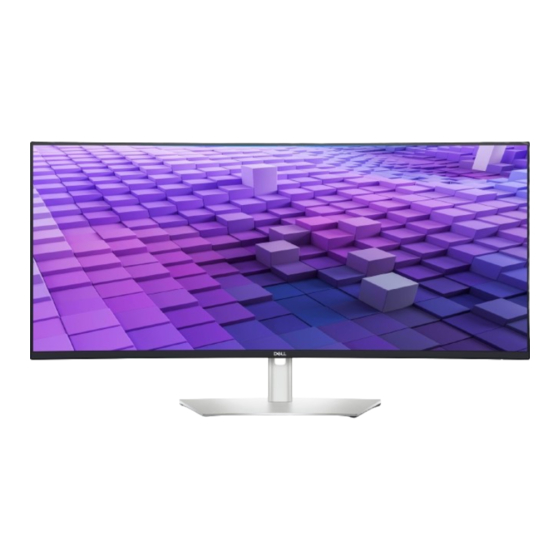

Related Manuals for Dell UltraSharp 38


Summary of Contents for Dell UltraSharp 38
- Page 1 Dell UltraSharp 38 Curved USB-C Hub Monitor - U3824DW User’s Guide Model: U3824DW Regulatory model: U3824DWb...
- Page 2 WARNING: A WARNING indicates a potential for property damage, personal injury, or death. Copyright © 2023 Dell Inc. or its subsidiaries. All rights reserved. Dell, EMC, and other trademarks are trademarks of Dell Inc. or its subsidiaries. Other trademarks may be trademarks of their respective owners.
-
Page 3: Table Of Contents
Contents Safety instructions ......6 About your monitor ......7 Package contents . - Page 4 Connecting the monitor for RJ45 cable (optional) ... . 43 Dell Power Button Sync (DPBS) ....44 Connecting the monitor for DPBS for the first time .
- Page 5 ....... 96 Contacting Dell ......96...
-
Page 6: Safety Instructions
Safety instructions Use the following safety guidelines to protect your monitor from potential damage and to ensure your personal safety. Unless otherwise noted, each procedure included in this document assumes that you have read the safety information that shipped with your monitor. NOTE: Before using the monitor, read the safety information that is shipped with your monitor and printed on the product. -
Page 7: About Your Monitor
About your monitor Package contents The following table provides the list of components that are shipped with your monitor. If any component is missing, contact Dell. For more information, see Contacting Dell. NOTE: Some items may be optional and may not ship with your monitor. - Page 8 DisplayPort cable (DisplayPort to DisplayPort) (cable length: 1.80 M) HDMI cable (cable length: 1.80 M) USB Type-C cable (cable length: 1.00 M) USB-A to USB-C Gen2 cable (cable length: 1.00 M) • Quick Setup Guide • Safety, Environmental, and Regulatory Information •...
-
Page 9: Product Features
Product features The Dell U3824DW monitor has an active matrix, Thin-Film Transistor (TFT), Liquid Crystal Display (LCD) and LED backlight. The monitor features include: • 95.29 cm (37.52 in.) viewable area (measured diagonally). 3840 x 1600 (21:9) resolution, plus full-screen support for lower resolutions. -
Page 10: Identifying Parts And Controls
• Optimize eye comfort with a flicker-free screen and ComfortView Plus feature. • This monitor uses low blue light panel. When the monitor is reset to factory settings or default setting (Preset mode: Standard), it works in compliance with TÜV Rheinland (hardware solutions provider). WARNING: The possible long-term effects of blue light emission from the monitor may cause damage to the eyes, which includes but is not limited to eye fatigue and digital eye strain. -
Page 11: Back View
Releases stand from the monitor. Barcode, serial number, and Refer to this label if you need to Service Tag label contact Dell for technical support. Power On/Off button To turn the monitor on or off. Joystick Use to control the OSD menu. (For... -
Page 12: Bottom View
Bottom view Bottom view without monitor stand Label Description Security-lock slot Secures the monitor with a security lock (security lock not included). (based on Kensington Security Slot™) Power connector Connect the power cable (shipped with your monitor). HDMI port (2) Connect your computer with the HDMI cable (shipped with your monitor). - Page 13 Super speed USB Connect the USB Type-C cable that came with 10 Gbps (USB 3.2 your monitor to the computer or mobile device. Gen2) Type-C This port supports USB Power Delivery, Data, upstream port (video and DisplayPort video signal. and data) The super speed USB 10 Gbps (USB 3.2 Gen2) Type-C port offers the fastest transfer rate and supports Alternate Mode DP1.4 with a maximum...
- Page 14 Super speed USB Connect your USB device** or charge your 10 Gbps (USB 3.2 device. Gen2) Type-A NOTE: To use this port, you must connect the downstream port with USB Type-C cable or USB Type-C to Type-A Power Charging cable (shipped with your monitor) to the USB Type-C upstream port on the monitor and to your computer.
-
Page 15: Monitor Specifications
Monitor specifications Model U3824DW Screen type Active matrix - TFT LCD Panel technology In-Plane Switching Technology Aspect ratio 21:9 Viewable image Diagonal 952.90 mm (37.52 in.) Horizontal (active area) 879.67 mm (34.63 in.) Vertical (active area) 366.53 mm (14.43 in.) Area 322423 mm (499.71 in. - Page 16 NOTE: Do not mount or use this monitor in portrait (vertical) orientation or inverse (180°) landscape mount as it may damage the monitor. Built-in speakers 2 x 9 W sound output Dell Display Manager Easy Arrange and other key features compatibility │...
-
Page 17: Resolution Specifications
Security Security-lock slot (cable lock sold separately) *DisplayPort and USB Type-C (Alternate mode with DisplayPort 1.4): HBR3/ DisplayPort 1.4/DP audio is supported. Resolution specifications Model U3824DW Horizontal scan range 30 kHz to 100 kHz (automatic) Vertical scan range 56 Hz to 76 Hz (automatic) Maximum preset resolution 3840 x 1600 at 60 Hz Supported video modes... -
Page 18: Preset Display Modes
Preset display modes Display mode Horizontal Vertical Pixel Sync frequency frequency clock polarity (kHz) (Hz) (MHz) (Horizontal /Vertical) VESA, 640 x 480 31.5 59.9 25.2 VESA, 640 x 480 37.5 75.0 31.5 VESA, 720 x 400 31.5 70.1 28.3 VESA, 800 x 600 37.9 60.3 40.0... -
Page 19: Electrical Specifications
Electrical specifications Model U3824DW Video input signals • HDMI 2.1 (TMDS)*/DisplayPort 1.4**, 600 mV for each differential line, 100 ohm input impedance per differential pair • USB-C DP Input (DP-Alt Mode), 600 mV for each differential line, 90 ohm input impedance per differential pair AC input voltage/ 100 VAC to 240 VAC / 50 Hz or 60 Hz ±... -
Page 20: Physical Characteristics
NOTE: Dell monitors are designed to work optimally with the video cables that are shipped with your monitor. As Dell does not have control over the different cable suppliers in the market, the type of material, connector and process used to manufacture these cables, Dell does not guarantee video performance on cables that are not shipped with your Dell monitor. -
Page 21: Environmental Characteristics
Depth 251.21 mm (9.89 in.) Base 384.97 mm (15.16 in) x 247.92 mm (9.76 in.) Weight Weight with packaging 18.98 kg (41.83 lb) Weight with stand assembly and 13.27 kg (29.25 lb) cables Weight without stand assembly 8.79 kg (19.37 lb) (For wall mount or VESA mount considerations - no cables) Weight of stand assembly... -
Page 22: Pin Assignments
Non-operating 12192 m (40000 ft) (maximum) Thermal dissipation • 835.97 BTU/hour (maximum) • 118.74 BTU/hour (typical) Pin assignments DisplayPort connector Pin number 20-pin side of the connected signal cable ML3 (n) ML3 (p) ML2 (n) ML2 (p) ML1 (n) ML1 (p) ML0 (n) ML0 (p) AUX (p) -
Page 23: Hdmi Connector
HDMI connector Pin number 19-pin side of the connected signal cable TMDS DATA 2+ TMDS DATA 2 SHIELD TMDS DATA 2- TMDS DATA 1+ TMDS DATA 1 SHIELD TMDS DATA 1- TMDS DATA 0+ TMDS DATA 0 SHIELD TMDS DATA 0- TMDS CLOCK+ TMDS CLOCK SHIELD TMDS CLOCK-... -
Page 24: Universal Serial Bus (Usb) Interface
Universal Serial Bus (USB) interface This section gives you information about the USB ports that are available on the monitor. Super speed USB 10 Gbps (USB 3.2 Gen2) Transfer speed Data rate Maximum power supported* Super speed 10 Gbps 4.5 W High speed 480 Mbps 4.5 W... - Page 25 USB 3.2 downstream connector (Rear) (Bottom) Pin number Signal name VBUS StdA_SSRX- StdA_SSRX+ GND_DRAIN StdA_SSTX- StdA_SSTX+ Shell Shield USB Type-C connector Pin number Signal name Pin number Signal name TX1+ TX2+ TX1- TX2- VBUS VBUS │ About your monitor...
- Page 26 SBU1 SBU2 VBUS VBUS RX2- RX1- RX2+ RX1+ USB ports • 1 super speed USB 10 Gbps (USB 3.2 Gen2) Type-C upstream (video and data) - rear • 1 super speed USB 10 Gbps (USB 3.2 Gen2) Type-C upstream (data only) - rear •...
-
Page 27: Rj45 Connector
RJ45 connector Pin number Signal MDI0+ MDI0- MDI1+ MDI1- MDI2+ MDI2- MDI3+ MDI3- Pin number Amber Green │ About your monitor... - Page 28 Dell PC’s. *UEFI stands for Unified Extensible Firmware Interface. NOTE: WOL S4 and WOL S5 are only capable with Dell Systems that support DPBS and is with USB-C connection only. NOTE: Any issue related to WOL, user should debug the computer without the monitor.
- Page 29 RJ45 connector LED status Label LED color Description Green Link/Activity indicator: • Blinking - Activity on the port. • Green On - Link is being established. • Off - Link is not established. Amber or Green Speed indicator: • Amber On - 1000 Mbps/2500 Mbps •...
- Page 30 Video bandwidth Host Video cable USB-C Color depth Resolution prioritization High Data 3840 x 1600 @ 8 Bits Speed 30 Hz USB-C (Alt USB-C Gen2 Mode DP1.2) cable High 8 Bits + 2 Bits 3840 x 1600 @ Resolution 60 Hz High Data 3840 x 1600 @ 8 Bits...
-
Page 31: Plug And Play Capability
During the LCD Monitor manufacturing process, it is not uncommon for one or more pixels to become fixed in an unchanging state which are hard to see and do not affect the display quality or usability. For more information on Dell Monitor Quality and Pixel Policy, see www.dell.com/pixelguidelines. -
Page 32: Ergonomics
Ergonomics CAUTION: Improper or prolonged usage of keyboard may result in injury. CAUTION: Viewing the monitor screen for extended periods of time may result in eye strain. For comfort and efficiency, observe the following guidelines when setting up and using your computer workstation: •... - Page 33 • When sitting, make sure that the weight of your legs is on your feet and not on the front portion of your seat. Adjust your chair's height or use a footrest if necessary, to maintain a proper posture. • Vary your work activities. Try to organize your work so that you do not have to sit and work for extended periods of time.
-
Page 34: Handling And Moving Your Display
Handling and moving your display To ensure that the monitor is handled safely when lifting or moving it, follow these guidelines: • Before moving or lifting the monitor, turn off your computer and the monitor. • Disconnect all cables from the monitor. •... -
Page 35: Maintenance Guidelines
For best practices, follow the instructions in the list below when unpacking, cleaning, or handling your monitor: • To clean the Dell monitor screen, lightly dampen a soft, clean cloth with water. If possible, use a special screen-cleaning tissue or solution suitable for the Dell monitor screen. - Page 36 Customer Induced Damage (CID). CID is not covered under the standard Dell warranty. • If you notice white powder when you unpack your monitor, wipe it off with a cloth.
-
Page 37: Setting Up The Monitor
Setting up the monitor Attaching the stand NOTE: The stand is not installed at the factory when shipped. NOTE: The following instructions are applicable only for the stand that was shipped with your monitor. If you are attaching a stand that you purchased from any other source, follow the setup instructions that were included with the stand. - Page 38 5. Lift the protective cover, as shown, to access the VESA area for stand assembly. NOTE: Before attaching the stand assembly to the display, ensure that the front plate flap is opened to allow space for assembly. 6. Attach the stand assembly to the display. a.
- Page 39 7. Place the monitor upright with the protective cushion attached. NOTE: Lift the monitor carefully to prevent it from slipping or falling. 8. Tear apart the zipper die-cut in the middle of the protective cushion, then remove the protective cushion from the left and right side of the monitor. 9.
-
Page 40: Connecting Your Monitor
NOTE: Dell monitors are designed to work optimally with the Dell- supplied cables inside the box. Dell does not guarantee the video quality and performance if non-Dell cables are used. NOTE: Route the cables through the cable-management slot before connecting them. -
Page 41: Connecting The Displayport (Displayport To Displayport) Cable
Connecting the DisplayPort (DisplayPort to DisplayPort) cable Connecting the HDMI cable Connecting the USB Type-C cable (USB-C to USB-C) NOTE: Use the USB Type-C cable shipped with your monitor only. • This port supports DisplayPort Alternate Mode (DP1.4 standard only). •... -
Page 42: Connecting The Usb Type-C Cable (Usb-C To Usb-A)
Connecting the USB Type-C cable (USB-C to USB-A) NOTE: This connection is for data only. Connecting the super speed USB 10 Gbps (USB 3.2 Gen2) cable NOTE: To prevent data damage or loss, before unplugging the USB upstream port, make sure that NO USB storage devices are in use by the computer connected to the monitor’s USB downstream port. -
Page 43: Connecting The Monitor For Rj45 Cable (Optional)
b. Connect two computers *When connecting two computers to the monitor, configure the USB settings from the OSD menu to share a single set of keyboard and mouse connected to the monitor between two computers. See Setting the KVM switch details. -
Page 44: Dell Power Button Sync (Dpbs)
Dell Power Button Sync (DPBS) Your monitor is designed with Dell Power Button Sync (DPBS) feature to allow you to control PC system power state from the monitor power button. This feature is only supported with Dell platform which has built-in DPBS function, and is only supported over USB-C interface. - Page 45 2. Select Hardware and Sound, followed by Power Options. 3. Go to System Settings. │ Setting up the monitor...
- Page 46 4. In the drop-down menu of When I press the power button, there are a few options for selection, namely Do nothing/Sleep/Hibernate/Shut down. You can select Sleep/Hibernate/Shut down. NOTE: Do not select “Do nothing”, otherwise the monitor power button will not be able to sync with PC system power state. │...
-
Page 47: Connecting The Monitor For Dpbs For The First Time
4. Both the monitor and PC will turn ON normally. If not, press either the monitor power button or PC power button to boot up the system. NOTE: Ensure that Dell Power Button Sync is set to On. See Dell Power Button Sync. -
Page 48: Using Dpbs Function
Using DPBS function Waking on the USB-C cable When you connect the USB-C cable, the Monitor/PC state is as follows: *Not all Dell PC systems support to wake up the platform through the monitor. *Upon USB-C cable connection, mouse movement or keyboard press might be required to wake the system/monitor up from sleep or hibernate. - Page 49 NOTE: You can enable or disable the Dell Power Button Sync function using the OSD. • When the monitor and the PC power state are both ON, press and hold the monitor power button for 4 seconds, the screen prompt will ask if you would like to shut down the PC.
-
Page 50: Connecting The Monitor For Usb-C
Connecting the monitor for USB-C If the Dell PC* has more than two USB-C ports, the power state of each connected monitor will sync with the PC. For example, when the PC and two monitors are in an initial ON power state, pressing the power button on Monitor 1 or Monitor 2 will turn OFF the PC, Monitor 1, and Monitor 2. - Page 51 Ensure that Dell Power Button Sync is set to On (see Dell Power Button Sync). When the PC and two monitors are in an initial OFF power state, pressing the power button on Monitor 1 or Monitor 2 will turn ON the PC, Monitor 1, and Monitor 2.
-
Page 52: Organizing Your Cables
Organizing your cables After attaching all necessary cables to your monitor and computer (see Connecting your monitor for cable attachment), organize all cables as shown above. Securing your monitor using Kensington lock (optional) The security-lock slot is located at the bottom of the monitor (see Security-lock slot). -
Page 53: Removing The Monitor Stand
Removing the monitor stand NOTE: To prevent scratches on the LCD screen when removing the stand, ensure that the monitor is placed on a soft surface and handle it carefully. NOTE: The following steps are specifically for removing the stand that is shipped with your monitor. -
Page 54: Vesa Wall Mounting (Optional)
VESA wall mounting (optional) (Screw dimension: M4 x 10 mm). Refer to the instructions that come with the VESA-compatible wall mounting kit. 1. Place the monitor panel on a soft cloth or cushion on a stable flat table. 2. Remove the stand (see Removing the monitor stand). -
Page 55: Operating The Monitor
Operating the monitor Power on the monitor Press the power button to turn on the monitor. Using the joystick control Use the joystick control on the rear of the monitor to make On-Screen Display (OSD) adjustments. 1. Press the joystick to launch the Menu Launcher. 2. -
Page 56: Using The On-Screen Display (Osd) Menu
• For 2-way (right and left) directional navigation. • Move right to enter the submenu. • Move left to the upper-level menu or exit from the current menu. • For 2-way (up and down) directional navigation. • Toggles between the menu items. •... -
Page 57: Using The Navigation Keys
When you move the joystick to the left or right to toggle between the shortcut functions, the selected item will be highlighted and shifted to the center position. Press the joystick to enter its submenu. • USB Switch: To switch between the USB upstream sources in PIP/PBP mode. -
Page 58: Accessing The Menu System
Accessing the menu system NOTE: After you change the settings, press the joystick to save the changes before proceeding to another menu or exiting the OSD menu. Icon Menu and Description submenu Brightness/ Adjusts the brightness and the contrast of the display. Contrast Brightness Brightness adjusts the luminance of the backlight. - Page 59 Input Source Select between the different video signals that may be connected to your monitor. USB-C 90W Select USB-C 90W when you are using the USB Type-C connector. Press the joystick to confirm the selection. Select DP when you are using the DisplayPort (DP) connector.
- Page 60 Auto Select for Allows you to set this function to: USB-C • Prompt for Multiple Inputs: Always displays the “Switch to USB-C Video Input” message for you to choose whether to switch or not. • Yes: Always switches to USB-C video input (without asking) when the USB Type-C cable is connected.
- Page 61 Color Adjusts the color setting mode. Preset Modes Allows you to choose from the list of preset color modes. Press the joystick to confirm the selection. • Standard: This is the default setting. Using a low blue light panel, this monitor is certified by TUV to reduce blue light output and create more relaxing and less stimulating images.
- Page 62 Preset Modes • Color Temp.: Allows you to select the color temperature: 5000K, 5700K, 6500K, 7500K, 9300K, and 10000K. Press the joystick to confirm the selection. • Color Space: Allows you to set the color space to: - sRGB: matches 100% sRGB. - Rec.
- Page 63 Input Color Allows you to set the video input mode to: Format • RGB: Select this option if your monitor is connected to a computer or a media player that supports RGB output. • YCbCr: Select this option if your media player supports only YCbCr output.
- Page 64 Display Use Display to adjust the images. Aspect Ratio Adjusts the image ratio to 21:9, Auto Resize, 4:3, or 1:1. Sharpness This feature can make the image look sharper or softer. Move the joystick to adjust the sharpness level from '0' to '100'. Response Time Allows you to set the response time to Normal or Fast.
- Page 65 If the current platform is DP 1.2 (HBR2) or below, select High Resolution for accessing full video performance with data and network speed drop. Dell Power Allows you to control PC system power state from the Button Sync monitor power button.
- Page 66 PIP/PBP This function brings up a window displaying images from another input source. Press the joystick to confirm the selection. Sub-Window Main Window USB-C HDMI 1 HDMI 2 USB-C HDMI 1 HDMI 2 NOTE: The images under PBP mode will be displayed at the center of the split windows.
- Page 67 PIP/PBP Mode Allows you to choose a PBP or PIP mode from the preset list, which provides different sizes and positions of the sub-window. The options are shown in graphic format, giving a quick understanding of various layout settings, The default setting is Off. PIP/PBP (Sub) Select a video signal that may be connected to your monitor for the PIP/PBP sub-window.
- Page 68 USB Switch Select to switch between the USB upstream sources in PIP/PBP mode. NOTE: The feature is available only when the PIP/ PBP mode is enabled. Video Swap Select to swap videos between the main window and sub-window in PIP/PBP mode. Press the joystick to confirm the selection.
- Page 69 DP assign to Allows you to assign the USB upstream ports for the input signals (DP, HDMI 1, or HDMI 2), thus the HDMI 1 assign monitor's USB downstream port (e.g. keyboard and mouse) can be used by the current input signals when HDMI 2 assign you connect a computer to either one of the upstream ports.
- Page 70 Show KVM Displays the step-by-step KVM setup guide. Follow Setup Guide the steps if you want to connect multiple computers to the monitor and use one setup of keyboard and mouse. Reset USB Resets all USB settings to the factory preset values. Audio Volume Allows you to set the volume level of speakers.
- Page 71 Menu Adjusts the settings of the OSD, such as, the languages of the OSD, the amount of time the menu remains on screen, and so on. Language Sets the OSD display to one of the eight languages (English, Spanish, French, German, Brazilian Portuguese, Russian, Simplified Chinese, or Japanese).
- Page 72 Lock With the control buttons on the monitor locked, you can prevent people from accessing the controls. • Menu Buttons: All joystick functions are locked and not accessible by the user. • Power Button: Only the Power button is locked and not accessible by the user.
- Page 73 NOTE: The function is not selectable and will be defaulted to On in Off Mode if Monitor is connected to Dell Latitude and Precision notebooks that support Dell Power Button Sync through USB-C. Under this configuration, the monitor USB-C charging function is always available during Off Mode.
- Page 74 Reset Resets all settings under the Personalize menu to Personalization the factory preset values. Others Adjusts the OSD settings, such as DDC/CI, LCD Conditioning, and so on. Display Info Displays the monitor's current settings. DDC/CI DDC/CI (Display Data Channel/Command Interface) allows you to adjust the monitor settings using software on your computer.
- Page 75 Displays the firmware version of your monitor. Service Tag Displays the service tag of your monitor. This string is required when you look for phone support, check your warranty status, update drivers on Dell's website, etc. Self- Press the joystick to initiate the self-diagnostic Diagnostic process.
-
Page 76: Osd Warning Message
Factory Reset Restore all preset values to the factory default settings. These are also the settings for ENERGY ® STAR tests. OSD warning message When the monitor does not support a particular resolution mode, you will see the following message: This means that the monitor cannot synchronize with the signal that it is receiving from the computer. - Page 77 When you select the USB Switch hotkey from the Menu Launcher, the following message appears if PIP/PBP function is disabled: You will see the following message before the DDC/CI function is disabled: When you adjust the Brightness level above the default level for the first time, the following message appears: NOTE: If you select Yes, the message will not appear the next time you change the Brightness setting.
- Page 78 When you change the default setting of power saving features for the first time, such as Uniformity Compensation, USB-C Charging 90W, Other USB Charging, or Fast Wakeup, the following message appears: NOTE: If you select Yes for any of the features mentioned above, the message will not appear the next time you change the settings of these features.
- Page 79 When you switch the USB Switch from PC 1 to PC 2, and Ethernet Switch Mode is set to Prompt when KVM switches, the following message appears: When the monitor is under DP/HDMI input and a USB Type-C cable is connected to a notebook that supports DP Alternate Mode, if Auto Select for USB-C is set to...
- Page 80 The OSD functions only in the normal operation mode. If you press the joystick during the Standby mode, the following message will appear depending on the selected input: Activate the computer and the monitor to gain access to the OSD. NOTE: The message may be slightly different according to the connected input signal.
- Page 81 If you select Yes to reset to default settings, the following message appears: If you select Yes to reset to default settings, the following message appears: Troubleshooting for more information. │ Operating the monitor...
-
Page 82: Locking The Control Buttons
Locking the control buttons You can lock the monitor control buttons to prevent access to the OSD menu and/ or power button. 1. Move and hold the joystick up or down or left or right for about 4 seconds until a pop-up menu appears. 2. -
Page 83: Setting The Kvm Switch
Setting the KVM switch The built-in KVM switch allows you to control up to 2 computers from a single set of keyboard and mouse connected to the monitor. a. When connecting HDMI + USB-C (data only) to computer 1 and DP + USB-C (video and data) to computer 2: NOTE: The USB Type-C connection currently supports data transfer only. - Page 84 b. When connecting HDMI + USB-C (data only) to computer 1 and USB-C (video and data) to computer 2: NOTE: The USB Type-C (video and data) connection currently supports video and data transfer. Ensure that USB for HDMI is assigned to USB-C2 NOTE: As the USB Type-C (video and data) port supports the DisplayPort Alternate Mode, there is no need to set USB for USB-C.
-
Page 85: Setting The Maximum Resolution
If you are using a non-Dell computer (laptop or desktop): • Go to the support site for your non-Dell computer and download the latest graphic card drivers. • Go to the graphics card’s website and download the latest graphic card drivers. -
Page 86: Using The Tilt, Swivel, Vertical Extension, And Slant Adjust
Using the tilt, swivel, vertical extension, and slant adjust NOTE: The following instructions are applicable only for attaching the stand that was shipped with your monitor. If you are attaching a stand that you purchased from any other source, follow the setup instructions that were included with the stand. -
Page 87: Slant Adjust
Slant adjust With the stand attached to the monitor, you can adjust the monitor to your desired angle with the slant adjust feature. │ Operating the monitor... -
Page 88: Troubleshooting
Troubleshooting WARNING: Before you begin any of the procedures in this section, follow the Safety instructions. Self-test Your monitor provides a self-test feature that allows you to check whether your monitor is functioning properly. If your monitor and computer are properly connected but the monitor screen remains dark, run the monitor self-test by performing the following steps: 1. -
Page 89: Common Problems
Common problems The following table contains general information about common monitor problems you might encounter and the possible solutions: Common What you Possible solutions symptoms experience No video/power No picture • Ensure that the video cable LED off connecting the monitor and the computer is properly connected and secure. - Page 90 • Cycle power On-Off. spots • Pixel that is permanently Off is a natural defect that can occur in LCD technology. • For more information on Dell Monitor Quality and Pixel Policy, see Dell Support site at: www.dell.com/ pixelguidelines. Stuck-on pixels LCD screen has •...
- Page 91 • Restart the computer in the safe mode. Safety related Visible signs of • Do not perform any troubleshooting issues smoke or sparks steps. • Contact Dell immediately. Intermittent Monitor • Ensure that the video cable problems malfunctions on connecting the monitor to the and off computer is connected properly and is secure.
- Page 92 Wrong color Picture color not • Change the settings of the Preset good Modes in the Color menu OSD depending on the application. • Adjust the Gain/Offset/Hue/ Saturation values under Custom Color in Color menu OSD. • Change the Input Color Format to RGB or YCbCr/YPbPr in the Color settings OSD.
-
Page 93: Product Specific Problems
Product specific problems Specific What you Possible solutions symptoms experience Screen image is too Image is centered on • Check the Aspect Ratio setting in small screen, but does not the Display menu OSD. fill entire viewing • Reset the monitor to factory settings. area Cannot adjust the OSD does not... -
Page 94: Universal Serial Bus (Usb) Specific Problems
• Do not turn Off the display during network connection. Not working with An error message Download DPM (Dell Peripheral appears while using Dell external or Manager) and use Dell's camera app the Windows embedded instead. Camera app webcam Universal Serial Bus (USB) specific problems... -
Page 95: Speakers Specific Problems
Super speed USB Super speed USB • Check that your computer is super 10 Gbps (USB 3.2 10 Gbps (USB 3.2 speed USB 10 Gbps (USB 3.2 Gen2)- Gen2) interface is Gen2) peripherals compatible. slow working slowly or • Some computers have USB 3.2, USB not working at all 2.0, and USB 1.1 ports. -
Page 96: Regulatory Information
U3824DW: https://eprel.ec.europa.eu/qr/1361189 Contacting Dell To contact Dell for sales, technical support, or customer service issues, see www.dell.com/contactdell. NOTE: Availability varies by country and product, and some services may not be available in your country. NOTE: If you do not have an active internet connection, you can find contact information on your purchase invoice, packing slip, bill, or Dell product catalog.
Need help?
Do you have a question about the UltraSharp 38 and is the answer not in the manual?
Questions and answers
My screen went blank during normal operation. I have unplugged from the computer, turn the monitor off then back on. The power light is on but the screen is blank. I pressed the toggle in to activate the OSC but nothing happened.
If your Dell monitor with part number 38 has a blank screen but the power light is on, follow these steps:
1. Check if the OSD (On-Screen Display) menu is locked. If it is, move and hold the joystick up/down/left/right for 4 seconds to unlock it.
2. Verify that the signal source is active. Move the mouse or press a key to ensure the computer is not in power-saving mode.
3. Ensure the signal cable is securely connected. Re-plug it if necessary.
4. Restart the computer or video player.
5. Confirm the correct input source is selected on the monitor via the Menu > Input Source.
6. If using a docking station or dongle, unplug and replug the HDMI/DisplayPort/USB Type-C cable.
7. Check the display cable for damage.
8. If the system has a discrete video card, make sure the cable is connected to it.
9. Run the built-in diagnostics on the monitor.
This answer is automatically generated