Table of Contents
Advertisement
Quick Links
Advertisement
Table of Contents
Troubleshooting

Related Manuals for My Weigh MX-300 Special Edition


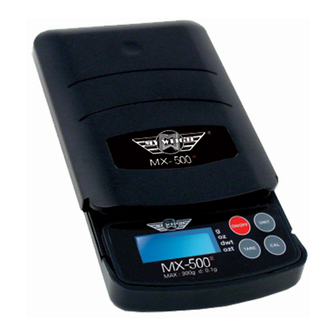
Summary of Contents for My Weigh MX-300 Special Edition
- Page 1 My Weigh MX Series Models User Manual...
- Page 2 Try calibrating the scale - if this does not work please follow the warranty instructions. Although the MX-300 is designed to be extremely durable, Itʼs important that you never overload or drop/shock the scale. Scales are delicate instruments and unlike Cellular phones, scales have delicate sensors that determine how much an item weighs.
- Page 3 * Do not Overload (exceed the capacity) of the scale including the weight of any trays or bowls combined with objects you may be weighing. Overload or Dropping/shocking the scale will damage the sensor and void your warranty. * Allow sufficient warm up time. Turn the scale On and wait several seconds to give the internal components a chance to stabilize before weighing.
- Page 4 FEATURES____________________________________________ * Power Up Segment Test: When first turning the unit on, all segments of the display will appear as shown below. This display will remain for approximately 3 seconds and then reset to zero. The display may also change brightness during this time and show a blank screen for a moment before 0.0 appears =8.8.8.8.8 >...
- Page 5 Only operate in an interference free, very stable environment. If your scale ever performs poorly, try moving the scale to a different location. Please take good care of your MX-300 / MX-300 My Weigh is the Best Weigh MX-120 & MX-300 Original Series Manual PROPER OPERATION AND ENVIRONMENT * If the display ever becomes locked on Out2, please recalibrate the scale as outlined below.
- Page 6 OVERLOAD When an applied load exceeds the capacity. "----"will appear on the display. Remove excessive load immediately. The unitmay return to normal operation. You can permanently damage the scale by overloading it! CALIBRATION NOTE! There are 3 MX models - 1.0, 2.0, and 3.0 Please use the instructions that are correct for your model Your box will say 2.0 or 3.0.
- Page 7 KEYPAD FUNCTIONS Mode Selection: Press the key once to change weighing unit (g, oz, ozt, dwt) Calibration: Depress this key for five seconds to begin calibration. On: Press this key to turn unit on. Tare: Press tare to reset the scale to zero. Tare can be usedfor eliminating the weight value of a container or the integratedsliding tray.
Need help?
Do you have a question about the MX-300 Special Edition and is the answer not in the manual?
Questions and answers