Table of Contents
Advertisement
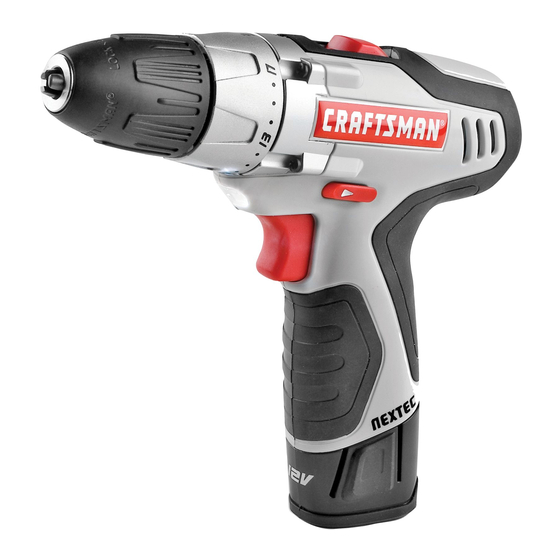
12.0-Volt Lithium-ion Cordless
3/8 in. Reversible Drill
Model No. 320. 10003
by an
]
ENERGY STAR ®
|
quaJJfied battery
|
charger for a
|
better environment|
WARNING:
To reduce
the risk of injury,
the user must read and understand
the Operator's
manual
before
using
this product.
Sears Brands
Management
Corporation
www,crsftsman,com
* Warranty
* Safety
* Assernbly
* Operation
* Maintenance
Charge
battery
Before
first
use
Advertisement
Table of Contents

Related Manuals for Craftsman nextec 320.10003


Summary of Contents for Craftsman nextec 320.10003
- Page 1 12.0-Volt Lithium-ion Cordless 3/8 in. Reversible Drill Model No. 320. 10003 by an ENERGY STAR ® quaJJfied battery charger for a better environment| * Warranty * Safety WARNING: To reduce the risk of injury, * Assernbly the user must read and understand * Operation * Maintenance the Operator's...
- Page 2 Sears store or Parts & Repair avoided, may result in death or serious injury. Center or other Craftsman outlet in the United States for free repair (or NOTE: (Without Safety Alert Symbol) Indicates a situation that may result in replacement, if repair proves impossible).
- Page 3 Some of these following symbols may be used on this tool. Please study them and learn their meaning. Proper interpretation of these symbols will allow you to operate the tool better and safer. GENERAL SAFETY RULES WARNING: Read and understand all instructions.
- Page 4 PERSONAL SAFETY POWER TOOL USE AND CARE Stay alert, watch what you are doing, and use common sense when operat- Do not force the power tool. Use the correct power tool for your application. ing a power tool. Do not use a power tool while tired or under the influence of The correct power tool will do the job better and more safely at the rate for drugs, alcohol,...
- Page 5 BATTERY TOOL USE AND CARE SERVICE • Make sure that the switch is in the OFF position before inserting the battery Have your power tool serviced by a qualified repair person. pack. Inserting the battery pack into power tools that have the switch When servicing a power tool, use only identical replacement...
- Page 6 Keep the Drill dry, clean and free from oil and grease. Always use a clean Make sure that the cord is located so that it will not be stepped on, tripped cloth when cleaning. Never use brake fluids, gasoline, petroleum-based over, come in contact with sharp edges or moving parts, or otherwise products, or any strong solvent to clean the Drill.
- Page 7 • Save these instructions. Refer to them frequently and use them to instruct oth- ers who may use this tool. If you lend this tool to someone else, also lend these instructions to them to prevent misuse of the product and possible injury. KNOW YOUR REVERSIBLE DRILL (Fig.l) IMPORTANT...
- Page 8 WARNING: The safe use of this product requires an understanding of the information on the tool and in this operator's manual, as well as knowledge WARNING: If any parts are broken or missing, do not attempt to plug in the the project you are attempting.
- Page 9 WHEN TO CHARGE THE BATTERY PACK It is not necessary to run down LOW-BATTERY CAPACITY INDICATOR Fig. 2 the battery pack charge before recharging. The Lithium-Ion If the LED worklight begins to rapidly and continuously flash when the trigger battery can be charged at any switch on the Drill is depressed, the battery pack's...
- Page 10 BATTERY FULL LED FUNCTIONS OF CHARGER (Fig. 3) If the battery pack is within normal temperature range, the green LED will illuminate BATTERY GREEN LED INDICATOR ACTION and the red LED will be off. The battery pack is fully charged and ready to use. The PACK battery pack will fully charge, but will not overcharge, if left on the charger.
- Page 11 KEYLESS CHUCK (Fig. 6) TRIGGER SWITCH (Fig. 5) Fig. 5 Fig. 6 To turn the Drill ON, depress The Drill has a keyless chuck to Keyless chuck the trigger switch. To turn it tighten or release drill bits in the OFF, release the trigger switch.
- Page 12 ADJUSTABLE=TORQUE CLUTCH (Fig. 8) LED WORKLIGHT (Fig. 10) Fig. 10 The Torque clutch can be ad- I Fig. 8 The LED worklight, located on justed to 17 different settings. the base of the Drill, will illumi- To decrease torque LED worklight The higher the torque setting, nate when the trigger switch the more force the drill produc-...
- Page 13 WOOD DRiLLiNG WARNING: Make sure to Fig. 12 insert the drill bit straight into For maximum performance, use high-speed steel or brad-point bits for wood drilling. WRONG! the chuck jaws. Do not insert Begin drilling at a very low speed to prevent the bit from slipping off the the drill bit into the chuck jaws starting point.
- Page 14 Lock the trigger switch Mallet WARNING: When servicing, use only identical Craftsman replacement parts. by placing the direction- Use of any other parts may create a hazard or cause product damage. To ensure of-rotation selector...
- Page 15 Insert the hex key into Fig. 15 the chuck and tighten the chuck jaws securely. Tap PROBLEM CAUSE SOLUTION sharply with a mallet in a Screwdriver counterclockwise direction. The Drill does not work Battery is depleted Charge the battery This will loosen the chuck Bit cannot be installed Sleeve is not released Release the sleeve...
- Page 16 12.0 VOLT LITHIUM=ION CORDLESS 3/8=1N. REVERSIBLE DRILL MODEL 12.0 VOLT LITHIUM=ION CORDLESS3/8iN. REVERSIBLE DRILL MODEL NO. 320. 10003 320. 10003 The Model Number will be found on the Nameplate attached to the handle of the The Model Number will be found on the Nameplate attached to the handle of the Worklight.
- Page 17 Your Home For expert troubleshooting and home solutions advice: manage home www.managemyhome.com For repair - in your home - of all major brand appliances, lawn and garden equipment, or heating and cooling systems, no matter who made it, no matter who sold it ! For the replacement parts, accessories and owner's manuals that you need to do-it-yourself For Sears professional installation of home appliances...
Need help?
Do you have a question about the nextec 320.10003 and is the answer not in the manual?
Questions and answers