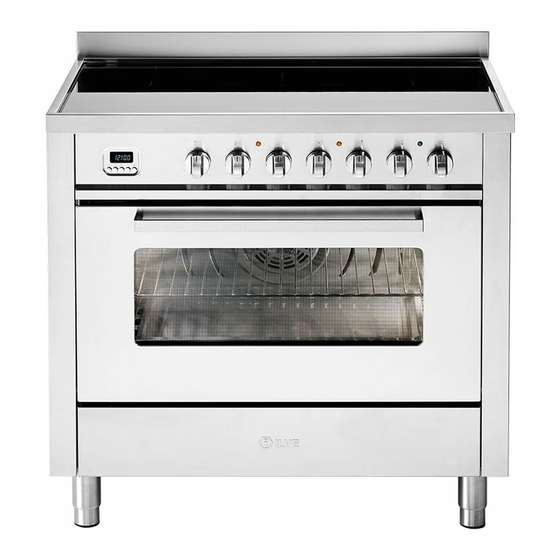

Related Manuals for ILVE LBI09 Series


Summary of Contents for ILVE LBI09 Series
- Page 1 COOKING GROUPS PROFESSIONAL – PROLINE – SERIE K – MAJESTIC 06 - 07 - 08 - 09 - 10 - 12 - 15 USER – Use and Maintenance cod. EI33960020000EN 20/2019...
- Page 2 INDEX IMPORTANT SAFETY WARNINGS Recommendations for cleaning the oven and the First system startup of the oven front panel Models with glass-ceramic zones Maintenance and cleaning of total black burners Precautions before use with nanotechnological coating Using the Appliance Precautions PROBLEM SOLVING In Case of malfuction General problems...
-
Page 3: Important Safety Warnings
USER IMPORTANT SAFETY WARNINGS Appliances’ data As well as being shown on the cover, the data plate is ap- plied to the oven door frame and is visible with the door open. CAUTION These warnings refer to different types of appliances. Pay attention in properly identifying the type you own (see the data plate). - Page 4 IMPORTANT SAFETY WARNINGS tilation of the room must be analyzed carefully and according to the rules in force. When using a gas appliance, heat and dampness are ge- nerated inside the premise. A good aeration of the kitchen must be guaranteed by keeping the natural aeration vents open or by installing a mechanical aeration device (hood).
-
Page 5: Important Safety
USER IMPORTANT SAFETY WARNINGS The use of any electrical appliances requires that a number of fundamental rules must be respected: Never touch the appliance when you have wet or damp hands or feet; Never use the appliance barefoot; Avoid using extensions; Never pull the electric cable to remove it from the power socket;... - Page 6 IMPORTANT SAFETY WARNINGS Before cleaning the appliance or carrying out maintenan- ce, disconnect the power supply by removing the plug from the socket or switching off the switch. In case of breakdown or malfunction switch off the ap- pliance and do not attempt any repairs that must only be performed by an authorized service center.
- Page 7 USER IMPORTANT SAFETY WARNINGS The materials used in producing our appliance are compa- tible with the environment and therefore recyclable. The packaging waste must not be left within reach of children, and must be disposed by using the appropria- te recycling channels. To scrap your appliance, use your retailer and/or your local council’s facilities;...
- Page 8 IMPORTANT SAFETY WARNINGS cover. Be careful: do not use gas burners if the flame is un- stable. Ensure that the flame diffusers are properly positioned in their seats with their respective caps. Do not leave the cooker unguarded during any cooking that can spit fats or oils.
- Page 9 USER IMPORTANT SAFETY WARNINGS First system When using the oven for the first time, let it work empty for startup of the about 1 hour (230 °C), possibly leaving the kitchen win- dows open. oven When you first turn the oven on, a bad smell is emitted due to production residues such as grease, oils or resins.
- Page 10 IMPORTANT SAFETY WARNINGS - Models with glass-ceramic zones • Only qualified technicians should install the appliance. Read The technician will not be held responsible for any da- carefully mages caused by electrical malfunctions. before using • The hob must be installed in the appropriate inset. •...
- Page 11 USER IMPORTANT SAFETY WARNINGS - Models with glass-ceramic zones Using the • After use, turn off the cooking zone. appliance • Make sure that fatty substances and oil do not dirty the appliance’s surfaces. • WARNING: during and after use, the hob’s surface will be very hot.
- Page 12 IMPORTANT SAFETY WARNINGS - Models with glass-ceramic zones • Unsuitable pots could ruin the surface of the hob. • Do not use abrasive substances to clean the appliance. • Avoid dropping heavy objects on the hob. • Place pots on the hob delicately. •...
- Page 13 USER IMPORTANT SAFETY WARNINGS - Models with glass-ceramic zones In case of • When a malfunction occurs turn off and disconnect the malfunction appliance. • If cracks appear on the glass or it is broken, disconnect the appliance and contact your authorized service cen- tre.
- Page 14 INSTRUCTIONS FOR USE - First system startup of the hob keep children and disabled people away during the operation. Do not use the appliance BE CAREFUL: as a heating source. to keep the appliance efficient and safe, maintenance must be entrusted to specialized General notes technicians or to the after-sales service staff.
- Page 15 USER INSTRUCTIONS FOR USE - First system startup of the hob Recommended pans ac- cording to burner size: Diameter Ø (cm) Burners 10 ÷ 20 Meduim 20 ÷ 24 Large oval pans (380 x 185) Fish buner Ring TC/DCC 22 ÷ 28 Dual - Ring DUAL 24 ÷...
- Page 16 INSTRUCTIONS FOR USE – Use of a gridiron Gridiron If you want to use a gridiron a few things must be taken into account: - it is possible to preheat the grid on the burner’s maximum power for no more than 10 minutes;...
- Page 17 USER INSTRUCTIONS FOR USE – Positioning placement of the burners Positioning of the BE CAREFUL: always check that the burners are properly positioned), with a uniform burners flame that is not noisy. BURNERS RIGHT WRONG Medium Large Dual Ring Fish burner Always check that the screws below the burner are fixed...
- Page 18 INSTRUCTIONS FOR USE – Positioning placement of the burners Positioning of the BE CAREFUL: always check that the burners are properly positioned, with a uniform burners flame that is not noisy. BURNERS RIGHT WRONG Medium Large Dual Ring...
- Page 19 USER INSTRUCTIONS FOR USE – Use of the Coup feu COUP FEU Fig. A Fig. B Fig. C Funzionamento dell’ap- The large “Coup feu” solid cast iron plate made of concentric rings allows you to rest the pareccchio pan (or even several pans) directly on the surface (fig. B, C). It is heated by means of a gas burner (fig.
- Page 20 INSTRUCTIONS FOR USE – Use of the gas fry-top FRY-TOP A GAS A = cooking area B = drip tray Fig. 14 Fig. 15 Functioning of the ap- The fry-top (fig. 14) consists of a stainless-steel plate, suitable for contact with food pliance ] with a uniformity of temperature on the cooking surface and with a very low heat loss.
- Page 21 USER INSTRUCTIONS FOR USE – Use of the inductive electric plate INDUCTIVE ELECTRIC PLATE ATTENTION! The ceramic hob remains hot for a long time after use. Do not touch the hob with your hands or let children near it. The residual heat indicator will remain on until the hob has cooled down.
- Page 22 INSTRUCTIONS FOR USE – Use of the inductive electric plate First switching on Clean the hob’s surfaces with a damp cloth. Switching on one A cooking area is turned on by turning the relative knob clockwise. On the hob’s display cooking area the set power level (from 1 to 9) appears.
- Page 23 USER INSTRUCTIONS FOR USE – Use of the inductive electric plate Key-lock function The key-lock function is useful where children are present. However, the presence of an adult is advisable when the appliance is working. Activating the Key-lock function, all cooking areas are off and cannot be accidentally turned on.
- Page 24 INSTRUCTIONS FOR USE – Use of the induction hob INDUCTION HOB A - ø145 - Cooking area ø 145mm Mod. PI06..(1400W / Booster 2200W) B - ø180 - Cooking area ø 180mm (1850W / Booster 3000W) C - ø210 - Cooking area ø 210mm Mod.
- Page 25 USER INSTRUCTIONS FOR USE – Use of the induction hob Before the first use Clean your hob with a damp cloth, and then dry the surface thoroughly. Induction There is a coil underneath each cooking zone which, when a pot is placed on it, genera- tes a variable electromagnetic field, producing inductive power of a ferromagnetic sub- stance on the bottom of the pot.
- Page 26 INSTRUCTIONS FOR USE – Use of the induction hob Booster function The purpose of the booster function is to give more power to a determined area in order to reduce the necessary cooking time. This function is activated by turning the knob clockwise from position 0 (off) to the final position (* fig.
- Page 27 USER INSTRUCTIONS FOR USE – Use of the induction hob 4 zones models only The Key-lock function is activated, with the knobs in position 0, by turning the controls 2 and 3 in a counterclockwise direction. The letters [L][L][L][L] appear on the display. The Key-lock function is deactivated by re- peating the same operation.
- Page 28 INSTRUCTIONS FOR USE – Use of the induction hob Heating function 42° Turn the knob (A) clockwise. Between the off position (0) and the power position (1) AND 65° there is the position (u) which identifies the function for heating food at 42°. Only for 5 and 6-zone models: turn the knob (A) clockwise again.
- Page 29 USER INSTRUCTIONS FOR USE – Use of the induction hob Power management The power management, in case the booster function is being used, is performed in the following way: the level set cooking more recent priority over other areas. The activation of a cooking zone is not shown on the display when prompted for a power too high.
- Page 30 INSTRUCTIONS FOR USE – Use of the electric oven multifunction Description S. Selector T. Thermostat Command of the oven S. Multifunction electric oven selector multifunction T. Temperatures, from 50°C to 250°C, can be selected by using this knob. Turning on and off Turn the selector to the chosen cooking position and the thermostat to the desired tem- perature.
- Page 31 USER INSTRUCTIONS FOR USE – Use of the electric oven multifunction – Functions list Pos. Symbol Function Pizza cooking This function is particularly suitable for cooking pizza, focaccia and bread. The main source of heat is from the bottom heating element that works in combination with the oven’s other resistances. Normal static cooking It is the oven’s classic function particularly suited to cooking the following foods: pork chops, sausages, cod, braised beef, game, roast veal, meringues and biscuits, baked fruit, etc.
- Page 32 INSTRUCTIONS FOR USE – Use of the conventional electric oven Description Choose one of the 4 cooking functions by turning the selector (S) and adjust the tem- perature (from 50˚C to 250˚C) with the thermostat (T). If your model has a programmer, set it for cooking.
-
Page 33: Istruzioni Per L'uso
USER ISTRUZIONI PER L’USO – MP models with 5 key programmer MP Functions Cooking time • end of cooking • clock • timer • manual function Display Symbols indicating functions in progress: Timer Duration and manual function Automatic program [–]/[+] [–]/[+] Button legend Button for timer and buzzer... - Page 34 INSTRUCTIONS FOR USE – 5-button electronic programmer MP Semiautomatic opera- Select the duration function (button ) and set the time with the +/- buttons. The “A” tion with cooking dura- symbol and the symbol appear. The oven switches on. When the hour of the day tion coincides with the final time, viewable through the end of cooking button , the oven...
- Page 35 USER INSTRUCTIONS FOR USE – 5-button electronic programmer E3 Button legend Set minute minder Setting the cooking start time Set end time cooking [ - ] Decreases the selected parameter [–]/[+] [–]/[+] [–]/[+] [ + ] Increases the selected parameter Display F4-digit format, shows: •...
- Page 36 INSTRUCTIONS FOR USE – 5-button electronic programmer E3 Appliance operation At first control turning on, the display shows the flashing clock that increases by one unit every minute. The oven cannot operate and the possible operations to release it are: “Setting the clock” procedure through the [+] and [-] buttons or alternatively directly turning on the oven which involves the acceptance of the current clock value whatever it is.
- Page 37 USER INSTRUCTIONS FOR USE – 5-button electronic programmer E3 Cooking over mode Al termine delle cotture a tempo, il forno spegne tutti i carichi, si attiva un triplo segnale acustico intermittente di intensità media, il display visualizza l’ora, il simbolo della cavità lampeggia.
- Page 38 INSTRUCTIONS FOR USE – 5-button electronic programmer E3 – Functions list Pos. Symbol Function Pizza Cooking This function is particularly suitable for cooking pizzas, focaccias and bread. The main source of heat comes from the lower heating element which works in combination with the other furnace resistances. Normal static cooking It is the classic function of the electric oven particularly suitable for cooking the following foods: pork chop, sausages, cod, braised meat, game, roast veal, meringues and biscuits, baked fruit, etc.
- Page 39 USER INSTRUCTIONS FOR USE – Mod. oven static with TFT touch – Functions list Upper & lower elements Is the classical function of the electric oven and particularly adapted for cooking: pork chops, sausages, dried salt-cured cod, pot roast, game, roast veal, meringues and biscuits, baked fruit, etc. Lower element This setting is most suitable for finishing cooking, particularly pastries (biscuits, meringues, desserts, puff pastry, fruit cakes, etc.) and other foods.
- Page 40 INSTRUCTIONS FOR USE – 5-button electronic programmer E3 Cooking inspection If you need to inspect the food being cooked, you can open the oven door. In this case the lights come on and the cooking process stops. Closing the door reactivates the previously set function.
- Page 41 USER INSTRUCTIONS FOR USE – 5-button electronic programmer E3 Inside food temperature (°C) OOKING CHART Food Temperature (°C) Beef • Roastbeef / beef fi llet rare 40-45 medium 50-55 well done 60-65 • Roast meat 80-85 Pork • Loin 65-70 •...
- Page 42 IINSTRUCTIONS FOR USE – 5-button electronic programmer H3 Description S. Selector T. Thermostat Button legend Set minuteminder Impostazione ora di inizio cottura Setting the cooking start time [–]/[+] [ - ] Decreases the selected parameter [–]/[+] [–]/[+] [ + ] Increases the selected parameter •...
- Page 43 USER IINSTRUCTIONS FOR USE – 5-button electronic programmer H3 Appliance operation At first control turning on, the display shows the flashing clock that increases by one unit every minute. The oven cannot operate and the possible operations to release it are: “Setting the clock”...
- Page 44 IINSTRUCTIONS FOR USE – 5-button electronic programmer H3 be changed. Having reached the programmed time you enter cooking finished mode. Cooking over mode At the end of the cooking time, the oven switches off all loads, a triple intermittent buzzer of medium intensity sounds, the display shows the time, the cavity symbol flashes.
- Page 45 USER IINSTRUCTIONS FOR USE – 5-button electronic programmer H3 – Functions list Pos./Pr. Symbol Function Light oven With this function it comes only turned on the inside light of the oven in permanent way without activating any other load. The light of the oven remains turned on for 1 minute when: 1/PR1 •...
- Page 46 IINSTRUCTIONS FOR USE – 5-button electronic programmer H3 – Functions list Pos./Pr. Symbol Function Light oven With this function it comes only turned on the inside light of the oven in permanent way without activating any other load. The light of the oven remains turned on for 1 minute when: 1/PR1 •...
- Page 47 USER INSTRUCTIONS FOR USE – Gas oven VG Safety Keep children far from the appliance during the operation. The safety norms are not always able to cover every type of accident. Don’t use the appliance as a source of heating. General notes To maintain the appliance efficient and sure, maintenance must be submitted to specia- lized technicians or to the personnel of the service assistance in guarantee.
- Page 48 INSTRUCTIONS FOR USE – Gas oven VG S.Selector End of stroke T. Thermostat How to use the gas oven 1) Electric lighting of the gas oven with electric grill in con- With the oven door open, press the thermostat knob (T) gently and turn it anti-clockwi- vection/fan mode.
- Page 49 USER INSTRUCTIONS FOR USE – Display TFT touch – Icon legend Home Break Light Start Timer °C - °F Exit - Terminate Screen lock Clock Settings Confirm Settings Settings Switch off Meat probe Knob present in some models. (It allows to set and confirm the functions of the TFT in addition to the Touch display)
- Page 50 INSTRUCTIONS FOR USE – Display TFT touch – Settings Home: display homepage. 3 options Allows you to proceed to the screen setting of the cavity Allows you to set the timer Gives you direct access to the settings Settings Choice of degree scale (°C or °F). Time settings.
- Page 51 USER INSTRUCTIONS FOR USE – Mod. oven E3 with TFT touch – Cooking function setting 11:48 Set the cooking time and Choose the cooking the programmed start function °C Cavity selection (only for multiple cavity models) Light (on or off) Home (Return to home page) Set the cooking temperature...
- Page 52 INSTRUCTIONS FOR USE – Mod. oven E3 with TFT touch – Cooking process 11:48 °C CAVITY SET Once the cavity has been set (cooking function, tempe- 12:58 rature and timer), confirm to start the preheating. At this point the display will switch to the preheating mode MODALITÀ...
- Page 53 USER INSTRUCTIONS FOR USE – Mod. oven E3 with TFT touch – Functions list Pizza cooking This function is particularly suitable for cooking pizza, focaccia and bread. The main source of heat is from the bottom heating element that works in combination with the oven’s other resistances. Normal static cooking It is the oven’s classic function particularly suited to cooking the following foods: pork chops, sausages, cod, braised beef, game, roast veal, meringues and biscuits, baked fruit, etc.
- Page 54 INSTRUCTION FOR USE – Mod. oven H3 with TFT touch – Functions list Cooking from under (burner gas) It is the function of the rapid and intense cooking of various dishes; it is suitable for: fish to the bag, braised ve- getables, skewers, duck, chicken, etc.
- Page 55 USER INSTRUCTIONS FOR USE – Mod. oven static with TFT touch – Functions list Upper & lower elements Is the classical function of the electric oven and particularly adapted for cooking: pork chops, sausages, dried salt-cured cod, pot roast, game, roast veal, meringues and biscuits, baked fruit, etc. Lower element This setting is most suitable for finishing cooking, particularly pastries (biscuits, meringues, desserts, puff pastry, fruit cakes, etc.) and other foods.
- Page 56 INSTRUCTIONS FOR USE turn-spit Slide the meat to be cooked onto the spit, blocking it with the special forks. Place the spit (only on some models) on the special supports previously inserted in the drip pan and insert it in the spit-roast horn.
-
Page 57: Cleaning And Maintenance
USER CLEANING AND MAINTENANCE – Replacing the bulb Procedure to follow Should the oven light not work, disconnect the appliance from the mains, remove the lamp protection glass and replace the bulb. The new bulb must, naturally, be suitable for use at high temperatures and has the characteristics for such use. Losen whit a flathead screwdriver Remove the glass cover Pull out the light... -
Page 58: Door Removal
CLEANING AND MAINTENANCE – Door removal Procedure to follow For ease of intensive cleaning it is practical to dismantle the door following these in- structions: - open the door - mow the hook C to the hince zone d, following the speps Zone C Zone D... - Page 59 USER CLEANING AND MAINTENANCE – Cleaning the door and glasses Procedure to follow The oven door is composed of 3 sheets of plate glass (two in some cases). The plate glass parts may be cleaned using absorbent kitchen paper and an ordinary non-abra- sive detergent.
- Page 60 CLEANING AND MAINTENANCE – Recommendations for cleaning the cooktop ATTENTION: Before carrying out any cleaning operations, disconnect the appliance from the mains and close the gas valve. The cooktop must be cleaned after it has been let cooling down. COOKTOP COMPONENT CLEANING METHOD WARNINGS...
- Page 61 USER CLEANING AND MAINTENANCE – Recommendations for cleaning the oven and the front panel ATTENTION: Before carrying out any cleaning operations, disconnect the appliance from the mains and close the gas valve. The cooktop must be cleaned after it has been let cooling down.
- Page 62 CLEANING AND MAINTENANCE – Maintenance and cleaning of total black burners with nanotechnological coating ATTENTION! Some cleaning and washing methods are recommended in order to preserve the quality of the coating. • Allow the product to cool down at room temperature before cleaning it. It is recommended not to dip it in cold water when it is still hot.
-
Page 63: Problem Solving
USER PROBLEM SOLVING – Guide for the resolution ATTENTION: • During the guarantee period repairs can only be carried out by the authorized after-sa- les service. • Before repairing, disconnect the appliance from the mains, by unplugging it or un- screwing the fuse. - Page 64 PROBLEM SOLVING – Glass ceramic malfunction Anomaly Causes The appliance and the hob do not switch - The hob has not been properly connected to the electrical network. - The protection fuse is broken - Activates the key-lock function. The “U” symbol appears on the display - The pot was not placed on the cooking zone.
- Page 65 USER PROBLEM SOLVING – TFT display errors System errors The following errors are detected: The error code syntax is: “E YY X”, where: YY = error code x = cavity number when error occurred or ‘ 0 ‘ for general errors Description Error ID Error types(*)
- Page 66 PROBLEM SOLVING – Children Lock How to resolve Symbol that represents the children lock ATTENTION: If this symbol shows up in your oven, do not worry. The children lock may have acciden- tally been selected. The oven is equipped with a safety feature which prevents the unwanted startup of the oven.
-
Page 67: Cooking Chart
USER COOKING CHART – Fan ove (purely indicative values) DISH MIN. TEMP. C° MEATS Roast beef 40/50 170-180 Roast ox 40/60 170-190 Roast veal 65/90 160-180 Roast lamb 100/130 140-160 Rare roast beef 40/45 180-190 Roast hare 80/100 170-180 Roast rabbit 80/100 160-170 Roast turkey... - Page 68 COOKING CHART – Fan ove (purely indicative values) DISH MIN. TEMP. C° Bread 180-200 Pizza 10/20 Toast 185-195 IMPORTANT Insert foods when the oven is hot. «Grill» baking When appliances are equipped with grill, baking can be done by keeping the door clo- sed.
-
Page 69: Natural Convection
USER COOKING CHART – Natural convection (purely indicative values) PIETANZA MIN. TEMP. C° MEATS Roast beef 60/80 Roast ox 50/60 Roast veal 60/80 Roast lamb 40/50 Rare roast beef 50/60 Roast hare 40/50 Roast rabbit 40/50 Roast turkey 50/60 Roast goose 60/70 Roast duck 45/60... - Page 70 COOKING CHART – Static oven (purely indicative values) Bakery Bread Pizza 15/20 Pizza 10/20 Toast IMPORTANT Insert foods when the oven is hot. «Grill» baking When appliances are equipped with grill, baking can be done by keeping the door clo- sed.
- Page 71 USER NOTES...
Need help?
Do you have a question about the LBI09 Series and is the answer not in the manual?
Questions and answers