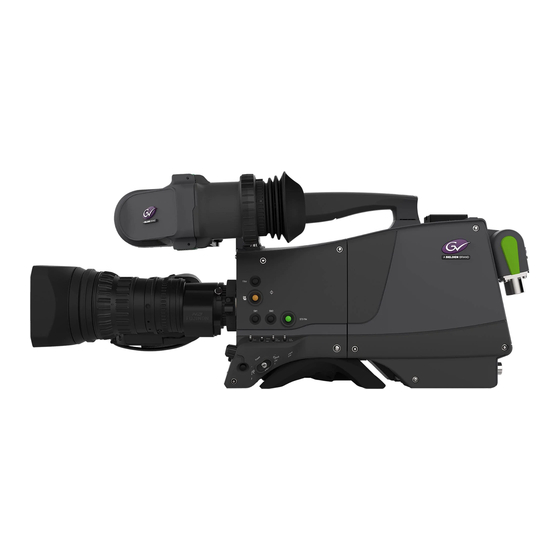

Related Manuals for GRASS VALLEY LDX Worldcam Series


Summarization of Contents
Regulatory and Legal Information
Declaration of Conformity
Declares product compliance with standards and directives, listing relevant standards.
FCC CLASS A Statement
Provides statement regarding FCC rules for Class A digital devices and potential interference.
Copyright
States copyright ownership and restrictions on document use and content.
Trademarks
Lists trademarks and service marks of Grass Valley and other companies.
Website
Provides the public website address for user guides and product information.
Safety and General Information
Important Information
Provides general instructions for safe installation, operation, and reference.
Cautions and Warnings
Explains the meaning of warning and caution notices for safety and equipment protection.
Cable System Considerations
Triax Cable Systems
Provides guidelines and precautions for connecting and using Triax cable systems.
Galvanic Separation
Explains the risk of earth currents in Triax systems and recommends galvanic separation.
Fiber-Optic Transmission Units
Laser Safety Statement (for Europe)
Classifies fiber-optic units as Class 1 Laser Products according to EN 60825-1.
Laser Safety Statement (for US)
Classifies fiber-optic units as Class 1 Laser Products according to 21 CFR 1040.10.
WARNING
Warns that using controls other than specified may result in hazardous radiation exposure.
Fiber-Optic Cable Precautions
Lists precautions for handling and connecting fiber-optic cables to prevent damage.
Chapter 1: Introduction
1.1 Welcome and Guide Overview
Introduces the LDX Series camera heads and explains the purpose of the user guide.
1.2 Technology
Details the camera's technology, including imagers, digital processing, and operator design.
1.3 Camera Versions
Compares features of LDX Flex, Première, Elite, and WorldCam versions.
1.4 GV-eLicense Program
Explains the eLicense program for flexible format support and feature upgrades.
1.5 Key Features
Lists the key features of LDX Series cameras, covering imagers and operational performance.
1.6 List of Accessories
Provides a list of system components, viewfinders, and accessories for the LDX Series.
Chapter 2: Installation
2.1 Mounting a Lens
Step-by-step guide on how to attach a lens to the camera head.
2.2 EC 270 EyeCatcher Viewfinder
Provides instructions for mounting and positioning the viewfinder.
2.3 AJ-MC700 Microphone
Guides on attaching the optional AJ-MC700 microphone to the camera.
2.4 LDK 5301/10 Tripod Adapter Plate
Details how to mount the camera onto a tripod using the adapter plate.
2.5 Adjusting the Shoulder Pad
Explains how to adjust the shoulder pad for optimal balance.
2.6 Exchanging the Camera Adapter
Details the procedure for preparing, attaching, and detaching the camera adapter.
2.7 LDK 5020/05 Universal Transport Case
Describes the universal transport case for protecting camera equipment.
2.8 Packing for Return
Provides general instructions for packing equipment when returning it for servicing.
Chapter 3: Configurations
3.1 Transmission Systems
Introduces the 3G Fiber and 3G Triax transmission systems for LDX Series cameras.
3.2 3G Fiber Configuration
Describes the 3G Fiber transmission system interface and its capabilities.
3.3 3G Triax Configuration
Details the 3G Triax transmission system interface and its capabilities.
3.4 SuperXpander Configuration
Explains the SuperXpander configuration for using large studio lenses with the LDX camera.
Chapter 4: Operating Instructions
4.1 Using the Camera
Provides instructions for attaching accessories and switching on the camera.
4.2 Location of Controls
Provides a diagram illustrating the location of various controls on the camera.
4.3 Using the OCP 400
Refers to the OCP 400 User's Guide for detailed operating instructions.
4.4 Using the Camera Menu
Explains how to view and navigate the camera menu using controls.
4.5 User Buttons
Introduces the assignable user buttons and their configuration.
4.6 Viewfinder Controls
Explains the controls for setting up the viewfinder preferences.
4.7 Viewfinder Information
Guides on setting up and displaying on-screen indicators in the viewfinder.
4.8 Lens Operation
Details lens operations including back focus, CLASS, auto/extended iris, and precision focus.
4.9 Controls on the Camera Adapter
Provides an overview of the controls located on the camera adapter.
4.10 Communication
Covers communication features like Call, PickMe, private data, and tally signals.
4.11 Managing Files
Guides on managing scene, operator, and lens files for camera settings.
4.12 Access and Security
Covers access restrictions and security features using user levels and PIN codes.
Chapter 5: Video Setup
5.1 Video Settings
Covers basic video settings including standard settings, video modes, sensitivity, and color bar.
5.2 Gain
Explains how to adjust video gain settings based on available light levels.
5.3 Gamma
Details gamma correction, curves, and presets for tonal response adjustment.
5.4 Contrast
Explains contrast adjustment and black stretch for modifying picture luminance.
5.5 Knee
Details knee settings in PowerCurves and Compatibility modes for dynamic range compression.
5.6 Optical Filters
Explains the use of Neutral Density (ND) and Special Effects (FX) filters.
5.7 Exposure
Covers exposure time, lighting correction, V-Shift, and variable exposure settings.
5.8 Color
Details color temperature, tint, filter, saturation, protect, and secondary color correction.
5.9 Sharpness
Covers detail, texture, detail equalizer, and skin detail for image sharpness adjustment.
5.10 Image Control
Explains freeze frame and reverse scan functions for image manipulation.
Chapter 6: Camera Menu Reference
6.1 Reference Tables
Explains the structure of camera menu reference tables and column definitions.
6.2 Operator Toolbox Menu
Lists functions in Operator Toolbox: indicators, markers, button assignments, lens, zoom settings.
6.3 Production Setup Menu
Covers gain presets, black settings, master black, and exposure/color settings.
6.4 Creative Control Menu
Details filters, contrast, knee, color adjustment, and sharpness settings.
6.5 Configuration Menu
Covers security, user levels, PIN codes, green button, lens, and intercom settings.
6.6 Licenses Menu
Covers active, planned, and new licenses, including time left and activation.
6.7 Diagnostics Menu
Details communication status, C2IP panels, LDK Connect Gateway, and transmission status.
6.8 Service Menu
Covers network preferences, test signals, info/log files, calibrations, and SD card formatting.
Chapter 7: Maintenance
7.1 Installing eLicenses
Explains about eLicenses and the procedure for installing them via USB or FTP.
7.2 Black Calibration
Details the Black Calibration procedure to improve image quality by re-mapping black levels.
7.3 Formatting the SD Card
Explains how to format the camera's internal storage (SD) Card.
Chapter 8: Connectors
8.1 Camera Head Connectors
Details the connectors on the camera head, including bottom view.
8.2 Camera Adapter Connectors
Details connectors on the camera adapter: back panel, transmission, audio/VF, HD-SDI, mic, and intercom.
8.3 Main Video Signals
Summarizes main video signal outputs for different LDX versions and adapters.
Chapter 9: Specifications
9.1 Specifications for LDX Series Camera Head
Provides general, camera, video mode, connectivity, and dimension specifications for the camera head.
9.2 Specifications for LDX 5421 3G Fiber Adapter
Lists technical specifications and dimensions for the LDX 5421 3G Fiber adapter.
9.3 Specifications for LDX 5419 3G Triax Adapter
Lists technical specifications and dimensions for the LDX 5419 3G Triax adapter.
Need help?
Do you have a question about the LDX Worldcam Series and is the answer not in the manual?
Questions and answers