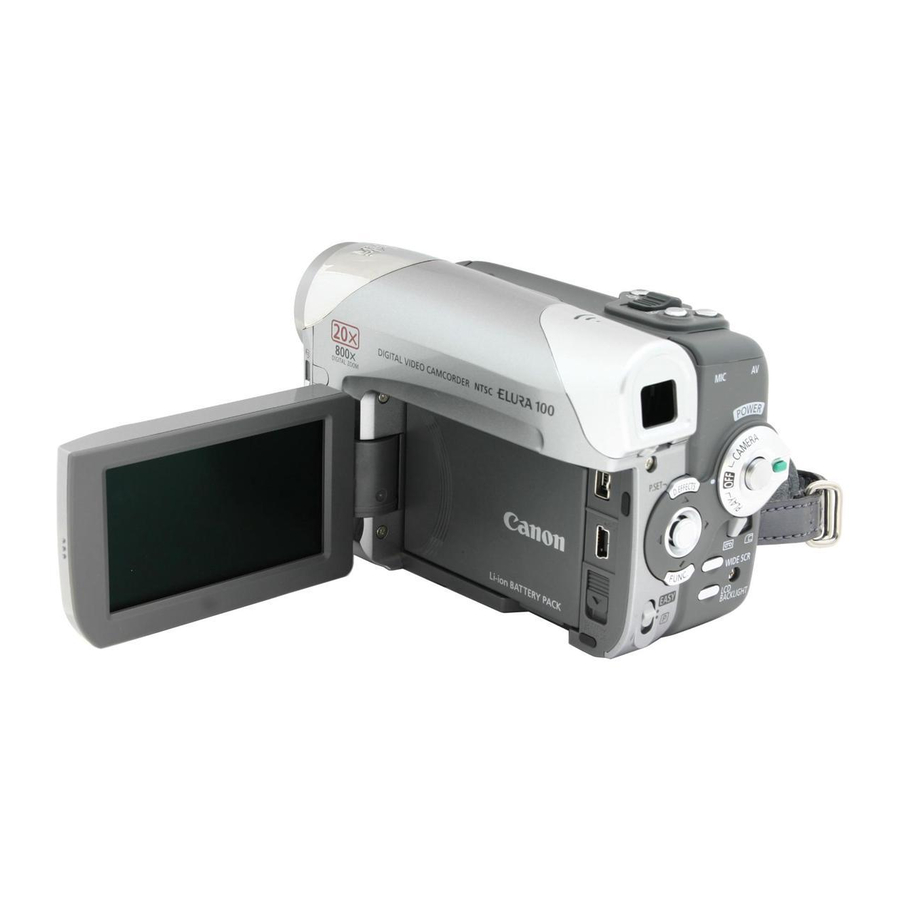
Table of Contents
Advertisement
Advertisement
Table of Contents

Related Manuals for Canon Elura 100


Summary of Contents for Canon Elura 100
-
Page 3: Important Safety Instructions
IMPORTANT SAFETY INSTRUCTIONS In these safety instructions the word “product” refers to the Canon Digital Video Camcorder ELURA 100 A and all its accessories. 1. Read Instructions — All the safety and operating instructions should be read before the product is operated. - Page 4 When replacement of power supply is required, please return it to the responsible nearest Canon Service Center and please replace it with the same type number CA-570. The Adapter can be used with a power supply between 100 and 240 V AC. For areas where 120 V AC power is not used, you will need a special plug adapter.
-
Page 5: Joystick
Using this Manual Thank you for purchasing the Canon ELURA 100. Please read this manual carefully before you use the camcorder and retain it for future reference. Should your camcorder fail to operate correctly, refer to the Troubleshooting table 110). -
Page 6: Selecting The Operating Modes
Recording movies: Playing back movies: FOCUS Selecting the Operating Modes The camcorder’s operating mode is determined by the positions of the power and TAPE/ CARD switches. Operating Modes Switch... -
Page 7: Table Of Contents
Step 1: Preparing the Power Supply...16 Step 2: Loading a Cassette ...19 Step 3: Inserting a Memory Card...20 Step 4: Preparing the Camcorder ...21 Step 5: Using the Wireless Controller...22 Step 6: Installing the Backup Battery...23 Step 7: Adjusting the LCD Screen ...24 Step 8: Changing the Display Language ...25... - Page 8 Playback Magnifying the Image ...71 Displaying the Data Code...72 End Search...73 Returning to a Pre-marked Position ...74 Date Search...75 Digital Camera Functions Selecting the Image Quality/Size...76 Simultaneous Recording on the Tape and Memory Card...78 Changing the Focusing Method...79 Selecting the Drive Mode ...80 Playing Back/Searching Images...82 Erasing Images...83 Protecting Images...84...
-
Page 9: Checking The Supplied Accessories
The serial number of this product can be found at the battery attachment unit of the camcorder. Write down the number and other information here and retain this book as a permanent record of your purchase to aid identification in case of theft. -
Page 10: Components Guide
Components Guide ELURA 100 Left side view Right side view Lens Cover Switch ( - open, - closed) Battery attachment unit ( Serial number BATTERY RELEASE button ( DV terminal ( 86, 90, 92, 104) USB terminal ( 97, 106) -
Page 11: Front View
Front view Back view Twin LED light (assist lamp) ( Remote sensor ( Stereo microphone Viewfinder ( Dioptric adjustment lever ( D.EFFECTS button ( 59) / P.SET button ( LCD screen ( Joystick ( FUNC. button ( Mode switch ( switch ( Start/stop button ( Lock button... -
Page 12: Bottom View
Top view Bottom view (print/share) button ( Zoom lever ( PHOTO button ( Speaker ( LIGHT button ( Cassette compartment ( 98, 107) OPEN/EJECT Cassette compartment cover ( AV terminal ( MIC (microphone) terminal ( Strap mount ( Tripod socket ( switch ( 42, 88, 92, 94) 124) -
Page 13: Wireless Controller Wl-D85
Wireless Controller WL-D85 START/STOP button ( 28, 31) CARD –/+ buttons ( DATE SEARCH buttons ( button ( –/ button ( PAUSE button ( SLOW button ( AUDIO DUB. button ( ZERO SET MEMORY button ( START/ STOP PHOTO ZOOM CARD DATE SEARCH PLAY... -
Page 14: Screen Displays
“ ”. • Depending on the conditions under which the camcorder and the battery pack are used, the actual battery charge may not be indicated accurately. Operating mode ( 6), Zoom (... -
Page 15: Screen Displays During Playback
Screen Displays during Playback When playing a tape ( Tape operation : Record : Fast forward playback/ : Pause Rewind playback ( : Stop x2: Playback at twice normal : Eject speed ( : Play x1: Playback at normal speed : Fast forward : Slow playback (... -
Page 16: Step 1: Preparing The Power Supply
Step 1: Preparing the Power Supply Preparation The camcorder can be powered by a battery pack or be connected to a household power source. Charge the battery pack before use. Attaching the Battery Pack 1. Turn the 2. Open the LCD panel. -
Page 17: Using A Household Power Source
Using a Household Power Source Connect to a household power source to use the camcorder without worrying about the battery power. You can keep the battery pack attached; the battery power will not be consumed. 1. Turn the switch to 2. - Page 18 To conserve battery power, turn off the camcorder instead of leaving it in record pause mode. We recommend that you prepare battery packs 2 to 3 times longer than you think you might need.
-
Page 19: Step 2: Loading A Cassette
Be careful not to get your fingers caught in the cassette compartment cover. If the camcorder is connected to a power source, cassettes can be loaded/ unloaded even if the logo. -
Page 20: Step 3: Inserting A Memory Card
3. Push the memory card to release it. Remove the memory card. 4. Close the cover. Before using them, make sure to initialize all memory cards with this camcorder 85). Memory cards have front and back sides that are not interchangeable. Inserting a memory card facing the wrong direction can cause a malfunction of the camcorder. -
Page 21: Step 4: Preparing The Camcorder
Step 4: Preparing the Camcorder Adjusting the Viewfinder (Dioptric Adjustment) 1. Turn on the camcorder and keep the LCD panel closed. 2. Adjust the dioptric adjustment lever. Fastening the Grip Belt Adjust the grip belt so that you can reach the zoom lever with your index finger, and the start/stop button with your thumb. -
Page 22: Step 5: Using The Wireless Controller
If the wireless controller does not work, check if the remote sensor is set to [OFF When the camcorder cannot be operated with the wireless controller, or when it can only be operated at very close range, replace the battery. -
Page 23: Step 6: Installing The Backup Battery
The backup battery (lithium button battery CR1616) allows the camcorder to retain the date, time ( ) and other camcorder settings while the power source is disconnected. Connect a power source to the camcorder when replacing the backup battery to retain the settings. 1. Open the memory slot/backup battery compartment cover. -
Page 24: Step 7: Adjusting The Lcd Screen
This setting does not affect the brightness of the recording or the viewfinder screen. When using a battery pack, the camcorder retains the setting even if you change the position of the The battery usage time shortens when the LCD screen is set brighter. -
Page 25: Step 8: Changing The Display Language
Step 8: Changing the Display Language The language used in the camcorder displays and menu items can be changed. A different set of languages will be available with your camcorder, depending on the area where you acquired it. Language Set A German, English, Spanish, French, Italian, Polish, Russian,... -
Page 26: Step 9: Setting The Time Zone, Date And Time
Step 9: Setting the Time Zone, Date and Time Setting the Time Zone/Daylight Saving Time MENU 1. Turn the 2. Press the FUNC. button to open the FUNC. menu. 3. With the joystick select ( 4. Select ( ) the [DATE/TIME SETUP] menu and press ( ). -
Page 27: Time Zones
Once you have set your time zone, date and time, you do not need to reset the clock each time you travel to another time zone. Just set the time zone to the one of your destination, and the camcorder automatically adjusts the clock. Time Zones and Difference from GMT/UTC. -
Page 28: Recording
Recording Movies on a Tape Recording Before You Begin Recording Make a test recording first to check if the camcorder operates correctly. If necessary, clean the video heads ( 1. Holding the lock button on the switch pressed down, set the switch to CAMERA. -
Page 29: Screen Displays During Recording
When powered by a battery pack, the camcorder shuts off to save power 68) if left without any operation for 5 minutes. Approximately 30 seconds before the camcorder shuts off the message “ OFF” will appear. If the camcorder shuts off, turn the and back on again. -
Page 30: Reviewing And Searching When Recording
2. If the joystick guide does not appear on screen, press ( 3. Push the joystick ( and release it. The camcorder rewinds the tape, plays back the last few seconds, and returns to record pause mode. Record Search In record pause mode: 1. -
Page 31: Recording On A Memory Card
Recording on a Memory Card Recording Still Images on a Memory Card 1. Holding the lock button on the switch pressed down, set the switch to CAMERA. 2. Set the TAPE/CARD switch to 3. Open the lens cover (move the lens cover switch down to 4. - Page 32 Do not turn off the camcorder, change the position of the TAPE/CARD switch, disconnect the power source, open the memory card cover or remove the memory card while the CARD access indicator is flashing. Doing so could result in data damage.
-
Page 33: Screen Displays During Still Image Recording
Indicates the movie size. Card Access Display “ ” appears and the “ ” display moves to indicate that the camcorder is writing on the memory card. Remaining Card Capacity for Still Images flashing in red: No card in green: 6 or more images... -
Page 34: Zooming
You can also use the T and W buttons on the wireless controller. The zoom speed with the wireless controller will be the same as with the camcorder (when one of the fixed zoom speed levels is selected) or fixed at [SPEED 3] (when [VARIABLE] is selected). -
Page 35: Selecting The Zoom Speed
Selecting the Zoom Speed When operating the zoom with the camcorder, you can set the zoom speed to variable or to one of 3 levels of fixed zoom speeds. When set to [VARIABLE], the zoom speed depends on how you activate the zoom lever – press softly for a slower zoom or press more strongly for a faster zoom. -
Page 36: Widescreen Tv Recording (16:9)
Widescreen TV Recording (16:9) The camcorder uses the full width of the CCD providing high-resolution 16:9 recording. Available only in the Press the WIDE SCR button. • Pressing the WIDE SCR button will toggle between the widescreen (16:9) and 4:3 aspect ratios. -
Page 37: Tips For Better Recording
Tips for Better Recording Holding the Camcorder For maximum stability, grip the camcorder in your right hand and keep your right elbow pressed against your body. If necessary, support the camcorder with your left hand. Be careful that your fingers do not touch the microphone or lens. -
Page 38: Playing Back A Tape
Playing Back a Tape Playback If the playback picture is distorted, clean the video heads using a Canon Head Cleaning Cassette or a commercially available digital video head-cleaning cassette ( 1. Holding the lock button on the switch pressed down, set the switch to PLAY. -
Page 39: Special Playback Modes
There is no sound during special playback. The picture may become distorted during some special playback modes. The camcorder stops the tape automatically after 4 minutes 30 seconds in playback pause mode to protect the tape and video heads. ) towards... -
Page 40: Playing Back A Memory Card
Do not turn off the camcorder, change the position of the TAPE/CARD switch, disconnect the power source, open the memory card cover or remove the memory card while the CARD access indicator is flashing. Doing so could result in data damage. -
Page 41: Adjusting The Volume
Adjusting the Volume When you use the LCD screen for playback, the camcorder plays back the sound using the built-in speaker. The sound will be muted when the LCD panel is closed. Available in the Speaker SPEAKER VOLUME 1. Press the FUNC. button to open the FUNC. menu. -
Page 42: Playing Back On A Tv Screen
Playing Back on a TV Screen Selecting the Type of TV During playback, set the [TV TYPE] option according to the TV set to which you connect the camcorder. Available only in the MENU 1. Press the FUNC. button to open the FUNC. menu. - Page 43 1. Turn off all devices before starting the connections. 2. Connect the stereo video cable to the camcorder’s AV terminal and the audio terminals on the TV/VCR. Connect the white plug to the white AUDIO terminal L (left), the red plug to the red AUDIO terminal R (right) and the yellow plug to the yellow VIDEO terminal.
-
Page 44: Easy Mode
Night Use this mode to record in dimly lit places. Easy mode The camcorder adjusts focus, exposure and other settings automatically, allowing you to just point and shoot. Snow Use this mode to record in bright ski resorts. It prevents the subject from being underexposed. -
Page 45: Selecting The Recording Program
Selecting the Recording Program Available only in the Set the mode switch to the desired position. : Easy (full automatic) recording mode. : Program AE, Portrait, Sports, Night, Snow, Beach, Sunset, Spotlight, or Fireworks can be selected ( To select a recording program after setting the mode switch to 1. - Page 46 - The subject may become overexposed on cloudy days or in shaded places. Check the image on the screen. - The picture may not appear smooth when played back. Fireworks: To avoid camcorder shake, we recommend using a tripod. Use a tripod when recording in mode as the shutter speed slows down.
-
Page 47: Using The Program Ae Mode
Using the Program AE Mode The camcorder automatically adjusts the shutter speed and exposure according to the brightness of the subject. With the shoot as in mode, however, you have the option of changing some settings. Available only in the... -
Page 48: Exposure Adjustment
• The adjustment range depends on the brightness at the time you locked the exposure. • The manual exposure setting will reset to auto exposure when you turn the camcorder off or change the recording program. ) to display it. ) towards [EXP] to enter ) towards [BACK] to save the exposure setting. -
Page 49: Adjusting The Focus Manually
[FOCUS] will turn white again. 6. Push the joystick ( The setting resets to autofocus when you set the mode switch to Readjust the focus when you have turned off the camcorder. Fast Moving Through dirty or Subjects... -
Page 50: Infinity Focus
At first, “MF” will appear on the screen and then it will be replaced by the “ 3. Push the joystick ( In the infinity focus mode: If you operate the zoom or the joystick ( turn the camcorder off, the infinity focus will be canceled and the camcorder will return to manual focus. modes. -
Page 51: Using The Led Light
Using the LED Light You can turn on the LED light (assist lamp) at any time regardless of the recording program. Available only in the Press the LIGHT button. • “ ” appears on the screen. • The LED light turns on and off with each press of the button. Do not point the LED light at persons while they are driving. -
Page 52: Using The Self-Timer
(when recording movies) or the PHOTO button fully (when recording still images) to cancel the self-timer. The self-timer will be canceled when you turn off the camcorder or change the position of the TAPE/CARD switch. -
Page 53: Using An External Microphone
Using an External Microphone You can connect an external microphone to the MIC terminal. Use commercially available condenser microphones with their own power supply. MIC terminal You can connect almost any stereo microphone equipped with a but the audio level will be different than with the built-in microphone. When an external microphone is connected the wind screen setting will automatically reset to [OFF 3.5 mm plug... -
Page 54: Changing The Settings With The Func. Button
Changing the Settings (1) Button The camcorder’s functions and settings are controlled from a series of menus that appear when you press the FUNC. button. Most basic functions appear on the first menu screen - the FUNC. menu. For more advanced settings you have to open the setup menus by selecting the [MENU] option from the FUNC. -
Page 55: List Of Menu Items (Func.)
List of Menu Items (FUNC.) Available menu items vary depending on the operation mode. Default settings are in boldface text. For details on each function, see the reference page. Menu Items Recording (PROGRAM AE), (SPORTS), programs (BEACH), (FIREWORKS) White balance (AUTO), (SET) Image effect... -
Page 56: Setting The White Balance
If you select a white balance setting other than To set the custom white balance when you select 5. Point the camcorder at a white object, zoom in until it fills the whole screen and press ( • Keep the camcorder zoomed at the white object until step 6 is completed. - Page 57 If the colors on screen do not look natural with one of the preset modes, use the [AUTO] or [SET] settings. The camcorder retains the custom white balance setting even if you turn it off. When you want to use a previously made [SET] setting, after selecting [SET] in step 4, press the FUNC.
-
Page 58: Selecting An Image Effect
Selecting an Image Effect You can record with different saturation and contrast color effects. IMAGE EFFECT OFF Records with no effect. VIVID NEUTRAL SOFT SKIN DETAIL Available only in the IMAGE EFFECT OFF 1. Set the mode switch to 2. Press the FUNC. button to open the FUNC. menu. 3. -
Page 59: Using Digital Effects
Using Digital Effects The Digital Effects functions include faders, effects and Card Mix. Faders ( Begin or end scenes with a fade to or from black. Fade Trigger (FADE-T) Corner Wipe (CORNER) Flip (FLIP) Zigzag (ZIGZAG) Tide (TIDE) Wipe (WIPE) Jump (JUMP) Puzzle (PUZZLE) Beam (BEAM) - Page 60 Effects ( Add flavor to your recordings. Black and White (BLK & WHT) Mosaic (MOSAIC) Wave (WAVE) Card Mix ( You can combine still images from the card with your live video and record on the tape to achieve interesting effects. The availability of the various Digital Effects depends on the operation mode.
-
Page 61: Selecting A Fader
Selecting a Fader Available only in the switch to D.EFFECT OFF 1. Open the FUNC. menu and select ( effects icon. 2. Select ( ) the [FADER] option and press ( 3. Select ( ) a fader, press ( • While selecting the fader, it will be demonstrated on the current screen. -
Page 62: Selecting An Effect
Selecting an Effect Available in the the mode switch to D.EFFECT OFF 1. Open the FUNC. menu and select ( effects icon. 2. Select ( ) the [EFFECT] option and press ( mode only the available. Select it, close the menu and continue directly to step 4 below. -
Page 63: Selecting The Card Mix Effect
Turn off the digital effect when you do not use it. The camcorder retains the setting even if you turn it off or change the recording program. However, you need to select again the still image to be used with the Card Mix effect. -
Page 64: Selecting Menus And Settings
Changing the Settings with the Setup Changing the Settings (2) Menus Although most basic functions appear on the first menu screen – the FUNC. menu 54), for more advanced settings you have to open the setup menus by selecting the [MENU] option from the FUNC. -
Page 65: List Of Menu Items (Setup Menus)
D.ZOOM: Determines the operation of the digital zoom. When the digital zoom is activated, the camcorder will switch automatically to the digital zoom when you zoom in beyond the optical zoom range. - Page 66 If you play back a tape that has been recorded in LP mode with another digital device on this camcorder, or vice versa, picture and sound may become distorted. 84) the image when you press the FUNC. button (continuous shooting), (auto exposure bracketing) is selected.
- Page 67 Changing the brightness of the LCD screen does not affect that of the viewfinder or the recordings. TV SCREEN: Shows the camcorder displays on a connected TV screen. You can also use the TV SCREEN button on the wireless controller.
- Page 68 BEEP: A beep sounds upon operations such as turning on the camcorder, during self- timer countdown or warnings such as condensation. START-UP IMG: Sets whether the Canon logo will be displayed or not when you turn on the camcorder. POWER SAVE: When powered by a battery pack, the camcorder shuts off to save power if left without any operation for 5 minutes.
- Page 69 [CONTINUOUS]: The consecutive file number of the last recorded image will be assigned. If a higher file number already exists on the memory card, the consecutive number will be assigned. This is useful for organizing images on a computer. We recommend setting [FILE NOS.] to [CONTINUOUS]. D/TIME SET Menu Items T.
-
Page 70: Using The Wind Screen
Using the Wind Screen The camcorder reduces the wind noise automatically (only when recording audio with the built-in microphone). However, you can turn off the wind screen when recording indoors, or when you want the microphone to be as sensitive as possible. -
Page 71: Magnifying The Image
Magnifying the Image Playback When playing back movies from the tape or viewing still images from the memory card, the image can be magnified up to 5 times. Available in the Zoom lever Joystick 1. Move the zoom lever toward T. •... -
Page 72: Displaying The Data Code
Displaying the Data Code The camcorder maintains a data code containing the recording date and time. When you play back a tape, you can display the data code and select the data code combination you wish to display. Available in the Joystick FUNC. -
Page 73: End Search
2. Select ( ) [EXECUTE] and press ( • “END SEARCH” appears. • The camcorder rewinds/fast forwards the tape, plays back the last few seconds of the recording and stops the tape. • Operating the joystick ( End search cannot be used once you unload the cassette. -
Page 74: Returning To A Pre-Marked Position
Returning to a Pre-marked Position If you wish to return to a particular scene later, mark the point with the zero set memory and the tape will stop at that point when you rewind/fast forward the tape. Available only in the 1. -
Page 75: Date Search
Date Search You can locate the change of the date/time zone with the date search function. Available only in the Press the button on the wireless controller to begin searching. • Press more than once to search for further date changes (up to 10 times). •... -
Page 76: Selecting The Image Quality/Size
100. Users of Windows XP: When you plan to connect the camcorder to a computer using a USB cable, keep the length of one movie shorter than approx. 12 min. -
Page 77: Selecting The Still Image Size And Quality
Selecting the Still Image Size and Quality Available only in the mode). 1152x864/FINE 1. Press the FUNC. button. 2. Select ( ) the still image size/quality symbol. The symbol of the current setting is displayed. 3. Select ( ) the still image size. The number on the right indicates the approximate number of images that can be recorded on the memory card at the current image size/quality setting. -
Page 78: Simultaneous Recording On The Tape And Memory Card
Simultaneous Recording on the Tape and Memory Card When you are recording a movie on a tape, you can record the same picture as a still image on the memory card. The size of the still image will be S 640 x 480. The image quality can be selected. -
Page 79: Changing The Focusing Method
Changing the Focusing Method You can change the AF (autofocus) frame selection method. AiAF Depending on the shooting conditions, one or more AF frames out of the 9 AF frames available will automatically be selected and focused Center Of 9 AF frames, the center one is selected to focus. This is convenient for making sure the focus is exactly where you want it. -
Page 80: Selecting The Drive Mode
PHOTO button. For the number of frames per second, refer to the table on the next page. The camcorder records a still image in three different exposures (dark, normal, light in 1/2 EV steps), allowing you to choose the shot you like the best. -
Page 81: Auto Exposure Bracketing
Auto Exposure Bracketing 1. Press the PHOTO button halfway. 2. Press the PHOTO button fully. Three still images in different exposures are recorded to the memory card. Make sure that there is sufficient space on the memory card. -
Page 82: Playing Back/Searching Images
Playing Back/Searching Images You can display images one after another (slide show) or 6 at one time (index screen). With the Card Jump function, you can quickly locate an image without displaying them one by one. Available only in the Zoom lever Joystick Joystick... -
Page 83: Erasing Images
Erasing Images You can erase images one at a time or all at once. Be careful when erasing images. Erased images cannot be recovered. Protected images cannot be erased. Movies can only be erased when the first scene is displayed as a still image. Erasing a Single Image Available only in the 1. -
Page 84: Protecting Images
Protecting Images You can protect important images from accidental erasure when displaying a single image or index screen. If a memory card is initialized, all still images and movies, even protected ones, will be erased permanently. Movies can only be protected when the first scene is displayed as a still image. Protecting during Single Image Playback Available only in the PROTECT OFF... -
Page 85: Initializing A Memory Card
) [YES] and press ( 4. In the confirmation screen, select ( card. The card initialization will take a moment. When the initialization is completed the camcorder will return to the [CARD OPERATIONS] menu. Press the FUNC. button to close the menu. mode. INITIALIZE... -
Page 86: Recording To A Vcr Or Digital Video Device
Editing Device You can copy your recordings by connecting the camcorder to a VCR or a digital video device (DVD recorder, another digital camcorder, etc.). If you connect a digital video device, you can copy recordings with virtually no generation loss in image and sound quality. - Page 87 When connecting a DVD recorder or other digital video device with a DV terminal: - If the picture does not appear, reconnect the DV cable or turn the camcorder off and back on again. - Proper operation cannot be guaranteed for all digital video devices equipped with a DV terminal.
-
Page 88: Analog Line-In Recording
You can input video from other analog devices (VCR, TV or camcorder) via the AV terminal, and record the input video on the tape in the camcorder. You can also record the input video as a movie or still image on a memory card. - Page 89 (e.g. signals that include copyright protective signals or anomalous signals such as ghost signals). We recommend powering the camcorder from a household power source. The data code of the image will reflect the date and time it was recorded on the memory card.
-
Page 90: Dv Dubbing
You can input video from other digital video devices via the DV terminal, and record the input video on the tape in the camcorder. You can also record the input video as a movie or still image on a memory card. - Page 91 Pressing the start/stop button again stops recording. Blank sections may be recorded as anomalous picture. If the picture does not appear, reconnect the DV cable or turn the camcorder off and back on again. Do not connect any devices to the camcorder’s USB terminal.
-
Page 92: Converting Analog Signals Into Digital Signals (Analog-Digital Converter)
Converting Analog Signals into Digital Signals (Analog-Digital Converter) By connecting the camcorder to a VCR or 8mm video camcorder, you can convert analog video/audio signals to digital signals and output the digital signals via the DV terminal. The DV terminal serves as output terminal only. -
Page 93: Turning On Analog-Digital Converter
DV terminal. We recommend powering the camcorder from a household power source. Connecting the camcorder to the computer you can also use the analog-digital conversion to transfer analog recordings to your computer as digital signals. -
Page 94: Audio Dubbing
Available only in the MENU 1. Load a recorded cassette. Use a tape recorded in SP, 12-bit mode with this camcorder. 2. Select ( ) the [AUDIO SETUP] menu and press ( ) the [AUDIO DUB.] option and press ( 3. -
Page 95: Playing Back The Added Sound
You cannot use the DV terminal for audio dubbing. The sound quality of the audio dubbed will deteriorate when you audio dub a tape that was recorded with a different camcorder or when you audio dub the same tape more than 3 times. -
Page 96: Recording From The Tape On A Memory Card
Recording from the Tape on a Memory Card You can record movies or still images from a tape in the camcorder. Available only in the Recording a Movie from the Tape 320x240 1. Selecting the movie size: Press the FUNC. button. Select ( ) by a setting option and press the FUNC. -
Page 97: Printing Still Images
The camcorder can be connected to any PictBridge compatible printer. You can use the print order settings for direct printing of still images recorded on the memory card ( Canon printers: SELPHY CP, SELPHY DS and PIXMA printers. Connecting the Printer to the Camcorder Open the LCD panel 1. -
Page 98: Printing After Selecting The Print Settings
• Printing starts. The print setting menu disappears when the printing is completed. • If you wish to continue printing, select ( Images not recorded with this camcorder, uploaded from a computer, edited on a computer and images whose file names have been changed may not be printed correctly. - Page 99 3. Reconnect the USB cable. When you have finished printing: 1. Disconnect the cable from the camcorder and printer. 2. Turn off the camcorder. ). If [CONTINUE] cannot be selected, select and back to PLAY.
-
Page 100: Selecting The Print Settings
[PAPER SIZE] is set to [10 x 14.8 cm], select as the layout 2-, 4-, 9- or [16-UP]; when [PAPER SIZE] is set to [A4], select as the layout [4-UP]. Canon PIXMA/SELPHY DS printers: You can also print on the specially designed Photo Stickers sheets. -
Page 101: Paper Settings
2. Select ( ) a date print option and press ( Setting the Print Effect (Image Optimize) This function uses the camcorder’s recording information to optimize the image data, yielding high quality prints. 1. In the print setting menu, select ( (print effect) icon and press ( 2. -
Page 102: Printing With Print Order Settings
Available only in the Selecting Still Images for Printing (Print Order) Do not connect a USB or DV cable to the camcorder while setting the print orders. PRINT ORDER 1. Press the FUNC. button. 2. Select ( PRINT ORDER]. -
Page 103: Erasing All Print Orders
3. Select ( ) [YES] and press ( close the menu. Printing MENU 1. Connect the printer to the camcorder ( 2. Open the FUNC. menu, select ( 3. Select ( ) the [ • The print setting menu appears. -
Page 104: Transferring Video Recordings To A Computer
You can transfer recordings to a computer using the IEEE1394 (DV) terminal. You can also use this camcorder to transfer through it recordings from an analog VCR or 8 mm camcorder to your computer using the USB terminal (see Converting Analog... - Page 105 If the computer freezes while you have connected the camcorder, disconnect and reconnect the DV cable. If the problem persists, disconnect the DV cable, turn off both the camcorder and the computer and then turn them back on and reconnect them.
-
Page 106: Transferring Memory Card Images To A Computer
Preparations The first time you connect the camcorder to the computer, you need to install the software and set the auto-launch setting. From the second time on, you will only need to connect the camcorder to the computer to transfer images. -
Page 107: Transferring Images
• [ ALL IMAGES], [ ORDERS]: The images are transferred to the computer and displayed in the Main Window of ZoomBrowser EX. • The camcorder displays the transfer menu when the transfer is completed. • To cancel transfer, select ( button. - Page 108 When the camcorder is connected to the computer and the screen to select images displays, press the FUNC. button. The transfer menu will appear.
-
Page 109: Selecting Images For Transfer (Transfer Order)
You can select images for transfer to the computer (max. 998). These transfer settings are compatible with the Digital Print Order Format (DPOF) standards. Do not connect a USB or DV cable to the camcorder while setting the transfer orders. Available only in the TRANS.ORDER OFF... -
Page 110: Troubleshooting
Troubleshooting Trouble? If you have a problem with your camcorder, refer to this checklist. Consult your dealer or a Canon Service Center if the problem persists. Power Source Problem Camcorder will not turn on. The camcorder switches off by itself. - Page 111 The battery of the wireless controller is exhausted. Replace the battery. Video noise appears on When using the camcorder in a room where a plasma TV is screen. located, keep a distance between the camcorder and the plasma TV.
- Page 112 Set the switch to PLAY and the TAPE/CARD switch to Insert a memory card. Image is protected. Cancel the protection. Card error occurred. Turn off the camcorder. Remove and reinsert the memory card. Initialize the memory card if flashing persists. Solution 1.
- Page 113 When the camcorder is left in a humid How to avoid condensation: Unload the cassette, place the camcorder in an airtight plastic bag and let it adjust to temperature changes slowly before removing it from the bag. When condensation is detected: The camcorder stops operating and the warning message “CONDENSATION HAS...
-
Page 114: List Of Messages
Memory card not is inserted into the camcorder. No images are recorded on the memory card. A memory card error occurred. The camcorder cannot record or play back the image. The error may be temporary. If the message disappears after 4 seconds “... -
Page 115: Direct Print Related Messages
WASTE TANK FULL Waste tank is full. Select [CONTINUE] to restart printing. Consult your dealer or a Canon Service Center listed in the Contact List provided with the printer or the printer manual to replace the waste tank (waste ink absorber). - Page 116 In such case, turn off the printer, replace the battery and turn it back on. If the error persists, consult your dealer or a Canon Service Center listed in the Contact List provided with the printer or the printer manual.
-
Page 117: Handling Precautions
Do not use the camcorder near strong electric or magnetic fields such as above TVs, near plasma TVs or mobile phones. Do not point the lens or viewfinder at strong light sources. Do not leave the camcorder pointed at a bright subject. - Page 118 Return cassettes to the case and store them upright. Rewind tapes from time to time if they are stored for a long time. Do not leave the cassette in the camcorder after use. Do not use spliced tapes or nonstandard cassettes as they may damage the camcorder.
-
Page 119: Lithium Button Battery
We recommend saving backups of memory card images on your computer’s hard drive or other external memory device. Image data may be corrupted or lost due to memory card defects or exposure to static electricity. Canon Inc. makes no warranties for corrupted or lost data. -
Page 120: Cleaning The Video Heads
To maintain the best picture quality, we recommend cleaning the video heads frequently with the Canon DVM-CL Digital Video Head Cleaning Cassette or a commercially available dry cleaning cassette. -
Page 121: Maintenance/Others
Maintenance/Others Storage If you do not intend to use the camcorder for a long time, store it in a place free of dust, in low humidity, and at temperatures not higher than 30 °C (86 °F). After storage, check the functions of your camcorder to make sure that the camcorder is still working properly. -
Page 122: System Diagram
System Diagram Additional Information WS-20 Wrist Strap Shoulder Strap WD-H27 Wide-converter WL-D85 Wireless Controller TL-H27 Tele-converter FS-H27U Filter Set SC-2000 Soft Carrying Case (Availability differs from area to area) CG-300 Battery Charger MiniDV Video Cassette STV-250N Stereo Video Cable Commercially available DV Cable IFC-300PCU USB Cable SDC-128M/SDC-512M... -
Page 123: Optional Accessories
Optional Accessories Call or visit your local retailer/dealer for genuine Canon video accessories. You can also obtain genuine accessories for your Canon camcorder by calling: 1-800-828-4040, Canon U.S.A. Information Center. Use of genuine Canon accessories is recommended. This product is designed to achieve excellent performance when used with genuine Canon accessories. - Page 124 SC-2000 Soft Carrying Case A handy camcorder bag with padded compartments and plenty of space for accessories. This mark identifies genuine Canon video accessories. When you use Canon video equipment, we recommend Canon-brand accessories or products bearing the same mark.
-
Page 125: Specifications
* The camcorder’s operations have been tested with SD memory cards up to 2GB. Performance cannot be guaranteed for all memory cards. ** This camcorder supports Exif 2.2 (also called “Exif Print”). Exif Print is a standard for enhancing the communication between camcorders and printers. By connecting to an Exif Print-compliant printer, the camcorder’s image data at the time of shooting is used and optimized, yielding extremely high quality prints. - Page 126 DV Terminal USB Terminal MIC Terminal Power/Others Power supply (rated) Power consumption (AF on) Operating temperature Dimensions (W x H x D) Weight (camcorder body only) CA-570 Compact Power Adapter Power supply Power consumption Rated output Operating temperature Dimensions Weight...
-
Page 127: Product Codes
Product Codes Provided Accessories CA-570 Compact Power Adapter STV-250N Stereo Video Cable WL-D85 Wireless Controller IFC-300PCU USB Cable Optional Accessories BP-208 Battery Pack CG-300 Battery Charger TL-H27 Tele-converter WD-H27 Wide-converter FS-H27U Filter Set WS-20 Wrist Strap SC-2000 Soft Carrying Case SC-1000 Soft Carrying Case SC-A50 Soft Carrying Case DVM-CL DV Cleaning Cassette... -
Page 128: Index
16:9 (Widescreen) ....36 Abroad, using the camcorder ..121 Analog line-in recording ... . 88 Analog/digital (A/D) converter . - Page 129 Night (recording program) ..44 Operating modes ....6 Playback - Memory card ... 40 Playback - Tape .
- Page 130 FOR THE UNITED STATES The warranty set forward below is given by Canon U.S.A., Inc. with respect to equipment purchased in the United States. The limited warranty is only effective upon presentation of your Bill of Sale or other proof of purchase.
- Page 131 Video Heads which will be exchanged for a period of 3 months from the date of purchase. Labour: For a period of one year from the date of original purchase, labour will be provided free of charge by our Canon Service Facilities in Canada.
Need help?
Do you have a question about the Elura 100 and is the answer not in the manual?
Questions and answers