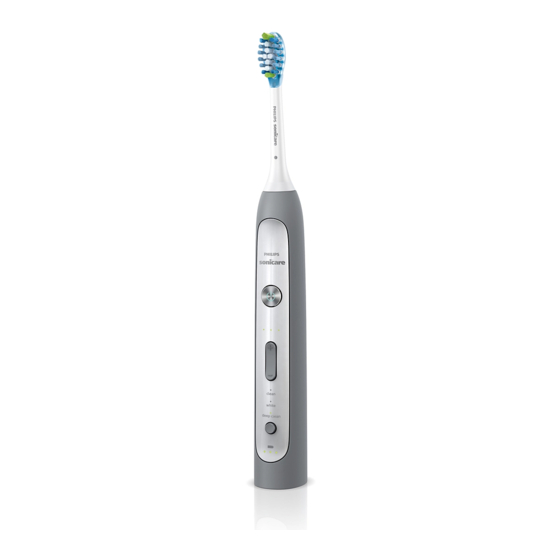
Table of Contents
Advertisement
Available languages
Available languages
Advertisement
Table of Contents

Related Manuals for Philips sonicare


Summary of Contents for Philips sonicare
- Page 1 Sonicare FlexCare Platinum...
-
Page 3: Table Of Contents
EngliSh 4 DanSk 22 Suomi 40 norSk 57 SvEnSka 75... -
Page 4: English
EngliSh introduction Congratulations on your purchase and welcome to Philips! To fully benefit from the support that Philips offers, register your product at www.philips.com/ welcome. important Read this user manual carefully before you use the appliance and save it for future reference. - Page 5 EngliSh - Do not use the charger and/or sanitiser outdoors or near heated surfaces. Do not operate the sanitiser where aerosol (spray) products are being used or where oxygen is being administered. - If the appliance is damaged in any way (brush head, toothbrush handle, charger and/or sanitiser), stop using it.
- Page 6 1 week of use. Also consult your dentist if you experience discomfort or pain when you use the Sonicare. - The Sonicare toothbrush complies with the safety standards for electromagnetic devices. If you have a pacemaker or other implanted device,...
- Page 7 Do not use it for any other purpose. Stop using the appliance and contact your doctor if you experience any discomfort or pain. - The Sonicare toothbrush is a personal care device and is not intended for use on multiple patients in a dental practice or institution.
- Page 8 30 minutes before ou start another UV clean cycle. Electromagnetic fields (EMF) This Philips appliance complies with all standards regarding electromagnetic fields (EMF). If handled properly and according to the instructions in this user manual, the appliance is safe to use based on...
- Page 9 Align the front of the brush head with the front of the handle. Firmly press the brush head down onto the metal shaft until it stops. Note: Sonicare Platinum brush heads come with easily identifiable icons to identify your brush head.
-
Page 10: Brushing Instructions
Press the power on/off button to switch on the Sonicare. Apply light pressure to maximise Sonicare’s effectiveness and let the Sonicare toothbrush do the brushing for you. Do not scrub. Gently move the brush head slowly across... - Page 11 Combines the Clean mode with an additional minute to gently stimulate and massage gums to improve gum health. The Sonicare comes with the Clean mode activated. Note: When the toothbrush is switched on, you cannot toggle between modes.
- Page 12 Sonicare switches off. Place the handle on the charger to recharge it. Note: To keep the battery fully charged at all times, you can keep the Sonicare on the charger when you are not using it.
- Page 13 The Quadpacer works in all 3 modes and at all 3 intensity levels. The Quadpacer feature on this Sonicare has been activated. To deactivate or reactivate the Quadpacer feature: Place the handle with a brush head attached on the plugged-in charger or sanitiser.
- Page 14 The Easy-start feature gently increases power over the first 14 brushings to let you get used to brushing with the Sonicare. The Easy-start feature only works in the Clean mode and at the High intensity level. This Sonicare comes with the Easy-start feature deactivated.
- Page 15 Sonicare’s effectiveness in removing plaque. Cord wrap on charger (specific types only) If your Sonicare includes the charger cover and base, the travel charger is pre-installed inside the cover. To separate the charger cover from the...
- Page 16 Note: Only clean Sonicare snap-on brush heads in the sanitiser. Note: Do not clean Sonicare for Kids brush heads in the sanitiser. Put the plug in a wall socket. Close the door and press the green power on/ off button once to select the UV clean cycle.
- Page 17 EngliSh Cleaning Do not clean the brush head, handle, travel charger, charger cover and the UV sanitiser in the dishwasher. Toothbrush handle Remove the brush head and rinse the metal shaft area with warm water. Do not push on the rubber seal on the metal shaft with sharp objects, as this may cause damage.
- Page 18 EngliSh Unplug the sanitiser. Pull the drip tray straight out. Rinse the drip tray and wipe it clean with a damp cloth. Clean all interior surfaces with a damp cloth. Remove the protective screen in front of the UV light bulb. To remove the screen, grasp the edges next to the snaps, gently squeeze and pull out the protective screen.
- Page 19 EngliSh replacement Brush head Replace Sonicare brush heads every 3 months to achieve optimal results. Only use genuine Philips Sonicare replacement brush heads that are suitable for this model. uv light bulb Replacement UV bulbs are available through the Philips Consumer Care Centre in your country.
- Page 20 Remove the toothbrush from the charger, switch it on and let it operate until it stops. Continue to switch on the Sonicare until the battery is completely empty. Insert a flathead (standard) screwdriver into the slot located at the bottom of the handle.
- Page 21 EngliSh Guarantee and support If you need information or support, please visit www.philips.com/support or read the separate worldwide guarantee leaflet. Guarantee restrictions The terms of the international guarantee do not cover the following: - Brush heads - Damage caused by use of unauthorised replacement parts.
-
Page 22: Dansk
DanSk introduktion Tillykke med dit køb og velkommen til Philips! For at få fuldt udbytte af den support, Philips tilbyder, skal du registrere dit produkt på www.philips.com/welcome. vigtigt Læs denne brugsvejledning omhyggeligt igennem, inden apparatet tages i brug, og gem den til eventuelt senere brug. - Page 23 UV-renser), må det ikke anvendes. Dette apparat har ingen udskiftelige reservedele. Hvis apparatet beskadiges, skal du kontakte dit lokale Philips Kundecenter (se afsnittet “Reklamationsret og service”). - Dette apparat kan bruges af børn fra 8 år og opefter og personer...
- Page 24 1 uges brug. Kontakt også din tandlæge, hvis du oplever ubehag eller smerte, når du anvender Sonicare. - Sonicare-tandbørsten overholder de gældende sikkerhedsregler for elektromagnetisk udstyr. Hvis du har en pacemaker eller andre implantater, skal du kontakte din læge eller producenten...
- Page 25 DanSk - Hvis du har helbredsproblemer, skal du spørge din læge til råds, før du begynder at bruge Sonicare. - Dette apparat er kun beregnet til rensning af tænder, tandkød og tunge. Det må ikke anvendes til andre formål. Hold op med at bruge apparatet og søg læge, hvis du...
- Page 26 (dvs. 3 gange i træk), skal du slukke for den i mindst 30 minutter, inden du starter en ny UV-rengøringscyklus. Elektromagnetiske felter (EMF) Dette Philips-apparat overholder alle standarder for elektromagnetiske felter (EMF). Ved korrekt anvendelse i overensstemmelse med instruktionerne i denne brugervejledning er apparatet sikkert at anvende ifølge den videnskabelige viden, der er...
- Page 27 Montering af børstehovedet Sæt børstehovedet på håndtaget således, at fronten på både børstehoved og håndgreb vender samme vej. Tryk børstehovedet fast ned på metalskaftet, indtil det ikke kan komme længere. Bemærk: Sonicare Platinum-børstehoveder leveres med let identificerbare ikoner, der identificerer børstehovedet.
- Page 28 Placér børstehårene mod tænderne i en lille vinkel mod tandkødslinjen. Tænd Sonicare ved tryk på on/off-knappen. Brug et let tryk for at maksimere Sonicare’s effektivitet og lade Sonicare-tandbørsten klare børstningen for dig. Tænderne skal ikke skrubbes. Bevæg børstehovedet langsomt hen over tænderne, så...
- Page 29 Du kan også børste tungen med enten tændt eller slukket tandbørste, alt efter hvad du foretrækker. Det er sikkert at bruge Sonicare på: - Bøjler (børstehovedet kan slides hurtigere, når det bruges til at børste tænder med bøjle)
- Page 30 DanSk Inden du tænder Sonicare, skal du trykke på indstillingsknappen for at skifte mellem indstillinger. , Den valgte børsteindstilling lyser. , Når en børsteindstilling er blevet valgt, forbliver den aktiv, indtil en anden børsteindstilling vælges. Bemærk: Når Sonicare anvendes til kliniske undersøgelser, skal 2-minutters standardindstillingen...
- Page 31 DanSk Bemærk: For altid at holde batteriet fuldt opladet, kan du opbevare Sonicare i opladeren, når du ikke bruger den. Funktioner Tryksensor Denne Sonicare leveres med tryksensorfunktionen aktiveret. Tryksensoren fungerer i alle 3 tilstande og med alle 3 intensitetsniveauer. Sådan deaktiveres eller aktiveres tryksensorfunktionen: Anbring håndtaget med påsat børstehoved i...
- Page 32 Easy-start Easy-start-funktionen øger langsomt styrken i løbet af de første 14 børstninger for, at du kan vænne dig til at børste tænder med Sonicare. Easy-start- funktionen fungerer kun med Clean-indstillingen og med det høje intensitetsniveau. Denne Sonicare leveres med Easy-start funktionen deaktiveret.
- Page 33 Ledningsoprul i oplader (kun bestemte typer) Har Sonicare opladedæksel og -bund, er rejseopladeren forudinstalleret inde i dækslet. Opladerens dæksel og bund adskilles ved at trykke på de to grå låsestænger på opladerens bund og trække det hvide opladedæksel opad.
- Page 34 UV-renseren med børstehårene vendt mod lyspæren. Bemærk: UV-renseren må kun anvendes til rengøring af udskiftelige Sonicare-børstehoveder. Bemærk: Rengør ikke Sonicare for Kids-børstehoveder i UV-renseren. Sæt stikket i stikkontakten. Luk lågen, og tryk på den grønne on/off-knap for at vælge UV-rengøringscyklus.
- Page 35 DanSk Bemærk: UV-renseren kører i 10 minutter, hvorefter den slukker automatisk. , UV-renseren er i gang, når lyset skinner gennem vinduet. rengøring Børstehovederne, håndtaget, rejseopladeren, opladedækslet og UV-renseren må ikke komme i opvaskemaskinen. Tandbørstens håndtag Tag børstehovedet af, og skyl metalskaftet i varmt vand.
- Page 36 DanSk UV-renser(kun bestemte typer) UV-renseren må aldrig kommes ned i vand eller skylles under vandhanen. Sanitiseren må ikke rengøres, når den ultraviolette pære er varm. For at få den bedste virkning, anbefales det at rengøre UV-renseren hver uge. Tag UV-renseren ud af stikkontakten. Træk drypbakken lige ud.
- Page 37 Udskiftning Børstehoved Udskift Sonicare-børstehovederne hver 3. måned for at opnå det bedste resultat. Brug kun ægte Philips Sonicare-børstehoveder, der er beregnet til denne model. Ultraviolet lyspære Nye ultraviolette pærer er tilgængelige via dit lokale Philips Kundecenter.
- Page 38 Fjern tandbørsten fra opladeren, tænd den, og lad den køre, indtil den stopper. Fortsæt med at tænde for Sonicare, indtil batteriet er helt tomt. Stik en almindelig skruetrækker med fladt hoved ind i rillen i bunden af håndtaget. Drej skruetrækkeren venstre om for at løsne...
- Page 39 Tag printpladen ud, og tag batteriet ud af plastholderen. Sikkerhed og support Hvis du brug for hjælp eller support, bedes du besøge www.philips.com/support eller læse i den separate folder “World-Wide Guarantee”. Gældende forbehold i reklamationsretten Betingelserne i den internationale garanti dækker ikke følgende:...
-
Page 40: Suomi
Suomi Johdanto Onnittelut ostoksestasi ja tervetuloa Philips-tuotteiden käyttäjäksi! Hyödynnä Philipsin tuki ja rekisteröi tuotteesi osoitteessa www.philips.com/welcome. Tärkeää Lue tämä käyttöopas huolellisesti ennen käyttöä ja säilytä se myöhempää tarvetta varten. vaara - Älä kastele laturia ja/tai puhdistuslaitetta. Älä säilytä laitetta lähellä kylpyammetta tai pesuallasta, jossa on vettä. - Page 41 Suomi - Älä käytä laturia ja/tai puhdistuslaitetta ulkona tai lämpimien pintojen läheisyydessä. Älä käytä puhdistuslaitetta tiloissa, joissa käytetään aerosolisuihkeita, tai happilaitteiden lähettyvillä. - Älä käytä laitetta, jos se on jollain tavalla vahingoittunut (esimerkiksi harjaspää, runko, laturi ja/tai puhdistuslaite). Laitteessa ei ole huollettavia osia. Jos laite on vahingoittunut, ota yhteys Philipsin asiakaspalveluun (katso luku Takuu ja huolto).
- Page 42 - Kysy neuvoa hammaslääkäriltä, jos hammasharjan käytön jälkeen ilmenee runsasta verenvuotoa tai jos verenvuoto jatkuu viikon käytön jälkeen. Ota myös yhteyttä hammaslääkäriin, mikäli Sonicare- hammasharjan käyttö tuntuu epämukavalta tai aiheuttaa kipua. - Sonicare-hammasharja täyttää sähkömagneettisten laitteiden turvastandardit. Jos sinulla on sydämentahdistin tai muu...
- Page 43 Älä käytä sitä muuhun tarkoitukseen. Jos laitteen käyttö tuntuu epämukavalta tai kivuliaalta, lopeta käyttö ja ota yhteys lääkäriin. - Sonicare-hammasharja on tarkoitettu henkilökohtaiseen käyttöön eikä sitä ole tarkoitettu potilaiden yleiseen käyttöön hammashoitoloissa tai sairaaloissa. - Lopeta harjaspään käyttö ja vaihda se 3 kuukauden välein tai useammin,...
- Page 44 3 UV-puhdistusta, katkaise laitteen virta vähintään 30 minuutin ajaksi ennen uuden UV-puhdistusjakson aloittamista. Sähkömagneettiset kentät (EMF) Tämä Philips-laite vastaa kaikkia, sähkömagneettisia kenttiä (EMF) koskevia standardeja. Jos laitetta käytetään oikein ja tämän käyttöohjeen ohjeiden mukaisesti, sen käyttäminen on turvallista tämänhetkisen tutkimustiedon perusteella.
- Page 45 Käyttöönoton valmistelu Harjaspään kiinnittäminen Aseta harjaspään ja rungon etuosa samaan suuntaan. Paina harjaspäätä metallivarteen, kunnes se pysähtyy. Huomautus: Sonicare Platinum -harjaspäihin merkityt kuvat helpottavat oman harjaspään tunnistamista. lataaminen Kytke laturin tai puhdistuslaitteen pistoke pistorasiaan. Aseta runko laturiin. , Akun virtatason ilmaisimessa vilkkuva punainen valo osoittaa, että...
- Page 46 Aseta hammasharjan harjakset hampaita vasten loivassa kulmassa ienrajaan nähden. Paina Sonicare-hammasharjan päällä olevaa virtapainiketta. Voit tehostaa harjaamista painamalla Sonicare- hammasharjaa kevyesti ja antamalla harjan harjata puolestasi. Älä hankaa. Liikuta harjaa pyöreällä liikkeellä siten, että pitkien harjasten päät ulottuvat hammasväleihin.
- Page 47 30 sekunnissa. ikenien hoito: Normaalin puhdistustoiminnon lisäksi harja stimuloi ja hieroo hellävaraisesti ikeniä minuutin ajan ja parantaa näin ikenien terveyttä. Sonicare-hammasharjassa on otettu käyttöön puhdistustila. Huomautus: Kun hammasharjaan on kytketty virta, harjaustilaa ei voi vaihtaa. Ennen kuin kytket Sonicare-hammasharjaan virran, voit vaihtaa tilaa painamalla tilapainiketta.
- Page 48 - 3 vihreää LED-merkkivaloa ilmaisee, että akku on täynnä. Huomautus: Jos kuulet pitkän merkkiäänen ja akun tilan keltainen LED-merkkivalo vilkkuu, ladattava akku on tyhjä ja Sonicare-hammasharja sammuu. Lataa laite asettamalla runko laturiin. Huomautus: Jotta akku olisi aina täyteen ladattu, voit pitää Sonicare-hammasharjaa laturissa, kun sitä ei käytetä.
- Page 49 Hammaslääkärit suosittelevat vähintään kahta 2 minuutin harjauskertaa päivässä. Easy-start Easy-start-toiminto lisää tehoa vähitellen 14 ensimmäisen harjauskerran aikana ja totuttaa sinut näin Sonicare- hammasharjan käyttöön. Easy-start-toiminto toimii ainoastaan puhdistustilassa korkealla tehotasolla. Easy-start-toimintoa ei ole otettu valmiiksi käyttöön tässä Sonicare-hammasharjassa. Easy-start-toiminnon...
- Page 50 Huomautus: Emme suosittele Easy-start-toiminnon käytön jatkamista totutteluvaihetta pidempään, sillä se vähentää Sonicare-hammasharjan plakinpoiston tehoa. Laturin johtokela (vain tietyt mallit) Jos Sonicare-hammasharjasi mukana tulee laturin suojus ja teline, matkalaturi on asennettu valmiiksi suojuksen sisälle. Voit irrottaa laturin suojuksen laturitelineestä painamalla telineessä olevia kahta harmaata pidikettä...
- Page 51 Älä aseta suojusta harjaspäähän puhdistuksen aikana. Aseta sormi puhdistuslaitteen päällä olevan luukun syvennykseen ja avaa luukku. Aseta harjaspää puhdistuslaitteen jompaankumpaan tappiin siten, että harjakset osoittavat lamppua kohti. Huomautus: Puhdista puhdistuslaitteessa vain paikalleen napsautettavia Sonicare-harjaspäitä. Huomautus: Älä puhdista puhdistuslaitteessa lapsille tarkoitettuja Sonicare-harjaspäitä.
- Page 52 Suomi Kytke pistoke pistorasiaan. Sulje luukku ja valitse UV-puhdistusjakso painamalla vihreää käynnistyspainiketta kerran. Huomautus: Puhdistuslaitteen voi käynnistää vasta, kun luukku on suljettu. Huomautus: Puhdistuslaite pysähtyy, jos avaat luukun puhdistuksen aikana. Huomautus: Puhdistuslaite on käynnissä 10 minuutin ajan, jonka jälkeen virta katkeaa automaattisesti. , Puhdistuslaite on toiminnassa, kun valo hehkuu ikkunan läpi.
- Page 53 Suomi Deluxe-laturi (vain tietyt mallit) Irrota laturi pistorasiasta ja poista laturin suojus. Pyyhi laturin ja sen suojuksen pinta kostealla liinalla. UV-puhdistuslaite (vain tietyt mallit) Älä upota puhdistuslaitetta veteen äläkä huuhtele sitä vesihanan alla. Älä puhdista puhdistuslaitetta, kun UV-lamppu on kuuma. Parhaimman tuloksen saat, kun puhdistat puhdistuslaitteen viikoittain.
- Page 54 Johdon voi säilyttää siististi keräämällä sen johtotelineeseen. Varaosat Harjaspää Vaihda harjaspää kolmen kuukauden välein, jotta harjaustulos säilyy hyvänä. Käytä vain tähän malliin tarkoitettuja aitoja Philips Sonicare -vaihtoharjoja. UV-lamppu UV-vaihtolamppuja on saatavilla oman maasi Philips- kuluttajapalvelukeskuksesta. Tarvikkeiden tilaaminen Voit ostaa lisävarusteita ja varaosia osoitteessa...
- Page 55 (lampussa on elohopeaa) tavallisen talousjätteen mukana, vaan toimita ne valtuutettuun kierrätyspisteeseen. Näin autat vähentämään ympäristölle aiheutuvia haittavaikutuksia. - Sonicare-laitteen kiinteä ladattava akku sisältää ympäristölle haitallisia aineita. Poista akku aina ennen laitteen toimittamista valtuutettuun keräyspisteeseen, ja toimita se valtuutettuun akkujen keräyspisteeseen. Jos et pysty irrottamaan...
- Page 56 Irrota piirilevy ja irrota akku muovialustasta. Takuu ja tuki Jos haluat tukea tai lisätietoja, käy Philipsin verkkosivuilla osoitteessa www.philips.com/support tai lue erillinen kansainvälinen takuulehtinen. Takuun rajoitukset Kansainvälinen takuu ei kata seuraavia tapauksia: - Harjaspäät - Luvattomien vaihto-osien käytöstä...
-
Page 57: Norsk
Gratulerer med kjøpet og velkommen til Philips! Du får best mulig nytte av støtten som Philips tilbyr, hvis du registrerer produktet ditt på www.philips.com/ welcome. viktig Les denne brukerveiledningen nøye før du bruker apparatet, og ta vare på den for senere referanse. - Page 58 å bruke det. Dette apparatet inneholder ingen utskiftbare deler. Hvis apparatet er ødelagt, må du ta kontakt med Philips’ kundestøtte der du bor (se avsnittet Garanti og service). - Dette apparatet kan brukes av barn som er 8 år eller eldre og av...
- Page 59 én uke. Ta også kontakt med tannlegen din hvis du opplever ubehag eller smerte når du bruker Sonicare-tannbørsten. - Sonicare-tannbørsten oppfyller sikkerhetskravene for elektromagnetiske enheter. Hvis du har pacemaker eller en annen implantert enhet, bør du ta kontakt med lege eller produsenten av den implanterte enheten før bruk.
- Page 60 Ikke bruk apparatet til noe annet formål. Slutt å bruke apparatet og kontakt lege hvis du opplever ubehag eller smerte. - Sonicare-tannbørsten er beregnet på personlig tannhygiene. Den er ikke laget for bruk på flere pasienter på et tannlegekontor eller institusjon.
- Page 61 30 minutter før du starter en ny UV-rensesyklus. Elektromagnetiske felt (EMF) Dette Philips-apparatet overholder alle standarder som gjelder for elektromagnetiske felt (EMF). Hvis det håndteres riktig og i samsvar med instruksjonene i denne brukerhåndboken, er det trygt å bruke det...
- Page 62 norSk Generell beskrivelse (fig. 1) Hygienisk reisedeksel Børstehode med unik identifisering Håndtak Av/på-knapp Indikator for intensitetsnivå Knapp for intensitetsnivå (+ og -) Pussemodi Modusknapp Batterinivåindikator 10 UV-renser og base med integrert lader og ledningsholder (kun bestemte modeller) - Ikke vist: UV-lyspære - Ikke vist: dryppebrett for renser - Ikke vist: beskyttelsesskjerm for UV-lyspære 11 Ledning med støpsel...
- Page 63 Skyll børstehårene og ta på litt tannkrem. Plasser tannbørstehårene mot tennene med en liten vinkel mot tannkjøttet. Trykk på av/på-knappen for å slå på Sonicare- tannbørsten. For best mulig resultat trykker du lett og lar Sonicare-tannbørsten gjøre jobben for deg.
- Page 64 Du kan også pusse tungen med tannbørsten slått av eller på etter som du foretrekker. Sonicare er trygg å bruke på - tannregulering (børstehodene kan slites fortere ut når de brukes på regulering) - rekonstruerte tenner (fyllinger, kroner, skallfasetter,...
- Page 65 - 3 grønne lamper viser et fulladet batteri. Merk: Hvis du hører et langt pip og den gule lampen på indikatoren for batterinivå blinker, er det oppladbare batteriet tomt, og Sonicare slås av. Plasser håndtaket på laderen for å lade den opp igjen.
- Page 66 Merk: For å holde batteriet fulladet til enhver tid kan du ha Sonicare-tannbørsten på laderen når du ikke bruker den. Funksjoner Trykksensor Denne Sonicare-tannbørsten leveres med trykksensorfunksjonen aktivert. Trykksensoren fungerer i alle tre modi og med alle tre intensitetsnivåer.
- Page 67 Easy-start Easy-start-funksjonen øker gradvis børstekraften i løpet av de 14 første pusseøktene, slik at du blir vant til å pusse tennene med Sonicare. Easy-start- funksjonen fungerer bare i Clean-modusen og ved det høye intensitetsnivået. Denne Sonicare-tannbørsten leveres med Easy-start- funksjonen deaktivert.
- Page 68 Sonicare-tannbørstens evne til å fjerne plakk. Ledningsholder på laderen (kun bestemte modeller) Hvis Sonicare leveres med laderdeksel og base, er reiseladeren forhåndsmontert i dekselet. Hvis du vil skille laderdekselet fra ladebasen, kan du trykke på de to grå knappene på...
- Page 69 Sett børstehodet på én av de to tappene i renseren med børstehårene mot lyspæren. Merk: Rengjør kun Sonicare-børstehodene i renseren. Merk: Ikke rengjør Sonicare for Kids-børstehodene i renseren. Sett støpselet i en stikkontakt. Lukk døren og trykk på den grønne av/på- knappen for å...
- Page 70 norSk Merk: Renseren jobber i ti minutter og slås deretter av automatisk. , Renseren er i bruk når det blå lyset lyser gjennom vinduet. Rengjøring Ikke rengjør børstehodet, håndtaket, reiseladeren, laderdekselet og UV-renseren i oppvaskmaskinen. Tannbørstehåndtak Ta av børstehodet, og skyll metallstangen i varmt vann.
- Page 71 norSk UV-renser (kun bestemte modeller) Ikke senk apparatet ned i vann eller skyll det under springen. Ikke rengjør renseren når UV-lyspæren er varm. For best mulig resultat bør du rengjøre renseren hver uke. Koble fra renseren. Trekk dryppebrettet rett ut. Skyll dryppebrettet, og tørk det med en fuktig klut.
- Page 72 Hvis du vil kjøpe tilbehør eller reservedeler, kan du gå til www.shop.philips.com/service eller gå til en Philips-forhandler. Du kan også ta kontakt med Philips’ forbrukerstøtte i landet der du bor (se i garantiheftet for kontaktinformasjon). Miljø - Ikke kast apparatet eller UV-lyspæren (pæren inneholder kvikksølv) som restavfall når de...
- Page 73 Hvis du har problemer med å ta ut batteriet, kan du også ta apparatet med til et Philips- servicesenter. Der vil de ta ut batteriet for deg og avhende det på en miljøvennlig måte.
- Page 74 Fjerne kretskortet og tving batteriet ut av plastholderen. Garanti og støtte Hvis du trenger kundestøtte eller informasjon, kan du gå til www.philips.com/support eller lese i garantiheftet. Begrensninger i garantien Følgende dekkes ikke av vilkårene i den internasjonale garantien: - Børstehoder...
-
Page 75: Svenska
SvEnSka introduktion Gratulerar till inköpet och välkommen till Philips! För att dra maximal nytta av den support som Philips erbjuder kan du registrera din produkt på www.philips.com/welcome. viktigt Läs användarhandboken noggrant innan du använder apparaten och spara den för framtida bruk. - Page 76 SvEnSka - Använd inte laddaren eller tandborstrengöraren utomhus eller nära heta ytor. Använd inte tandborstrengöraren där aerosol (spray)-produkter eller syre används. - Om apparaten är skadad (borsthuvud, handtag, laddare eller tandborstrengörare) ska du inte använda den. Apparaten har inga delar som kan bytas ut eller repareras. Om den är skadad kontaktar du kundtjänst i ditt land (se kapitlet Garanti och service).
- Page 77 1 veckas användning. Rådfråga också tandläkaren om du upplever obehag eller smärta när du använder Sonicare. - Sonicare-tandborsten uppfyller säkerhetsstandarderna för elektromagnetiska enheter. Om du har en pacemaker eller någon annan implanterad enhet bör du rådgöra...
- Page 78 ändamål. Sluta använda produkten och kontakta läkare om du upplever obehag eller smärta. - Tandborsten Sonicare är avsedd för egenvård och inte för att användas på flera patienter på en tandläkarmottagning eller -klinik. - Sluta använda ett borsthuvud som har skadade eller böjda borst.
- Page 79 30 minuter innan du påbörjar en ny UV-rengöring. Elektromagnetiska fält (EMF) Den här apparaten från Philips uppfyller alla standarder för elektromagnetiska fält (EMF). Om apparaten hanteras på rätt sätt och enligt instruktionerna i den här användarhandboken är den säker att använda enligt de vetenskapliga belägg som...
- Page 80 Obs! Innehållet i lådan kan variera beroende på modell. Förberedelser inför användning Sätta fast borsthuvudet Rikta in borsthuvudets framsida mot handtagets framsida. Tryck sedan ned borsthuvudet ordentligt på metallskaftet tills det tar stopp. Obs! Sonicare Platinum-borsthuvuden levereras med etiketter som du lätt kan identifiera borsthuvudet med.
- Page 81 Fukta borsten och applicera en liten mängd tandkräm. Placera tandborsten mot tänderna i en liten vinkel mot tandköttskanten. Slå på Sonicare genom att trycka på på/av-knappen. För att uppnå maximal effekt bör du endast trycka lätt och låta Sonicare-tandborsten utföra jobbet. Gnugga inte.
- Page 82 Sonicare levereras med rengöringsläget aktiverat. Obs! När tandborsten är påslagen kan du inte växla mellan lägen. Innan du slår på Sonicare kan du trycka på lägesknappen om du vill växla mellan lägen. , Det valda borstningsläget tänds. , När du har valt ett borstningsläge är det aktivt tills du väljer ett annat borstningsläge.
- Page 83 Sonicare stängs av. Placera handtaget i laddaren för att ladda det. Obs! För att alltid hålla batteriet fulladdat kan du låta Sonicare vara i laddaren när du inte använder den. Funktioner Trycksensor Sonicare levereras med trycksensor-funktionen aktiverad.
- Page 84 Quadpacer vid olika intervaller under borstningen. Quadpacer arbetar i alla 3 lägen och på alla 3 intensitetsnivåerna. Quadpacer-funktionen på den här modellen av Sonicare har aktiverats. För att avaktivera eller återaktivera Quadpacer-funktionen: Placera handtaget med fastsatt borsthuvud i den nätanslutna laddaren eller tandborstrengöraren.
- Page 85 Annars minskas Sonicares förmåga att effektivt avlägsna plack. Sladdvinda på laddaren (endast vissa modeller) Om Sonicare omfattar laddarkåpan och basenheten är reseladdaren förinstallerad inuti kåpan. Om du vill ta loss laddarens kåpa från basenheten trycker du på de grå spakarna på...
- Page 86 öppnas. Placera borsthuvudet på någon av de 2 pinnarna i rengöraren med borstarna mot lampan. Obs! Rengör bara Sonicare ProResults-borsthuvuden i tandborstrengöraren. Obs! Rengör inte Sonicare for Kids i rengöraren. Sätt in stickkontakten i ett vägguttag.
- Page 87 SvEnSka Stäng luckan och tryck på den gröna på/av-knappen en gång för att starta en rengöringsomgång med UV-ljus. Obs! Det går bara att slå på rengöraren om luckan är ordentligt stängd. Obs! Rengöraren stängs av om du öppnar luckan under rengöringen. Obs! Tandborstrengöraren är igång i 10 minuter och stängs sedan av automatiskt.
- Page 88 SvEnSka Deluxe-laddare (endast vissa modeller) Dra ur laddaren och ta bort laddarkåpan. Torka av laddaren och kåpan med en fuktig trasa. Rengörare med UV-ljus (endast vissa modeller) Sänk inte ned rengöraren i vatten och skölj den inte under kranen. Rengör inte tandborstrengöraren när UV-lampan är varm.
- Page 89 Byten Borsthuvud Bäst resultat får du om du byter ut borsthuvudet på Sonicare var tredje månad. Använd endast Philips Sonicare-borsthuvuden som passar den här Sonicare-modellen. UV-lampa Utbytes-UV-lampor finns att få genom Philips återförsäljare. Beställa tillbehör Om du vill köpa tillbehör eller reservdelar kan...
- Page 90 är förbrukad. Lämna in den för återvinning vid en officiell återvinningsstation, så hjälper du till att skydda miljön. - Det inbyggda laddningsbara batteriet i Sonicare innehåller ämnen som kan förorena miljön. Ta alltid ut batteriet innan du kasserar apparaten och lämna sedan in apparaten till en officiell återvinningsstation.
- Page 91 Ta loss kretskortet och bänd ut batteriet ur plasthållaren. Garanti och support Om du behöver information eller support kan du gå till www.philips.com/support eller läsa garantibroschyren. Garantibegränsningar De internationella garantivillkoren omfattar inte följande: - Borsthuvuden - Skada som orsakas av användning av reservdelar...
- Page 92 ©2013 Koninklijke Philips Electronics NV (KPENV). All rights reserved. PHILIPS and Philips shield are registered trademarks of KPENV. Sonicare and the Sonicare logo are trademarks of Philips Oral Healthcare, Inc. and KPENV. Protected by U.S. and international patents. Other patents pending. Reg. U.S. Pat. & Tm. Off.
Need help?
Do you have a question about the sonicare and is the answer not in the manual?
Questions and answers
Why my Sonicair toothbrush will not turn on. Model number HX9945/01
@Julie Bastian It is new and never used. Forgot we had it
Why is the battery light and clean light flashing rapidly when charging.