Sign In
Upload
Manuals
Brands
SICK Manuals
Media Converter
A3M60 Advanced
SICK A3M60 Advanced Manuals
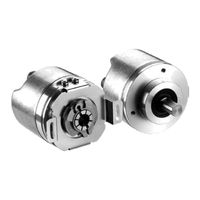
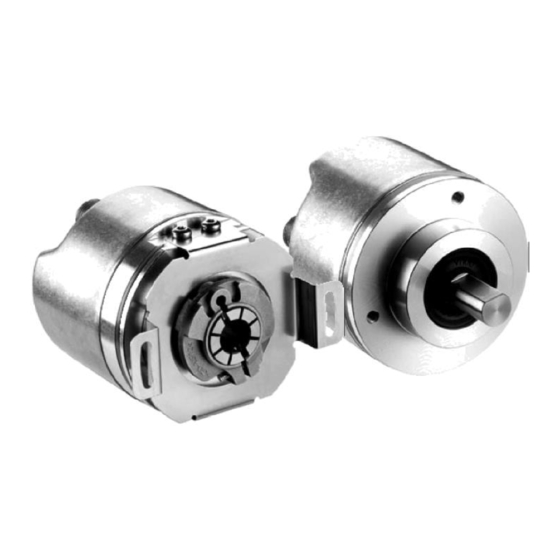
Manuals and User Guides for SICK A3M60 Advanced. We have
2
SICK A3M60 Advanced manuals available for free PDF download: Operating Instructions Manual
SICK A3M60 Advanced Operating Instructions Manual (50 pages)
PROFIBUS Absolute Encoder
Brand:
SICK
| Category:
Media Converter
| Size: 1 MB
Table of Contents
Table of Contents
3
About this Document
5
Function of this Document
5
Target Group
5
Information Depth
5
Scope
6
Abbreviations Used
6
Symbols Used
6
On Safety
7
Authorized Personnel
7
Correct Use
7
General Safety Notes and Protective Measures
8
Environmental Protection
8
Product Description
9
Special Features
9
Operating Principle of the Encoder
9
Integration in the PROFIBUS
10
RS<485 Interface
10
GSD File
10
Isochronous Mode
11
Communication Telegrams for Cyclic Process Data
11
Structure of Telegrams IO<04 and IO<08 (Vendor Specific)
11
Structure of Telegrams 81 and 83 (as Per Encoder Profile V4.1)
13
Contents of the Signals
14
Acyclic Process Data
17
Profidrive-Specific Parameters
17
Vendor-Specific Parameters
18
Encoder Profile-Specific Parameters
20
Configurable Functions
21
Class 2/4 Functionality
21
Code Sequence
21
G1_XIST1 Preset Control
22
Scaling
22
Alarm Channel Control
22
Compatibility Mode
22
Simulate GC Signal (Manufacturer Specific)
22
Show Fault Code
22
Steps Per Revolution
23
Total Resolution/Measuring Range
23
Maximum Tolerance Failure (Master's Sign-Of-Life)
23
Speed Measuring Unit
23
Number of Samples for Position Determination
23
Round Axis Functionality
24
Number of Revolutions, Nominator for the Round Axis Functionality
24
Number of Revolutions, Divisor for the Round Axis Functionality
24
Controls and Status Indicators
24
Commissioning
26
Mounting
26
Electrical Installation
27
Connections of the A3M60 Advanced
27
Hardware Settings
28
Bus Termination
28
Addressing
28
Preset
29
Configuration
29
Loading the GSD File (Once Only)
29
Loading Encoders into the Hardware Configuration Window
30
Loading Communication Module into the Slot
30
Configuration of the Modules IO<04 and IO<08
31
Configuration of the Modules 81 and 83
33
Test Notes
34
Fault Diagnosis
35
In the Event of Faults or Errors
35
Support
35
Error and Status Indications on the Leds
35
Error Transmission Via PROFIBUS
35
Diagnostics Telegram (Channel-Related-Diagnosis-Model)
35
Error Codes in the IO Telegram of the Modules IO<04 and
35
Error Messages Via Acyclic Services
38
Technical Specifications
39
Data Sheet
39
Dimensional Drawings
41
A3M60 Advanced with Blind Hollow Shaft
41
A3M60 Advanced with Servo Flange
41
A3M60 Advanced with Face Mount Flange
42
Ordering Information
43
Types Available
43
Accessories
43
Voltage Supply
43
Profibus in
44
Profibus out
44
PROFIBUS Accessories
45
Shaft Couplings
45
Mechanical Adapters
46
Annex
47
Conformities and Certificates
47
List of Tables
48
List of Illustrations
49
Advertisement
SICK A3M60 Advanced Operating Instructions Manual (34 pages)
PROFIBUS Absolute Encoder
Brand:
SICK
| Category:
Media Converter
| Size: 1 MB
Table of Contents
Table of Contents
3
About this Document
5
Function of this Document
5
Target Group
5
Information Depth
5
Scope
6
Abbreviations Used
6
Symbols Used
6
On Safety
7
Authorized Personnel
7
Correct Use
7
General Safety Notes and Protective Measures
8
Environmental Protection
8
Product Description
9
Special Features
9
Operating Principle of the Encoder
9
Integration in the PROFIBUS
10
RS<485 Interface
10
GSD File
10
Communication Message
11
Message IO<04
11
Message IO<08
11
Position
11
Preset
12
Speed and Time Stamp
13
Functions for Which Parameters Can be Set
13
Code Sequence
13
Class 2 Functionality
13
Scaling
13
Resolution Per Revolution
13
Total Resolution/Measuring Range
13
Controls and Status Indicators
14
Commissioning
15
Mounting
15
Electrical Installation
16
Connections of the A3M60 Basic
16
Settings on the Hardware
17
Bus Termination
17
Addressing
17
Preset
18
Configuration
18
Loading GSD File (Once Only)
18
Loading Encoders into the Hardware Configuration Window
19
Loading Communication Module into the Slot
19
Configuring the A3M60 Basic
20
Checking Preset Value
21
Test Notes
21
Fault Diagnosis
22
In the Event of Faults or Errors
22
Support
22
Diagnostics
22
Error and Status Indications on the Leds
22
Diagnostics Message
22
IO Message in Case of an Error
23
Technical Specifications
24
Data Sheet
24
Dimensional Drawings
26
A3M60 Basic with Hollow Shaft
26
A3M60 Basic with Servo Flange
26
A3M60 Basic with Clamping Flange
27
Ordering Information
28
Types Available
28
Accessories
28
Voltage Supply
28
Profibus in
29
Profibus out
29
PROFIBUS Accessories
30
Shaft Couplings
30
Mechanical Adapters
31
Annex
32
Conformities and Certificates
32
List of Tables
33
List of Illustrations
33
Advertisement
Related Products
SICK AHS36 IO-Link
SICK ATM60 SSI
SICK AFS60 PROFINET
SICK ATM60-C4H13X13
SICK ATM60-C1H13X13
SICK AHM36 CANopen
SICK AHS36 CANopen Inox
SICK AHS/AHM36 SAE J1939
SICK AFS/AFM60 EtherCAT
SICK AFM60S Pro
SICK Categories
Accessories
Security Sensors
Measuring Instruments
Scanner
Barcode Reader
More SICK Manuals
Login
Sign In
OR
Sign in with Facebook
Sign in with Google
Upload manual
Upload from disk
Upload from URL