Table of Contents
Advertisement
Advertisement
Table of Contents

Related Manuals for RAM 2011 DAKOTA


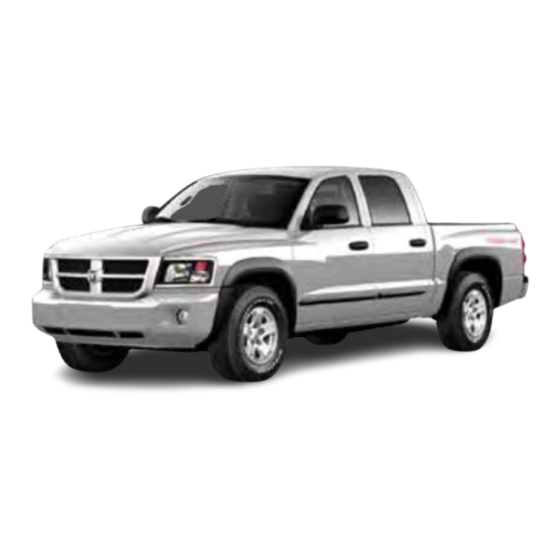
Summary of Contents for RAM 2011 DAKOTA
- Page 1 DAKOTA DAKOTA USER GUIDE USER GUIDE 2011 2011...
- Page 2 DAKOTA DAKOTA The driver’s primary responsibility is the safe operation of the vehicle. Driving while distracted can result in loss of vehicle control, resulting in a collision and personal injury. Chrysler Group LLC strongly recommends that the driver use extreme caution when using any device or feature that may take their attention off the road.
-
Page 3: Table Of Contents
TABLE OF CONTENTS INTRODUCTION/WELCOME Trailer Weight Ratings) ..35 Recreational Towing (Behind Welcome From Chrysler Group LLC . . . 2 Motorhome, Etc.) ... . 35 CONTROLS AT A GLANCE Brake/Transmission Interlock Driver Cockpit . -
Page 4: Introduction/Welcome
INTRODUCTION/WELCOME WELCOME FROM CHRYSLER GROUP LLC Congratulations on selecting your new Chrysler Group LLC vehicle. Be assured that it represents precision workmanship, distinctive styling, and high quality - all essentials that are traditional to our vehicles. Your new Chrysler Group LLC vehicle has characteristics to enhance the driver's control under some driving conditions. - Page 5 INTRODUCTION/WELCOME WARNING! • Pedals that cannot move freely can cause loss of vehicle control and increase the risk of serious personal injury. • Always make sure that objects cannot fall into the driver foot well while the vehicle is moving. Objects can become trapped under the brake pedal and accelerator pedal causing a loss of vehicle control.
-
Page 6: Controls At A Glance
CONTROLS AT A GLANCE DRIVER COCKPIT... - Page 7 CONTROLS AT A GLANCE...
-
Page 8: Instrument Cluster
CONTROLS AT A GLANCE INSTRUMENT CLUSTER Warning Lights - Low Fuel Warning Light - Charging System Light** - Oil Pressure Warning Light** - Anti-Lock Brake (ABS) Light** - Airbag Warning Light** - Electronic Throttle Control (ETC) Light - Tire Pressure Monitoring System (TPMS) Light - Engine Temperature Warning Light - Transmission Temperature Warning Light - Seat Belt Reminder Light... - Page 9 CONTROLS AT A GLANCE Indicators - Turn Signal Indicators - High Beam Indicator - Front Fog Light Indicator - Vehicle Security Indicator* - TOW/HAUL Indicator - Cruise Indicator - 4WD Indicator - 4WD LOW Indicator - Cargo Lamp Indicator Odometer Messages door - Door Ajar LoW tirE - Low Tire Pressure gASCAP - Fuel Cap Fault...
-
Page 10: Getting Started
GETTING STARTED KEY FOB Locking And Unlocking The Doors • Press the LOCK button once to lock all the doors. Press the UNLOCK button once to unlock the driver’s door only and twice within five seconds to unlock all the doors. •... -
Page 11: Theft Alarm
GETTING STARTED WARNING! • Do not start or run an engine in a closed garage or confined area. Exhaust gas contains Carbon Monoxide (CO) which is odorless and colorless. Carbon Monoxide is poisonous and can cause serious injury or death when inhaled. •... -
Page 12: Supplemental Restraint System (Srs) - Airbags
GETTING STARTED WARNING! In a collision, you and your passengers can suffer much greater injuries if you are not buckled up properly. You can strike the interior of your vehicle or other passengers, or you can be thrown out of the vehicle. Always be sure you and others in your vehicle are buckled up properly. -
Page 13: Child Restraints
GETTING STARTED CHILD RESTRAINTS • Children 12 years and under should ride properly buckled up in a rear seat, if available. According to crash statistics, children are safer when properly restrained in the rear seats rather than in the front. •... - Page 14 GETTING STARTED Crew Cab • The Crew Cab second row seat has lower anchorages that are capable of accommodating LATCH compatible child seats having flexible, webbing mounted lower attachments at all three seating positions. • Child seats with fixed lower attachments must be installed in the outboard positions only.
- Page 15 GETTING STARTED 1. Inner Anchor Strap Ring(s) 2. Snap Hook 3. Tether Strap 4. Passenger's Side Rear Child Seat 5. Rear Center Child Seat 6. Driver's Side Rear Child Seat Installing The Child Restraint Using The Vehicle Seat Belts • To install a child restraint, first, pull enough of the seat belt webbing from the retractor to route it through the belt path of the child restraint and slide the latch plate into the buckle.
-
Page 16: Front Seats
GETTING STARTED FRONT SEATS Power Seat — Driver's Side Only • The power seat controls are located on the outboard side of the driver's seat cushion. • The power seat switch controls the forward, backward, up, or down adjustment. • The two tilt switches control the tilt up or down adjustment. -
Page 17: Heated Seats
GETTING STARTED CAUTION! Do not place any article under a power seat or impede its ability to move as it may cause damage to the seat controls. Seat travel may become limited if movement is stopped by an obstruction in the seat’s path. WARNING! •... -
Page 18: Tilt Steering Column
GETTING STARTED WARNING! • Persons who are unable to feel pain to the skin because of advanced age, chronic illness, diabetes, spinal cord injury, medication, alcohol use, exhaustion or other physical conditions must exercise care when using the seat heater. It may cause burns even at low temperatures, especially if used for long periods of time. -
Page 19: Operating Your Vehicle
OPERATING YOUR VEHICLE TURN SIGNALS/WIPER/WASHER/HIGH BEAMS LEVER Turn Signals/Lane Change Assist • Tap the lever up or down once and the turn signal (right or left) will flash three times and automatically turn off. Wipers Intermittent, Low And High Operation •... -
Page 20: Headlight Switch
OPERATING YOUR VEHICLE HEADLIGHT SWITCH Automatic Headlights/Parking Lights/Headlights • Rotate the headlight switch, located on the instrument panel to the left of the steering wheel, to the first detent for parking lights and to the second detent for headlights. • With the parking lights or low beam headlights on, push the headlight switch once for fog lights. -
Page 21: Speed Control
OPERATING YOUR VEHICLE SPEED CONTROL • The speed control switches are located on the steering wheel. Cruise ON/OFF • Push the ON/OFF switch to activate the Speed Control. • CRUISE will appear in the instrument cluster to indicate the Speed Control is on. -
Page 22: Climate Controls
OPERATING YOUR VEHICLE CLIMATE CONTROLS Air Recirculation • Use recirculation for maximum A/C operation. • For window defogging, turn the recirculation off. • Recirculation is not allowed in defrost, floor, defrost/floor (mix) modes. WIND BUFFETING • Wind buffeting can be described as a helicopter-type percussion sound. If buffeting occurs with the rear windows open, adjust the front and rear windows together. -
Page 23: Electronics
ELECTRONICS NON-TOUCH-SCREEN RADIOS Media Center 130 (Sales Code RES) Media Center 130 with Satellite Radio (Sales Code RES + RSC) - Page 24 ELECTRONICS Media Center 230 (Sales Code REQ) NOTE: Your radio may not be equipped with the Uconnect™ Voice Command and Uconnect™ Phone features. To determine if your radio has these features, press the Voice Command button on the radio. You will hear a voice prompt if you have the feature, or see a message on the radio stating “Uconnect Phone not available”...
- Page 25 ELECTRONICS Audio Jack • The Audio Jack allows a portable device, such as an MP3 player or a cassette player, to be plugged into the radio and utilize the vehicle’s audio system, using a 3.5 mm audio cable, to amplify the source and play through the vehicle speakers.
-
Page 26: Steering Wheel Audio Controls
ELECTRONICS STEERING WHEEL AUDIO CONTROLS • The steering wheel audio controls are located on the rear surface of the steering wheel. Right Switch • Press the switch up or down to increase or decrease the volume. • Press the button in the center to change modes AM/FM/CD/SAT. - Page 27 ELECTRONICS Phone Pairing NOTE: Pairing is a one-time initial setup before using the phone. You will also need to follow the Bluetooth ® instructions in your cell phone user guide to complete the phone pairing setup. • Press the Phone button to begin.
-
Page 28: Uconnect™ Voice Command
ELECTRONICS Transfer Ongoing Call Between Handset And Vehicle • During a call, press the Voice Command button • (After the BEEP), say “transfer call”. Changing The Volume • Start a dialogue by pressing the Phone button , then adjust the volume during a normal call. - Page 29 ELECTRONICS Voice Command for Text Messaging • If equipped with Uconnect™ Voice Command, your Media Center 430N radio may be able to play incoming SMS messages through the vehicle sound system. • It also allows you to respond by selecting from various pre-defined phrases. •...
-
Page 30: Programmable Features
ELECTRONICS PROGRAMMABLE FEATURES • The following features may be programmed using the Key Fob transmitter or the ignition switch and driver's door lock switch. NOTE: Pressing the LOCK button while you are inside the vehicle will activate the Vehicle Security Alarm. Opening a door with the Vehicle Security Alarm activated will cause the alarm to sound. -
Page 31: Universal Garage Door Opener (Homelink ® )
ELECTRONICS Flashing Lights With Lock • The turn signal lights flashing when the doors are locked or unlocked feature can be turned on or off. To turn this feature on or off: • Press and hold the UNLOCK button for at least 4 seconds, but no longer than 6 seconds. - Page 32 ELECTRONICS Programming A Rolling Code System • At the garage door opener motor (in the garage), locate the “learn” or “programming” button. This can usually be found where the hanging antenna wire is attached to the garage door opener motor (it is NOT the button normally used to open and close the door).
-
Page 33: Power Outlet
ELECTRONICS POWER OUTLET • There are two 12 Volt electrical outlets on this vehicle. • The outlet on the front console has power available only when the ignition is in the ON/RUN position. If desired, this outlet can be converted by your authorized dealer to provide power with the ignition switch in the LOCK position. -
Page 34: Off-Road Capabilities
OFF-ROAD CAPABILITIES FOUR-WHEEL DRIVE • When additional traction is required, the transfer case 4WD OPERATION LOCK and 4WD LOW positions can be used to lock the front and rear driveshafts together and force the front and rear wheels to rotate at the same speed. - Page 35 OFF-ROAD CAPABILITIES WARNING! You or others could be injured if you leave the vehicle unattended with the transfer case in the NEUTRAL position without first fully engaging the parking brake. The transfer case NEUTRAL position disengages both the front and rear driveshafts from the powertrain and will allow the vehicle to move regardless of the transmission position.
-
Page 36: Utility
UTILITY REAR CRATE 'N GO STORAGE REAR CARGO AREA UTILITY ® RAILS • There are four adjustable cleats in the pick-up bed that can be used to assist in securing cargo. Each cleat must be located and tightened down in one of the detents along either rail, in order to keep cargo properly secured. -
Page 37: Trailer Towing Weights
UTILITY Two–Position Tailgate/Upper Load CAUTION! (Continued) Platform • Ensure the load is securely tied • Your tailgate can be opened to the down and is properly identified full-open or the partial-open according to local laws if it position. The partial-open position extends beyond the tail lights. - Page 38 UTILITY • Press the brake pedal and shift requirements are met or until the the automatic transmission into NEUTRAL button is released. NEUTRAL, or press the clutch • The Key Fob must be ON for a shift pedal to the floor on a manual to take place and for the position transmission.
-
Page 39: Brake/Transmission Interlock System
UTILITY BRAKE/TRANSMISSION INTERLOCK SYSTEM • This system prevents you from moving the shift lever out of PARK and into any gear unless the brake pedal is pressed. • This system is active only when the ignition switch is in the ON/RUN position. -
Page 40: What To Do In Emergencies
WHAT TO DO IN EMERGENCIES 24-HOUR TOWING ASSISTANCE - U.S. ONLY • Dial toll-free 1-800-521-2779 or 1-800-363-4869 for Canadian residents. • Provide your name, vehicle identification number and license plate number. • Provide your location, including telephone number, from which you are calling. •... - Page 41 WHAT TO DO IN EMERGENCIES • When the malfunction indicator is illuminated, the system may not be able to detect or signal low tire pressure as intended. TPMS malfunctions may occur for a variety of reasons, including the installation of replacement or alternate tires or wheels on the vehicle that prevent the TPMS from functioning properly.
- Page 42 WHAT TO DO IN EMERGENCIES WARNING! Driving a vehicle with the red brake light on is dangerous. Part of the brake system may have failed. It will take longer to stop the vehicle. You could have a collision. Have the vehicle checked immediately. - Malfunction Indicator Light (MIL) •...
- Page 43 WHAT TO DO IN EMERGENCIES • If the light remains lit with the engine running, your vehicle will usually be drivable; however, see an authorized service center immediately. If the light is flashing when the engine is running, immediate service is required and you may experience reduced performance, an elevated/rough idle or engine stall and your vehicle may require towing.
-
Page 44: If Your Engine Overheats
WHAT TO DO IN EMERGENCIES IF YOUR ENGINE OVERHEATS • In any of the following situations, you can reduce the potential for overheating by taking the appropriate action. • On the highways — slow down. • In city traffic — while stopped, shift transmission into NEUTRAL, but do not increase engine idle speed. -
Page 45: Jacking And Tire Changing
WHAT TO DO IN EMERGENCIES JACKING AND TIRE CHANGING Jack Location Extended Cab • The scissor jack and tire changing tools are stowed in a compartment under the rear passenger seat. Crew Cab ® • The scissor jack and tire changing tools are accessed by lifting up the rear passenger seat. - Page 46 WHAT TO DO IN EMERGENCIES Preparations For Jacking • Park on a firm, level surface. Avoid ice or slippery areas. • Set the parking brake and shift the automatic transmission into PARK. On Four-Wheel Drive vehicles, shift the transfer case to the 4L position. •...
- Page 47 WHAT TO DO IN EMERGENCIES • For rear wheels, place the jack under the axle between the u-bolts attaching the spring to the axle.
- Page 48 WHAT TO DO IN EMERGENCIES • Turn the jack screw clockwise to firmly engage the jack saddle with the lift area. • Raise the vehicle by turning the jack screw clockwise. Raise the vehicle only until the tire just clears the surface and enough clearance is obtained to install the spare tire.
- Page 49 WHAT TO DO IN EMERGENCIES WARNING! • Do not attempt to change a tire on the side of the vehicle close to moving traffic. Pull far enough off the road to avoid the danger of being hit when operating the jack or changing the wheel. •...
-
Page 50: Jump-Starting
WHAT TO DO IN EMERGENCIES JUMP-STARTING • If your vehicle has a discharged battery it can be jump-started using a set of jumper cables and a battery in another vehicle or by using a portable battery booster pack. • Jump-starting can be dangerous if done improperly so please follow the procedures in this section carefully. - Page 51 WHAT TO DO IN EMERGENCIES • Connect the negative end (-) of the jumper cable to the negative (-) post of the booster battery. • Connect the opposite end of the negative (-) jumper cable to a good engine ground (exposed metal part of the discharged vehicle’s engine) away from the battery and the fuel injection system.
-
Page 52: Emergency Tow Hooks
WHAT TO DO IN EMERGENCIES WARNING! (Continued) • Remove any metal jewelry, such as watch bands or bracelets, that might make an inadvertent electrical contact. You could be severely injured. • Batteries contain sulfuric acid that can burn your skin or eyes and generate hydrogen gas which is flammable and explosive. -
Page 53: Towing A Disabled Vehicle
WHAT TO DO IN EMERGENCIES... -
Page 54: Freeing A Stuck Vehicle
WHAT TO DO IN EMERGENCIES FREEING A STUCK VEHICLE • If your vehicle becomes stuck in mud, sand or snow, it can often be moved by a rocking motion. Turn your steering wheel right and left to clear the area around the front wheels. -
Page 55: Event Data Recorder (Edr)
WHAT TO DO IN EMERGENCIES EVENT DATA RECORDER (EDR) • This vehicle is equipped with an event data recorder (EDR). The main purpose of an EDR is to record, in certain crash or near crash-like situations, such as an air bag deployment or hitting a road obstacle, data that will assist in understanding how a vehicle’s systems performed. -
Page 56: Maintaining Your Vehicle
MAINTAINING YOUR VEHICLE OPENING THE HOOD • Pull the hood release lever located below the steering wheel at the base of the instrument panel. • Reach into the opening beneath the center of the hood and move the safety latch lever while lifting the hood at the same time. -
Page 57: Engine Compartment
MAINTAINING YOUR VEHICLE... - Page 58 MAINTAINING YOUR VEHICLE...
-
Page 59: Fluids And Capacities
MAINTAINING YOUR VEHICLE FLUIDS AND CAPACITIES Component Fluid, Lubricant, or Genuine Part Capacities Engine Coolant MOPAR ® Antifreeze/Coolant Five 13.3 Quarts 3.7L, 4.7L Year/100,000 Mile Formula HOAT (12.5 Liters) Includes (Hybrid Organic Additive heater and coolant Technology) or equivalent. recovery bottle filled to MAX level. -
Page 60: Maintenance Chart
MAINTAINING YOUR VEHICLE... - Page 61 MAINTAINING YOUR VEHICLE Maintenance Record Odometer Date Signature, Authorized Service Center 8,000 Miles (13,000 km) or 6 Months 16,000 Miles (26,000 km) or 12 Months 24,000 Miles (39,000 km) or 18 Months 32,000 Miles (52,000 km) or 24 Months 40,000 Miles (65,000 km) or 30 Months 48,000 Miles...
- Page 62 MAINTAINING YOUR VEHICLE...
-
Page 63: Fuses
MAINTAINING YOUR VEHICLE Power Distribution Center (fuses) • The Power Distribution Center located on the left side of the engine compartment. This center contains cartridge fuses, mini fuses and relays. Cavity Cartridge Fuse Mini-Fuse Description — — Spare — — Spare 30 Amp Pink Electric Brake... - Page 64 MAINTAINING YOUR VEHICLE Cavity Cartridge Fuse Mini-Fuse Description — — Spare 30 Amp Green Ignition Run/AC/Windows 30 Amp Pink Front Control Module (FCM) 1 (Ext. Lights # 1) 30 Amp Pink Auto Shut Down (ASD) 30 Amp Pink Front Control Module (FCM) 2 (Ext.
-
Page 65: Tire Pressures
MAINTAINING YOUR VEHICLE CAUTION! • When installing the integrated power module cover, it is important to ensure the cover is properly positioned and fully latched. Failure to do so may allow water to get into the integrated power module and possibly result in a electrical system failure. -
Page 66: Wheel And Wheel Trim Care
MAINTAINING YOUR VEHICLE WHEEL AND WHEEL TRIM CARE • All wheels and wheel trim, especially aluminum and chrome plated wheels, should be cleaned regularly with a mild soap and water to prevent corrosion. • To remove heavy soil and/or excessive brake dust, use MOPAR ®... -
Page 67: Consumer Assistance
CONSUMER ASSISTANCE CHRYSLER GROUP LLC WARNING! CUSTOMER CENTER Engine exhaust, some of its P.O. Box 21–8004 constituents, and certain vehicle components contain, or emit, Auburn Hills, MI 48321–8004 chemicals known to the State of Phone: 1–866–726–4636 California to cause cancer and birth defects, or other reproductive CHRYSLER CANADA INC. -
Page 68: Reporting Safety Defects In The 50 United States And Washington, D.c
CONSUMER ASSISTANCE • Click on the "For Owners" tab, select In Canada "Owner/Service Manuals", then • If you believe that your vehicle has select your desired model year and a safety defect, you should contact vehicle from the drop down lists. the Customer Service Department immediately. -
Page 69: Mopar Accessories
MOPAR ACCESSORIES AUTHENTIC ACCESSORIES BY MOPAR ® • The following highlights just some of the many Authentic Dodge Accessories by Mopar featuring a fit, finish, and functionality specifically for your Dodge Dakota. • In choosing Authentic Accessories you gain far more than expressive style, premium protection, or extreme entertainment, you also benefit from enhancing your vehicle with accessories that have been thoroughly tested and factory-approved. -
Page 70: Index
INDEX Air Conditioning ... . 20 Electronic Speed Control (Cruise Airbag ....10 Control) . - Page 71 INDEX Jump Starting ... . . 48 Seat Belts ....9 Seats ....14 Adjustment .
- Page 72 INDEX Uconnect™ Phone ..24 Washers, Windshield ..17 Wheel and Wheel Trim Care ..64 Wind Buffeting ... . . 20 Voice Command .
- Page 73 NOTES...
- Page 74 NOTES...
- Page 75 Driving and Alcohol: Drunken driving is one of the most frequent causes of collisions. Your driving ability can be seriously impaired with blood alcohol levels far below the legal minimum. If you are drinking, don’t drive. Ride with a designated non-drinking driver, call a cab, a friend, or use public transportation. WARNING! Driving after drinking can lead to a collision.
- Page 76 RAMTRUCKS.COM RAMTRUCKS.COM This guide has been prepared to help you get quickly acquainted with your new RAM and to provide a convenient reference source for common questions. However, it is not a substitute for your Owner’s Manual. For complete operational instructions, maintenance procedures and important safety messages, please consult your Owner’s Manual,...
Need help?
Do you have a question about the 2011 DAKOTA and is the answer not in the manual?
Questions and answers