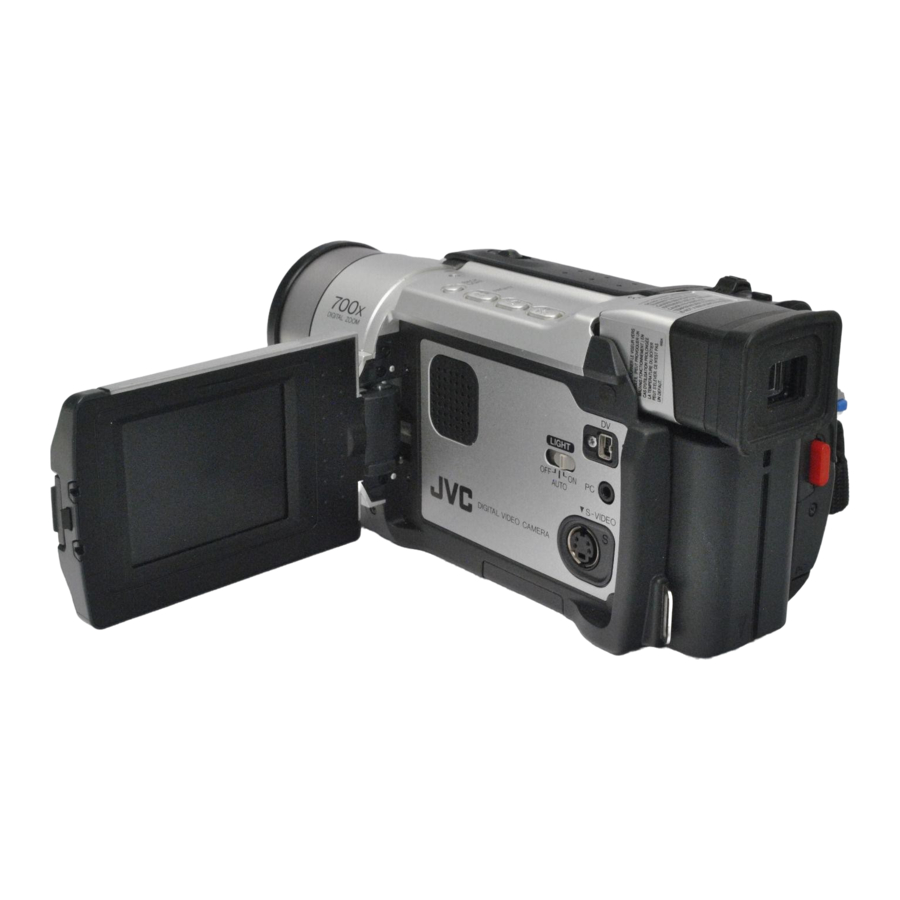
JVC GR-DVL520 Instructions Manual
Digital video camera
Hide thumbs
Also See for GR-DVL520:
- Instructions manual (88 pages) ,
- Instructions manual (88 pages) ,
- Instructions manual (88 pages)
Table of Contents
Advertisement
DIGITAL VIDEO CAMERA
GR-DVL720
GR-DVL520
GR-DVL320
Please visit our Homepage on the World Wide Web and
answer our Consumer Survey (in English only):
http://www.jvc-victor.co.jp/english/index-e.html
For Accessories:
http://www.jvc-victor.co.jp/english/accessory/
The camcorder illustrations appearing in this
instruction manual are of the GR-DVL720.
Memory card recording features are available
on GR-DVL720 and GR-DVL520.
INSTRUCTIONS
CONTENTS
AUTOMATIC DEMONSTRATION
GETTING STARTED
TAPE
RECORDING & PLAYBACK
TAPE RECORDING ........................ 16 – 20
TAPE PLAYBACK .......................... 21 – 24
MEMORY CARD
RECORDING & PLAYBACK
MEMORY CARD RECORDING ......... 26 – 27
MEMORY CARD PLAYBACK ............ 28 – 34
ADVANCED FEATURES
FOR RECORDING ........................... 36 – 43
USING MENUS FOR
DETAILED ADJUSTMENT .............. 44 – 49
DUBBING ..................................... 50 – 52
USING THE REMOTE CONTROL UNIT ... 53 – 64
SYSTEM CONNECTIONS ......................... 65
REFERENCES
DETAILS ............................................. 67
TROUBLESHOOTING ...................... 68 – 73
USER MAINTENANCE ............................ 74
CAUTIONS .................................... 75 – 77
SPECIFICATIONS ........................... 78 – 79
INDEX ......................................... 80 – 86
TERMS ............................... 87 – Back Cover
For Customer Use:
Enter below the Model No. and Serial
No. which is located on the bottom of the
camcorder. Retain this information for
future reference.
Model No.
Serial No.
LYT0869-001C
ENGLISH
6
7 – 14
15 – 24
25 – 34
35 – 65
66 – Back Cover
EN
Advertisement
Chapters
Table of Contents

Related Manuals for JVC GR-DVL520


Summary of Contents for JVC GR-DVL520
-
Page 1: Digital Video Camera
Consumer Survey (in English only): http://www.jvc-victor.co.jp/english/index-e.html For Accessories: http://www.jvc-victor.co.jp/english/accessory/ The camcorder illustrations appearing in this instruction manual are of the GR-DVL720. Memory card recording features are available on GR-DVL720 and GR-DVL520. INSTRUCTIONS CONTENTS AUTOMATIC DEMONSTRATION GETTING STARTED TAPE RECORDING & PLAYBACK TAPE RECORDING ... -
Page 2: Safety Precautions
However, live recording and LCD monitor/viewfinder playback are possible anywhere. Use the JVC BN-V408U/V416U/V428U battery packs and, to recharge them or to supply power to the camcorder from an AC outlet, use the provided multi-voltage AC Adapter. (An appropriate conversion adapter may be necessary to accommodate different designs of AC outlets in different countries.) -
Page 3: Important Product Safety Instructions
When the equipment is installed in a cabinet or on a shelf, make sure that it has sufficient space on all sides to allow for ventilation (10 cm (3-15/16") or more on both sides, on top and at the rear). Do not block the ventilation holes. - Page 4 The following notes concern possible physical damage to the camcorder and to the user. When carrying, be sure to always securely attach and use the provided shoulder strap. Carrying or holding the camcorder by the viewfinder and/or the LCD monitor can result in dropping the unit, or in a malfunction.
-
Page 5: Provided Accessories
NOTE: In order to maintain optimum performance of the camcorder, provided cables may be equipped with one or more core filter. If a cable has only one core filter, the end that is closest to the filter should be connected to the camcorder. -
Page 6: Automatic Demonstration
LCD monitor or viewfinder. How To Attach The Lens Cap To protect the lens, attach the provided lens cap to the camcorder as shown in the illustration. NOTE: To confirm the lens cap is on correctly make sure the cap is flush to the camera. -
Page 7: Table Of Contents
GETTING STARTED GETTING STARTED CONTENTS Power ... 8 – 9 Grip Adjustment ... 10 Viewfinder Adjustment ... 10 Shoulder Strap Attachment ... 10 Tripod Mounting ... 10 Date/Time Settings... 11 Loading/Unloading A Cassette ... 12 Recording Mode Setting ... 13 Loading A Memory Card ... -
Page 8: Power
Adapter to the camcorder The CHARGE lamp on the camcorder blinks to indicate charging has started. lit, charging is finished. Unplug the AC Adapter from the AC outlet. -
Page 9: Using Ac Power
VU-V856 KIT : BN-V856U battery pack & AA-V80U AC Power Adapter/Charger Read the kit's instruction manual before using. Also, by using the optional JVC VC-VBN856U DC Cord, it will be possible to connect BN-V840U or BN-V856U battery packs to the camcorder and supply power directly to the camcorder. -
Page 10: Grip Adjustment
Strap . Confirm the strap is not twisted. Tripod Mounting When attaching the camcorder to a tripod, extend its legs to stabilize the camcorder. It is not advised to use small sized tripods. This may cause damage to the unit by falling over. -
Page 11: Date/Time Settings
48, 49). Set the Power Switch to “ down the Lock Button located on the switch. The power lamp lights and the camcorder is turned on. Press the MENU/BRIGHT wheel in to access the Menu Screen. Rotate the MENU/BRIGHT wheel to select “... -
Page 12: Loading/Unloading A Cassette
If the tape does not load properly, open the cassette holder cover fully and remove the cassette. A few minutes later, insert it again. When the camcorder is suddenly moved from a cold place to a warm environment, wait a short time before opening the cassette holder cover. -
Page 13: Recording Mode Setting
It is recommended that tapes recorded in the LP mode on this camcorder be played back on this camcorder. During playback of a tape recorded on another camcorder, blocks of noise may appear or there may be momentary pauses in the sound. ” while pressing... -
Page 14: Loading A Memory Card (Gr-Dvl720/Dvl520 Only)
34. ATTENTION Do not insert/remove the memory card while the camcorder is turned on, as this may cause the memory card to be corrupted or cause the camcorder to become unable to recognize whether or not the card is installed. -
Page 15: Recording & Playback
TAPE RECORDING & PLAYBACK TAPE RECORDING & PLAYBACK CONTENTS TAPE RECORDING ... 16 – 20 Basic Recording ... 16 Journalistic Shooting ... 17 Self-Recording ... 17 Operation Mode ... 17 Zooming ... 18 Video Light ... 19 Time Code ... 20 TAPE PLAYBACK ... -
Page 16: Tape Recording
LCD monitor is fully open. Tilt it upward/ downward for best viewability. Shooting while using the viewfinder: Close the LCD monitor. • The power lamp lights and the camcorder enters the 3 min Record-Standby mode. “PAUSE” is displayed. Press the Recording Start/Stop Button. “... -
Page 17: Journalistic Shooting
Self- Recording To turn on the camcorder, set the Power Switch to any operation mode except “OFF”while pressing down the Lock Button located on the switch. Power lamp Lock Button VIDEO/MEMORY Switch (GR-DVL720/DVL520 only; open the LCD monitor to access this switch.) When the Power Switch is set to “... -
Page 18: Zooming
Zoom in (T: Telephoto) 1x W 1 x W 2 x W Zoom out (W: Wide angle) Zoom display 1 x W Approximate zoom ratio Power Zoom Lever FEATURE: PURPOSE: To produce the zoom in/out effect, or an instanta- 4 x W neous change in image magnification. -
Page 19: Video Light
Do not affix it directly to a surface such as a table top. It is recommended that you consult your nearest JVC dealer for replacing the video light. Video Light... -
Page 20: Time Code
When recording is resumed, the time code starts counting up again from “00:00:00”. This means the camcorder may record the same time codes as those existing in a previously recorded scene. To prevent this, perform “Recording From The Middle of A Tape”... -
Page 21: Tape Playback
Speaker NOTES: If Stop mode continues for 5 minutes when power is supplied from a battery, the camcorder shuts off automatically. To turn on again, set the Power Switch to “OFF”, then to “PLAY”. The playback picture can be viewed in the LCD monitor, viewfinder or on a connected TV ( You can also view the playback picture on the LCD monitor with it flipped over and pushed against the camera body. -
Page 22: Connections
Connections These are some basic types of connections. When making the connections, refer also to your VCR and TV instruction manuals. A. Connection to a TV or VCR equipped with an S-VIDEO IN and A/V input connectors Connector cover* * When connecting the cables, open this cover. ** The Audio cable is not required for watching still images only. - Page 23 ( The S-Video cable is optional. Be sure to use the YTU94146A S-Video cable. Consult the JVC Service Center described on the sheet included in the package for details on its availability. Make sure to connect the end with a core filter to the camcorder.
-
Page 24: Blank Search
... press 5. NOTES: In step 3, if the current position is at a blank portion the camcorder searches in the reverse direction, and if the current position is at a recorded portion the camcorder searches in the forward direction. -
Page 25: Recording & Playback
MEMORY CARD RECORDING & PLAYBACK Memory Card recording features are available on GR-DVL720 and GR-DVL520. CONTENTS MEMORY CARD RECORDING ... 26 – 27 Basic Shooting (Snapshot) ... 26 – 27 MEMORY CARD PLAYBACK ... 28 – 34 Normal Playback ... 28 Auto Playback ... -
Page 26: Memory Card Recording
Displays the quality of image: F (Fine) or S (Standard) (in order of quality) ( Display Basic Shooting (Snapshot) You can use your camcorder as a digital still camera for taking snapshots. NOTE: You should already have performed the procedures listed below. - Page 27 If shooting is not performed for approx. 5 minutes when the Power Switch is set to “ power is supplied from the battery pack, the camcorder shuts off automatically to save power. To perform shooting again, set the Power Switch to “OFF”, then to “...
-
Page 28: Memory Card Playback
Camera File system) will be displayed as reduced-size thumbnail images. These thumbnail images cannot be transferred to a PC. Images shot with devices (such as JVC GR-DVM70) that are not compatible with DCF cannot be viewed with this camcorder; “UNSUPPORTED FILES” will be displayed. -
Page 29: Index Playback
INDEX Button INFO Button Selected image Index number Index Screen Info Screen : 1 0 0 - 0 0 1 0 ’ Operation mode indicator Battery indicator Playback Screen Menu Screen M E NU D I SPLAY OF F RETURN Index Playback You can view several different images stored on the memory card at a time. -
Page 30: Protecting Files
MENU/BRIGHT Wheel Power Switch Lock Button Display MENU PROTECT DELETE DPOF NO . RESET FORMAT D I SPLAY M E NU PROTECT RENT PROT . AL L CANC . AL L RETURN ROTECT PROTECTED RETURN Protecting Files The Protect mode helps prevent the accidental erasure of files. -
Page 31: Deleting Files
RETURN CAUTION Do not remove the memory card or perform any other operation (such as turning off the camcorder) during deletion. Also, be sure to use the provided AC Adapter, as the memory card may be corrupted if the battery becomes exhausted during deletion. If the memory card becomes corrupted, initialize it. -
Page 32: Setting Print Information (Dpof Setting)
AL L 1 ? EXECUTE RETURN Setting Print Information (DPOF Setting) This camcorder is compatible with the DPOF (Digital Print Order Format) standard in order to support future systems such as automatic printing, which records information about the still images you wish to print (such as the number of prints to make). - Page 33 Fast-Forward (3) Button Rewind Button (2) MENU/BRIGHT Wheel VIDEO/MEMORY Switch (Open the LCD monitor to access this switch.) Display DPOF Screen DPOF SHEETS RETURN DPOF SHEETS DPOF SAVE? EXECUTE CANCEL TO PRINT BY SELECTING STILL IMAGES AND NO. OF PRINTS Perform steps 1 through 3 on pg.
-
Page 34: Making A New Folder
“RETURN” and press it. Do not perform any other operation (such as turning off the camcorder) during initialization. Also, be sure to use the provided AC Adapter, as the memory card may be corrupted if the battery becomes exhausted during initialization. -
Page 35: Using Menus For
ADVANCED FEATURES FOR RECORDING ... 36 – 43 USING MENUS FOR DETAILED ADJUSTMENT ... 44 – 49 DUBBING ... 50 – 52 USING THE REMOTE CONTROL UNIT ... 53 – 64 SYSTEM CONNECTIONS ... 65 ADVANCED FEATURES CONTENTS Night-Alive ... 36 Program AE With Special Effects ... -
Page 36: For Recording
• “Video light” when LIGHT OFF/AUTO/ON is set to “AUTO” ( pg. 19). During Night-Alive, it may be difficult to bring the camcorder into focus. To prevent this, use of manual focus and/or a tripod is recommended. MENU/BRIGHT Wheel Lock Button... - Page 37 When using “SLOW”, the image takes on a strobe- like effect. When using “SLOW”, it may be difficult to bring the , but camcorder into focus. To prevent this, use of manual focus and/or a tripod is recommended. CLASSIC FILM STROBE...
-
Page 38: Fade/Wipe Effects
IMPORTANT Some Fade/Wipe Effects cannot be used with certain modes of Program AE with special effects ( 37). If an unusable Fade/Wipe Effect is selected, its indicator blinks or goes out. Lock Button MENU/BRIGHT Wheel Power Switch Recording Start/Stop VIDEO/MEMORY Switch Button (GR-DVL720/DVL520 only;... - Page 39 Fader And Wipe Menu Menu FADER — WHITE FADER — BLACK FADER — B.W WIPE — CORNER WIPE — WINDOW WIPE — SLIDE WIPE — DOOR WIPE — SCROLL WIPE — SHUTTER Effect Fade in or out with a white screen. Fade in or out with a black screen.
-
Page 40: Snapshot (For Tape Recording)
Rotate the MENU/BRIGHT wheel to select the RETURN” and press it twice. The Menu Screen SNAPSHOT RECORDING Press SNAPSHOT. “PHOTO” appears while the for approx. 6 seconds, then the camcorder re-enters the Record-Standby mode. for approx. 6 seconds, then the normal recording resumes. -
Page 41: Auto Focus Feature
FEATURE: PURPOSE: The camcorder’s Full Range AF system offers continuous shooting ability from close-up (as close as approx. 5 cm (2") to the subject) to infinity. However, correct focus may not be obtainable in the situations listed below (in these cases use manual focusing): •... -
Page 42: Exposure Control
Exposure Control Manual exposure adjustment is recommended in the following situations: • When shooting using reverse lighting or when the background is too bright. • When shooting on a reflective natural background such as at the beach or when skiing. •... -
Page 43: White Balance Adjustment
If the white balance is correct, all other colors will be accurately reproduced. The white balance is usually adjusted automatically. However, more advanced camcorder operators control this function manually to achieve a more professional color/tint reproduction. Set the Power Switch to “... -
Page 44: Using Menus For Detailed Adjustment
USING MENUS FOR DETAILED ADJUSTMENT For Recording Menu This camcorder is equipped with an easy-to-use, on-screen menu system that simplifies many of the more detailed camcorder settings ( down the Lock Button located on the switch. -
Page 45: Rec Mode
• When shooting scenes with movement in various directions. • When shooting scenes with low-contrast backgrounds. Switch off this mode when recording with the camcorder on a tripod. The “ ” indicator blinks or goes out if the Stabilizer cannot be used. - Page 46 BEEP BEEP MELODY TALLY This number is necessary when connecting the camcorder to a device such as a computer NUMBER using the J terminal (JLIP) or PC connector. The numbers range from 01 to 99. Factory setting is 06. (GR-DVL320...
- Page 47 The date/time is always displayed. TIME Time code is not displayed. CODE Time code is displayed on the camcorder and on the connected TV. Frame numbers are not displayed during recording. CLOCK ADJ. Allows you to set the current date and time (...
-
Page 48: For Playback Menu
(SP or LP) depending on your preference pg. 13). It is recommended you use “REC MODE” in the “ VIDEO” Menu when using this camcorder as a recorder during dubbing ( pg. 51). COPY ON: Enables dubbing of images (GR-DVL720/... -
Page 49: Playback Sound
Playback Sound During tape playback, the camcorder detects the sound mode in which the recording was made, and plays the sound back. Select the type of sound to accompany your playback picture. According to the menu access explanation on pg. 48, select “SOUND MODE” or “12BIT MODE” from the Menu Screen and set it to the desired parameter. -
Page 50: Dubbing
Menu Screen ( The S-Video cable is optional. Be sure to use the YTU94146A S-Video cable. Consult the JVC Service Center described on the sheet included in the package for details on its availability. Make sure to connect the end with a core filter to the camcorder. -
Page 51: Digital Dubbing
( If the remote control is used when both the player and recorder are JVC video units, both units will perform the same operation. To prevent this from happening, press the buttons on both units. -
Page 52: Dubbing Still Images Recorded On A Tape To A Memory Card (Gr-Dvl720/Dvl520 Only)
SNAPSHOT Button Power Switch Lock Button Display Menu Screen COPY – OF F Play/Pause Button (4/6) VIDEO/MEMORY Switch (Open the LCD monitor to access this switch.) Dubbing Still Images Recorded On A Tape To A Memory Card Still images can be dubbed from a tape to a memory card. -
Page 53: Using The Remote Control Unit
(Playback, Stop, Pause, Fast-Forward and Rewind) of your VCR. It also makes additional playback functions possible. For GR-DVL520/DVL320 Owners: If you want to – perform Random Assemble Editing ( use the optional RM-V700U remote control. - Page 54 Zoom in/out ( pg. 18) — — — — — — — — — Functions the same as the Recording Start/Stop Button on the camcorder. — Functions the same as SNAPSHOT on the camcorder. — — — — — — — —...
- Page 55 (“ ” or “ ”). Transmits the beam signal. Zoom in/out ( pg. 18) — — — — Functions the same as the Recording Start/Stop Button on the camcorder. — — — — — — — & – : RM-V700U only RM-V700U (optional) &...
-
Page 56: Playback Special Effects (Gr-Dvl720 Only)
OPERATION: 1) To start playback, press PLAY (4). 2) Point the remote control at the camcorder's remote sensor and press EFFECT. The PLAY EFFECT Select Menu appears. 3) Move the highlight bar to the desired effect by pressing EFFECT. The selected function is activated and after 2 seconds the menu disappears. -
Page 57: Playback Zoom
1) Press PLAY (4) to find the scene of interest. 2) Press the Zoom Buttons (T/W) on the remote control. Make sure the remote control is pointed at the camcorder's remote sensor. Pressing T zooms in. 3) For GR-DVL720 Owners: You can move the image on screen around to find a particular portion of the picture. -
Page 58: Vcr Code List
You are now ready to try Random Assemble Editing. BRAND CODE Although the MBR is compatible with JVC VCRs and those of many other makers, it may not work with yours or may offer limited functions. NOTES: If the VCR’s power does not come on in step 1, try another code from the VCR CODE LIST. -
Page 59: Make Connections
Also refer to pg. 22 and 23. pause connector ..connect the editing cable to the Remote PAUSE connector. A JVC VCR not equipped with a remote pause connector but equipped with an R.A.EDIT connector . . . To JLIP*** ... - Page 60 Since time codes register time only as accurately as seconds, the time code total time may not match the total program time exactly. Turning off the camcorder’s power erases all registered Edit-In and Edit-Out points. For GR-DVL720 Owners: If you select Sepia or Monotone mode from Program AE with special effects, you cannot use the Black & White Fader.
-
Page 61: Continued On Next Page
RM-V717U (Provided with GR-DVL720 only) AUTOMATIC EDITING TO VCR Rewind the tape in the camcorder to the beginning of the scene you want to edit and press PAUSE (6). Point the remote control towards the VCR’s remote sensor and press VCR REC STBY (q6), or manually engage the VCR’s Record-Pause mode. -
Page 62: For More Accurate Editing
Some VCRs make the transition from Record-Pause to Record mode faster than others. Even if you begin editing for the camcorder and the VCR at exactly the same time, you may lose scenes you wanted, or find that you have recorded scenes you did not want. For a cleanly edited tape, confirm and adjust the timing of the camcorder against your VCR. -
Page 63: Audio Dubbing
Make sure you only edit recorded areas. If feedback or howling occurs during TV playback, move the camcorder’s microphone away from the TV, or turn down the TV’s volume. If you change from 12-bit to 16-bit in mid-recording and then use the tape for Audio Dubbing, it is not effective from the point where 16-bit recording began. -
Page 64: Insert Editing
PAUSE (6). Press and hold INSERT (w) on the remote control, then press PAUSE (6). “6w” and the Time Code (min.:sec.) appear and the camcorder enters Insert-Pause mode. Press START/STOP to begin editing. • Confirm the insert at the time code you checked in step 1. -
Page 65: System Connections
DV connector-equipped capture board. When using a DV cable, be sure to use the optional JVC VC-VDV206U or VC-VDV204U DV cable depending on the type of DV connector (4 or 6 pins) on the PC, or use the DV cable provided with the capture board. - Page 66 REFERENCES CONTENTS DETAILS ... 67 TROUBLESHOOTING ... 68 – 73 USER MAINTENANCE ... 74 CAUTIONS ... 75 – 77 SPECIFICATIONS ... 78 – 79 INDEX ... 80 – 86 Controls, Connectors And Indicators ... 80 – 81 Indications ... 82 – 86 TERMS ...
-
Page 67: Details
Be sure to use it only in well-ventilated areas. The following operation stops charging: • Set the Power Switch to “PLAY”, “ • Disconnect the AC adapter from the camcorder. • Unplug the AC adapter from the AC outlet. • Detach the battery from the camcorder. -
Page 68: Troubleshooting
If, after following the steps in the chart below, the problem still exists, please consult your nearest JVC dealer. The camcorder is a microcomputer-controlled device. External noise and interference (from a TV, a radio, etc.) might prevent it from functioning properly. In such cases, first disconnect its power supply unit (battery pack, AC Adapter, etc.) and wait a few minutes;... - Page 69 SYMPTOM The cassette will not load properly. The memory card will not load properly. Snapshot mode cannot be used. The color of Snapshot looks strange. The image taken using Snapshot is too dark. The image taken using Snapshot is too bright. Digital Zoom does not work.
- Page 70 • When the LCD monitor's fluores- cent light reaches the end of its service life, images on the LCD monitor become dark. Consult your nearest JVC dealer. TROUBLESHOOTING CORRECTIVE ACTION • Turn off Sepia or Monotone before setting White Balance ( pg.
- Page 71 SYMPTOM The rear of the LCD monitor is hot. The indicators and the image color on the LCD monitor are not clear. The LCD monitor or viewfinder indications blink. Colored bright spots appear all over the LCD monitor or the viewfinder. During recording, sound cannot be heard.
- Page 72 If the indication remains even though you repeat the above two or three times, please consult your nearest JVC dealer. Do not eject the cassette. This will cause damage to the tape. (cont.)
- Page 73 If the indication remains even though you repeat the above two or three times, please consult your nearest JVC dealer. • To protect the battery, it is recommended to charge it in places with a temperature of 10°C to 35°C (50°F to 95°F) (...
-
Page 74: After Use
After Use Turn off the camcorder. Slide and hold OPEN/EJECT in the direction of the arrow, then pull the cassette holder cover open until it locks. The cassette holder opens automatically. Remove the cassette. Press “PUSH HERE” to close the cassette holder. -
Page 75: Cautions
In case of connecting the unit’s power cord to an AC wall outlet other than American National Standard C73 series type use an AC plug adapter, called a “Siemens Plug”, as shown. For this AC plug adapter, consult your nearest JVC dealer. Plug adapter Video Light... - Page 76 20 seconds, it stops automatically. Also refer to the cleaning cassette’s instructions. If, after using the cleaning cassette, the problems still exist, consult your nearest JVC dealer. Mechanical moving parts used to move the video heads and video tape tend to become dirty and worn out over time.
- Page 77 Serious malfunctioning If malfunctioning occurs, stop using the unit immediately and consult your local JVC dealer. The camcorder is a microcomputer-controlled device. External noise and interference (from a TV, a radio, etc.) might prevent it from functioning properly.
-
Page 78: Specifications
(with the LCD monitor closed and the viewfinder pushed down) : Approx. 570 g (1.3 lbs) (GR-DVL720) Approx. 560 g (1.3 lbs) (GR-DVL520) Approx. 550 g (1.3 lbs) (GR-DVL320) : 0°C to 40°C (32°F to 104°F) : 35% to 80% : –20°C to 50°C (–4°F to 122°F) -
Page 79: Specifications
Digital Still Camera Function (GR-DVL720/DVL520 only) Storage media Compression system File size Picture quality Approximate number of storable images with memory card [8 MB] (provided) FINE STANDARD For other memory cards, pg. 27. S-Video Output Video output Audio output Output Input USB (GR-DVL720/DVL520 only) PC (GR-DVL320 only) -
Page 80: Index
INDEX Controls, Connectors And Indicators PLAY ^ & *... - Page 81 [AV] ... • J Terminal [JLIP (Joint Level Interface Protocol)] (GR-DVL320 only) ... You can also connect to a JLIP-compatible camcorder or VCR to control it from the computer using the optional Software HS-V16U. • Edit Connector [EDIT] (GR-DVL720/DVL520 only) ...
-
Page 82: Indications
Appears when the Insert Editing (w) or Insert Editing Pause (6w) mode is engaged.( Displays the sound mode for approx. 5 seconds after turning on the camcorder. Displays the Time Code. Displays the image size. Appears and blinks during shooting. - Page 83 LCD Monitor/Viewfinder Indications During Both Tape And Memory Card Recording Appears when the Power Switch is set to “ • : Appears when Night-Alive is engaged. • : Appears when “GAIN UP” is set to “AUTO” and the shutter speed is being automatically adjusted.
-
Page 84: Blank Search
LCD Monitor/Viewfinder Indications During Tape Playback SOUND BLANK SEARCH VOLUME 116 : 21 : 25 LCD Monitor/Viewfinder Indications During Memory Card Playback (GR-DVL720/DVL520 only) BR I GHT 0 ’ INDEX Indications (cont.) Displays the sound mode. Displays the Blank Search mode. Displays the tape speed. -
Page 85: Warning Indications
Appears when the date/time is not set. Appears when the built-in clock battery runs out and the previously set date/time is erased. Consult your nearest JVC dealer for replacement. Appears for 5 seconds after power is turned on if the lens cap is attached. -
Page 86: Index
When an error indication appears, the camcorder turns off automati- cally. Remove the power supply (battery, etc.) and wait a few minutes for the indication to clear. When it does, you can resume using the camcorder. If the indication remains, consult your nearest JVC dealer. -
Page 87: Terms
Brighten The LCD Monitor ... Channels (Left/Right) ... Charge The Battery Pack ... Cinema ... Classic Film ... Clean The Camcorder ... Connections ... pg. 8, 9, 22, 23, 50, 59, 65 Darken The LCD Monitor ... Date/Time Display ... - Page 88 SD Memory Card ... Self-Recording ... Sepia ... Set Remote Control/VCR Code ... Shuttle Search ... Shutter Speed ... Slow-Motion Playback ... Slow Shutter ... Snapshot ... Snapshot Mode ... Snow ... Sound Mode ... Speaker Volume ... Specifications ... Sports ...
Need help?
Do you have a question about the GR-DVL520 and is the answer not in the manual?
Questions and answers