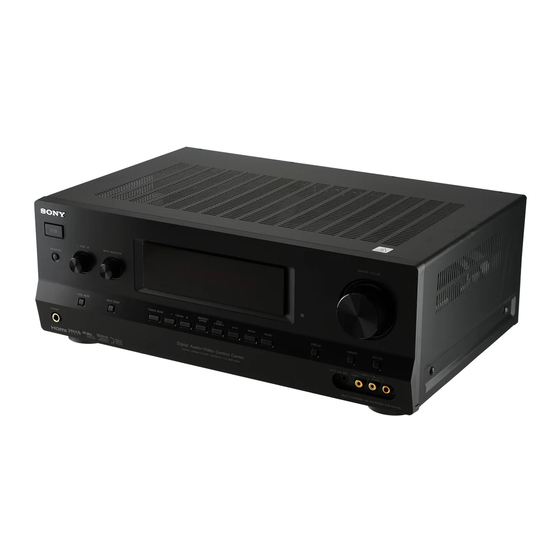
Sony STR-DH700 Operating Instructions Manual
Multi channel av receiver
Hide thumbs
Also See for STR-DH700:
- Operating instructions manual (114 pages) ,
- Service manual (96 pages) ,
- Quick setup manual (2 pages)

Related Manuals for Sony STR-DH700


Summary of Contents for Sony STR-DH700
- Page 1 Multi Channel AV Receiver Operating Instructions STR-DH700 ©2009 Sony Corporation 4-129-783-11(3)
-
Page 2: Important Safety Instructions
The model and serial numbers are located on the rear of the unit. Record these numbers in the space provided below. Refer to them whenever you call upon your Sony dealer regarding this product. Model No. Important Safety Instructions 1) Read these instructions. - Page 3 12)Use only with the cart, stand, tripod, bracket, or table specified by the manufacturer, or sold with the apparatus. When a cart is used, use caution when moving the cart/apparatus combination to avoid injury from tip-over. 13)Unplug this apparatus during lightning storms or when unused for long periods of time.
-
Page 4: About This Manual
Sirius XM Radio Inc. and its subsidiaries. All rights reserved. Area code “x.v.Color (x.v.Colour)” and “x.v.Color (x.v.Colour)” logo are trademarks of Sony Corporation. “BRAVIA” is a trademark of Sony Corporation. “S-AIR” and its logo are trademarks of Sony Corporation. ) technology. -
Page 5: Table Of Contents
Table of Contents Description and location of parts ... 7 Getting Started 1: Installing the speakers... 17 2: Connecting the speakers ... 18 3: Connecting the TV... 20 4a: Connecting the audio components ... 21 4b: Connecting the video components ... 22 5: Connecting the antennas (aerials) ... - Page 6 S-AIR Operations About S-AIR products...80 Setting up an S-AIR product ...81 Enjoying the system’s sound in another room...85 Changing the channel for better sound transmission...86 Enjoying the S-AIR receiver while the S-AIR main unit is in standby mode ...87 Other Operations Switching between digital and analog audio (INPUT MODE) ...88 Listening to digital sound from other...
-
Page 7: Description And Location Of Parts
Description and location of parts Front panel TONE INPUT SELECTOR SPEAKERS TONE MODE INPUT MODE PHONES qh qg Name Function A ?/1 Press to turn the receiver on (on/standby) or off (page 29, 38, 39, 61, 63). B TONE +/– Adjust the bass and treble for the front channels. - Page 8 Name Function K DISPLAY Press to select information displayed on the display (page 92). L 2CH/ Press to select a sound field A.DIRECT (page 56, 58). A.F.D. MOVIE MUSIC M TUNING Press to operate a tuner (FM/ MODE AM) and satellite radio (SIRIUS) (page 62, 68).
- Page 9 About the indicators on the display SP A SP B COAX Name Function A SW Lights up when subwoofer selection is set to “YES” (page 51) and the audio signal is output from the SUBWOOFER jack. B LFE Lights up when the disc being played back contains an LFE (Low Frequency Effect) channel and the LFE channel...
- Page 10 Name Function E DTS(-ES) Light up when DTS or DTS-ES indicators signals are input. Lights up when the receiver is decoding DTS signals. DTS-ES Lights up when the receiver is decoding DTS-ES signals. DTS 96/24 Lights up when the receiver is decoding DTS 96/24 (96 kHz/ 24 bit) signals.
- Page 11 Name Function M Playback The letters (L, C, R, etc.) channel indicate the channels being indicators played back. The boxes around the letters vary to show how the receiver downmixes the source sound (based on the speaker settings). Front Left Front Right Center (monaural) Surround Left...
-
Page 12: Rear Panel
Rear panel ANTENNA EZW-T100 SIRIUS VIDEO 1 MONITOR DMPORT DC5V 0.7A MAX VIDEO VIDEO VIDEO VIDEO COMPONENT VIDEO AUDIO AUDIO AUDIO AUDIO SA-CD/CD/CD-R VIDEO 1 A S-AIR (EZW-T100) With slot cover Please do not remove the slot cover until you want to install the wireless transmitter. -
Page 13: Component Video Input
TV or projector (page 20). Remote commander You can use the supplied RM-AAU021 Remote Commander to operate the receiver and to control the Sony audio/video components that the remote is assigned to operate (page 96). TV INPUT TV ?/1... - Page 14 (C). B ?/1 Press to turn the receiver on or (on/standby) off. To turn off all Sony components, press ?/1 and AV ?/1 (A) at the same time (SYSTEM STANDBY). C Input buttons Press one of the buttons to select the component you want to use.
- Page 15 TV’s information on the TV screen. R TOOLS/ Press to display and select the OPTIONS options of the DVD player or Blu-ray disc player. Press TOOLS/OPTIONS and TV (M) at the same time to display the options applicable to the Sony TV. continued...
- Page 16 Name Function Press to input the decimal point for channel numbers of the Digital CATV terminal. Press and TV (M) at the same time to input the decimal point for the channel numbers of the TV. >10 Press to select track numbers over 10 of the CD player.
-
Page 17: Getting Started
Getting Started 1: Installing the speakers This receiver allows you to use a 7.1 channel system (7 speakers and one subwoofer). Enjoying a 5.1/7.1 channel system To fully enjoy theater-like multi channel surround sound requires five speakers (two front speakers, a center speaker, and two surround speakers) and a subwoofer (5.1 channel). -
Page 18: 2: Connecting The Speakers
2: Connecting the speakers Before connecting the cords, be sure to disconnect the AC power cord (mains lead). ANTENNA SAT IN SIRIUS DIGITAL (ASSIGNABLE) MPORT DC5V 0.7A MAX OPTICAL OPTICAL COAXIAL VIDEO VIDEO VIDEO VIDEO CENTER MONITOR AUDIO AUDIO AUDIO AUDIO VIDEO 1 SUBWOOFER... - Page 19 If you connect only one surround back speaker, connect it to the SPEAKERS SURROUND BACK/BI-AMP/FRONT B L terminals. If you are not using surround back speaker, and you have an additional front speaker system, connect the additional front speaker system to the SPEAKERS SURROUND BACK/BI-AMP/ FRONT B terminals.
-
Page 20: 3: Connecting The Tv
C Optical digital cord (not supplied) D Audio cord (not supplied) E HDMI cable (not supplied) We recommend that you use a Sony HDMI cable. Before connecting the cords, be sure to disconnect the AC power cord (mains lead). Audio signals... -
Page 21: 4A: Connecting The Audio Components
Notes • Be sure to turn on the receiver when the video and audio signals of a playback component are being output to a TV via the receiver. Unless the power is turned on, neither video nor audio signals will be transmitted. -
Page 22: 4B: Connecting The Video Components
4b: Connecting the video components How to connect your components This section describes how to connect your video components to this receiver. Before you begin, refer to “Component to be connected” below for the pages which describe how to connect each component. Before connecting the cords, be sure to disconnect the AC power cord (mains lead). -
Page 23: Connecting Components With Hdmi Jacks
SA-CD/CD/CD-R VIDEO 1 A HDMI cable (not supplied) We recommend that you use a Sony HDMI cable. B Optical digital cord (not supplied)* C Audio cord (not supplied)* * Connect at least one of the audio cords (B or C). -
Page 24: Hdmi Features
HDMI features • A digital audio signal transmitted by HDMI can be output from the speakers connected to this receiver. This signal supports Dolby Digital, DTS, and Linear PCM. • The receiver supports xvYCC transmission. • This receiver supports the Control for HDMI function. -
Page 25: Connecting A Dvd Player/ Blu-Ray Disc Player
Connecting a DVD player/ Blu-ray disc player The following illustration shows how to connect a DVD player or a Blu-ray disc player. It is not necessary to connect all the cords. Connect audio and video cords according to the jacks of your components. DVD player Video signals Audio signals... -
Page 26: Connecting A Satellite Tuner
Connecting a satellite tuner/ Set-top box The following illustration shows how to connect a satellite tuner or a set-top box. It is not necessary to connect all the cords. Connect audio and video cords according to the jacks of your components. Satellite tuner/Set-top box Video signals EZW-T100... - Page 27 Connecting components with analog video and audio jack The following illustration shows how to connect a component which has analog jacks such as a DVD recorder, VCR, etc. DVD recorder, VCR Video signals EZW-T100 VIDEO 1 MONITOR DMPORT DC5V 0.7A MAX VIDEO VIDEO VIDEO...
-
Page 28: 5: Connecting The Antennas (Aerials)
Notes • Be sure to change the factory setting of the VIDEO 1 input button on the remote so that you can use the button to control your DVD recorder. For details, see “Changing button assignments” (page 96). • You can also rename the VIDEO 1 input so that it can be displayed on the receiver’s display. -
Page 29: 6: Preparing The Receiver And The Remote
6: Preparing the receiver and the remote Connecting the AC power cord (mains lead) Connect the AC power cord (mains lead) to a wall outlet. AC power cord (mains lead) FRONT A To the wall outlet Performing initial setup operations Before using the receiver for the first time, initialize the receiver by performing the following procedure. -
Page 30: Inserting Batteries Into The Remote
Inserting batteries into the remote Insert two R6 (size-AA) batteries in the RM-AAU021 Remote Commander. Observe the correct polarity when installing batteries. Notes • Do not leave the remote in an extremely hot or humid place. • Do not use a new battery with old ones. •... -
Page 31: 8: Calibrating The Appropriate Settings Automatically (Auto Calibration)
8: Calibrating the appropriate settings automatically (AUTO CALIBRATION) The DCAC (Digital Cinema Auto Calibration) function allows you to perform automatic calibration such as: • Checking the connection between each speaker and the receiver. • Adjusting the speaker level. • Measuring the distance of each speaker from your listening position. -
Page 32: Performing Auto Calibration
Performing Auto Calibration TV INPUT TV ?/1 SLEEP DMPORT AV ?/1 SYSTEM STANDBY VIDEO1 VIDEO2 SA-CD/CD TUNER A.F.D. MOVIE MUSIC THEATER DVD/BD MENU AUTO CAL D.TUNING D.SKIP MEMORY AMP MENU >10 0/10 ENTER CLEAR TOOLS/ MUTING DISPLAY OPTIONS TV VOL MASTER VOL RETURN/EXIT MENU/HOME... -
Page 33: Error Codes And Remedies
Tips • When Auto Calibration starts: – Stand some distance from the speakers and the listening position to avoid measurement failure. This is because test signals are output from the speakers during measurement. – Avoid making noise to get a more accurate measurement. - Page 34 To change the settings manually Record down the warning code. Press Press ?/1 to turn off the receiver. Follow the solution provided in the “Warning codes and solutions” below. Turn on the receiver and perform Auto Calibration again (page 32). Warning codes and solutions Warning Explanation and solution...
-
Page 35: 9: Adjusting The Speaker Levels And Balance (Test Tone)
9: Adjusting the speaker levels and balance (TEST TONE) You can adjust the speaker levels and balance while listening to the test tone from your listening position. The receiver employs a test tone with a frequency centered at 800 Hz. TV INPUT TV ?/1 SLEEP... -
Page 36: Playback
Playback Selecting a component TV INPUT TV ?/1 SLEEP DMPORT AV ?/1 SYSTEM STANDBY VIDEO1 VIDEO2 SA-CD/CD TUNER A.F.D. MOVIE THEATER AUTO CAL D.TUNING >10 MEMORY AMP MENU 0/10 ENTER CLEAR TOOLS/ OPTIONS DISPLAY MASTER VOL V/v/B/b RETURN/EXIT MENU/HOME Press the input button to select a component. - Page 37 Naming input You can enter a name of up to 8 characters for inputs and display it on the receiver’s display. This is convenient for labeling the jacks with the names of the connected components. Press the input button to select the input you want to create an index name for.
-
Page 38: Listening/Watching A Component
CATEGORY MODE TUNING + FM MODE Notes • The operation is described for a Sony Super Audio CD player. • Refer to the operating instructions supplied with the Super Audio CD player or CD player. You can select the sound field to suit the music. -
Page 39: Watching A Dvd/Blu-Ray Disc
Watching a DVD/Blu-ray disc TV INPUT TV ?/1 DMPORT SLEEP AV ?/1 SYSTEM STANDBY VIDEO1 VIDEO2 SA-CD/CD TUNER A.F.D. MOVIE MUSIC THEATER DVD/BD MENU AUTO CAL D.TUNING SPEAKERS D.SKIP >10 MEMORY AMP MENU 0/10 ENTER CLEAR TOOLS/ DISPLAY OPTIONS MUTING TV VOL MASTER VOL TONE MODE... -
Page 40: Amplifier Operations
Amplifier Operations Navigating through menus By using the amplifier menus, you can make various adjustments to customize the receiver. >10 MEMORY 0/10 ENTER CLEAR TOOLS/ DISPLAY OPTIONS V/v/B/b RETURN/EXIT MENU/HOME TV CH – – CATEGORY + PRESET – REPLAY ADVANCE <... -
Page 41: Overview Of The Menus
Overview of the menus The following options are available in each menu. For details on navigating through menus, see page 40. Menu Parameters [Display] [Display] LEVEL Test tone [T. TONE] [1-LEVEL] Front speaker balance (page 45) [FRT BAL] Center speaker level [CNT LVL] Surround left speaker level [SL LVL]... - Page 42 Menu Parameters [Display] [Display] TUNER FM station receiving mode [4-TUNER] [FM MODE] (page 48) Naming preset stations [NAME IN] Parental lock [PARENTAL] Lock code edit [CODE EDT.] SIRIUS antenna aiming a)d) mode [SR ANT] SIRIUS radio ID [SR ID] AUDIO Digital audio input decoding [5-AUDIO] priority...
- Page 43 Menu Parameters [Display] [Display] SYSTEM Subwoofer [7-SYSTEM] [SW SPK] (page 51) Front speakers [FRT SPK] Center speaker [CNT SPK] Surround speakers [SUR SPK] Surround back speakers [SB SPK] Surround back speaker assign [SB ASGN] Front speaker distance [FRT DIST.] Center speaker distance [CNT DIST.] Surround left speaker distance [SL DIST.]...
- Page 44 Menu Parameters [Display] [Display] S-AIR S-AIR ID [9- S-AIR] [ID SETUP] (page 56) Pairing [PAIRING] S-AIR Mode [MODE] RF Change [RF SETUP] S-AIR Standby [STANDBY] For details, refer to the page in the parentheses. You can only select this parameter when the surround back speakers are set to “SINGLE”. You can only select this parameter when the surround back speakers are set to “DUAL”.
-
Page 45: Adjusting The Level (Level Menu)
Adjusting the level (LEVEL menu) You can use the LEVEL menu to adjust the balance and level of each speaker. These settings are applied to all sound fields. Select “1-LEVEL” in the amplifier menus. For details on adjusting the parameters, see “Navigating through menus”... -
Page 46: Adjusting The Equalizer (Eq Menu)
Adjusting the equalizer (EQ menu) You can use the EQ menu to adjust the tonal quality (bass/treble level) of the front speakers. Select “2-EQ” in the amplifier menus. For details on adjusting the parameters, see “Navigating through menus” (page 40) and “Overview of the menus”... - Page 47 Using the surround back decoding mode (SB DEC) By decoding the surround back signal of DVD software (etc.) recorded in Dolby Digital Surround EX, DTS-ES Matrix, DTS-ES Discrete 6.1, etc., format, you can enjoy the surround sound intended by the filmmakers. Select the surround back decoding mode using “SB DEC”...
-
Page 48: Settings For The Tuner (Tuner Menu)
Notes • There may be no sound from the surround back speaker in Dolby Digital EX mode. Some discs have no Dolby Digital Surround EX flag even though the packages have Dolby Digital EX logos. In this case, select “SB ON”. •... -
Page 49: Settings For The Audio (Audio Menu)
x SR ID (SIRIUS radio ID) Lets you check the SIRIUS Radio ID. For details, see “Checking the SIRIUS Radio ID” (page 67). Settings for the audio (AUDIO menu) You can use the AUDIO menu to make settings for the audio to suit your preference. Select “5-AUDIO”... -
Page 50: Settings For The Hdmi (Hdmi Menu)
x DUAL (Digital broadcast language selection) Lets you select the language you want to listen to during digital broadcast. This feature only functions for Dolby Digital sources. • DUAL M/S (Main/Sub) Sound of the main language will be output through the front left speaker and sound of the sub language will be output through the front right speaker simultaneously. -
Page 51: Settings For The System (System Menu)
x CONTROL FOR HDMI (Control for HDMI) Lets you turn the Control for HDMI function on or off. For details, see ““BRAVIA” Sync Features” (page 75). Settings for the system (SYSTEM menu) You can use the SYSTEM menu to set the size and distance of the speakers connected to this system. - Page 52 x CNT SPK (Center speaker) • NO If you have not connected a center speaker, select “NO”. The sound of the center channel will be output from the front speakers. • SMALL If the sound is distorted, or you feel a lack of surround effects when using multi channel surround sound, select “SMALL”...
- Page 53 x SB ASGN (Surround back speaker assign) • OFF If you connect surround back speakers to the SPEAKERS SURROUND BACK/BI-AMP/ FRONT B terminals, select “OFF”. • BI-AMP If you connect front speakers to the SPEAKERS SURROUND BACK/BI-AMP/ FRONT B terminals using a bi-amplifier connection, select “BI-AMP”.
-
Page 54: Surround Speaker Position
To enjoy better surround sound, the distance between the center speaker and the listening position B cannot be more than 5 feet closer than the one between the listening position and the front speaker A. Place the speakers so that the difference in the length of B in the following diagram is no more than 5 feet closer than the length of A. -
Page 55: Calibrating The Appropriate Settings Automatically (A. Cal Menu)
Surround speaker position is designed specifically for implementation of the CINEMA STUDIO EX modes. For other sound fields, speaker position is not so critical. Those sound fields were designed under the premise that the surround speakers would be located behind the listening position, but presentation remains fairly consistent even with the surround speakers positioned at a rather wide angle. -
Page 56: Settings For The S-Air (S. Air Menu)
Settings for the S-AIR (S. AIR menu) For details on S-AIR, see “S-AIR Operations” (page 80). Enjoying Surround Sound Enjoying Dolby Digital and DTS Surround sound (AUTO FORMAT DIRECT) The Auto Format Direct (A.F.D.) mode allows you to listen to higher fidelity sound and select the decoding mode for listening to a 2 channel stereo sound as multi channel sound. - Page 57 Types of A.F.D. mode A.F.D. mode Multi channel [Display] audio after decoding A.F.D. AUTO (Detecting [A.F.D. AUTO] automatically) PRO LOGIC 4 channel [DOLBY PL] PRO LOGIC II MOVIE 5 channel [PLII MV] PRO LOGIC II MUSIC 5 channel [PLII MS] PRO LOGIC II GAME 5 channel [PLII GM]...
-
Page 58: Selecting A Pre-Programmed Sound Field
If you connect a subwoofer This receiver will generate a low frequency signal for output to the subwoofer when there is no LFE signal, which is a low-pass sound effect output from a subwoofer to a 2 channel signal. However, the low frequency signal is not generated for “NEO6 CIN”... - Page 59 * You can only select this sound field if the headphones are connected to the receiver. Effect Reproduces the sound characteristics of the Sony Pictures Entertainment “Cary Grant Theater” cinema production studio. This is a standard mode, great for watching almost any type of movie.
-
Page 60: Using Only The Front Speakers (2Ch Stereo)
Notes • The effects provided by the virtual speakers may cause increased noise in the playback signal. • When listening with sound fields that employ the virtual speakers, you will not be able to hear any sound coming directly from the surround speakers. •... -
Page 61: Listening To The Sound Without Any Adjustment (Analog Direct)
Listening to the sound without any adjustment (ANALOG DIRECT) You can switch the audio of the selected input to two channel analog input. This function enables you to enjoy high quality analog sources. When using this function, only the volume and front speaker balance can be adjusted. -
Page 62: Tuner Operations
Tuner Operations Listening to FM/AM radio You can listen to FM and AM broadcasts through the built-in tuner. Before operation, make sure you have connected the FM and AM antennas (aerials) to the receiver (page 28). The tuning scale for direct tuning differs depending on the area code as shown in the following table. -
Page 63: Direct Tuning
Tuning into a station directly (Direct Tuning) Enter the frequency of a station directly by using the numeric buttons. Press TUNER repeatedly to select the FM or AM band. You can also use INPUT SELECTOR on the receiver. Press D.TUNING. Press the numeric buttons to enter the frequency. -
Page 64: Presetting Fm/Am Radio Stations
Presetting FM/AM radio stations You can preset up to 30 FM stations and 30 AM stations. Then you can easily tune in the stations you often listen to. VIDEO1 VIDEO2 SA-CD/CD TUNER A.F.D. MOVIE MUSIC THEATER DVD/BD Numeric MENU buttons AUTO CAL D.TUNING D.SKIP... - Page 65 Tuning to preset stations Press TUNER repeatedly to select the FM or AM band. Press PRESET + or PRESET – repeatedly to select the preset station you want. Each time you press the button, you can select a preset station as follows: You can also press the numeric buttons to select the preset station you want.
-
Page 66: Listening To Satellite Radio
Listening to Satellite Radio To listen to Satellite Radio, you’ll need to connect a SIRIUS Satellite Radio tuner (sold separately) to your Sirius-Ready receiver. SIRIUS Satellite Radio is available to residents of the US (except Alaska and Hawaii) and Canada. Satellite Radio delivers a variety of commercial-free music from categories ranging from Pop, Rock, Country, R&B,... -
Page 67: Connecting The Sirius Satellite Radio
Connecting the SIRIUS Satellite Radio Connect the SiriusConnect Home tuner. When you use the SiriusConnect Home tuner with this receiver, be sure to connect the AC power adaptor supplied with the tuner to a wall outlet. SIRIUS jack EZW-T100 VIDEO 1 MONITOR DMPORT DC5V... - Page 68 Press b. The last 6 digits appear on the display. Check the SIRIUS ID on the display and write it in the space provided here. SIRIUS ID:_______________________ Using the controls on the receiver Turn INPUT SELECTOR to select “SIRIUS”. Press TUNING MODE repeatedly to select “AUTO T.”, and then press TUNING + or TUNING –...
-
Page 69: Selecting A Channel Of The Sirius Satellite Radio
Selecting a channel of the SIRIUS Satellite Radio VIDEO1 VIDEO2 SA-CD/CD TUNER A.F.D. MOVIE MUSIC THEATER DVD/BD MENU AUTO CAL D.TUNING D.SKIP MEMORY AMP MENU >10 0/10 ENTER CLEAR TOOLS/ OPTIONS MUTING DISPLAY TV VOL MASTER VOL RETURN/EXIT MENU/HOME TV CH – –... -
Page 70: Presetting Sirius Satellite Radio Channels
Selecting channels by inputting the channel number directly (DIRECT TUNING) Press TUNER repeatedly to select “SIRIUS”. You can also use INPUT SELECTOR on the receiver. Press D.TUNING. Press the numeric buttons to enter the channel number. Press ENTER. You can also use MEMORY/ENTER on the receiver. - Page 71 Press MEMORY. You can also use MEMORY/ENTER on the receiver. Press the numeric buttons to select a preset number you want to use as the preset channel. You can also select the number by pressing PRESET + or PRESET –. You can also press TUNING + or TUNING –...
-
Page 72: Restricting Access To Specific Channels (Parental Lock) (Sirius Only)
Restricting access to specific channels (Parental Lock) (SIRIUS only) You can restrict access to certain channels using your own lock code. The lock code is set to “0000” as the default. Change the lock code before you use this function for the first time. See “To change the lock code (Lock Code)”... -
Page 73: To Listen To The Locked Channels
Reenter the new lock code with the numeric buttons. “CHANGED” appears on the display. To listen to the locked channels Press TUNER repeatedly to select “SIRIUS”. You can also use INPUT SELECTOR on the receiver. Select a locked channel you want to listen using Direct Tuning (page 70). - Page 74 SIRIUS Satellite Radio message list Message Explanation appears ANTENNA The antenna is not connected ERROR* properly. LINKING The receiving condition is not good. CALL 888 You have not subscribed for the 539-SIRI** selected channel. SR TUNER The SiriusConnect Home tuner is not connected properly.
-
Page 75: Bravia" Sync Features
“BRAVIA” Sync Features What is “BRAVIA” Sync? “BRAVIA” Sync is compatible with a Sony TV, Blu-ray Disc/DVD player, AV amplifier, etc., that is equipped with the Control for HDMI function. By connecting Sony components that are compatible with the “BRAVIA” Sync with an... -
Page 76: Preparing For The "Bravia" Sync
When your TV is compatible with the “Control for HDMI-Easy Setting” function When you connect a Sony TV with the “Control for HDMI-Easy Setting” function, the Control for HDMI function of the receiver can be turned on simultaneously by turning the Control for HDMI function of the TV on. -
Page 77: Watching A Dvd (One-Touch Play)
Set the Control for HDMI function for the connected component to on. If the Control for HDMI function for the connected component is already set to on, you do not need to change the setting. Repeat step 8 and 9 for other components that you want to use the Control for HDMI function. -
Page 78: Enjoying The Tv Sound From The Speakers Connected To The Receiver (System Audio Control)
Enjoying the TV sound from the speakers connected to the receiver (System Audio Control) You can enjoy the TV sound from the speakers connected to the receiver by a simple operation. You can operate System Audio Control function using the TV menu. For details, refer to the operating instructions of the TV. -
Page 79: Turning Off The Receiver With The Tv (System Power Off)
Turning off the receiver with the TV (System Power Off) When you turn the TV off by using the POWER button on the TV’s remote, the receiver and the connected components turn off automatically. You can also use the receiver’s remote to turn off the TV. -
Page 80: S-Air Operations
S-AIR Operations About S-AIR products This receiver is compatible with the S-AIR function (page 98), which allows wireless sound transmission between S-AIR products. When you purchase the S-AIR product, you need to establish sound transmission (page 81). There are two types of S-AIR product. •... -
Page 81: Setting Up An S-Air Product
Setting up an S-AIR product Before using an S-AIR product, be sure to perform the following settings to establish the sound transmission. Inserting the wireless transmitter/transceiver To make use of the S-AIR function, you need to insert the wireless transmitter (not supplied) into the S-AIR main unit and the wireless transceiver (not supplied) into the S-AIR sub unit. - Page 82 Notes • Insert the wireless transmitter with the S-AIR logo facing up. • Insert the wireless transmitter so that the V marks are aligned. • Do not insert other than the wireless transmitter into the EZW-T100 slot. Use the screws that you removed from step 1 to fasten the wireless transmitter.
- Page 83 To set the ID of the S-AIR sub unit Be sure to match the ID on S-AIR sub unit you want to the S-AIR main unit. For details on setting the ID of the surround amplifier and S-AIR receiver, refer to the operating instructions supplied with the surround amplifier and S-AIR receiver.
- Page 84 x After pairing Sound transmission is established between the paired S-AIR main unit and S-AIR sub unit(s) only. Your room Neighbor S-AIR main unit ID A No transmission ID A S-AIR sub unit S-AIR sub unit Pairing Place the S-AIR sub unit that you want to pair near the S-AIR main unit.
-
Page 85: Enjoying The System's Sound In Another Room
Enjoying the system’s sound in another room (For the S-AIR receiver only (not supplied)) You can enjoy the system’s sound in another room by using the S-AIR receiver. The S-AIR receiver can be installed anywhere, regardless of the location of the S-AIR main unit. For details of the S-AIR receiver, refer to the operating instructions supplied with the S-AIR receiver. -
Page 86: Changing The Channel For Better Sound Transmission
Adjust the volume on the S-AIR receiver. Note The sound of the S-AIR receiver may be cut off by operation of the S-AIR main unit. Changing the channel for better sound transmission If you use multiple wireless systems which sharing the 2.4 GHz band, such as wireless LAN or Bluetooth, the transmission of S-AIR products or other wireless systems may be unstable. -
Page 87: Enjoying The S-Air Receiver While The S-Air Main Unit Is In Standby Mode
Press V/v repeatedly to select the setting you want. • RF AUTO: Normally select this. The system changes “RF SETUP” to “RF ON” or “RF OFF” automatically. • RF ON: The system transmits sound by searching the better channel for transmitting. -
Page 88: Other Operations
or b to enter the Press parameter. Press V/v repeatedly to select the setting you want. • STBY OFF: You cannot enjoy the S-AIR receiver while the S-AIR main unit is in standby mode. • STBY ON: You can enjoy the S-AIR receiver while the S-AIR main unit is in standby mode or turned on. -
Page 89: Listening To Digital Sound From Other Inputs (Digital Assign)
Notes • Some audio input modes may not be set up depending on the input. • When the ANALOG DIRECT function is being used, the audio input mode is set to “ANALOG” automatically. You cannot select other modes. Listening to digital sound from other inputs (DIGITAL ASSIGN) You can reassign digital audio input that has... -
Page 90: Enjoying The Digital Media Port (Dmport)
Press V/v repeatedly to select the input (“SAT- DVD” in the example) you want to assign to the digital audio input jack selected in step 6. When “DVD” input is selected, the sound of the DVD player will become a digital sound through the OPTICAL SAT IN jack. -
Page 91: Connecting The Digital Media Port Adapter
Connecting the DIGITAL MEDIA PORT adapter You can listen to the sound and view the images from the component connected through the DIGITAL MEDIA PORT adapter to the DMPORT jack on the receiver. EZW-T100 DIGITAL MEDIA PORT adapter A Video cord (not supplied) To detach the DIGITAL MEDIA PORT adapter from DMPORT jack... -
Page 92: Changing The Display
Listening/watching a connected component through DMPORT connection Press DMPORT. You can also use the INPUT SELECTOR on the receiver to select “DMPORT”. Start playback of the connected component. The sound is played back on the receiver and the image appears on the TV. For details, refer to the operating instructions supplied with the DIGITAL MEDIA PORT adapter. -
Page 93: Using The Sleep Timer
Using the Sleep Timer You can set the receiver to turn off automatically at a specified time. Press SLEEP repeatedly while the power is on. Each time you press SLEEP, the display changes cyclically as follows: 1-30-00 t 1-00-00 t 0-30-00 2-00-00 t t OFF When sleep timer is being used, “SLEEP”... -
Page 94: Using A Bi-Amplifier Connection
Recording onto a recording media Press one of the input buttons to select the playback component. You can also use INPUT SELECTOR on the receiver. Prepare the playback component for playing. For example, insert the video tape you want to copy into the VCR. Prepare the recording component. - Page 95 To set up speakers THEATER DVD/BD MENU AUTO CAL D.TUNING D.SKIP >10 MEMORY AMP MENU 0/10 ENTER CLEAR TOOLS/ DISPLAY OPTIONS MUTING TV VOL MASTER VOL V/v/B/b RETURN/EXIT MENU/HOME TV CH – – CATEGORY + TV CH + PRESET – REPLAY ADVANCE PRESET + <...
-
Page 96: Using The Remote
Blu-ray disc player (command mode BD1) Blu-ray disc recorder (command mode BD3) Sony VCRs are operated with a VTR 2 or VTR 3 setting which corresponds to 8 mm and VHS respectively. Sony DVD recorders are operated with a DVD1 or DVD3 setting. -
Page 97: Additional Information
C are combined and transmitted together. x Digital Cinema Sound (DCS) A unique sound reproduction technology for home theater developed by Sony, in cooperation with Sony Pictures Entertainment, for enjoying the exciting and powerful sound of movie theaters at home. With this “Digital Cinema Sound”... -
Page 98: Dts Digital Surround
PCM (Pulse Code Modulation) A method of converting analog audio to digital audio for easy enjoyment of digital sound. x S-AIR (Sony Audio Interactive Radio frequency) Recent times have seen the rapid spread of DVD media, Digital Broadcasting, and other high quality media. -
Page 99: Precautions
Sony, and is a trademark of Sony. xvYCC is an international standard for color space in video. This standard can express a wider color range than the currently used broadcast standard. - Page 100 If you have any questions or problems concerning your receiver, please consult your nearest Sony dealer. About S-AIR function • As the S-AIR function transmits sound by radio waves, sound may skip when radio waves are obstructed.
-
Page 101: Troubleshooting
Troubleshooting If you experience any of the following difficulties while using the receiver, use this troubleshooting guide to help you remedy the problem. Audio There is no sound, no matter which component is selected, or only a very low-level sound is heard. •... - Page 102 There is severe hum or noise. • Check that the speakers and components are connected securely. • Check that the connecting cords are away from a transformer or motor, and at least 10 feet (3 meters) away from a TV set or fluorescent light.
- Page 103 Video There is no picture or an unclear picture appears on the TV screen. • Select the appropriate input using the input buttons. • Set your TV to the appropriate input mode. • Move your audio components away from the TV. •...
- Page 104 The TV’s remote cannot be used to control the connected component when using the Control for HDMI function. • Change the input of the receiver to the HDMI input connected to the component. S-AIR function Sound transmission is not established. •...
-
Page 105: Error Messages
(not supplied) system by the message. Refer to the following table to solve the problem. If any problem persists, consult your nearest Sony dealer. If an error message appears while you perform Auto Calibration, see “Error and warning codes” (page 33) to solve the problem. -
Page 106: Specifications
If the problem persist Consult your nearest Sony dealer. Note that if service personnel changes some parts during repair, these parts may be retained. In the event of a problem with S-AIR function,... - Page 107 Inputs Analog Sensitivity: 500 mV/ 50 kohms : 96 dB (A, 500 mV Digital (Coaxial) Impedance: 75 ohms S/N: 100 dB (A, 20 kHz LPF) Digital (Optical) S/N: 100 dB (A, 20 kHz LPF) Outputs (Analog) AUDIO OUT Voltage: 500 mV/ 10 kohms SUBWOOFER Voltage: 2 V/1 kohm...
-
Page 108: Index
91 Dolby Digital 97 DTS 98 DVD player connecting 25 playback 39 DVD recorder connecting 27 Sony Corporation Printed in Malaysia Error messages 105 HDMI Audio for HDMI 50 connecting 23 Control for HDMI 51 Initial setup 29 INPUT MODE 88 Menu A.
Need help?
Do you have a question about the STR-DH700 and is the answer not in the manual?
Questions and answers