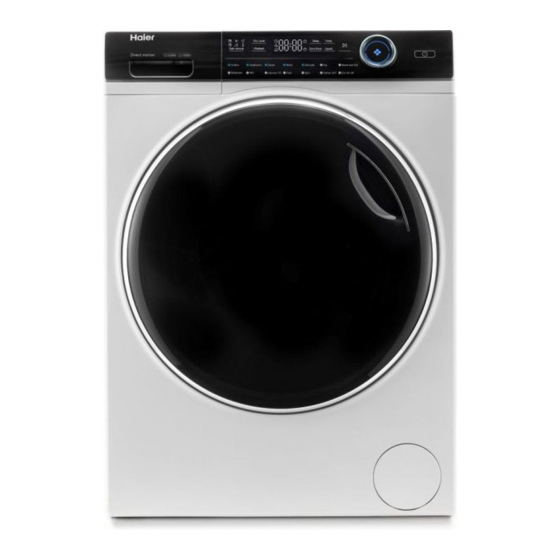

Related Manuals for Haier I-Pro 7 Series


Summary of Contents for Haier I-Pro 7 Series
- Page 1 User manual Washing machine HW80-B14979 HW80-B14979S HW100-B14979 HW100-B14979S HW120-B14979 HW120-B14979S...
- Page 2 Thank You Thank you for purchasing a Haier Product. Please read these instructions carefully before using this appliance. The instructions con- tain important information which will help you get the best out of the appliance and ensure safe and proper installation, use and maintenance.
-
Page 3: Table Of Contents
Content 1-Safety information ........................... 4 2-Product description ......................... 7 3-Control panel ............................ 8 4-Programmes ...........................11 5-Consumption ..........................12 6-Daily use ............................13 7-Eco-friendly washing ........................18 8-Care and cleaning ..........................19 9-Troubleshooting ..........................22 10-Installation .............................25 11-Technical data ..........................29 12-Customer service ........................31... -
Page 4: 1-Safety Information
1-Safety information Before switching on the appliance for the first time read the follow- ing safety hints!: WARNING! Before first use Make sure there is no transport damage. Make sure all transport bolts are removed. Remove all packaging and keep out of children´s reach. Handle the appliance always with at least two persons because it is heavy. - Page 5 1-Safety information WARNING! Daily use Do not remove or insert the plug in the presence of flammable gas. Do not hot wash foam rubber or sponge-like materials. Do not wash any laundry which is polluted with flour. Do not open detergent drawer during any wash cycle. Do not touch the door during the washing process, it gets hot.
- Page 6 1-Safety information WARNING! Installation Install or use the appliance only where the temperature is above 5 °C. Do not place the appliance directly on a carpet, or close to a wall or furniture. Do not install the appliance in direct sunlight or in the near of heat sources(e.g.
-
Page 7: 2-Product Description
2-Product description Note: 2.1 Picture of appliance Front (Fig. 2-1): Rear side (Fig. 2-2): Delay Temp. Stain removal Steam Extra Rinse Speed Cotton Synthetics Duvet Wool Delicate Outdoor Refresh Babycare Express 15’ Fast Spin Cotton 20 Eco 40-60 1 Iron bar (I1 - I2) 2 Transportation bolts (T1-T4) 3 Rear wall reinforcement 1 Detergent /... -
Page 8: 3-Control Panel
3-Control panel Delay Temp. Stain removal Steam Extra Rinse Speed Cotton Synthetics Duvet Wool Delicate Outdoor Refresh Babycare Express 15’ Fast Spin Cotton 20 Eco 40-60 1 “Power” button Display Function buttons Detergent /Softener drawer 6 “Start/Pause“ button Programme selector Note : Acoustic signal In following cases, an acoustic signal is no sounds by default: when pressing a button... - Page 9 3-Control panel 3.4 Detergent drawer Open dispenser drawer,the following components can be seen (Fig. 3-5): 1: compartment for powder or liquid detergent. 2: detergent flap slector, lift it up for powder detergent, keep it down for liquid detergent. 3: compartment for sanitizer. 4: compartment for softner.
- Page 10 3-Control panel 3.5.4 Function button“Speed“ 3-10 Touch this button (Fig. 3-10) to change or deselect the Speed spin of the programme. If no value is illuminated the dis- play"0")the laundry will not spin. 3.5.5 “Extra Rinse ” button 3-11 Touch this button (Fig. 3-11) to rinse the laundry more intense with fresh water.
-
Page 11: 4-Programmes
4-Programmes Detergent compartment for: Detergent Softener or care product • sanitizer Yes, Optional, º Max. load Temperature Preset Function spin speed in kg in °C in rpm HW80/HW100 selectable Programme /HW120 range Fabrics type • • • • • • Cotton 8/10/12 * to 90... -
Page 12: 5-Consumption
5-Consumption Temper- Max. load Energy Water Washing time Spin drying ature in h:min performance in °C in kg in kW·h in L HW120/100/80 HW120/100/80 HW120/100/80 HW120/100/80 HW120/100/80 HW120/100/80 Programme 40°C 6/5/4 42/42/32 4:08/4:16/4:23 0.65/0.55/0.50 4:38/4:20/4:25 60°C 6/5/4 0.78/0.58/0.53 42/42/32 Eco 40-60 * 60°C 12/10/8 0.76/0.58/0.54... -
Page 13: 6-Daily Use
6-Daily use 6.1 Power supply Connect the washing machine to a power supply (220V to 240V~/50Hz; Fig. 6-1). Please refer also to section INSTALLTION (see P28). 6.2 Water connection Before connecting check the cleanliness and clar- ity of the water inlet. Turn on the tap (Fig.6-2). - Page 14 6-Daily use Care chart Washing Washable up to 95°C Washable up to 60°C Washable up to 60°C normal process normal process mild process Washable up to 40°C Washable up to 40°C Washable up to 40°C normal process mild process very mild process Washable up to 30°C Washable up to 30°C Washable up to 30°C...
- Page 15 6-Daily use 6.5 Selecting detergent Use only machine wash approved detergent. See tips for countertop detergent stickers. Do not use dry cleaning agents such as trichloroethylene and similar products. Choose the best detergent Kind of detergent Programme Universal Colour Delicate Special Softener Cotton...
- Page 16 6-Daily use 6.6 Adding detergent 1. Slide out the detergent drawer. 2. Put the required chemicals into corresponding compartments (Fig. 6-4), 3. Push back the drawer gently. Note: Remove detergent residues before next wash cycle from the detergent drawer. Do not overuse detergent or softener. Please follow the instruction on the detergent package.
- Page 17 6-Daily use 6.10 Start wash programme Touch “Start/Pause“ button (Fig. 6-8) to start. The LED of the”Start/ Pause“ button stops flashing and lights up continuously. Appliance operates according to present settings. Changes are only possible by cancelling the programme. 6.11 Interrupt / cancel wash programme To interrupt a running programme press gently “Start/Pause“.
-
Page 18: 7-Eco-Friendly Washing
7-Eco-friendly washing Environmentally responsible use To achieve best use of energy, water, detergent and time you should use the recom- mended maximum load size. Do not overload (hand width clearance above laundry). For slightly soiled laundry select the Express 15’ programme. Apply exact dosages of each washing agent. -
Page 19: 8-Care And Cleaning
8-Care and cleaning 8.1 Cleaning the detergent drawer Take always care there are no detergent residues. Clean the drawer regularly (Fig. 8-1): 1. Pull out the drawer until it stops. 2. Press the release button and remove the drawer. 3. Flush the drawer with water until it is clean and insert the drawer back in the appliance. - Page 20 8-Care and cleaning 8.5 Long periods of disuse If the appliance is left idle for a longer period: 1. Pull out the electrical plug (Fig. 8-6). 3. Open the door to prevent formation of moisture and odours. Let door open while not used. Before next usage check carefully power cord, water inlet and drain hose.
- Page 21 8-Care and cleaning 8-14 8-15 (Fig. 8-14). 11. Close service flap. CAUTION! can escape.
-
Page 22: 9-Troubleshooting
9-Troubleshooting of a problem please check all shown possibilities and follow below instructions before you WARNING! Before maintenance, deactivate the appliance and disconnect the mains plug from the mains socket. improper repairs can cause considerable consequential damages. A damaged power cable should only be replaced by the manufacturer, its service 9.1 Information codes Following codes are displayed only for information referring to the washing cycle. - Page 23 9-Troubleshooting Problem Cause Solution Temperature sensor - error. Contact the After sales service. Heating error. Contact the After sales service. Motor - error. Contact the After sales service. Water level sensor error. Contact the After sales service. FC0, FC1 or Abnormal communication error.
- Page 24 9-Troubleshooting Problem Cause Solution Excessive foam • Detergent is not a appropriate. • Check detergent recommen- dations. detergent drawer. • Excessive use of detergent. • Reduce amount of detergent. Automatic adjust- • Washing programme duration will • This is normal and doesn‘t af- ment of washing be adjusted.
-
Page 25: 10-Installation
10-Installation 10.1 Preparation Take the appliance out of the packaging. keep them out of childrens reach. While opening the package, water drops may be seen on plastic bag and porthole. This normal phenomenon results from water tests in the factory. Note: Packaging disposal Keep all packaging materials out of children´s reach and dispose them in an environmen- tally friendly manner. - Page 26 10-Installation 2. Remove the 10 screws (R1 - R10) from lower back 10-4 reinforcement. take out reinforcements (S1 and R5-R10 S2) from the machine. *HW100/120 model Remove the 4 screws (R1 - R4) from lower back reinforcement. take out reinforcements (S2) from the machine.
- Page 27 10-Installation 10.6 Drain Water Connection Fix the water drain hose properly to the piping. The hose has to reach at one point a height between 80 and 100 cm above the appliance bottom line! If possible keep always drain WARNING! Use only the supplied hose set for the connection.
- Page 28 10-Installation 10.7 Fresh Water Connection 10-11 10-12 Make sure that the gaskets are inserted. 1. Connect the water inlet hose with the angled end to the appliance (Fig. 10-11). Tighten the screw joint by hand. 2. The other end connect to a water tap with a 3/4“...
-
Page 29: 11-Technical Data
11- T echnical data Suppliers name or trade mark Haier HW80-B14979 HW100-B14979 HW120-B14979 HW80-B14979S HW100-B14979S HW120-B14979S Rated capacity (kg) A+++ A+++ A+++ Energy consumption per year (AE in kW·h/year) Energy consumption of standard cotton programme 0.54 0.58 0.76 60°C, full load ( kW·h/cycle) Energy consumption of standard cotton programme 0.53... - Page 30 11-Technical data 11.2 Additional technical data HW80-B14979 HW100-B14979 HW120-B14979 HW80-B14979S HW100-B14979S HW120-B14979S Dimension (HxDxW in mm) 850x460x595 850x530x595 850x600x595 Voltage in V 220-240 V~/50Hz Current in A Max. power in W 2000 Water pressure in MPa 0.03≤P ≤1 Netto weight in kg 11.3 Standards and Directives This product meets the requirements of all applicable EC directives with the correspon- ding harmonised standards, which provide for CE marking.
-
Page 31: 12-Customer Service
12-Customer service We recommend our Haier Customer Service and the use of original spare parts. : your local dealer. and FAQs and where you can activate the service claim. To contact our Service, ensure that you have the following data available. - Page 35 Manuel d’utilisation Lave-linge HW80-B14979 HW80-B14979S HW100-B14979 HW100-B14979S HW120-B14979 HW120-B14979S...
- Page 36 Nous vous remercions Nous vous remercions d'avoir acheté un produit Haier. Veuillez lire attentivement ces instructions avant d'utiliser l'appareil. Ces instructions sont des informations utiles vous permettant de mieux exploiter cet appareil, et vous assurer une installation, une utilisation et un entretien sécurisés et adéquats.
- Page 37 Sommaire 1-Consignes de sécurité .........................4 2-Description du produit ........................7 3-Panneau de commande ......................8 4-Programmes ..........................12 5-Consommation ..........................13 6-Utilisation quotidienne ........................14 7-Lavage écologique ........................19 8-Entretien et nettoyage ........................20 9-Dépannage .............................23 10-Installation ..........................27 11-Informations techniques ......................31 12-Service clientèle ..........................33...
-
Page 38: 1-Consignes De Sécurité
1-Consignes de sécurité Avant de mettre l'appareil en marche pour la première fois, veuillez lire les consignes de sécurité ci-après ! Avertissement ! Avant la première utilisation ▶ Vérifi ez qu’il n’existe aucun dommage lié au transport. ▶ Retirez tous les boulons de transport. ▶... - Page 39 1-Consignes de sécurité Avertissement ! Utilisation quotidienne mables Évitez de laver des matériaux en caoutchouc ou en éponge à des températures élevées. Évitez de laver tout linge sali par la farine. Évitez d’ouvrir le tiroir à lessive pendant le cycle de lavage. Évitez de toucher la porte pendant le lavage, car elle est chaude.
- Page 40 1-Consignes de sécurité AVERTISSEMENT ! Installation ▶ Installez ou utilisez l'appareil uniquement dans des endroits où la température est supérieure à 5 °C. ▶ Évitez de placer l'appareil directement sur un tapis ou près d'un mur ou d'un meuble. ▶ N'installez pas l'appareil en direction des rayons solaires ou à proximité...
-
Page 41: 2-Description Du Produit
2-Description du produit Remarque : 2.1 Description de l’appareil Partie avant (Fig. 2-1) : Côté arrière (Fig. 2-2) : Dry Level Séchage Fin différée Delay Temp. Temp. Stain removal Taches i-Refresh i-Refresh Extra Rinse Rin age +Essorage Speed Lavage et Cotton Coton Synthétique Synthetics Duvet Couette Wool Laine... -
Page 42: 3-Panneau De Commande
3-Panneau de commande Fin différée Temp. Taches Vapeur Rinçage + Essorage Vêtements Coton Synthétique Couette Laine Délicat Refresh d’extérieur Express Bébé Coton Mixte Rapide Essorage Coton 20 Eco 40-60 15 min 5 Boutons de fonction 1 Bouton « Marche/Arrêt » 3 Écran 6 Bouton « Départ/ 2 Sélecteur de programme 4 Tiroir à... - Page 43 3-Panneau de commande 3.4 Tiroir à lessive Ouvrez le tiroir. Il contient les compartiments suivants (Fig. 3-5) : 1: Compartiment à détergent en poudre ou en liquide 2 : Volet de sélection du détergent, le soulever pour le détergent en poudre, le garder baissé...
- Page 44 3-Panneau de commande Remarque : Détergent liquide Si vous utilisez un détergent liquide, il n'est pas recommandé d'activer la fi n diff érée. 3.5.2- Bouton de fonction « i-time » Cette fonction (Fig. 3-8) permet d‘intensif er les diff érents temps de lavage. Tous les programmes ne peuvent sélectionner cette fonction.
- Page 45 3-Panneau de commande 3-10 3.5.4 Bouton de fonction « Essorage» 3-10 Appuyez sur ce bouton (Fig. 3-10) pour changer ou désélectionner le programme d’essorage. Si aucune valeur ne s’illumine, l’affi chage (« ») le linge ne sera Essorage pas essoré. 3.5.5 Bouton « Rinçage +» 3-11 Touchez ce bouton (Fig. 3-11) pour rincer le linge plus intensément avec de l’eau douce.
-
Page 46: 4-Programmes
4-Programmes Compartiment à détergent pour : Détergent Adoucisseur ou produit d’en- tretien Désinfectant • Oui, En option, º Charge Température Vitesse Fonction de rota- max. en °C tion en kg prédéfi - nie en tr/min plage sélecti- Programme onnable 1 2 3 Type de tissu •... -
Page 47: 5-Consommation
5-Consommation Les valeurs de consommation indiquées ici peuvent varier en fonction des conditions lo- cales. Tempéra- Charge Énergie Durée du lavage Effi cacité ture max. en h : min d’esso- en °C en kWh en L rage Programme en kg HW120 / 100 / 80 40°C 6/5/4 0,65/0,55/0,50 42/42/32... -
Page 48: 6-Utilisation Quotidienne
6-Utilisation quotidienne 6.1 Alimentation Raccordez le lave-linge à une alimentation (220 V à 240 V~/50 Hz ; Fig. 6-1). Veuillez également vous référer à la section INSTALLATION. 6.2 Raccordement d'eau ▶ Avant le raccordement, assurez-vous de la pro- preté et de la clarté du dispositif d'arrivée d'eau. ▶... - Page 49 6-Utilisation quotidienne Tableau d'entretien Lavage Lavage à 95°C maxi- Lavage à 60°C maxi- Lavable à 60°C processus léger programme normal programme normal Lavage à 40°C maxi- Lavable à 40°C Lavable à 40°C processus léger processus très léger programme normal Lavage à 30°C maxi- Lavable à...
- Page 50 6-Utilisation quotidienne 6.5 Sélection du détergent Utilisez exclusivement un détergent homologué pour le lavage en machine. Le cas échéant, utilisez des détergents spéciaux (par exemple, pour les synthé- tiques et les lainages.) Respectez les recommandations du fabricant du détergent. N'utilisez pas d'agents de nettoyage à sec tels que le trichloréthylène ou tout autre produit similaire.
- Page 51 6-Utilisation quotidienne 6.6 Ajout de détergent 1. Faites glisser le tiroir à lessive hors de son empla- cement. 2. Ajoutez la quantité de détergent nécessaire dans les compartiments respectifs (Fig. 6-4). 3. Repoussez doucement le tiroir. Remarque : ▶ Retirez les résidus de détergent du tiroir à lessive avant le prochain cycle de lavage. ▶...
- Page 52 6-Utilisation quotidienne 3-14 6.10 Démarrage du programme de lavage Appuyez sur le bouton « Départ/Pause » (Fig. 6-8) pour lancer le programme. Le voyant LED du bouton « Départ/Pause » cesse de clignoter s’allume conti- nuellement L'appareil fonctionne selon les réglages actuels. Pour eff ectuer des modifi cations, vous devez annuler le programme.
-
Page 53: 7-Lavage Écologique
7-Lavage écologique Utilisation respectueuse de l’environnement ▶ Pour une meilleure utilisation de l’énergie, de l’eau, du détergent et du temps, tenez- vous en à la charge maximale recommandée. ▶ Ne surchargez pas l’appareil (à l’aide de la main, faites un dégagement en largeur au- dessus du linge). -
Page 54: 8-Entretien Et Nettoyage
8-Entretien et nettoyage 8.1 Nettoyage du tiroir à lessive Veillez toujours à ce qu’il ne reste pas de résidus de dé- tergent. Nettoyez régulièrement le tiroir à lessive (Fig. 8-1) : 1. Tirez le tiroir jusqu’à la butée. 2. Appuyez sur le bouton d’ouverture pour le retirer. 3. - Page 55 8-Entretien et nettoyage 8.5 Périodes de non-utilisation prolongées Si l’appareil n’est pas utilisé pendant une longue pé- riode : 1. Débranchez la fiche électrique (fig. 8.-6). 2. Fermez l’arrivée d’eau (fig. 8-7). 3. Ouvrez la porte pour éviter toute formation d’hu- midité et l’apparition d’odeurs. Laissez les portes ouvertes lorsque vous n’utilisez pas la machine.
- Page 56 8-Entretien et nettoyage 9. Nettoyez soigneusement le fi ltre de la pompe à 8-14 8-15 l’eau courante, par exemple(Fig. 8-14). 10. Remontez-le soigneusement (Fig. 8-15). 11. Fermez le volet d’entretien. ATTENTION ! ▶ Le bouchon du fi ltre de la pompe doit être nettoyé et en bon état. Si le bouchon n’est pas bien serré, l’eau peut s'échapper.
-
Page 57: 9-Dépannage
9-Dépannage Vous pouvez résoudre la plupart des problèmes qui pourraient survenir sans expertise précise. En cas de problème, veuillez vérifi er toutes les solutions possibles en suivant les instructions ci-dessous avant de contacter un service après-vente. Voir la section SERVICE CLIENT. AVERTISSEMENT ! ▶... - Page 58 9-Dépannage Problème Cause Solution • Erreur : Capteur de température. • Contactez le service après-vente. • Erreur de chauff age • Contactez le service après-vente. • Erreur du moteur • Contactez le service après-vente. • Erreur du capteur de niveau d’eau. •...
- Page 59 9-Dépannage Problème Cause Solution L’opération s’arrête • Coupure d'eau ou panne de cou- • Vérifiez le branchement élec- avant la fin du cycle rant. trique et l’alimentation en eau. de lavage. L’opération s’arrête • Un code d’erreur s’affiche à l’écran. • Vérifiez les codes affichés. pendant un certain •...
- Page 60 9-Dépannage Formation de mousse Remarque : En cas de formation d’une quantité importante de mousse durant l’essorage, le moteur s’arrête et la pompe de vidange est activée pendant 90 secondes. Après 3 échecs d’éli- mination de la mousse, le programme s’achève sans essorage. Si les messages d’erreur réapparaissent après les mesures prises, éteignez l’appareil, dé- branchez-le et contactez le service clientèle.
-
Page 61: 10-Installation
10-Installation 10.1 Préparation ▶ Retirez l’appareil de l’emballage. ▶ Retirez tous les matériaux d’emballage, y compris la base en polystyrène et tenez-les hors de la portée des enfants. ▶ Lors de l’ouverture de l’emballage, vous pourriez voir des gouttes d’eau sur le sac en plastique et le hublot. - Page 62 10-Installation 2. Retirez les 10 vis (de R1 à R10) du renforcement 10-4 arrière inférieur. Retirez les renforcements (S1 et S2) de l’appareil. *HW100/120 le modèle R5-R10 Retirez les 4 vis (de R1 à R4) du renforcement arrière inférieur. Retirez les renforcements (S2) de l’appareil.*HW80 le modèle (Fig. 10-4).
- Page 63 10-Installation 10.6 Raccordement de drainage Fixez correctement le tuyau de vidange à la tuyauterie. Le tuyau doit atteindre en un point une hauteur comprise entre 80 et 100 cm au-dessus de la ligne inférieure de l'appareil ! Laissez toujours le tuyau de vidange fi xé au clip à l'arrière de l'appareil si possible. Avertissement ! ▶...
- Page 64 10-Installation 10.7 Raccordement d'eau douce 10-11 10-12 Assurez-vous que les joints sont insérés. 1. Raccordez le fl exible d’arrivée d’eau à la pointe biseautée de l’appareil (fi g. 10.-11. Resserrez biseautée de l’appareil (f g. 10-11).Resserrez manuellement le joint à vis. 2.
-
Page 65: 11-Informations Techniques
11-Informations techniques 11.1 Fiche du produit conforme à la réglementation UE N 1061/2010) Nom du fournisseur ou de la marque du produit Haier HW80/ HW100/HW120-B14979 Référence du modèle établi par le fournisseur HW80/HW100/HW120-B14979S Capacité nominale (kg) 08/10/12 A+++ Consommation d’énergie annuelle (AE... - Page 66 11-Informations techniques 11.2 Autres données techniques HW80-B14979 /HW100-B14979 / HW120-B14979 HW80-B14979S/HW100-B14979S/HW120-B14979S Dimension (H x l x P en mm) 850 x 460 x 595 / 850 x 530 x 595 / 850 x 600 x 595 Tension en V 220-240 V~/50 Hz Courant en A Puissance maximale en W 2000 Pression d’eau en MPa 0,03≤P ≤1 Poids net en kg 72 / 77 / 80 11.3 Normes et directives Ce produit répond aux exigences de toutes les directives CE applicables ainsi que les...
-
Page 67: 12-Service Clientèle
Si vous ne trouvez pas de solution, veuillez contacter ▶ votre vendeur local ou ▶ rendez-vous sur le site www.haier.com, dans la zone Service et support, vous trou- verez des numéros de téléphone et une FAQ. Vous pourrez également contacter le service de réclamation. - Page 68 0020508374AN...
Need help?
Do you have a question about the I-Pro 7 Series and is the answer not in the manual?
Questions and answers