Download Print this page
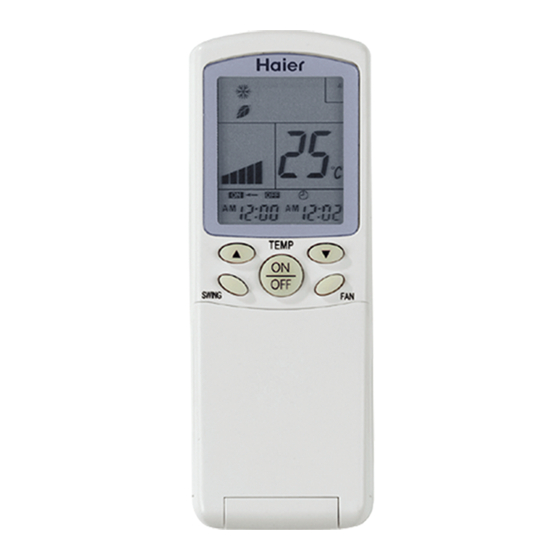
Haier YR-H 71 Service Manual

Haier YR-H 71 Service Manual

Controller and accessory for air conditioner
Hide thumbs Also See for YR-H 71:

Advertisement

SERVICE MANUAL
-
Controller and Accessory
Infrared controller :
YR-H71..........Page 1
YR-H65..........Page 12
YR-H50..........Page 13
YR-H49..........Page 13
Address set controller:
ASC-002........Page 14
Wired controller:
YR-E06..........Page 15
YR-E12..........Page 24
Central controller:
YCZ-A001......Page 29
ICR01.............Page 34
IGU04.............Page 57

Advertisement

loading

Frequently Asked Questions (9)

  • What are the common troubleshooting steps for a Haier YR-H 71 that isn't responding?

    If the remote controller is not operating correctly, you can press the RESET Button using a sharp article to resume correct operation, especially in cases of malfunctions due to electromagnetic noise.

    Was this helpful?
  • How can I change the temperature setting on my Haier YR-H 71?

    You can change the temperature setting using the TEMP Setting Button. This button is used for controlling the temperature, with setting ranges from 16°C to 30°C. It also functions for controlling the up and down filter.


    For more information, see page 2 of the manual.
    Was this helpful?
  • How do I reset the Haier YR-H 71 control unit?

    To reset the Haier YR-H 71 control unit, press the RESET Button using a sharp article. This will resume the correct operation of the remote controller, for example, in cases of malfunctions due to electromagnetic noise.

    Was this helpful?
  • Can I set a timer using the Haier YR-H 71?

    Yes, you can set a timer using the TIMER ON, TIMER OFF function, which is selected by the CLOCK Button. You can set the TIMER and CLOCK up or down using the Up and down Button and confirm settings with the SET Button. Note that if the time for TIMER ON is the same as TIMER OFF, the TIMER ON/OFF function cannot be set.


    For more information, see page 2 of the manual.
    Was this helpful?
  • How do I switch operating modes on the Haier YR-H 71?

    You can switch operating modes using the Operation MODE button. Each time you press this button, the operation mode changes through the sequence: AUTO, COOL, DRY, HEAT, FAN.


    For more information, see page 2 of the manual.
    Was this helpful?
  • How do I activate the sleep function on the Haier YR-H 71?

    To activate the sleep function, use the SLEEP Button. Ensure that the clock is corrected before setting the sleep function.

    Was this helpful?
  • How do I turn on the Haier YR-H 71 Control Unit?

    To turn on the Haier YR-H 71 Control Unit, use the Power ON/OFF Button. After pressing it, the LCD of the remote controller will display the previous operation state.

    Was this helpful?
  • Can I lock the buttons on the Haier YR-H 71 Control Unit?

    Yes, you can lock the operation buttons and LCD display contents by pressing the LOCK Button. When activated, other buttons will be out of function and a lock state display will appear. Pressing the button again will deactivate the lock state and make the display disappear.

    Was this helpful?
  • How to properly clean the Haier YR-H 71 Control Unit?

    To properly clean the control unit, wipe it with a soft dry cloth. If it is too dirty, immerse a cloth in diluted neutral detergent, wring it, wipe the cloth, and then clean with a dry cloth. Do not wipe with gasoline, thinner, household cleanser, or chemical wiping cloth, as this may cause color change, paint-fading, deformation, or breakage.


    For more information, see page 50 of the manual.
    Was this helpful?
Need help?

Need help?

Do you have a question about the YR-H 71 and is the answer not in the manual?

Questions and answers

Save PDF