Sign In
Upload
Manuals
Brands
Craftsman Manuals
Door Opening System
CMXEOCG772
Craftsman CMXEOCG772 Manuals
Manuals and User Guides for Craftsman CMXEOCG772. We have
2
Craftsman CMXEOCG772 manuals available for free PDF download: Owner's Manual
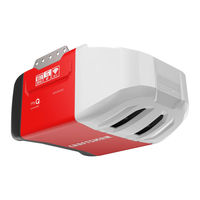
Craftsman CMXEOCG772 Owner's Manual (92 pages)
SMART GARAGE DOOR OPENER
Brand:
Craftsman
| Category:
Garage Door Opener
| Size: 10 MB
Table of Contents
Table of Contents
2
Introduction
3
Safety Symbol Review and Signal Word Review
3
Unattended Operation
3
Preparing Your Garage Door
3
Tools Needed
4
Test the Wi-Fi® Signal Strength in Your Garage
4
Planning
5
Sectional Door Installation
5
Carton Inventory
7
Hardware Inventory
8
Assembly
8
Assembly Step
9
Assemble the Rail and Install the Trolley
9
Fasten the Rail to the Motor Unit
9
Install the Idler Pulley
10
Install the Belt
11
Tighten the Belt
11
Install the Sprocket Cover
12
Installation
12
Important Installation Instructions
12
Determine the Header Bracket Location
13
Install the Header Bracket
14
Attach the Rail to the Header Bracket
15
Position the Opener
16
Sectional Door or One-Piece Door with Track
16
Hang the Opener
17
Install the Lights
18
Attach the Emergency Release Rope and Handle
18
Fasten the Door Bracket
19
Sectional Doors
19
One-Piece Doors
20
Connect Door Arm to Trolley
21
Sectional Doors Only
21
All One-Piece Doors
22
Attach the Warning Labels
22
Install the Door Control
23
Install the Safety Reversal System
24
Installing the Brackets
25
Mounting and Wiring the Safety Reversing Sensors
26
Electrical Requirements
27
Aligning the Safety Reversing Sensors
27
Adjustment
28
Introduction
28
One-Piece Doors Only
28
Programming Buttons
28
Program the Travel
29
Test the Safety Reversal System
30
Test the Safety Reversing Sensors
30
BATTERY BACKUP Model CMXEOCG982
31
Install the Battery
31
Test the Battery
31
Charge the Battery
31
Battery Status LED
31
Myq® SMARTPHONE CONTROL
32
Connect with Your Smartphone
32
Operation
33
Important Safety Instructions
33
Features
34
Energy Conservation
34
Dual-Function Control Panel Model CMXEOCG572
35
Door Control Model CMXEOCG322
35
Motion Detecting Control Panel Models CMXEOCG772 and CMXEOCG982
36
Remote Control and Wireless Keypad
37
To Erase the Memory
37
To Open the Door Manually
38
The Remote Control Battery
38
Care of Your Opener
38
Troubleshooting
39
Diagnostic Chart
39
Repair Parts
40
Rail Assembly Parts
40
Installation Parts
40
Motor Unit Assembly Parts
41
Accessories
43
Warranty
43
Warranty Period
43
Automatic Garage Door Opener Safety & Maintenance Guide
44
Garage Door Openers Are Not Toys
44
Routine Maintenance Can Prevent Tragedies
45
Introduction
49
Examen des Symboles de Sécurité et des Mots de Signalement
49
Fonctionnement Non Surveillé
49
Préparation de la Porte de Garage
49
Outils Nécessaires
50
Tester la Puissance du Signal Wi-Fi® Dans le Garage
50
Planification
51
Contenu de la Boîte
53
Inventaire des Fixations
54
Assemblage
55
Assemblage du Rail et Installation du Chariot
55
Fixation du Rail au Moteur
55
Installer la Poulie
56
Installer la Courroie
57
Tension de la Courroie
57
Installation
58
Importantes Instructions Concernant L'installation
58
Déterminer L'emplacement du Support de Linteau
59
Installer le Support de Linteau
60
Fixation du Rail Sur le Support de Linteau
61
Positionner L'ouvre-Pore
62
Accrocher L'ouvre-Porte
63
Installation des Ampoules
64
Fixation de la Corde et de la Poignée de Déclenchement D'urgence
64
Fixation du Support de Porte
65
Fixation de la Biellette de la Porte au Chariot
67
Fixation des Étiquettes D'avertissement
68
Installation de la Commande de Porte
69
Essai du Système D'inversion de Sécurité
70
Installation des Supports
71
Exigences Électriques
73
Alignement des Capteurs D'inversion de Sécurité
73
Réglage
74
Introduction
74
Boutons de Programmation
74
Programmation de la Course
75
Essai du Système D'inversion de Sécurité
76
BATTERIE de SECOURS Modèle CMXEOCG982
77
Installer la Batterie
77
Tester la Batterie
77
Recharge de la Batterie
77
DEL D'état de Charge de la Batterie
77
COMMANDE Myq® PAR TÉLÉPHONE INTELLIGENT
78
Se Connecter Avec un Téléphone Intelligent
78
Fonctionnement
79
Importantes Consignes de Sécurité
79
Caractéristiques
80
Économie D'énergie
80
Tableau de Commande à Double Fonction Modèle CMXEOCG572
81
Commande de Porte Modèle CMXEOCG322
81
Tableau de Commande de Détection de Mouvement Modèles CMXEOCG772 et CMXEOCG982
82
Télécommande et Clavier Sans Fil
83
Pour Effacer la Mémoire
83
Ouverture Manuelle de la Porte
84
La Pile de la Télécommande
84
Soin de Votre Actionneur de Porte
84
Calendrier D'entretien
84
Dépannage
85
Pièces de Réparation
86
Pièces D'assemblage du Rail
86
Pièces pour L'installation
86
Pièces D'assemblage de L'unité du Moteur
87
Accessoires
89
Garantie
89
Période de Garantie
89
Guide de Sécurité et D'entretien de L'ouvre-Porte de Garage Automatique
90
Craftsman CMXEOCG772 Owner's Manual (100 pages)
Brand:
Craftsman
| Category:
Door Opening System
| Size: 13 MB
Table of Contents
English
2
Table of Contents
2
Introduction
3
Safety Symbol Review and Signal Word Review
3
Unattended Operation
3
Preparing Your Garage Door
3
Tools Needed
4
Planning
5
Carton Inventory
7
Hardware Inventory
8
Assembly
9
Assemble the Rail and Install the Trolley
9
Fasten the Rail to the Motor Unit
9
Install the Idler Pulley
10
Install the Belt
11
Tighten the Belt
11
Important Installation Instructions
12
Installation
12
Install the Sprocket Cover
12
Determine the Header Bracket Location
13
Install the Header Bracket
14
Attach the Rail to the Header Bracket
15
Position the Opener
16
Hang the Opener
17
Install the Lights
18
Attach the Emergency Release Rope and Handle
18
Fasten the Door Bracket
19
Connect Door Arm to Trolley
21
Attach the Warning Labels
22
Install the Door Control
23
Install the Safety Reversal System
24
Electrical Requirements
27
Aligning the Safety Reversing Sensors
27
Adjustment
28
Introduction
28
Program the Travel
29
Automatic Force Set up
29
Test the Safety Reversal System
30
Test the Protector System
30
BATTERY BACKUP Model CMXEOCG982
31
Install the Battery
31
Test the Battery
31
Charge the Battery
31
Battery Status LED
31
Myq® SMARTPHONE CONTROL
32
Connect with Your Smartphone
32
Operation
33
Important Safety Instructions
33
Features
34
Door Control Model CMXEOCG322
35
Dual-Function Control Panel Model CMXEOCG572
35
Motion Detecting Control Panel Models CMXEOCG772 and CMXEOCG982
36
Remote Control and Wireless Keypad
37
To Erase the Memory
37
To Open the Door Manually
38
The Remote Control Battery
38
Care of Your Opener
38
Troubleshooting
39
Repair Parts
40
Rail Assembly Parts
40
Installation Parts
40
Motor Unit Assembly Parts
41
Accessories
43
Warranty
43
Automatic Garage Door Opener Safety & Maintenance Guide
44
Français
50
Examen des Symboles de Sécurité et des Notes D'avertissement
51
Fonctionnement Sans Surveillance
51
Introduction
51
Préparez Votre Porte de Garage
51
Outils Nécessaires
52
Testez L'intensité du Signal Wi-Fi Dans Votre Garage
52
Planification
53
Inventaire du Carton
55
Inventaire du Matériel
56
Assemblage
57
Assemblez le Rail et Installez le Chariot
57
Fixez le Rail au Bloc Moteur
57
Installez la Poulie de Tension
58
Installez la Courroie
59
Serrez la Courroie
59
Installation
60
Installez le Couvercle du Pignon
60
Instructions D'installation Importantes
60
Déterminez L'emplacement du Support de Linteau
61
Installez le Support de Linteau
62
Fixez le Rail au Support de Linteau
63
Positionnez L'ouvre-Porte
64
Accrochez L'ouvre-Porte
65
Fixez la Corde et la Poignée de Déclenchement D'urgence
66
Installez L'éclairage
66
Fixez le Support de la Porte
67
Connectez le Bras de la Porte au Chariot
69
Fixez les Étiquettes D'avertissement
70
Installer la Commande de Porte
71
Installez le Système D'inversion de Sécurité
73
Alignement des Capteurs D'inversion de Sécurité
76
Exigences Électriques
76
Introduction
77
Réglage
77
Introduction
78
Réglage
78
Programmez le Déplacement
79
Réglage de la Force Automatique
79
Testez le Protector System
80
Testez le Système D'inversion de Sécurité
80
BATTERIE de Secoursmodèle CMXEOCG982
81
Chargez la Batterie
81
DEL de Statut de la Batterie
81
Installez la Batterie de Secours
81
Testez la Batterie
81
COMMANDE PAR TÉLÉPHONE INTELLIGENT Myq
82
Connectez-Vous Avec Votre Téléphone Intelligent
82
Consignes de Sécurité Importantes
83
Fonctionnement
83
Caractéristiques
84
Commande de Portemodèle CMXEOCG322
85
Panneau de Commande à Double Fonctionmodèle CMXEOCG572
85
Panneau de Commande de Détection de Mouvementmodèles CMXEOCG772 et CMXEOCG982
86
Pour Effacer la Mémoire
87
Télécommande et Clavier Sans Fil
87
Batterie de la Télécommande
88
Entretien de Votre Ouvre-Porte
88
Pour Ouvrir la Porte Manuellement
88
Dépannage
89
Pièces D'assemblage de Rail
91
Pièces D'installation
91
Pièces Détachées
91
Pièces D'assemblage du Bloc Moteur
92
Accessoires
94
Garantie
94
Sécurité de L'ouvre-Porte Automatique de Garage et Guide D'entretien
96
Related Products
Craftsman CMXEOCG322
Craftsman CMXEOCG572
Craftsman CMXEOCG982
Craftsman CMXEOCG781
Craftsman CMXEOCG231
Craftsman CMXEOCG232
Craftsman CMXEOCG472
Craftsman CMXEOCG471
Craftsman CMXEVBE176070
Craftsman CMXEVBE171550
Craftsman Categories
Lawn Mower
Trimmer
Saw
Pressure Washer
Snow Blower
More Craftsman Manuals
Login
Sign In
OR
Sign in with Facebook
Sign in with Google
Upload manual
Upload from disk
Upload from URL