Sign In
Upload
Manuals
Brands
AMX Manuals
Recording Equipment
MAX-AOM
User Manuals: AMX MAX-AOM Audio-Only Module
Manuals and User Guides for AMX MAX-AOM Audio-Only Module. We have
5
AMX MAX-AOM Audio-Only Module manuals available for free PDF download: Setup Manual, Operation/Reference Manual, Specifications, Installation Manual
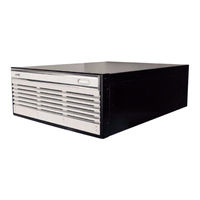
Amx MAX-AOM Setup Manual (50 pages)
MAX HT Systems 4-Zone System Setup
Brand:
Amx
| Category:
Server
| Size: 2 MB
Table of Contents
Table of Contents
5
Introduction - MAX HT System Setup
7
What You'll Need to Set up a Four-Zone MAX System
7
Before You Begin: Gather Required Network Information
11
1 HT Server (MAX-HT04 or MAX-HT12)
7
2 Ethernet Switches
8
MAX-AOM Audio-Only (USB) Module
8
MAX-AVP Audio/Video Players
8
Six Ethernet Cables
9
VGA Monitor
9
Windows PC with Winmax Software
9
A/V Equipment
10
PS/2 Keyboard
10
UPS (Uninterrupted Power Supply)
10
Step 1: Setting up the HT-04 Server
13
24-Charge/Initialization Period for HT Servers
14
Step 2: Setting up the 2 Ethernet Switches
15
Overview
15
To Set up the Two Ethernet Switches
15
Step 3: Power up the HT Server
19
Working with the MAX Admin Menu
19
Step 4: Adding 4 MAX-Avps to the HT Server
21
Step 5: Adding the MAX-AOM to the Server
25
Overview
25
Adding the AOM to Server Output #5, USB #1, AOM Audio Output #1
27
Adding the AOM to Server Output #6, USB #1, AOM Audio Output #2
29
Adding the AOM to Server Output #7, USB #1, AOM Audio Output #3
31
Adding the AOM to Server Output #8, USB #1, AOM Audio Output #4
33
Step 6: Setting the CONTROL IP Address for the Server
35
Overview
35
To Assign a Different IP Address to the Server
35
Step 7: Connecting the MAX-Avps
37
Overview
37
Step 8: Connecting the MAX-AOM
41
Overview
41
Overview
43
Testing the MAX Setup
43
Testing the MAX-AVP
43
Testing the AOM
45
Shutting down the MAX Server
47
Advertisement
AMX MAX-AOM Operation/Reference Manual (26 pages)
Audio-Only (USB) Module, Audio/Video Module
Brand:
AMX
| Category:
Recording Equipment
| Size: 0 MB
Table of Contents
Table of Contents
3
MAX Modules - Overview
5
MAX-AOM Audio-Only (USB) Module
7
Overview
7
Product Specifications
7
Installing the MAX-AOM
8
Adding the MAX-AOM to the MMS Server
8
Connecting the MAX-AOM to the MMS Server
9
Additional Information on USB Ports 1 and
10
Rack-Mounting the MAX-AOM
10
Using the AOM-EX Expansion Kit
10
MAX-AVM Audio-Video Module
13
Overview
13
Product Specifications
13
Installing the MAX-AVM
14
Connecting the MAX-AVM to an MMS Server and Display Device
15
Installing the MAX-AVM Serial Number in the MMS Server
15
Using a PC Mouse and Keyboard to Control the MAX-AVM
15
Troubleshooting
16
MAX-AVM User-Interface
17
Overview
17
Start Screen
17
MUSIC Pages
18
Music - Genre
18
Music - Artist
18
Music - Search
19
Music - Browse
19
Music Selections
20
Music Playback Page
20
MOVIES Pages
21
Movies - Genre
21
Movies - Search
21
Movies - Browse
22
Movie Selections and Transport Controls
22
Movie Playback Page
23
Parental Control
23
PLAYLISTS Page
24
AMX MAX-AOM Installation Manual (2 pages)
Audio-Only Module
Brand:
AMX
| Category:
Recording Equipment
| Size: 0 MB
Table of Contents
Installation Guide
1
MAX-AOM Audio-Only Module
1
Product Specifications
1
Adding the MAX-AOM to the MMS Server
1
Connecting to MMS Servers
1
Additional Information on USB Ports 1 and 2 (on the MMS-04S, MMS-12S and MMS-900 Servers)
1
Mounting the MAX-AOM
2
Using the AOM-EX Expansion Kit
2
Advertisement
Amx MAX-AOM Specifications (2 pages)
audio output module
Brand:
Amx
| Category:
Control Unit
| Size: 6 MB
Table of Contents
Power
2
Audio Output
2
Rear Panel Components
2
Dimensions (Hwd)
2
Weight
2
Included Accessories
2
Optional Accessories
2
Certification
2
Amx MAX-AOM Specifications (2 pages)
Amx MAX-AOM Media Servers: Specifications
Brand:
Amx
| Category:
Server
| Size: 0 MB
Advertisement
Related Products
AMX MAX-AVP
AMX MAX-AVM
AMX MAX-HT12T
AMX MAX-MMS-01S
AMX MAX-MMS-02S
AMX MAX-MMS-04S
AMX MAX-MMS-125
AMX MAX-MMS-900
AMX MAX-CSD ENCODER
AMX MAX-HT SERVERS
AMX Categories
Touch Panel
Matrix Switcher
Controller
Switch
Keypad
More AMX Manuals
Login
Sign In
OR
Sign in with Facebook
Sign in with Google
Upload manual
Upload from disk
Upload from URL