Sign In
Upload
Manuals
Brands
Adaptec Manuals
Computer Hardware
31605 - RAID Controller
Adaptec 31605 - RAID Controller Manuals
Manuals and User Guides for Adaptec 31605 - RAID Controller. We have
5
Adaptec 31605 - RAID Controller manuals available for free PDF download: Installation And User Manual, Release Notes, Release Note
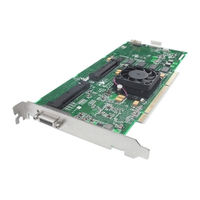
Adaptec 31605 - RAID Controller Installation And User Manual (145 pages)
Serial Attached SCSI RAID Controllers
Brand:
Adaptec
| Category:
Computer Hardware
| Size: 2 MB
Table of Contents
Table of Contents
6
About this Guide
11
What You Need to Know before You Begin
12
Terminology Used in this Guide
12
How to Find more Information
12
Kit Contents and System Requirements
13
Kit Contents
14
System Requirements
14
About Your RAID Controller
16
Standard RAID Controller Features
17
Array-Level Features
17
Advanced Data Protection Suite
17
Adding Enhanced Features
18
Using a Feature Key to Unlock Enhanced Features
18
Adding a Battery Backup Module
18
Upgrading the Controller Firmware
18
About the Adaptec RAID 3085
19
About the Adaptec RAID 3405
20
About the Adaptec RAID 3805
21
About the Adaptec RAID 5085
22
About the Adaptec RAID 5405
23
About the Adaptec RAID 5445
24
About the Adaptec RAID 5805
25
About the Adaptec RAID 31205
26
About the Adaptec RAID 31605
27
About the Adaptec RAID 51245
28
About the Adaptec RAID 51645
29
About the Adaptec RAID 52445
30
About the Adaptec RAID 2045
31
About the Adaptec RAID 2405
32
Getting Started
33
Choosing a RAID Level
34
Selecting Disk Drives and Cables
35
Disk Drives
35
Cables
35
Installation Options
36
Basic Installation Steps
37
Installing with an Operating System
37
Installing on an Existing Operating System
37
Installing the Controller and Disk Drives
38
Installing the Controller and Disk Drives
39
Before You Begin
39
Installing the Controller
39
Connecting Disk Drives to Your Controllers
40
Connecting Directly to the Controller
40
Connecting to a System Backplane
41
Connecting External Devices
41
Next Steps
42
Creating a Bootable Array
43
Setting the Boot Controller
44
Creating an Array
44
Creating an Array with the ACU
44
Creating an Array with Adaptec Storage Manager
46
Making Your Array Bootable
47
Installing the Driver and an Operating System
48
Before You Begin
49
Creating a Driver Disk
49
Installing with Windows
49
Installing with Windows Server 2003 or Windows XP
50
Installing with Windows Server 2008 or Windows Vista
50
Installing with Red hat Linux
51
Installing with SUSE Linux
51
Installing with Openserver
51
Installing with Unixware
52
Installing with Solaris
52
Installing with Vmware
53
Installing with Freebsd
53
Installing the Driver on an Existing Operating System
54
Before You Begin
55
Creating a Driver Disk
55
Installing on Windows
56
Installing on Windows Server 2003 or Windows XP
56
Installing with Windows Server 2008 or Windows Vista
56
Installing on Red hat or SUSE Linux
56
Installing on Openserver
57
Installing on Unixware
57
Installing on Solaris
57
Installing on Vmware
58
Installing on Freebsd
58
Managing Your Storage Space
58
Managing Your Storage Space
60
About Adaptec Storage Manager
60
Installing Adaptec Storage Manager
60
About the Adaptec RAID Controller Configuration Utility
60
About the Adaptec RAID Configuration Utility
61
About the Adaptec Flash Utility
61
Which Utility Should I Use
61
Solving Problems
62
Troubleshooting Checklist
63
Monitoring Disk Drives Status
63
Silencing the Alarm
63
Recovering from a Disk Drive Failure
64
Failed Disk Drive Protected by a Hot Spare
64
Failed Disk Drive Not Protected by a Hot Spare
64
Failure in Multiple Arrays Simultaneously
64
Disk Drive Failure in a RAID 0 Array
65
Multiple Failures in the same Array
65
Resetting the Controller
65
Introduction to SAS
67
In this Appendix
68
Terminology Used in this Chapter
68
What Is SAS
68
How Do SAS Devices Communicate
69
What's a Phy
69
What Do SAS Cables Look Like
70
What's a SAS Address
70
What's a SAS Connector
70
What's a SAS Port
70
How Are Disk Drives Identified in SAS
71
What Are the SAS Connection Options
71
Direct-Attach Connections
71
Backplane Connections
71
SAS Expander Connections
72
How Is SAS Different from Parallel SCSI
73
Understanding RAID
74
Understanding Drive Segments
75
Non-Redundant Arrays (RAID 0)
75
RAID 1 Arrays
76
RAID 1 Enhanced Arrays
76
RAID 10 Arrays
77
RAID 5 Arrays
78
RAID 5EE Arrays
79
RAID 50 Arrays
80
RAID 6 Arrays
81
RAID 60 Arrays
81
Selecting the Best RAID Level
82
Using the Adaptec RAID Configuration Utility
83
Introduction to the ARC Utility
84
Running the ARC Utility
84
Navigating the ARC Utility
84
Using the ACU to Create and Manage Arrays
84
Creating a New Array
84
Managing Existing Arrays
85
Initializing Disk Drives
86
Rescanning Disk Drives
86
Secure Erasing Disk Drives
86
Using the ACU to Create and Manage Jbods
86
Creating a New JBOD
87
Managing Existing Jbods
87
Using Serialselect to Modify Controller Settings
87
Opening Serialselect
87
Applying Changes and Exiting
87
Modifying Your Controller's Configuration
88
Formatting and Verifying Disk Drives
89
Locating Disk Drives
90
Identifying Disk Drives
90
Viewing the Event Log
91
Using the Array Configuration Utility for DOS
92
Getting Started
93
Working in the ACU Using Menus
93
Running the ACU Using Scripts
94
About Playback Mode
94
About Record Mode
95
Creating the Script File Manually
95
Array Definition Block Keywords
96
ACU Error Codes
99
Sample Scripts
100
Using the Adaptec Flash Utility
102
System Requirements
103
Before You Begin
103
Obtaining the Firmware
103
Creating the Firmware Update Disks
104
Running the Menu-Based AFU
104
Running the AFU from the Command Line
105
AFU Commands
105
Updating the Flash Using the AFU Command Line
108
Controller LED and I2C Connector Quick Reference
110
Adaptec RAID 3085 LED Connector Specification
110
Adaptec RAID 3405 LED and I2C Connector Specification
110
Adaptec RAID 3805 LED and I2C Connector Specification
112
Adaptec RAID 5085 LED Connector Specification
114
Adaptec RAID 5405 LED and I2C Connector Specification
116
Adaptec RAID 5445 LED and I2C Connector Specification
117
Adaptec RAID 5805 LED and I2C Connector Specification
119
Adaptec RAID 31205 LED and I2C Connector Specification
121
Adaptec RAID 31605 LED and I2C Connector Specification
124
Adaptec RAID 51245 LED and I2C Connector Specification
129
Adaptec RAID 51645 LED and I2C Connector Specification
131
Adaptec RAID 52445 LED and I2C Connector Specification
133
Adaptec RAID 2045 LED Connector Specification
135
Adaptec RAID 2405 LED and I2C Connector Specification
136
Safety Information
137
Electrostatic Discharge (ESD)
137
Technical Specifications
138
Environmental Specifications
139
DC Power Requirements
139
Current Requirements
139
Advertisement
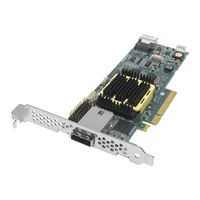
Adaptec 31605 - RAID Controller Installation And User Manual (137 pages)
SAS, SATA, and SCSI RAID Controllers
Brand:
Adaptec
| Category:
Computer Hardware
| Size: 3 MB
Table of Contents
Table of Contents
6
About this Guide
11
What You Need to Know before You Begin
12
Terminology Used in this Guide
12
How to Find more Information
12
Kit Contents and System Requirements
13
Kit Contents
14
System Requirements
14
About Your RAID Controller
15
Standard RAID Controller Features
16
Array-Level Features
16
Advanced Data Protection Suite
16
Adding Enhanced Features
17
Using a Feature Key to Unlock Enhanced Features
17
Adding a Battery Backup Module
17
Upgrading the Controller Firmware
17
About the Adaptec 3085
18
About the Adaptec 3405
19
About the Adaptec 3805
20
About the Adaptec 31205
21
About the Adaptec 31605
22
About the Adaptec 4000
23
About the Adaptec 4800SAS
24
About the Adaptec 4805SAS
25
About the Adaptec 2420SA
26
About the Adaptec 2820SA
27
About the Adaptec 2130SLP
28
About the Adaptec 2230SLP
29
Getting Started
30
Choosing a RAID Level
31
Selecting Disk Drives
32
Disk Drives for SAS Controllers
32
Disk Drives for SATA Controllers
32
Disk Drives for SCSI Controllers
32
Selecting Cables
33
SAS Cables
33
SATA Cables
34
SCSI Cables
35
Installation Options
35
Basic Installation Steps
35
Installing with an Operating System
35
Installing on an Existing Operating System
36
Installing the Controller and Disk Drives
37
Before You Begin
38
Installing the Controller
38
Connecting Disk Drives to SAS RAID Controllers
39
Connecting Directly to the Controller
39
Connecting to a System Backplane
40
Connecting Disk Drives to SATA RAID Controllers
41
Connecting Disk Drives to SCSI RAID Controllers
41
Creating a Bootable Array
42
Connecting External Devices
42
Next Steps
42
Monitoring Disk Drives with Adaptec Storage Manager
42
Creating a Bootable Array
43
Setting the Boot Controller
44
Creating an Array
44
Creating an Array with the ACU
44
Creating an Array with Adaptec Storage Manager
46
Making Your Array Bootable
47
Installing the Driver and an Operating System
48
Before You Begin
49
Creating a Driver Disk
49
Installing with Windows
50
Installing with Red hat Linux
50
Installing with SUSE Linux
51
Installing with Netware
51
Installing with Openserver
52
Installing with Solaris
52
Installing with Unixware
53
Installing with Vmware
53
Installing with Freebsd
54
Installing the Driver on an Existing Operating System
55
Before You Begin
56
Creating a Driver Disk
56
Installing on Windows
57
Installing on Red hat or SUSE Linux
57
Installing on Netware
57
Installing on Openserver
58
Installing on Solaris
58
Installing on Unixware
59
Installing on Vmware
59
Installing on Freebsd
60
Managing Your Storage Space
61
About Adaptec Storage Manager
62
Installing Adaptec Storage Manager
62
About the Adaptec RAID Controller Configuration Utility
62
About the Adaptec RAID Configuration Utility
63
About the Adaptec Flash Utility
63
Which Utility Should I Use
63
Solving Problems
64
Troubleshooting Checklist
65
Silencing the Alarm
65
Recovering from a Disk Drive Failure
65
Failed Disk Drive Protected by a Hot Spare
66
Failed Disk Drive Not Protected by a Hot Spare
66
Failure in Multiple Arrays Simultaneously
66
Disk Drive Failure in a RAID 0 Array
66
Multiple Failures in the same Array
67
Resetting the Controller
67
Introduction to Serial Attached SCSI
68
In this Appendix
69
Terminology Used in this Chapter
69
What Is SAS
69
How Do SAS Devices Communicate
70
What's a Phy
70
What Do SAS Cables Look Like
71
What's a SAS Address
71
What's a SAS Connector
71
What's a SAS Port
71
How Are Disk Drives Identified in SAS
72
What Are the SAS Connection Options
72
Direct-Attach Connections
72
Backplane Connections
72
SAS Expander Connections
73
How Is SAS Different from Parallel SCSI
74
Understanding RAID
75
Understanding Drive Segments
76
Non-Redundant Arrays (RAID 0)
76
RAID 1 Arrays
77
RAID 1 Enhanced Arrays
77
RAID 10 Arrays
78
RAID 5 Arrays
79
RAID 5EE Arrays
80
RAID 50 Arrays
81
RAID 6 Arrays
82
RAID 60 Arrays
82
Selecting the Best RAID Level
83
Using the Adaptec RAID Configuration Utility
84
Introduction to the ARC Utility
85
Running the ARC Utility
85
Navigating the ARC Utility
85
Using the ACU to Create and Manage Arrays
85
Creating a New Array
85
Managing Existing Arrays
86
Initializing Disk Drives
86
Rescanning Disk Drives
86
Secure Erasing Disk Drives
87
Using the -Select Utility to Modify Controller Settings
87
Opening a -Select Utility
87
Applying Changes and Exiting
87
Modifying Your Controller's Configuration
88
General Controller Settings
88
SAS-Specific Controller Settings
89
SATA-Specific Controller Settings
89
SCSI-Specific Controller Settings
90
Formatting and Verifying Disk Drives
91
Locating Disk Drives
91
Identifying Disk Drives
91
Viewing the Event Log
92
Using the Array Configuration Utility for DOS
93
Getting Started
94
Working in the ACU Using Menus
94
Running the ACU Using Scripts
95
About Playback Mode
95
About Record Mode
96
Creating the Script File Manually
96
Array Definition Block Keywords
97
Channel Definition Block Keywords-SCSI Only
100
ACU Error Codes
101
Sample Scripts
102
Using the Adaptec Flash Utility
104
Using the Adaptec Flash Utility
105
System Requirements
105
Before You Begin
105
Obtaining the Firmware
105
Creating the Firmware Floppy Disks
106
Running the Menu-Based AFU
106
Running the AFU from the Command Line
107
AFU Commands
107
Updating the Flash Using the AFU Command Line
110
Adaptec Serial Controller LED and I2C Connector Reference
111
Adaptec 2420SA Activity LED and I2C Connector Specification
112
Adaptec 2820SA Activity LED and I2C Connector Specification
113
Adaptec 3085 LED and I2C Connector Specification
114
Adaptec 3405 LED and I2C Connector Specification
114
Adaptec 3805 LED and I2C Connector Specification
116
Adaptec 31205 LED and I2C Connector Specification
118
Adaptec 31605 LED and I2C Connector Specification
121
Adaptec 4800SAS LED and I2C Connector Specification
126
Adaptec 4805SAS LED and I2C Connector Specification
127
Safety Information
129
Electrostatic Discharge (ESD)
129
Technical Specifications
130
Environmental Specifications
131
DC Power Requirements
131
Current Requirements
131
Adaptec 31605 - RAID Controller Release Notes (2 pages)
RAID & SATA/SCSI RAID controllers
Brand:
Adaptec
| Category:
Computer Hardware
| Size: 0 MB
Advertisement
Adaptec 31605 - RAID Controller Release Note (2 pages)
Controllers software release
Brand:
Adaptec
| Category:
Controller
| Size: 0 MB
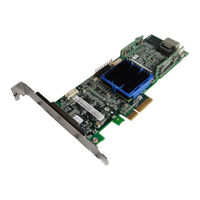
Adaptec 31605 - RAID Controller Release Notes (2 pages)
Controllers software release
Brand:
Adaptec
| Category:
Controller
| Size: 0 MB
Advertisement
Related Products
Adaptec SCSI RAID 3200S
Adaptec 3085
Adaptec 31205 - RAID Controller
Adaptec 3405
Adaptec 3805
Adaptec 3410S SCSI RAID
Adaptec 3400S - SCSI RAID Controller
Adaptec 3400S1
Adaptec SCSI RAID 3000S Series
Adaptec 31205
Adaptec Categories
Adapter
Computer Hardware
Controller
Host Adapter
Software
More Adaptec Manuals
Login
Sign In
OR
Sign in with Facebook
Sign in with Google
Upload manual
Upload from disk
Upload from URL