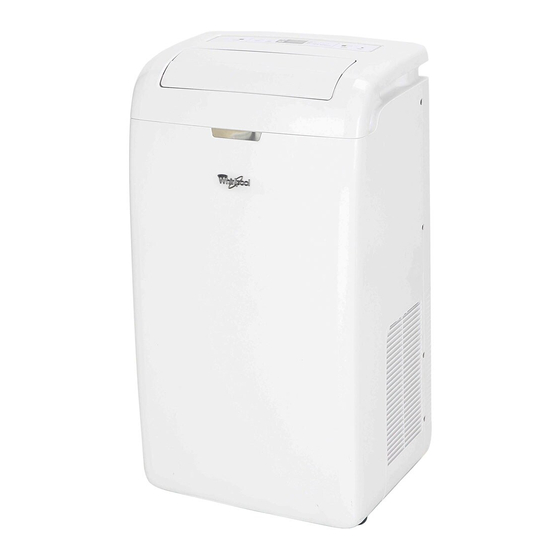
Whirlpool PORTABLEAIR CONDITIONER Use And Care Manual

Whirlpool PORTABLEAIR CONDITIONER Use And Care Manual

Portable air conditioner
Table of Contents
Available languages

Available languages

1545063
PORTABLE

AIR CONDITIONER

Use & Care Guide
For questions about features, operation/performance, parts
or service, call:
1-877-465-3566
In Canada, call for assistance, installation
and service, call:
1-877-577-4105
AIRE ACONDICIONADO
PORTÁTIL
Guía de instrucciones
Para preguntas sobre características, funcionamiento,
rendimiento, piezas
o servicio, llame al:
1-877-465-3566
En Canadá, para asistencia, instalación
o servicio, llame al:
1-877-577-4105
Table of Contents
loading

Frequently Asked Questions (13)

  • Why is my Whirlpool portable air conditioner not blowing cold air?

    If your air conditioner runs but does not cool, it could be due to the following reasons:

    • The filter is dirty or obstructed by debris. You should clean the filter.
    • The air outlet is blocked. You should clear the air outlet.
    • The set temperature is too high. You should lower the set temperature.

    If the air conditioner seems to run too much, it could be because:

    • A door or window is open. Keep doors and windows closed.
    • The air conditioner is in a heavily occupied room, or heat-producing appliances are in use. Use exhaust vent fans while cooking or bathing and try not to use heat-producing appliances during the hottest part of the day. Portable air conditioners are designed as supplemental cooling to local areas within a room.

    If the air conditioner cycles on and off too much:

    • The air conditioner is not properly sized for your room. Check the cooling capabilities for your room.
    • The filter is dirty or obstructed by debris. Clean the filter.
    • There is excessive heat or moisture in the room. Use a fan to exhaust heat or moisture from the room. Try not to use heat-producing appliances during the hottest part of the day.
    • The louvers are blocked. Install the air conditioner in a location where the louvers are free from curtains, blinds, furniture, etc.

    For more information, see page 15 of the manual.
    Was this helpful?
  • How do I drain water from my Whirlpool portable air conditioner?

    The air conditioner has a unique self-draining situation and does not normally need to be drained. If the WATER FULL indicator light glows red due to operation in very humid air, you will need to drain the unit.

    To drain water continuously:

    1. Remove the drain hose from the drain hose clip.
    2. Put the drain hose into a shallow container.
    3. Remove the drain hose plug.

    To drain before moving and storage:

    1. Press ON/OFF to turn off the air conditioner.
    2. Unplug the air conditioner or disconnect power.
    3. Move the air conditioner to a drain location or outside, moving it slowly and keeping it level to avoid spilling water.
    4. Remove the secondary drain plug and drain water completely.
    5. Remove the primary drain hose from the drain hose clip.
    6. Remove the drain hose plug from the end of the primary drain hose and drain water completely.
    7. Reinstall the secondary drain plug.
    8. Reinstall the drain hose plug to the primary drain hose.
    9. Reattach the primary drain hose to the drain hose clip. 1
    10. Reposition the air conditioner. 1
    11. Plug in the air conditioner or reconnect power. 1
    12. Press ON/OFF to start the air conditioner.
    Was this helpful?
  • How do I clean the air filter in my Whirlpool portable air conditioner?

    To clean the air filter:

    1. Press ON/OFF to turn off the air conditioner.
    2. Open the filter panel door on the back of the air conditioner and remove it.
    3. Remove the air filter from the filter panel door.
    4. Use a vacuum cleaner to clean the filter. If the filter is very dirty, wash it in warm water with a mild detergent. Do not wash the filter in the dishwasher or use any chemical cleaners.
    5. Air dry the filter completely before replacing to ensure maximum efficiency.
    6. Reattach the air filter to the filter panel door.
    7. Reinstall the filter panel door.
    8. Press ON/OFF to start the air conditioner.

    The Filter Reset indicator light will turn on after 360 hours of operation. After cleaning, press and hold FILTER RESET for 3 seconds to turn off the light.

    Was this helpful?
  • What should I do if my Whirlpool portable air conditioner won't turn on?

    If your air conditioner will not operate, check the following:

    • The power supply cord is unplugged. Plug it into a grounded 3 prong outlet.
    • A time-delay fuse or circuit breaker of the wrong capacity is being used. Replace with a time-delay fuse or circuit breaker of the correct capacity.
    • The power supply cord has tripped (Reset button has popped out). Press and release RESET to resume operation.
    • A household fuse has blown, or a circuit breaker has tripped. Replace the fuse, or reset the circuit breaker.
    • The On/Off button has not been pressed. Press ON/OFF.
    • The local power has failed. Wait for power to be restored.

    For more information, see page 15 of the manual.
    Was this helpful?
  • How do I clean my Whirlpool portable air conditioner?

    To clean the outside of your air conditioner:

    1. Press ON/OFF to turn off the air conditioner.
    2. Unplug the air conditioner or disconnect power.
    3. Remove the air filter and clean separately.
    4. Wipe the outside of the air conditioner with a soft, damp cloth.
    5. Plug in the air conditioner or reconnect power.
    6. Press ON/OFF to start the air conditioner.

    For more information, see page 14 of the manual.
    Was this helpful?
  • How do I operate my Whirlpool portable air conditioner?

    To start your portable air conditioner:

    1. Select the mode. See "Mode."
    2. Select the fan speed. See "Fan Speed."
    3. Set the temperature. See "Temperature."
    4. Press ON/OFF to start the air conditioner.

    In the event of a power failure, your air conditioner will operate at the previous settings when the power is restored.


    For more information, see page 9 of the manual.
    Was this helpful?
  • How do I properly vent a Whirlpool portable air conditioner?

    To properly vent your portable air conditioner:

    1. Roll the air conditioner to the selected location.
    2. Insert the hose adapter into the slot on the back of the air conditioner.
    3. Slide down to lock the hose into place.
    4. Attach the window exhaust adapter to the flexible exhaust hose. Turn clockwise until securely locked into place.
    5. Insert the window exhaust adapter into the window slider kit.
    6. Using 4 screws, attach the window exhaust adapter to the window slider kit.
    7. Using 2 bolts, washers, and nuts, attach the rain cover to the window slider kit for either vertical or horizontal installation. Insert the other 2 bolts, washers and nuts into unused holes to keep moisture from leaking.
    8. Open the window and measure the window opening.
    9. If the window opening is too narrow, remove the inner slider section from the window slider kit and cut it to fit. 1
    10. Slide the inner slider section into the outer slider section of the window slider kit. 1
    11. Place the window slider kit into the window, extending it to fit the width, ensuring the rain cover is on the outside. 1
    12. Insert a 1/2" screw into the hole in the inner slider section closest to the end of the outer slider section. 1
    13. Close the window onto the window slider kit to secure it. 1
    14. For casement windows, the window slider kit may be installed vertically with the opening at the bottom. 1
    15. Place the window-lock bracket on top of the lower window and against the upper window sash. 1
    16. Drill a starter hole through the hole in the bracket using a 1/8" drill bit. 1
    17. Attach the window-lock bracket to the window sash with a 3/4" screw to secure the window in place. 1
    18. Insert the foam seal behind the top of the lower window sash and against the glass of the upper window.
    Was this helpful?
  • How do I reset my Whirlpool portable air conditioner?

    To reset your Whirlpool portable air conditioner's power supply cord, follow these steps:

    1. Plug the power supply cord into a grounded 3 prong outlet.
    2. Press RESET (on some devices, a green light will turn on).
    3. Press TEST (listen for click; Reset button will trip, and on some devices, a green light will turn off).
    4. Press and release RESET (listen for click; Reset button will latch, and on some devices, a green light will turn on). The power supply cord is ready for operation.

    For more information, see page 6 of the manual.
    Was this helpful?
  • How do I use the remote control for my Whirlpool portable air conditioner?

    To use the remote control, aim the remote control at the signal receptor from no more than 23 ft (7 m) away. The remote control is powered by two AA batteries, which should be replaced after 6 months of use or when the remote control starts to lose power.


    For more information, see page 12 of the manual.
    Was this helpful?
  • Does the Whirlpool portable air conditioner require regular maintenance besides filter cleaning?

    Yes, besides filter cleaning, regular maintenance includes:

    • Draining the air conditioner when the WATER FULL indicator light glows red or before moving/storage.
    • Cleaning the outside of the air conditioner with a soft, damp cloth.
    • Storing the unit properly after use, which involves complete draining, running in Fan Only mode for 12 hours to dry, unplugging, removing and storing the exhaust hose and window kit, cleaning the filter and outside, reinstalling the filter, and removing batteries from the remote control.

    For more information, see page 14 of the manual.
    Was this helpful?
  • How do I set the timer function on my Whirlpool portable air conditioner?

    To set the timer for a 1-minute to 24-hour delay until the air conditioner turns off (the air conditioner must be On):

    1. Press TIMER OFF. "OFF: 12:00" will flash on the control panel display.
    2. Press the up or down Adjust button to change the delay time from 1 minute to 24 hours. Press once for 1-minute increments, hold for several seconds for 10-minute increments, or hold longer for 1-hour increments.
    3. Press TIMER OFF again. Timer "Off" indicator light and the set time will remain on.
    4. After 5 seconds, the control panel display will show the current time.

    To set the timer to turn on the air conditioner, keeping previous settings:

    1. Turn off the air conditioner.
    2. Press TIMER ON. "ON 12:00" will flash on the control panel display.
    3. Press the up or down Adjust button to change the delay time from 1 minute to 24 hours. Press once for 1-minute increments, hold for several seconds for 10-minute increments, or hold longer for 1-hour increments.
    4. Press TIMER ON again. Timer "ON" indicator light and the set time will remain on.
    5. After 5 seconds, the control panel display will show the current time.

    To set the timer to turn on the air conditioner, changing the previous settings:

    1. Turn off the air conditioner.
    2. Adjust mode to Cooling, Dry or Fan Only.
    3. Adjust fan speed to Auto, High, Mid or Low.
    4. Adjust temperature between 64°F and 90°F (18°C and 32°C).
    5. Press TIMER ON. "ON 12:00" will flash on the control panel display.
    6. Press the up or down Adjust button to change the delay time from 1 minute to 24 hours. Press once for 1-minute increments, hold for several seconds for 10-minute increments, or hold longer for 1-hour increments.
    7. Press TIMER ON again. Timer "ON" indicator light and the set time will remain on.
    8. After 5 seconds, the control panel display will show the current time.

    To clear the Timer delay program:

    • Press TIMER OFF again to clear Timer Off feature. Timer indicator light will turn off.
    • Press TIMER ON again to clear Timer On feature. Timer indicator light will turn off.

    For more information, see page 11 of the manual.
    Was this helpful?
  • Why is my Whirlpool portable air conditioner making strange noises?

    When your air conditioner is operating normally, you may hear sounds such as:

    • Air movement from the fan.
    • Clicks from the thermostat cycle.
    • Vibrations or noise due to poor wall or window construction.
    • A high-pitched hum or pulsating noise caused by the modern high-efficiency compressor cycling on and off.

    For more information, see page 13 of the manual.
    Was this helpful?
  • What modes does the Whirlpool portable air conditioner offer?

    The Whirlpool portable air conditioner offers the following modes:

    • Cooling: Cools the room. You can select Auto, High, Mid, or Low fan speed and adjust the temperature.
    • Dry: Dries the room. The air conditioner automatically selects the temperature, and the fan runs on Low speed only. This mode should not be used to cool the room.
    • Fan Only: Only the fan runs. You can select High, Mid, or Low fan speed. Auto fan speed cannot be selected in Fan Only mode.
    • RapidCool™ Control: Used for fast cooling. It automatically sets the fan speed to High and the temperature to 64°F (18°C).
    • 6th Sense® System Control: Automatically selects Cooling or Dry mode depending on room temperature and sets the temperature to 79°F (26°C). The set point can be adjusted from 75°F (24°C) to 83°F (28°C).
    • Sleep Control: The fan speed automatically sets to Low speed, and the control panel lights dim. The set temperature will automatically increase 2°F (1°C) during the first hour if the current room temperature is below 79°F (26°C). It will not increase during the last 7 hours of Sleep control.
    Was this helpful?
Need help?

Need help?

Do you have a question about the PORTABLEAIR CONDITIONER and is the answer not in the manual?

Questions and answers

Cherish
August 13, 2025

How do I change the preset settings on portable ACP122GPW ac unit?

1 comments:
Mr. Anderson
September 12, 2025

To change the preset settings on the Whirlpool portable air conditioner model ACP122GPW:

1. Power on the unit using the power button.
2. Select the desired mode (e.g., Cooling or Dry).
3. Adjust the temperature using the "+" or "–" buttons. You can lower the temperature by 2°F (1°C) with one press, or 4°F (2°C) with two presses.
4. Set the fan speed if the mode allows it (fan speed is automatic in some modes like Sleep).
5. Change air direction by pressing the SWING button to adjust or stop the air vent rotation.
6. Use the remote or control panel to make adjustments.
7. If power is lost, the unit will return to the previous settings when power is restored.

These steps allow you to customize the unit's operation according to your preferences.

This answer is automatically generated

Dency Pelegrin
July 4, 2025

where do i find an extension of the exhaust hose for my portable air conditioner Whirlpool ACP122GPW in Canada. I looked at Amazon but I need to know the size or the diameter.

Summary of Contents for Whirlpool PORTABLEAIR CONDITIONER

  • Page 1: Air Conditioner

    PORTABLE AIR CONDITIONER Use & Care Guide For questions about features, operation/performance, parts or service, call: 1-877-465-3566 In Canada, call for assistance, installation and service, call: 1-877-577-4105 AIRE ACONDICIONADO PORTÁTIL Guía de instrucciones Para preguntas sobre características, funcionamiento, rendimiento, piezas o servicio, llame al: 1-877-465-3566 En Canadá, para asistencia, instalación...
  • Page 2: Table Of Contents

    TABLE OF CONTENTS AIR CONDITIONER SAFETY.............3 Using the Remote Control ............11 INSTALLATION REQUIREMENTS..........3 Changing Air Direction .............13 Identification of Parts..............4 Normal Sounds.................13 Tools and Parts ................4 PORTABLE AIR CONDITIONER CARE ........14 Location Requirements ...............5 Draining the Air Conditioner .............14 Electrical Requirements ..............5 Cleaning the Air Filter ..............14 INSTALLATION INSTRUCTIONS..........6 Cleaning the Outside..............14...
  • Page 3: Air Conditioner Safety

    AIR CONDITIONER SAFETY Your safety and the safety of others are very important. We have provided many important safety messages in this manual and on your appliance. Always read and obey all safety messages. This is the safety alert symbol. This symbol alerts you to potential hazards that can kill or hurt you and others.
  • Page 4: Installation Requirements

    INSTALLATION REQUIREMENTS Idenfication of Parts Front Control panel Cold air outlet Signal receptor Remote controller Transport handle Hot air outlet Evaporator air intake Back Secondary drain port Power supply Primary drain port The figures in this manual are based on the external view of a standard model. Consequently, the shape may differ from that of the air conditioner you have selected.
  • Page 5: Location Requirements

    Location Requirements Electrical Requirements NOTES: ■ The portable air conditioner should be connected to a 115 V, ■ The flexible exhaust hose allows placement of the air 60 Hz, 15-amp fused grounded 3 prong outlet. conditioner between 19⁵⁄₈" and 64¹⁄₈" (60 cm and 163 cm) from window or door.
  • Page 6: Installation Instructions

    2. Press RESET (on some devices, a green light will turn on). WARNING 3. Press TEST (listen for click; Reset button will trip, and on some devices, a green light will turn off). 4. Press and release RESET (listen for click; Reset button will latch, and on some devices, a green light will turn on).
  • Page 7 4. Attach the window exhaust adapter to the flexible exhaust Rain Cover—Vertical Installation hose. Turn clockwise until securely locked into place. A. Flexible exhaust hose B. Window exhaust adapter Window Installation Your window slider kit has been designed to fit most standard vertical and horizontal window applications.
  • Page 8: Complete Installation

    7. Insert ¹⁄₂" screw (provided) into the hole in the inner slider ■ If the window opening is too narrow for the window slider kit, remove the inner slider section from the window slider section that is closest to the end of the outer slider section of kit.
  • Page 9: Portable Air Conditioner Use

    4. Insert the foam seal behind the top of the lower window sash WARNING and against the glass of the upper window. Electrical Shock Hazard Plug into a grounded 3 prong outlet. Do not remove ground prong. Do not use an adapter. A.
  • Page 10 ■ Auto—automatically controls the fan speed depending on Mode the current room temperature and temperature control setting. 1. Press MODE repeatedly until you see the symbol glow for the NOTE: Auto fan speed cannot be selected in Fan Only mode. desired setting.
  • Page 11: Using The Remote Control

    ■ To change the temperature display from ºF to ºC, press both To set the Timer to turn on the air conditioner, changing the up and down Adjust buttons at the same time. the previous settings: 1. Turn off the air conditioner. 2.
  • Page 12 NOTES: ■ If the current room temperature is lower than 73ºF (23ºC), Fan Only mode is selected automatically. Press HIGH, MID or ■ Two AA batteries (included) power the remote control. LOW fan speed. Replace batteries after 6 months of use, or when the remote NOTE: Auto fan speed cannot be selected in Fan Only mode.
  • Page 13: Changing Air Direction

    ■ ■ Mid—for normal cooling If the current room temperature is below 79ºF (26ºC), the temperature will automatically increase 2ºF (1ºC) during the first hour after Sleep control is activated. ■ The set temperature will not increase during the last 7 hours of Sleep control.
  • Page 14: Portable Air Conditioner Care

    Cleaning the Air Filter WARNING Excessive Weight Hazard NOTE : Use two or more people to move and install air conditioner. Failure to do so can result in back or other injury. ’ Cleaning the Outside The air conditioner has a unique situation of self draining. You don't "...
  • Page 15: Troubleshooting

    TROUBLESHOOTING Before calling for service, try the suggestions below to see whether you can solve your problem without outside help. ■ Electrical overloading, overheating, cord pinching or Air conditioner will not operate aging can trip (Reset button will pop out) the power supply cord.
  • Page 16: Assistance Or Service

    ASSISTANCE OR SERVICE Before calling for assistance or service, please check You can find this information on the model and serial number “Troubleshooting.” It may save you the cost of a service call. If label. The model and serial number label is located on the you still need help, follow the instructions below.
  • Page 17: Seguridad Del Aire Acondicionado

    SEGURIDAD DEL AIRE ACONDICIONADO Su seguridad y la de los demás es muy importante. En este manual y en el aparato damos muchos mensajes importantes de seguridad. Lea y siga siempre todos los mensajes de seguridad. Este símbolo de alerta de seguridad Este símbolo le alerta sobre peligros potenciales que pueden causarle daños o muerte a Vd y a otros.
  • Page 18: Identificación De Las Piezas

    REQUISITOS DE INSTALACIÓN Identificación de las piezas Parte delantera Piezas proporcionadas Panel de control Salida de aire frío Receptor de la señal Mando a distancia Agarradero para su transporte Salida de aire caliente Toma de aire Parte trasera Puerto secundario de drenaje Conexión eléctrica Puerto principal de drenaje La s imágenes de este manual se basan en la visión externa de un modelo estándar.
  • Page 19: Requisitos De Ubicación

    Requisitos eléctricos Requisitos de ubicación NOTAS: El aire acondicionado portátil debe conectarse a 115V 60Hz, un El tubo de salida flexible permite la ubicación del aire enchufe de 15 amp con tres tomas. acondicionado entre 195⁄8" y 641⁄8" (60 cm y 163 cm) de Se recomienda el uso de un fusible o interruptor con tiempo de retardo.
  • Page 20: Instrucciones De Instalación

    2. Pulse RESET (en algunos aparatos, se enciende una luz verde). ATENCIÓN 3. Pulse TEST (oirá un clic, el botón de reinicio se dispara y en algunos dispositivos se apaga una luz verde). 4. Pulse y suelte RESET (oirá un clic, el botón de reinicio se asegurara y en algunos dispositivos se enciende una luz verde).
  • Page 21 4. Ajuste el adaptador de ventana al tubo tubo. Gire en el sentido Cubierta de lluvia—Instalación vertical de agujas del reloj hasta que esté asegurado en su lugar. A. Tubo de salida flexible B. Adaptador del tubo para ventana Instalación en la ventana El kit para ventanas correderas ha sido diseñado para ajustarse a la mayoría de ventanas verticales y horizontales.
  • Page 22: Instalación Completa

    Si la abertura de la ventana es demasiado estrecha para 7. Inserte un tornillo 1⁄2" (incluido) en el agujero de la el kit, quite la sección deslizante interior del kit. sección interior más cercana a la sección exterior. A. Sección deslizante de la ventana interior B.Sección deslizante de la ventana exterior Con una sierra, corte la sección deslizante interior A.
  • Page 23: Uso Del Aire Acondicionado Portátil

    4. Introduzca el sello de espuma entre la parte trasera del marco ATENCIÓN de la hoja inferior y el cristal de la superior. Riesgos de descarga eléctrica Utilice un enchufe con tres tomas. No quite el cable a tierra. No use un adaptador. No use un alargador.
  • Page 24: Temperatura

    Auto - controla automáticamente la velocidad del ventilador, Modo dependiendo de la temperatura actual de la habitación y la temperatura establecida. 1. Pulse MODO repetidamente hasta que vea iluminado el NOTA: La velocidad auto no puede seleccionarse símbolo del programa elegido. en el modo Sólo Ventilador.
  • Page 25: Uso Del Mando A Distancia

    Para cambiar de ºF a ºC, pulse simultáneamente + y -. Programar el encendido, sin mantener los ajustes anteriores: 1. Apague el aire acondicionado. 2. Ajuste el modo Cooling, Dry o Fan Only. 3. Ajuste la velocidad del ventilador a Auto, High, Mid o Low. NOTA: La velocidad auto no puede seleccionarse en el modo Sólo Ventilador.
  • Page 26 NOTAS: Si la temperatura de la habitación está por debajo de los 73ºF (23ºC), el modo solo ventilador se selecciona automáticamente. Para su funcionamiento necesita dos pilas AA (incluídas). Ajuste la velocidad del ventilador a Auto, High, Mid o Low. Cambie las pilas después de 6 meses de uso y cuando el mando pierda potencia.
  • Page 27: Cambiar La Dirección Del Aire

    Mid—para enfriamento normal Si la temperatura de la habitación es menor de 79ºF (26ºC), la temperatura aumentará automáticamente 2ºF (1ºC) durante la primera hora de modo nocturno. La temperatura no aumentará durante las últimas 7 horas de Low - para enfriamiento moderado. modo nocturno.
  • Page 28: Cuidado Del Aire Acondicionado Portátil

    CUIDADO DEL AIRE ACONDICIONADO PORTÁTIL Limpiar los filtros de aire Drenaje del aire acondicionado A .Puerta del panel del filtro B .Filtro de aire D .Puerto de drenaje principal A .Puerto de drenaje secundario 1. Pulse ON / OFF para apagar el aire acondicionado. C .Clip del tubo de drenaje B .
  • Page 29: Problemas

    PROBLEMAS Antes de llamar al servicio técnico, intente las sugerencias de aquí abajo para intentar resolver su problema sin ayuda externa. Exceso de aparatos conectados, sobrecalentamiento, un El aire acondicionado no funciona pellizco en el cable o la edad del aparato pueden provocar que salte la corriente en el cable.
  • Page 30: Asistencia O Servicio

    ASISTENCIA O SERVICIO Antes de llamar al servicio técnico, por favor lea «problemas». Puede Puede encontrar esta información en la etiqueta. La etiqueta está ahorrarle el coste de la llamada. Si aún necesita ayuda, siga las pegada en el aparato. siguientes instrucciones.

This manual is also suitable for:

Acp102gpw1Acp122gpw1

Table of Contents