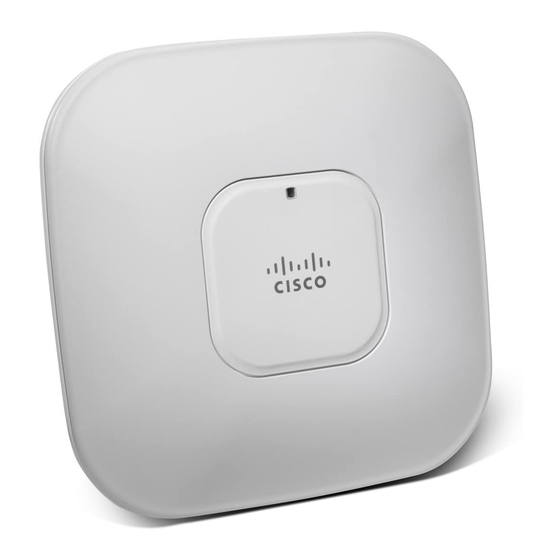
Cisco Aironet 3600 Series Getting Started Manual
Aironet 3600 series lightweight access points
Hide thumbs
Also See for Aironet 3600 Series:
- Deployment manual (65 pages) ,
- Deployment manual (52 pages) ,
- Deployment manual (54 pages)
Table of Contents
Advertisement
G
S
ETTING
TARTED
Cisco Aironet 3600 Series Lightweight Access Points
1
About this Guide
2
Introduction to the Access Point
3
Safety Instructions
4
Unpacking
5
Configurations
6
Access Point Ports and Connectors
7
Configuring the Access Point
8
Mounting the Access Point
9
Deploying the Access Point on the Wireless Network
10
Installing Modules
11
Troubleshooting
12
Declarations of Conformity and Regulatory Information
13
Configuring DHCP Option 43 and DHCP Option 60
14
Access Point Specifications
15
Obtaining Documentation and Submitting a Service Request
G
UIDE
Advertisement
Table of Contents
Troubleshooting

Related Manuals for Cisco Aironet 3600 Series


Summary of Contents for Cisco Aironet 3600 Series
- Page 1 ETTING TARTED UIDE Cisco Aironet 3600 Series Lightweight Access Points About this Guide Introduction to the Access Point Safety Instructions Unpacking Configurations Access Point Ports and Connectors Configuring the Access Point Mounting the Access Point Deploying the Access Point on the Wireless Network...
-
Page 2: About This Guide
About this Guide This Guide provides instructions on how to install and configure your Cisco Aironet 3600 Series Access Point and how to install any port modules. This guide also provides mounting instructions and limited troubleshooting procedures. The 3600 Series Access Point is referred to as the access point in this document. -
Page 3: Safety Instructions
Translated versions of the following safety warnings are provided in the translated safety warnings document that is shipped with your access point. The translated warnings are also in the Translated Safety Warnings for Cisco Aironet Access Points, which is available on Cisco.com. Warning IMPORTANT SAFETY INSTRUCTIONS This warning symbol means danger. - Page 4 Warning Installation of the equipment must comply with local and national electrical codes. Statement 1074 Warning This product relies on the building’s installation for short-circuit (overcurrent) protection. Ensure that the protective device is rated not greater than: 20A. Statement 1005 Warning Do not operate your wireless network device near unshielded blasting caps or in an explosive environment unless the device has been modified to be especially qualified for...
-
Page 5: External Antennas
Step 2 Step 3 Verify that you have received the items listed below. If any item is missing or damaged, contact your Cisco representative or reseller for instructions. The access point – Mounting bracket (selected when you ordered the access point) –... -
Page 6: Internal Antennas
The 3600 series supports the following regulatory domains (shown as “x” in the model numbers): • -A, -C, -E, -I, -K, -N, -Q, -R, -S, -T Countries Supported Click this URL to browse to a list of countries and regulatory domains supported by the 3600: http://www.cisco.com/en/US/prod/collateral/wireless/ps5679/ps5861/product_data_sheet0900aecd80 537b6a_ps10981_Products_Data_Sheet.html... -
Page 7: Access Point Ports And Connectors
Access Point Ports and Connectors The 3602E model access point has external antenna connectors and the LED indictor on the top of the model, as shown in Figure 1. The 3602I model access point has integrated antennas and does not have external connectors on the top of the unit;... - Page 8 Figure 2 Access Point LED Indicator (top)—3602I Model LED indicator The ports and connections on the bottom of the access point are shown in Figure Figure 3 Access Point Ports and Connections (bottom)-AIR3602E and 3602I Models...
-
Page 9: Configuring The Access Point
This section describes how to connect the access point to a wireless LAN controller. Because the configuration process takes place on the controller, see the Cisco Wireless LAN Controller Configuration Guide for additional information. This guide is available on Cisco.com. -
Page 10: Preparing The Access Point
• DHCP server discovery—This feature uses DHCP option 43 to provide controller IP addresses to the access points. Cisco switches support a DHCP server option that is typically used for this capability. For more information about DHCP option 43, see the “Configuring DHCP Option 43 and DHCP Option 60”... -
Page 11: Installation Summary
Cisco recommends that you make a site map showing access point locations so that you can record the device MAC addresses from each location and return them to the person who is planning or managing your wireless network. -
Page 12: Pre-Installation Configuration Setup
Controller Configuration Guide, Release x.x for additional information. c. Set the Cisco wireless LAN controller as the master so that new access points always join with d. Make sure DHCP is enabled on the network. The access point must receive its IP address... - Page 13 If the access point remains in this mode for more than five minutes, the access point is Note unable to find the Master Cisco wireless LAN controller. Check the connection between the access point and the Cisco wireless LAN controller and be sure that they are on the same subnet.
- Page 14 If the access point shuts down, check the power source. d. After the access point finds the Cisco wireless LAN controller, it attempts to download the new operating system code if the access point code version differs from the Cisco wireless LAN controller code version.
-
Page 15: Mounting The Access Point
Cisco wireless LAN controller. Also, if the access point is not on the same subnet as the Cisco wireless LAN controller, be sure that there is a properly configured DHCP server on the same subnet as the access point. See the “Configuring DHCP Option 43 and DHCP Option 60”... -
Page 16: Installing A Module
Modules are devices that are purchased as seperate items. When they are installed in the Cisco Aironet 3600 series access point, they give the access point additional capabilities. Modules connect to the access point’s module port. No special tools are required to install a module. - Page 17 Align the module’s connector with the connector on the back of the access point and click the Step 4 module into place. Screw down the thumb screws on the module. Step 5 Note If the screws are not tightened, the module will not be recognized and may not operate correctly.
-
Page 18: Troubleshooting
Guidelines for Using Cisco Aironet Lightweight Access Points Keep these guidelines in mind when you use 3602 series lightweight access points: • The access point can only communicate with Cisco wireless LAN controllers, such as 2500, WiSM2, and 5500 series controllers. - Page 19 DRAM memory test OK Board initialization in progress Initializing FLASH file system FLASH memory test OK Initializing Ethernet Ethernet OK Starting Cisco IOS Initialization successful Association status Green Normal operating condition, but no wireless client associated Blue Normal operating condition, at least one wireless...
- Page 20 FLASH file system failure Blinking red and off Environment variable failure Bad MAC address Ethernet failure during image recovery Boot environment failure No Cisco image file Boot failure Cisco IOS errors Software failure; try disconnecting and reconnecting unit power Cycling through blue, General warning;...
-
Page 21: Troubleshooting The Access Point Join Process
2500 series controllers and the Controller Network Module within the Cisco 28/37/38xx Series Integrated Services Routers. The maximum number of access points varies for the Cisco WiSM2, depending on which Note controller software release is being used. -
Page 22: Declarations Of Conformity And Regulatory Information
This section provides declarations of conformity and regulatory information for the Cisco Aironet 3602 series Access Point and any additional modules that can be installed into the Cisco Aironet 3602 series Access Point. You can find additional information at this URL: www.cisco.com/go/aironet/compliance... - Page 23 Certification Number AIR-RM3000AC-A-K9 LDK102086 Manufacturer: Cisco Systems, Inc. 170 West Tasman Drive San Jose, CA 95134-1706 This device complies with Part 15 rules. Operation is subject to the following two conditions: 1. This device may not cause harmful interference, and 2.
-
Page 24: Vcci Statement For Japan
Caution at this frequency when using the integrated antennas. Any changes or modification to the product not expressly approved by Cisco could void the user’s authority to operate this device. Within the 5.15 to 5.25 GHz and 5.47-5.725 GHz bands, this device is restricted to... -
Page 25: Guidelines For Operating Cisco Aironet Access Points In Japan
Guidelines for Operating Cisco Aironet Access Points in Japan This section provides guidelines for avoiding interference when operating Cisco Aironet access points in Japan. These guidelines are provided in both Japanese and English. Japanese Translation 03-6434-6500 English Translation This equipment operates in the same frequency bandwidth as industrial, scientific, and medical devices such as microwave ovens and mobile object identification (RF-ID) systems (licensed premises radio stations and unlicensed specified low-power radio stations) used in factory production lines. -
Page 26: Statement 371-Power Cable And Ac Adapter
Material Safety Law prohibits the use of UL-certified cables (that have the “UL” shown on the code) for any other electrical devices than products designated by CISCO. The use of cables that are certified by Electrical Appliance and Material Safety Law (that have “PSE” shown on the code) is not limited to CISCO-designated products. -
Page 27: European Community, Switzerland, Norway, Iceland, And Liechtenstein
2. This device must accept any interference received, including interference that may cause undesired operation. Cisco Aironet Access Points are certified to the requirements of RSS-210. The use of this device in a system operating either partially or completely outdoors may require the user to obtain a license for the system according to the Canadian regulations. -
Page 28: Declaration Of Conformity With Regard To The R&Tte Directive 1999/5/Ec & Medical Directive 93/42/Eec
Declaration of Conformity with regard to the R&TTE Directive 1999/5/EC & Medical Directive 93/42/EEC... - Page 29 The following standards were applied: EMC—EN 301.489-1 v1.8.1; EN 301.489-17 v2.1.1 Health & Safety—EN60950-1: 2005; EN 50385: 2002 Radio—EN 300 328 v 1.7.1; EN 301.893 v 1.5.1 The conformity assessment procedure referred to in Article 10.4 and Annex III of Directive 1999/5/EC has been followed.
-
Page 30: Declaration Of Conformity For Rf Exposure
This section contains information on compliance with guidelines related to RF exposure. Generic Discussion on RF Exposure The Cisco products are designed to comply with the following national and international standards on Human Exposure to Radio Frequencies: • US 47 Code of Federal Regulations Part 2 Subpart J •... -
Page 31: This Device Meets Fcc Guidelines For Exposure To Radio Waves
As such the systems are designed to be operated as to avoid contact with the antennas by the end user. It is recommended to set the system in a location where the antennas can remain at least a minimum distance as specified from the user in accordance to the regulatory guidelines which are designed to reduce the overall exposure of the user or operator. -
Page 32: This Device Meets The Industry Canada Guidelines For Exposure To Radio Waves
Additional Information on RF Exposure You can find additional information on the subject at the following links: • Cisco Systems Spread Spectrum Radios and RF Safety white paper at this URL: http://www.cisco.com/warp/public/cc/pd/witc/ao340ap/prodlit/rfhr_wi.htm • FCC Bulletin 56: Questions and Answers about Biological Effects and Potential Hazards of Radio Frequency Electromagnetic Fields •... -
Page 33: Administrative Rules For Cisco Aironet Access Points In Taiwan
• The Mobile Manufacturers Forum at this URL: www.mmfai.org Administrative Rules for Cisco Aironet Access Points in Taiwan This section provides administrative rules for operating Cisco Aironet access points in Taiwan. The rules for all access points are provided in both Chinese and English. Chinese Translation... - Page 34 English Translation Administrative Rules for Low-power Radio-Frequency Devices Article 12 For those low-power radio-frequency devices that have already received a type-approval, companies, business units or users should not change its frequencies, increase its power or change its original features and functions. Article 14 The operation of the low-power radio-frequency devices is subject to the conditions that no harmful interference is caused to aviation safety and authorized radio station;...
-
Page 35: Operation Of Cisco Aironet Access Points In Brazil
Operation of Cisco Aironet Access Points in Brazil This section contains special information for operation of Cisco Aironet access points in Brazil. Access Point Models: AIR-CAP3602E-T-K9... -
Page 36: Portuguese Translation
Figure 6 Brazil Regulatory Information Module Models: AIR-RM3000AC-T-K9 Portuguese Translation Este equipamento opera em caráter secundário, isto é, não tem direito a proteção contra interferência prejudicial, mesmo de estações do mesmo tipo, e não pode causar interferência a sistemas operando em caráter primário. -
Page 37: Configuring Dhcp Option 43 And Dhcp Option
• Length: Number of controller IP addresses * 4 • Value: List of WLC management interfaces To configure DHCP Option 43 in the embedded Cisco IOS DHCP server, follow these steps: Enter configuration mode at the Cisco IOS CLI. Step 1... -
Page 38: Access Point Specifications
10.126.126.2 and 10.127.127.2. The type is f1(hex). The length is 2 * 4 = 8 = 08 (hex). The IP addresses translate to 0a7e7e02 and 0a7f7f02. Assembling the string then yields f1080a7e7e020a7f7f02. The resulting Cisco IOS command added to the DHCP scope is option 43 hex f1080a7e7e020a7f7f02. - Page 39 FCC Bulletin OET-65C Industry Canada RSS-102 Maximum power and Maximum power and the channels allowed in your regulatory domain, channel settings refer to Channels and Maximum Power Settings for Cisco Aironet Lightweight Access Points. This document is available on Cisco.com.
- Page 40 RSS feeds are a free service. Cisco and the Cisco logo are trademarks or registered trademarks of Cisco and/or its affiliates in the U.S. and other countries. To view a list of Cisco trademarks, go to this URL: www.cisco.com/go/trademarks. Third-party trademarks mentioned are the property of their respective owners. The use of the word partner does not imply a partnership relationship between Cisco and any other company.
Need help?
Do you have a question about the Aironet 3600 Series and is the answer not in the manual?
Questions and answers