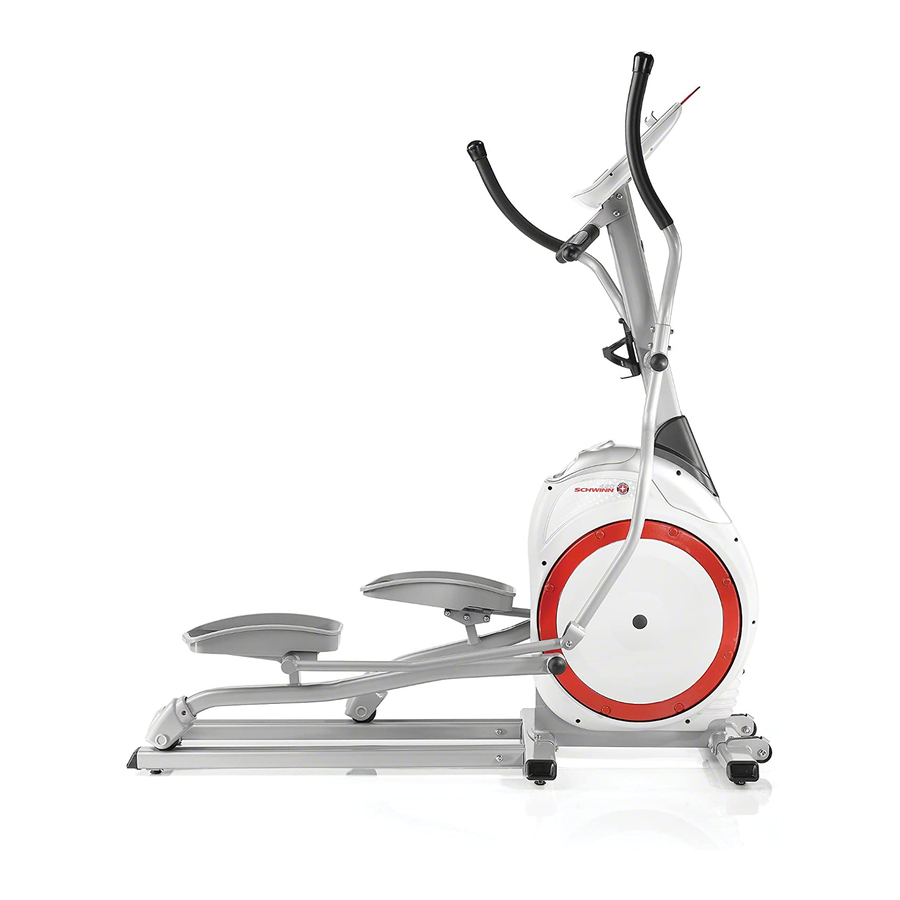
Schwinn 420 Elliptical Owner's Manual
Owners manual
Hide thumbs
Also See for 420 Elliptical:
- Owner's manual (24 pages) ,
- Assembly manual (20 pages) ,
- Owner's manual (44 pages)

Related Manuals for Schwinn 420 Elliptical


Summary of Contents for Schwinn 420 Elliptical
- Page 1 420 Elliptical Trainer Owner’s Manual Nautilus Bowflex Schwinn Fitness StairMaster Universal Nautilus Institute ® ® ® ® ® ® 001-7232-060208B...
- Page 2 Increase cardiovascular and aerobic fitness Increase lower body muscle strength Decrease your overall percentage of body fat Whether you are just getting started in an exercise program or are already in good shape, the Schwinn elliptical ® is designed to be an efficient, easy and fun way to achieve an enhanced level of fitness. You can pedal your way to a slimmer and healthier body.
-
Page 3: Table Of Contents
Product Specifications ............................4 Safety Warnings ..............................5 Safety Warning Labels ........................... 6 Features ................................7 Operations Operation ..............................8 The Schwinn 420 Console ........................10 ® Programs and Instructions ........................13 Maintenance................................ 19 Leveling the Elliptical Trainer ....................... 19 Moving the Elliptical Trainer ......................... -
Page 4: Product Specifications
Product Specifications Assembled Dimensions: 62" L x 26" W x 66" H (158.1 cm x 65.7 cm x 170.4 cm) Assembled Unit Weight: 154 lbs (70 kg) Packaged Shipping Weight: 165 lbs (75 kg) Workout Area: 101" L x 66" W (257 cm x 168 cm) Power Adaptor Ratings: USA &... -
Page 5: Safety Warnings
Contact your doctor before using the machine again. • Examine this machine for loose parts or signs of wear. Contact Nautilus Customer Service for repair information. Use only genuine Schwinn replacement parts supplied by Nautilus. ®... -
Page 6: Safety Warning Labels
Safety Warning Labels BEfOrE using yOur prOducT: Find and read all warning labels. If any warning label is damaged, illegible or missing, call 1-800-864-1270 for a replacement. General warning label. (Location: on the console mast just below the computer.) Serial number. (Location: on the bottom of the main frame.) Owner’s Manual... -
Page 7: Features
Features features A. Swingarm handlebars B. Console c. Magazine/MP3 holder d. Contact heart rate (CHR) sensors Static handelbar Water bottle holder g. Foot pedals H. Rails Stabilizer bars AC adaptor and plug K. Transport wheels • Biomechanically designed linkages give a comfortable articulating movement of the foot during the elliptical motion. •... -
Page 8: Operation
Operation Quick Start Steps 1. Connect the AC Adapter to the bottom front of the machine. The Console beeps and "WELCOME" appears on the Display. Default mode sets to Manual. 2. Stand on the foot pedals. Keep the front of your shoes close to the top edge of the platform. 3. - Page 9 Operation • Calluses and hand lotion may act as an insulating layer to reduce the signal strength. • The EKG signal generated by some individuals is not strong enough to be detected by the sensors. If the HR shown on the Display is erratic during exercise, it may be helpful to remove your hands from the handles, wipe them and place them back on the handles.
-
Page 10: The Schwinn ® 420 Console
The Schwinn 420 Console ® Console Buttons and Functions COOL DOWN Measures and gets your heart rate recovery score. For details, see the "Recovery Test" section. USER DATA Enters the USER DATA mode. This machine allows you to store up to 4 user profiles (U1- U4) and up to 10 memorized workouts. -
Page 11: Enter/Reset
The Schwinn 420 Console ® ENTER/RESET • Push the ENTER/RESET button to record user-input information during setting mode. • Hold the button down in the user data setting mode for 2 seconds to exit to the "ENTER PROGRAM" screen. •... - Page 12 The Schwinn 420 Console ® INTERVAL TIME Counts down the time remaining in the current program interval. When this reaches zero, the program moves to the next column. SCAN Shows your current TIME, DISTANCE, SPEED, WATT, PULSE, CALORIES and RPM per each for 6 seconds. Push the ENTER button to exit the auto-scan function.
-
Page 13: Programs And Instructions
Programs and Instructions MANUAL Program Use this program when you want to manually adjust the resistance level during your workout to make the program easier or harder. Program 1: Manual Using the Manual Program: Step on the machine. Push the START/STOP button. Use the UP and DOWN buttons to manually adjust the resistance. -
Page 14: Heart Rate Program
Programs and Instructions Profile Program 6: Mountain Profile Program 7: Intervals Profile Program 8: Random Profile Program 9: Plateau Starting a Profile Program: Step on the machine. Use the UP or DOWN buttons to set one of the above programs. Push ENTER to record selection. Use the UP and DOWN buttons to answer the on-screen questions. - Page 15 Programs and Instructions Starting the Heart Rate Program: Step on the machine. Use the UP and DOWN buttons to set one of the heart rate control programs (P10-P14). Push the ENTER button to record selection. Use the UP and DOWN buttons to answer the on-screen questions. Push the ENTER button to record each selection.
- Page 16 Programs and Instructions Use the UP and DOWN buttons to find the saved user profile. Push the START/STOP button to start workout. BODY FAT Program The Body Fat Test Program program calculates your body fat ratio and offers a specific workout profile based on those results.
- Page 17 Programs and Instructions Body Fat Program 3: 20 minutes Body Fat Program 4: 40 minutes Body Fat Program 5: 40 minutes Body Fat Program 6: 20 minutes RECOVERY TEST Program The Recovery Test shows how quickly your heart returns from an exercise state to a more restful state. The Recovery Score equals your heart rate at the beginning of the test minus your heart rate at the end of the test.
- Page 18 Programs and Instructions User Data and Memory Functionality Your Elliptical Trainer can store up to 4 users and 10 workouts in the Console Memory. Setting up a User Profile: Push the USER DATA button to start User Profile mode. Use the UP and DOWN buttons to set user from USER 1 to USER 4 (U1 to U4). Push the ENTER button to record selection.
-
Page 19: Maintenance
Elliptical Trainer regularly for damage and wear. Replace broken components immediately or put the equipment out of use until repaired. Daily/Before Each Use: Examine machine. Make sure it looks in good condition and operates smoothly. If you find damage, DO NOT USE. Contact your authorized Schwinn Fitness Dealer for servicing. ®... -
Page 20: Troubleshooting
Troubleshooting Basic Post Assembly Troubleshooting Problem No display/partial display/elliptical will not turn on. Solutions Make sure the Elliptical is plugged into a functioning wall outlet. Plug another appliance (like a lamp) into the outlet to test it for proper functionality. Examine the power connection at the front of the unit. - Page 21 Troubleshooting Advanced Post Assembly Troubleshooting Problem The below Solutions apply to the following issues: • Console displays "E2" error code. • Unit operates but Display does not show speed or RPM. • Console shuts off (enters sleep mode) while in use. Any of these situations might require advanced troubleshooting assistance.
- Page 22 Owner’s Manual...
-
Page 23: Contacts
Contacts OfficEs in THE uniTEd sTATEs: inTErnATiOnAL OfficEs: For technical assistance and a list of distributors in your E-mail: customerservice@nautilus.com area, please call or fax one of the following numbers. TECHNICAL/CUSTOMER SERVICE INTERNATIONAL CUSTOMER SERVICE Phone: 800-NAUTILUS (800-628-8458) Nautilus International S.A. Fax: (877) 686-6466 Rue Jean Prouvé... - Page 24 ©2008. Nautilus, Inc. All rights reserved. Nautilus, the Nautilus Logo, Universal, Bowflex, StairMaster and Nautilus Institute are either registered trademarks or trademarks of Nautilus, Inc. Schwinn and the Schwinn Quality Seal are registered trademarks. All other trademarks are owned by their respective companies. Nautilus, Inc., World Headquarters, 16400 SE Nautilus Drive, Vancouver, WA 98683 1-800-NAUTILUS www.nautilus.com...
Need help?
Do you have a question about the 420 Elliptical and is the answer not in the manual?
Questions and answers
How do you order a new power adaptor.