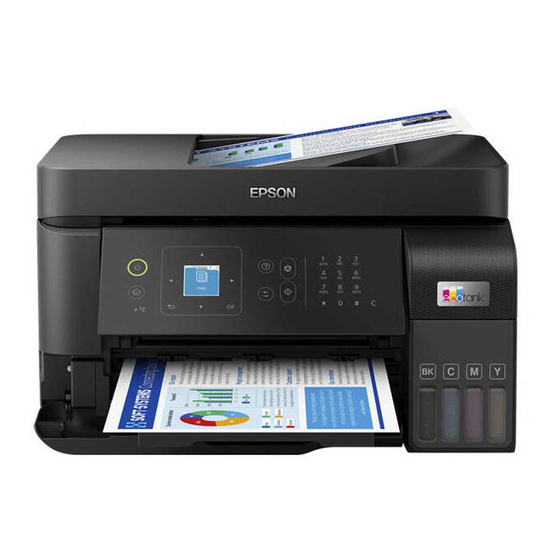

Related Manuals for Epson L5590 Series


Summarization of Contents
Guide to This Manual
Introduction to the Manuals
Details about the various manuals supplied with your Epson printer.
Guide to Web Movie Manuals
Information on how to learn printer operations using Web Movie Manuals.
Searching for Information
Explains how to search for information using keywords or bookmarks in the PDF manual.
Important Instructions
Safety Instructions
Provides instructions to ensure the safe use of the printer.
Printer Advisories and Warnings
Instructions to avoid damaging the printer or your property.
Notes on the Administrator Password
Information on setting an administrator password for network security.
Part Names and Functions
Front Part Names and Functions
Identifies and describes the parts located on the front of the printer.
Inside Part Names and Functions
Identifies and describes the internal parts of the printer.
Rear Part Names and Functions
Identifies and describes the parts located on the rear of the printer.
Guide to the Control Panel
Control Panel Overview
Explains the functions of each button and the screen on the printer's control panel.
Home Screen Configuration
Describes the home screen layout and available options for easy operation.
Loading Paper
Paper Handling Precautions
Provides essential precautions for handling and loading paper correctly.
Paper Size and Type Settings
Explains how to set paper size and type for optimal print results.
Placing Originals
Originals Not Supported by ADF
Lists originals that cannot be fed into the ADF and recommends using the scanner glass.
Placing Originals on the ADF
Provides instructions for placing originals correctly into the Automatic Document Feeder.
Placing Originals on the Scanner Glass
Provides instructions for placing originals onto the scanner glass for scanning.
Printing
Printing Documents from a Computer
Explains how to print documents from a computer using Windows as an example.
Printing on Envelopes
Provides instructions for printing documents on envelopes from a computer.
Copying
Copying in Color or Monochrome
Explains the steps for copying originals in either color or monochrome.
Copying Multiple Originals onto One Sheet
Describes how to copy multiple originals onto a single sheet of paper.
Scanning
Scanning Originals to a Computer
Explains how to save scanned images to a computer connected to the printer.
Scanning Using WSD
Details how to save scanned images to a computer using the WSD feature.
Faxing
Before Using Fax Features
Checks required before starting to use the printer's fax features.
Sending Faxes Using the Printer
Instructions on how to send faxes directly using the printer's control panel.
Receiving Faxes on the Printer
Explains how to receive faxes when the printer is connected to a phone line.
Maintaining the Printer
Improving Print, Copy, Scan, and Fax Quality
Guidance on how to improve the quality of printouts, copies, scans, and faxes.
Cleaning the Printer
Instructions for cleaning the printer's components and case.
In These Situations
Disabling your Wi-Fi Connection
Steps to disable the Wi-Fi connection if it is no longer needed.
Re-Setting the Network Connection
Procedures for reconfiguring the printer's network settings.
Solving Problems
Cannot Print, Scan, or Fax
Troubleshooting guide for issues with printing, scanning, or faxing.
Paper Gets Jammed
Instructions on how to remove jammed paper from the printer.
Cannot Operate the Printer as Expected
Troubleshooting steps for situations where the printer does not function correctly.
Product Information
Paper Information
Details on available paper types, sizes, and loading capacities.
Software Information
Information about applications available for the printer, including drivers and utilities.
Where to Get Help
Technical Support Web Site
Provides links to Epson support websites for drivers, FAQs, and manuals.
Contacting Epson Support
Information and guidelines for contacting Epson support services for assistance.
Need help?
Do you have a question about the L5590 Series and is the answer not in the manual?
Questions and answers