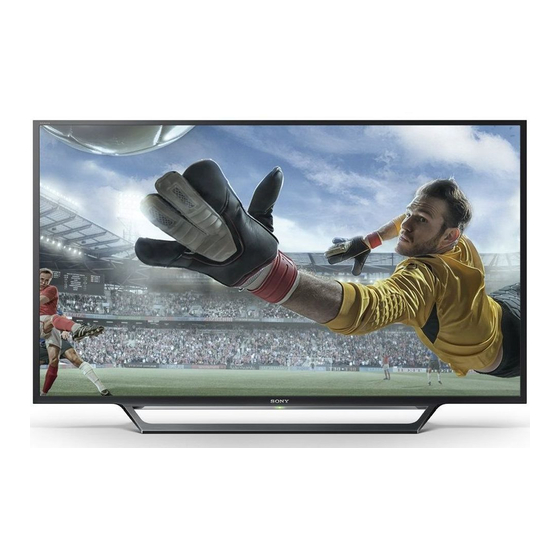
Table of Contents

Related Manuals for Sony BRAVIA KDL-40WD653


Summarization of Contents
Safety Information and Installation
Safety Precautions
Essential safety warnings and guidelines to prevent hazards like fire, electric shock, and injury.
Installation and Setup Guide
Instructions for proper installation, including fuse replacement and safety clearances.
Parts and Controls Overview
TV Unit Components
Identifies and describes key components of the TV unit, including CAM slot and sensors.
TV Physical Controls
Explains the function of physical buttons on the TV for power, volume, input, and program selection.
Remote Control Functions
Navigation and Selection Buttons
Details the use of number, navigation, and selection buttons for controlling the TV.
Feature and Media Control Buttons
Describes buttons for accessing features like NETFLIX, EXIT, Info, and media playback controls.
Connecting TV to the Internet
Internet Connection Setup Guide
Provides steps for connecting the TV to the internet, covering different network types.
Type 1: WPS Network Setup
Guide for connecting to a secured wireless network using the WPS Push Button or PIN method.
Wireless Network Setup Methods
Type 2: Secured Network without WPS
Instructions for connecting to a secured wireless network using SSID and security key.
Type 3: Unsecured Network Connection
Steps for connecting to an unsecured wireless network by scanning for available networks.
Network Troubleshooting and Privacy
Internet Connectivity Diagnosis
Utilizes a diagnostic tool to identify and resolve internet connection issues.
Privacy Policy Confirmation
Outlines data usage for services and requires user agreement for certain functions.
Watching TV Basics
Basic TV Operation Controls
Covers turning the TV on/off, switching channels, and adjusting volume.
Screen Format Adjustment
How to change the picture aspect ratio for optimal viewing.
Home Menu Navigation and Apps
All Apps Functionality
Accessing various internet content, Photo Sharing Plus, and Photo Frame Mode.
Photo Sharing Plus Usage
Connect devices to share and view photos on the TV screen.
Home Menu: Radio and Programme Guide
FM Radio Operation
Tuning and managing FM radio stations, including presets.
Digital Programme List Access
How to view and select programs from the Digital Electronic Programme Guide (EPG).
Media Playback and Recordings
Digital EPG and Recordings
Accessing the Electronic Programme Guide and recording TV programs via USB HDD.
USB Media Playback
Playing photos, music, and videos from USB storage devices on the TV.
USB Media Formats and Home Network
Supported USB Media Formats
Lists compatible file formats for video, music, and photo playback from USB drives.
Home Network Connection
Connecting the TV to a home network for accessing DLNA media servers and content.
Picture Settings and Adjustments
Picture Mode Selection
Setting different picture modes for various viewing content.
Advanced Picture Adjustments
Fine-tuning picture quality with settings like sharpness, noise reduction, and reality creation.
Sound and Screen Configuration
Sound Mode and Enhancement Options
Adjusting sound settings such as mode, equalizer, clear voice, and volume for optimal audio.
Screen Format and Display Area
Customizing screen display attributes like aspect ratio, auto format, and display area.
Channel Setup and Digital Tuning
Analogue Channel Tuning
Procedures for tuning analogue channels, manual presets, and signal level checks.
Digital Tuning and Subtitle/Audio Setup
Configuring digital channel tuning, preferred subtitle languages, and audio descriptions.
Advanced Setup and Satellite Tuning
Technical and Satellite Setup
Covers automatic service updates, USB programme transfer, and satellite channel tuning.
Language and Guide Settings
Managing language preferences, spoken subtitles, and guide data display.
Service Updates and Parental Control
Manual Updates and CA Module
Performing manual service updates and setting up the Conditional Access Module for pay TV.
Parental Lock Features
Implementing parental controls to block content based on age ratings and PIN codes.
Setup Protection and Network Configuration
Program Locks and Input Locks
Setting up locks for channels, external inputs, and recorded titles.
Network Settings Management
Configuring network connections, Wi-Fi, Wi-Fi Direct, and device names.
Home Network and Photo Frame Management
Home Network Setup Details
Managing connected servers, diagnostics, and remote start features for home networks.
Photo Frame Customization
Adjusting display modes, clock styles, audio applications, and image selection for the photo frame.
Clock and Timer Settings
Setting sleep timers, on timers, current time, and automatic time zone adjustments.
Advanced TV Operations and Connectivity
BRAVIA Sync Control and Settings
Linking TV operations with compatible BRAVIA Sync devices and managing HDMI connections.
Audio Output Configuration
Setting audio output for headphones, external systems, and subwoofers.
Network Setup and System Management
UK Model Network Setup
Specific network setup instructions for UK models via Ethernet port.
Eco and Power Saving Features
Managing power consumption through eco settings, power saving, and idle TV standby.
Customer Support and Software Info
Accessing model name, software version, and digital channel information.
Connecting External Equipment
Connection Diagram Overview
Visual guide illustrating various connection options for external devices to the TV.
Picture Quality and Signal Types
Understanding SD and HD Quality
Explains the technical differences between Standard Definition and High Definition video signals.
Audio/Video Equipment and Screen Mirroring
Using External Audio/Video Devices
How to connect and operate external audio and video equipment with the TV.
Wireless Screen Mirroring Setup
Steps to mirror smartphone or tablet screens wirelessly onto the TV display.
TV Installation and Mounting
Wall Mounting Safety and Guidelines
Recommendations for safe and professional installation of the TV on a wall.
Troubleshooting Common Problems
LED Indicator and Basic Picture/Sound Issues
Troubleshooting steps for LED indicator status and common picture/sound problems.
External Device and Connectivity Issues
Solutions for problems related to connected equipment, inputs, and cable connections.
Troubleshooting Sound, Channels, and Network
Channel Selection and Sound Problems
Addresses issues with selecting channels, no sound, noisy sound, and blank channels.
Network and App Connectivity Issues
Guides for resolving wireless network failures, poor streaming, and inaccessible applications.
Advanced Troubleshooting Scenarios
Internet Video and Server Connection Issues
Solutions for problems with internet video quality, sound, server connectivity, and YouTube.
General TV Operation and Remote Control Issues
Covers automatic standby, input selection, remote control malfunctions, and BRAVIA Sync control.
Technical Specifications - System and Jacks
System and TV Standards
Details TV system standards, color systems, and channel coverage by region.
Input/Output Jack Details
Specifications of the various input and output ports available on the TV.
Technical Specifications - HDMI, PC, and Power
HDMI and PC Input Specifications
Technical parameters for HDMI and PC inputs, including resolutions and frequencies.
Power Requirements and Consumption Details
Information on power supply, energy efficiency ratings, and power consumption.
Technical Specifications - Display and Digital TV Notes
Display Resolution and Physical Dimensions
Specifications for display resolution, physical size, and weight of the TV.
Digital TV Function Notes
Important considerations regarding the compatibility and operation of digital TV features.
Trademark and Copyright Information
Product Trademarks and Licenses
Lists trademarks, technologies, and licenses associated with the product's components.
Need help?
Do you have a question about the BRAVIA KDL-40WD653 and is the answer not in the manual?
Questions and answers