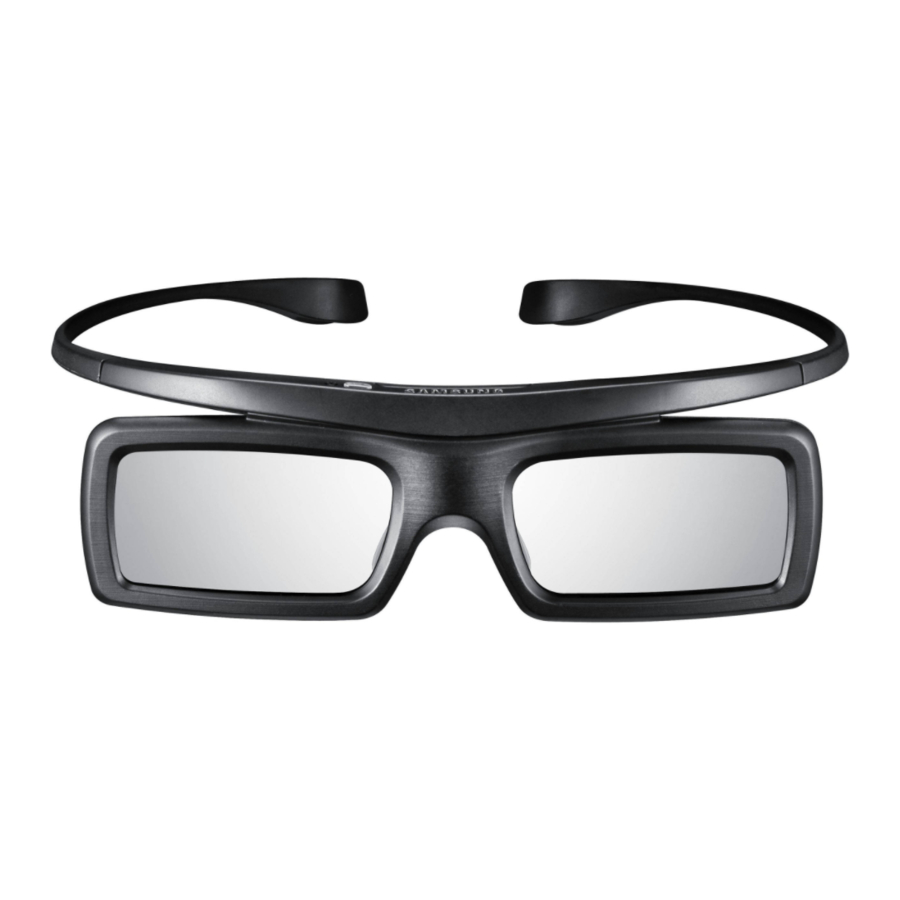
Samsung SSG-3050GB User Manual

Samsung SSG-3050GB User Manual

3d active glasses
Table of Contents
loading

Frequently Asked Questions (15)

  • How do I pair my Samsung SSG-3050GB 3D glasses with a compatible device?

    To pair your Samsung SSG-3050GB 3D glasses with a compatible device, follow these steps:

    1. Turn on the TV, and then move the glasses within 19.5 inches of the TV.
    2. Press the power button on the 3D glasses briefly. The 3D glasses will power on and pairing will start.
    3. The message "3D glasses are connected to TV." will be displayed on the TV screen when the pairing is successfully completed.

    If the pairing fails:

    • The 3D glasses will power off.
    • Power the TV off and on again and perform step 2.

    To pair again:

    • Press the power button on the 3D glasses for more than 2 seconds. This is needed if the 3D glasses do not function after repair, or if you want to view 3D video on a different Samsung 3D TV released in 2011.

    For more information, see page 2 of the manual.
    Was this helpful?
  • How do I activate my Samsung SSG-3050GB 3D glasses?

    To activate your Samsung SSG-3050GB 3D glasses, you need to pair them with your TV. Follow these steps:

    1. Turn on the TV and move the glasses within 19.5 inches of the TV.
    2. Press the power button on the 3D glasses briefly. The 3D glasses will power on and pairing will start.
    3. A message "3D glasses are connected to TV." will be displayed on the TV screen when pairing is successfully completed.

    For more information, see page 2 of the manual.
    Was this helpful?
  • What devices are compatible with Samsung SSG-3050GB 3D glasses?

    The Samsung SSG-3050GB 3D glasses are designed to be used with a TV, specifically a Samsung 3D TV released in 2011.


    For more information, see page 2 of the manual.
    Was this helpful?
  • Why are my Samsung SSG-3050GB 3D glasses not pairing with my device?

    If your Samsung SSG-3050GB 3D glasses are not pairing with your device, consider the following:

    Was this helpful?
  • How do I change the battery in my Samsung SSG-3050GB 3D glasses?

    To change the battery in your Samsung SSG-3050GB 3D glasses, follow these steps:

    1. Pull the cover.
    2. Open the cover.
    3. Fold the cover by 90 degrees.
    4. Replace the battery with a new one, ensuring it is inserted in the same direction as indicated.
    5. Return the cover to the upright position.
    6. Close the cover by pushing it down.

    For more information, see page 2 of the manual.
    Was this helpful?
  • What should I do if my Samsung SSG-3050GB 3D glasses are not turning on?

    If your Samsung SSG-3050GB 3D glasses are not turning on, you should:

    • Replace the battery.
    • Ensure the 3D glasses are close to the TV, with a distance less than 19.68 feet (6m) in a straight line.
    • Check the 3D function settings of your TV.

    For more information, see page 4 of the manual.
    Was this helpful?
  • What are the common troubleshooting steps if my Samsung SSG-3050GB 3D glasses are not working correctly?

    If your Samsung SSG-3050GB 3D glasses are not working correctly, consider these troubleshooting steps:

    Was this helpful?
  • How do I turn on my Samsung SSG-3050GB 3D glasses?

    To turn on your Samsung SSG-3050GB 3D glasses, press the power button on the 3D glasses briefly. This action will power on the glasses and initiate the pairing process.

    Was this helpful?
  • What type of battery is required for the Samsung SSG-3050GB 3D glasses?
    Was this helpful?
  • What is the correct procedure for viewing 3D content with Samsung SSG-3050GB 3D glasses?

    To view 3D content with your Samsung SSG-3050GB 3D glasses, first ensure they are paired with your TV:

    1. Turn on the TV and move the glasses within 19.5 inches of the TV.
    2. Press the power button on the 3D glasses briefly to start pairing.
    3. A message "3D glasses are connected to TV." will confirm successful pairing.

    When viewing:

    Was this helpful?
  • What is the typical battery life of the Samsung SSG-3050GB 3D glasses on a full charge?

    The Samsung SSG-3050GB 3D glasses use disposable batteries, not rechargeable ones. The operating time when on is 150 hours. Note that the continuous operating time may differ depending on the wireless communication environment and usage conditions.


    For more information, see page 4 of the manual.
    Was this helpful?
  • Are there specific steps to activate the Samsung SSG-3050GB 3D glasses with a Samsung 3D TV?

    To activate your Samsung SSG-3050GB 3D glasses with a Samsung 3D TV, you need to pair them. Follow these steps:

    1. Turn on the TV, and then move the glasses within 19.5 inches of the TV.
    2. Press the power button on the 3D glasses briefly. The 3D glasses will power on and pairing will start.
    3. The message "3D glasses are connected to TV." will be displayed on the TV screen when the pairing is successfully completed.

    For more information, see page 2 of the manual.
    Was this helpful?
  • What do the different indicator lights on the Samsung SSG-3050GB 3D glasses signify?

    The indicator lights on the Samsung SSG-3050GB 3D glasses signify the following:

    • If the red LED blinks every two seconds continually, it indicates that the batteries need to be replaced.
    • If the 3D glasses are moved outside their working distance and the 3D function turns off, the red LED will turn on for 3 seconds after the 3D function turns off.

    For more information, see page 2 of the manual.
    Was this helpful?
  • How do I safely clean my Samsung SSG-3050GB 3D glasses?

    To safely clean your Samsung SSG-3050GB 3D glasses:

    • Do not spray water or cleaner directly onto the surface of the product, as this may cause fire, electric shock, damage, or cause indicator labels to come loose.
    • Do not use chemicals containing alcohol, solvents, surfactants, wax, benzene, thinner, mosquito repellent, lubricant, or cleaners, as these may cause discoloration, cracks, or cause indicator labels to come loose.
    • Since the product surface and lens are easily scratched, use a clean soft cloth (such as the cleaning cloth supplied with the product, a cloth consisting of superfine fibers, or cotton flannel) when cleaning to avoid scratching. Shake off any dust before using the cloth to prevent scratching from foreign items.

    For more information, see page 3 of the manual.
    Was this helpful?
  • Is there a recommended viewing distance or angle for optimal 3D experience with Samsung SSG-3050GB glasses?

    Yes, there is a recommended viewing distance and an important consideration for viewing angle:

    Was this helpful?
Need help?

Need help?

Do you have a question about the SSG-3050GB and is the answer not in the manual?

Questions and answers

Summary of Contents for Samsung SSG-3050GB

  • Page 6 Pairing • Detaching the nose pad for people who wear glasses • Pairing button (2 sec)
  • Page 7 - For products produced in European Community Questa apparecchio e fabbricato nella U.E. in 2) NOTE: This equipment has been tested and found to comply with the limits for a Class B digital conformita al D.M.28.08.95 n.548 Art.2, comma 1 ed al D.M.26.03.92 Art.1 device, pursuant to Part 15 of the FCC Rules.

Table of Contents