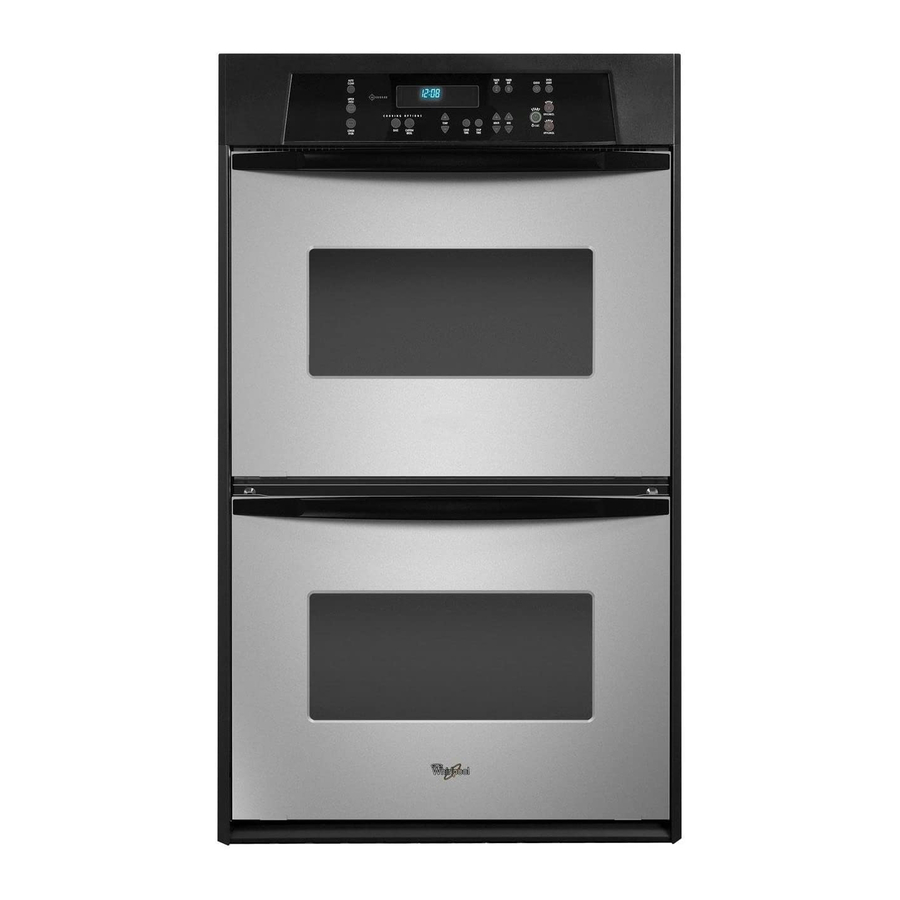
Whirlpool RBD245PR Use And Care Manual
Whirlpool rbd245pr: user guide
Hide thumbs
Also See for RBD245PR:
- Installation instructions manual (16 pages) ,
- Installation information (1 page) ,
- Installation instructions manual (16 pages)
Table of Contents
Advertisement
Available languages
Available languages
8303870
BUILT-IN ELECTRIC
OVEN
Use & Care Guide
For questions about features, operation/performance, parts,
accessories or service, call: 1-800-253-1301 or visit our website
at...www.whirlpool.com
In Canada, call for assistance, installation or service, call:
1-800-807-6777 or visit our website at...
www.whirlpool.ca
FOUR ÉLECTRIQUE
ENCASTRÉ
Guide d'utilisation
et d'entretien
Au Canada, pour assistance, installation ou service, composer le
1-800-807-6777
ou visitez notre site web à
www.whirlpool.ca
Table of Contents/Table des matières .............2
Models/Modèles RBD245 RBS245
®
RBD275 RBS275
RBD305 RBS305
Advertisement
Table of Contents

Related Manuals for Whirlpool RBD245PR


Summary of Contents for Whirlpool RBD245PR
- Page 1 BUILT-IN ELECTRIC OVEN Use & Care Guide For questions about features, operation/performance, parts, accessories or service, call: 1-800-253-1301 or visit our website at...www.whirlpool.com In Canada, call for assistance, installation or service, call: 1-800-807-6777 or visit our website at... www.whirlpool.ca FOUR ÉLECTRIQUE ENCASTRÉ...
-
Page 2: Table Of Contents
TABLE OF CONTENTS OVEN SAFETY ...3 PARTS AND FEATURES...4 ELECTRONIC OVEN CONTROL ...5 Display...5 Start ...5 Upper Off/Cancel, Lower Off/Cancel or Off/Cancel...5 Clock ...5 Tones...5 Fahrenheit and Celsius...6 Timer...6 Control Lock...6 Oven Temperature Control ...6 OVEN USE...7 Aluminum Foil...7 Positioning Racks and Bakeware ...7 Bakeware...7... -
Page 3: Oven Safety
Never Use the Oven for Warming or Heating the Room. Do Not Leave Children Alone – Children should not be left alone or unattended in area where oven is in use. They should never be allowed to sit or stand on any part of the oven. -
Page 4: Parts And Features
This appliance can cause low-level exposure to some of the substances listed, including benzene, formaldehyde, carbon monoxide, and toluene. This manual covers different models. The oven you have purchased may have some or all of the items listed. The locations and appearances of the features shown here may not match those of your model. -
Page 5: Electronic Oven Control
Press UPPER OFF/CANCEL or LOWER OFF/CANCEL and retry entry. On single oven models, press OFF/CANCEL. When the oven(s) are not in use, the display will show the time of day. Start The Start pad begins any oven function except the Timer. If the Start pad is not pressed within 5 seconds after pressing a pad, “START?”... -
Page 6: Fahrenheit And Celsius
It can be changed in Fahrenheit or Celsius. A minus sign means the oven will be cooler by the displayed amount. The absence of a minus sign means the oven will be warmer by the displayed amount. Use the following chart as a guide. -
Page 7: Oven Use
Odors and smoke are normal when the oven is used the first few times, or when it is heavily soiled. During oven use, the heating elements will not remain on, but will cycle on and off throughout oven operation. IMPORTANT: The health of some birds is extremely sensitive to the fumes given off. -
Page 8: Meat Thermometer
E. Oven vent C. Oven F. Lower oven The oven vent should not be blocked or covered since it allows the release of hot air and moisture from the oven. Blocking or covering vents will cause poor air circulation, affecting cooking and cleaning results. -
Page 9: Timed Cooking
Doing so can result in food poisoning or sickness. Timed Cooking allows the oven to be set to turn on at a certain time of day, cook for a set length of time, and/or shut off automatically. -
Page 10: Oven Care
The Self-Cleaning cycle uses very high temperatures, burning soil to a powdery ash. The oven is preset for a 3 hour 30 minute clean cycle, but the time can be changed. Suggested clean times are 2 hours 30 minutes for light soil and between 3 hours 30 minutes to 4 hours 30 minutes for average to heavy soil. -
Page 11: General Cleaning
When the cycle is complete and the oven cools, “End” will appear on the lower oven display and “LOCKED” will disappear. 5. Press any pad or open the oven door to clear the oven display. To Stop Self-Clean anytime: Press UPPER OFF/CANCEL, LOWER OFF/CANCEL or OFF/ CANCEL. -
Page 12: Oven Lights
Oven Lights The oven lights are standard 15-watt appliance bulbs. They will come on when the oven door is opened. On double oven models with self-clean upper and lower ovens, all oven lights will come on when either door is opened. On double oven models with standard-clean lower ovens, the oven lights will not come on when the lower oven door is opened. -
Page 13: Troubleshooting
On some models, is the Sabbath Mode set? See “Sabbath Mode” section. On double oven models, is one oven self-cleaning? When one oven is self-cleaning the other oven cannot be set or turned on. On double oven models, has the correct oven been selected? Choose UPPER OVEN or LOWER OVEN first. -
Page 14: Assistance Or Service
To locate the Whirlpool designated service company in your area, you can also look in your telephone directory Yellow Pages. For further assistance If you need further assistance, you can write to Whirlpool Corporation with any questions or concerns at: Whirlpool Brand Home Appliances Customer eXperience Center... -
Page 15: Warranty
If you need service, first see the “Troubleshooting” section of the Use & Care Guide. After checking “Troubleshooting,” additional help can be found by checking the “Assistance or Service” section or by calling Whirlpool. In the U.S.A., call 1-800-253-1301. In Canada, call 1-800-807-6777. -
Page 16: Sécurité Du Four
Votre sécurité et celle des autres est très importante. Nous donnons de nombreux messages de sécurité importants dans ce manuel et sur votre appareil ménager. Assurez-vous de toujours lire tous les messages de sécurité et de vous y conformer. Voici le symbole d’alerte de sécurité. Ce symbole d’alerte de sécurité... -
Page 17: Pièces Et Caractéristiques
PIÈCES ET CARACTÉRISTIQUES Ce manuel couvre plusieurs modèles différents. Le four que vous avez acheté peut avoir certaines ou toutes les caractéristiques indiquées. Les emplacements et les apparences des caractéristiques illustrées ici peuvent ne pas correspondre à ceux de votre modèle. -
Page 18: Commande Électronique Du Four
COMMANDE ÉLECTRONIQUE DU FOUR A. Autonettoyage B. Affichage de la température du four supérieur C. Affichage électronique D. Affichage de la température du four inférieur E. Minuterie Affichage Lors de la mise sous tension initiale de l'appareil, tout s'allumera sur les deux affichages pendant 5 secondes. Puis, l'heure et “PF” apparaîtront sur l'affichage électronique du four. -
Page 19: Fahrenheit Et Celsius
Le verrouillage des commandes désactive les touches du tableau de commande pour empêcher l'utilisation non intentionnelle des fours. Lorsque le tableau de commande est verrouillé, seules les touches CLOCK, TIMER SET, TIMER OFF et OVEN LIGHT fonctionnent. Le verrouillage des commandes est préréglé désactivé, mais peut être activé. -
Page 20: Utilisation Du Four
Les odeurs et la fumée sont normales lorsque le four est utilisé pour les premières fois, ou lorsqu’il est très sale. Lors de l'utilisation du four, les éléments chauffants ne resteront pas allumés, mais fonctionneront par intermittence lorsque le four est en marche. IMPORTANT : La santé... -
Page 21: Thermomètre À Viande
Cuisson au four ou rôtissage : 1. Sur les modèles à double four seulement, appuyer sur UPPER OVEN (four supérieur) ou LOWER OVEN (four inférieur). Fermer la porte du four. L’affichage indiquera “door” et les éléments de chauffage ne chaufferont pas si la porte est... -
Page 22: Cuisson Au Gril Et Cuisson Au Gril Personnalisée
Fermer la porte. 1. Sur les modèles à double four seulement, appuyer sur UPPER OVEN (four supérieur) ou LOWER OVEN (four inférieur). 2. Appuyer sur CUSTOM BROIL (cuisson au gril personnalisée). 3. Appuyer sur START (mise en marche). -
Page 23: Cuisson Minutée
Sur les modèles à double four seulement, lorsque les fours 18-19 9-10 inférieur et supérieur fonctionnent en même temps, appuyer sur UPPER OVEN ou LOWER OVEN pour afficher la durée de cuisson respective. Lorsque l’heure d’arrêt est atteinte, le four s’arrête 13-14 automatiquement et “End”... -
Page 24: Entretien Du Four
Programme d'autonettoyage AVERTISSEMENT Risque de brûlures Ne pas toucher le four au cours du programme d'autonettoyage. Garder les enfants loin du four au cours du programme d'autonettoyage. Le non-respect de ces instructions peut causer des brûlures. IMPORTANT : La santé de certains oiseaux est très sensible aux émanations qui surviennent durant le programme d'autonettoyage. -
Page 25: Nettoyage Général
Les lampes du four ne fonctionneront pas durant le programme d'autonettoyage. Lorsque la porte du four est fermée, appuyer sur OVEN LIGHT (lampe du four) pour les allumer ou les éteindre. -
Page 26: Porte Du Four
être réglé ou allumé. Pour les modèles à double four, a-t-on sélectionné le bon four? Choisir d'abord UPPER OVEN (four supérieur) ou LOWER OVEN (four inférieur). La température du four est trop élevée ou trop basse Le calibrage de la température du four a-t-il besoin d'être... -
Page 27: Assistance Ou Service
ASSISTANCE OU SERVICE Pour plus d’assistance Si vous avez besoin de plus d’assistance, vous pouvez soumettre par écrit toute question ou préoccupation à Whirlpool Canada LP à l’adresse suivante : Centre d’interaction avec la clientèle Whirlpool Canada LP... -
Page 28: Garantie
CONFÈRE DES DROITS JURIDIQUES SPÉCIFIQUES ET VOUS POUVEZ ÉGALEMENT JOUIR D'AUTRES DROITS QUI PEUVENT VARIER D'UNE JURIDICTION À UNE AUTRE. À l'extérieur du Canada et des 50 États des États-Unis, cette garantie ne s'applique pas. Contacter votre marchand Whirlpool autorisé pour déterminer si une autre garantie s'applique.
Need help?
Do you have a question about the RBD245PR and is the answer not in the manual?
Questions and answers