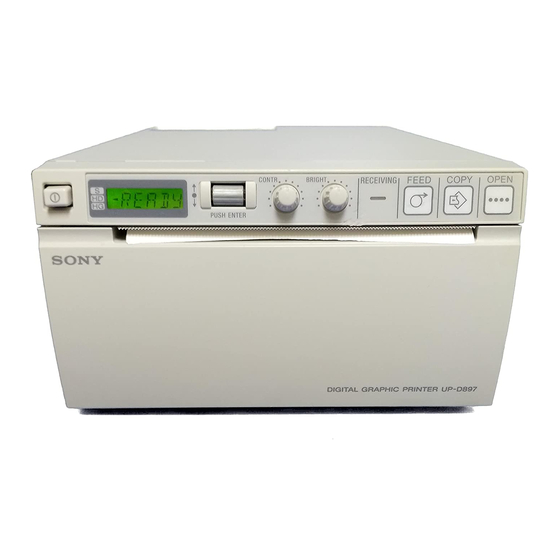
Sony UP-D897 Service Manual

Sony UP-D897 Service Manual

Digital graphic printer
Hide thumbs Also See for UP-D897:
Table of Contents
P-D897
SERVICE MANUAL
1st Edition
Table of Contents
loading

Frequently Asked Questions (3)

  • Why is my Sony UP-D897 printer not printing?

    The manual outlines several reasons why the printer might not be printing, primarily related to internal component failures or specific error conditions.

    Possible reasons for the printer not printing include:

    Was this helpful?
  • What types of input connections does the Sony UP-D897 printer have?

    The Sony UP-D897 printer has the following input connections:

    • USB2.0 high-speed interface
    • Memory cards interface
    • Video encoder interface
    • CCD interface

    For more information, see pages 21, 23, 47 and 57 of the manual.
    Was this helpful?
  • How do I adjust the print density on my Sony UP-D897 printer?

    The print density can be adjusted through calibration of brightness and contrast, and by adjusting the head voltage.

    To adjust the print density:

    • Calibrate Brightness and Contrast:
    1. Turn on the power while pressing the OPEN button and FEED button simultaneously to enter service mode.

    2. Press the jog dial two times. "SVC" and "PATAN" will be displayed.

    3. Rotate the jog dial to display "BR:CAL" (brightness calibration) and press the jog dial.
      * Rotate the BRIGHT volume fully to the left ("BR:LEF"), then press the jog dial.
      * Rotate the jog dial to "BR:RIG" and rotate the BRIGHT volume fully to the right, then press the jog dial.
      * Rotate the jog dial to "BR:CEN" and return the BRIGHT volume to the center, then press the jog dial.

    4. Rotate the jog dial to "BACK", then press the jog dial.

    5. Rotate the jog dial to display "CO:CAL" (contrast calibration) and press the jog dial.
      * Rotate the CONT volume fully to the left ("CO:LEF"), then press the jog dial.
      * Rotate the jog dial to "CO:RIG" and rotate the CONT volume fully to the right, then press the jog dial.
      * Rotate the jog dial to "CO:CEN" and return the CONT volume to the center, then press the jog dial.

    6. Turn off the power.

    • Adjust Head Voltage (after thermal head or switching regulator replacement):
    1. Turn on the POWER switch while pressing the OPEN and FEED buttons.

    2. Press the jog dial three times. "SVC", "PATAN", and "PA:CRS" will be displayed.

    3. Rotate the jog dial to display "PASTP" and press the jog dial to print the stairstep test pattern.

    4. Adjust RV201 (switching regulator) so that the voltage matches the reference voltage of TP302 measured before replacement.

    5. Print a new stairstep test pattern and compare it to the reference.

    • Set GAMMA: When adjusting head voltage, set "GAMMA" to "GA-2" to ensure proper conditions for test pattern printing.

    For more information, see pages 16, 17, 29 and 32 of the manual.
    Was this helpful?
Need help?

Need help?

Do you have a question about the UP-D897 and is the answer not in the manual?

Table of Contents