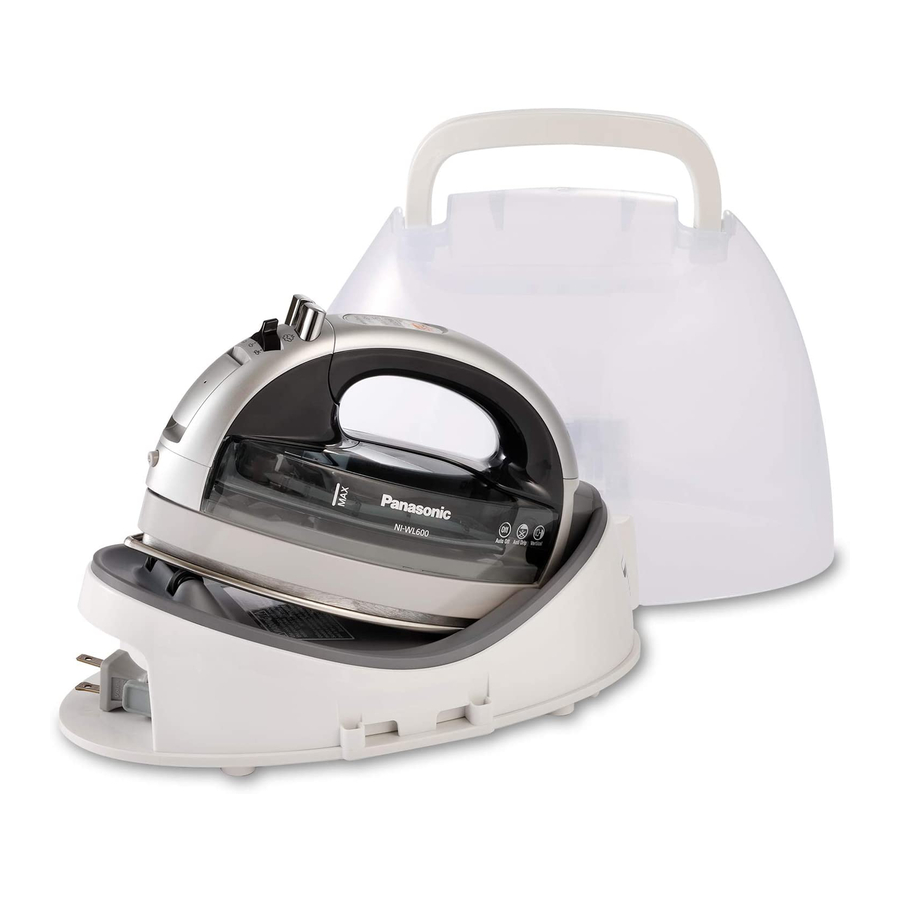
Panasonic NI-WL600 Operating Instructions Manual

Panasonic NI-WL600 Operating Instructions Manual

Electric cordless steam iron

Advertisement

Advertisement

Table of Contents
loading

Frequently Asked Questions (11)

  • How do I use the steam function on the Panasonic NI-WL600 iron?

    To use the steam function:

    1. Fill the iron with water.
    2. Plug the cord into a standard 120V-60Hz electrical outlet.
    3. Set the iron securely on the Power Base. The green "OFF" light will turn on.
    4. Push the "SET" Pad to the corresponding temperature level (LOW, MED, HIGH). The red light will start blinking.
    5. Hold the iron horizontally and move the Steam/Dry Selector into the desired steam position after the Temperature Control light turns on continuously. You can then start ironing.

    For Jet of Steam:

    • Ensure the iron is set to the "HIGH" temperature level.
    • Preheat the iron until the light turns on continuously (usually about 1-2 minutes).
    • Simply pump the "Jet of Steam Button" when steam is desired. Pump it several times at the beginning of each ironing session.
    • Allow at least 5 seconds between uses of the "Jet of Steam Button" to prevent water spotting.

    For Vertical Steam:

    • Hang the garment on a clothes hanger.
    • Hold the iron away from your body, close to but not touching the fabric.
    • Pull the fabric tight with your free hand and pump the Vertical Steam Button (Jet of Steam Button) at 5-second intervals as you pass the iron over the wrinkled fabric.
    Was this helpful?
  • How does the cordless feature of the Panasonic NI-WL600 iron work?

    The Panasonic NI-WL600 is a cordless iron but is NOT a rechargeable device. You cannot continuously use this iron without placing it in the Power Base. The Power Base provides the energy required to heat up the soleplate. The iron will re-heat quickly every time it is placed on the Power Base.


    For more information, see page 5 of the manual.
    Was this helpful?
  • How do I use the Panasonic NI-WL600 iron?

    To use the Panasonic NI-WL600 iron, follow these general steps:

    • Fill the iron with water as instructed in the manual.
    • Energize the iron by plugging the cord into a standard 120V-60Hz electrical outlet and placing the iron securely on the Power Base.
    • Control the temperature by pushing the "SET" Pad until the desired temperature level (LOW, MED, HIGH) is selected. The red light will blink until the iron reaches the selected temperature, then turn on continuously.
    • For steam ironing, ensure the Steam/Dry Selector is moved to the desired steam position after the temperature light turns on continuously. For dry ironing, ensure the Steam/Dry Selector is in the Dry position.
    • Utilize special functions like Jet of Steam or Vertical Steam as needed.
    Was this helpful?
  • How do I adjust the temperature settings on the Panasonic NI-WL600 iron?

    To control the temperature, you use the Temperature Control Pad ("SET" Pad):

    • Every time you push the "SET" Pad, the Temperature Indicator Light moves to the next position, which corresponds to a higher temperature.
    • The desired temperature can be chosen by pushing the "SET" Pad until it lights at the appropriate position (LOW, MED, HIGH, or OFF).
    • The red temperature indicator light continuously blinks until the iron reaches its selected temperature, then turns on continuously to let you know you can start ironing.

    For more information, see page 7 of the manual.
    Was this helpful?
  • How do I clean the Panasonic NI-WL600 iron?

    To care for your iron:

    After Each Use:

    • Press the "SET" Pad until the "OFF" light turns on.
    • Move the Steam/Dry Selector to the Dry Position.
    • Unplug the iron and retract the cord slowly, holding the plug and cord with one hand.
    • Empty the water from the Water Tank; do not store the iron with water inside.
    • Push the Cover Case until it clicks to lock.

    Main Body:

    • Ensure the iron has cooled down before cleaning.
    • Wipe the iron with a damp cloth. If necessary, use a mild detergent. Never use any harsh cleaners.

    Soleplate:

    • Starch and other residue can be easily removed from the Soleplate with a damp cloth.
    • To avoid scratching the finish, never use a metallic pad to clean the Soleplate, and never place the iron on a rough surface.
    • If synthetics melt onto the Soleplate, the best way to remove the residue is to iron over an old cotton rag after heating the iron.

    For more information, see page 10 of the manual.
    Was this helpful?
  • Why is my Panasonic NI-WL600 iron not turning on?

    If the iron is not turning on:

    • Ensure the iron is replaced on the Power Base correctly. If the green light does not turn on, the Temperature Control Pad cannot function.
    • Do not operate the iron if the cord is damaged or if the iron or Power Base has been dropped or damaged. To avoid electric shock, do not disassemble the iron or Power Base; take it to an authorized service depot for examination and repair.
    Was this helpful?
  • Does the Panasonic NI-WL600 iron have an auto shut-off feature?

    Yes, the Panasonic NI-WL600 iron has an Automatic Shut-Off System. This system provides a visible warning signal before the iron automatically shuts off. The iron will automatically shut itself off if it has been left on the Power Base longer than 10 minutes. Ten seconds before the actual shut-off, the "OFF" indicator will start blinking rapidly. If the iron is not moved during this warning, the heater in the iron's Soleplate will automatically shut off.


    For more information, see page 9 of the manual.
    Was this helpful?
  • How do I turn on the Panasonic NI-WL600 iron?

    To turn on or energize the iron:

    • Plug the cord into a standard 120V-60Hz electrical outlet.
    • Set the iron securely on the Power Base.
    • The green "OFF" light will turn on.
    • Push the "SET" Pad to the corresponding temperature level. The red light will start blinking and then turn on continuously once the iron has reached its selected temperature, indicating it is ready for ironing.

    For more information, see page 7 of the manual.
    Was this helpful?
  • Can I iron vertically with the Panasonic NI-WL600 iron?

    Yes, you can iron vertically using the Vertical Steam feature. For best results, hang the garment on a clothes hanger. Hold the iron away from your body, close to but not touching the fabric. Pull the fabric tight with your free hand and pump the Vertical Steam Button (Jet of Steam Button) at 5-second intervals as you pass the iron over the wrinkled fabric.


    For more information, see page 9 of the manual.
    Was this helpful?
  • What type of water should I use in the Panasonic NI-WL600 iron?

    Most ordinary tap water can be used in this iron. However, in extremely hard water areas, distilled or demineralized water should be used. Do not use water processed through home water softening systems, as this water contains minerals that may be harmful to the iron. Also, do not use water additives or substitute water such as linen or scented water in the steam iron, as they can stain fabrics or damage the iron.


    For more information, see pages 5 and 6 of the manual.
    Was this helpful?
  • How long does it take for the Panasonic NI-WL600 iron to heat up?

    When using the Jet of Steam function, it is recommended to preheat the iron until the light turns on continuously, which usually takes about 1-2 minutes.


    For more information, see page 8 of the manual.
    Was this helpful?
Need help?

Need help?

Do you have a question about the NI-WL600 and is the answer not in the manual?

Questions and answers

Table of Contents

Save PDF