Table of Contents

Related Manuals for InoTec CPS 220 Series


Summary of Contents for InoTec CPS 220 Series
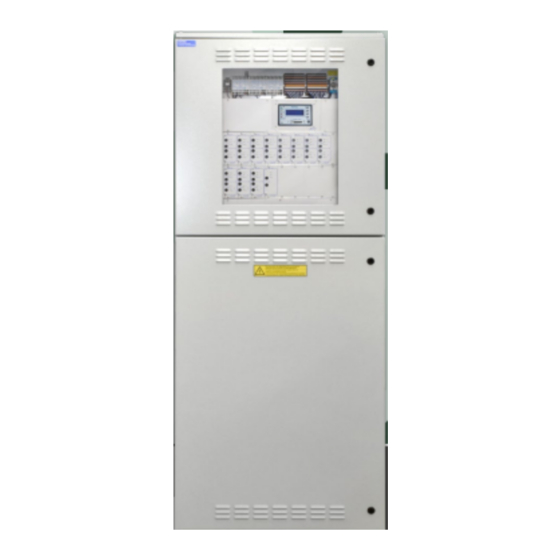
- Page 1 Mounting- and Operating Instructions Montage- und Betriebsanleitung Central Battery System Zentralbatteriesystem CPS 220 / 48.1 / J-SV / J-SKÜ CPS 220 / 48.1 / J-SV / J-SKÜ 4-line controller 4-zeiliges Steuerteil Sicherheitstechnik GmbH...
-
Page 3: Table Of Contents
CPS 220/48.1/SV Mounting and Operating Instructions CPS 220/48.1/SV Montage- und Betriebsanleitung Inhalt Contents 1. General information 1. Allgemeine Hinweise 1.1. Explanation of symbols 1.1. Symbolerklärung 1.2. Liability and warranty 1.2. Haftung und Gewährleistung 1.3. Spare parts 1.3. Ersatzteile 1.4. Disposal 1.4. - Page 4 CPS 220/48.1/SV Mounting and Operating Instructions CPS 220/48.1/SV Montage- und Betriebsanleitung 6.3.4. Zusätzliche Komponenten 6.3.4. Additional components 6.3.4.1. RIF 5 6.3.4.1. RIF 5 6.3.4.2. Batteriemanagementsystem BCS 6.3.4.2. Battery management system BCS 6.3.4.2.1. BCS Sensor 6.3.4.2.1. BCS sensor 6.3.4.2.2. BCS-Modul 6.3.4.2.2. BCS-Modul 6.3.4.3.
- Page 5 CPS 220/48.1/SV Mounting and Operating Instructions CPS 220/48.1/SV Montage- und Betriebsanleitung 8.4. Programmierung 8.4. Programming 8.4.1. Datum und Uhrzeit 8.4.1. Date and time 8.4.2. Programmierung 8.4.2. Programming 8.4.2.1. Testzeitpunkte 8.4.2.1. Testing times 8.4.2.1.1. Automatic function test 8.4.2.1.1. Automatischer Funktionstest 8.4.2.1.2. Automatischer Betriebsdauertest 8.4.2.1.2.
-
Page 6: Allgemeine Hinweise
1.4. Disposal Batteries and electronic components supplied by 1.4. Entsorgung INOTEC can be returned to INOTEC or should be disposed of in accordance with the national gui- Von INOTEC gelieferte Batterien und Elektronikbau- delines and regulations governing the disposal of teile können an INOTEC zurückgegeben werden... -
Page 7: Sicherheitshinweise
INOTEC autorisierte Personen involve opening the device must ONLY be carried out by vorgenommen werden. Eingriffe durch andere Personen personnel authorised to do so by INOTEC. The guarantee führen zum Verlust der Gewährleistung. becomes invalid if unauthorised personnel work on the system. -
Page 8: Produktbeschreibung
CPUS 220 / 48.1 erfolgt über das integrierte TFT “INOTEC Konfigurator” software. To transfer the configura- Steuerteil. Die Programmierung des Gerätesteuerteils er- tion a USB pen drive or LAN interface can be used. The TFT folgt über die komfortable INOTEC Konfigurator Software... - Page 9 CPS 220/48.1/SV Mounting and Operating Instructions CPS 220/48.1/SV Montage- und Betriebsanleitung Die Programmierung wird im nicht-flüchtigen Speicher Manual tests for checking can be activated at any time. abgelegt und bleibt auch bei Ausfall der Spannungsver- Automatic tests can also be run at freely programmable sorgung erhalten.
-
Page 10: Aufbau Der Cps
CPS 220/48.1/SV Mounting and Operating Instructions CPS 220/48.1/SV Montage- und Betriebsanleitung • CPS 220 / 48.1 / 16 • CPS 220 / 48.1 / 16 Maximale Anschlussleistung 22kW mit 8 internen Maximum connected load 22 kW with 8 internal module Modulplätzen für bis zu 16 Stromkreise und 24 externe slots for up to 16 circuits and 24 external module slots Modulplätze für bis zu 48 Stromkreise. - Page 11 CPS 220/48.1/SV Mounting and Operating Instructions CPS 220/48.1/SV Montage- und Betriebsanleitung CPS 220 / 48.1 / 16 CPS 220 / 48.1 / 32 Klemmen /Anschlußraum Terminals Netzanschluß Mains 850 009 Batteriesicherungen 850 009 Battery fuses Steuerteil Controller SKE 2x3A SKE 2x3A SKE 2x3A SKE 2x3A SKE 2x3A...
- Page 12 CPS 220/48.1/SV Mounting and Operating Instructions CPS 220/48.1/SV Montage- und Betriebsanleitung CPUS 220 / 48.1 / 16 CPUS 220 / 48.1 / 5 Anschlußklemmen Terminals Netzanschluß Mains Batteriesicherungen 850 009 850 009 Battery fuses Steuerteil SKE 2x3A SKE 2x3A SKE 2x3A SKE 2x3A Controller 5 AT...
- Page 13 CPS 220/48.1/SV Mounting and Operating Instructions CPS 220/48.1/SV Montage- und Betriebsanleitung 4.2. CPUSB 220 / 48.1 / 6 4.2. CPUSB 220 / 48.1 / 6 CPUSB 220 / 48.1 / 16 CPUSB 220 / 48.1 / 16 CPUSB 220 / 48.1 / 32 CPUSB 220 / 48.1 / 32 CPUSB 220 / 48.1 / 48 CPUSB 220 / 48.1 / 48...
- Page 14 5 AT 5 AT 1000 1000 1000 1000 1000 1000 INOTEC Eingang = BL / NM = BL / NM = BL / NM = DL / M = DL / M = DL / M CPUSB 220 / 48.1 / 16 CPUSB 220 / 48.1 / 32...
-
Page 15: Technische Daten
CPS 220/48.1/SV Mounting and Operating Instructions CPS 220/48.1/SV Montage- und Betriebsanleitung 5. Technische Daten 5. Technical data 5.1. CPS 220 / 48.1 / ... , CPUS 220 / 48.1 / ... 5.1. CPS 220 / 48.1 / ... , CPUS 220 / 48.1 / ... Schutzklasse: Protection class: Schutzart:... -
Page 16: Cpusb 220 / 48.1 / 6, Cpusb 220 / 48.1
CPS 220/48.1/SV Mounting and Operating Instructions CPS 220/48.1/SV Montage- und Betriebsanleitung CPS 220 / 48.1 / 11 CPS 220 / 48.1 / 5 CPUS 220 / 48.1 / 48 600 mm 800 mm Sockel Sockel 600 mm 600 mm 1~N/PE, 230V AC 1~N/PE, 230V AC 1~N/PE, 230V AC ±10%, Anschlussspannung... - Page 17 CPS 220/48.1/SV Mounting and Operating Instructions CPS 220/48.1/SV Montage- und Betriebsanleitung CPUS 220 / 48.1 / 32 CPUS 220 / 48.1 / 16 CPUS 220 / 48.1 / 5 600 mm 600 mm 800 mm Anschlussspannung 1~N/PE, 230V AC ±10%, 1~N/PE, 230V AC ±10%, 1~N/PE, 230V AC ±10%, Rated voltage...
- Page 18 CPS 220/48.1/SV Mounting and Operating Instructions CPS 220/48.1/SV Montage- und Betriebsanleitung 5.2. CPUSB 220 / 48.1/ ... 5.2. CPUSB 220 / 48.1 / ... Protection class: Schutzklasse: Protection category: IP 20 Schutzart: IP 20 Permissible ambient -5°C to +35°C Zulässige Umge- -5°C bis +35°C temperature: bungstemperatur:...
-
Page 19: Cpusb 220 / 48.1
CPS 220/48.1/SV Mounting and Operating Instructions CPS 220/48.1/SV Montage- und Betriebsanleitung 6. Aufstellung, Anschluss 6. Assembly, connection 6.1. Montage 6.1. Assembly Beachten Sie für die Lagerung der Komponenten For storage of the components until assembly, bis zur Montage die Hinweise in observe the information in ... -
Page 20: Batterie
CPS 220/48.1/SV Mounting and Operating Instructions CPS 220/48.1/SV Montage- und Betriebsanleitung 6.2. Batterie 6.2. Battery Bitte überprüfen Sie die gelieferten Batterien, Polverbin- Please check the supplied batteries, connector and batte- der und Batteriekabel auf Vollständigkeit und mechani- ry cable for completeness and mechanical damage. sche Beschädigungen. -
Page 21: Batterieschrank Mit 1 Strang Á 18 Blöcke
Montage 12Ah Batterien á 18 Blöcke 18 blocks each F1 F2 6.2.2. 2 Batterieschränke mit 1 Strang 6.2.2. 2 battery cabinets with 1 battery set, á 18 Blöcke 18 blocks each INOTEC Sicherheitstechnik GmbH, 59 469 Ense 708 146 F1 F2... -
Page 22: Batterieschränke Mit 2 Strängen Á 18 Blöcke
CPS 220/48.1/SV Mounting and Operating Instructions CPS 220/48.1/SV Montage- und Betriebsanleitung 6.2.3. 2 Batterieschränke mit 2 Strängen á 18 6.2.3. 2 battery cabinets with 2 battery sets, Blöcke 18 blocks each B- B- 6.2.4. Mounting on battery rack 6.2.4. Batteriemontage auf Batteriegestell For mounting and arrangement, see the operating inst- Montage und Anordnung finden Sie in der Bedienungs- ruction for the battery rack. -
Page 23: Elektrischer Anschluss
6.3. Electrical connection 6.3.1. Systemaufbau 6.3.1. System structure Batterieleitung (B+ / B-) Battery cable Gerätebus (BUS+/ ) DPÜ Device bus gem. 0108 INOTEC Netzleitung (L/N/PE) Mains cable Stromschleife SL+/SL- CPUSB 220 / 48.1 / 6 Current loop DPÜ gem. 0108 INOTEC... -
Page 24: Network Connection - X1
CPS 220/48.1/SV Mounting and Operating Instructions CPS 220/48.1/SV Montage- und Betriebsanleitung Das CPS 220 / 48.1 - System kann durch den Einsatz von Additional final circuits can be added to the CPS 220/48.1 Unterstationen (CPUS 220 / 48.1 / ...) und BUS-Unterstatio- system using sub stations (CPUS 220/48.1 …) and BUS nen (CPUSB 220 / 48.1 / ...) um zusätzliche Endstromkreise sub stations (CPUSB 220/48.1 …). -
Page 25: Batterieanschluss
Änderung: Benennung: Blatt: 1 von 1 SKE 2x3A Improper handling can cause potentially fatal SKE 1x6A INOTEC injuries! The battery voltage is 216 V. Geprüft: Sicherheitstechnik GmbH Unsachgemäße Handhabung kann zu lebensge- fährlichen Verletzungen führen! Die Batteiespan- nung beträgt 216V. - Page 26 CPS 220/48.1/SV Mounting and Operating Instructions CPS 220/48.1/SV Montage- und Betriebsanleitung Die eingestellte Schaltungsart ist ausschließlich im Netz- The operation mode set is active only in mains operation. betrieb aktiv. Bei Netzausfall an einem Unterverteiler der If the power to one sub-distribution board of the gene- Allgemeinbeleuchtung, sofern dieser mittels einer DPÜ...
-
Page 27: Netzspannung
1000 1000 1000 1000 1000 1000 1000 1000 1000 1000 INOTEC INOTEC Eingang Eingang = BL / NM = BL / NM = BL / NM = BL / NM = BL / NM = BL / NM = DL / M... -
Page 28: Stromkreise
CPS 220/48.1/SV Mounting and Operating Instructions CPS 220/48.1/SV Montage- und Betriebsanleitung 6.3.3.3. Gerätebus IB2 6.3.3.3. Device bus IB2 Eine Kommunikation mit dem Steuerteil im Hauptgerät Communication with the controller in the main device erfolgt über den Gerätebus (IB2), welcher an die Klemmen is via the device bus (IB2), which is connected to terminals B und angeklemmt wird. - Page 29 For temperature controlled charging, a sensor (type KTY Für eine temperaturgeführte Ladung ist ein Tempera- or INOTEC sensor) must be connected inside the battery turfühler (Typ KTY oder INOTEC Sensor) innerhalb des compartment to terminals T+/T- of the RIF 5 module. This...
- Page 30 General lighting General lighting DPÜ DPÜ DPÜ gem. gem. gem. 0108 0108 0108 INOTEC INOTEC INOTEC UVA 1 UVA 2 UVA 3 Anschlüsse bei Überwachung ein- und dreiphasiger Netze Supply monitoring in single- and three-phase installation. SL- SL+ 850 009 RIF5...
- Page 31 DPÜ / B.1 DPÜ / B.1 DPÜ / B.1 890 414 890 414 890 414 INOTEC INOTEC INOTEC Kontakte (1 / 2) + (3 / 4) Kontakte (1 / 2) + (3 / 4) Kontakte (1 / 2) + (3 / 4) Letzte DPÜ...
-
Page 32: Batteriemanagementsystem Bcs
CPS 220/48.1/SV Mounting and Operating Instructions CPS 220/48.1/SV Montage- und Betriebsanleitung 6.3.4.2. Batteriemanagementsystem BCS 6.3.4.2. Battery management system BCS Das Batteriemanagementsystem BCS ist nur mit The battery management system BCS can only be TFT-Steuerteil nutzbar. used with a TFT controller. Das Batteriemanagementsystem BCS besteht aus einer The battery management system consists of one control Kontrolleinheit und max. -
Page 33: Bcs Sensor
CPS 220/48.1/SV Mounting and Operating Instructions CPS 220/48.1/SV Montage- und Betriebsanleitung Zustand Not- Zustand BCS- Reaktion Emerg. light device BCS sensor Reaction lichtgerät Sensor state state AC-Betrieb und Unterspannung Ladung wird aus- AC operation and Undervoltage Charging is swit- Ladung einge- geschaltet charging switched on ched off... - Page 34 CPS 220/48.1/SV Mounting and Operating Instructions CPS 220/48.1/SV Montage- und Betriebsanleitung Durch drücken der unteren Taste (Enter-Taste ) erscheint Pressing the lower button (Enter button) calls up the das Menü des BCS-Moduls. Mittels der Pfeiltasten kann menu of the BCS module. The arrow buttons can be used durch das Menü...
- Page 35 CPS 220/48.1/SV Mounting and Operating Instructions CPS 220/48.1/SV Montage- und Betriebsanleitung...
-
Page 36: Lsa 3 / Lsa
CPS 220/48.1/SV Mounting and Operating Instructions CPS 220/48.1/SV Montage- und Betriebsanleitung 6.3.4.3. LSA 3 / LSA 8.1 6.3.4.3. LSA 3 / LSA 8.1 Mit den LSA 3- und LSA 8.1-Modulen ist ein gemeinsames With the LSA 3 and LSA 8.1 modules, the main and safety Ein- und Ausschalten von Netz- und Sicherheitsleuchten luminaires can be switched on and off together. - Page 37 CPS 220/48.1/SV Mounting and Operating Instructions CPS 220/48.1/SV Montage- und Betriebsanleitung 6.3.4.3.2. LSA 8.1 6.3.4.3.2. LSA 8.1 Pro Steuerteil sind bis zu 3 LSA 8.1-Module an den Up to 3 LSA 8.1 modules can be connected to the device Gerätebus anschließbar. Die LSA 8.1 besitzt 8 galvanisch bus for each controller.
- Page 38 CPS 220/48.1/SV Mounting and Operating Instructions CPS 220/48.1/SV Montage- und Betriebsanleitung Zur Nutzung der integrierten DPÜ/B muss diese per Mi- To use the integrated DPÜ/B, this must be activated by croschalter am LSA 8.1-Modul aktiviert werden. microswitch on the LSA 8.1 module. Die eingestellte Adresse des LSA 8.1-Moduls ist The set address of the LSA 8.1 module is also the auch die Adresse für die DPÜ/B!
-
Page 39: Lsa
CPS 220/48.1/SV Mounting and Operating Instructions CPS 220/48.1/SV Montage- und Betriebsanleitung UV 1 UV 2 DPÜ DPÜ gem. gem. 0108 0108 INOTEC INOTEC 24V– 24V– 24V– 24V– 24V– 24V– 24V– 24V– 850 007 LSA 8.1 230 V LSA 8.1 230V... -
Page 40: Dreiphasenüberwachungen
CPS 220/48.1/SV Mounting and Operating Instructions CPS 220/48.1/SV Montage- und Betriebsanleitung 6.3.4.4. Dreiphasenüberwachungen 6.3.4.4. Three-phase monitors (DPÜs) 6.3.4.4.1. DPÜ 6.3.4.4.1. DPÜ Zur Überwachung der Netzspannung an den Unter- To monitor the mains voltage at the general lighting sub- verteilern der Allgemeinbeleuchtung können die DPÜ- distribution boards, the DPÜ... -
Page 41: Dpü
CPS 220/48.1/SV Mounting and Operating Instructions CPS 220/48.1/SV Montage- und Betriebsanleitung 6.3.4.4.2. DPÜ/B.2 6.3.4.4.2. DPÜ/B.2 Zur Überwachung der Netzspannung an den Untervertei- To monitor the mains voltage at the general lighting sub- lern der Allgemeinbeleuchtung werden die DPÜ/B.2- Mo- distribution boards, the DPÜ/B.2 modules are integrated dule direkt in den Unterverteiler eingebaut. - Page 42 Nom.-frequency: 50/60 Hz Nennfrequenz: 50/60 Hz Activation level: 0,85 U Ansprechwert: 0,85 U Bus connection: INOTEC internal system BUS Busanschluss: INOTEC interner Gerätebus CPS 220/64, CPS 220/20 und CPS 220/64, CPS 220/20 und CPS 220/48.1 CPS 220/48.1 Adress range: 1 ... 31 Adressbereich: 1 ...
- Page 43 CPS 220/48.1/SV Mounting and Operating Instructions CPS 220/48.1/SV Montage- und Betriebsanleitung 6.3.4.4.3. DPÜ/B.1 6.3.4.4.3. DPÜ/B.1 Zur Überwachung der Netzspannung an den Untervertei- To monitor the mains voltage at the general lighting sub- lern der Allgemeinbeleuchtung werden die DPÜ/B.1- Mo- distribution boards, the DPÜ/B.1 modules are integrated dule direkt in den Unterverteiler eingebaut.
- Page 44 50/60 Hz Rated frequency: 50/60 Hz Ansprechwert: 0,85 U Response value: 0.85 U Busanschluss: INOTEC interner Gerätebus Bus connection: INOTEC internal device bus Adressbereich: Address range: 1 . . . 31 1–31 Ausgang Output Kontaktbestückung: 2 Schließer Contacts 2 NO-contacts / Kontakt: 30 V DC, 1 A...
-
Page 45: Dpü
Stich 2 Stub 2 Zenerdiode Zener diode DPÜ DPÜ DPÜ DPÜ DPÜ DPÜ SL - SL - INOTEC INOTEC 850 009 LOMO LOMO 850 014 850 014 24 V. 24 V. CPS 220/48.1 24 V Das Loop-Monitoring-Modul muss in das Sicher- The loop monitoring module must be integrated heitslichtgerät eingebaut werden! -
Page 46: Fernmeldetableau - Mtb
CPS 220/48.1/SV Mounting and Operating Instructions CPS 220/48.1/SV Montage- und Betriebsanleitung 6.3.4.6. Fernmeldetableau – MTB 6.3.4.6. Remote mimic panel — MTB Das Fernmeldetableau wird an das RIF5-Modul gem. The remote mimic panel is connected to the RIF5 module nachfolgendem Schaltbild angeschlossen. Die Leitungs- in accordance with the circuit diagram below. -
Page 47: Cps-Mtb
= BL / NM = DL / M = BL / NM = DL / M = BL / NM = DL / M = BL / NM = DL / M schnitt) 500m. INOTEC INOTEC INOTEC Störung Betrieb Betrieb Betrieb Failure Batt.-Betrieb Batt.-Betrieb... -
Page 48: Cpusb 220 / 48.1 / 32, Cpusb 220 / 48.1
CPS 220/48.1/SV Mounting and Operating Instructions CPS 220/48.1/SV Montage- und Betriebsanleitung 6.3.4.8. INOWEB 6.3.4.8. INOWEB Über das im TFT Steuerteil integriert INOWEB-Modul The INOWEB (integrated in TFT controller unit) module kann der Zustand des CPS-Gerätes mittels Netzwerkver- enables the status of the CPS device to be polled via the bindung abgefragt werden. -
Page 49: Inbetriebnahme 49
CPS 220/48.1/SV Mounting and Operating Instructions CPS 220/48.1/SV Montage- und Betriebsanleitung Technische Daten: Technical data: Für externe Montage im Wandgehäuse. For external mounting in the wall housing. Anschlussspannung: Supply voltage: Eingangsseitig 400V 50Hz Input side 400 V 50 Hz Ausgangsseitig 230V 50Hz Output side 230 V 50 Hz Maximale Strombelastbarkeit: 20A Maximum current... -
Page 50: Einschalten Des Zentralbatteriesystems
CPS 220/48.1/SV Mounting and Operating Instructions CPS 220/48.1/SV Montage- und Betriebsanleitung Die Isolationsmessung ist mit einer max. Messspannung The insulation must be measured with a max. measure- von 500V DC und einem Messstrom von 1mA durchzufüh- ment voltage of 500 V DC and a measurement current ren! Es dürfen nur Messgeräte verwendet werden, die den of 1mA! Only measuring devices that satisfy the require- Anforderungen der DIN VDE 0413 genügen. -
Page 51: Zeiliges Steuerteil
Das Steuerteil der CPS 220 besteht aus einem 4-zeiligen The CPS 220 controller comprises a 4-line display and Display mit je 20 Zeichen. each line has 20 characters. INOTEC Betrieb 9 10 11 12 13 14 15 16 17 18 19 20 Operation C P S Batt.-Betrieb... -
Page 52: Testmenü
CPS 220/48.1/SV Mounting and Operating Instructions CPS 220/48.1/SV Montage- und Betriebsanleitung 8.2. Testmenü 8.2. Test menu 8.2.1. Funktionstest starten 8.2.1. Running a function test Menü Testauslösung FT/BT/Learn Menu Test menu FT/DT/Learn Start FT FT auslösen In function test mode, the device switches to battery Im Funktionstestmodus schaltet das Gerät in den... -
Page 53: Tiefentladeschutz Prüfen
CPS 220/48.1/SV Mounting and Operating Instructions CPS 220/48.1/SV Montage- und Betriebsanleitung überwachung muss ein Learnmode ausgeführt werden, consumption of the connected consumers. This function um die Stromaufnahme der angeschlossenen Verbrau- can also be activated for the entire central battery device cher zu ermitteln. -
Page 54: Betriebsdauertest Abbrechen
CPS 220/48.1/SV Mounting and Operating Instructions CPS 220/48.1/SV Montage- und Betriebsanleitung 8.2.7. Betriebsdauertest abbrechen 8.2.7. Cancelling battery duration test BT-Abbruch Cancel DT Ein versehentlich gestarteter Betriebsdauertest kann im A battery duration test that has been started accidentally Hauptmenü über den Befehl „BT-Abbruch“ nach ca. 5 can be stopped manually in the main menu using the Sekunden manuell beendet werden. -
Page 55: Ladekreis Info
CPS 220/48.1/SV Mounting and Operating Instructions CPS 220/48.1/SV Montage- und Betriebsanleitung weiter zum Durchblättern der Informationen des The retrievable information includes: gewählten Platzes • Program code Unter anderem sind folgende Informationen abrufbar: • Circuit type • Programmkennung, • Monitoring type •... -
Page 56: Ausdruck Anlagenkonfiguration
CPS 220/48.1/SV Mounting and Operating Instructions CPS 220/48.1/SV Montage- und Betriebsanleitung • SLÜ mit / ohne SL- Schleifenüberwachung • SLÜ with/without SL monitoring loop function (module) • SLÜ mit / ohne FS- Schleifenüberwachung • SLÜ with/without RS monitoring loop function (module) •... -
Page 57: Prüfbuch
CPS 220/48.1/SV Mounting and Operating Instructions CPS 220/48.1/SV Montage- und Betriebsanleitung 8.3.3. Prüfbuch 8.3.3. Logbook Menü Info Prüfbuch Menu Info Logbook Im Prüfbuch werden Statusänderungen des Zentral- Status changes of the central battery device and the batteriegerätes und die Ergebnisse von Funktions- und results of function and battery duration tests are saved to Betriebsdauertest gespeichert. -
Page 58: Netzausfall Uv Info
CPS 220/48.1/SV Mounting and Operating Instructions CPS 220/48.1/SV Montage- und Betriebsanleitung Es können alle Einträge ausgedruckt werden oder die All entries or the most recent entries can be printed aktuellsten Einträge (max. die 255 neusten Einträge). Der (max. 255 most recent entries). Printing is cancelled Ausdruck wird mit „Drucken abbrechen „... - Page 59 CPS 220/48.1/SV Mounting and Operating Instructions CPS 220/48.1/SV Montage- und Betriebsanleitung 8.4.2. Programmierung 8.4.2. Programming Um die Einstellungen vor unbefugtem Zugriff zu schüt- To protect the settings from unauthorised access, a pass- zen, ist eine Passwortabfrage eingebaut. Das Passwort word prompt is integrated. The password can be indivi- kann in den Geräteeinstellungen individuell gewählt dually selected in the device settings.
- Page 60 CPS 220/48.1/SV Mounting and Operating Instructions CPS 220/48.1/SV Montage- und Betriebsanleitung 8.4.2.2. INOSTICK 8.4.2.2. INOSTICK Menü Programmierung Programmierung Menu Programming Programming INOSTICK INOSTICK K o n f i g v o m I N O S T I C K I N O S T I C K...
- Page 61 CPS 220/48.1/SV Mounting and Operating Instructions CPS 220/48.1/SV Montage- und Betriebsanleitung 8.4.2.3. Programmierung 8.4.2.3. Programming Menü Programmierung Programmierung Menu Programming Programming Programmierung Programming Die Programmierung im Steuerteil kann vor unbefugtem The programming in the controller can be protected Zugriff mit einem 4-stelligem Passwort geschützt werden.
- Page 62 There are two different sensors to choose from: Es kann zwischen zwei Fühlern gewählt werden: • KTY • KTY • INOTEC sensor • INOTEC Sesor The messages from the first three relay contacts are hard Die Meldungen der ersten drei Relaiskontakte sind coded.
- Page 63 CPS 220/48.1/SV Mounting and Operating Instructions CPS 220/48.1/SV Montage- und Betriebsanleitung Folgende Meldungen stehen zur Auswahl: The following messages are available: • Ladestörung ja/nein • Charging failure Yes/no • Stromkreisstörung ja/nein • Circuit failure Yes/no • Netzausfall HV ja/nein • Main-db failure Yes/no •...
- Page 64 CPS 220/48.1/SV Mounting and Operating Instructions CPS 220/48.1/SV Montage- und Betriebsanleitung PC-Tastatur mit PS/2-Anschluss benötigt. the destinations. F 4 < > F 5 D P Ü / B : F 4 < > F 5 D P Ü / B : U n t e r v e r t e i l .
- Page 65 CPS 220/48.1/SV Mounting and Operating Instructions CPS 220/48.1/SV Montage- und Betriebsanleitung Die Festlegung welche Betriebsarten blockiert wurden, The modes that have been blocked are specified in the geschieht im Menü „Funktion Fernschalter blockiert“: menu “Remote switch function blocked” menu: • Dauerlicht (DL) •...
- Page 66 CPS 220/48.1/SV Mounting and Operating Instructions CPS 220/48.1/SV Montage- und Betriebsanleitung Ausdruck der Anlagenkonfiguration Configuration printout Die Konfiguration des Gerätes kann über einen The device configuration can be printed out via a connected printer or using INOPRINT. angeschlossenen Drucker oder mittels INOPRINT ausgedruckt werden.
- Page 67 CPS 220/48.1/SV Mounting and Operating Instructions CPS 220/48.1/SV Montage- und Betriebsanleitung Zuordnung von Schalteingängen Assignment of input switches In den Schaltungsarten „Dauerlichtstromkreis geschaltet“ In operation modes “Maintained lighting circuit connec- ted” and “Joker circuit connected”, up to three input swit- und „Joker Stromkreis geschaltet“...
- Page 68 CPS 220/48.1/SV Mounting and Operating Instructions CPS 220/48.1/SV Montage- und Betriebsanleitung Einzelleuchtenüberwachung Individual luminaire monitoring Ist die Überwachungsart „Einzelleuchtenüberwachung“ If “Individual luminaire monitoring” is selected, up to 20 ausgewählt, so können bis zu 20 Leuchten angemeldet luminaires can be registered. You must state whether or werden.
- Page 69 CPS 220/48.1/SV Mounting and Operating Instructions CPS 220/48.1/SV Montage- und Betriebsanleitung 9. INOWEB 9. INOWEB Über die INOWEB-Schnittstelle können die Statusinforma- The status information of the luminaires can be displayed tionen zur Leuchte mittels eines Webbrowser dargestellt via the INOWEB interface using a web browser. To that werden.
- Page 70 CPS 220/48.1/SV Mounting and Operating Instructions CPS 220/48.1/SV Montage- und Betriebsanleitung Die Zielorte werden in der Stromkreisdarstellung ange- The destinations are shown in the current display, which zeigt, die mit einem Mausklick auf die Leuchten aufgeru- can be shown by clicking the luminaires. fen wird.
- Page 71 Für die Stromkreise am IB 2 ist folgende Adresse http://<IP adress_TFT-controller>/cgi-bin/cgi_ einzugeben: inoweb?text=X_2 http://<IP-Adresse_TFT-Steuerteil>/cgi-bin/cgi_ inoweb?text=X_2 Externer Link des Gerätes http://www.inotec-licht.de Externer Link des Gerätes http://www.inotec-licht.de Ext. Link Platz 01: circuit 01 http://www.inotec-licht.de/erdgeschoss.pdf Ext. Link Platz 01: Stromkreis 01 http://www.inotec-licht.de/erdgeschoss.pdf Ext. Link Platz 01: circuit 02 http://www.google.de...
- Page 72 CPS 220/48.1/SV Mounting and Operating Instructions CPS 220/48.1/SV Montage- und Betriebsanleitung A green check mark next to the Apache indicates that the Ein grüner Haken neben dem Feld Apache deutet an, dass server was started. der Webserver gestartet wurde. Starting behaviour and the TCP-port can be configured Unter „Settings“...
- Page 73 CPS 220/48.1/SV Mounting and Operating Instructions CPS 220/48.1/SV Montage- und Betriebsanleitung 9.3.2. INOWeb E-Mail Setup 9.3.2. INOWeb E-Mail Setup Mittels INOWeb E-Mail Client hat der Anwender die Mög- The INOWeb E-Mail Client enables the possibility to lichkeit über geschehene Ereignisse der Anlage per E-Mail inform the user about all events, which happened to the informiert zu werden.
- Page 74 CPS 220/48.1/SV Mounting and Operating Instructions CPS 220/48.1/SV Montage- und Betriebsanleitung Über dieses Menü stehen dem Anwender folgende Funktio- This menu offers the following functions: nen zur Verfügung: Project: Hier ist die Vergabe der Projektebe- Projekt: Hier ist die Vergabe der Projekt- zeichnung möglich.
- Page 75 CPS 220/48.1/SV Mounting and Operating Instructions CPS 220/48.1/SV Montage- und Betriebsanleitung Aktuelle Hier ist die Senderadresse hinterlegt. E-Mail sender Enter the e-mail address of the sender Sender E-Mail adress: here. Adresse: E-Mail recipi- You can enter up to two recipients here. Aktuelle Emp- ent Adress: An dieser Position können bis zu zwei...
- Page 76 CPS 220/48.1/SV Mounting and Operating Instructions CPS 220/48.1/SV Montage- und Betriebsanleitung 10. Prüfungen 10. Tests Das Notlichtgerät ist nach den national gültigen Richtli- The emergency light system must be tested in ac- nien und Vorschriften zu prüfen. Die folgenden Angaben cordance with the applicable national guidelines and erheben keinen Wert auf Vollständigkeit.
- Page 77 CPS 220/48.1/SV Mounting and Operating Instructions CPS 220/48.1/SV Montage- und Betriebsanleitung 10.2.3. Monatliche Prüfungen 10.2.3. Monthly tests In einer Funktionsprüfung muss der Ausfall der Versor- A function check must simulate the failure of the general gung der allgemeinen Beleuchtung simuliert werden. lighting supply.
- Page 78 CPS 220/48.1/SV Mounting and Operating Instructions CPS 220/48.1/SV Montage- und Betriebsanleitung 10.3. Batterieinspektion und –überwachung 10.3. Battery inspection and monitoring. Die Batterien und Betriebsgeräte sind, gemäß EN 50272-2, The batteries and operating devices must be checked regelmäßig auf einwandfreie Funktion zu überprüfen. regularly in accordance with EN 50272-2 to ensure they function correctly.
- Page 79 CPS 220/48.1/SV Mounting and Operating Instructions CPS 220/48.1/SV Montage- und Betriebsanleitung Anhang Appendix A. Dokumentation A. Documentation Die beiliegende Dokumentations-CD enthält von den The enclosed documentation CD contains the following Standard CPS 220 / 48.1-Geräten folgende Informationen: information on the standard CPS 220/48.1 devices: •...
- Page 80 • Device type and device number (KA…) on the type plate tretung finden Sie unter dem Menüpunkt „Kontakt“ auf • A brief description of the failure www.inotec-licht.de). • Plain text information in the controller Bitte geben die folgenden Informationen an: We recommend the agreement of an inspection •...
- Page 81 CPS 220/48.1/SV Mounting and Operating Instructions CPS 220/48.1/SV Montage- und Betriebsanleitung Index Index Anlagenkonfiguration Assembly Anlagenkonfiguration drucken 56,66 Automatic battery duration test Anschluss Batterie Info 55,65 Batterieinspektion Battery 20,78 Batterieschränke 20,21,22 Battery cabinets 20,21,22 Batterieüberwachung Battery duration test 32,33,69,76,77 Battery info 55,65 Bedienungsanleitung 7,19,20,22,49,50,78...
- Page 82 CPS 220/48.1/SV Mounting and Operating Instructions CPS 220/48.1/SV Montage- und Betriebsanleitung Komponenten 6,19,28 Individual luminaire monitoring Konfiguration 54,60,69 Info Konfiguration Anlage 56,66 Battery 55,65 Konfiguration laden Charging circuit Konfiguration speichern Controller Kundendienst 65,80 Device Failure 56,80 Logbook Ladeteil 10,11,50,55,61,64 Sub-DB failure Lagerung 7,19 INOPRINT...
- Page 83 CPS 220/48.1/SV Mounting and Operating Instructions CPS 220/48.1/SV Montage- und Betriebsanleitung Technical data 15–21,31,36,39,40,44,45,46,47,49 Remote switch 30,34 Testmenü Repairs Testzeitpunkte RIF 5 28,32,33,46,62,65 Tiefentladeschutz 52,53 47,79 Überwachung 55,67,68 Safety instructions Uhrzeit 51,58 Save configuration Umschaltzeit 55,65 SHUNT Unterstation 50,64 SL+/SL- 30,58 SLÜ...
- Page 84 CPS 220/48.1/SV Mounting and Operating Instructions CPS 220/48.1/SV Montage- und Betriebsanleitung Glossar Battery control system Monitoring and logging of battery block voltage(s) and -temptature(s) measured by Batteriemanagmentsystem BCS-sensor(s) Erfassung und Protokollierung der Batterie blockspannung und -temperatur Battery control system mittels BCS-Sensor. BCS-Sensor Voltage- / temperature- measurement Batteriemanagmentsystem...
- Page 85 CPS 220/48.1/SV Mounting and Operating Instructions CPS 220/48.1/SV Montage- und Betriebsanleitung CPUSB BUS-Unterstation ohne eigenes Steuerteil Circuit separating module (SKW) zum Betrieb am Steuerteil einer CPS Power supply for the circuit comes from oder CPUS. the local sub-distribution board during Dauerlicht Eine Notleuchte/Stromkreis im Zustand standard operation.
- Page 86 TEC controllers, used for printing out data genrelevanter Daten sowie Einspielen von relevant to systems. Softwareupdates. INOSTICK Adapter for PS/2 interfaces on INOTEC con- INOWEB Ethernetmodul mit integriertem Webser- trollers for importing and exporting system ver. Ermöglicht den Zugriff auf den Anla- confi gurations, printing out data relevant genstatus per Webbrowser.
- Page 87 CPS 220/48.1/SV Mounting and Operating Instructions CPS 220/48.1/SV Montage- und Betriebsanleitung Nennbetriebsdauer Loop monitoring Die laut den gültigen Vorschriften notwen- System for monitoring an SL+/SL- or dige Betriebsdauer des Notlichtgerätes im FS+/FS- for open circuits or short circuits Notbetrieb.
- Page 88 CPS 220/48.1/SV Mounting and Operating Instructions CPS 220/48.1/SV Montage- und Betriebsanleitung RTG-BUS BUS-System von INOTEC zur Überwa- RTG-BUS BUS system from INOTEC for monitoring the chung der Notlichtgeräte mittels weiterer emergency lighting device using other INO- INOTEC-Systeme oder Software. TEC systems or software.
- Page 89 CPS 220/48.1/SV Mounting and Operating Instructions CPS 220/48.1/SV Montage- und Betriebsanleitung INOTEC Sicherheitstechnik GmbH Am Buschgarten 17 D - 59 469 Ense Tel +49 29 38/97 30- 0 Fax +49 29 38/97 30-29 Technische Änderungen vorbehalten! www.inotec-licht.de Subject to technical alterations!
- Page 92 INOTEC Sicherheitstechnik GmbH Am Buschgarten 17 59469 Ense Germany Tel +49 29 38/97 30-0 Fax +49 29 38/97 30-29 info@inotec-licht.de www.inotec-licht.de 708 209 05/2015 Sicherheitstechnik GmbH...
Need help?
Do you have a question about the CPS 220 Series and is the answer not in the manual?
Questions and answers