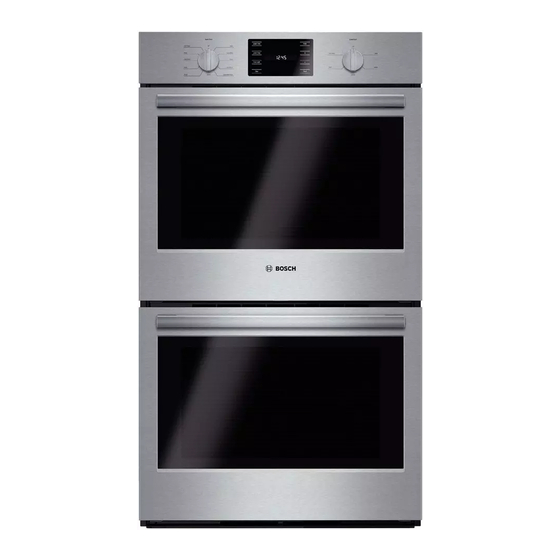
Bosch HBL53 Use And Care Manual
Hide thumbs
Also See for HBL53:
- Use and care manual (72 pages) ,
- Installation manual (56 pages) ,
- Installation instructions manual (11 pages)
Table of Contents
Advertisement
Available languages
Available languages
Quick Links
Advertisement
Chapters
Table of Contents

Related Manuals for Bosch HBL53


Summary of Contents for Bosch HBL53
- Page 1 Built-In Ovens 500 SERIES HBL53, HBL54, HBL55, HBL56...
-
Page 2: Table Of Contents
Cooking charts ......26 Convection Bake (some models) ... 14 This Bosch Appliance is made by BSH Home Appliances Corporation... -
Page 3: About This Manual
About This Manual How This Manual is Organized Safety Definitions You can get the most out of your new oven by reading this manual from beginning to end. This way, you will 9 WARNING systematically get to know your appliance and become This indicates that death or serious injuries may familiar with its operation and features. -
Page 4: Safety
9 IMPORTANT SAFETY INSTRUCTIONS READ AND SAVE THESE INSTRUCTIONS Safety If materials inside an oven should ignite, keep door closed. Turn off the appliance and disconnect the circuit at the 9 WARNING circuit breaker box. When properly cared for, your new appliance has Use this appliance only for its intended purpose as been designed to be safe and reliable. - Page 5 9 IMPORTANT SAFETY INSTRUCTIONS READ AND SAVE THESE INSTRUCTIONS Burn Prevention or storage drawer. This can damage the appliance, and the unit may tip over, potentially causing severe injury. DO NOT TOUCH HEATING ELEMENTS OR INTERIOR SURFACES OF OVEN — Heating elements may be hot Do not allow children to use this appliance unless closely even though they are dark in color.
- Page 6 9 IMPORTANT SAFETY INSTRUCTIONS READ AND SAVE THESE INSTRUCTIONS When Self Cleaning, confirm that the door locks and will not open. If the door does not lock, do not run Self Clean. Contact service. Wipe out excessive spillage before Self Cleaning the oven. Birds have very sensitive respiratory systems .
-
Page 7: Getting Started
Getting Started Parts Picture shows a double oven. Your appliance may vary slightly. Cooling Fan The cooling fan runs during all cooking modes. The fan can Control Panel be heard when it is running, and warm air may be felt as it is released from the oven vent. -
Page 8: Accessories
Oven Bottom Flat Rack The oven bottom conceals the lower heating element. As a The rack is designed with a stop so it will stop before result the element is protected from damage and spills. coming completely out of the oven and not tilt. Note: Inserting Flat Rack into Oven: Do not place food directly on the oven bottom. -
Page 9: Control
Control Double Convection Oven Control Panel Double Non-Convection Oven Control Panel Single Convection Oven Control Panel Single Non-Convection Oven Control Panel Touchpads Upper Oven Mode Dial Switches to the upper oven in double oven models. Press before changing Oven Mode Dial settings for the upper oven (double Display, 8 button oven models only). -
Page 10: Before Using The Oven For The First Time
Clears the kitchen timer when editing Operation or when finished. About the Appliance Sets and displays the kitchen timers (double ovens, Timer for single Your new oven combines premium cooking results and ovens). The timers do not control the simple operation. oven activities. -
Page 11: Setting The Cooking Mode And Temperature
If no change is entered for 3 seconds the time Setting the Cooking Mode and temperature for Single Ovens displayed will be saved. Single Convection Oven Control Panel Setting the Cooking Mode and Temperature Setting the Cooking Mode and temperature for Double Ovens Double Oven Control Panel 1. -
Page 12: Timer
Timer Sabbath Mode Setting the timer: The Sabbath Mode enables those of particular faiths to use their ovens on the Sabbath. Sabbath Mode can be entered at any time during a bake cycle only. To set the Sabbath Mode: 1. Turn the Cooking Mode Dial to Bake. 2. -
Page 13: Customer Settings
Note: The following settings can be adjusted: • Pressing any of the touchpads while the oven is in Settings Menu item Description Sabbath mode will have no effect. Turn the Cooking (Default) Mode Dial to Off to cancel Sabbath Mode. S1: Clock 12-hour or 24-hour 1=12hr... -
Page 14: Temperature Offset
Settings Getting the Most Out of Menu item Description (Default) Your Appliance Convection Sets the oven offset Oven value (affects upper cavity only on double ovens). S6: Oven General Tips This value is added to the Temperature oven cavity temperature Offset set point (makes oven Pan Placement... -
Page 15: Bake
Preheating the Oven Some manufacturers recommend reducing the temperature 25 ºF when using this type of pan. Follow • Place oven racks in desired position before heating the manufacturers' recommendations. oven. • Insulated cookie sheets or bakeware will increase the •... -
Page 16: Convection Bake (Some Models)
Bake 27” appliances: 30” appliances: Bake is cooking with dry, heated air. Both the upper and lower elements cycle to maintain the oven temperature. The Bake mode can be used to prepare a variety of food items, from pastries to casseroles. Refer to recipe or package directions for oven temperature and baking time. -
Page 17: Pizza
Pizza Roast (some models) In the Pizza mode, heat from the Roast uses both the upper and lower upper and lower elements is elements to maintain the oven circulated throughout the oven by the temperature. Roasting uses more convection fan. intense heat from the upper element than the lower element. -
Page 18: Convection Roast
Convection Roast • Steaks and chops should be at least ¾" thick. (some models) • Brush fish and poultry with butter or oil to prevent Convection Roast uses heat from sticking. the top and bottom elements as well • Use a broil pan and grid (or a deep pan with a metal as heat circulated by the convection rack) designed to drain fats and oils away from the fan. -
Page 19: Warm
Warm In Warm, the upper and lower elements maintain a low temperature in the oven cavity in order to keep food at serving temperature. • Use the Warm mode to keep cooked foods hot until ready to serve. • Warm mode temperatures are 150 ºF – 225 ºF. •... -
Page 20: Cleaning And Maintenance
Cleaning and Maintenance Cleaning Self Clean 9 WARNING Children should not be left alone or unattended in an area where appliances are in use. During the Self Clean cycle, parts of the appliance may become potentially harmful to persons who lack adult knowledge of appliances and adult reactions to potentially harmful conditions. -
Page 21: Avoid These Cleaners
Part Recommendations Glass Wash with soap and water or glass cleaner. Use Fantastik® or Formula 409® to remove grease spatters and stubborn stains. Painted Clean with hot soapy water or apply Surfaces Fantastik® or Formula 409® to a clean sponge or paper towel and wipe clean. -
Page 22: Maintenance
Maintenance To change the bulb: 1. Turn off power to the oven at the main Replacing an Oven Light power supply (fuse or breaker box). 9 WARNING 2. Remove the glass • Make sure the appliance and lights are cool and cover by unscrewing power to the appliance has been turned off it. -
Page 23: Removing The Oven Door
Removing the Oven Door 4. Close the oven door until it catches on the 9 WARNING hinge stop levers. The door will be open When removing the door: about 7 inches at the • Make sure oven is cool and power to the oven top. - Page 24 To replace the oven door: 1. Holding the door firmly in both hands, place hinges in hinge slots. 2. Catch the small slot at the base of the hinge (A) in the bottom of the hinge slot (B) in the oven body.Then tilt the door inward and slide the hinges into place.
-
Page 25: Service
Service Before Calling Service Possible Causes and Suggested Oven Problem Solutions Troubleshooting Chart Oven is not Self Allow the oven to cool before Possible Causes and Suggested Cleaning running Self Clean. Always wipe out Oven Problem Solutions properly. loose soils or heavy spillovers before running Self Clean. -
Page 26: Statement Of Limited Product Warranty
Out of Warranty Product necessary to effectuate warranty coverage, it is the best way for Bosch to notify you in the unlikely event of a safety Bosch is under no obligation, at law or otherwise, to notice or product recall. - Page 27 God. In no event shall Bosch have any liability or responsibility whatsoever for damage to surrounding property, including cabinetry, floors, ceilings, and other structures or objects around the Product.
-
Page 28: Cooking Charts
Cooking Charts BAKED GOODS/ENTREES Food Recommended Oven Pre- Number Rack Time Pan Size & Type heat of Racks Cooking Mode Tempera- Position (min.) Oven ture Cakes Angel Food Convect.Bake 325°F Single 35-50 10˝ tube Bundt Convect.Bake 325°F Single 45-65 12-cup bundt Cupcakes Conv. - Page 29 BAKED GOODS/ENTREES Food Recommended Oven Pre- Number Rack Time Pan Size & Type heat of Racks Cooking Mode Tempera- Position (min.) Oven ture Pastries Cream Puffs Conv. Multi-Rack 400°F Single 23-33 cookie sheet Conv. Multi-Rack 400°F Multiple 2 & 5 23-33 cookie sheet Conv.
- Page 30 MEATS Food Recommended Oven Rack Internal Cooking Time Food Stand Time Cooking Mode Temperature Position Temperature Covered (minutes unless specified) Beef Chuck Roast, Roast 350°F Well, 170°F none 1 1/2-2 hours 2-3 lbs Hamburgers, Broil High Medium, Side 1: 5-8 none 160°F 3/4-1inch thick...
- Page 31 MEATS Food Recommended Oven Rack Internal Cooking Time Food Stand Time Cooking Mode Temperature Position Temperature (minutes unless Covered specified) Pork Chops, Broil 145°F Side1: 5-9 3 min. 1-inch thick Side 2: 8-11 160°F Side1: 8-10 Side 2: 8-9 Chops, Convection Broil High 160°F...
- Page 32 English 30...
-
Page 33: Irvine, Ca
Entretien ....... 21 Cet appareil électroménager Bosch est fabriqué par... -
Page 34: À Propos De Ce Manuel
À propos de ce manuel Comment ce manuel est organisé Définitions concernant la sécurité Pour tirer le meilleur parti de votre nouveau four, il est recommandé de lire ce manuel dans sa totalité. Ceci vous 9 AVERTISSEMENT permettra d'apprendre à connaître systématiquement votre Ceci indique que le non respect de cet appareil et de vous familiariser avec son fonctionnement et avertissement peut entraîner des blessures graves,... -
Page 35: Sécurité
9 IMPORTANTES CONSIGNES DE SÉCURITÉ LIRE ET CONSERVER CES CONSIGNES Sécurité débrancher l'appareil de l'alimentation secteur et téléphoner à un technicien qualifié. 9 AVERTISSEMENT Votre nouvel appareil a été conçu pour un Sécurité-incendie fonctionnement sûr et fiable si vous en prenez bien Ne pas utiliser de papier aluminium ou de doublure de soin. - Page 36 9 IMPORTANTES CONSIGNES DE SÉCURITÉ LIRE ET CONSERVER CES CONSIGNES • Utiliser un extincteur UNIQUEMENT si : Toujours utiliser des poignées isolantes sèches. Des poignées mouillées ou humides entrant en contact avec les 1) On sait que l'on possède un extincteur de CLASSE surfaces ABC, et on en connaît déjà...
- Page 37 9 IMPORTANTES CONSIGNES DE SÉCURITÉ LIRE ET CONSERVER CES CONSIGNES Sécurité de la batterie de cuisine 9 AVERTISSEMENT Ne pas placer les aliments directement sur la sole du four. Avertissements conformément à la Proposition 65 de l'État de Californie : Observer les instructions du fabricant lors de l'utilisation Ce produit contient des substances chimiques des sacs de cuisson ou à...
-
Page 38: Démarrage
Démarrage Pièces Illustration d'un four double. Votre appareil peut différer légèrement de cette illustration. Ventilateur de refroidissement Le ventilateur de refroidissement tourne pendant tous les Panneau de commande modes de cuisson. On peut l'entendre fonctionner et sentir parfois de l'air chaud s'échapper de l'évent du four. Le Joint de porte ventilateur peut également fonctionner une fois le four Ventilateur à... -
Page 39: Accessoires
Sole du four Grille plate La sole du four abrite l'élément chauffant inférieur. Ceci La grille est conçue avec une butée qui retient la grille permet de protéger l'élément des dommages et des avant qu'elle sorte complètement du four et l'empêche de déversements. -
Page 40: Commandes
Commandes Panneau de commande - Four double anneau de commande - Four double sans convection Panneau de commande - Four simple Panneau de commande - Four simple sans convection Touches à effleurement Sélecteur de mode du four supérieur Passe au four supérieur dans les modèles à... -
Page 41: Avant La Première Utilisation Du Four
Met la minuterie de cuisine à zéro lors Fonctionnement de l'édition ou lorsqu'elle s'éteint. À propos de l'appareil Règle et affiche les minuteries de cuisine (fours doubles, Minuterie Votre nouveau four réunit des résultats de cuisson pour les fours simples). Les supérieurs et un fonctionnement tout simple. -
Page 42: Réglage Du Mode De Cuisson
5. Utiliser les touches à effleurement + ou - pour régler pouvoir modifier la température. Appuyer sur Four les minutes. supérieur ou sur Four inférieur pour sélectionner un four. Remarque : Le fait d'appuyer sur la touche à effleurement + ou - et de maintenir cette touche Réglage du mode de cuisson et de la température - enfoncée pendant six secondes fera défiler les minutes Fours simples... -
Page 43: Minuterie
Minuterie Mode Shabbat Régler la minuterie : Le mode Shabbat permet aux personnes de religions spécifiques d'utiliser leur four le jour du Shabbat. Le mode Shabbat peut être saisi à n'importe quel moment au cours d'un cycle de cuisson uniquement. Régler le mode Shabbat : 1. -
Page 44: Réglages Client
6. Si aucune modification n'est effectuée pendant 3 2. Appuyer sur Horloge pour faire défiler la liste des secondes, ou si l'on appuie sur Minuterie, le mode réglages. Shabbat démarre et la minuterie amorce le compte à 3. Appuyer sur + ou - pour modifier le réglage. rebours par incréments de 1 minute, jusqu'à... - Page 45 Réglages Réglages Éléments de Éléments de Description (Par Description (Par menu menu défaut) défaut) Fours à Active ou désactive Four à Règle la valeur de convection l'ajustement de la Activer convection décalage du four (impacte conversion convection la cavité inférieure S5 : S7 : auto des températures de...
-
Page 46: Tirer Le Meilleur Parti De Votre Appareil
les petits rôtis ou volailles, les Tirer le meilleur parti de gâteaux Bundt, les tartes, le pain 1 (position la les gros rôtis, la dinde, le gâteau des votre appareil plus basse) anges Conseils généraux Papier aluminium Ne pas utiliser de papier aluminium ou de doublure de Mise en place des ustensiles de cuisson protection pour revêtir toute partie de l'appareil, et en particulier la sole du four. -
Page 47: Cuisson
Pour de meilleurs résultats Plage de température par mode de cuisson • Utiliser les recommandations de cuisson comme guide. • Ouvrir la porte aussi brièvement que possible pour Mode Le plus Le plus éviter les chutes de température. faible élevé •... - Page 48 Cuisson à convection petits gâteaux. Ce mode convient également à la cuisson (certains modèles) simultanée sur plusieurs grilles (2 ou 3). La cuisson des Le mode Cuisson par Convection biscuits peut se faire sur 6 grilles différentes est similaire au mode Cuisson. La simultanément.
-
Page 49: Rôtissage
Pizza Rôtissage (certains modèles) En mode Pizza, la chaleur diffusée Le mode Rôtissage utilise à la fois par les éléments supérieur et inférieur les éléments supérieur et inférieur circule dans la cavité du four grâce au pour maintenir la température du four. ventilateur à... -
Page 50: Cuisson Gril
Rôtissage Convection ragoûts. Toujours faire griller les aliments avec la porte (certains fermée. Les avantages du mode Cuisson Gril comprennent Le mode Rôtissage Convection utilise la chaleur diffusée par les éléments supérieur et inférieur ainsi • Une cuisson rapide et efficace. que la chaleur qui circule dans la •... -
Page 51: Maintien Au Chaud
Outre les avantages de la cuisson au gril normale, le mode 9 ATTENTION Cuisson Gril Convection est plus rapide. lors de l'utilisation du mode Maintien au Chaud, Conseils : suivre les recommandations suivantes : • Préchauffer le four pendant 3 à 4 minutes. Ne pas •... -
Page 52: Nettoyage Et Entretien
Nettoyage et entretien Nettoyage 6. Appuyer sur la touche + ou -. L'écran affiche la durée de Nettoyage Auto par défaut, soit « 3:00 » heures. Appuyer sur la touche + ou - pour augmenter ou Nettoyage Auto diminuer la durée du nettoyage automatique. La durée maximale est 4 heures et la durée minimale est 2 9 AVERTISSEMENT heures. -
Page 53: Éviter Ces Produits Nettoyants
toutes les minuteries en fonctionnement avant de Ne jamais utiliser de détergents contenant de l'eau de javel tenter de lancer le mode Nettoyage Auto. Clorox ®. 3. Tourner le Sélecteur du mode de cuisson Guide de nettoyage correspondant à la cavité du four sélectionné (supérieur ou inférieur) sur Nettoyage Auto. -
Page 54: Entretien
Spécifications des ampoules : Pièce Recommandations Surfaces en Toujours essuyer ou frotter dans le Largeur du four Description de Illustration acier inoxydable sens du grain. Nettoyer avec une l'ampoule éponge savonneuse puis rincer et 27 po (69 cm) 25 Watts, sécher, ou essuyer avec du 25WPRE14, Fours de la... -
Page 55: Démontage De La Porte Du Four
Démontage de la porte du four Changer l'ampoule : 1. Couper l'alimentation du four au tableau de 9 AVERTISSEMENT distribution principal Lors du démontage de la porte du four : (boîte à fusibles ou • Avant de démonter la porte, s'assurer que le boîtier de four est froid et que le courant qui l'alimente a disjoncteurs). - Page 56 Remontage de la porte du four : 3. Mettre les deux leviers de charnière en 1. En tenant fermement position abaissée la porte des deux comme le montre mains, placer les l'illustration. Les charnières dans leurs charnière gauche et logements. droite de la porte diffèrent légèrement 2.
-
Page 57: Réparation
Réparation Avant d'appeler le service Problème de Causes possibles et solutions four suggérées de dépannage L'éclairage Remplacer l'ampoule ou la remettre Problème de Causes possibles et solutions fonctionne mal. en place si elle a du jeu ou si elle est four suggérées défectueuse. -
Page 58: Plaque Signalétique
Problème de Causes possibles et solutions four suggérées De l'air chaud ou Il est normal de voir ou de sentir de de la vapeur la vapeur ou de l'air chaud s'échappent de s'échapper de l'évent du four. Ne l'évent du four. pas obstruer l'évent. -
Page 59: Énoncé De Garantie Limitée
DU PRODUIT de ces pièces. La seule obligation et responsabilité de Bosch en vertu des présentes est de réparer seulement le Produit présentant un défaut de fabrication, par l'entremise Couverture de la garantie et à qui elle d'un prestataire de services agréé... - Page 60 écrite d'un représentant de BSH. naturelles. En aucun cas Bosch n'assumera la moindre responsabilité pour des dommages survenus à la propriété environnante, y compris armoires, planchers, plafonds et autres structures ou objets autour du Produit. Sont également exclus de la présente garantie les griffures, les entailles,...
-
Page 61: Tableaux De Cuisson
Tableaux de cuisson PRODUITS DE BOULANGERIE/PLATS PRINCIPAUX Aliments Recommandés Four Pré- Nombre Position Durée Taille et type chauf- de grilles d'ustensile Mode de Tempéra- de grille (min) fer le cuisson ture four Gâteaux Gâteau des anges Cuisson par 325° F 35 - 50 Moule à... - Page 62 PRODUITS DE BOULANGERIE/PLATS PRINCIPAUX Aliments Recommandés Four Pré- Nombre Position Durée Taille et type chauf- de grilles d'ustensile Mode de Tempéra- de grille (min) fer le cuisson ture four Bâtonnets de Aliments surgelés voir durée indi- tôle à biscuits poisson emballage quée sur l'emballage...
- Page 63 PRODUITS DE BOULANGERIE/PLATS PRINCIPAUX Aliments Recommandés Four Pré- Nombre Position Durée Taille et type chauf- de grilles d'ustensile Mode de Tempéra- de grille (min) fer le cuisson ture four Pizza Pierre de cuisson Pizza 425° F durée indi- Pierre de cuisson (218°...
- Page 64 VIANDES Aliments Mode de Tempéra- Position Tempéra- Durée de Ali- Durée de cuisson ture du four ture interne cuisson ments repos recommandé grilles cou- en minutes sauf verts indication parti- culière) Bœuf Rôti de palette, Rôtissage 350° F Bien cuit, 1 1/2 - 2 heures aucun (176°...
- Page 65 VIANDES Aliments Mode de Tempéra- Position Tempéra- Durée de Ali- Durée de cuisson ture du four ture interne cuisson ments repos recommandé grilles cou- en minutes sauf verts indication parti- culière) Rôti de longe, Rôtissage 350° F 145° F 16 - 30 min/lb 30 min Convection (176°...
- Page 66 VIANDES Aliments Mode de Tempéra- Position Tempéra- Durée de Ali- Durée de cuisson ture du four ture interne cuisson ments repos recommandé grilles cou- en minutes sauf verts indication parti- culière) Non farcie, Rôtissage 325° F 180° F 9 - 14 min/lb Alumi- 15 - 20 min Convection...
- Page 67 Français 34...
- Page 68 1901 Main Street,, Suite 600, Irvine, CA 92614 • 800-944-2904 • www.bosch-home.com 9000882006 • Rev. A • 12/13 © BSH Home Appliances Corporation, 2013 • All rights reserved...
Need help?
Do you have a question about the HBL53 and is the answer not in the manual?
Questions and answers