Sign In
Upload
Manuals
Brands
Gigamon Manuals
Network Hardware
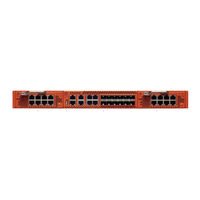
GigaVUE-TA100-CXP
Gigamon GigaVUE-TA100-CXP Manuals
Manuals and User Guides for Gigamon GigaVUE-TA100-CXP. We have
4
Gigamon GigaVUE-TA100-CXP manuals available for free PDF download: Hardware Installation Manual, Installation Manual
Gigamon GigaVUE-TA100-CXP Hardware Installation Manual (102 pages)
Brand:
Gigamon
| Category:
Network Hardware
| Size: 17 MB
Table of Contents
Table of Contents
3
Introducing the Gigavue TA Series
9
About the Gigavue Family
9
Gigavue TA Series Features and Benefits
9
Standard H Series Features
10
Gigavue TA Series Overview
11
Gigavue TA Series Nodes
12
Air Flow Direction
13
Displaying Power and Voltage Information
13
Introducing the Gigavue-TA40 Chassis
14
Air Flow Direction
16
AC and DC-Powered Gigavue-TA40 Models
16
Introducing the Gigavue-TA100 Chassis
16
Chassis Cooling
18
Power Leds
20
System LED
20
Port Status Leds
20
Global Fan LED
20
Individual Fan Leds
21
Individual Power Leds
21
Gigavue-TA100 Notes and Rules
21
Dual BIOS Images
22
Software Upgrade Using USB Drive
23
Air Flow Direction
23
AC and DC-Powered Gigavue-TA100 Models
23
Battery Caution
23
Introducing the Gigavue-TA100-CXP Chassis
23
Chassis Cooling
26
Power Leds
27
System LED
27
QSFP28 Port Status Leds
27
CXP Port Status Leds
28
Global Fan LED
28
Individual Fan Leds
28
Individual Power Leds
28
Gigavue-TA100-CXP Notes and Rules
28
Dual BIOS Images
29
Software Upgrade Using USB Drive
29
Air Flow Direction
30
AC and DC-Powered Gigavue-TA100-CXP Models
30
Battery Caution
30
Introducing the Gigavue-TA200 Chassis
30
Chassis Cooling
33
Power Leds
35
System LED
35
Port Status Leds
35
Global Fan LED
35
Individual Fan Leds
36
Individual Power Leds
36
Gigavue-TA200 Notes and Rules
36
AMI BIOS Images
37
Air Flow Direction
37
AC and DC-Powered Gigavue-TA200 Models
37
Battery Caution
37
Configure the Card Mode - 40Gb/10Gb Support
38
Configuring the Card Mode on Gigavue-TA10
38
Configure the Port Mode
39
Breakout Panels
40
Installation and Setup Roadmap
41
Getting Unpacked, Racked, Installed and Connected
41
Rack-Mounting Gigavue TA Series
42
Unpacking the Gigavue Traffic Aggregator
42
Rack-Mounting the Gigavue TA Series
42
Two-Post Rack Methods
43
Four-Post Rack Methods
44
Basic Connections and Configuration
47
Grounding the Gigavue TA Series Chassis
47
Avoid Electrostatic Damage
48
Connecting Power to the Gigavue TA Series
48
Connecting -48V DC Power Supplies
50
Replacing Fans
51
Connecting Serial Console and Mgmt Ports
51
Configuring Basic Settings
52
Access the Command-Line Interface over the Console Port
53
Port Licensing
57
Gigavue-TA10A
57
Gigavue-TA100
57
Gigavue-TA200
58
Enabling Additional Ports
58
Advanced Features Licensing
59
Command-Line Basics
59
Command-Line Modes
59
Entering Commands in the CLI
60
The Basic Commands
63
Completing the Initial Setup
66
Enter the Configure Command-Line Mode
67
Ssh2
67
Initial User Account Configuration
68
Configuring the Gigavue TA Series Host Name
70
Configuring Gigavue TA Series Node's Time Options
70
Enabling the Web Server
72
Configuring Automatic Email Notifications
74
Using a Custom Banner
75
Saving Changes
76
Connecting Ports on Gigavue TA Series
77
Transceiver-Rules and Notes
77
Bidi Optics Considerations
77
Transceiver Installation Instructions
78
Installing Transceivers
78
Removing Transceivers
78
Cabling
78
MPO/MTP 12 Position Fiber Cable for Use with SR4 Transceivers
79
MTP/APC Fiber Cable for Use with QSFP+ PLR4 Transceivers
79
MPO/MTP 24 Position Fiber Cable for Use with SR10 Transceivers
80
TA Series Specifications
81
Physical Dimensions and Weight
81
Power Requirements
82
Fan Tray Specification for Gigavue-TA100 and TA100-CXP
83
Fan Tray Specification for Gigavue-TA200
83
Environmental Specifications
83
Standards and Protocols
84
Compliance
84
Safety
85
Emissions
85
Immunity
85
Environmental
85
Security
86
BSMI Rohs
86
VCCI
86
Warranty
87
Regulatory Labels
87
Gigavue-TA10
87
Gigavue-TA40
88
Gigavue-TA100
88
Gigavue-TA100-CXP
89
Gigavue-TA200
89
Console Port Signaling and Cabling
91
NEBS Level 3 Compliance
94
Installation Instructions Gigavue-TA10, TA40, TA100, TA200
94
Intrabuilding or Intra-Connection for Gigavue-TA10
94
Intrabuilding or Intra-Connection for Gigavue-TA40
94
Intrabuilding or Intra-Connection for Gigavue-TA100
94
Intrabuilding or Intra-Connection for Gigavue-TA200
95
Intrabuilding Ports (RJ45)
95
Class A2 Voltage Accessibility
95
Class B Voltage Accessibility
95
Equipment Grounding Systems
95
Communication Equipment Grounding
96
Bonding of Battery Return (BR) Input Terminals
96
Connections
96
Input AC/DC Voltage
97
Commercial Power Ports
97
Maintenance
97
Additional Sources of Information
98
Documentation
98
Documentation Feedback
101
Contact Technical Support
101
Contact Sales
101
Advertisement
Gigamon GigaVUE-TA100-CXP Installation Manual (82 pages)
Brand:
Gigamon
| Category:
Network Hardware
| Size: 2 MB
Table of Contents
Change Notes
2
Table of Contents
3
About the Gigavue H Series and TA Series
7
Gigavue-HC1P Overview
7
Introducing the Gigavue-HC1P Chassis
8
Hardware Root of Trust (Hrot)
10
Dual BIOS Image
10
Chassis Cooling
11
Air Flow Direction
14
AC- and DC-Powered Gigavue-HC1P
14
Breakout Panels
14
Gigavue-HC1P Base Chassis
15
Port Numbering
15
Module Status Leds
16
System LED
16
PSU Led
16
Management Port LED
16
Fan Status LED
17
Base Chassis Port Status Leds
17
Gigavue-Hc1Pmodules
17
Bypass Modules (BPS-HC1-D25A60 SX/SR, BPS-HC1-D35C60 LX/LR)
18
Module Status Leds
20
Inline Network Ports
20
Using Bypass Modules for Gigamon Resiliency for Inline Protection
20
SMT-HC1A-R Module
20
PRT-HC1-Q04X08 Module
21
Features
21
Module LED
22
Port Status LED
22
SMT-HC1-S (Gen 3 Gigasmart Card)
22
Ports & Leds
23
Upgrading Plds
23
Gigavue-HC1P Installation Roadmap
24
First Steps - Getting Unpacked, Racked, Installed and Connected
24
Next Steps
25
Assembling the Gigavue-HC1P Node
26
Unpacking the Gigavue-HC1P Shipment
26
Rack-Mounting the Gigavue-HC1P Chassis
27
Safety Precautions
27
Rack-Mounting on Gigavue-HC1P
27
Four-Post Rack Mounting
28
Installing and Removing Modules Procedure
29
Hot Swapping Modules
29
Module Installation Procedure
29
Module Removal and Replacement Procedure (Hot Removal)
30
Replacing a Module with the same Type of Module
30
Replacing a Module with a Different Type of Module
30
Fan Replacement Procedure
31
Next Steps
31
Basic Gigavue H Series Connections and Configuration
31
Grounding the Gigavue-HC1P Chassis
32
Connecting Power to the Gigavue-HC1P
32
Removing a Power Supply Module
33
Connecting -48V DC Power Supply Modules
34
Connecting Serial Console and Mgmt Ports
35
Configuring Basic Gigavue- H Series Settings
35
Access the Command-Line Interface over the Console Port
35
Run the Jump-Start Script
37
Configure Modules and Enable Ports
39
Command-Line Basics
41
Command-Line Modes
41
Differences in Commands for Admin and Default Level Users
41
Entering Commands in the CLI
43
Command-Line Syntax - Entering Commands
44
Configure Mode Syntax
44
Paging through CLI Output
45
Command-Line Syntax - Entering Commands
46
The Basic Commands
47
Completing the Initial Gigavueh Series Setup
51
Enter the Configure Command-Line Mode
51
Ssh
52
Advantages of SSH2
52
Verifying Host Keys During Connection
53
Changing Host Keys
53
Enabling the Gigavue H Series Web Server
53
Connecting to the Gigavue H Series Node from Gigavue-FM
54
Configuring Gigavue H Series Time Options
56
Setting Time Manually
56
Performing One-Time NTP Server Synchronization
56
Using NTP Time Server for Clock Synchronization
57
Configuring Automatic Email Notifications
58
Using a Custom Banner
59
Saving Changes
60
Connecting Gigavue-HC1P Ports
60
Transceiver-Rules and Notes
61
Transceiver Installation Instructions
61
Installing Transceivers
61
Removing Transceivers
62
Bypass Module Specifications
62
Connecting Gigavue-HC1P Module Ports
63
Enabling Modules and Ports
63
Setting Port Parameters Manually
65
Forcelinkup and Enabling/Disabling Ports
66
Gigavue-HC1P Specifications
66
Physical Dimensions and Weight
66
Battery Caution
67
Compliance
67
Safety
67
Emissions
67
Class a Information Technology Equipment (ITE)
68
Class a Korea Caution
68
Immunity
68
Environmental
69
Security
69
Power Requirements
69
Environmental Specifications
69
Standards and Protocols
70
Warranty
70
Console Port Signaling and Cabling
70
NEBS Level 3 Compliance
71
Installation Instructions Gigavue-HC1P
71
Intrabuilding or Intra-Connection
72
Intrabuilding Ports (RJ45)
72
Class A2 Voltage Accessibility
72
Class B Voltage Accessibility
72
Equipment Grounding Systems
72
Communication Equipment Grounding
72
Connections
73
Maintenance
73
Additional Sources of Information
74
Documentation
74
How to Download Software and Release Notes from My Gigamon
76
Documentation Feedback
77
Contact Technical Support
78
Contact Sales
79
Premium Support
79
The Gigamon Community
79
Glossary
81
Gigamon GigaVUE-TA100-CXP Hardware Installation Manual (55 pages)
Brand:
Gigamon
| Category:
Network Hardware
| Size: 15 MB
Table of Contents
Gigavue-TA25E Hardware Installation Guide
1
Change Notes
3
Table of Contents
4
Contents
4
About the Gigavue TA Series Family
5
Gigavue TA Series Overview
5
Gigavue TA Series Nodes
6
Gigavue TA Series Features and Benefits
8
Introducing the Gigavue-TA25E Chassis
10
Breakout Modes
19
Breakout Panels
20
Getting Unpacked, Racked, Installed and Connected
21
Unpacking the Gigavue TA Series Traffic Aggregator
21
Rack Mounting Gigavue-TA25E
22
Attach the Brackets
22
Adjust Rear-Post Bracket Ears
23
Basic Connections and Configuration
23
Grounding the Gigavue-TA25E
23
Connecting Power to Gigavue-TA25E
24
Replacing Fans
25
Connecting Serial Console and Mgmt Ports
25
Advanced Feature Licensing Gigavue-TA25E
26
Command-Line Basics
26
The Basic Commands
30
Completing the Initial Setup
32
Connecting Ports on Gigavue TA Series
41
Transceiver-Rules and Notes
41
Bidi Optics Considerations
42
Transceiver Installation Instructions
42
Installing Transceivers
42
Removing Transceivers
42
MPO Cabling
43
Gigavue TA Series Specifications
45
Physical Dimensions and Weight
45
Power Requirements
45
Environmental Specifications
46
Compliance Gigavue-TA25E
46
Advertisement
Gigamon GigaVUE-TA100-CXP Installation Manual (91 pages)
Brand:
Gigamon
| Category:
Network Hardware
| Size: 23 MB
Advertisement
Related Products
Gigamon GigaVUE-TA10
Gigamon GigaVUE-TA10(EOS)
Gigamon GigaVUE-TA100(EOS)
Gigamon GigaVUE-TA100-CXP(EOS)
Gigamon GigaVUE-TA100
Gigamon GigaVUE-TA1
Gigamon GigaVUE-TA200
Gigamon GigaVUE-TA25E
Gigamon GigaVUE-TA200E
Gigamon GigaVUE-TA40(EOS)
Gigamon Categories
Network Hardware
Gateway
More Gigamon Manuals
Login
Sign In
OR
Sign in with Facebook
Sign in with Google
Upload manual
Upload from disk
Upload from URL