Sign In
Upload
Manuals
Brands
Blaupunkt Manuals
Car Stereo System
7 646 580 310
User Manuals: Blaupunkt 7 646 580 310 Car Stereo System
Manuals and User Guides for Blaupunkt 7 646 580 310 Car Stereo System. We have
1
Blaupunkt 7 646 580 310 Car Stereo System manual available for free PDF download: Operating Instructions Manual
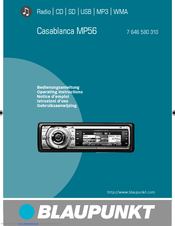
Blaupunkt 7 646 580 310 Operating Instructions Manual (69 pages)
Radio/CD/SD/USB/MP3/WMA
Brand:
Blaupunkt
| Category:
Car Stereo System
| Size: 2 MB
Table of Contents
Table of Contents
4
About These Instructions
7
For Your Safety
7
Scope of Delivery
8
Warranty
8
Device Overview
9
Controls
9
Detaching/Attaching the Control Panel
10
Placing the Device in Operation
10
Switching the Device On/Off
11
General Functions
11
Inserting a CD
11
Connecting the USB Medium
12
Inserting an MMC/SD Card
12
Operation with Telephone
13
Adjusting the Volume
13
Muting the Device
13
Selecting an Audio Source
14
The Audio CD Display
15
The Tuner Display
15
The CD Changer Display
16
Overview of the Operation
17
Overview of the Buttons
17
Switching Random Track Play On/Off (MIX)
18
RPT, and TRAFFIC
18
Buttons for Menu Operation
19
Scanning Titles (SCAN)
19
Selecting a Menu Item in the Settings Menu
20
Example of a Menu Operation
20
Calling up a Menu
20
Changing and Saving a Setting
21
Exiting a Menu Item
21
Manually Searching for Stations
22
Searching for Stations
22
Operating the Tuner
22
Automatically Searching for Stations
23
Listening to Stored Stations
24
Storing Stations
24
Set the Device to the Region Europe, USA or Thailand
25
Priority of Traffi C Announcements On/Off (TRAFFIC)
26
Changing the Seek Tuning Sensitivity (SENS)
27
Switching the Display of Radio Text On/Off (R-TEXT)
27
The FMT Memory Bank (T-STORE)
27
Changing to Other Regional Programmes (REGIONAL)
28
Reception (HIGH CUT)
28
Toggle between Mono and Stereo Operation (MONO)
29
Permanently Switching the Priority of Traffi C Announcements On/Off
30
Receiving Traffi C Announcements
30
Skipping a Traffi C Announcement
30
Traffi C Announcements (TA)
30
What Features Do MP3 or WMA Cds Have to Have
32
Operating the Inte Grated CD Player
32
Functions of the Integrated CD Player if an Audio CD Is Inserted
33
Switching the Scrolling Text for CD Text On/Off (SCROLL)
34
Switching the CD Text Display On/Off (TEXT)
34
Operating the MP3/WMA Player
35
Selecting the Title Information to be Displayed (INFO)
36
Operating the Optional CD Changer
39
Selecting a CD from the CD Magazine (CD Overview)
40
Settings Menu
41
Volume Distribution
42
Changing the Equalizer Setting (DEQ)
43
Creating/Changing a User-Defi Ned Equalizer Setting (ADJUST)
44
Which Equalizer Setting Is the Correct One
46
Volume Increase (AUTO SND)
47
Adjusting the Display Viewing Angle (ANGLE)
50
Colour (USER)
50
Inverting the Display (INVERT)
51
Screen Saver (SCREEN S)
51
Switching the Spectrum Analyser On/Off (SPECTRUM)
51
Changing the Presetting of the Power-On Volume (on VOL)
53
Changing the Volume Presetting of the Signal Tone (BEEP)
53
Changing the Volume Presetting of the Telephone (PHONE)
53
Restoring the Volume at Switch-On (LAST VOL)
53
Changing Clock Settings (CLOCK)
54
Setting the Time (TIME)
55
Synchronisation of the Clock On/Off (AUTOSYNC)
55
Activating/Deactivating Audio Inputs (AUX1/2)
56
Confi Guring Audio Inputs (AUX)
56
Renaming Audio Inputs (EDIT)
56
Resetting the Device to Factory Settings (NORMSET)
59
Switching the Internal Amplifi er On/Off (AMP ON)
59
Error Table
60
Technical Data
61
Glossary
62
Index
65
Advertisement
Advertisement
Related Products
Blaupunkt 7 646 460 310
Blaupunkt 7 646 450 310
Blaupunkt 7 646 175 310
Blaupunkt 7 646 775 310
Blaupunkt 7 644 821 310
Blaupunkt 7 645 260 310
Blaupunkt 7 643 194 510
Blaupunkt 7 642 295 310
Blaupunkt 7 642 285 310
Blaupunkt 7 647 503 310
Blaupunkt Categories
Car Receiver
Car Stereo System
LED TV
Speakers
Amplifier
More Blaupunkt Manuals
Login
Sign In
OR
Sign in with Facebook
Sign in with Google
Upload manual
Upload from disk
Upload from URL