Sign In
Upload
Manuals
Brands
Abbott Manuals
Measuring Instruments
Afinion 2
Abbott Afinion 2 Manuals
Manuals and User Guides for Abbott Afinion 2. We have
1
Abbott Afinion 2 manual available for free PDF download: User Manual
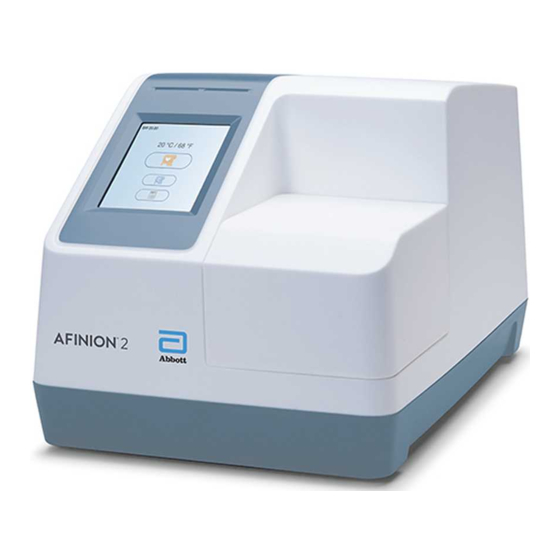
Abbott Afinion 2 User Manual (36 pages)
Brand:
Abbott
| Category:
Measuring Instruments
| Size: 6 MB
Table of Contents
Table of Contents
5
About this User Manual
7
Description of the AFINION
8
Analyzer
8
Test Cartridge
8
How the AFINION
9
System Works
9
Internal Process Control
9
The Analyzer Self-Test
9
The Fail-Safe Mechanisms
9
External Process Control
9
Patients ID
9
Operator ID
9
Quality Control Lockout
9
Calibration
9
Installing Your Analyzer
10
Connecting Power Supply
10
Connecting Additional Equipment
10
Connectivity
10
How to Power on the Analyzer
11
How to Power off the Analyzer
11
How to Operate the Analyzer
11
The AFINION
12
Menus
12
Setting the Configuration
13
Patient ID Configuration
13
Patient ID Enable/Disable
13
Operator Configuration
14
Operator ID Enable/Disable
14
Operator Login Expiration
14
Operator List Management
14
Choosing Language
15
Adjusting Screen/Beeper Settings
15
Setting Date and Time
15
QC Lockout Configuration
16
General Settings
17
Erase All Contents and Configuration
17
Analyzer Network Settings
17
Connectivity Settings
18
Why Quality Control Testing
19
Choosing Control Material
19
Handling and Testing Controls
19
Frequency of Control Testing
19
Testing Procedures
20
Operating Precautions
20
Analysis
20
Collecting a Sample
21
Analysing a Patient/Control Sample
21
Using the Operator ID Function
22
Entering Operator ID
22
Using the Patient ID Function
22
Entering Patient ID
22
Using the Control ID Function
23
Entering Control ID
23
Using the QC Lockout Function
23
QC Lockout Status
23
Running Controls with Enabled QC Lockout Function
24
Patient and Control Results Records
25
View, Print and Export Patient and Control Results
25
When an Information Code Appears
26
Information Codes Caused by Test-Specific Limitations
26
Information Codes Caused by Sample or Test Cartridge
27
Information Codes and Messages Caused by Analyzer Failure
27
Other Information Codes
28
Service Information
28
Cleaning and Maintenance
29
Cleaning the Exterior
29
Cleaning the Cartridge Chamber
29
Disposal of the Analyzer
29
Software Upgrade
29
AFINION ™ 2 Analyzer
31
Analyzer
31
Additional Equipment
31
The Touch Buttons and Their Function
32
Other Symbols and Signs
34
Advertisement
Advertisement
Related Products
Abbott AlphaTrak
Abbott AEROSET
Abbott Aviator
Abbott aim
Abbott aim plus
Abbott Assurity MRI
Abbott Allure RF
Abbott APM II
Abbott CONNECT ACR2-G-01
Abbott CELL-DYN 3200
Abbott Categories
Blood Glucose Meter
Medical Equipment
Measuring Instruments
Laboratory Equipment
Pulse Generator
More Abbott Manuals
Login
Sign In
OR
Sign in with Facebook
Sign in with Google
Upload manual
Upload from disk
Upload from URL