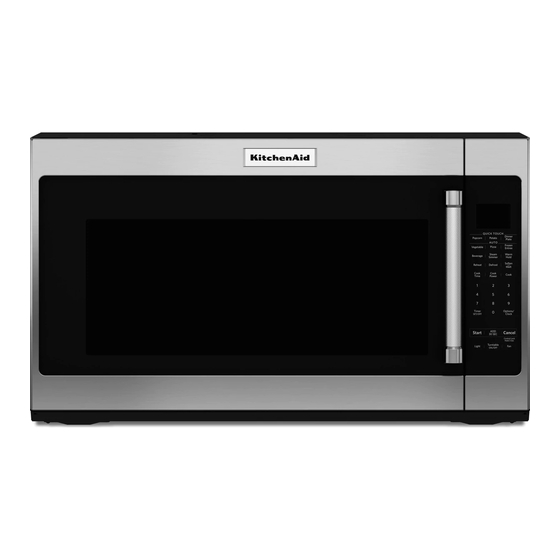
Table of Contents
Advertisement
Available languages
Available languages
Thank you for Choosing KitchenAid
We hold our company to the highest quality standards and it is important to us that you have a positive experience owning a
®
KitchenAid
product.
Register your microwave oven at www.kitchenaid.com. In Canada, register your microwave oven at www.kitchenaid.ca.
For future reference, please make a note of your model and serial number located on the front facing of the microwave oven
opening, behind the door.
Model Number__________________________________________
Para obtener acceso a "Manual del usuario de la combinación microondas campana" en español, o para obtener información
adicional acerca de su producto, visite: www.kitchenaid.com
Tenga listo su número de modelo completo. Puede encontrar su número de modelo y de serie en la etiqueta ubicada en la parte
frontal de la abertura del horno de microondas, detrás de la puerta.
MICROWAVE HOOD COMBINATION SAFETY
We have provided many important safety messages in this manual and on your appliance. Always read and obey all safety
messages.
This is the safety alert symbol.
This symbol alerts you to potential hazards that can kill or hurt you and others.
All safety messages will follow the safety alert symbol and either the word "DANGER" or "WARNING."
These words mean:
All safety messages will tell you what the potential hazard is, tell you how to reduce the chance of injury, and tell you what can
happen if the instructions are not followed.
When using electrical appliances basic safety precautions should be followed, including the following:
WARNING:
To reduce the risk of burns, electric shock, fire,
injury to persons, or exposure to excessive microwave energy:
Read all instructions before using the microwave oven.
Read and follow the specific "PRECAUTIONS TO AVOID
POSSIBLE EXPOSURE TO EXCESSIVE MICROWAVE
ENERGY" found in this section.
The microwave oven must be grounded. Connect only to
properly grounded outlet.
found in this section and in the provided Installation Instructions.
®
Appliances.
Your safety and the safety of others are very important.
DANGER
WARNING
IMPORTANT SAFETY INSTRUCTIONS
See "GROUNDING INSTRUCTIONS"
SAVE THESE INSTRUCTIONS
User Guide
Microwave Hood Combination
Serial Number___________________________________________
You can be killed or seriously injured if you don't immediately
follow instructions.
You can be killed or seriously injured if you don't follow
instructions.
Install or locate the microwave oven only in
accordance with the provided Installation Instructions.
Some products such as whole eggs in the shell and
sealed containers - for example, closed glass jars -
are able to explode and should not be heated in the
microwave oven.
W10677488A
Advertisement
Table of Contents

Related Manuals for KitchenAid YKMHS120ES


Summary of Contents for KitchenAid YKMHS120ES
-
Page 1: Microwave Hood Combination Safety
KitchenAid product. Register your microwave oven at www.kitchenaid.com. In Canada, register your microwave oven at www.kitchenaid.ca. For future reference, please make a note of your model and serial number located on the front facing of the microwave oven opening, behind the door. -
Page 2: Precautions To Avoid Possible Exposure To Excessive Microwave Energy
IMPORTANT SAFETY INSTRUCTIONS Liquids, such as water, coffee, or tea are able to be Use the microwave oven only for its intended use as described in the manual. Do not use corrosive chemicals or overheated beyond the boiling point without appearing to vapors in the microwave oven. -
Page 3: Electrical Requirements
Electrical Requirements WARNING GROUNDING INSTRUCTIONS For all cord connected appliances: The microwave oven must be grounded. In the event of an electrical short circuit, grounding reduces the risk of electric shock by providing an escape wire for the electric current. The microwave oven is equipped with a cord having a grounding wire with a grounding plug. -
Page 4: Cookware And Dinnerware
Demo Mode Energy Save Activate to practice using the control without actually turning on the To conserve energy, the Clock will automatically turn off when the magnetron. Touch OPTIONS/CLOCK to reach the Demo Mode microwave oven goes into standby mode. Touch OPTIONS/CLOCK to submenu, the follow the prompts to activate. -
Page 5: Microwave Oven Care
MICROWAVE OVEN CARE General Cleaning Installing/Replacing Filters and Light Bulbs IMPORTANT: Before cleaning, make sure all controls are off and the NOTE: A filter status indicator (on some models) appears in the display microwave oven is cool. Always follow label instructions on cleaning when it is time to replace the charcoal filter, and clean or replace the products. -
Page 6: Problem Solver
First try the solutions suggested here. If you need further assistance or more recommendations that may help you to avoid a service call, refer to the warranty page in this manual and scan the code with your mobile device, or visit www.kitchenaid.custhelp.com. In Canada, visit http://www.kitchenaid.ca. -
Page 7: Limited Warranty
DISCLAIMER OF REPRESENTATIONS OUTSIDE OF WARRANTY KitchenAid makes no representations about the quality, durability, or need for service or repair of this major appliance other than the representations contained in this warranty. If you want a longer or more comprehensive warranty than the limited warranty that comes with this major appliance, you should ask KitchenAid or your retailer about buying an extended warranty. - Page 8 7/14 W10677488A ® /™ ©2014. Used under license in Canada. All rights reserved. Printed in China...
-
Page 9: Sécurité De L'ensemble Four À Micro-Ondes/Hotte
Guide d’utilisation Ensemble four à micro-ondes/hotte Merci d’avoir choisi les appareils électroménagers KitchenAid ® Notre compagnie a recours aux plus hautes normes de qualité et nous attachons une grande importance à ce que l'acquisition ® d'un produit KitchenAid constitue pour vous une expérience positive. - Page 10 IMPORTANTES INSTRUCTIONS DE SÉCURITÉ Comme pour tout appareil ménager, les enfants ne devraient Les liquides tels que l’eau, le café ou le thé peuvent trop utiliser ce four que sous une supervision adéquate. chauffer - au-delà du point d’ébullition - sans sembler bouillir.
-
Page 11: Spécifications Électriques
Spécifications électriques AVERTISSEMENT INSTRUCTIONS DE LIAISON À LA TERRE Pour tout appareil ménager connecté par un cordon de courant électrique : Il faut que le four à micro-ondes soit relié à la terre. En cas de court-circuit électrique, la liaison à la terre réduit le risque de choc électrique car le courant électrique Risque de choc électrique dispose d’un itinéraire direct d’acheminement à... -
Page 12: Caractéristiques
Minuterie de l'éclairage Vitesse de défilement Régler la lampe de la table de cuisson de façon à ce qu’elle soit activée La vitesse de défilement du texte peut être ajustée. Appuyer sur la et désactivée à des moments précis : appuyer sur la commande commande OPTIONS/CLOCK (options/horloge) pour accéder au sous- OPTIONS/CLOCK (options/horloge) pour accéder au sous-menu “Light menu “Scroll Speed”... -
Page 13: Utilisation Du Four À Micro-Ondes
Utilisation du four à micro-ondes Pour une liste des programmes préréglés, voir le guide de référence rapide fourni avec votre modèle. Cuisson manuelle/cuisson par étapes Ajouter plus de temps Appuyer sur COOK TIME (durée de cuisson), appuyer sur les touches À... -
Page 14: Résolution De Problèmes
QR avec votre dispositif mobile, ou consulter le site internet http://www.kitchenaid.ca. Vous pouvez adresser vos commentaires ou questions par courrier à l’adresse ci-dessous : Aux États-Unis : Au Canada : KitchenAid Brand Home Appliances Whirlpool Canada LP Customer eXperience Center Customer eXperience Centre 553 Benson Road 200 –... - Page 15 Centre d’eXpérience de la clientèle KitchenAid Aux É.-U., composer le 1-800-422-1230. Au Canada, composer le 1-800-807-6777. Si vous résidez à l'extérieur du Canada et des 50 États des États-Unis, contactez votre marchand KitchenAid autorisé pour déterminer si une autre garantie s'applique.
- Page 16 EXONÉRATION DE RESPONSABILITÉ DANS LES DOMAINES NON COUVERTS PAR LA GARANTIE KitchenAid décline toute responsabilité au titre de la qualité, de la durabilité ou en cas de dépannage ou de réparation nécessaire sur ce gros appareil ménager autre que les responsabilités énoncées dans la présente garantie. Si vous souhaitez une garantie plus étendue ou plus complète que la garantie limitée fournie avec ce gros appareil ménager, adressez-vous à...
Need help?
Do you have a question about the YKMHS120ES and is the answer not in the manual?
Questions and answers