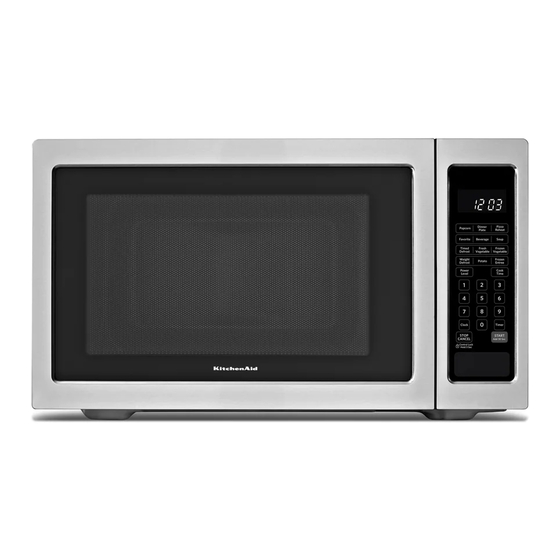
KitchenAid KCMS1655BSS Use And Care Manual

KitchenAid KCMS1655BSS Use And Care Manual

Use & care guide
Hide thumbs Also See for KCMS1655BSS:
MICROWAVE OVEN
Use & Care Guide
For questions about features, operation/performance, parts, accessories or service, call: 1-800-422-1230,
or visit our website at... www.kitchenaid.com
Table of Contents............................................................................................................ 2
Model KCMS1655
W10434224A
Table of Contents
loading

Frequently Asked Questions (12)

  • Why is my KitchenAid KCMS1655BSS microwave not heating food?

    If your microwave oven is not heating food, check the following:

    • Magnetron operation: To test, heat 1 cup (250 mL) of cold water for 2 minutes at 100% cooking power. If the water does not heat, ensure the door is completely closed, remove any packaging spacer if present, verify the electronic microwave oven control is set correctly, check if the Control Lock is set, and if "door" appears in the display, open and close the door then touch START. If the microwave still does not operate, call for service.

    For more information, see page 14 of the manual.
    Was this helpful?
  • Why is my KitchenAid KCMS1655BSS microwave not working?

    If your microwave oven is not working, consider the following:

    • No operation: Check if a household fuse has blown or a circuit breaker has tripped. Replace the fuse or reset the breaker. If the issue persists, call an electrician.
    • Door not closed: Ensure the door is completely closed. Firmly close it.
    • Packaging spacer: If a packaging spacer is attached to the inside of the door, remove it and then firmly close the door.
    • Control settings: Verify if the electronic microwave oven control is set correctly.
    • Control Lock: Check if the Control Lock is set. Unlock it if necessary.
    • "door" message: If "door" appears in the display, open and close the microwave oven door, then touch START.

    For more information, see page 14 of the manual.
    Was this helpful?
  • How do I clean my KitchenAid KCMS1655BSS microwave oven?

    To clean your microwave oven, follow these guidelines:

    • Microwave Oven Cavity
      • For average soil, use mild, nonabrasive soaps and detergents, then rinse with clean water and dry with a soft, lint-free cloth.
      • For heavy soil, heat 1 cup (250 mL) of water for 2 to 5 minutes with mild, nonabrasive soaps and detergents to soften the soil. Afterward, rinse with clean water and dry with a soft, lint-free cloth.
      • To remove odors, heat 1 cup (250 mL) of water with 1 tbs (15 mL) of either lemon juice or vinegar for 2 to 5 minutes.
    • Microwave Inlet Cover
      • Wipe with a wet cloth.
    • Microwave Oven Door and Exterior
      • For general cleaning, use mild, nonabrasive soaps and detergents, then rinse with clean water and dry with a soft, lint-free cloth.
      • For glass, use glass cleaner and paper towels or a nonabrasive plastic scrubbing pad. Apply the cleaner to the towel, not directly to the surface.
      • For stainless steel surfaces, use Stainless Steel Cleaner and Polish or liquid detergent or all-purpose cleaner. Rinse with clean water and dry with a soft, lint-free cloth, rubbing in the direction of the grain.
      • For hard water spots, use vinegar.
    • Control Panel
      • Dampen a sponge or soft cloth with water and wipe the panel, then dry with a soft cloth.
    • Turntable
      • Use a mild cleanser and scouring pad or clean it in the dishwasher. Replace the turntable immediately after cleaning.

    For more information, see page 13 of the manual.
    Was this helpful?
  • How do I unlock the control panel on my KitchenAid KCMS1655BSS microwave?

    To lock/unlock the control panel, the microwave oven must be off. Touch and hold STOP CANCEL for about 3 seconds until a tone sounds and the control lock icon appears in the display. Repeat this process to unlock the control panel.


    For more information, see page 7 of the manual.
    Was this helpful?
  • Why is the turntable not spinning in my KitchenAid KCMS1655BSS microwave?

    If the turntable is not spinning, check the following:

    • Proper placement: Make sure the turntable is correct side up and securely on the turntable support.
    • Support operation: Remove the turntable, then remove and clean the turntable hub, support, and rollers. Replace the hub, support, and turntable. Place 1 cup (250 mL) of water on the turntable and restart the microwave oven. If it still does not work, call for service. Do not operate the microwave oven without the turntable and turntable support working properly.

    For more information, see page 14 of the manual.
    Was this helpful?
  • Can the KitchenAid KCMS1655BSS microwave be installed as a built-in unit?
    Was this helpful?
  • How do I set the clock on the KitchenAid KCMS1655BSS microwave?

    To set the clock:

    1. Ensure the microwave oven and Timer are off.
    2. Touch CLOCK.
    3. Use the number pads to enter the correct time of day.
    4. Touch CLOCK again to confirm.

    For more information, see page 7 of the manual.
    Was this helpful?
  • Does the KitchenAid KCMS1655BSS microwave have a sensor cooking feature?

    Yes, the KitchenAid KCMS1655BSS microwave has a sensor cooking feature. A sensor in the microwave oven detects humidity released from the food as it heats and adjusts the cook time accordingly. Many sensor cycles require covering foods, and microwave-safe containers or steamers with loose-fitting lids are recommended. The loose-fitting lid allows steam to escape for detection by the sensor. If covering foods with plastic wrap, ensure a large enough vent opening to allow steam to escape. "SC" (sensor cook) will appear in the display during sensor cooking. If the door is opened while the sensor is detecting moisture, sensing will stop and the program will be canceled.


    For more information, see page 10 of the manual.
    Was this helpful?
  • Can I use a trim kit with the KitchenAid KCMS1655BSS microwave oven?
    Was this helpful?
  • How do I adjust the power settings on the KitchenAid KCMS1655BSS microwave?

    During manual cooking, the power level is adjusted by touching POWER LEVEL. The display will briefly show the current power level, then return to the cooking countdown. For example, PL7=70%=Medium-High.


    For more information, see page 9 of the manual.
    Was this helpful?
  • What should I do if the door on my KitchenAid KCMS1655BSS microwave won't open or close properly?

    If the door won't close properly, ensure it is firmly closed. If there is a packaging spacer attached to the inside of the door, remove it and then firmly close the door. If the door is bent, or the hinges and latches are broken or loosened, or the door seals and sealing surfaces are damaged, do not operate the oven. The oven should only be adjusted or repaired by properly qualified service personnel.

    Was this helpful?
  • What types of containers are safe to use in the KitchenAid KCMS1655BSS microwave?

    The following types of containers are generally safe to use in the microwave oven:

    • Browning Dish: Bottom must be at least 3/16" (5 mm) above the turntable. Follow manufacturer's recommendations.
    • Ceramic Glass, Glass: Acceptable for use.
    • China, Earthenware: Follow manufacturer's recommendations.
    • Melamine: Follow manufacturer's recommendations.
    • Paper (Towels, Dinnerware, Napkins): Use nonrecycled and those approved by the manufacturer for microwave oven use.
    • Plastic (Wraps, Bags, Covers, Dinnerware, Containers): Use those approved by the manufacturer for microwave oven use.
    • Pottery and Clay: Follow manufacturer's recommendations.
    • Silicone Bakeware: Follow manufacturer's recommendations.
    • Wax Paper: Acceptable for use.

    To test cookware or dinnerware for microwave use, place the item with 1 cup (250 mL) of water beside it in the microwave oven. Cook at 100% cooking power for 1 minute. Do not use the item if it becomes hot and the water stays cool.


    For more information, see page 9 of the manual.
    Was this helpful?
Need help?

Need help?

Do you have a question about the KCMS1655BSS and is the answer not in the manual?

Questions and answers

Patsy Callaway
July 16, 2025

some of our buttons on the keypad quit working but then will start working again two or three days later. It varies which buttons decide not to work

1 comments:
Mr. Anderson
August 31, 2025

Intermittent button malfunctions on the KitchenAid KCMS1655BSS keypad could be caused by the microwave oven not registering input if the door has been closed for about 5 minutes. In this case, the word “door” will appear in the display until the door is opened and closed again. This is a design feature to avoid unintentional operation.

This answer is automatically generated

Luis Nieto Sotelo
April 22, 2025

Hola. Mi horno Kitchen Aid modelo KCMS1655BSS-0 no calienta y controles digitales parecen estar bien. Lo habia puedsto en modo defrost

1 comments:
Mr. Anderson
May 11, 2025

The KitchenAid oven model KCMS1655BSS may not be heating even though the digital controls appear to be functioning due to one or more of the following reasons:

- The door is not completely closed. Firmly close the door.
- The Timer is in use instead of a cooking function.
- A packaging spacer may still be attached inside the door. Remove it and close the door firmly.
- The cooking power or control settings may not be set correctly.
- The Control Lock might be activated.
- The incoming voltage may be lower than required. A qualified electrician should check the electrical system.
- The display may show “door,” indicating the door needs to be opened and closed again before pressing START.

Check each of these factors to troubleshoot the issue.

This answer is automatically generated

Summary of Contents for KitchenAid KCMS1655BSS

  • Page 1 MICROWAVE OVEN Use & Care Guide For questions about features, operation/performance, parts, accessories or service, call: 1-800-422-1230, or visit our website at... www.kitchenaid.com Table of Contents......................2 Model KCMS1655 W10434224A...
  • Page 2: Table Of Contents

    TABLE OF CONTENTS MICROWAVE OVEN SAFETY............3 INSTALLATION INSTRUCTIONS ..........5 Unpacking ..................5 Location Requirements..............5 Electrical Requirements ...............5 PARTS AND FEATURES..............6 Turntable ..................6 MICROWAVE OVEN CONTROL............6 Display..................7 Start ....................7 Add 30 Seconds................7 Stop Cancel..................7 Tones....................7 Clock ....................7 Timer.....................7 Control Lock.................7 MICROWAVE OVEN USE ..............8 Food Characteristics..............8 Cooking Guidelines ..............8 Cookware and Dinnerware ............9...
  • Page 3: Microwave Oven Safety

    MICROWAVE OVEN SAFETY Your safety and the safety of others are very important. We have provided many important safety messages in this manual and on your appliance. Always read and obey all safety messages. This is the safety alert symbol. This symbol alerts you to potential hazards that can kill or hurt you and others.
  • Page 4: Precautions To Avoid Possible Exposure To Excessive Microwave Energy

    IMPORTANT SAFETY INSTRUCTIONS Do not operate any heating or cooking appliance beneath the Do not store this microwave oven outdoors. Do not use microwave oven. the microwave oven near water - for example, near a kitchen sink, in a wet basement, or near a swimming Do not mount microwave oven over or near any portion of a pool, or similar locations.
  • Page 5: Installation Instructions

    INSTALLATION INSTRUCTIONS Unpacking Electrical Requirements 1. Empty the microwave oven of any packing materials. WARNING 2. Clean the inside with a soft, damp cloth. 3. Check for damage, such as: a door that is not lined up correctly damage around the door, or dents on the interior or exterior of the microwave oven.
  • Page 6: Parts And Features

    PARTS AND FEATURES MICROWAVE OVEN CONTROL This manual may cover several different models. The model you have purchased may have some or all of the features shown here. The appearance of your particular model may differ slightly from the illustrations in this manual. A.
  • Page 7: Display

    Display Tones When power is first supplied to the microwave oven, “0:00” will Tones are audible signals that cannot be turned off. These tones appear in the display. If the “0:00” appears in the display at any indicate the following: other time, a power failure has occurred.
  • Page 8: Microwave Oven Use

    MICROWAVE OVEN USE A magnetron in the microwave oven produces microwaves which Cooking Guidelines reflect off the metal floor, walls and ceiling and pass through the turntable and appropriate cookware to the food. Microwaves are attracted to and absorbed by fat, sugar and water molecules in Covering the food, causing them to move, producing friction and heat Covering food helps retain moisture, shorten cook time and...
  • Page 9: Cookware And Dinnerware

    Cookware and Dinnerware Do Not Use Cookware and dinnerware must fit on the turntable. Always use Metal cookware and bakeware, gold, silver, pewter, non- oven mitts or pot holders when handling because any dish may approved meat thermometers, skewers, twist ties, foil liners become hot from heat transferred from the food.
  • Page 10: Manual Cooking

    Manual Cooking Favorite NOTE: To cook at 100% power, begin by touching number pads Use the FAVORITE control to program, store and recall the top to enter cook time, then touch START. 3 most frequently used manual cook programs. Each Favorite may have 1 or 2 stages (see “Cooking in Stages”...
  • Page 11: Quick Touch Menu (Sensor And Non-Sensor)

    Quick Touch Menu (sensor and non-sensor) The following menu items are preprogrammed for quick and easy cooking/reheating. For added convenience, the available/recommended amounts shown in the following chart are included on the Cooking Guide label (see “Parts and Features” for its location). MENU ITEM SERVING SIZE INSTRUCTIONS...
  • Page 12: Weight Defrost / Timed Defrost

    Weight Defrost / Timed Defrost The Weight Defrost feature’s preset programs can be used, the Timed Defrost feature can be used, or the microwave oven can be manually set to defrost. Unwrap foods and remove lids (for example, from fruit juice To Use Weight Defrost: containers) before defrosting.
  • Page 13: Microwave Oven Care

    MICROWAVE OVEN CARE General Cleaning IMPORTANT: Before cleaning, make sure all controls are off and the microwave oven is cool. Always follow label instructions on cleaning products. Soap, water and a soft cloth or sponge are suggested unless otherwise noted. MICROWAVE OVEN CAVITY MICROWAVE OVEN DOOR AND EXTERIOR To avoid damage to the microwave oven cavity, do not use soap-...
  • Page 14: Troubleshooting

    TROUBLESHOOTING Try the solutions suggested here first in order to avoid the cost of an unnecessary service call. Nothing will operate Turntable alternates rotation directions Has a household fuse blown, or has a circuit breaker This is normal and depends on motor rotation at beginning of tripped? cycle.
  • Page 15: Assistance Or Service

    For one year from the original date of purchase, when this microwave is installed, operated and maintained according to instructions attached to or furnished with the product, KitchenAid brand of Whirlpool Corporation or Whirlpool Canada LP (hereafter “KitchenAid”) will, at its sole option, either pay for factory specified parts and repair labor to correct defects in materials or workmanship or replace the product.
  • Page 16 3. The consultant will advise whether the microwave qualifies for repair or replacement. 4. In the event of repair, you may be directed to forward the product to a KitchenAid designated service center. You are responsible for insurance and freight to the designated service center. Please include your name and address on a piece of paper, along with a copy of the proof of purchase (register receipt, charge slip, etc.).

This manual is also suitable for:

Kcms1655bblKhms2040bblUmc5165asKcms1655

Table of Contents