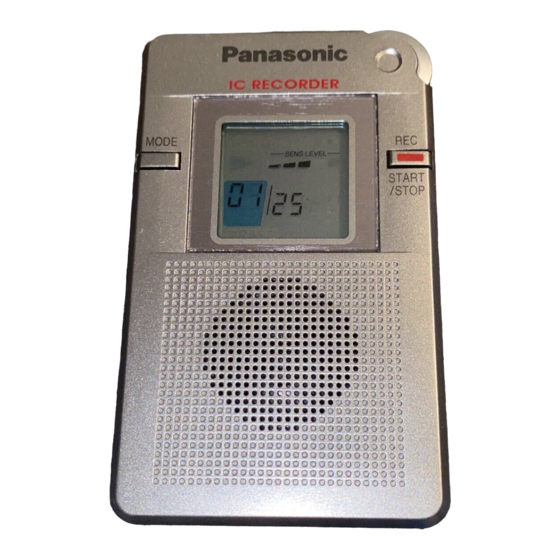
Panasonic RR-DR60 Operating Instructions Manual

Panasonic RR-DR60 Operating Instructions Manual

Ic recorder

Advertisement

Advertisement

Table of Contents
loading

Frequently Asked Questions (10)

  • Why is my Panasonic RR-DR60 voice recorder not recording?

    Your Panasonic RR-DR60 voice recorder might not be recording if:

    • 99 items have already been recorded.
    • 60 minutes worth of recordings have been made.

    If the recorder is full, "FULL" will flash on the screen when you try to record. To resolve this, you need to erase any unneeded items before continuing.


    For more information, see page 3 of the manual.
    Was this helpful?
  • How do I start recording on the Panasonic RR-DR60 voice recorder?

    To start recording, press the [REC START/STOP] button. The recording lamp will light up and the recording indicator "REC" will be shown on the display. The display will also show the item number and recording time. The unit can record up to ninety-nine different items with a total of sixty minutes of recording time.


    For more information, see page 3 of the manual.
    Was this helpful?
  • How do I play back recordings on the Panasonic RR-DR60?

    To play back recordings:

    1. Turn the [PLAY/SEL/STOP] dial to display the item you want to listen to. Information about the selected item (date, time, and length of recording) will appear.
    2. Press [PLAY/SEL/STOP] to start playback. The playback indicator will appear on the display.
    3. Adjust the volume using the volume control.

    For more information, see page 3 of the manual.
    Was this helpful?
  • What is the correct way to stop recording on my Panasonic RR-DR60?
    To stop recording, press the [REC START/STOP] button again. The display will then change to show the date of recording, time of recording, length of recording, and finally the normal display, ready for playback.
    For more information, see page 3 of the manual.
    Was this helpful?
  • What type of batteries does the Panasonic RR-DR60 use and how long do they last?

    The Panasonic RR-DR60 uses two "AAA" (R03/LR03, UM-4) batteries. Long-life alkaline batteries are recommended. When using Panasonic alkaline batteries, the approximate battery life is about 10 hours for recording and about 8 hours for playback. The battery life may vary depending on operating conditions.

    Was this helpful?
  • Does the Panasonic RR-DR60 support voice activated recording (VOR)?

    Yes, the Panasonic RR-DR60 supports a Voice Activated System (VAS). This feature automatically pauses recording when no sound is detected, helping to avoid blank portions in recordings. The REC lamp flashes when VAS is active and recording is temporarily stopped.


    For more information, see page 3 of the manual.
    Was this helpful?
  • Can I adjust the playback speed of recordings on the Panasonic RR-DR60?

    Yes, you can adjust the playback speed. There are five levels of playback speed available. To change it:

    1. Slide the [SPEED CONTROL] switch to the [ON] position while the unit is stopped.
    2. Press [PLAY/SEL/STOP] to playback an item.
    3. Turn [PLAY/SEL/STOP] to select the required speed. Playback speed can only be changed during playback.

    For more information, see page 5 of the manual.
    Was this helpful?
  • Can the Panasonic RR-DR60 voice recorder be used for transcription purposes?

    The Panasonic RR-DR60 allows you to change the playback speed to one of five levels, which can be useful for transcription.

    Was this helpful?
  • Is the Panasonic RR-DR60 a digital or analog voice recorder?

    The Panasonic RR-DR60 is an IC Recorder, which indicates it is a digital voice recorder.

    Was this helpful?
  • How do I clean and maintain my Panasonic RR-DR60 voice recorder?

    To clean your Panasonic RR-DR60, use a soft cloth. For very dirty surfaces, you can clean it with a mild dish washing liquid and then wipe it with a dry cloth. Do not use alcohol or thinners to clean the unit.


    For more information, see page 6 of the manual.
    Was this helpful?
Need help?

Need help?

Do you have a question about the RR-DR60 and is the answer not in the manual?

Questions and answers

Table of Contents

Save PDF