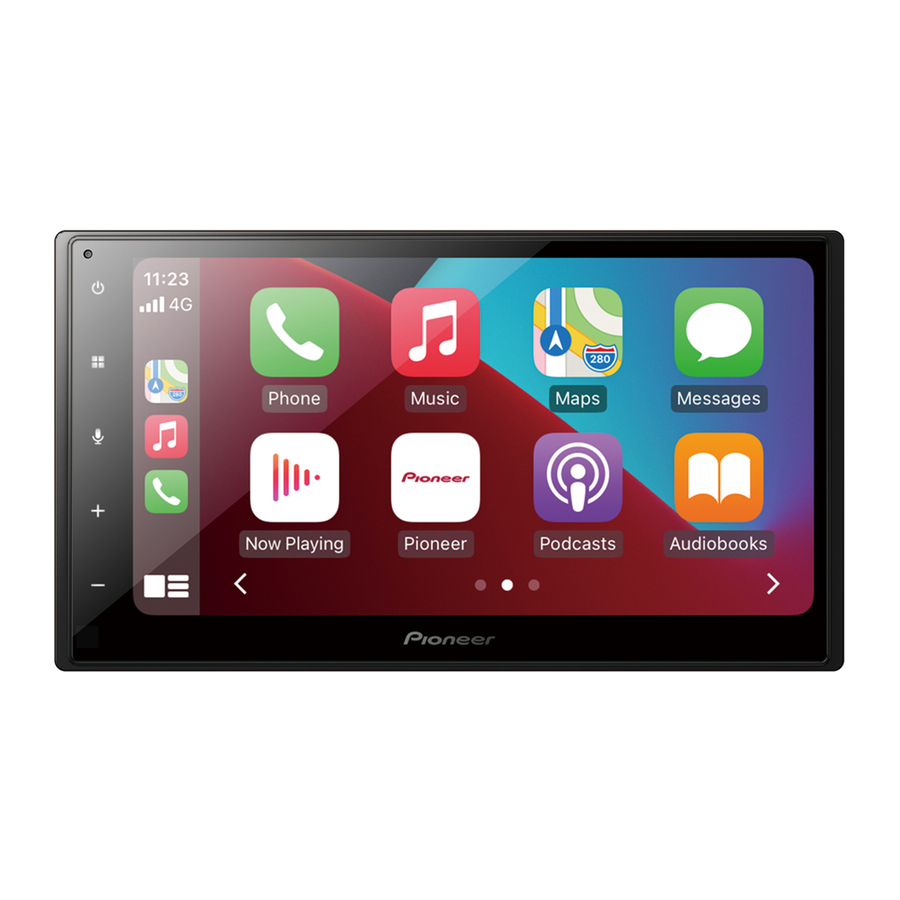
Pioneer SPH-DA160DAB - RDS AV Receiver Quick Start Guide
- Operation manual (59 pages) ,
- Installation manual (53 pages)
Advertisement
Overview

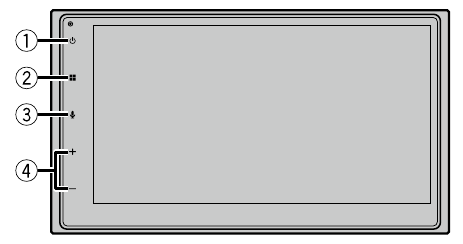
 |  |
|
 |  |
|
 |  |  Activate the voice recognition mode Activate the voice recognition mode |
 | VOL (+/-) | |
 Display off
 Power off
Selecting the clock
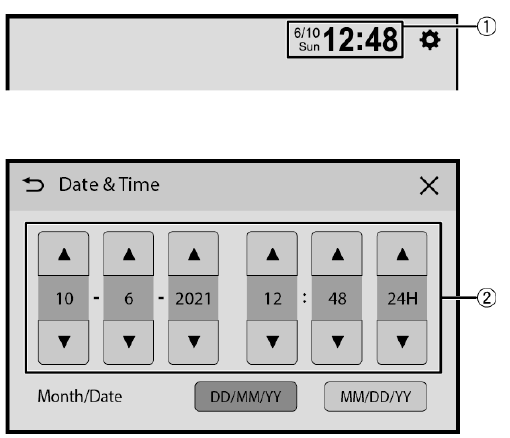
 |  Switch to clock adjustment display Switch to clock adjustment display |
 | Adjust the clock |
Selecting the source
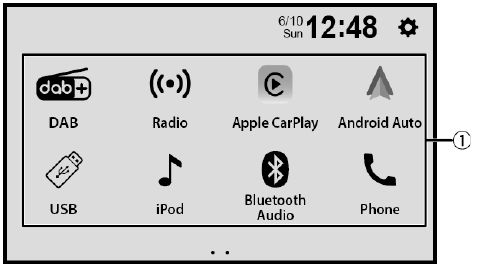
 | Select a source |
Tuner operation
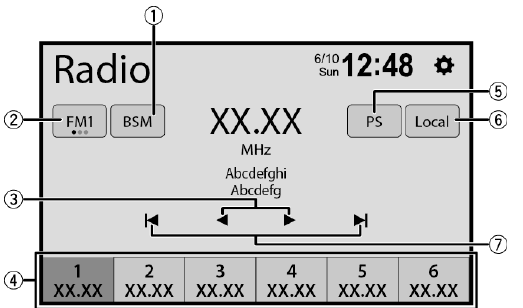
| |  Store the strongest broadcast frequencies Store the strongest broadcast frequencies |
 | Select a band |
 | Tune into the next station |
 |
|
 | Displays a preset channel for 10 seconds and switches to the next channel automatically. |
 | Tune into only radio stations with sufficiently strong signals |
 | Start seek turning |
 Store the current broadcast frequency to a key
Moving images operation
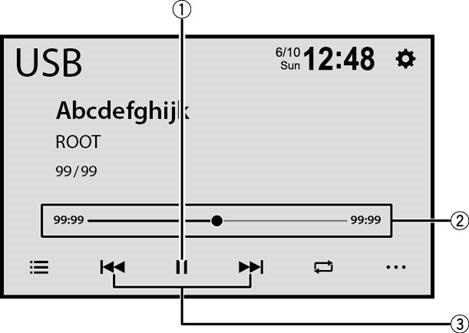
 | Pause and start playback |
 |  Change the playback point Change the playback point |
 |
|
 Performs fast forwards or fast reverse. Touch again to change the playback speed.
Audio operation
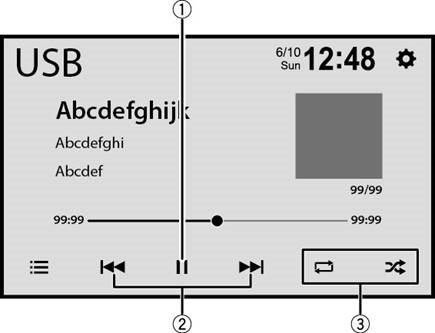
 | Pause and start playback |
 |
|
 | Set the function for playing audio |
List search operation
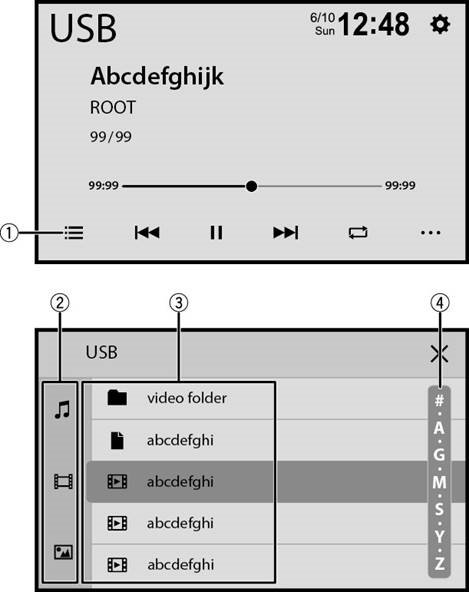
 | Display the playlist screen |
 | Select the media file types |
 | Select a list title or folder that you want to play |
 |  Scroll the list Scroll the list |
Bluetooth® connection
![]() Bluetooth Settings]
Bluetooth Settings] ![]() [Search].
[Search].![]() the Bluetooth device name.
the Bluetooth device name.
 Bluetooth Settings]
  [Search].
NOTE
The Bluetooth® word mark and logos are registered trademarks owned by Bluetooth SIG, Inc. and any use of such marks by Pioneer Corporation is under license. Other trademarks and trade names are those of their respective owners.
Bluetooth telephone operation
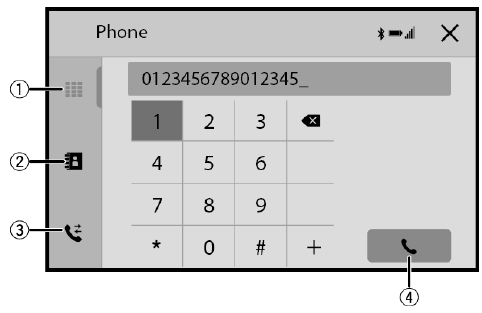
 | Enter the phone number directly |
 | Switch to the phone book mode |
 | Switch to the call history list |
 | Make an outgoing call |

Documents / ResourcesDownload manual
Here you can download full pdf version of manual, it may contain additional safety instructions, warranty information, FCC rules, etc.
Download Pioneer SPH-DA160DAB - RDS AV Receiver Quick Start Guide
Advertisement
Thank you! Your question has been received!


Need Assistance?
Do you have a question about the SPH-DA160DAB that isn't answered in the manual? Leave your question here.