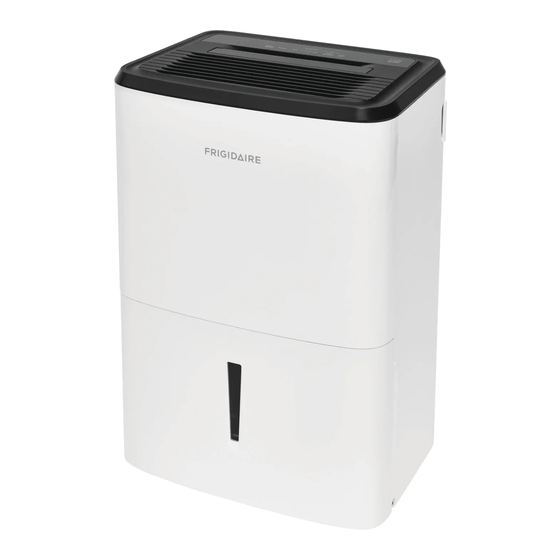
Frigidaire FFAD5033W1 Use & Care Manual

Frigidaire FFAD5033W1 Use & Care Manual

Hide thumbs Also See for FFAD5033W1:
All about the
Use
of your
..............................................................
......................................................
..........................................
Operating Instructions ......................................... 4-8
www.frigidaire.com USA 1-800-944-9044
&
Dehumidifier
T A B L E O F C O N T E N T S
...............................
2
3
3
4
www.frigidaire.ca Canada 1-800-265-8352
Care
Care And Cleaning............................................... 9
Storage .............................................................. 9
Normal Sounds ................................................... 9
Before You Call ................................................... 10
Major Appliance Limited Warranty ........................ 11
Table of Contents
loading

Frequently Asked Questions (19)

  • How do I use my Frigidaire FFAD5033W1 dehumidifier?

    To use your Frigidaire FFAD5033W1 dehumidifier:

    After a power outage, the unit will memorize the last setting and return to it once power is restored.

    Was this helpful?
  • Why is my Frigidaire FFAD5033W1 dehumidifier not working at all?

    If your Frigidaire FFAD5033W1 dehumidifier is not working, check the following:

    Was this helpful?
  • How do I empty the water collection bucket on my Frigidaire FFAD5033W1 dehumidifier?

    To empty the water collection bucket:

    • When the bucket is full, the unit will shut down and the BUCKET FULL indicator will illuminate.
    • Do not move the unit at this time, otherwise water may spill on the floor.
    • Press sides of bucket gently to unclip the bucket from the unit.
    • Remove the bucket as shown in the photographs and empty the bucket.
    • Replace the empty bucket back into the unit, and once seated correctly, the unit will start up again. You should hear a click when the bucket is in the correct position.
    • If the bucket full light does not extinguish, check that the float is correctly snapped in place.
    Was this helpful?
  • How do I clean the filter on my Frigidaire FFAD5033W1 dehumidifier?

    To clean the filter on your Frigidaire FFAD5033W1 dehumidifier, follow these steps:

    • Open the back grille and pull out the filter.
    • Wash the filter with clean water then dry it.
    • Re-install the filter.

    For more information, see page 9 of the manual.
    Was this helpful?
  • Why does my Frigidaire FFAD5033W1 dehumidifier keep icing up or freezing?

    If frost appears on the coils behind the filter, it is normal if the dehumidifier has been turned on recently due to refrigerant rushing through the coil. The frost will usually disappear within 60 minutes. If the room temperature is too low, all models will operate satisfactorily at temperatures greater than 41 °F (5 °C).

    Was this helpful?
  • Why does my Frigidaire FFAD5033W1 dehumidifier keep shutting off unexpectedly?

    Reasons your dehumidifier might shut off unexpectedly include:

    • The dryness level you selected has been reached. The dehumidifier automatically shuts off when the selected amount of moisture has been removed. If you want to remove more moisture, select 'CONTINUOUS' using the humidity button or knob. After the dehumidifier starts, reset the control to the desired setting.
    • The bucket is not installed properly. Refer to "Removing Collected Water" for proper installation.
    • Water in the bucket has reached its preset level. The dehumidifier automatically turns off when this occurs. Empty the bucket and return it to position.

    For more information, see page 10 of the manual.
    Was this helpful?
  • How do I set up continuous drainage with a garden hose on my Frigidaire FFAD5033W1 dehumidifier?

    To set up continuous drainage with a garden hose:

    • You will need a garden hose and a drain nearby to discharge the water into.
    • Unscrew the drain cap on the back side of the unit.
    • Insert the female threaded end of the hose onto the drain connector of the unit.
    • Screw the garden hose onto the threaded portion of the drain connector.
    • Make sure the hose is secure so there are no leaks.
    • Direct the hose toward the drain, making sure that there are no kinks that will stop the water flowing.
    • Place the end of the hose into the drain.
    • Select the desired humidity setting and fan speed on the unit for continuous draining to start.

    Note: Check the seal between the hose and the drain connector. If there is a small leak then replace the hose gasket and re-tighten the hose. It is recommended that a Dehumidifier Drain Hose - 1/2" (12.7mm) or larger be used. Make sure there are no kinks or elevations in the hose. When a hose is not attached to the drain connector, please ensure drain cap is screwed securely to the connector to prevent leakages.


    For more information, see page 8 of the manual.
    Was this helpful?
  • How do I set the desired humidity level on my Frigidaire FFAD5033W1 dehumidifier?

    After a few days when the Relative Humidity has declined, press the HUMIDITY A or V buttons to choose a value between 35% to 85%, so the room is kept at a comfortable humidity. Pressing the A or V buttons will change the humidity selection in 5% increments. 5 seconds after you have set the desired humidity, the readout will display the actual room humidity. If at any time you want to return to the CONTINUOUS Mode, pressing the HUMIDITY V button will lower the Relative Humidity through 5% decrements until the display reads CO.

    Was this helpful?
  • Why does my Frigidaire FFAD5033W1 dehumidifier show a 'Full Tank' alert even when the water bucket is empty?

    If the "BUCKET FULL" light is on, you need to remove the bucket and re-install it to reset the float switch. If the bucket full light does not extinguish after replacing the empty bucket, check that the float is correctly snapped in place.

    Was this helpful?
  • What is the best placement for my Frigidaire FFAD5033W1 dehumidifier to ensure maximum efficiency?

    For maximum efficiency, consider the following placement guidelines:

    • The dehumidifier must be operated in an enclosed area to be most effective. Close all doors, windows, and other outside openings to the room.
    • Place the dehumidifier in a location that does not restrict the airflow of the air intake and air outlet.
    • A dehumidifier operating in a basement will have little or no effect in drying an adjacent enclosed storage area, such as a closet, unless there is adequate circulation of air in and out of the area.
    • The dehumidifier must be installed on a level floor that will support it with a full bucket of water.
    • There should be a minimum of 12 inches clearance around the dehumidifier. The unit will produce heat while in operation and should not be operated in an enclosed small space like a closet.

    For more information, see page 3 of the manual.
    Was this helpful?
  • How do I reset the filter light on my Frigidaire FFAD5033W1 dehumidifier?

    The Filter reset light will illuminate after 250 hours of operation. Once the filter has been cleaned and replaced, simply press the Filter reset button to extinguish the light.


    For more information, see page 6 of the manual.
    Was this helpful?
  • How often should I perform general cleaning and maintenance on my Frigidaire FFAD5033W1 dehumidifier?

    The filter should be cleaned every two weeks based on normal operating conditions.

    Was this helpful?
  • What does the EC error code indicate on my Frigidaire FFAD5033W1 dehumidifier?

    The EC error code indicates that you should check the following operating conditions:

    • Outlet voltage should be 115V±10%.
    • Surrounding temperature should be within the range of 41 °F to 89 °F.

    To attempt to fix this, unplug the unit and plug it in again under normal operating conditions. If the "EC" code persists, contact your Authorized Frigidaire Service Center.


    For more information, see page 7 of the manual.
    Was this helpful?
  • How do I clean the water bucket of my Frigidaire FFAD5033W1 dehumidifier?

    To clean the water bucket, use warm water and detergent.

    Was this helpful?
  • How do I set the timer function on my Frigidaire FFAD5033W1 dehumidifier?

    The TIMER function allows you to either Delay Start or Delay Stop the unit in a choice from 0.5 hour to 24 hours.

    To set the timer:

    • First, press the TIMER button.
    • Then, adjust the timer setting by tapping or holding the A or V button to change the delay timer at 0.5 hour increments, up to 10 hours, then by 1 hour increments up to 24 hours.

    The control will count down the time remaining until the unit either starts or stops. For Delay Start, the fan speed and humidity maintained will be the same as the previous setting. After TIMER setting finishes, pressing the TIMER button again at any time will stop the TIMER function. The Delay Start/Stop Feature will work until the unit either starts or stops. Once that happens, the steps have to be repeated.

    Note: Before entering TIMER setting, make sure power is being supplied to the unit and that you have set a desired room humidity.


    For more information, see page 6 of the manual.
    Was this helpful?
  • What is the recommended operating temperature range for the Frigidaire FFAD5033W1 dehumidifier?

    The unit is designed to operate between 41 °F (5°C) and 89 °F (32 °C). The unit will not work properly if the temperature is out of this range, or the performance of the unit will fall greatly.

    Was this helpful?
  • What do the various indicator lights and symbols on the display panel of my Frigidaire FFAD5033W1 dehumidifier signify?

    The display panel includes:

    When the unit is in CONTINUOUS mode, the unit will only display CO and not the room humidity.

    Was this helpful?
  • What is the typical operating noise level of the Frigidaire FFAD5033W1 dehumidifier?

    Normal sounds during operation include:

    • Sound of Rushing Air: At the top of the unit, you may hear the sound of rushing air being moved by the fan.
    • Gurgle/Hiss: "Gurgling or hissing" noise may be heard due to refrigerant passing through the evaporator during normal operation.
    • Dripping Sound: The sound of dripping water may be heard during the dehumidification cycle.
    • High pitched Chatter: Today's high efficiency compressors may have a high pitched chatter during the dehumidification cycle.

    Additionally, fan noise is a normal sound as air is moving through the dehumidifier.

    Was this helpful?
  • What steps should I take to prepare my Frigidaire FFAD5033W1 dehumidifier for long-term storage?

    When the unit is not in use, unplug it and use the cord wrap shown for your model type.

    Was this helpful?
Need help?

Need help?

Do you have a question about the FFAD5033W1 and is the answer not in the manual?

Questions and answers

Alicia Kennaugh
September 5, 2025

It is not beeping when tank is full, so water is leaking out

Summary of Contents for Frigidaire FFAD5033W1

  • Page 1: Table Of Contents

    Care And Cleaning..........9 Storage .............. 9 Location .............. How It Works ............Normal Sounds ........... 9 Before You Call ........... 10 Dehumidifier Features .......... Operating Instructions ......... 4-8 Major Appliance Limited Warranty ......11 www.frigidaire.com USA 1-800-944-9044 www.frigidaire.ca Canada 1-800-265-8352...
  • Page 2: Important Safety Instructions

    Important Safety Instructions NOTE: This USE & CARE MANUAL provides specific operating instructions for your model. Use the dehumidifier only as instructed in this USE & CARE MANUAL. These instructions are not meant to cover every possible condition and situation that may occur. Common sense and caution must be practiced when installing, operating, and maintaining any appliance.
  • Page 3: Location

    Location & How It Works Selecting a Location Location IMPORTANT: 1. Dehumidifier must be operated in an enclosed area to be most effective. Close all doors, windows, and other outside openings to the room. The effectiveness of the dehumidifier depends on the rate at which new moisture-laden air enters the room. 2.
  • Page 4: Dehumidifier Features

    Dehumidifier Features & Operating Instructions Dehumidifier Features ELECTRONIC CONTROL Before you begin, thoroughly familiarize yourself with the control panel and all its functions (as shown below). BUCKET FULL DISPLAYS INDICATOR HUMIDITY CHECK FILTER SETS ADJUSTS SETS FAN TURNS UNIT RESET BUTTON TIMER HUMIDITY SPEED...
  • Page 5: Operating Instructions

    Operating Instructions Operating Instructions (continued) 2. To turn the unit on, press the ON/OFF button. The unit will run in the factory setting of CONTINUOUS and high fan speed. In the CONTINUOUS mode, the unit will only display CO and not the room humidity. It is recommended you leave the unit running in the CONTINUOUS setting for the first three or four days until the sweating and dampness odors have stopped.
  • Page 6 Operating Instructions Operating Instructions (continued) 5. The Filter reset light will illuminate after 250 hours of operation. At this time refer to the care and cleaning section to remove and clean the filter. Once the filter has been cleaned and replaced, simply press the Filter reset button to extinguish the light.
  • Page 7 Operating Instructions Fault Codes 1. If the display reads "AS" or "ES" , a sensor has failed. Contact your Authorized Frigidaire Service Center. 2.If the display reads "EC" , check the following operating conditions. Outlet voltage should be 115V±10% and the surrounding temperature should be with in the range of 41 °F to 89 °F.
  • Page 8 Operating Instructions Removing Collected Water (continued) e. Replace the empty bucket back into the unit and once seated correctly, the unit will start up again. f. You should hear a click when the bucket is in the correct position If the bucket full light does not extinguish, check that the float is correctly snapped in place. 2.
  • Page 9: Care And Cleaning

    Care and Cleaning & Storage Care and Cleaning 1. Filter Clean the filter every two weeks based on normal operating conditions. To remove the filter: a. open the back grille and pull out the filter. b. Wash the filter with clean water then dry. c.
  • Page 10: Before You Call

    Room Temperature is too low. All models will operate satisfactorily at temperatures greater than 41 °F (5 °C). FAN NOISE. Air is moving through the dehumidifier. This is a normal sound. If These Solutions Fail, Call 1-800-944-9044(US)/1-800-265-8352(Canada) For Frigidaire Service. 2019 Electrolux Home Products, Inc. All rights reserved.
  • Page 11: Major Appliance Limited Warranty

    Major Appliance Limited Warranty Your appliance is covered by a limited one-year warranty for functional repairs only. For one year from your original date of purchase, Electrolux will pay all costs for repairing or replacing any parts of this appliance that prove to be defective in materials or workmanship when such appliance is installed, used and maintained in accordance with the provided instructions.

This manual is also suitable for:

Ffad3533w1

Table of Contents